-
HandGesture
Inspiration
The inspiration for this project came from observing the limitations of traditional input devices in various scenarios—whether it's the need for touchless interfaces in healthcare settings, the desire for more natural interaction in educational environments, or the accessibility challenges faced by users with mobility impairments.During the COVID-19 pandemic, we witnessed an increased demand for contactless technology. This sparked the idea: What if we could eliminate the barrier between human gestures and digital interaction entirely? We envisioned a world where drawing, writing, and creating could be as simple as moving your hand in the air—no stylus, no mouse, no touchscreen required.
What it does
The Real-Time Hand Gesture Controlled Virtual Drawing Interface is a touchless digital canvas that transforms hand movements into visual art through computer vision and gesture recognition. Core Functionality: Drawing Mode: Users extend their index finger to draw smooth, continuous strokes on a digital canvas in real-time Erase Mode: Opening the palm (5 fingers extended) instantly clears the entire canvas Live Feedback: Real-time visual indicators show the current gesture being performed Mirror Mode: Video feed is horizontally flipped for natural, intuitive interaction—like looking in a mirror Mobile Integration: Works seamlessly with smartphone cameras via DroidCam, eliminating the need for dedicated webcams
How we built it
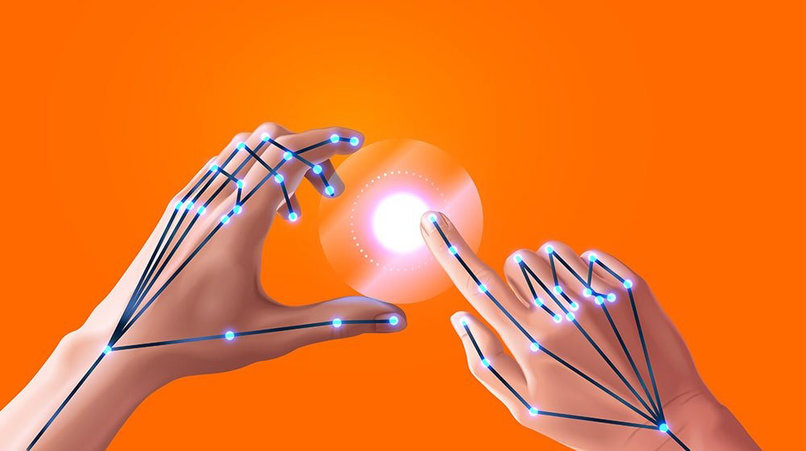
Research Phase: Studied existing gesture recognition systems and identified MediaPipe as the optimal solution for hand tracking accuracy and performance Hand Detection Pipeline: Implemented MediaPipe's hand landmark model to detect 21 key points on the hand with real-time tracking at 30+ FPS Gesture Recognition Logic: Developed finger-counting algorithm with special thumb detection Created logic to differentiate between "drawing" (index finger only) and "erasing" (open palm) gestures Added position tracking for smooth stroke rendering Drawing Engine: Built a canvas overlay system using OpenCV that: Captures finger tip coordinates Draws continuous lines between consecutive positions Blends the canvas with the live video feed Optimization: Fine-tuned confidence thresholds, added frame mirroring,and implemented gesture stability mechanisms to prevent jittery detection Testing & Iteration: Conducted extensive testing under various lighting conditions and distances to ensure robust performance
Challenges we ran into
- Gesture Stability & False Positives Challenge: Hand tracking occasionally produced jittery results, causing unintended drawing or premature canvas clearing Solution: Implemented gesture smoothing algorithms and increased confidence thresholds. Added debouncing logic to require consistent gesture detection before triggering actions
- Lighting Sensitivity Challenge: MediaPipe's detection accuracy varied significantly under different lighting conditions Solution: Adjusted camera exposure settings and added preprocessing steps. Documented optimal lighting conditions for users and implemented adaptive threshold tuning
- Drawing Continuity Challenge: Maintaining smooth, continuous strokes when the hand moves quickly or temporarily exits the frame Solution: Implemented previous position tracking with None checks to reset drawing state when hand detection is lost, preventing unwanted connecting lines
- Mirror Effect Confusion Challenge: Initial testers found the non-mirrored view counterintuitive—moving right appeared as left on screen Solution: Applied horizontal flip to the video feed, creating a natural mirror-like experience that matched user expectations
- Finger Differentiation Challenge: Accurately distinguishing between different finger configurations, especially the thumb Solution: Developed custom logic for thumb detection using horizontal distance rather than vertical (y-axis) positioning, accounting for thumb's unique anatomy
- Performance Optimization Challenge: Real-time processing of video frames while running hand detection models was CPU-intensive Solution: Reduced frame resolution to 640x480, optimized the drawing pipeline, and minimized unnecessary computations in the main loop ## Accomplishments that we're proud of Real-time Performance: Achieved consistent 30+ FPS processing with minimal latency—gestures translate to on-screen actions instantly . Robust Gesture Recognition: Built a reliable system that accurately distinguishes between drawing and erasing gestures across various hand sizes and skin tones. Smooth Drawing Experience: Created a natural, fluid drawing experience that rivals traditional input methods in responsiveness. Hardware Independence: Developed a solution that works with any camera—from laptop webcams to smartphone cameras—making it accessible to anyone. Open Source Contribution: Built a foundation that others can extend, modify, and integrate into their own projects. Minimal Setup: Reduced the barrier to entry—users need only Python, a camera, and three simple library installations. Practical Application: Created a working prototype that demonstrates the real-world viability of touchless interfaces ## What we learned Computer Vision & Machine Learning: Gained deep understanding of real-time image processing pipelines and frame-by-frame analysis Learned how MediaPipe's hand landmark detection model works under the hood—understanding the balance between accuracy and speed Discovered the importance of preprocessing (color space conversion, frame flipping) in vision applications Understood the challenges of working with machine learning models in resource-constrained environments Gesture Recognition: Learned that context matters—the same finger position can mean different things based on other fingers' states Discovered the importance of gesture stability—users' hands naturally shake, requiring smoothing and debouncing Understood the nuances of hand anatomy—the thumb requires special handling compared to other fingers Software Engineering: Practiced modular design—separating gesture recognition, drawing logic, and video processing into distinct methods Learned the importance of proper resource management—releasing camera handles and closing MediaPipe sessions to prevent memory leaks Gained experience with real-time systems—where every millisecond of latency impacts user experience User Experience Design: Discovered that intuitive doesn't mean obvious—the mirror effect was crucial for natural interaction Learned the value of visual feedback—users need to know what the system is "seeing" and interpreting Understood that simplicity is powerful—limiting to two core gestures made the system easier to learn and use Problem-Solving: Developed resilience in debugging challenging issues like jittery detection and lighting sensitivity Learned to balance ideal functionality with practical constraints (e.g., accepting some limitations for better performance) Gained experience in iterative development—testing, gathering feedback, and continuously improving Cross-Domain Applications: Recognized how computer vision techniques apply across healthcare, education, accessibility, and entertainment Understood the broader potential of gesture-based interfaces beyond just drawing applications. ## What's next for Real-Time Hand Gesture Controlled Virtual Drawing Interface Short-term Enhancements: Multi-Gesture Support Add color selection gestures (e.g., two fingers for red, three for blue) Implement brush size control by measuring distance between thumb and index finger Create shape tools (circles, squares, lines) activated by specific hand poses Enhanced Drawing Features Undo/Redo functionality triggered by swiping gestures Save & Export drawings as PNG/JPEG files Multiple brush styles (pencil, marker, spray paint effects) Background templates for guided drawing User Experience Improvements Tutorial mode with guided gesture training Customizable gesture mappings for user preferences Performance dashboard showing FPS and detection confidence Multiple color palette UI overlaid on video feed Medium-term Goals: Advanced Recognition Machine learning-based gesture training: Allow users to define custom gestures Hand pose classification: Use CNNs to recognize complex hand shapes Gesture prediction: Anticipate user intent based on motion patterns Collaborative Features Multi-hand tracking: Enable two-handed drawing or collaborative work Network support: Allow multiple users to draw on a shared canvas remotely Session recording: Capture drawing sessions as video for tutorials or presentations Platform Expansion Web-based version using TensorFlow.js and WebRTC for browser access Mobile app with native camera integration AR integration using ARCore/ARKit for spatial drawing in 3D space Long-term Vision: 3D Gesture Interaction Extend to 3D drawing using depth information from stereo cameras Implement spatial gesture recognition for sculpting virtual objects Create immersive VR/AR experiences with hand tracking as the primary input Accessibility Applications Develop assistive communication tools for users with speech or motor impairments Create gesture-based sign language recognition systems Build educational tools for remote learning and interactive teaching Smart Environment Integration IoT control interfaces: Use gestures to control smart home devices Industrial applications: Touchless controls for manufacturing environments Healthcare interfaces: Sterile interaction systems for surgical planning AI-Powered Features Drawing enhancement: Auto-smooth strokes and correct shapes using AI Gesture prediction: Anticipate next actions based on drawing patterns Style transfer: Apply artistic styles to gesture-drawn sketches in real-time Object recognition: Identify what users are drawing and provide suggestions Commercial Applications Partner with educational institutions for interactive whiteboards Develop enterprise solutions for touchless presentation controls Create therapeutic tools for physical rehabilitation and cognitive training Research Directions: Explore low-latency optimization for sub-10ms gesture-to-action delay Investigate multi-modal interaction combining gestures, voice, and eye tracking Study ergonomics of extended gesture-based interaction to prevent fatigue Research cultural gesture variations for globally inclusive interfaces The ultimate goal is to make gesture-based interaction as natural and ubiquitous as touchscreens—transforming how humans interact with digital systems across all domains of life. This project is just the beginning of a touchless future where our natural movements become the universal interface.Claude is AI and can make mistakes. Please double-check responses.

