-
-
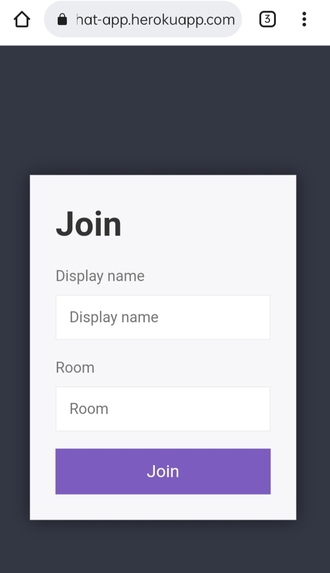
This is the frontend screen for our chat app from where we have to enter our display name and room name for enter into the chat room.
-
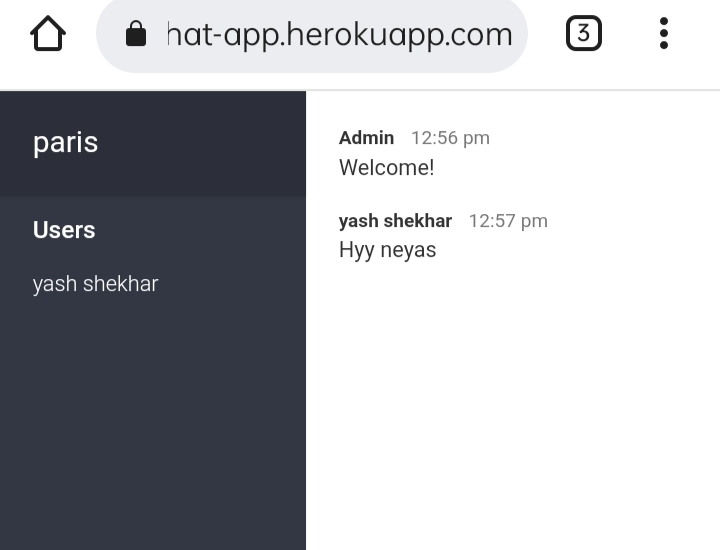
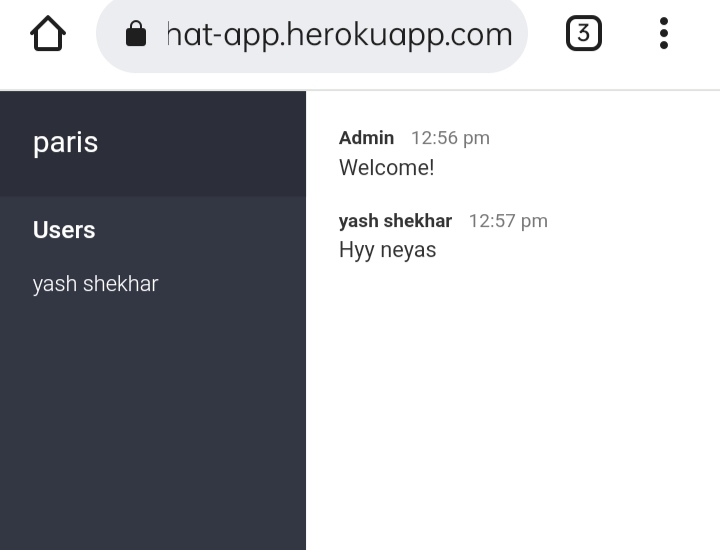
This is the screen after entering our details where we can talk to other person and send messages,share location etc.
-
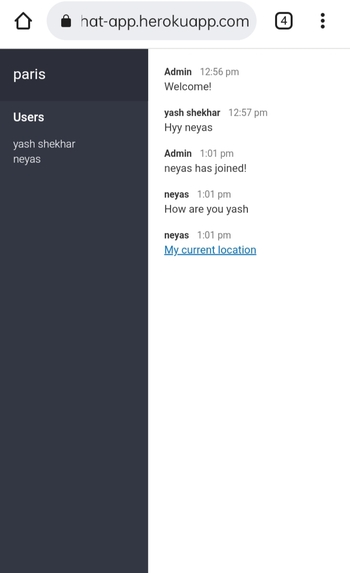
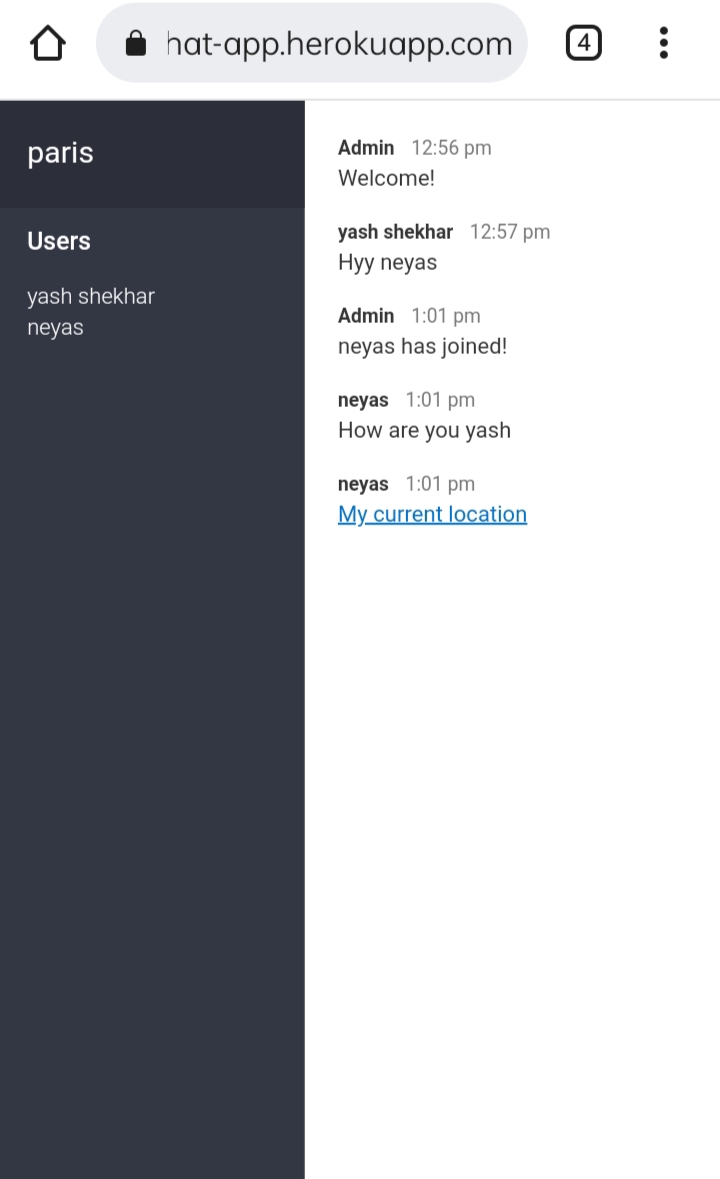
This is the screen where other user joined and messages and location are visible to other person in the same chat room.
Inspiration
A chat application makes it easy to communicate with people anywhere in the world by sending and receiving messages in real time and app like WhatsApp,Facebook, etc motivate us and here we create our new one.
What it does
It enables users to instant message and connect with each other through their computers or mobile devices.
How we built it
- Create a Directory & Install Dependencies
- Build the Front-End Chat Interface & Chat Client
- Create and/or Connect the Back End (Chat Server)
- Prioritize Feature Expansion Based on User Feedback
Challenges we ran into
- Picking core real-time features
- Choosing the right tool stack for your messaging service
- The challenge: Making your chat app stand out
- Providing top security on cloud communication services
- Getting actual users and having them stay
Accomplishments that we're proud of
- Operating reliably, in real-time
- Ensuring security
- Increasing chat app engagement
- Scalability of our chat app
What we learned
- Cross-Platform Development
- Authorization
- Authentication
- Various tech stacks like nodejs, mongodb, heroku, javascript, GitHub, APIs etc.
What's next for Real-time chat application
- Implementation of voice & video messages
- File sharing system
- Customisable reactions through emojis,stickers,gifs etc.
- Typing indicators
- Mentions


Log in or sign up for Devpost to join the conversation.