-
-
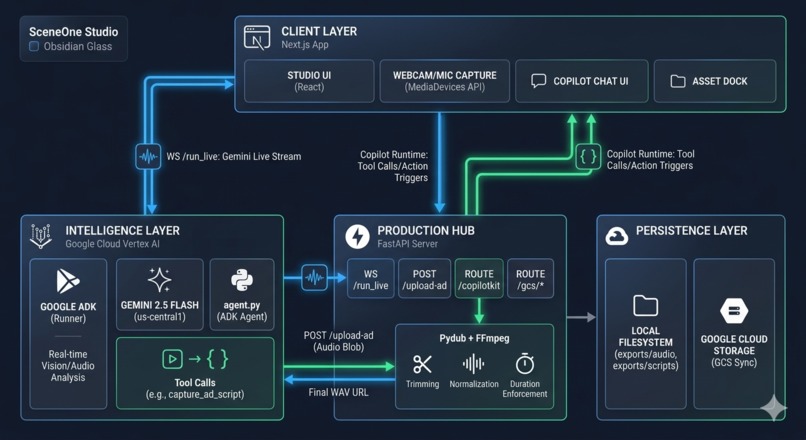
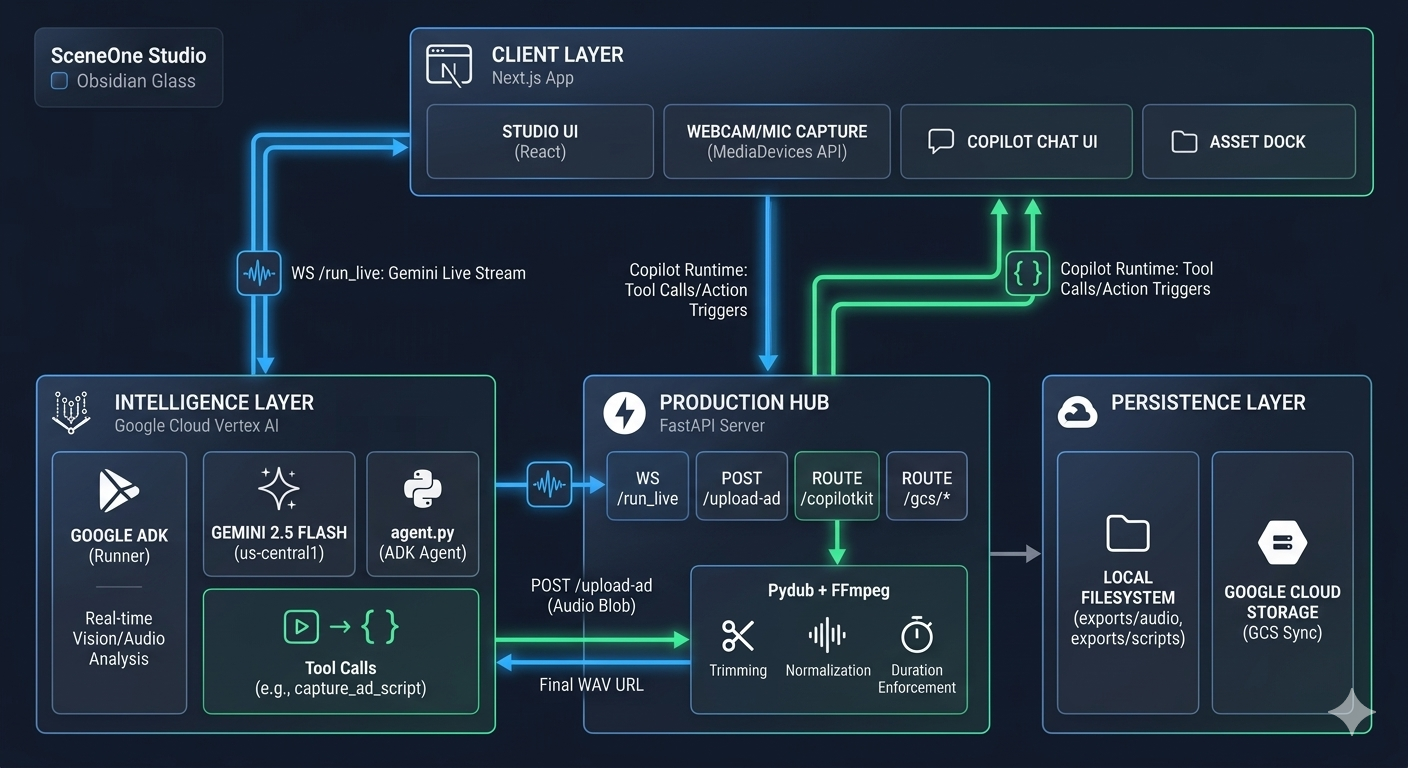
SceneOne - Architecture Diagram
-
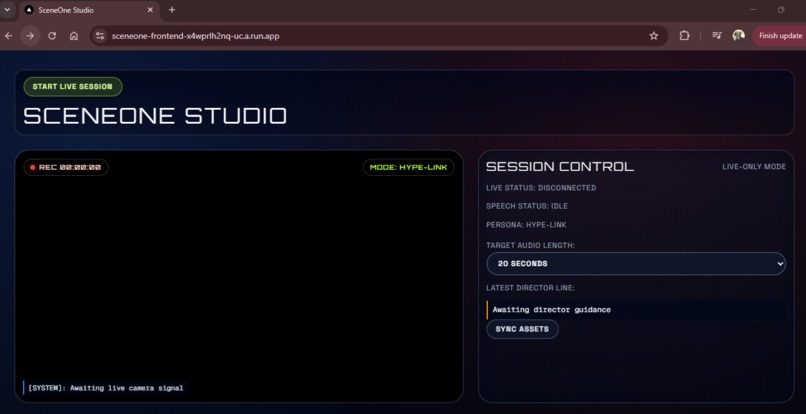
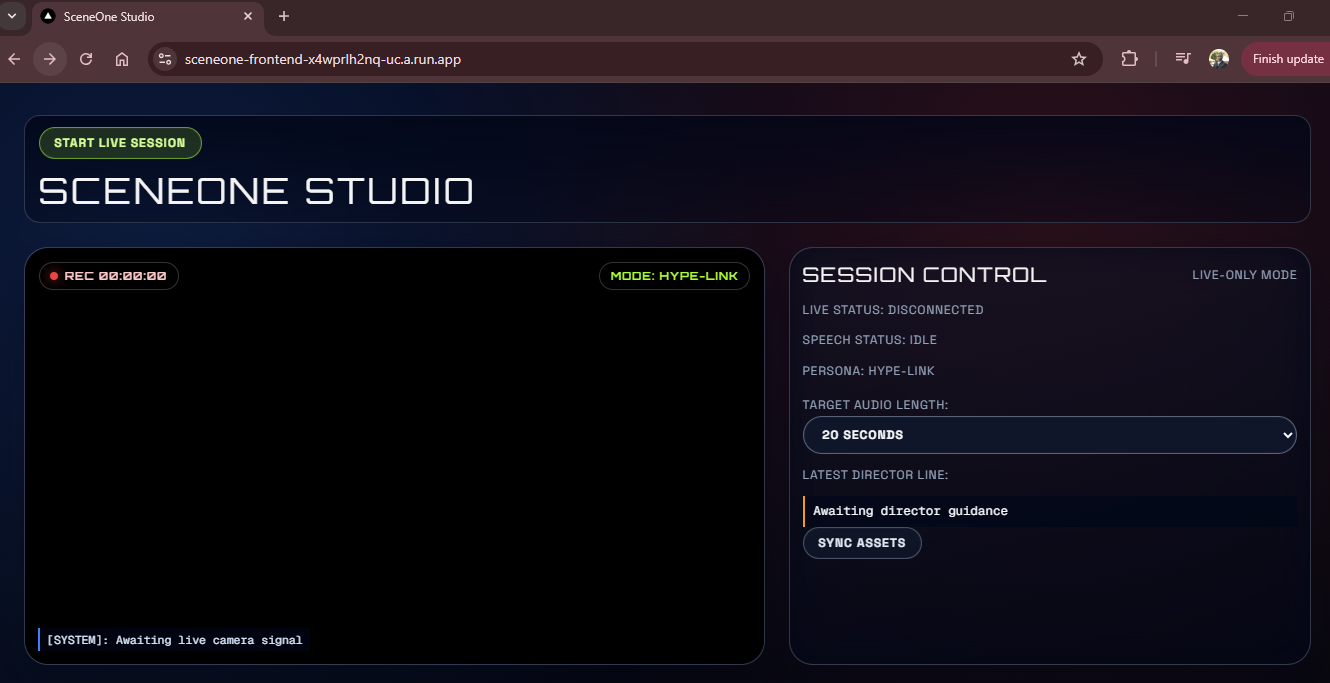
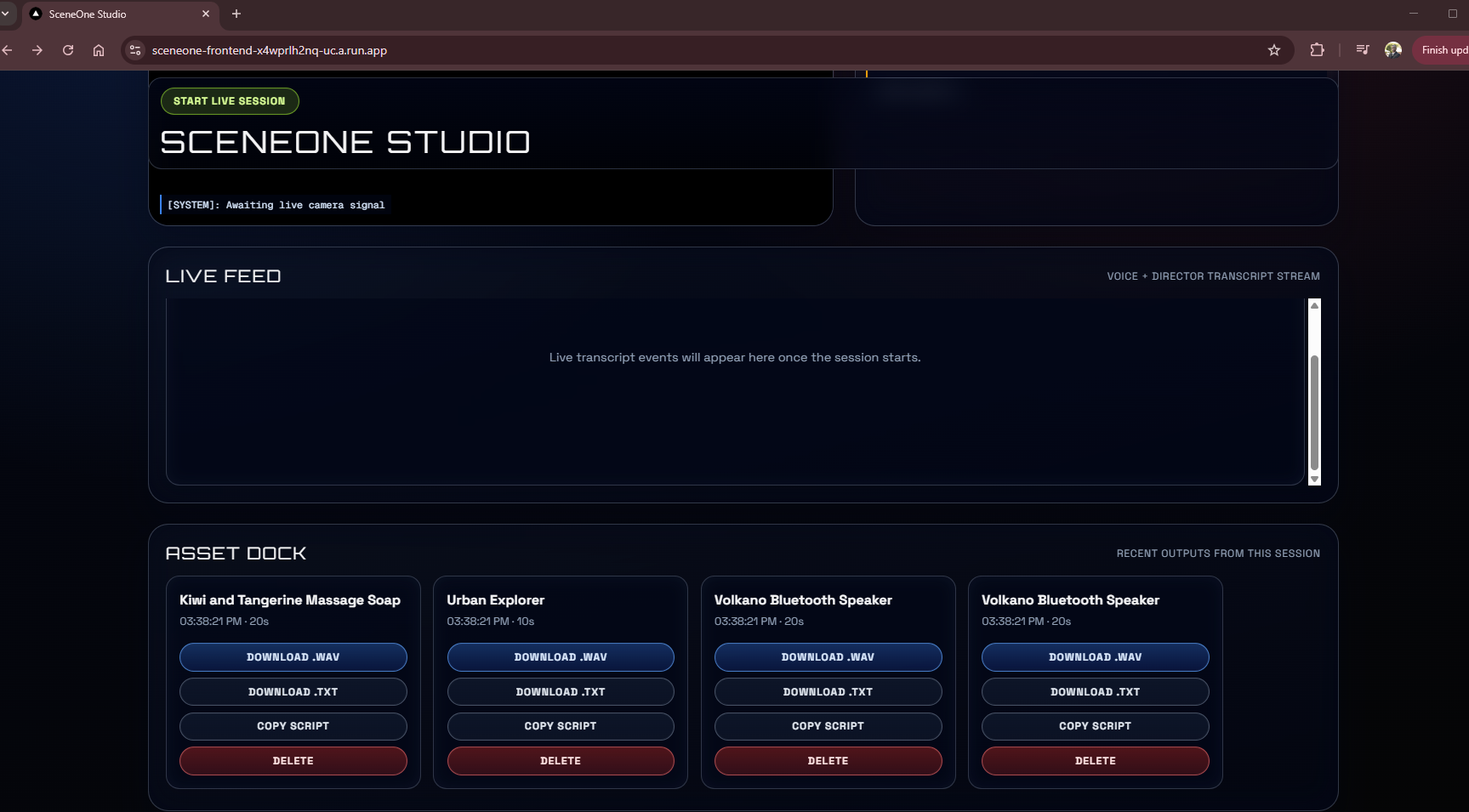
SceneOne Studio - UI
-
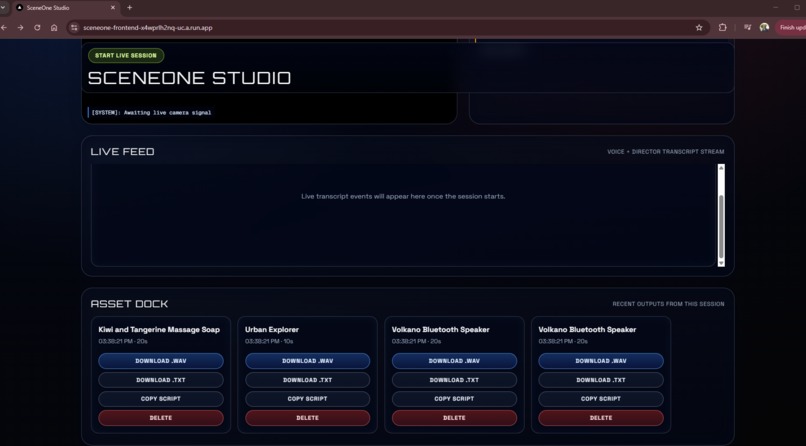
SceneOne Studio - Asset Dock
-
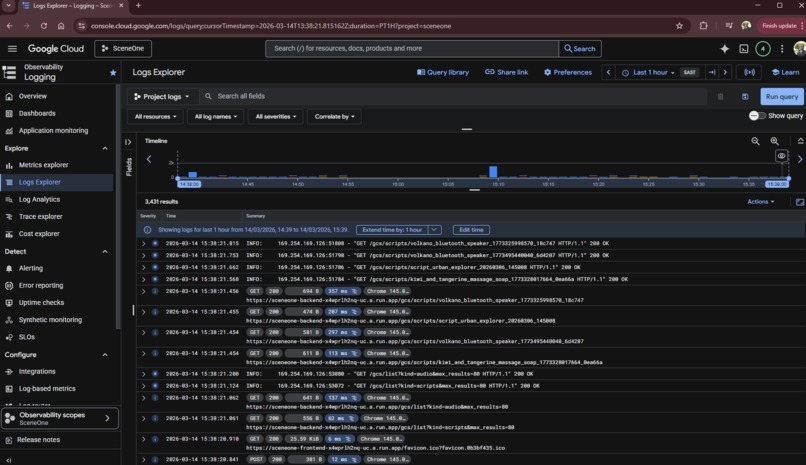
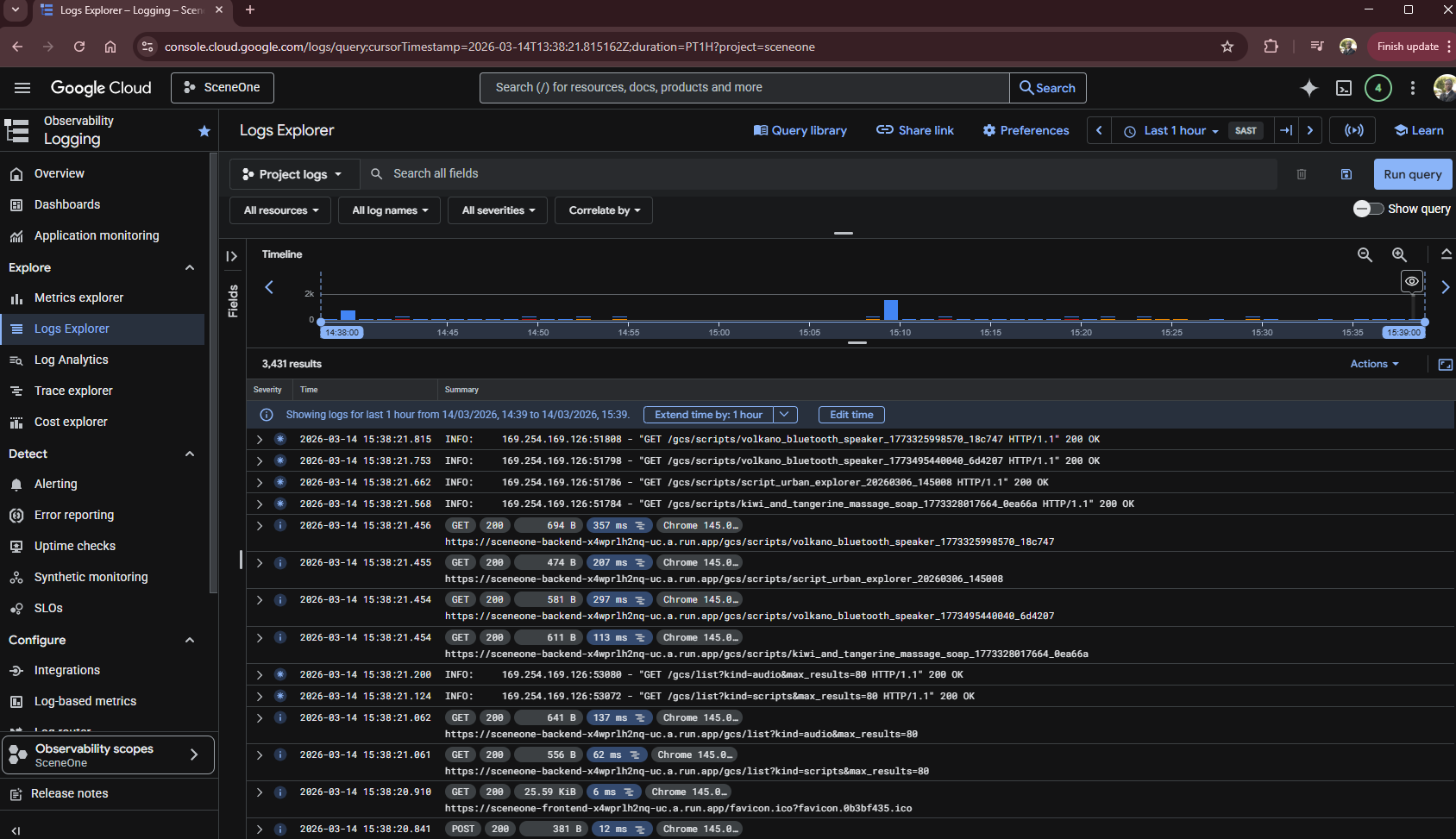
Google Cloud Deployment Logs
-
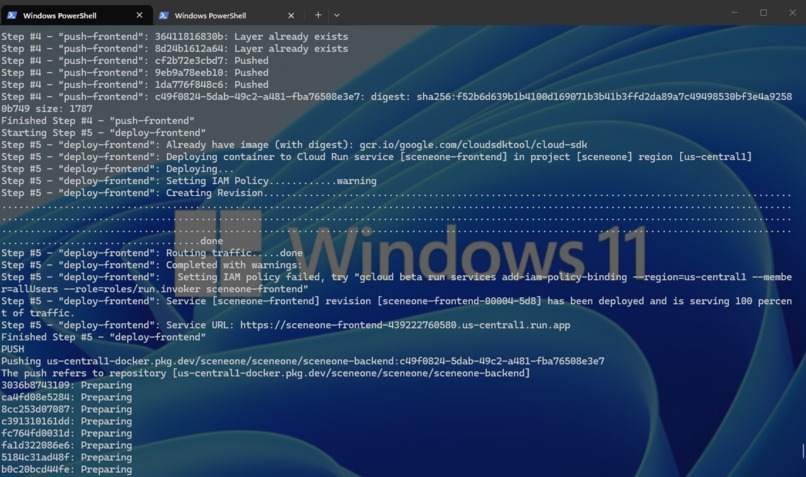
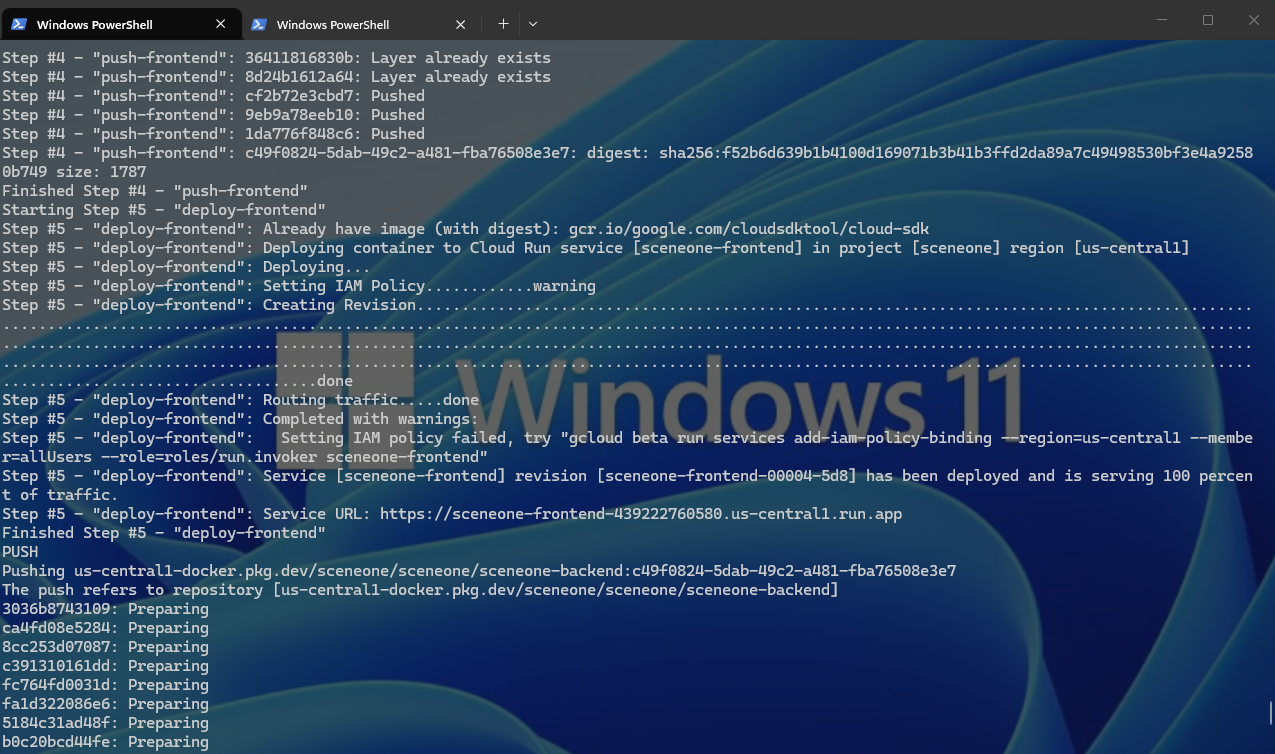
Cloud Build operation
-
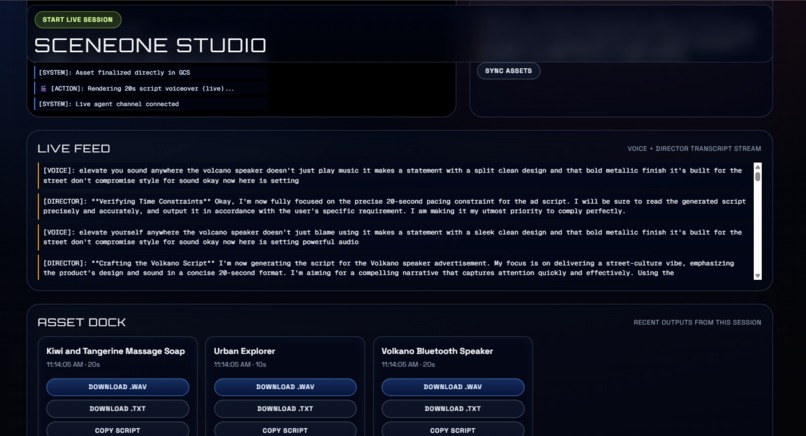
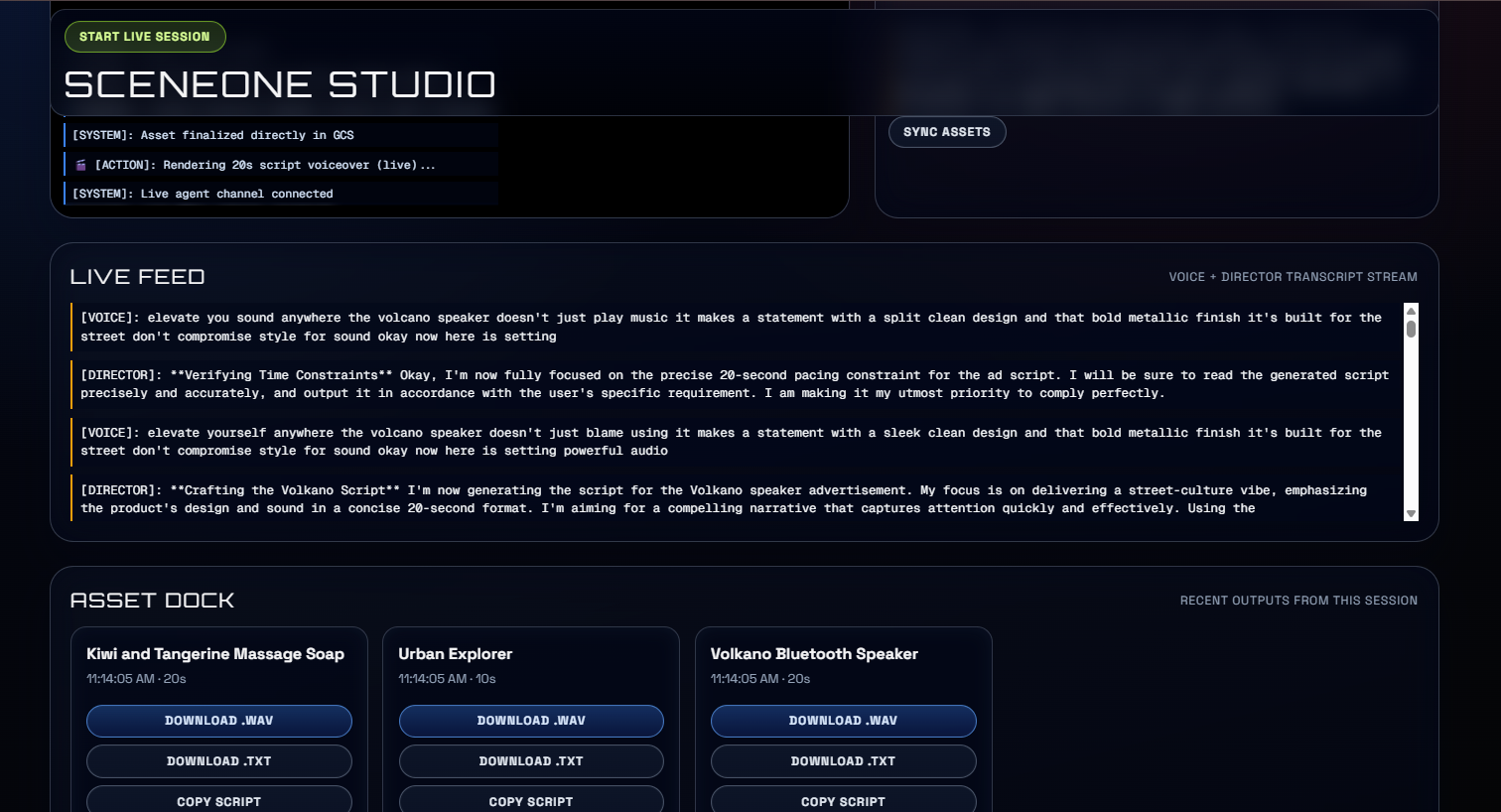
SceneOne Studio displays the live feed with the Gemini Agent
Inspiration
Traditional ad production is slow and manual. I wanted to build a 'Director-in-a-Box' that uses AI vision to see what you’re holding and instantly turn it into a polished, studio-quality commercial.
What it does
SceneOne is an AI-powered ad production studio that lets a user show a product on camera, get live creative direction from an AI “director,” and generate a polished short audio ad.
It combines a live multimodal session with asset management, so the user can ideate, record, generate, and store campaign assets in one workflow.
The app saves generated scripts and finalized audio clips to Google Cloud Storage, making them available immediately in the frontend Asset Dock.
How we built it
We built SceneOne Studio as a full-stack application with a Next.js frontend and a FastAPI backend deployed on Google Cloud Run. The frontend handles the studio interface, live camera and microphone experience, asset dock, and session controls, while the backend handles AI orchestration, audio processing, and cloud storage integration.
A core part of the project is Google ADK, which we used to define and run our custom SceneOne creative director agent. ADK gave us the agent framework, tool integration, and live session structure needed to support a real interactive workflow instead of a simple one-shot prompt. Our agent can guide the user during a live session, react to what the user is showing, and trigger the script capture flow when it is ready to produce an ad.
We used Gemini Live and a native-audio Gemini model to power the real-time multimodal interaction layer. This allowed the agent to participate in a live session over WebSocket, receive user input in real time, respond with audio/text output, and support a more natural creative back-and-forth. In our implementation, the live session is connected through the backend /run_live route, where the ADK runner manages the streaming interaction between the user and the SceneOne director agent.
We also integrated Google Cloud Storage to persist generated scripts and finalized audio assets, so files created during sessions are immediately available in the frontend Asset Dock. Deployment was automated with Google Cloud Build, which builds both services, pushes container images, deploys them to Cloud Run, injects secrets and environment configuration, and keeps the production setup repeatable.
How it works
To begin interacting with SceneOne Studio, open your browser to the URL link provided. Then, click the "Start Live Session" button at the top left corner of the page.
Once the session begins, you can hold up any product, and the agent will attempt to recognise it. If the item you are using is not very visible, the agent will prompt you to hold it closer, so it can take a closer look.
The Gemini Live agent has been very intuitive and has managed to instantly recognise any item that I showed it! Once the agent begins speaking, it will automatically begin the recording process once you say the words "ACTION!".
Here, you can speak the words, "Give me the heat, ACTION", or "Give it to me, ACTION!" and the agent will begin the recording process.
Once the recording is done, you will see a Toast notification appear at the top of your screen notifying you that the process is complete. You can also watch for a progress bar to fully complete, to inform you that the production process is finished.
You will immediately see the new Audio recording appear in the Asset Dock at the bottom of the screen. If it does not appear, wait a few seconds and refresh the page. All recorded assets are stored and persisted on a Google Cloud Storage bucket, so they will always appear there, and you won't lose them until you physically delete them from the Asset Dock. My backend API's have been built with CRUD operations to manage and maintain GCS Bucket.
Challenges we ran into
One of the biggest challenges was production integration: getting the frontend, backend, Cloud Run, GCS, CORS, and WebSocket live sessions to all work correctly together.
We also had to debug deployment mismatches between old and current Cloud Run service URLs, which caused asset fetches and live session failures until the environment and public access settings were corrected.
Another challenge was making the live pipeline reliable end-to-end, especially around browser audio, backend processing, and saving generated files to persistent cloud storage instead of ephemeral container storage.
Accomplishments that we're proud of
We built a working end-to-end creative workflow where a user can start a live session, receive AI direction, generate a script, and produce a new audio ad asset.
We successfully deployed the full system to Google Cloud and got production asset sync working through GCS, with generated files visible in the frontend immediately.
We also automated deployment and cloud setup enough that the project is not just a demo, but a repeatable cloud-deployed application.
What we learned
We learned a lot about connecting live multimodal AI systems to real product workflows, not just isolated prompts or single API calls.
We gained hands-on experience debugging cloud deployment issues across infrastructure, auth, CORS, public access, and WebSocket behavior in production.
We also learned how important it is to design for persistence and operational reliability early, especially when building AI apps that create and manage real user-facing assets.
What's next for SceneOne Studio
We’ve only scratched the surface of what SceneOne Studio can become. The next step is refining the user experience so the creative workflow feels faster, smoother, and more intuitive for content creators and small brands.
We also want to extend SceneOne beyond generation into distribution. Once an audio ad is finalized, the platform could publish directly to channels like TikTok, Instagram Reels, Spotify, and other creator platforms, turning SceneOne into both a production and delivery tool.
Another major direction is mobile. Since the current version is deployed as a web app, we want to explore turning SceneOne into a mobile-first product so creators can capture products, generate ads, and publish content directly from their phones anywhere in the world.
Longer term, we see opportunities to expand from audio into full multimodal campaign creation, including video ads, voice variants, brand style presets, collaboration workflows, and analytics that help users understand which creative outputs perform best.
Built With
- adk
- cloudstorage
- fastapi
- gemini
- google-cloud
- nextjs
- python
- typescript

Log in or sign up for Devpost to join the conversation.