-
-
Logo
-
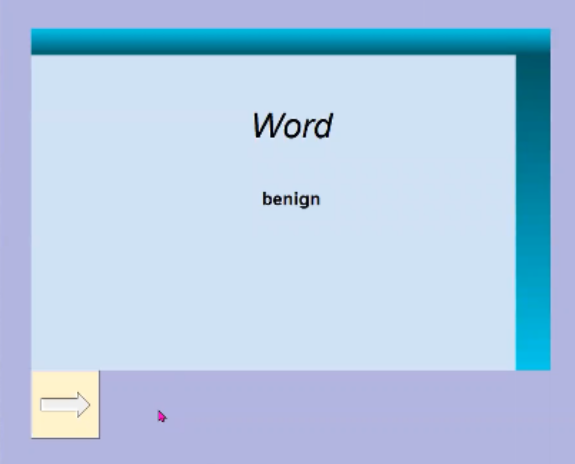
Front of the card
-
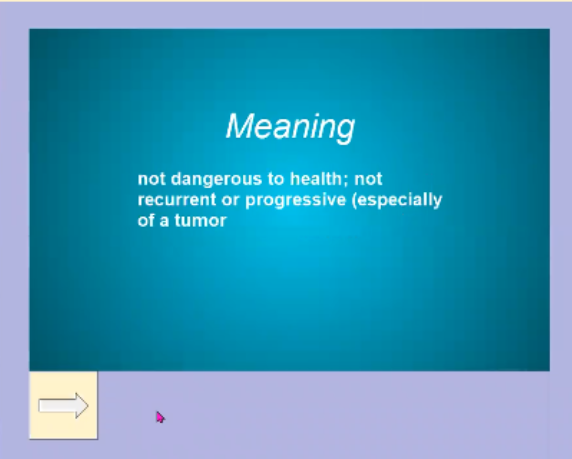
Back of the card
Inspiration
I love to read. However, when I run across a new vocabulary word I read the definition then quickly forget about it. Later, I see that same word and wonder what the definition was again. I wanted to create an app that will allow me to practice vocabulary from my own personal words, all that come from when I read. With Readulary, you can do just that.
What it does
Readulary is an app that takes highlights that you annotated from, extracts those words, finds the definition, then stores them for future use. Those words are then accessed in a GUI built to act as flashcards. This way, the user can practice the vocab that they want.
How I built it
To start, we have to extract highlights from user input. The following is a modified version of an answer from @JorjMcKie on github. We call the "main" function with the filename, which is text.pdf in this example and store the results as a list called highlights
highlights = main("text.pdf")
The "main" function opens the file using PyMuPDF, called by the phrase "fitz." Then, for each page in the document it adds to the list after being handled by the function "handle_page" and then returns it.
def main(filepath: str) -> List:
    doc = fitz.open(filepath)

    highlights = []
    for page in doc:
        highlights += handle_page(page)

    return highlights
In handle_page, we create a list of words. Then, it looks for annotations of key "8," which is labeled as a highlight and parses that in the function "_parse_highlight." Finally, it returns the list highlights
def handle_page(page):
    wordlist = page.get_text("words")
    wordlist.sort(key=lambda w: (w[3], w[0]))

    highlights = []
    annot = page.first_annot
    while annot:
        if annot.type[0] == 8:
            highlights.append(_parse_highlight(annot, wordlist))
        annot = annot.next
    return highlights
After receiving the list of highlights, we have to find the meaning and store them. However, we must first check with our database "vocabulary" and collection "words" from MongoDB if the highlights exist already. We use a database in this project because of how slow it would be to store everything locally. We use PyDictionary to determine the meaning of the words and either sends them to our collection as a pair with the word or skips them if the word already exists.
for i in highlights:
        if words.find_one({'word':i}) is None:
            mean = dictionary.meaning(i)
            list2 = list(mean.values())[0]
            meaning = list2[0]
            to_learn[i] = meaning
            new_word = {
                'word':i,
                'meaning':meaning
            }
            words.insert_one(new_word)
            print("sent!")
        else:
            print('exists!')
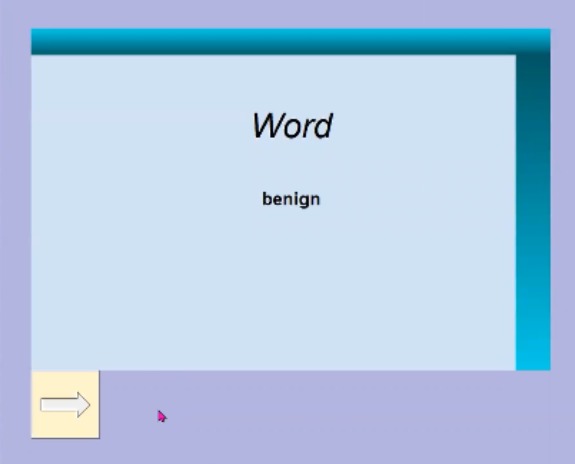
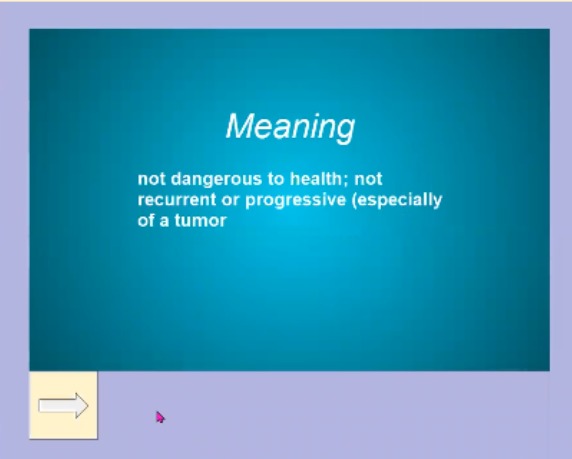
The following establishes the GUI using tkinter. It creates a canvas with text and images, sending commands (functions) which turn the cards or moves onto the next one based off of user input.
window = Tk()
    window.title("My Vocabulary")
    window.config(padx=50, pady=50, bg=BACKGROUND_COLOR)
    flip_timer = window.after(3000, func=flip_card) #3 seconds

    canvas = Canvas(width=800, height=526)
    card_front_img = PhotoImage(file="./images/card_front.png")
    card_back_img = PhotoImage(file="./images/card_back.png")
    card_background = canvas.create_image(400, 263, image=card_front_img)
    card_title = canvas.create_text(400, 150, text="Title", font=("Ariel", 40, "italic"))
    canvas.config(bg=BACKGROUND_COLOR, highlightthickness=0)
    card_word = canvas.create_text(400, 263, width = 500, text="Word", font=("Ariel",20,"bold"), tags="word")
    canvas.grid(row=0, column=0, columnspan=2)

    cross_image = PhotoImage(file="./images/next.png")
    unknown_button = Button(image=cross_image, command = next_card)
    unknown_button.grid(row=1, column=0, sticky="W")
Please view my whole program in my repository Readury
Challenges I ran into
-The hardest part was probably getting the highlighted text to be extracted. After a long time searching the internet, I came across that comment on github that I mentioned before and was able to modify it to create the version I have now. -Originally, I stored all of the words and their meanings in a dictionary. I quickly came to realize how slow this actually was, as each word had to get their meaning determined which took forever in the first place, then accessing them took even longer. That's when I learned to use MongoDB Atlas, which would store all of my words and meaning on the cloud and not locally, allowing for quick data gathering without worrying about speed. Although it is a bit slow uploading initial words, it severely cuts down on run time.
Accomplishments that I'm proud of
- Completing on time.
- Learning MondoDB, TKinter (GUI in python). These are two super important things that I am glad I learned for this project.
- Being able to use this project regularly :D
What we learned
- As mentioned, how to create a database, collection, and communicate with Python in MongoDB.
- How to create a GUI in Python
- How to extract highlights from a PDF in Python
What's next for Readulary
- Live highlighting. Currently, the user has to annotate on their own, then run the program for it all to be uploaded. I want to make it so as the user reads, they simply highlight the word and it gets stored in the database. This will cut down on upload time.
- App. Currently, this only supports PC use and PDFs. I want to create an IOS or Android application which will allow users to highlight straight from their device anywhere they are.
- File Types. I want this to support more than PDFs, such as TXT, ePUB, RTF, and more.

Log in or sign up for Devpost to join the conversation.