-
-
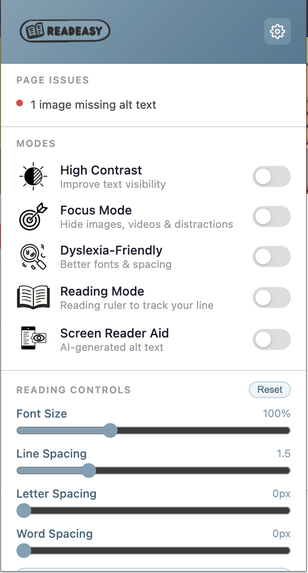
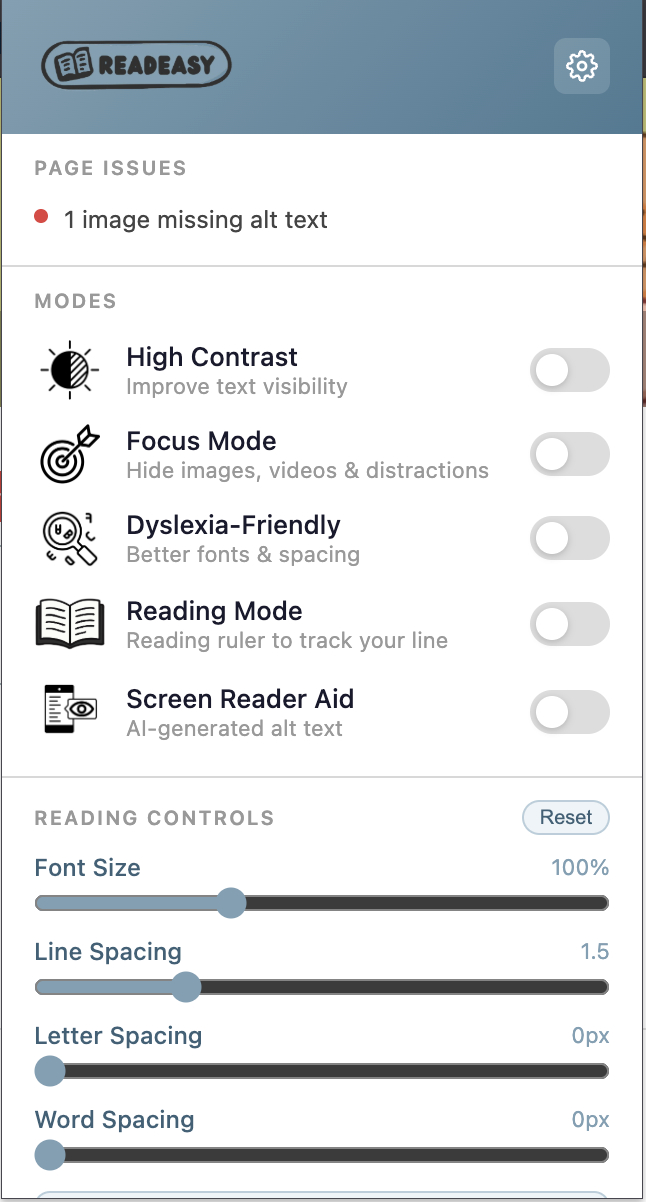
Chrome Extension pop-up page with accessibility settings that users can toggle to customize
-
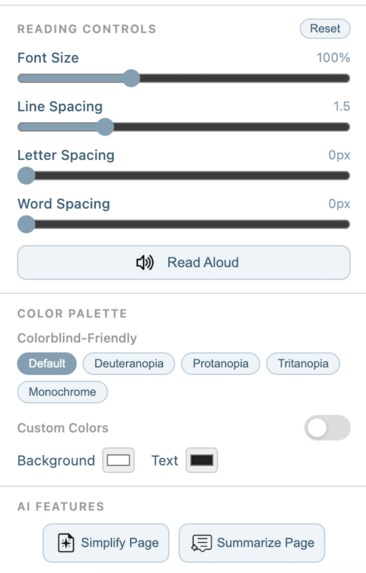
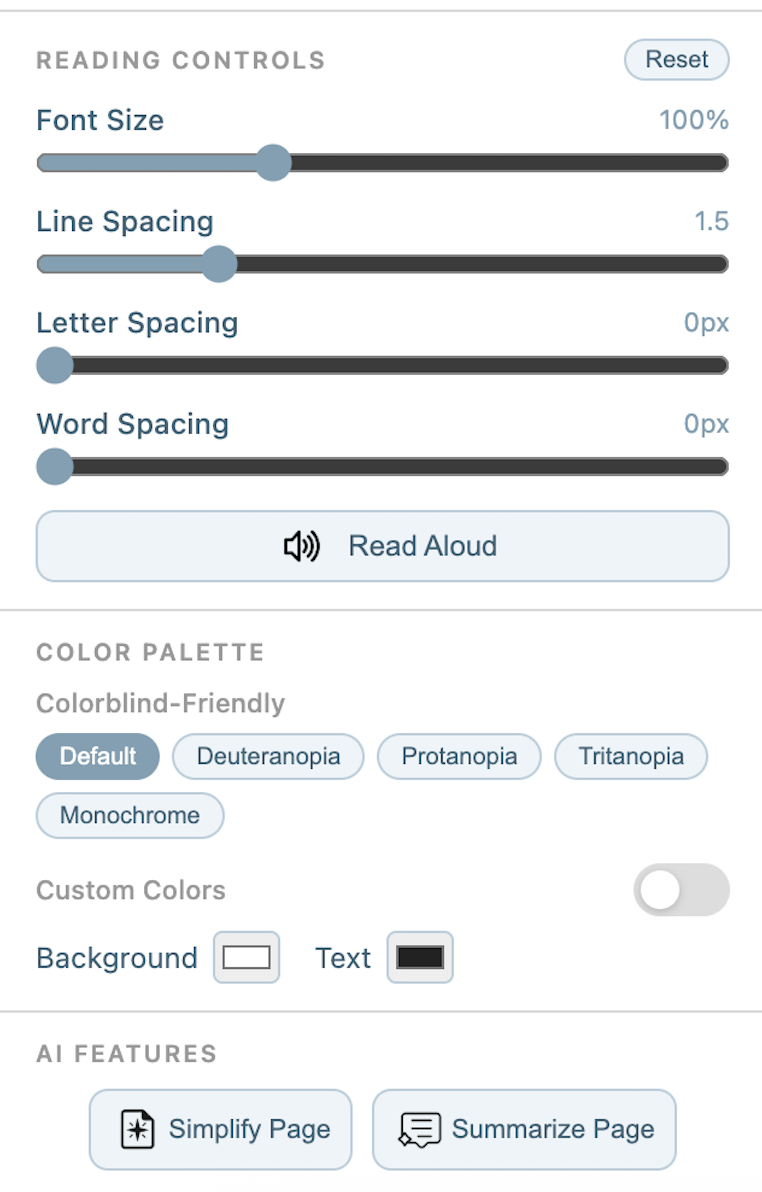
[Continuation] Chrome Extension pop-up page with accessibility settings that users can select to adjust and control
-
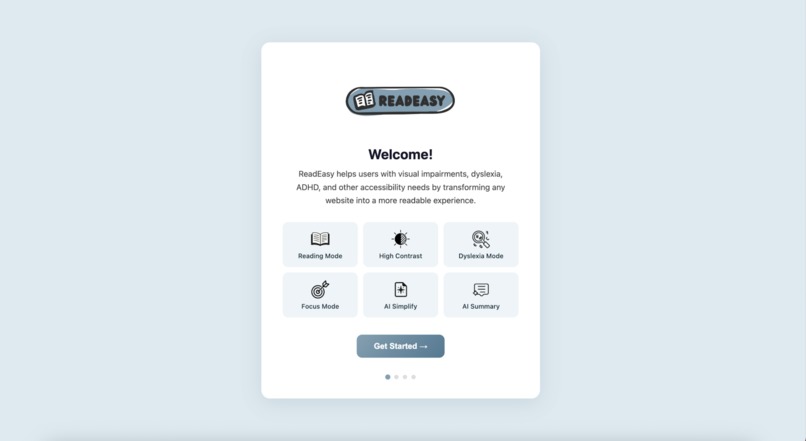
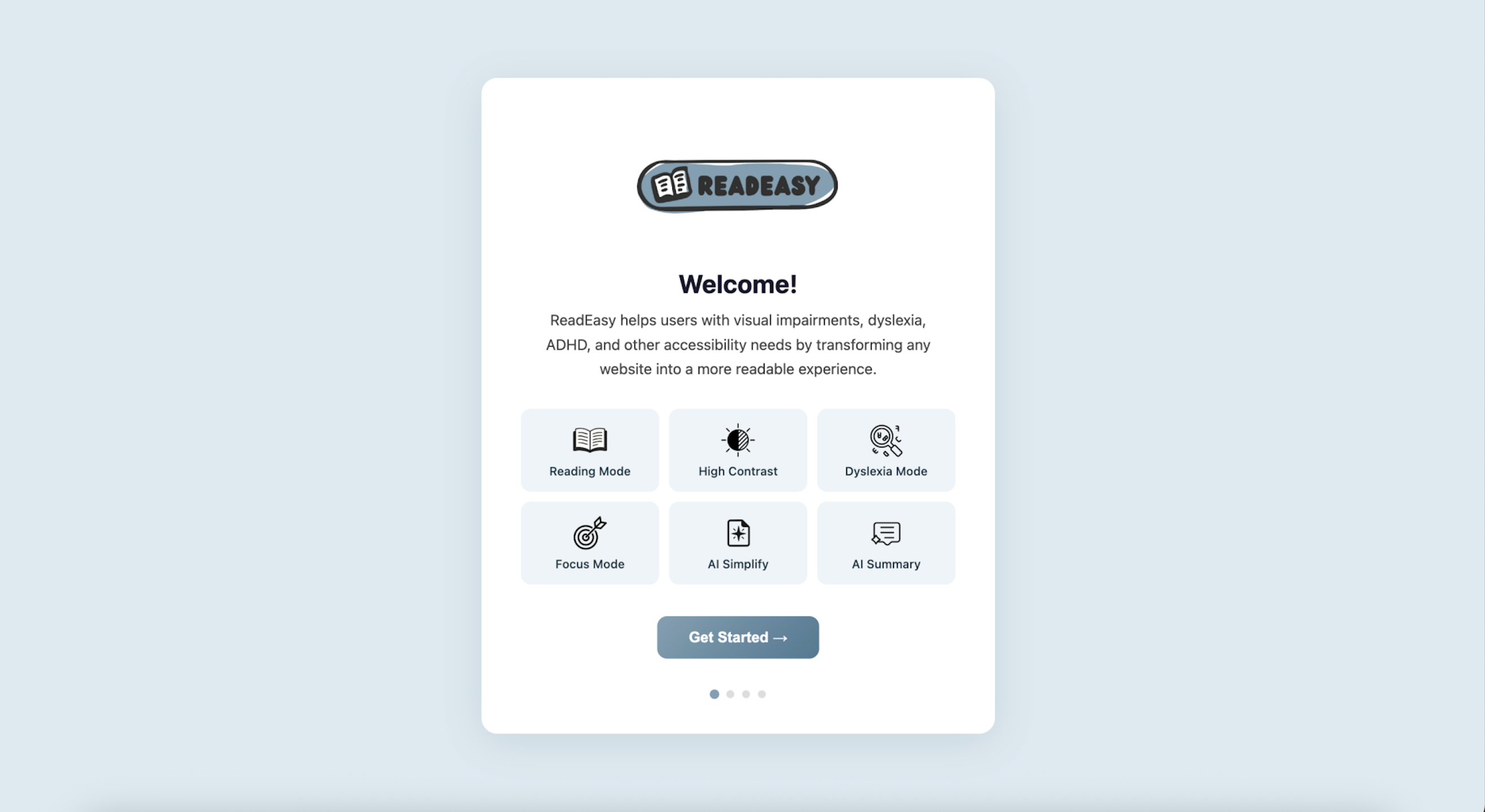
Onboarding page for first-time users
-
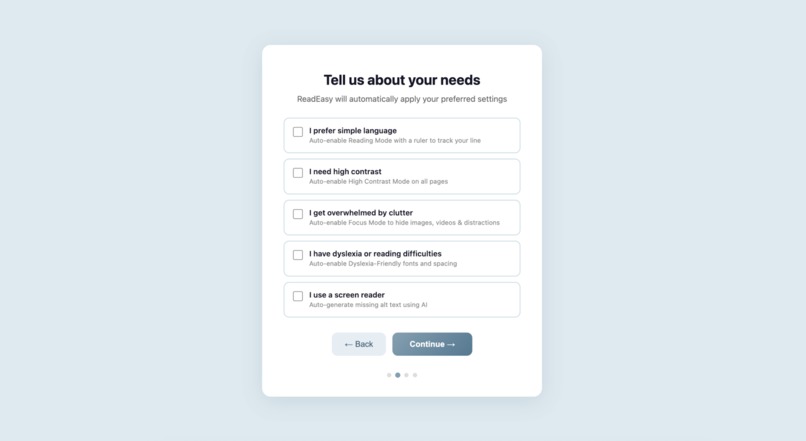
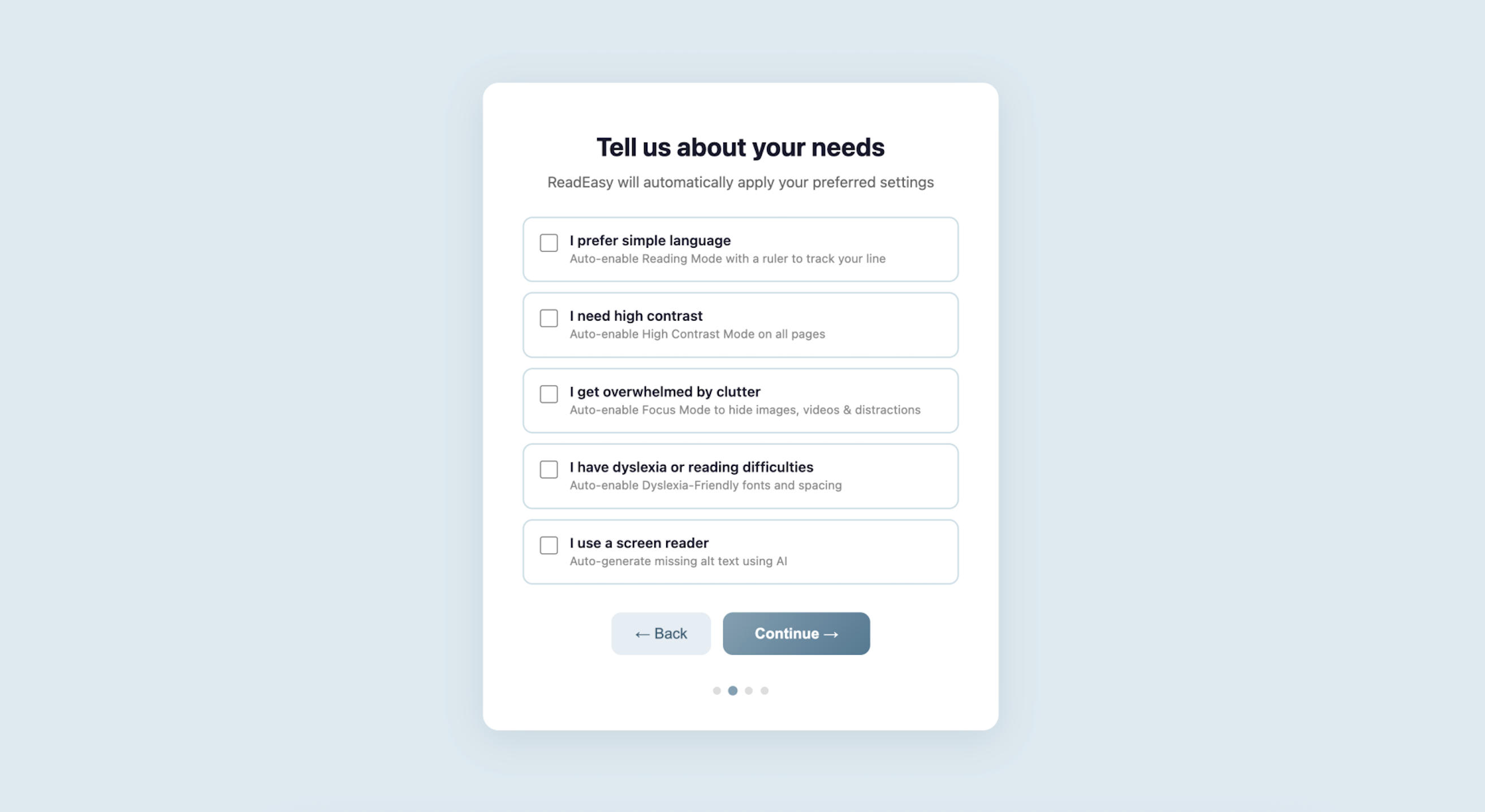
Feature selection page for diverse users with different accessibility needs
-
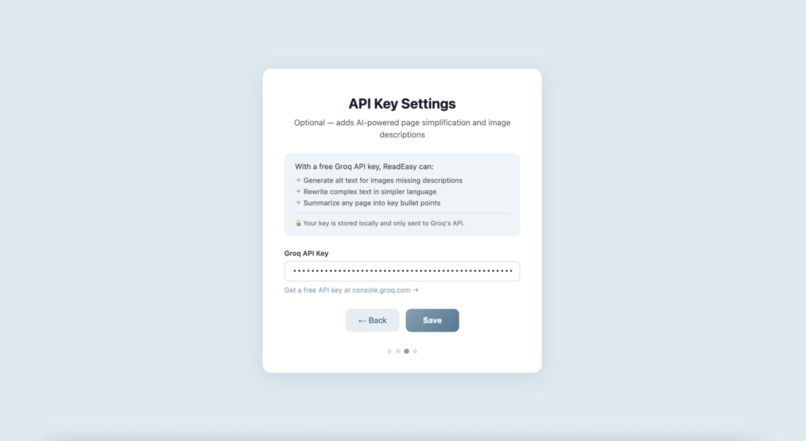
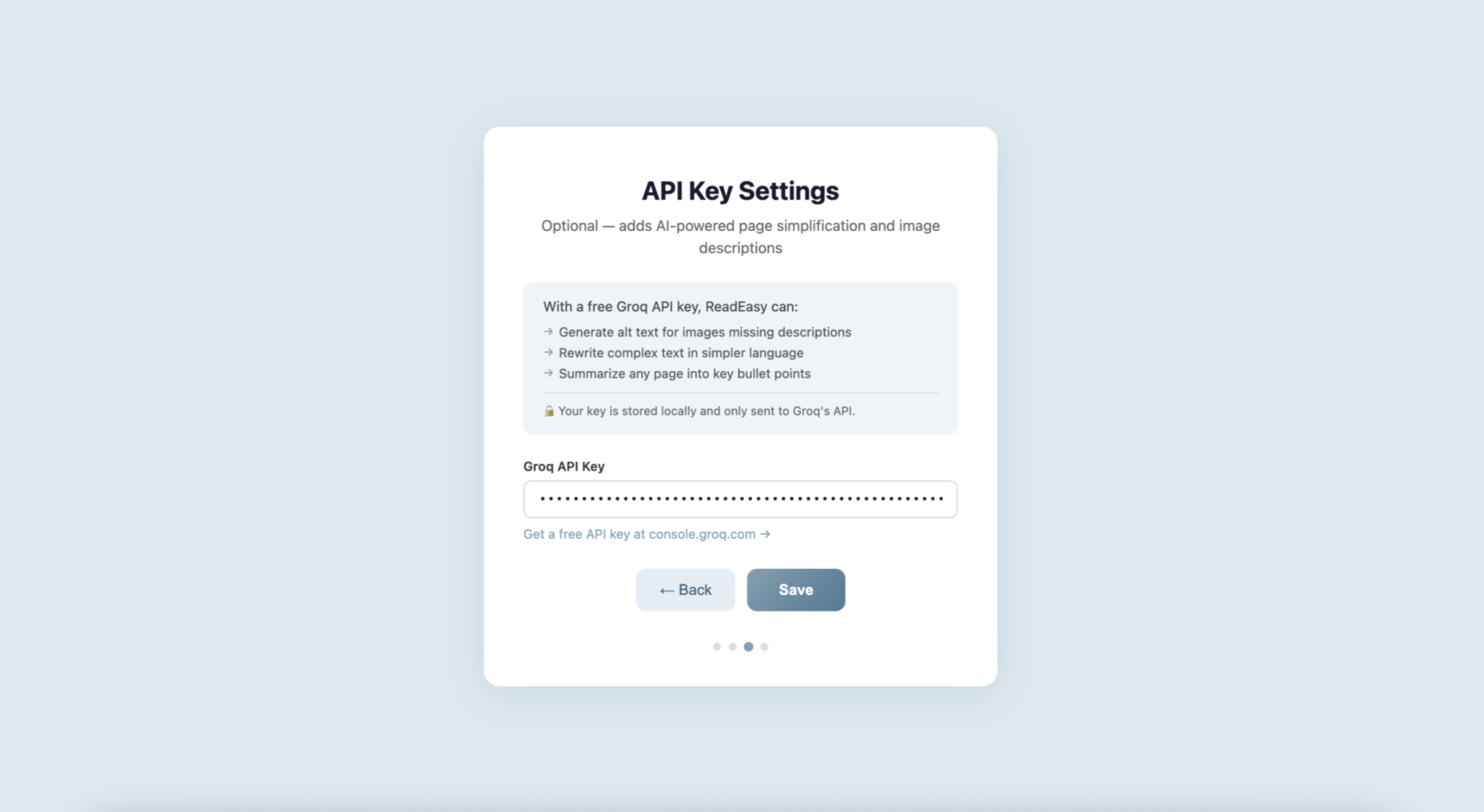
API key input page with instructions on how to obtain a Groq API key
Inspiration
94.8% of websites fail basic accessibility standards, yet more than 1.3 billion people globally live with disabilities. Despite the massive number of users affected, modern websites are still often designed to maximize engagement rather than accessibility. Those pages are cluttered with distracting layouts, low readability, overwhelming colors, autoplay media, and dense blocks of text. These design choices can make the internet difficult to navigate for users with visual impairments, dyslexia, ADHD, sensory sensitivities, cognitive overload, or lower digital literacy.
However, we believe that accessibility should not be an afterthought. Technology should adapt to people instead of forcing people to adapt to technology.
This inspired us to create ReadEasy, an AI-powered browser extension that could instantly improve the accessibility of any website, giving users the power to personalize the web experience based on their own accessibility needs.
What it does
ReadEasy is an AI-powered browser extension that transforms overwhelming or inaccessible websites in real time using features like:
- High contrast mode
- Dyslexia-friendly reading tools
- Reading mode with visual reading assistance
- Distraction-free focus mode
- Adjustable spacing and font controls
- Colorblind-friendly palettes
- Screen reader support with AI-generated alt text
- Customizable background and text colors
- Text-to-speech on user selected areas
- AI-powered page simplification and summarization
Our project focuses on the idea that accessibility is not universal. Different users experience the internet differently, so our extension allows users to customize how websites appear and function in real time. We were especially interested in combining traditional accessibility tools with AI-powered features. Instead of simply changing colors or font sizes, we wanted our extension to actively help users understand and navigate complex content more easily.
How we built it
- Front-end (HTML/CSS/JavaScript): We first researched tutorials and documentation to learn how Chrome Extensions are structured and integrated into the browser environment. After obtaining the API key, we began building the extension using HTML, CSS, and JavaScript. HTML was primarily used to create the extension’s interactive interface, including the accessibility pop-up menu, onboarding page for first-time users, and settings pages for customization. CSS was used to design the visual appearance of both the extension and modified webpages, including accessibility-focused themes, contrast adjustments, and color customization. JavaScript handled the core frontend functionality by dynamically modifying webpage elements and applying accessibility settings in real time based on user preferences.
- UI/UX: the focus was designing the product logo, graphics, icons, and the onboarding pop-up interface to create a clean and user-friendly experience for first-time users. The designs were first planned and created in Canva, then implemented using HTML, CSS, and JavaScript or integrated into the Chrome Extension as graphical assets and images.
Challenges we ran into
One of our biggest challenges was that none of us had built a Chrome Extension before, so we spent a lot of time learning through documentation, tutorials, and experimentation. We also used AI tools to help us understand unfamiliar concepts and troubleshoot technical issues throughout development. Another challenge we faced was being rate-limited while using the Gemini API, which affected the responsiveness of some of the AI-powered features of our product. To solve this, we adapted quickly and switched to the Groq API, which allowed us to continue developing and testing our extension more smoothly.
Accomplishments that we're proud of
One of our biggest accomplishments was creating a user-centered project that combines accessibility, inclusivity, and AI to make the internet more equitable for people with diverse visual, cognitive, and sensory needs. Despite having no prior experience with browser extension development, we successfully built a fully functional Chrome Extension that can personalize websites in real time based on individual accessibility preferences. We are especially proud that our project goes focuses on meaningful social impact by helping diverse users navigate digital spaces more comfortably, confidently, and independently.
What we learned
Through this project, we learned how to develop a Chrome Extension and integrate AI into a real-world application using API keys. We also learned how to use AI as a collaborative development tool to help us solve unfamiliar technical challenges and accelerate the learning process. In addition, we explored prompt engineering and gained a deeper understanding of how AI systems work and how powerful they can be in supporting developers during the design and implementation process.
What's next for ReadEasy
- Continue improving and refining the extension so that we can eventually publish it for public use, making accessible and personalized web experiences available to a wider community of users with diverse accessibility needs.
- Add personalized accessibility profiles that learn and adapt to individual user preferences over time.
- Expand AI-powered webpage simplification to support multiple reading levels and languages.
- Implement live AI captioning and translation for video and audio content.
- Add voice-controlled navigation and accessibility commands.
- Improve compatibility across a wider variety of websites and web applications.
- Create a mobile version of the extension for accessibility support on phones and tablets.


Log in or sign up for Devpost to join the conversation.