-
-
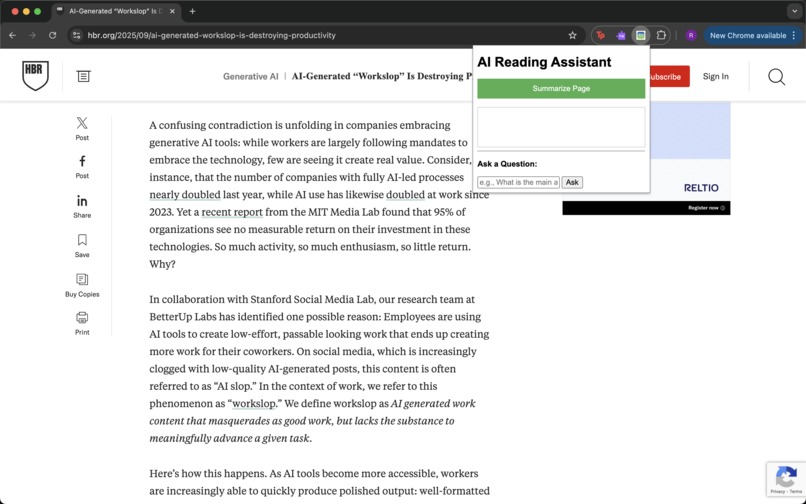
This image shows the default popup state, showing the "Summarize Page" button and the "Ask a Question" input box over the article.
-
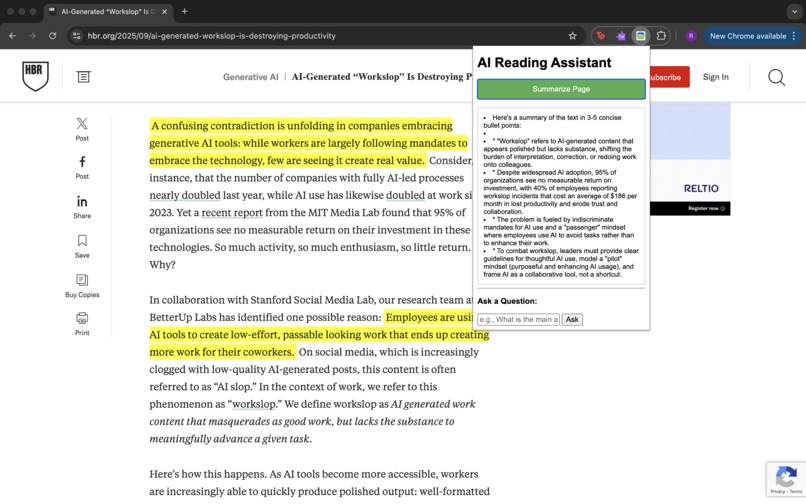
This image shows the summary generated in the popup. Crucially, the key points from the article text are highlighted in yellow.
-
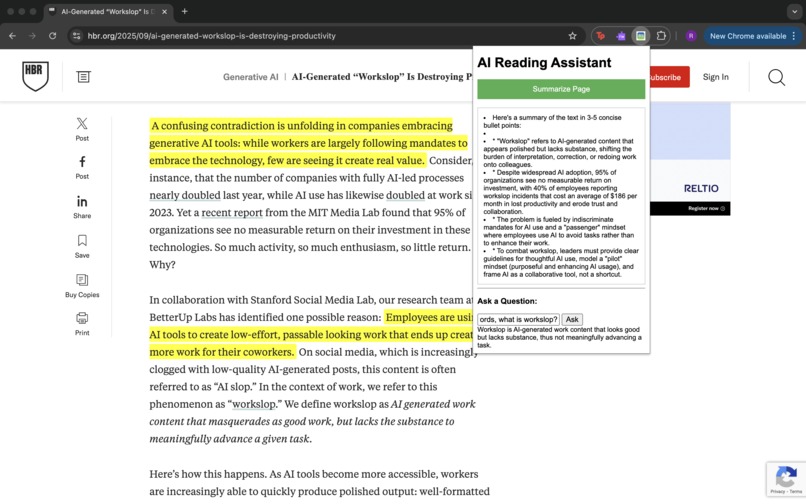
This image shows the Q&A response and the question I asked.


Inspiration
I was inspired by the constant need to quickly digest lengthy web articles, research papers, and technical documents. Existing tools often provide generic, large summaries. My goal was to create a focused, immediate, and powerful reading aid, ensuring that users could extract key information or get instant answers without leaving their current page. The core challenge was achieving this without storing any user data and ensuring lightning-fast performance.
What it does
"ReadEasy AI" is a lightweight, high-performance Chrome Extension that provides three immediate actions on any web page content:
Instant Highlighting: Extracts the 5 most critical sentences from the text and highlights them directly on the page, allowing for rapid scanning and understanding.
Concise Summarization: Provides a summary in 3-5 concise bullet points for quick comprehension.
Contextual Q&A: Allows the user to ask any question about the page content, receiving an answer grounded only in the provided text, ensuring relevance and accuracy.
How I built it
The application uses a standard three-part architecture:
Front-End (Chrome Extension): Built with HTML, CSS, and JavaScript, packaged as a Chrome Extension. It handles scraping the currently viewed web page's text and managing the user interface.
Service Worker (background.js): Acts as the intermediary, receiving user requests from the popup and sending them securely to the custom backend server.
Backend (server.js): A lightweight Node.js/Express server that acts as a proxy for the Google Gemini API. It receives the raw text and the user's request (Summarize, Highlight, or Q&A). It forwards the requests to the gemini-2.5-flash model, utilizing the API Key stored securely in a local .env file. The entire process is designed for zero latency and zero persistent data storage, respecting user privacy.
Challenges I ran into
The primary challenge was ensuring the Highlighting feature produced reliable, structured output, which required advanced API tuning:
Inconsistent JSON Output: When requesting the 5 key sentences, the model would sometimes enclose the required JSON data in Markdown fences, which broke the standard JSON.parse function.
Structured Output Instability: Initial attempts to use the SDK's built-in generationConfig (for enforcing JSON schema) led to persistent 400 Bad Request errors in our specific local environment.
My Solution: I abandoned the unstable SDK schema enforcement. Instead, I shifted the API call to a text-to-JSON approach, modifying the prompt to strictly demand raw JSON output. I then implemented a post-processing cleaning step in the Node.js backend to reliably strip the Markdown fences before parsing, ensuring 100% successful JSON handling.
Accomplishments that I am proud of
Robustness: Achieving 100% functionality and stability for all three features across various Gemini API constraints.
Technical Deep Dive: Successfully debugging and bypassing complex SDK integration issues related to structured output and parsing, leading to a unique and reliable solution.
Performance: The entire workflow from extension click to highlighted text on the page occurs in under two seconds thanks to the speed of the gemini-2.5-flash model.
What I learned
I learned a valuable lesson in API integration: when standard structured output features fail in a specific environment, a robust fallback strategy (like explicit prompt engineering combined with aggressive output cleaning) is essential for product stability. I also mastered the secure communication pipeline between a Chrome Extension and a local Node.js server.
What's next for ReadEasy AI
Serverless Deployment: Deploying the Node.js backend to a platform like Cloud Run or Vercel to allow for public testing without a local server requirement.
Customization: Adding user settings to control the summary length (e.g., 3-point vs. 7-point summary) and highlight count.
Multimodality: Exploring the use of the Gemini API to analyze images or charts on a page and answer questions about visual data.
Built With
- chrome-extension-api
- css3
- express.js
- gemini-2.5-flash
- gemini-api
- html5
- javascript
- json
- node.js
