-
-
ReadBuddy — An AI-powered Chrome extension that helps users translate, summarize, and understand web content effortlessly.
-
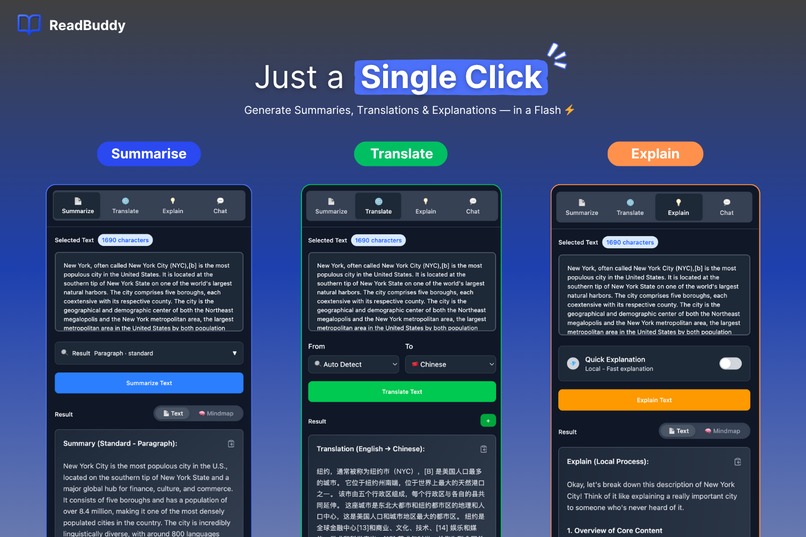
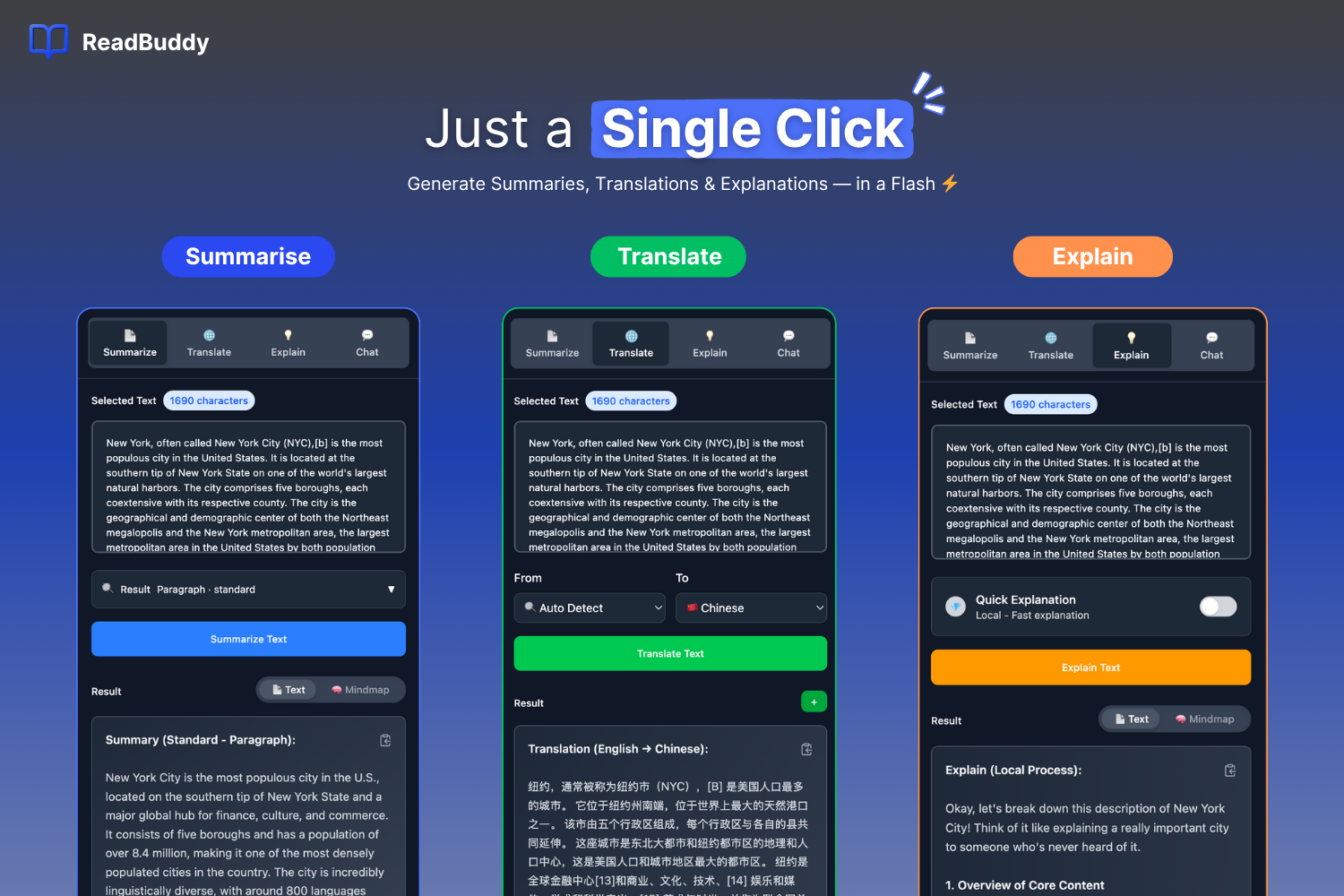
Just a single click. Instantly summarize, translate, and explain any text to streamline your reading and learning.
-
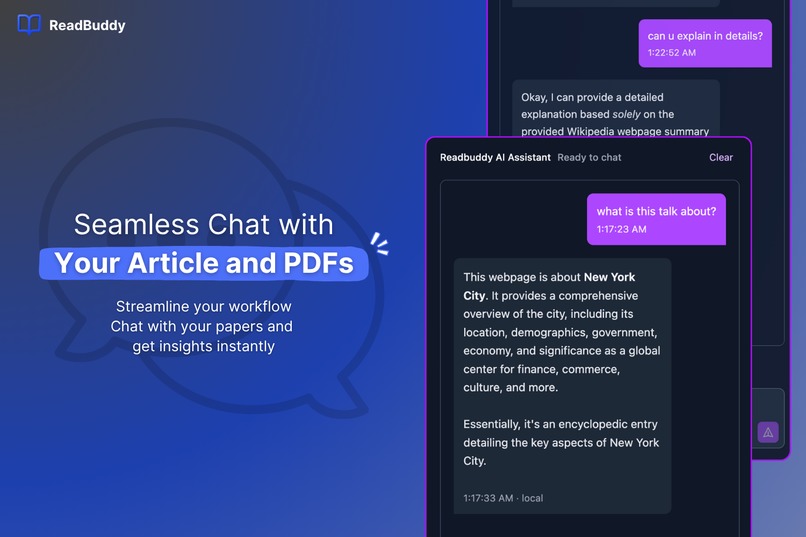
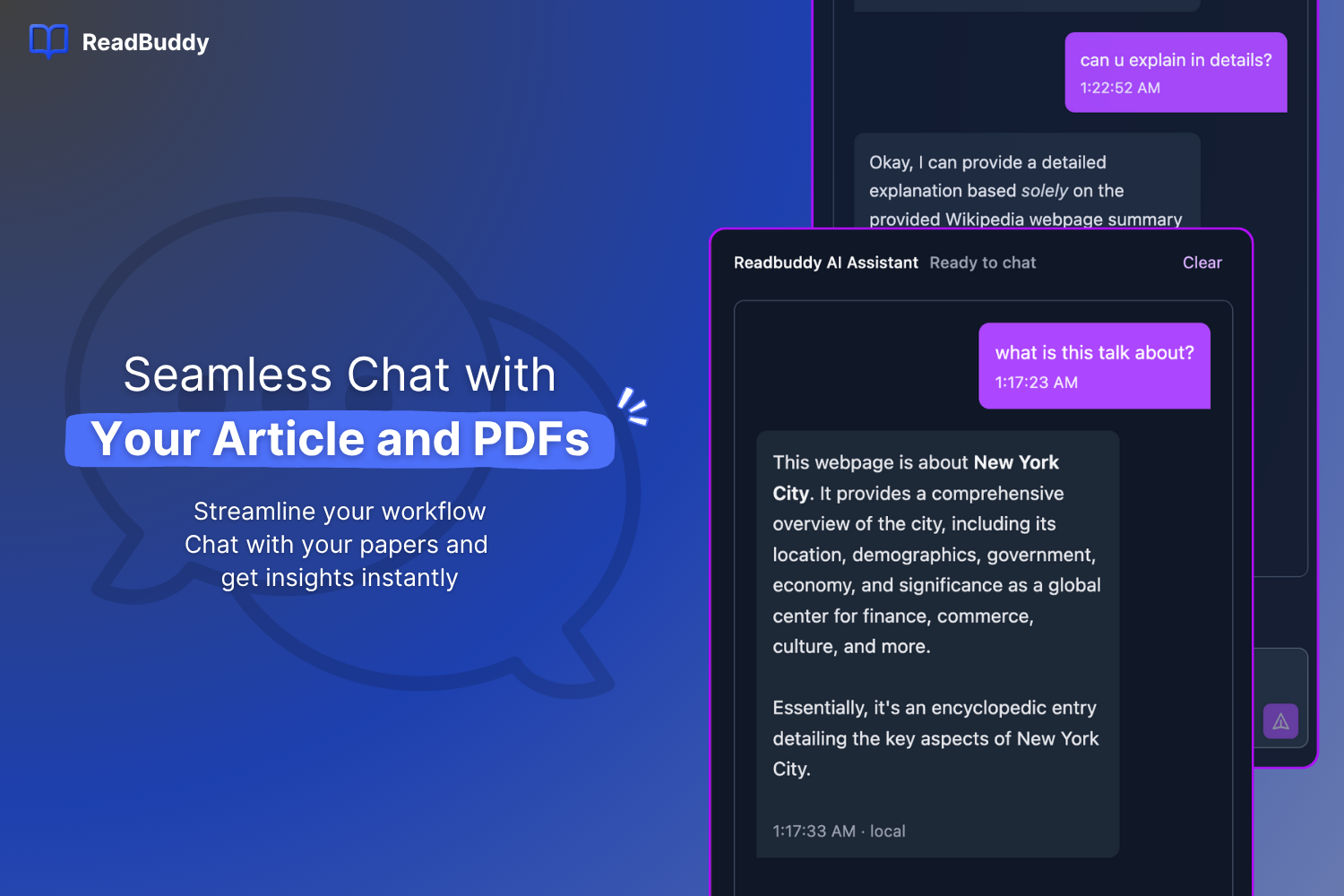
Seamlessly chat with your articles and PDFs. Ask questions, get detailed explanations, and find the insights you need instantly.
-
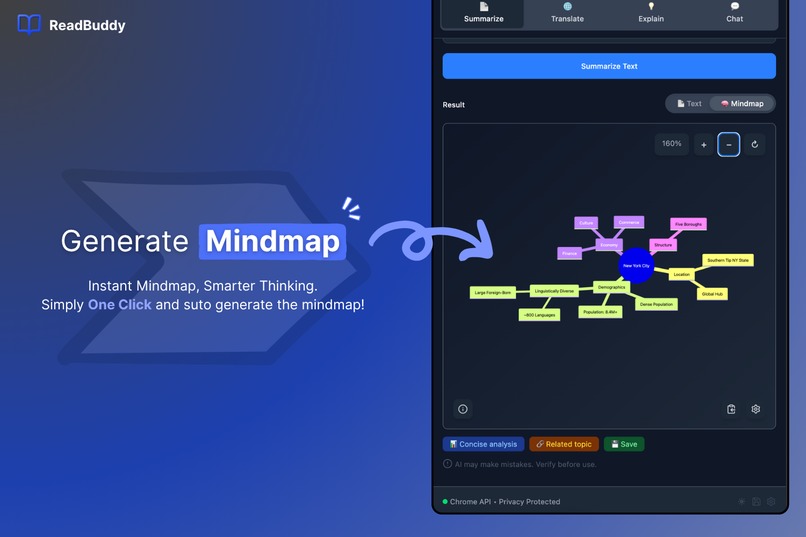
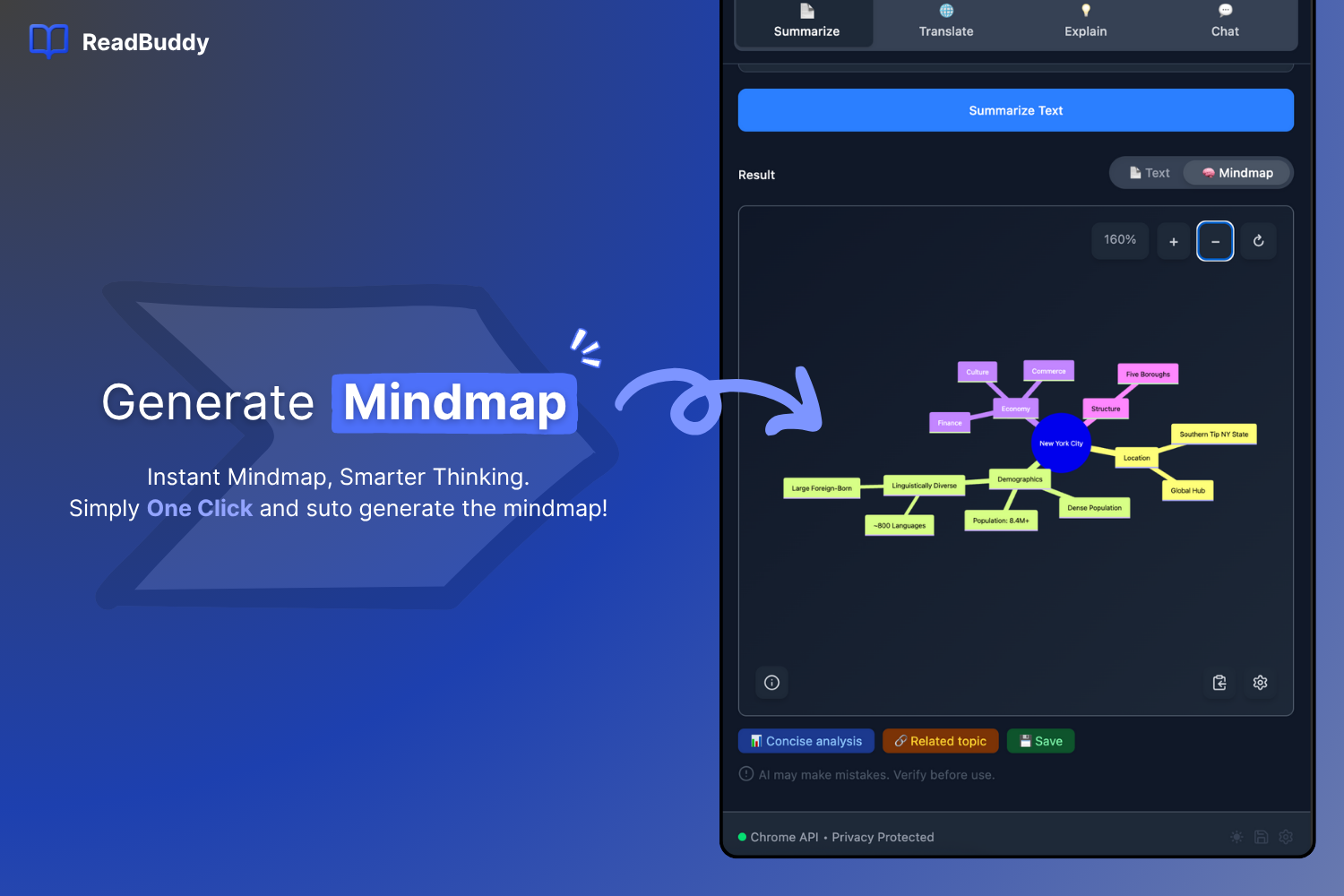
Go beyond text. Instantly generate an interactive mindmap from any article to visualize complex topics and connect ideas.
-
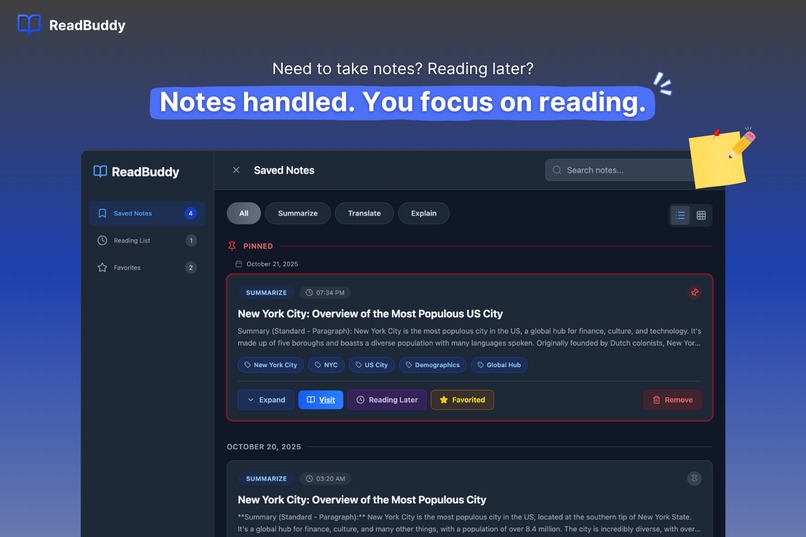
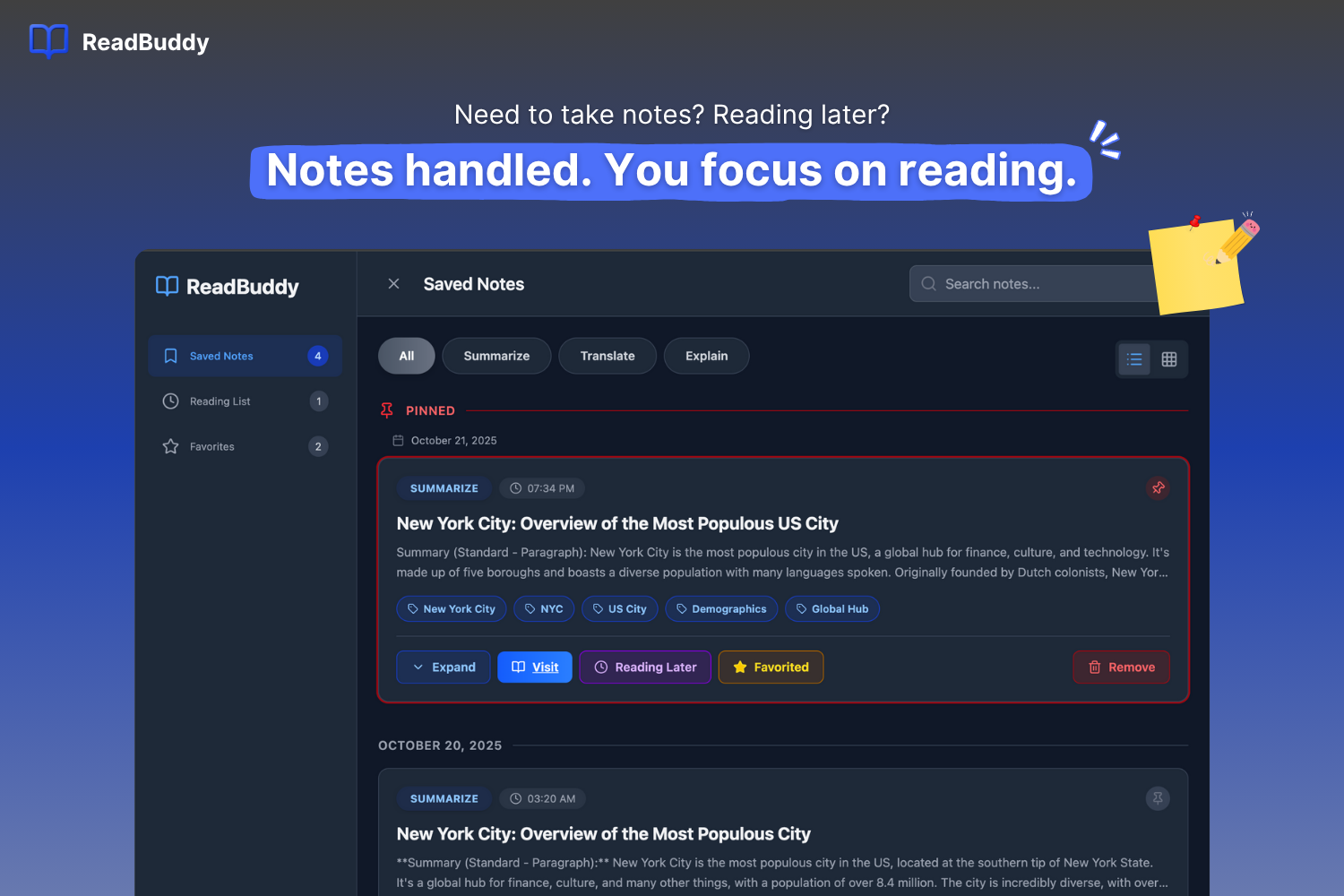
Never lose a key insight. Save summaries, translations, snippets all in one organized place. You focus on reading, we'll handle the notes.
-
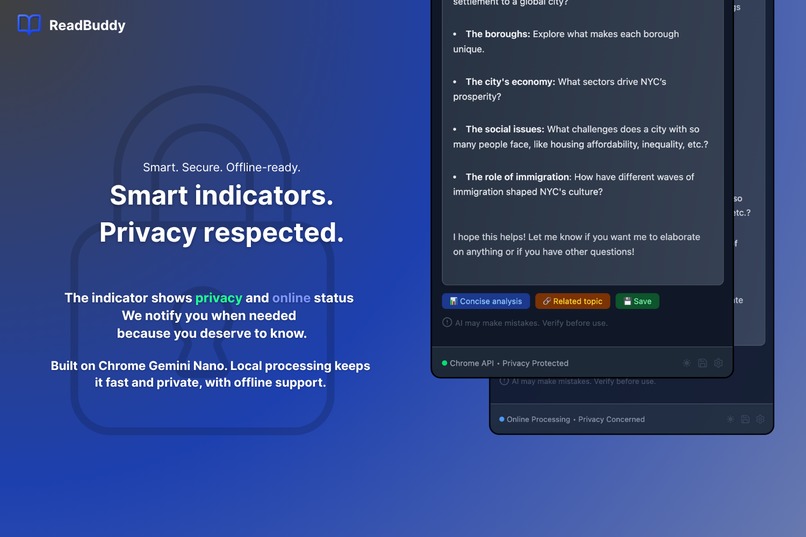
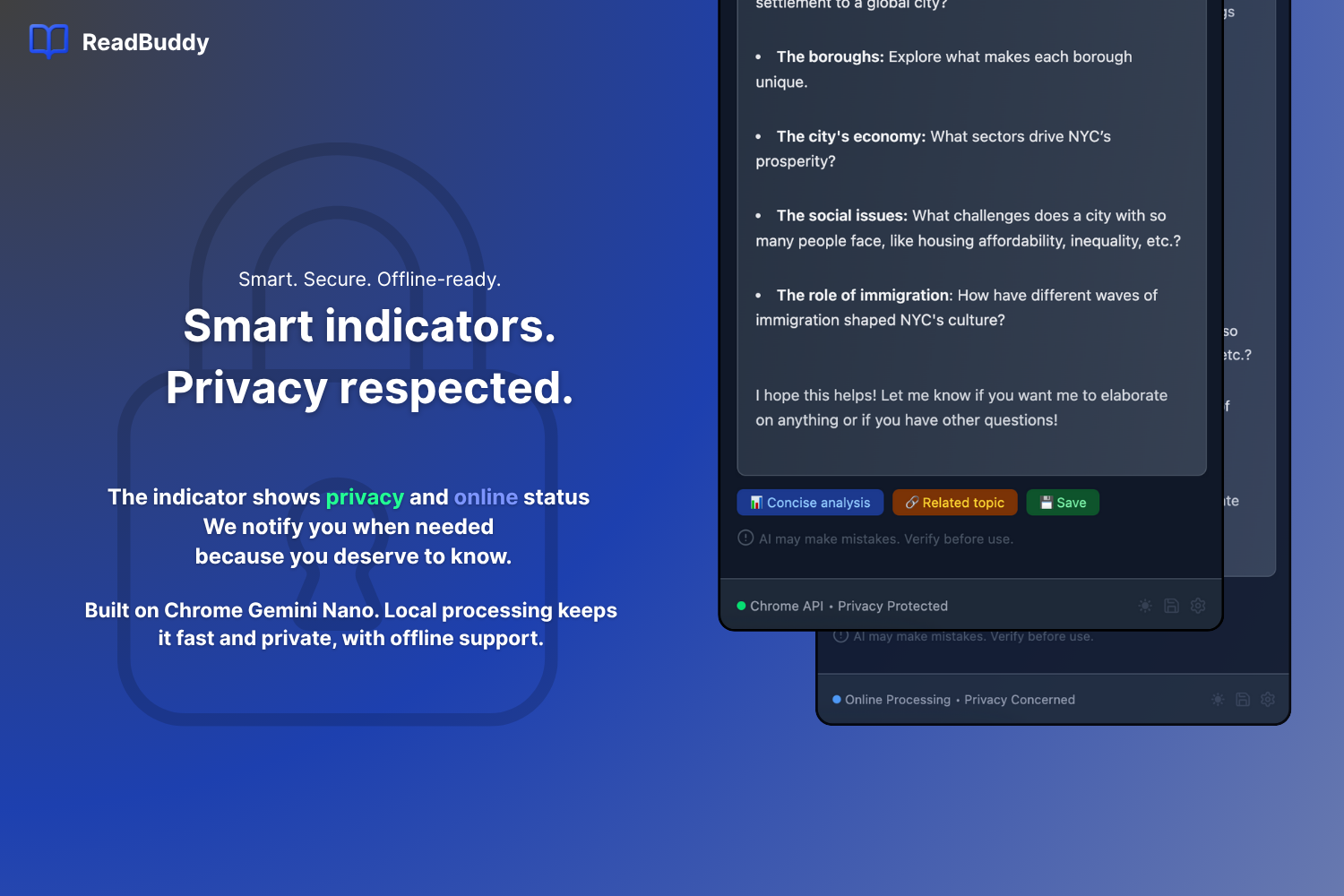
Smart, secure, and offline-ready. Built with Gemini Nano for fast, local processing, ReadBuddy respects your privacy.
-
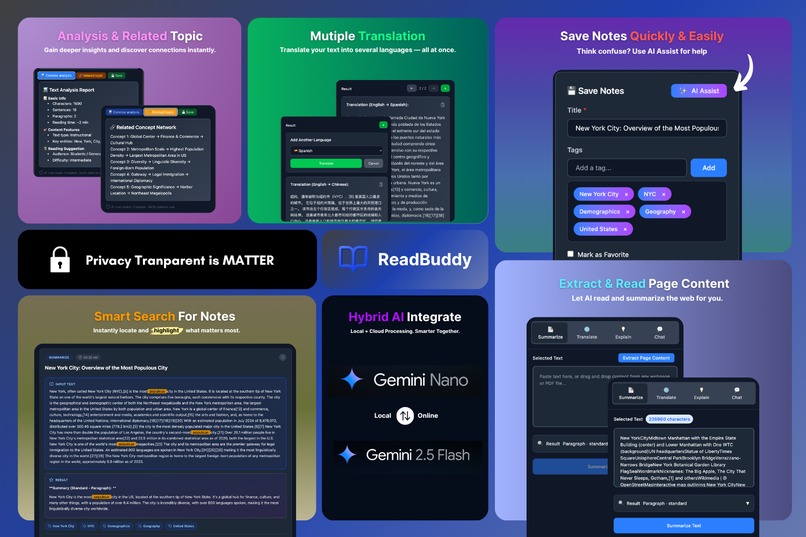
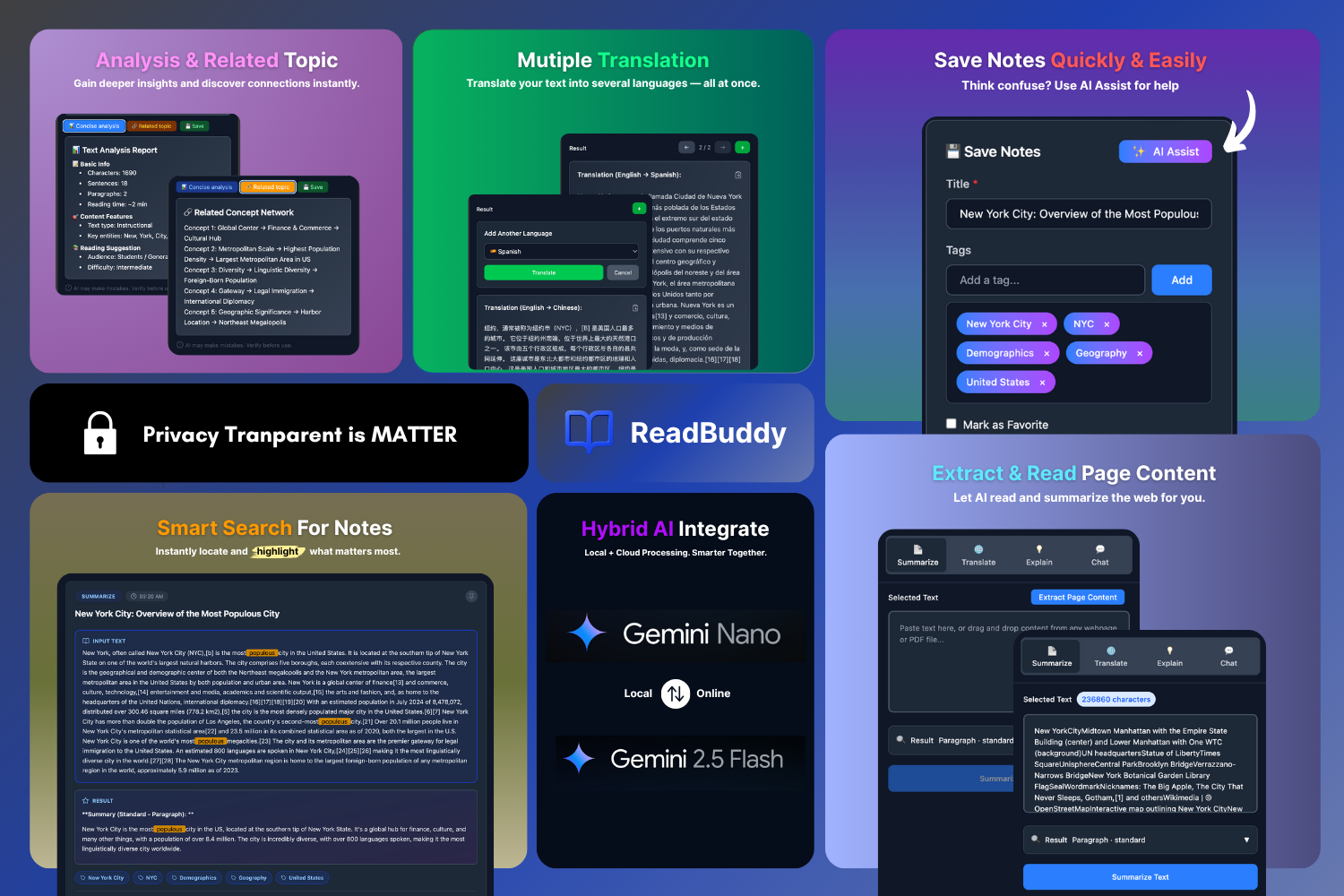
Get in-depth analysis, multi-language translations, smart search, and hybrid AI processing for a smarter, more efficient workflow.
The Story Behind ReadBuddy
===========================================
Inspiration
During my second year of university, I watched my classmates struggle with the overwhelming volume of academic papers. I remember one particular night in the library, surrounded by stacks of research papers, when I realized: we're spending more time decoding information than actually understanding it.
The turning point came when I was researching quantum computing concepts for my computer science thesis. I found myself constantly switching between translation tools for international papers, summarization apps to extract key points, note-taking applications to capture insights, and search engines for contextual information. The cognitive load was immense, and I thought:
"What if there was a single tool that could understand what I'm reading and help me comprehend it better?"
Seeing my peers face the same struggles --- international students grappling with language barriers, researchers drowning in technical documentation, and professionals trying to stay current with rapidly evolving fields --- inspired me to create a solution that could make knowledge more accessible to everyone.
What it does
ReadBuddy is an intelligent Chrome extension that serves as your personal reading assistant. It helps you understand, translate, and analyze any online content instantly.
With a simple right-click or click of the extension icon, you can:
Summarize complex articles into key points in seconds
Translate content between multiple languages while preserving context
Explain difficult concepts in simple, understandable terms
Chat with the content to ask follow-up questions and dive deeper
What makes ReadBuddy special is its smart AI architecture. It uses Chrome's built-in Gemini Nano for fast, private local processing, and can seamlessly switch to more powerful cloud AI when you need deeper analysis or current information --- always with your explicit permission.
How we built it
Building ReadBuddy was a journey through multiple technical challenges and architectural evolutions. We started with a simple Chrome extension template and gradually built up to a sophisticated AI-powered platform.
The foundation uses React with Tailwind CSS for a clean, responsive interface, and Lucide React for consistent, beautiful icons. For content processing, we integrated PDF.js to handle PDF documents and Readability.js to extract clean text from cluttered web pages.
The real magic happens in our AI layer. We leveraged Chrome's built-in Summarizer API for instant text summarization, Translator API for language conversion, and Prompt API for explanatory functions. For more complex tasks, we integrated Firebase AI with Google Gemini models, creating a hybrid system that automatically chooses the best AI for each task.
The most challenging part was creating the intelligent routing system that decides when to use local AI versus cloud AI. We developed a sophisticated algorithm that considers text complexity, information recency, and user preferences to make this decision transparently and efficiently.
Challenges we ran into
The development journey was filled with technical hurdles that pushed our problem-solving skills to the limit.
PDF text extraction was one major challenge --- our initial accuracy was only 65%, requiring multiple iterations with PDF.js and custom post-processing to reach 95% accuracy.
AI response consistency was another issue. Early versions produced widely varying explanation quality, which led us to develop a comprehensive prompt engineering framework with templates for basic, standard, and advanced explanations.
Performance optimisation was an ongoing battle. We discovered that user perception of speed follows psychological principles where improvements from 3 seconds to 1.5 seconds feel more significant than from 1.5 seconds to 1 second. This insight drove our caching strategies and predictive loading implementations.
Balancing hybrid AI architecture was perhaps the most complex challenge. Creating a system that seamlessly switches between local and cloud processing while maintaining user trust through transparent consent flows required careful design and extensive testing.
Accomplishments that we're proud of
We're incredibly proud of creating a tool that genuinely helps people. The moment when a classmate tried ReadBuddy and said,
"This is exactly what I needed but didn't know how to ask for,"\ made all the challenges worthwhile.
From a technical perspective:
We built a sophisticated hybrid AI system that intelligently routes between local and cloud processing while maintaining full user transparency and control.
Achieved 95% PDF text extraction accuracy through custom algorithms.
Conducted user testing with 15 participants, revealing that 80% of users prefer having control over when their data leaves the device --- validating our privacy-first approach and consent design.
Creating a product that works seamlessly across diverse content types --- from academic papers to technical documentation to everyday articles --- while maintaining consistent performance and usability is an accomplishment we take great pride in.
- Make a seamless experience for the chatbot can read/understand the page context almost immediately, and the user can directly ask the chatbot about "What this article is talking/discussing about". Make the conversation more efficient and helpful.
What we learned
This project taught us invaluable lessons about both technology and product development.
We learned that local AI has reached a point where it can handle many real-world tasks efficiently, and that users are increasingly concerned about data privacy and sovereignty.
Technical lessons:
Gained deep expertise in Chrome extension architecture, AI integration patterns, and performance optimization.
Discovered that prompt engineering is as much art as science, where small changes can dramatically affect output quality.
Product lessons:
The importance of solving real problems rather than building features for their own sake. Every feature in ReadBuddy was born from observing actual user struggles.
The value of progressive enhancement --- focusing on a simple, reliable core experience before adding advanced capabilities.
Learning to balance perfectionism with shipping --- making deliberate trade-offs, discarding unnecessary code, and focusing on features that bring the most value to users.
What's next for ReadBuddy - AI Reading Assistant
The journey doesn't end here. We're excited to continue evolving ReadBuddy based on user feedback and emerging technologies.
Upcoming features and plans:
Expanding language support beyond English and Chinese to reach more users worldwide.
Team collaboration features --- enabling study groups, research teams, and professionals to share insights and annotations seamlessly.
Integration with academic databases and research platforms to provide a richer context for academic users.
Knowledge graph capabilities to help users discover connections between the content they've read.
Mobile applications for smartphones and tablets to bring ReadBuddy on the go.
Most importantly, we'll continue listening to our users and evolving ReadBuddy to meet their changing needs. Building this tool has taught us that the best learning happens when you're solving real problems for real people, and we're committed to continuing that journey.
Built With
- chromestorageapi
- firebaseai
- gemininano
- googlegeminimodels
- localstorage
- lucidereact
- pdf.js
- promptapi
- react
- readability.js
- summarizerapi
- tailwindcss
- translatorapi
- vite

Log in or sign up for Devpost to join the conversation.