-
-
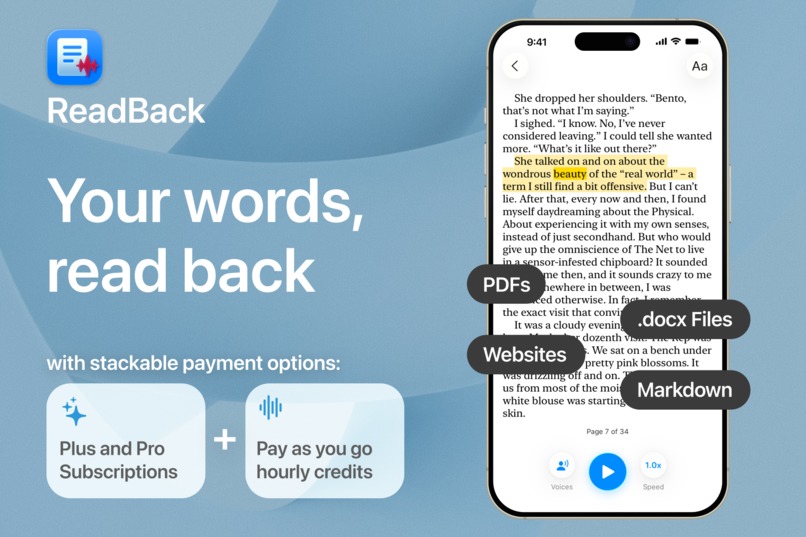
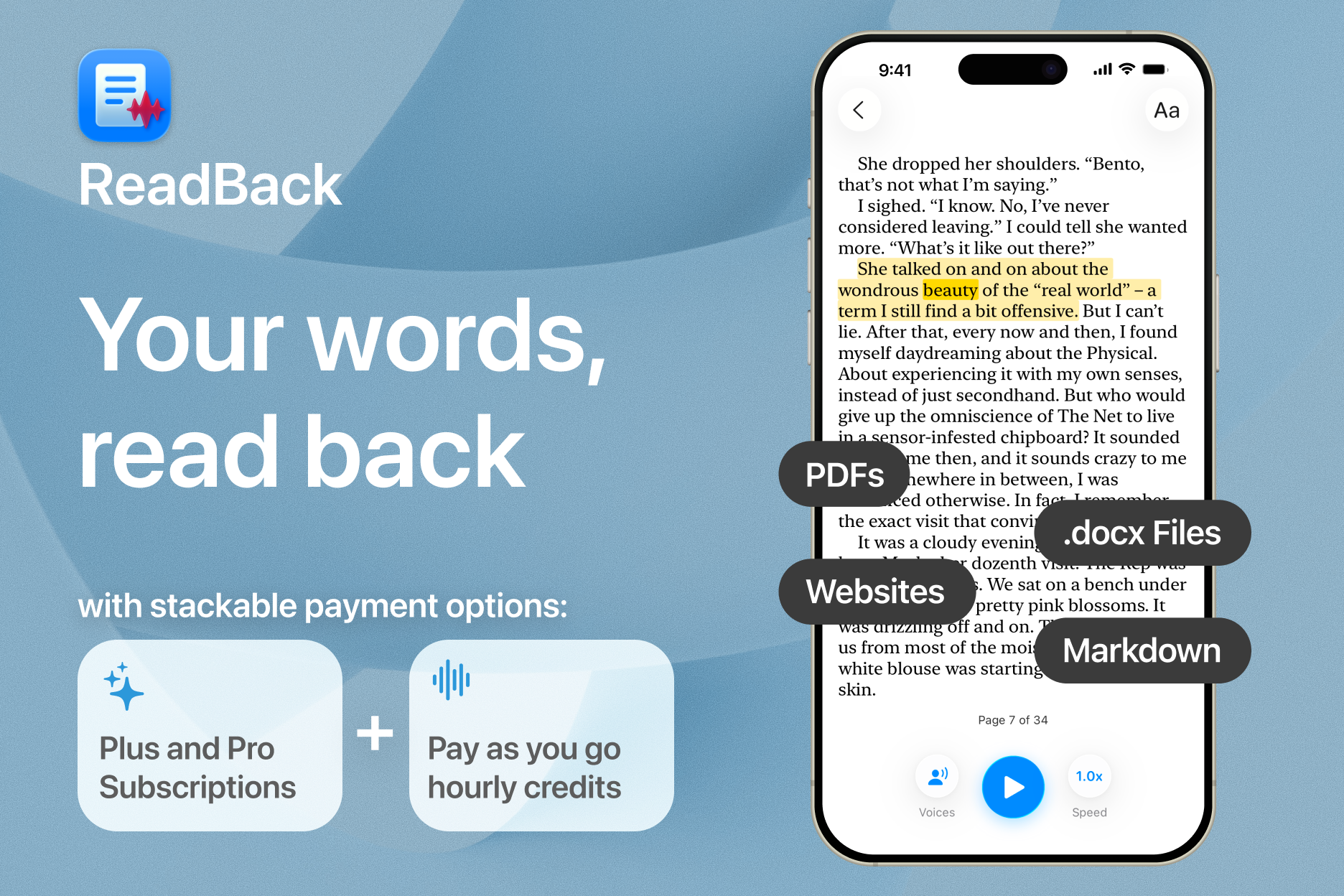
Upload .docx files, PDFs, or just paste text. Then listen back with natural, lifelike voices
-
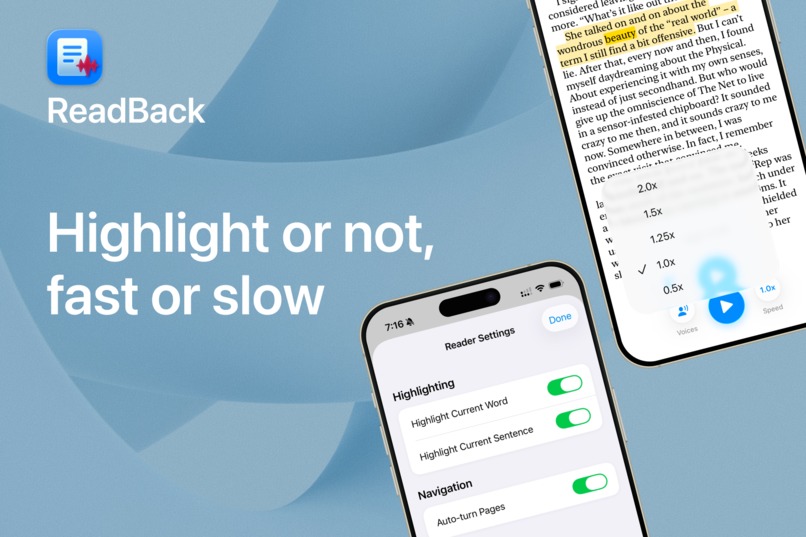
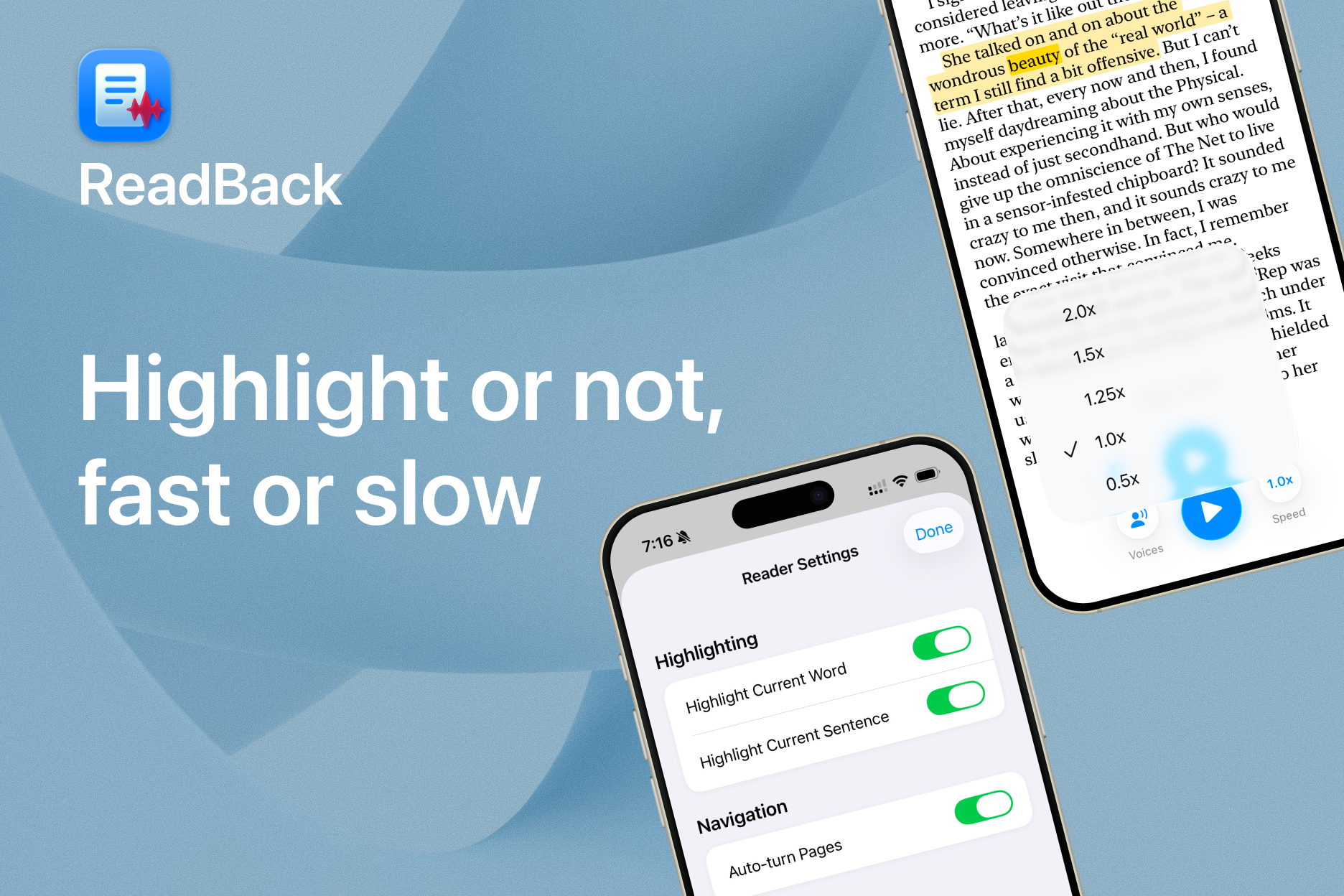
To highlight or not to highlight? Listen at up to 2x speed
-
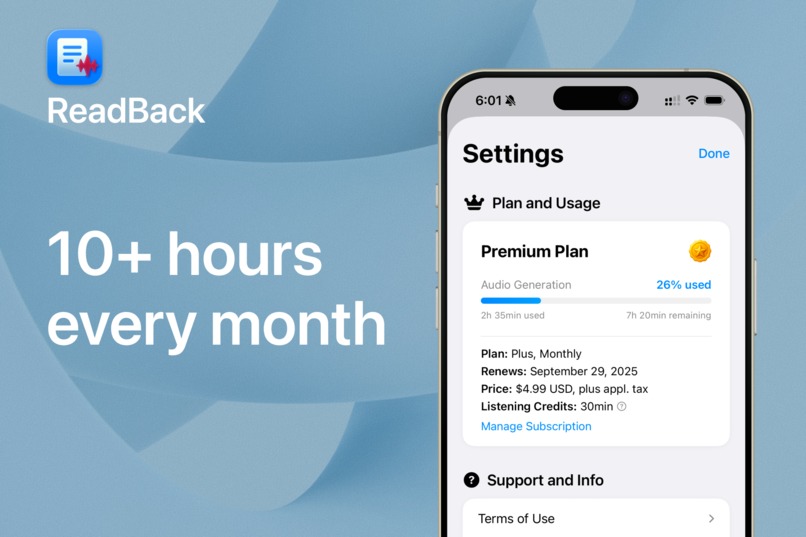
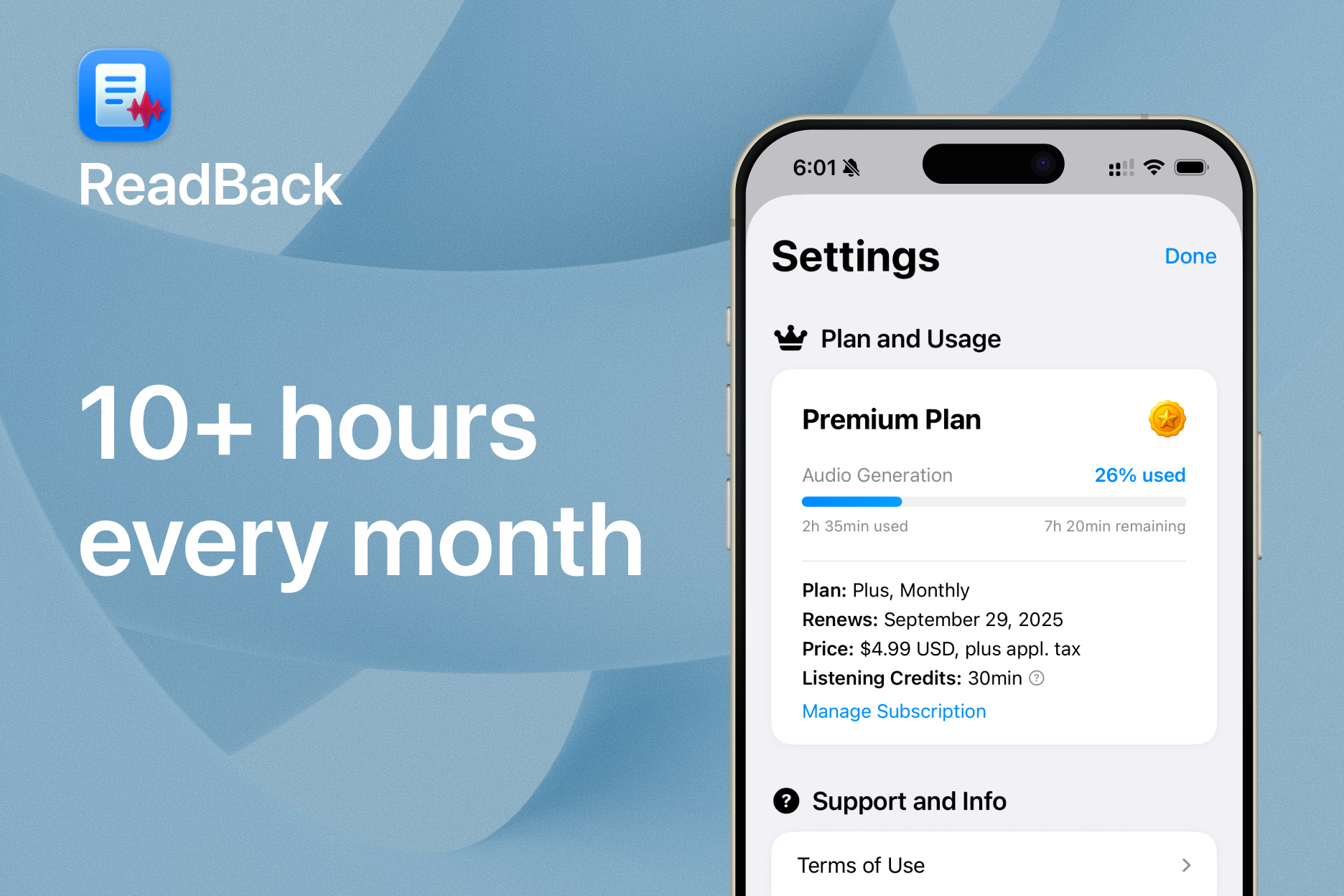
Get 10+ hours of listening every month on ReadBack Plus
-
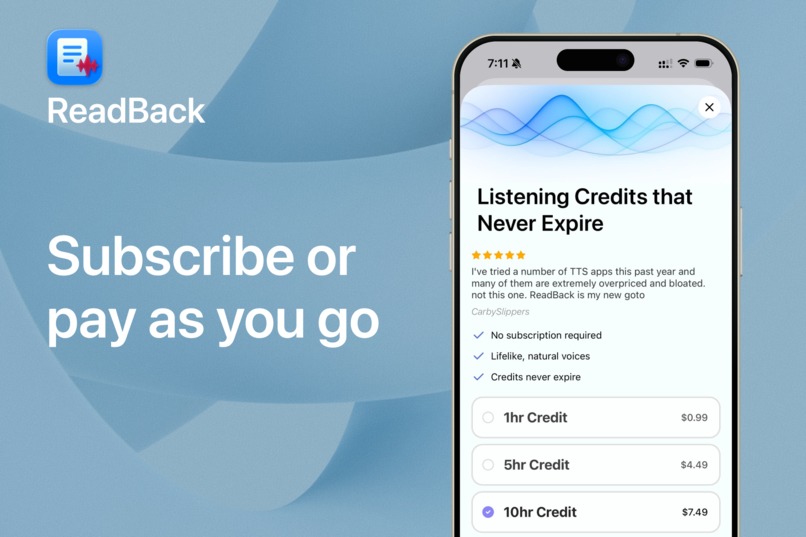
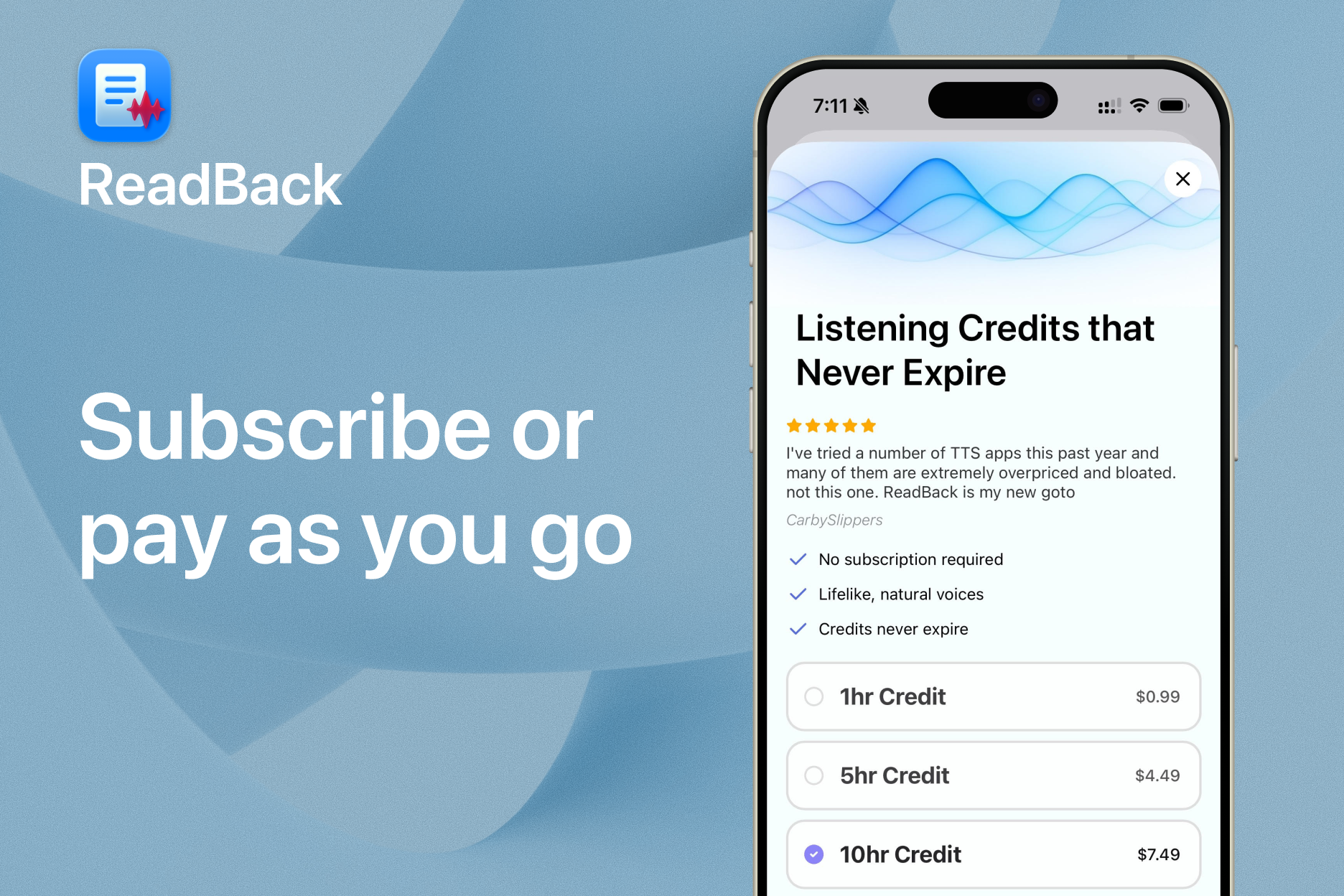
Not ready for a subscription? Or need to top off your subscription usage? Buy a listening credit.
Inspiration
ReadBack was born out of my newfound hobby of writing fiction. I quickly learned how important it is to listen back to my work during the editing process. You get a good sense of pacing. Tiny misspellings become obvious mispronunciations. It lets you take a step back from your work.
Beyond that, I've been a long-time subscriber of other TTS apps. Listening to dense webpages and articles makes it easier for me to focus and unpack what I'm learning.
What it does
ReadBack takes your documents and allows you to listen back to them in natural, lifelike voices. And words highlight as they're spoken, so it's easy to follow along.
How I built it
- iOS
- SwiftUI for most screens
- UIKit where needed (drawing text highlights in CALayers)
- RevenueCat SDK and Paywalls
- Backend
- TypeScript
- Hosted on Val Town
- RevenueCat Webhooks and API
- LemonFox API for TTS
- PDF Vector for PDF parsing
At a high level, document text is split into segments, processed into audio by my API, and queued up for playback in the iOS app. Each segment maintains metadata related to the source text so audio playback and text highlighting stay in sync.
Challenges I ran into
TTS app? How hard could it be? JuSt CHunK tHe TeXt
— me, in my naivety, before starting this project
Almost every aspect of the reader engine was a challenge. I did my best to cut requirements, and simplify implementation, but I ended up having to go much farther than expected to get things working smoothly.
Word-accurate highlighting
- While LemonFox supports word timestamps in their TTS API, I learned that I couldn't render their returned text directly. All whitespace is (understandably) stripped, and whitespace is important for rendering text.
- So I did my best to reimplement their word-splitting locally, and then map the index of each of their word timestamps to my whitespace-retained word map.
- But this is obviously error-prone. There are mistakes. And my original audio player implementation treated all audio segments as a giant queue, and used many cumulative playback concepts to model the system.
- None of those details matter: the TLDR is that inaccuracies in text highlighting were cumulative. 20 pages into a doc, word highlights were way off.
The solution ended up being an entirely different design. There's no more cumulative math. There's no such thing as "total document playback position." Each segment of audio is played from time 0:00 through its end, where the next segment is queued. Highlighting only has to remain accurate for small pieces at a time. This means text highlighting on page 100 is as accurate as page 1.
Document-agnostic audio file cache
From the start, I knew I wanted to best support how writers use ReadBack. Writers will cycle through many versions of a manuscript while editing, where each might be modified only slightly.
I knew there was an opportunity to re-use locally-cached audio segments between similar documents to make the most of users' credits. So instead of a document containing a sequential list of all its audio segments, I devised a different approach:
- Before audio is sent to the server, it's cleaned. This means normalizing punctuation (there's so many types of apostrophes), fixing contractions so they always sounds right, etc
- Then, from that text, I create a cache key, and save the audio locally by that key
- On every speech request, the app first checks the cache to see if audio already exists. If so, it reuses it.
This system allows for already-loaded documents to play back quickly, but bundles in strong savings for writers who may be on their dozenth revision where 70% of audio segments are unchanged.
Accomplishments that I'm proud of
Shared Subscription and Credit System
While I'm proud of overcoming the struggles with the reader engine above, I'm equally proud that I could deliver a two-tier usage system, too.
I knew subscriptions wouldn't work for every writer. Some writers work in spurts, or in small amounts, as a hobby. So, on top of the Plus and Pro plans offered in ReadBack, I added the concept of Listening Credits. These are hours of audio generation that never expire.
My API now deducts usage first based on any valid subscriptions. And, if there are none, or if subscription usage is maxed out for the period, it redeems Listening Credits.
To make this work I had to expand my usage of the RevenueCat API in my own backend system, and incorporate webhooks to capture Listening Credit purchase events.
Particularly challenging was rolling out this change in a non-breaking way to old clients. That took some work, but I managed to roll it out without issues, and now there's a system that supports every type of writer!
Marketing
I'm new to marketing so these small accomplishments meant a lot to me:
- Pre-launch, built a waitlist from a landing page and posting organically about the app online
- Today, have partnered with multiple writing groups to offer branded discount codes to members
- Have an affiliate program now with one writer who is already sharing about her experience with ReadBack on TikTok
- Used Apple Search Ads to drive meaningful traffic to App Store page
What I learned
- Nobody is as excited about your app as you are. Those that waitlist, or even family and friends that are "eager to try your app" might take their sweet time giving it a go. This is normal - expect it!
- 1 week after launch, nobody on my waitlist had tried the app
- Now, much later, some have subscribed. It just took time.
- Understand your audience. As a writer, I'm primarily targeting writers with my app. And writers seriously care about privacy. That makes ReadBack's privacy policy a selling point, rather than a random fun fact.
- Parsing PDFs is a hard problem, and paying for a reliable partner (PDF Vector, in my case) can be expensive, but saves a ton of time.
- Whatever the app is, it's not as simple as it looks. (see above: Word-accurate highlighting 😅)
What's next for ReadBack
iCloud Sync
Right now, documents and cached audio are stored locally only. My next major release will focus on synchronizing this automatically across all of a user's devices via iCloud.
Multiple Languages
ReadBack supports only English text and speech today. Soon, I plan to expand to all the languages supported by my TTS provider.
Highlights and Notes
No matter what you're working on, ReadBack is a natural place to log thoughts while you listen back to your documents. I imagine this looks like highlighting text and optionally adding notes to highlights. This too is on the roadmap for ReadBack.
Built With
- lemonfox
- revenuecat
- sqlite
- swift
- swiftui
- typescript
- uikit
- valtown
- xcode

Log in or sign up for Devpost to join the conversation.