Inspiration
Reading online is hostile to a lot of people: dyslexic readers fighting dense fonts, low-vision readers fighting low contrast, tired readers fighting walls of text. Screen readers exist, but they are power tools. We wanted something between "read it yourself" and "full screen reader": paste any text, press play, hear it read while the page highlights where it is - with the type, spacing, and contrast tuned to you.
What it does
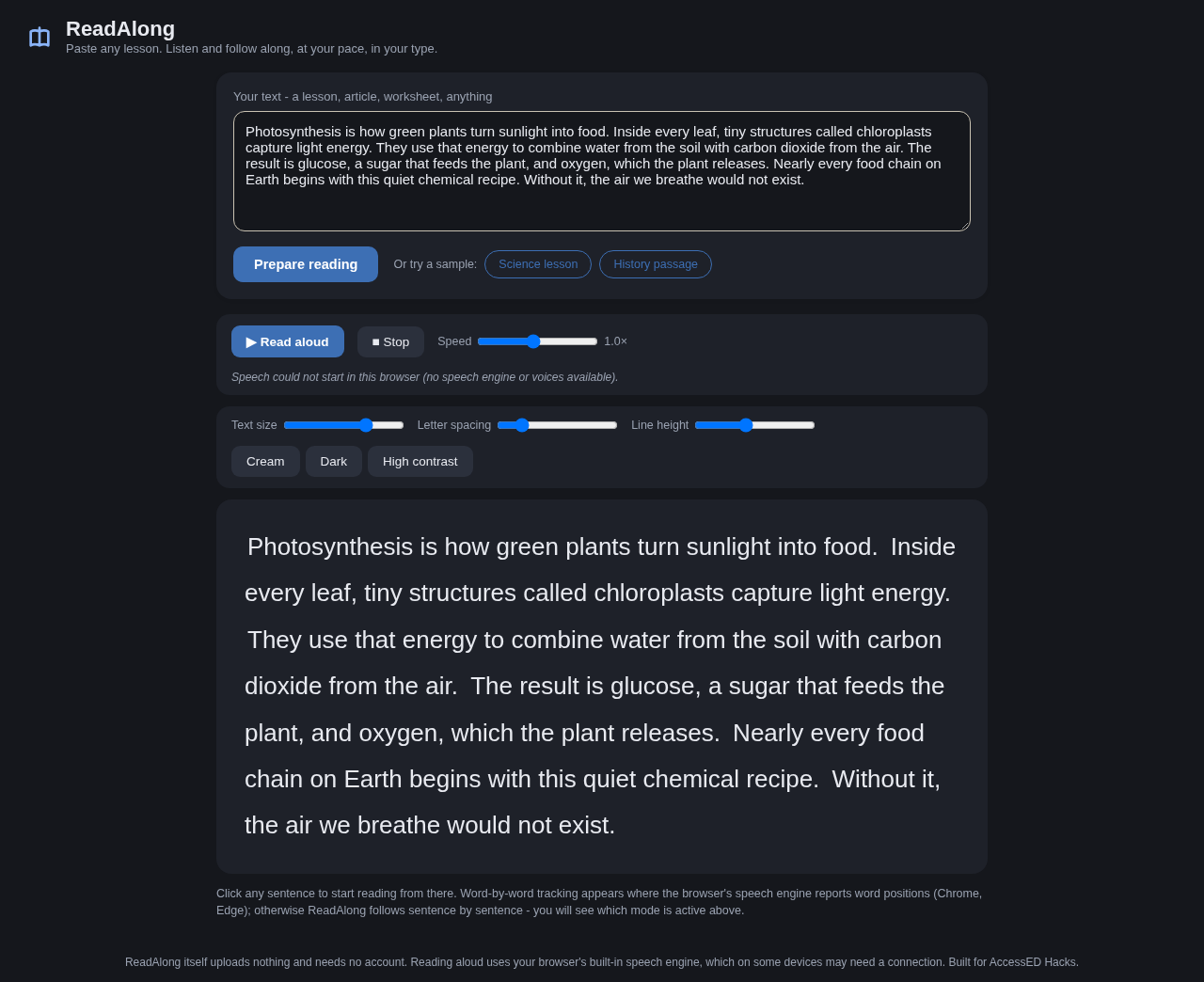
ReadAlong is a read-aloud web reader built on the browser's speech synthesis. Paste text or drop in an article; it reads sentence by sentence, highlighting the current sentence, and highlights word-by-word when the browser's speech engine reports word boundaries (it detects this at runtime and says which mode it is in - no overpromising). A reading settings panel offers font family (including an open-dyslexic-friendly option), size, line height, letter spacing, and contrast themes. Speed and voice are adjustable. Everything is local: text never leaves the page.
How we built it
Plain HTML, CSS, and JavaScript on top of the Web Speech API (speechSynthesis). The text is split into sentences, each spoken as an utterance; boundary events drive word highlighting where the engine supports them, with a runtime capability check that falls back to sentence-level tracking and labels the UI accordingly. Settings apply as CSS custom properties so typography changes are instant. No frameworks, no build step.
Challenges we ran into
Speech engines vary wildly: some browsers fire word boundary events, some don't, and some voices require network access - so we never claim offline speech or word tracking until the app itself has detected support on that device. Keeping highlight scroll position comfortable during long passages took careful scroll anchoring.
Accomplishments
Honest capability reporting: the app tells you which tracking mode your browser supports instead of silently degrading. The typography controls make a visible difference for readers who need them - this is the rare reader where the settings are the product.
What we learned
Accessibility features fail quietly when they over-promise. Runtime detection plus truthful labeling beats optimistic claims.
What's next
EPUB/PDF import, per-sentence repeat controls, reading-position bookmarks, and bundled offline voices where platforms allow it.
Built with
JavaScript, Web Speech API, HTML, CSS. No frameworks, no backend, text stays on the device.
Built With
- css
- html
- javascript
- web-speech-api

Log in or sign up for Devpost to join the conversation.