-
-
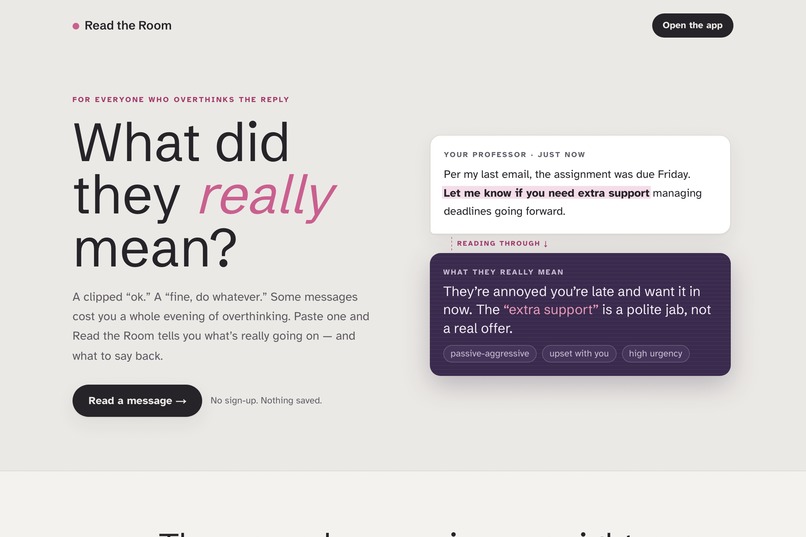
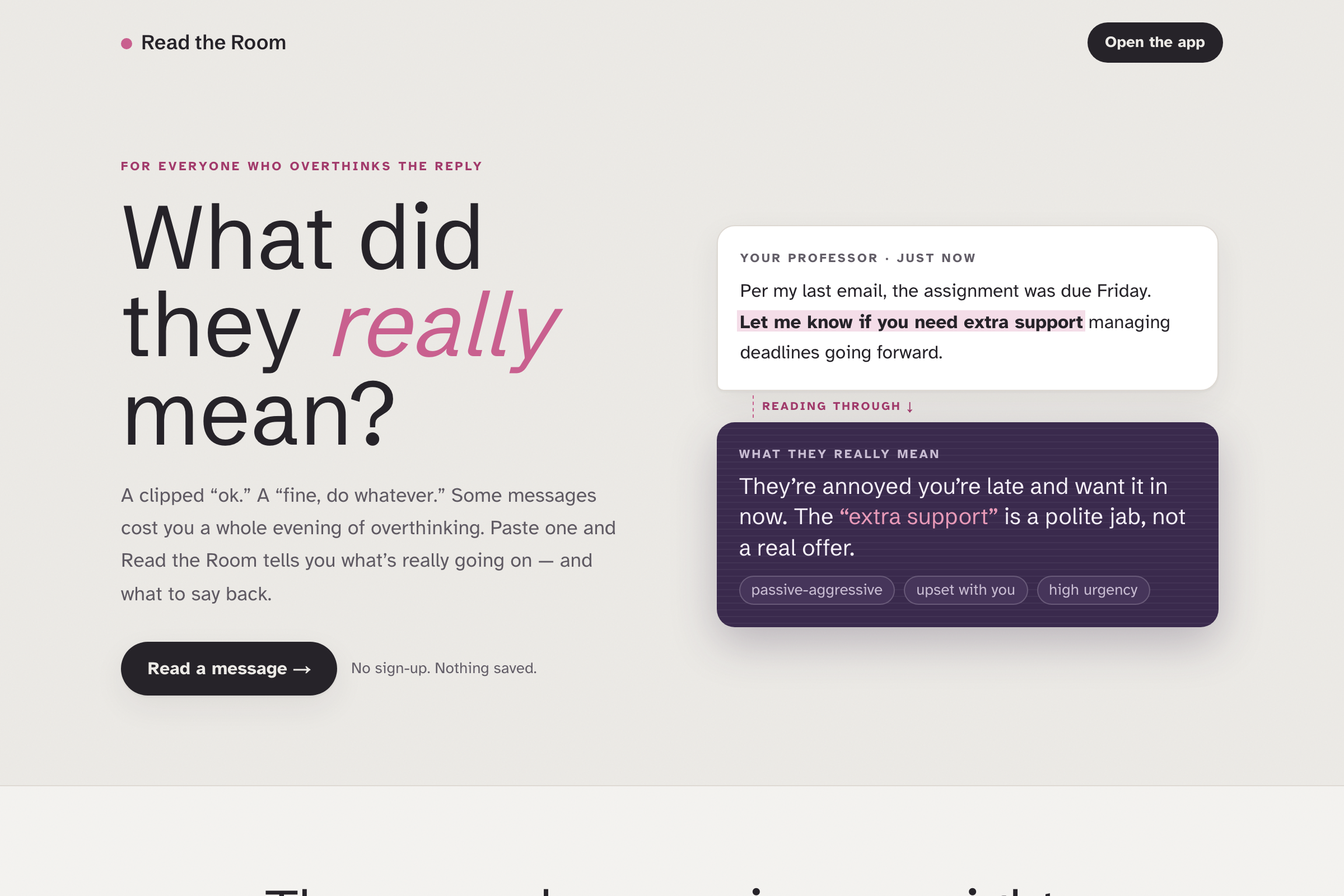
What did they really mean? Read the Room decodes the hidden tone of any confusing message, and helps you reply.
-
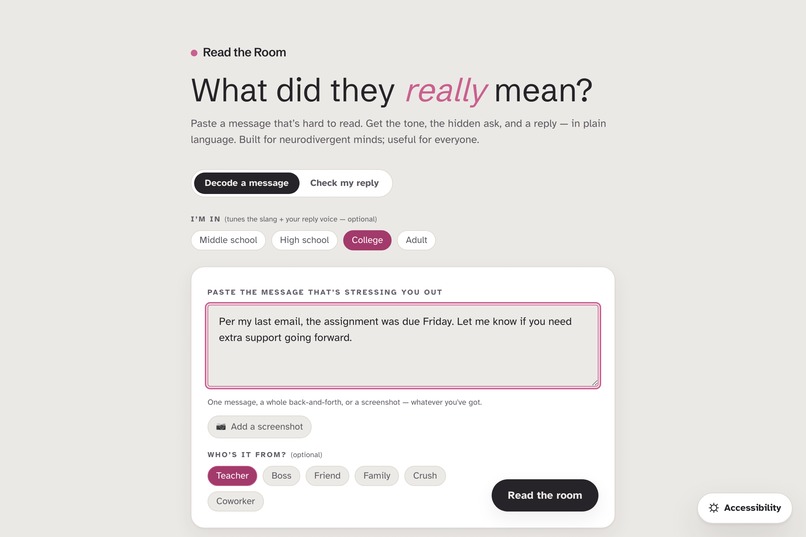
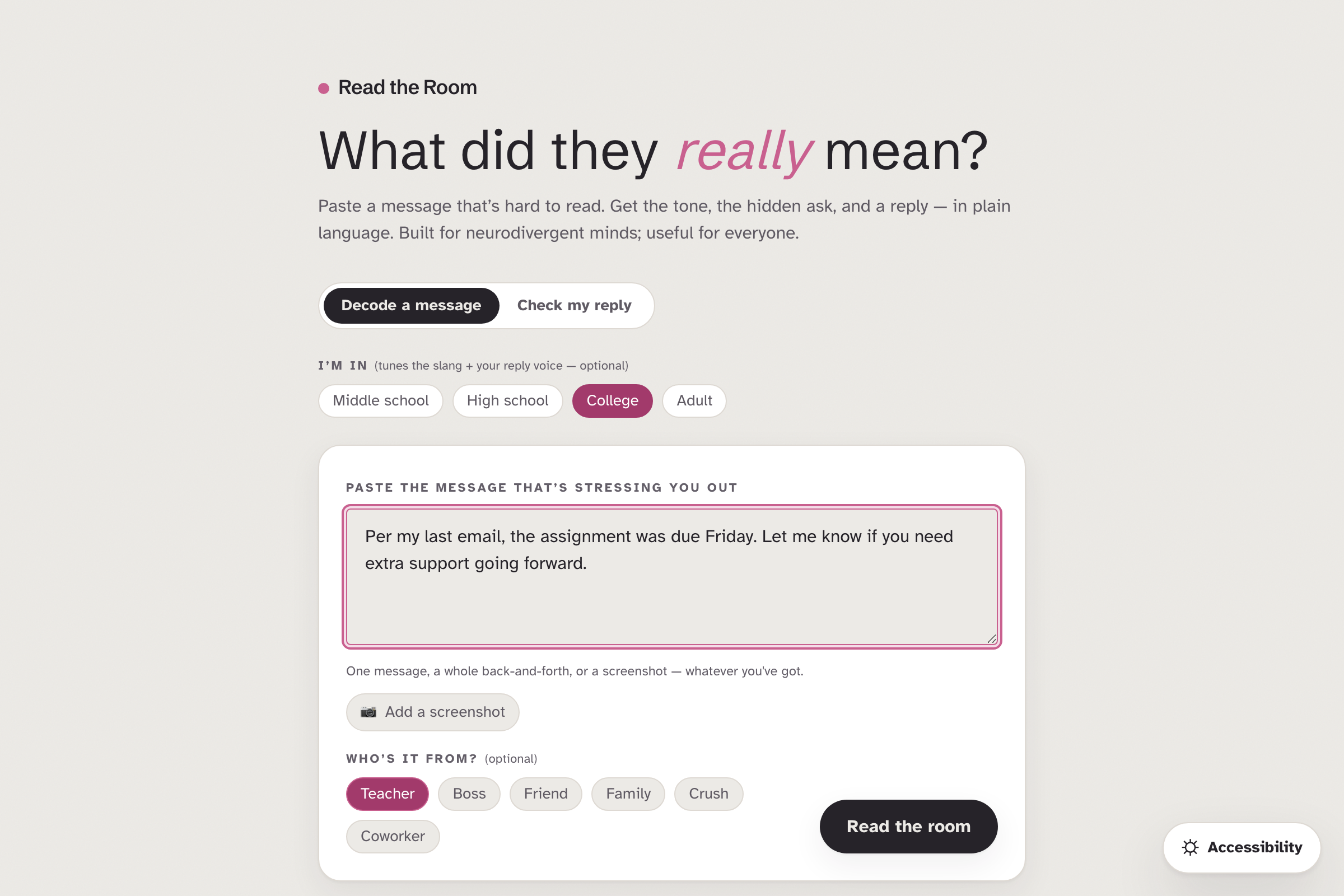
Paste the message that's stressing you out. Tag who it's from and your age, and it tunes the read to fit.
-
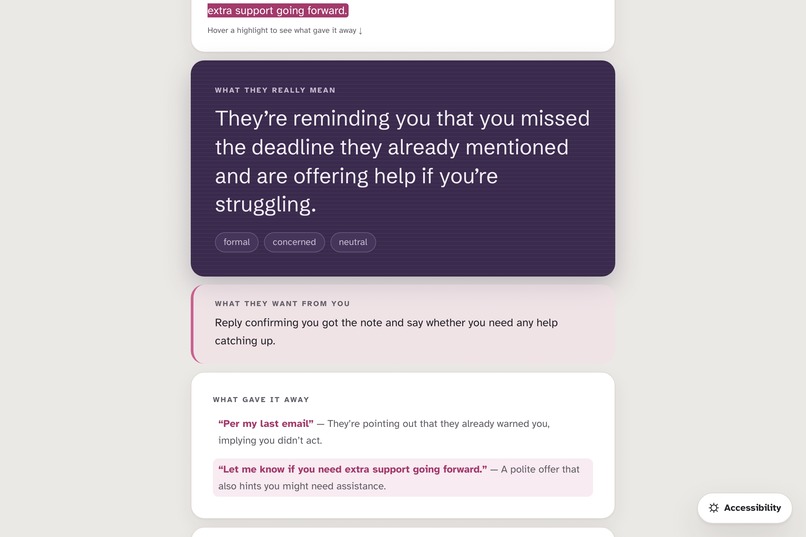
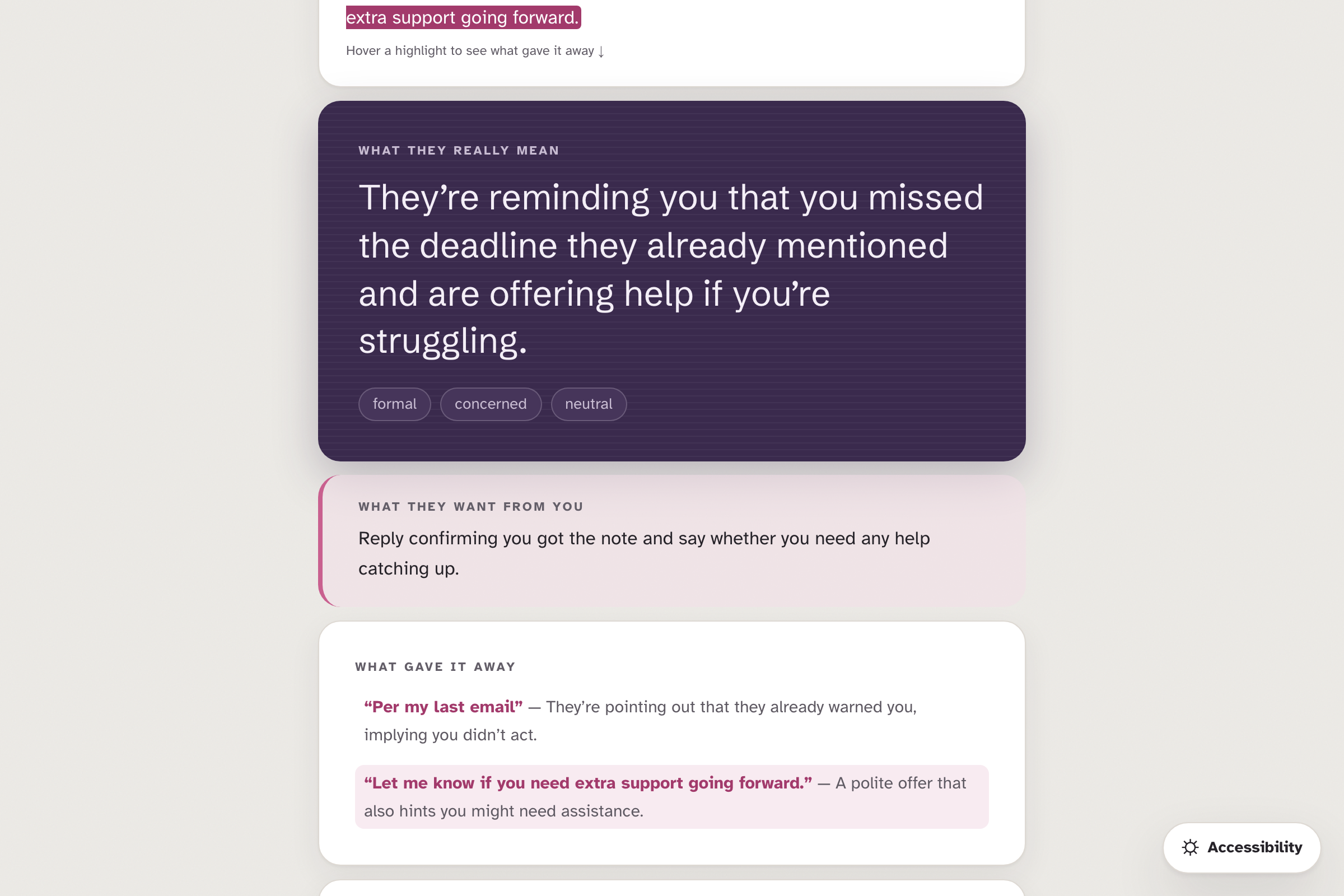
The read, in plain language: what they actually mean and the tone underneath. No more guessing or overthinking.
-
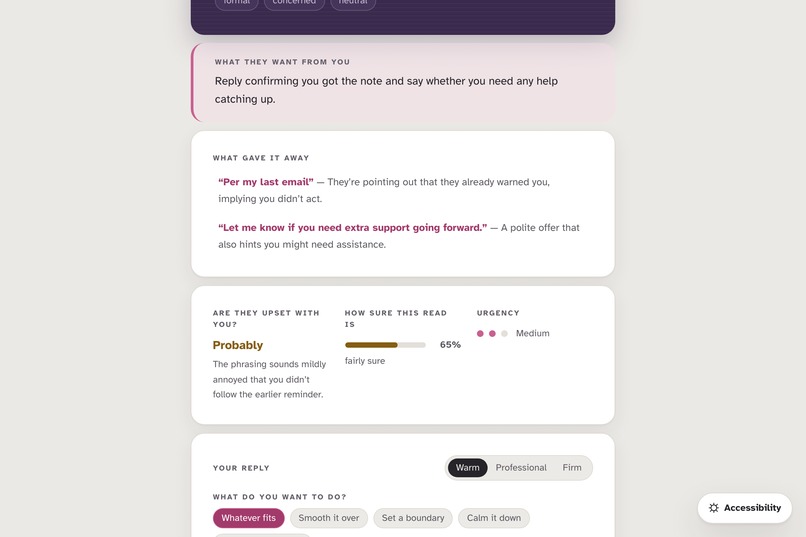
The "tells": it highlights the exact words that gave the tone away, so you start to see the pattern yourself.
-
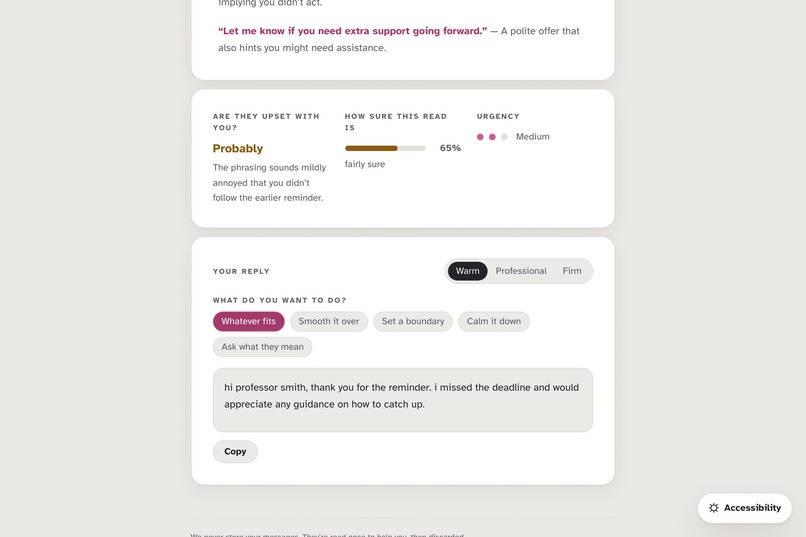
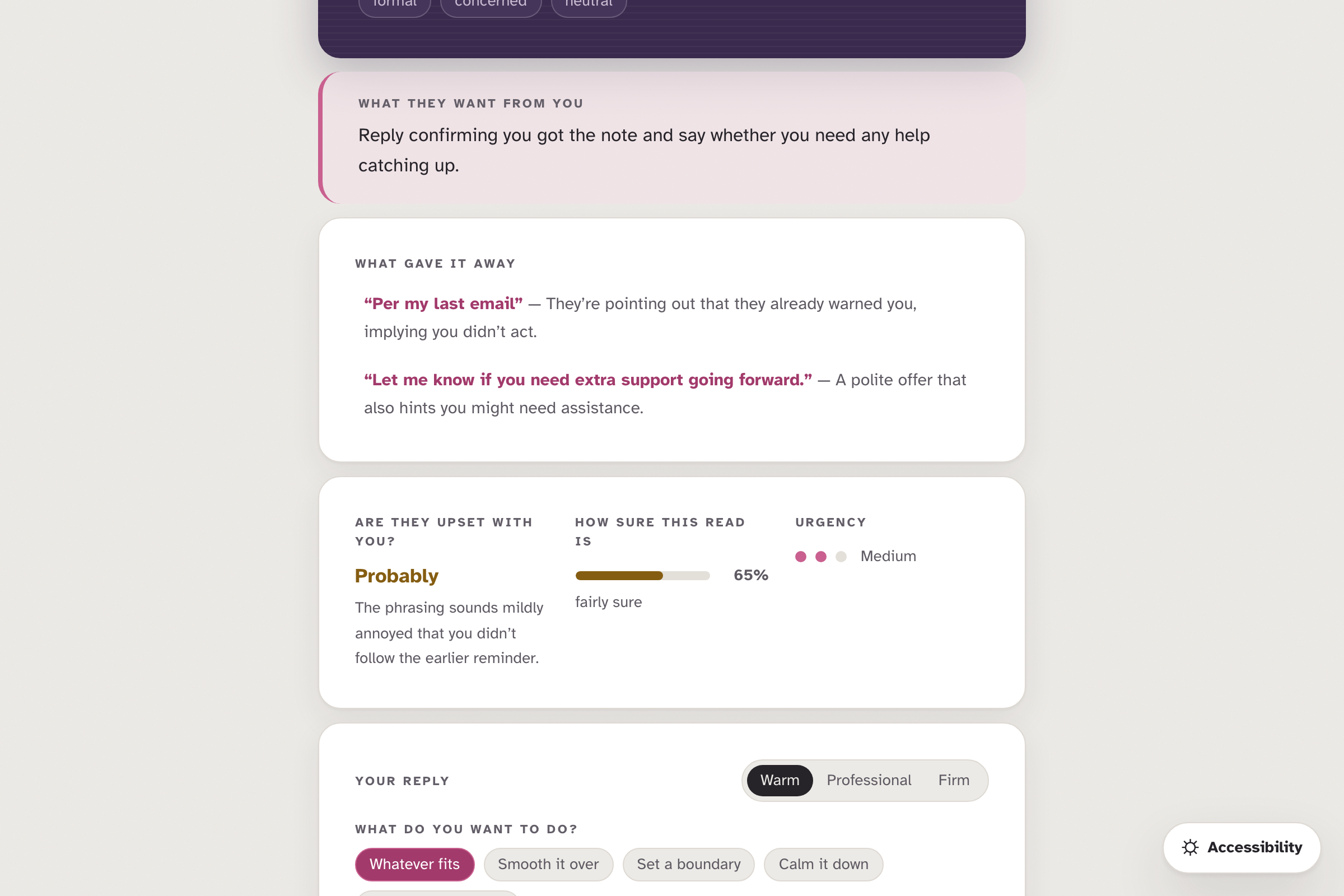
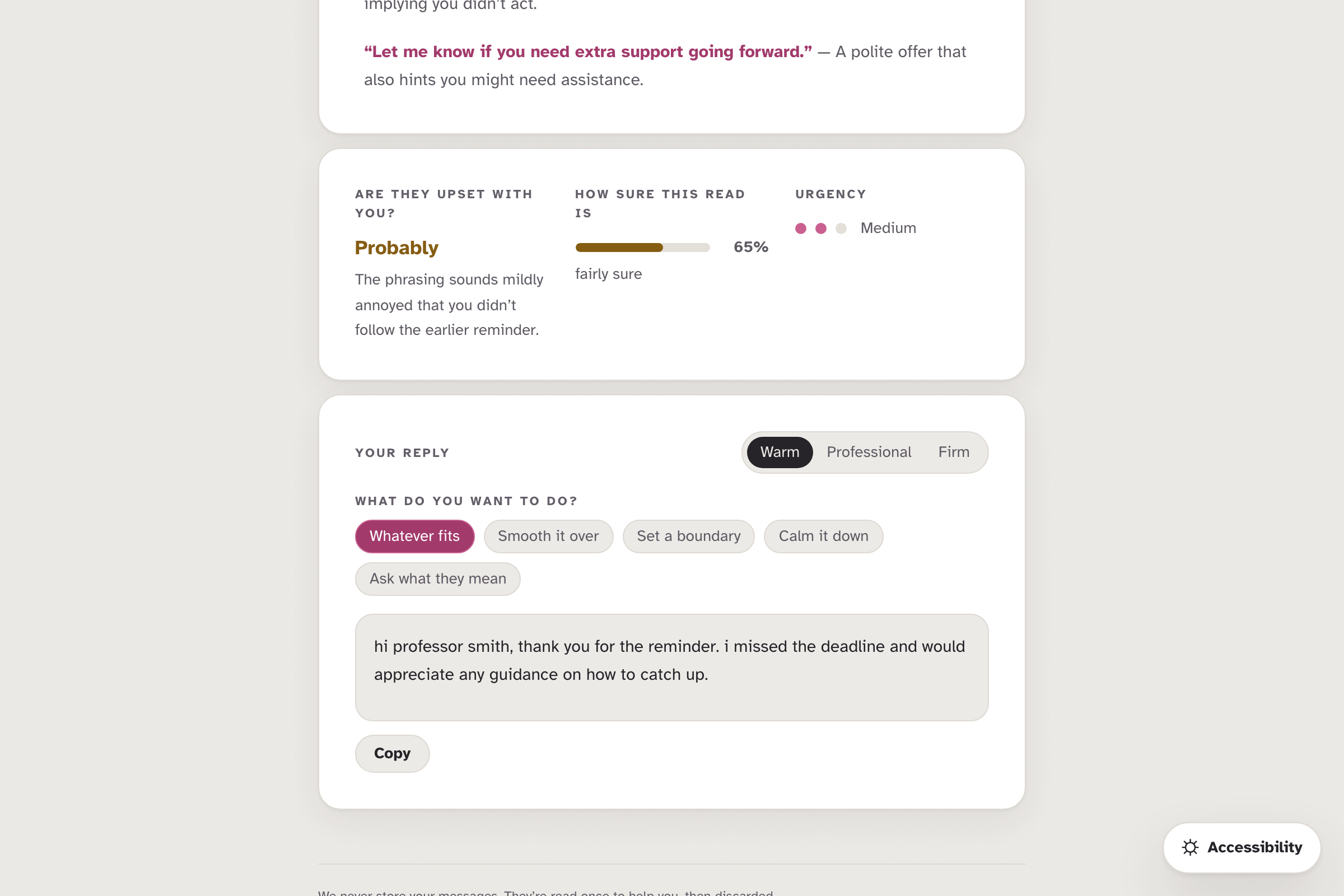
Are they upset with YOU? Plus a reply drafted for you in three tones: Warm, Professional, or Firm. One tap to copy.
-
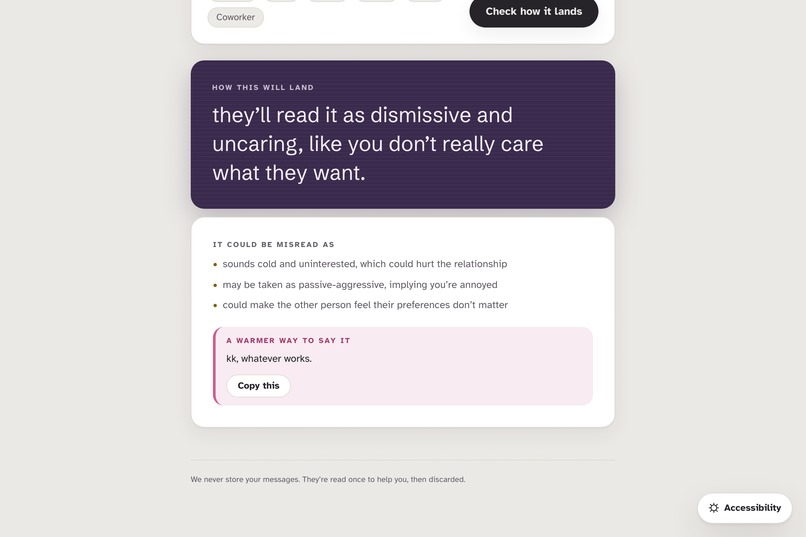
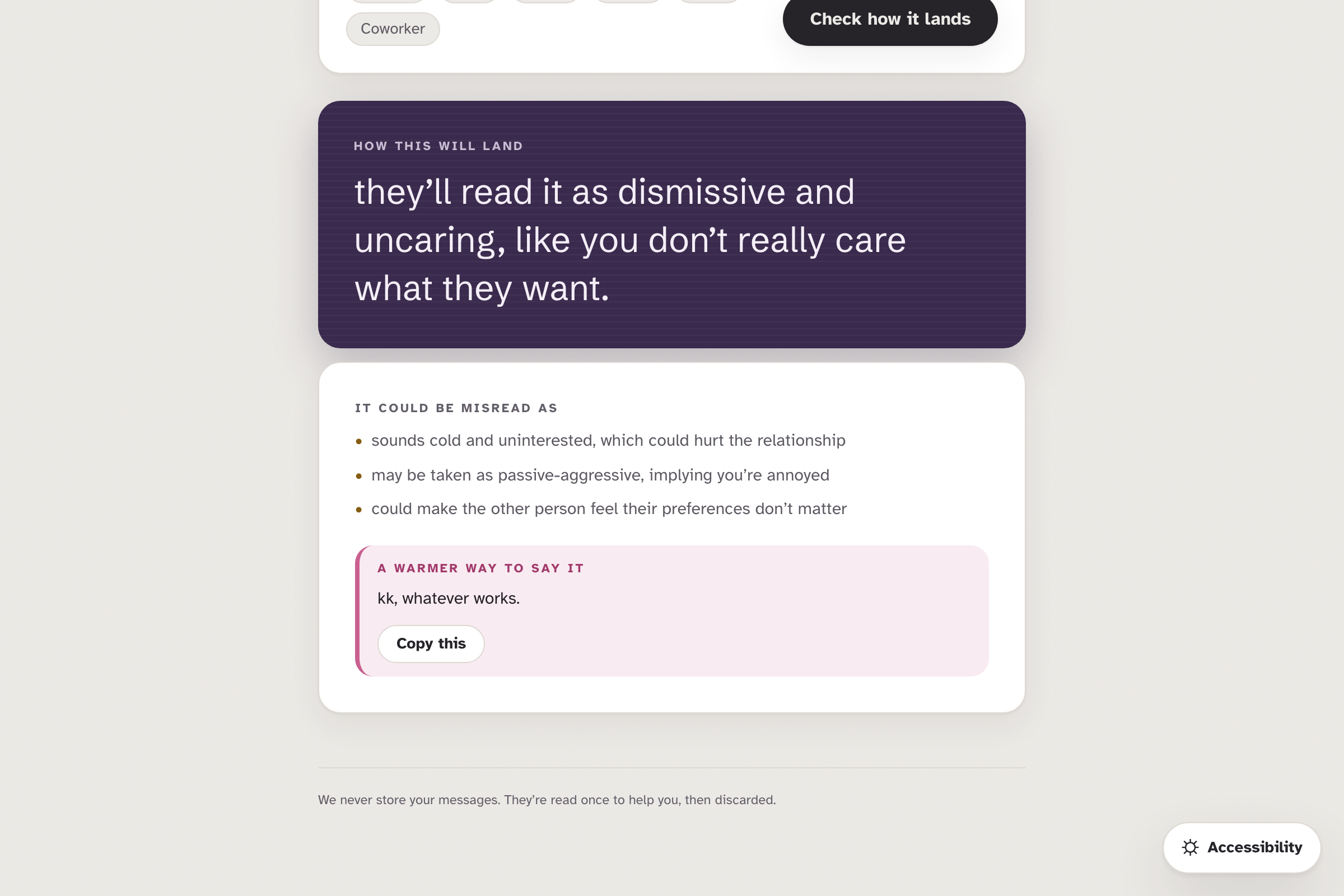
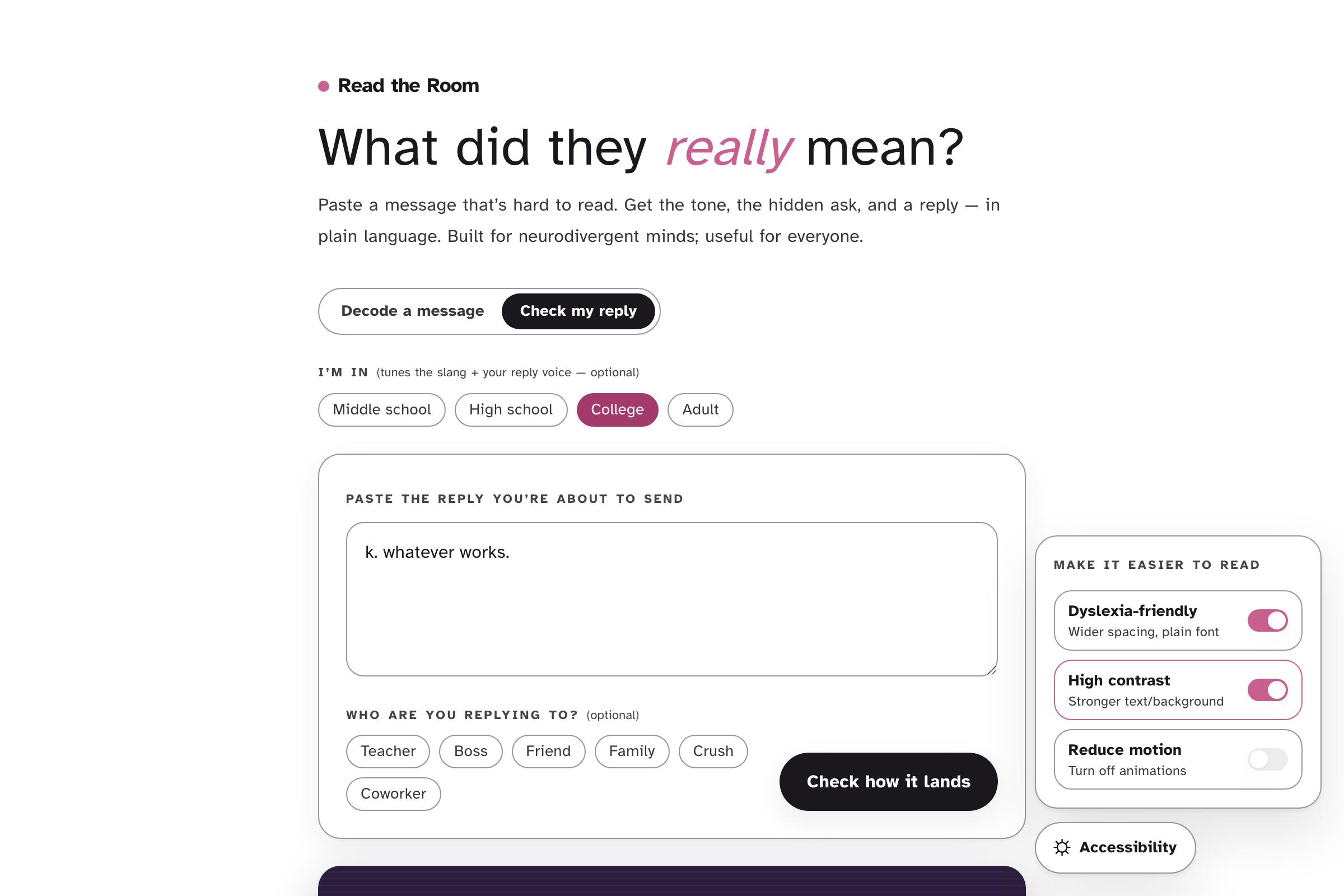
Check my reply: paste what you're about to send and see how it will land, plus a kinder way to say the same thing.
-
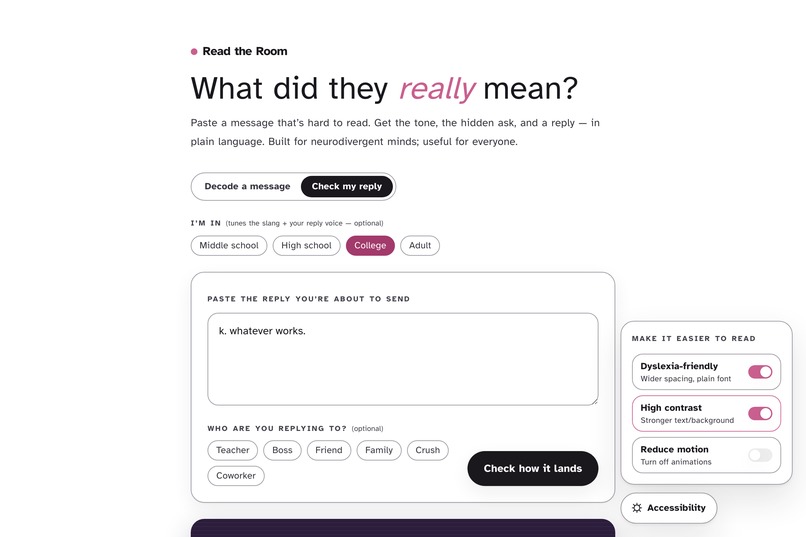
Built to be read: dyslexia-friendly font, high contrast, reduced motion. And your messages are never stored.
Inspiration
I've reread a text five times and still not known if the person was mad at me. For a lot of us — especially if you're neurodivergent — subtext doesn't arrive automatically. The literal words are right there, but the meaning underneath them isn't, and one unclear message can quietly eat a whole evening of overthinking: Are they upset? Do I apologize? Am I reading too much into "k."?
There are grammar checkers and tone graders, but nothing that just sits with you and explains, in plain words, what someone actually meant — and then helps you respond. So I built the thing I wished I had.
What it does
Paste a confusing message and Read the Room decodes it for you, in plain language:
- What they really mean — the subtext, not a thesaurus.
- The "tells" — it highlights the exact words that gave the tone away, so you start to see the pattern yourself.
- Are they upset with you?, how confident it is, what they actually want, and how urgent it is.
- A reply, drafted for you — Warm, Professional, or Firm, with goals like "set a boundary" or "smooth it over." One tap to copy.
- Check my reply — paste something you're about to send and it tells you how it'll land, plus a kinder way to say the same thing.
It also adapts to your age (a 14-year-old and a 30-year-old text very differently), ships an accessibility menu (dyslexia-friendly font, high contrast, reduced motion), and has a crisis safety net — if a message sounds genuinely heavy, it steps back and points to real support instead of a glib reply. There's a Chrome extension too: select text on any page — Gmail, Discord, Outlook — and decode it inline.
Nothing is stored. Messages are read once to help you, then discarded.
How we built it
- Next.js (App Router) + React + TypeScript, Tailwind for the design system, deployed on Vercel.
- The key architectural decision is a provider-agnostic LLM adapter with a fallback chain: Cerebras (
gpt-oss-120b) → Groq (Llama) → a hand-written demo-safe mode. If a key is capped or slow, it transparently rolls to the next — so the live demo can never hard-fail. - Structured output validated with Zod plus a tolerant JSON parser, streaming replies, and per-IP rate limiting.
- Screenshot decoding via an OpenAI-compatible vision path, accessibility to WCAG 2.2 AA (contrast-checked color tokens, ARIA roles, focus management), and a Manifest V3 Chrome extension sharing the same backend and design tokens.
- Privacy by design: messages are processed and discarded — never logged, never stored.
Challenges we ran into
- Subtext quality is the entire product. A generic "this seems negative" is useless. Getting reads that feel right took heavy prompt design, few-shot examples, and a "restraint" rule so rewrites stay proportionate — "thanks" shouldn't become "thanks so much!!!"
- Register by age. LLMs don't naturally shift how they text for a 14-year-old versus an adult. I researched real texting patterns across age groups and encoded them so the voice actually changes.
- Never dead-ending. Free LLM tiers hit daily caps. The fallback chain plus demo-safe mode means the public link always responds with something useful.
- Handling the heavy ones. Deciding when not to draft a reply — and to surface real support instead — was harder, and more important, than any feature.
Accomplishments that we're proud of
A tool that's genuinely kind and works end-to-end: sharp reads, reply drafting, a pre-send check, age-awareness, accessibility by default, a crisis safety net, and a distinctive "X-ray" design that doesn't look like a template — shipped as both a web app and a browser extension, on a completely free stack, deployed live. Built solo, in a few days.
What we learned
The hard part of an "AI that actually helps people" isn't the model call — it's restraint, safety, and tone. The accessibility and crisis-handling work mattered as much as the decode quality. I also learned how much careful prompt design and honest scope matter: a smaller tool that's trustworthy beats a bigger one that overclaims.
What's next for Read the Room
- Voice-note decoding — for tone in audio messages, not just text.
- Firefox and Safari builds of the extension.
- An optional on-device model for full, offline privacy.
- More languages, since subtext is hard in every one.

Log in or sign up for Devpost to join the conversation.