-
-
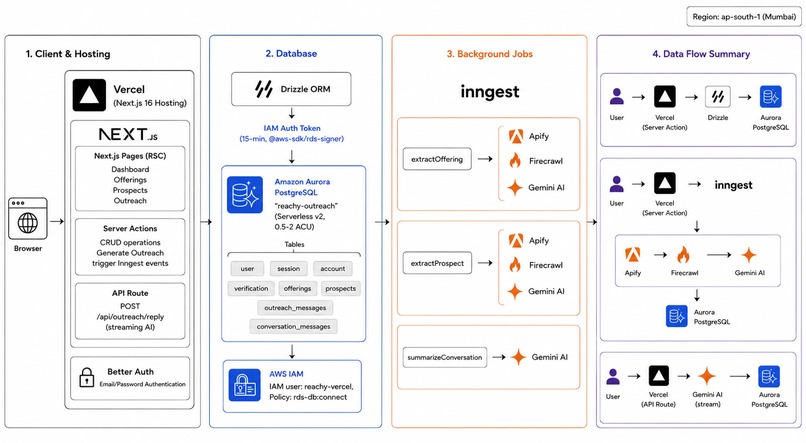
architecture
-
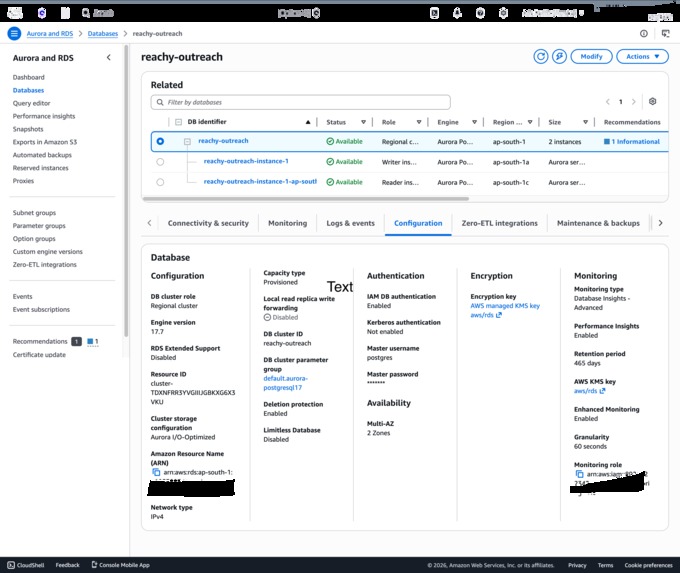
rds
-
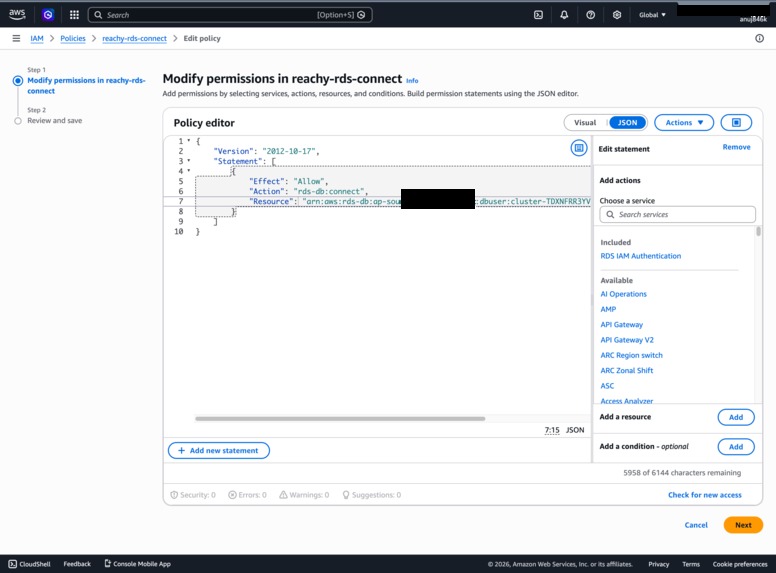
iam policy
-
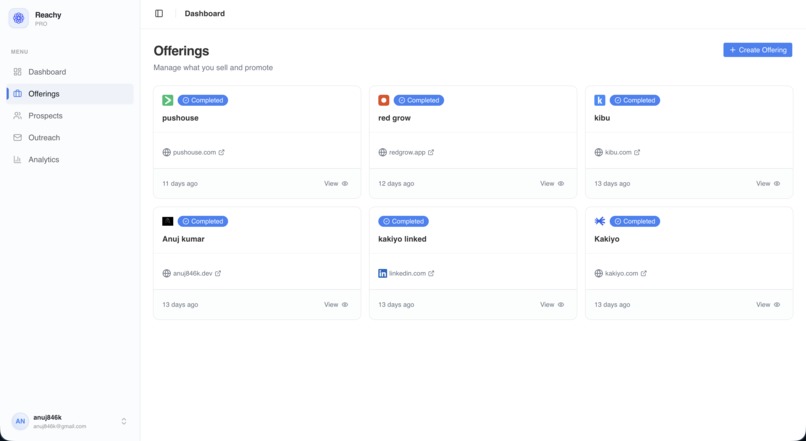
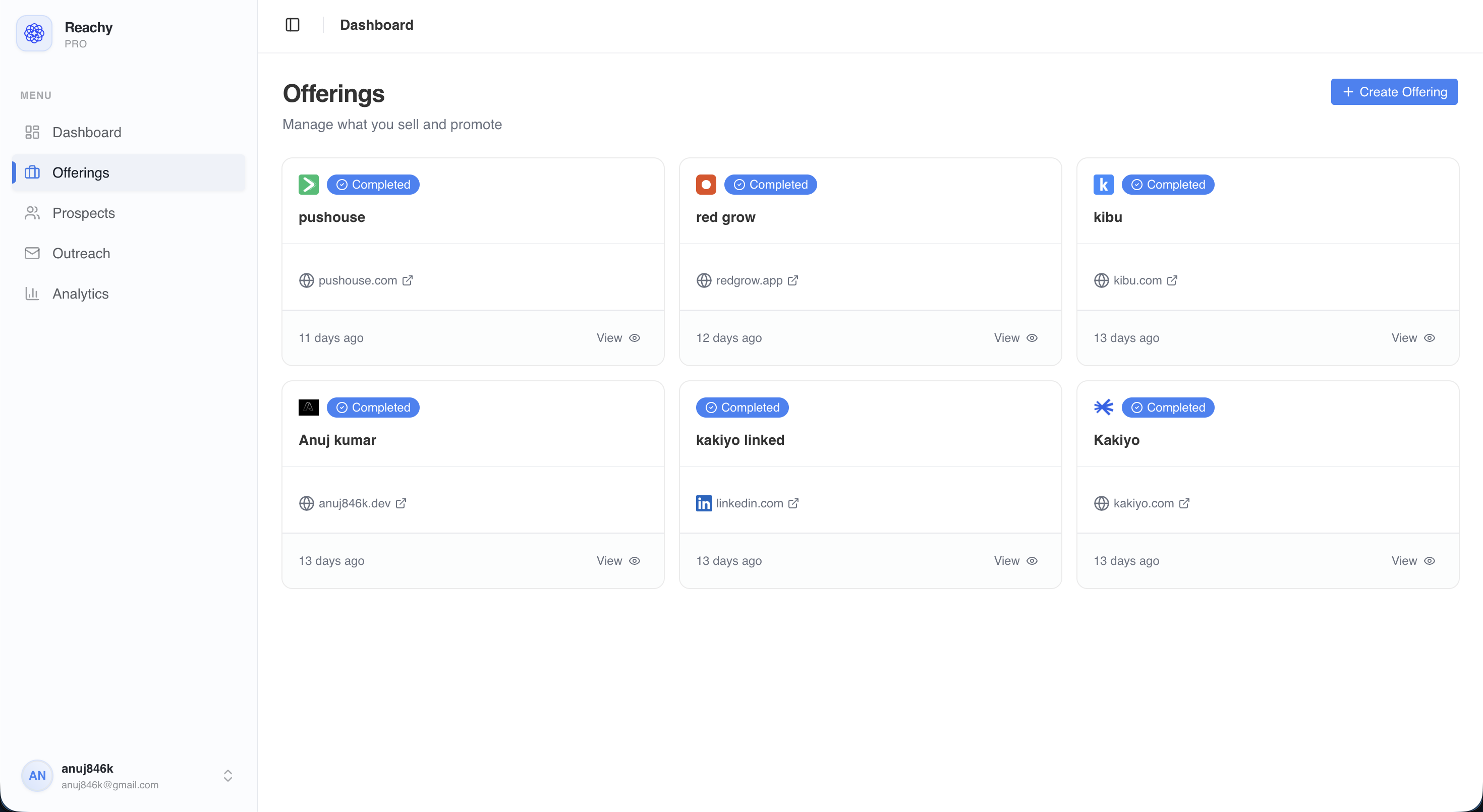
offerings
-
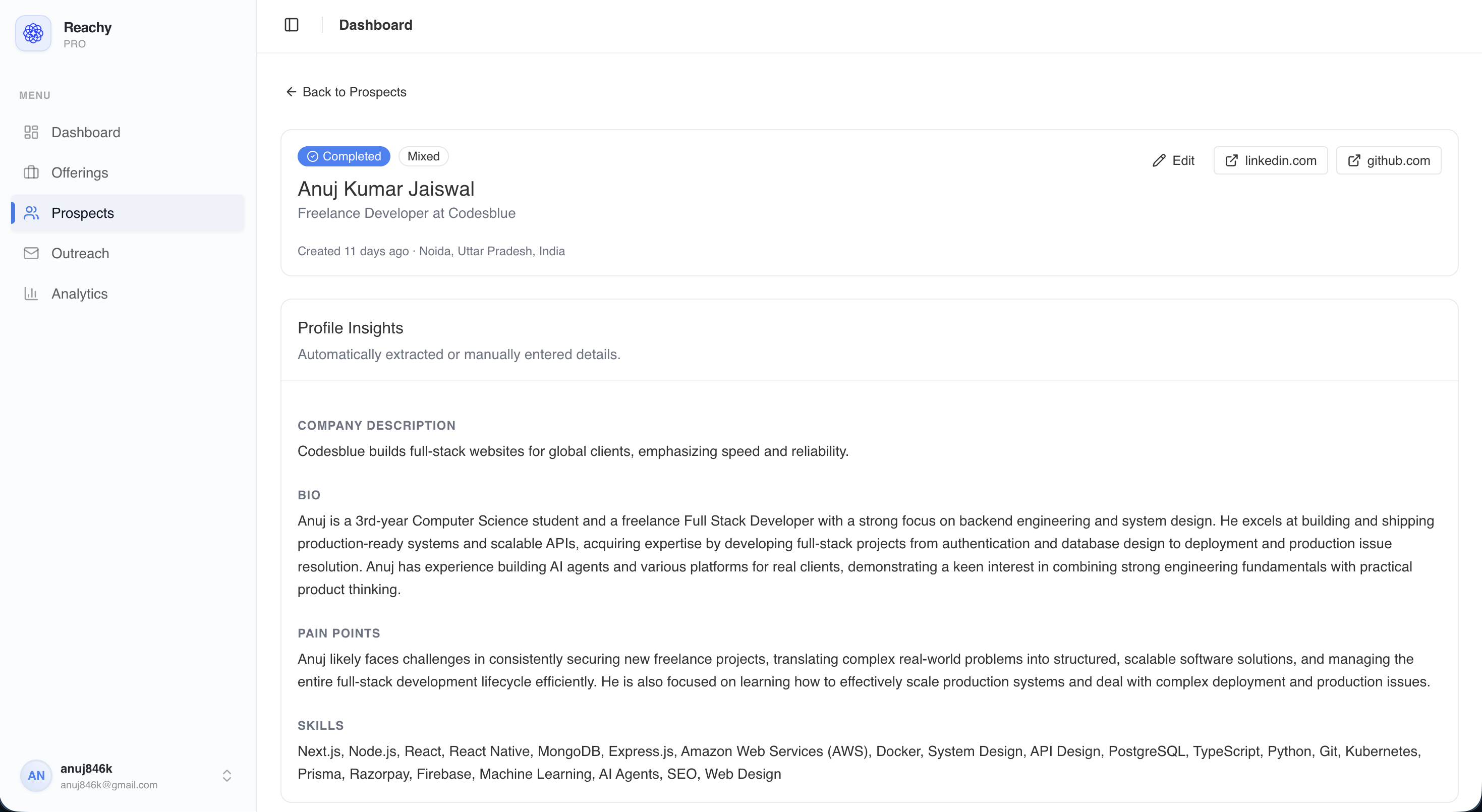
details
Reachy
AI-powered outreach that researches your prospect and writes the message — not a template, actual context.
Paste a LinkedIn URL (or any public profile). Reachy scrapes it, extracts a structured prospect profile in the background, and generates a personalized outreach message. Reply handling is built in — follow-ups use full conversation memory.
How it works
- Add your offering — name, summary, ICP, key differentiators
- Paste a prospect URL — LinkedIn, GitHub, personal site, anything public
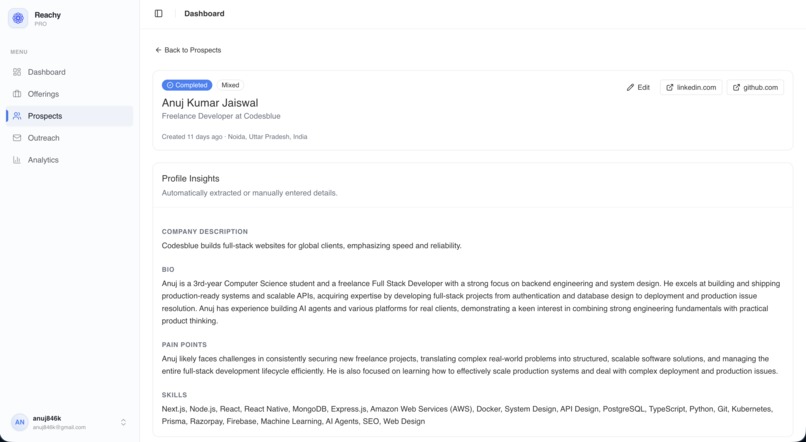
- Get a profile — Reachy extracts role, company, bio, and likely pain points
- Generate a message — pick a tone, get a message that references real context
- Handle replies — Reachy generates follow-ups with full conversation history
Real Examples
Example 1 — SaaS founder reaching out to a VP of Sales
Offering (input):
Name: Reachy
Summary: AI tool that extracts prospect profiles from URLs and generates personalized outreach messages
ICP: B2B SaaS founders and sales engineers doing manual LinkedIn outreach at scale
Key differentiators: Multi-source scraping (LinkedIn + any URL), Gemini-powered consolidation, conversation memory for follow-ups
Prospect URL scraped: linkedin.com/in/sarahchen-vpsales
Extracted profile (auto-generated by the app):
Name: Sarah Chen
Job Title: VP of Sales
Company: Relay (Series B, workflow automation)
Bio: 10+ years in B2B SaaS sales. Previously at Outreach and Salesloft.
     Scaled SDR team from 3 to 22 reps. Posts regularly about outreach volume
     and the challenge of making cold messages feel human at scale.
Pain Points: SDR productivity, message personalization at scale, reply rates
             dropping as prospects become immune to templated outreach
Tone selected: Casual
Generated message:
Subject: saw your post about reply rates last week

Hey Sarah, your post about SDR teams sending 200 emails a day to get
3 replies hit close to home. That math doesn't work, and it usually
means the messages aren't actually tailored — they just look like they are.

Reachy does the research automatically. It reads a LinkedIn profile (or any
URL) and writes a message that actually references what that specific person
does and cares about. Not merge tags — actual context.

Worth seeing what it generates for one of your current target accounts?
Example 2 — Dev tool reaching out to an engineering lead
Offering (input):
Name: Depot
Summary: Remote Docker build service — builds are 20x faster by running on
         native hardware instead of emulated layers in CI
ICP: Engineering leads at startups and mid-size companies with slow CI pipelines
Key differentiators: No config changes, plugs into existing CI in minutes,
                     pays for itself if builds take more than 2 minutes
Prospect URL scraped: github.com/marcuswright-eng + linkedin.com/in/mwrighteng
Extracted profile (consolidated from 2 sources):
Name: Marcus Wright
Job Title: Staff Engineer
Company: Incident.io (Series B)
Bio: Infrastructure and developer tooling. Maintains the internal build system.
     Open source contributor — owns a popular GitHub Actions helper repo.
     Recently tweeted about their CI pipeline taking 18 minutes on average.
Pain Points: Slow build times hurting deploy velocity, CI costs, engineer
             frustration with waiting on feedback loops
Tone selected: Direct
Generated message:
Subject: 18 minute builds

Hey Marcus, saw the tweet about your CI times. 18 minutes is a lot of
context switching per deploy.

Depot runs Docker builds on native hardware — no emulation layer. Most
teams drop from 15–20 min to under 2 without touching their Dockerfiles
or CI config. Plugs into GitHub Actions in about 10 minutes.

Happy to show you a before/after on a real build if you want to test it
against your current setup.
Example 3 — Conversation follow-up (reply handling)
After the message in Example 1 was sent, Sarah replied:
"Interesting — how does it actually work? Does it need access to my LinkedIn?"
App generates follow-up (with full context of original message + reply):
No LinkedIn access needed — it just reads public profile pages the same
way a browser would. You paste a URL, it scrapes what's visible, and
Gemini pulls out the relevant bits: role, company, what they actually
talk about, likely pain points.

The message it writes uses those specifics rather than generic placeholders.
Takes about 15 seconds per prospect.

Want me to run it on a few people from your current target list so you
can see what it actually produces?
Note: The follow-up directly addresses her question (no LinkedIn access), explains the mechanism concisely, and ends with a low-friction next step — continuing the tone of the original message.
Stack
| Layer | Technology |
|---|---|
| Framework | Next.js 16 (App Router) |
| Auth | Better Auth |
| Database | Amazon Aurora PostgreSQL (Serverless v2) + Drizzle ORM |
| Background Jobs | Inngest |
| Scraping | Firecrawl (general) + Apify (LinkedIn) |
| AI | Google Gemini via Vercel AI SDK |
| Deployment | Vercel |
Local setup
pnpm install
cp .env.example .env
Fill in .env (see Environment variables below), then:
# Push DB schema
pnpm db:aws push

# Start dev server
pnpm dev

# Start Inngest dev server (separate terminal)
npx inngest-cli@latest dev
Architecture decisions
Auth lives in Server Actions, not middleware
Next.js middleware runs on the Edge Runtime — no database access, no Node.js APIs. It can redirect, but it cannot verify a session.
Middleware here only handles fast redirects: unauthenticated users away from /dashboard/*, logged-in users away from /login. Every Server Action and API route does its own explicit check via requireAuth() / requireUnauth(), which call auth.api.getSession() directly against the database.
Even if middleware is fully disabled, no data route is exposed.
Prospect extraction is a background job
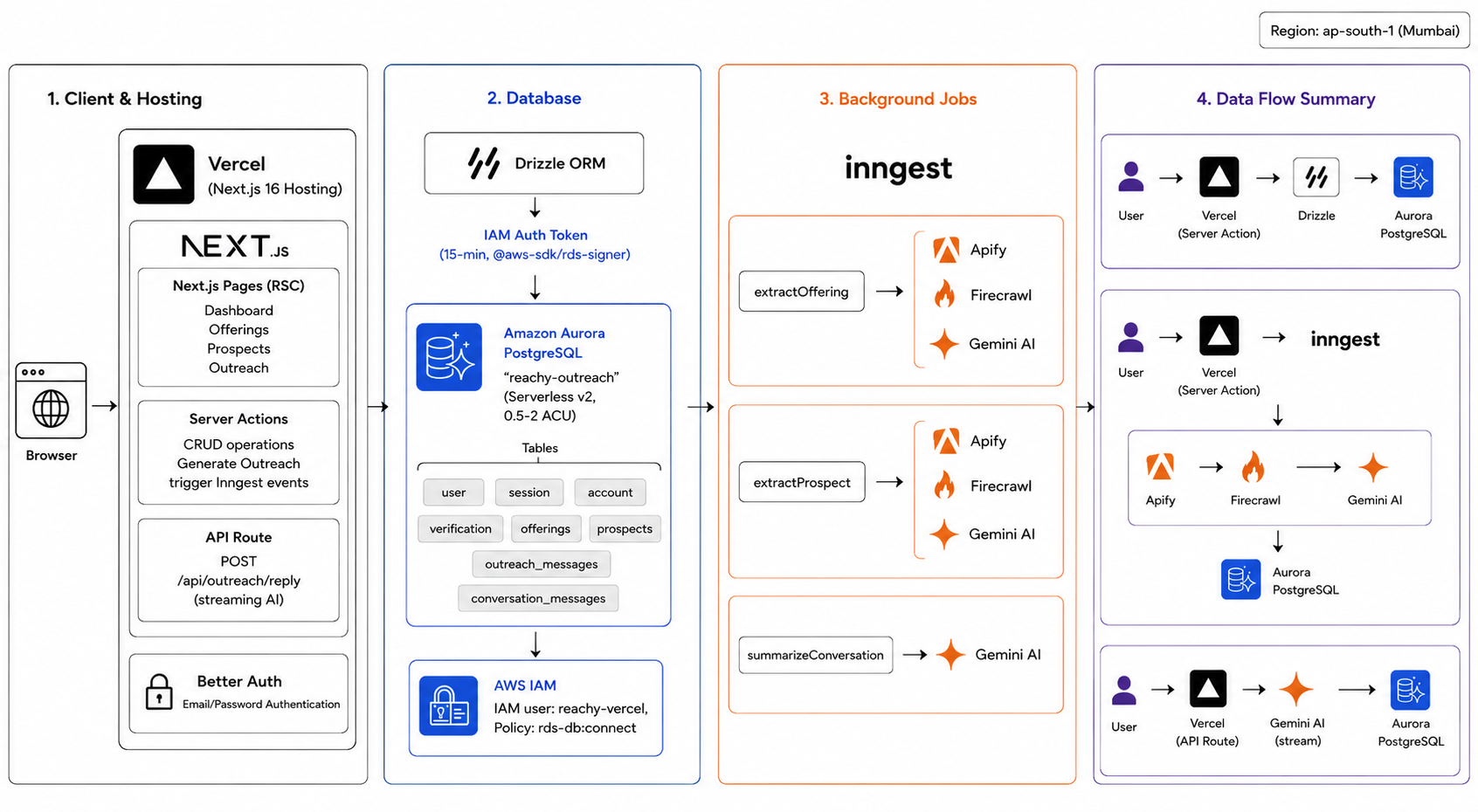
Scraping LinkedIn (Apify: 3–8s) + other URLs (Firecrawl: 2–5s each) + Gemini consolidation (2–4s) adds up to 10–20+ seconds of unpredictable, failure-prone work. That can't live in a request/response cycle.
The Server Action writes a status: pending prospect record and fires an Inngest event. The request returns immediately. Inngest runs the pipeline as a durable background function.
Each operation is wrapped in step.run() — a tracked unit with its own retry. If step 3 fails, Inngest retries from step 3, not from scratch.
step.ai.wrap() for observable Gemini calls
A plain generateText() inside step.run() works, but you lose all visibility into what was sent, what came back, token counts, and retries.
step.ai.wrap() wraps the Vercel AI SDK call unchanged and gives Inngest full observability over it: prompt, response, token usage, latency — all visible in the dashboard.
One gotcha: step.ai.wrap() returns .output as a JavaScript getter. Inngest serializes step results as JSON between steps, which strips getters. On replay, result.output is undefined. Fix:
const extracted = result.output ?? (result as any)._output;
Outreach generation stays synchronous
Message generation is a single Gemini call with immediate user feedback needed. No multi-step work, nothing that would time out.
generateOutreach() is a plain Server Action — calls Gemini, returns the result. Vercel Server Actions support up to 60s, which is plenty. Inngest here would add polling overhead and UI complexity for no benefit.
Prompt customization via template strings, not a settings table
The default system prompt is a string constant with {{placeholders}}. Users can expand a collapsible section in the generation dialog, edit the textarea directly, and click variable badges to insert tokens at cursor.
At generation time, placeholders are replaced with real values and passed as the Gemini system prompt. No user_settings table, no migration, no schema overhead. Customization is per-message by design — every outreach should be intentional anyway.
Conversation memory via ordered messages, not RAG
RAG is designed for large unstructured knowledge bases. LinkedIn outreach threads are linear and short — typically 10–20 messages. RAG would retrieve fragments out of order, add an embedding call and vector search per generation, and solve a problem that doesn't exist here.
Conversation messages are stored in order in conversation_messages and passed as full context when generating follow-ups. Always within Gemini's context window, always chronological, zero extra cost.
Database schema
user                    Better Auth managed
session                 Better Auth managed
offerings               name, summary, ICP, differentiators
prospects               name, jobTitle, company, bio, painPoints, sources (jsonb)
outreach_messages       content, subjectLine, tone, status, rollingSummary
conversation_messages   role (user | assistant), content, FK → outreach_messages
AWS infrastructure
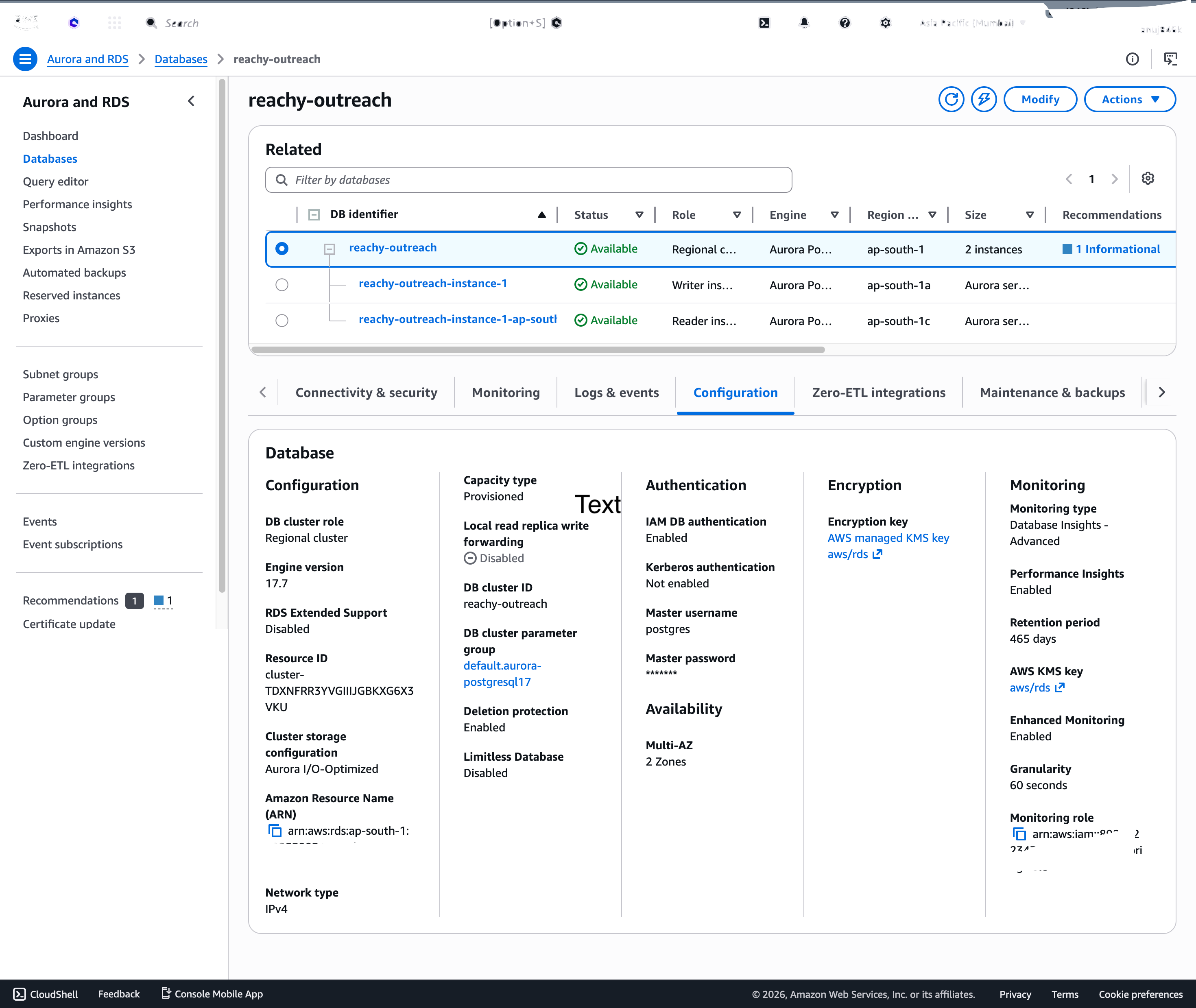
Aurora PostgreSQL (Serverless v2, 0.5–2 ACU) with IAM auth. No static passwords — every connection uses a 15-minute token from @aws-sdk/rds-signer.
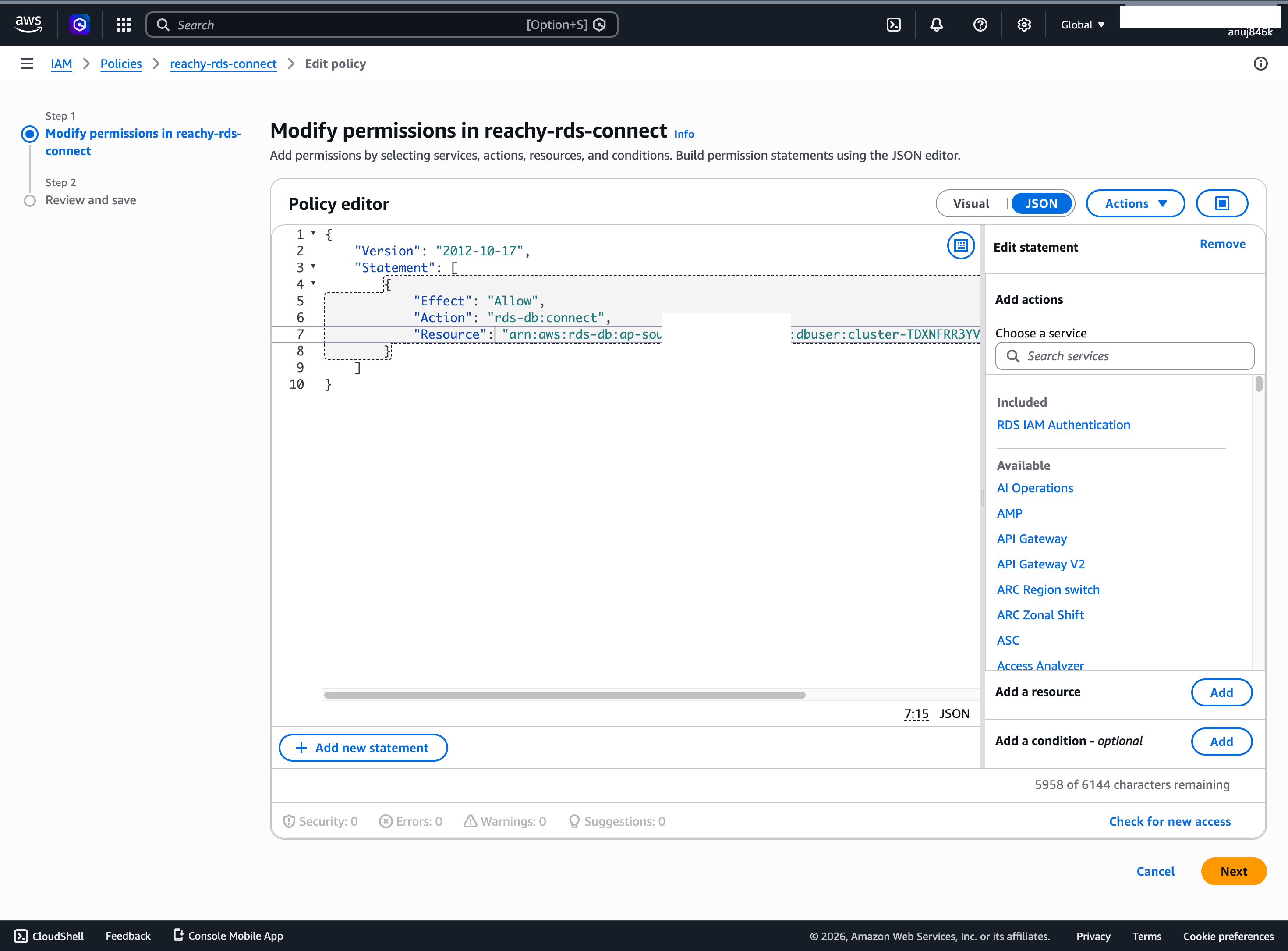
IAM policy grants only rds-db:connect to the reachy-vercel user.
Environment variables
# Database
AURORA_ENDPOINT=             # Aurora PostgreSQL writer endpoint
AWS_ACCESS_KEY_ID=           # IAM user for DB auth
AWS_SECRET_ACCESS_KEY=
AWS_REGION=                  # e.g. ap-south-1

# Auth
BETTER_AUTH_SECRET=          # Random secret for session signing

# AI & scraping
GOOGLE_GENERATIVE_AI_API_KEY=
FIRECRAWL_API_KEY=
APIFY_API_TOKEN=

# Inngest (production only)
INNGEST_EVENT_KEY=
INNGEST_SIGNING_KEY=

# App
NEXT_PUBLIC_APP_URL=         # e.g. https://reachy-outreach.vercel.app
Monetization
SaaS subscription with a free tier (limited prospects/month). Paid tiers based on volume - starters get 50 prospects/month, growing teams unlock unlimited extraction, conversation memory, and team analytics. Priced for B2B sales teams who'd otherwise spend hours on manual research.
Built With
- amazon-web-services
- apify
- aurora
- better-auth
- drizzle
- firecrawl
- gemini
- inngest
- next.js
- typescript
- vercel
- vercel-ai-sdk


Log in or sign up for Devpost to join the conversation.