-
-
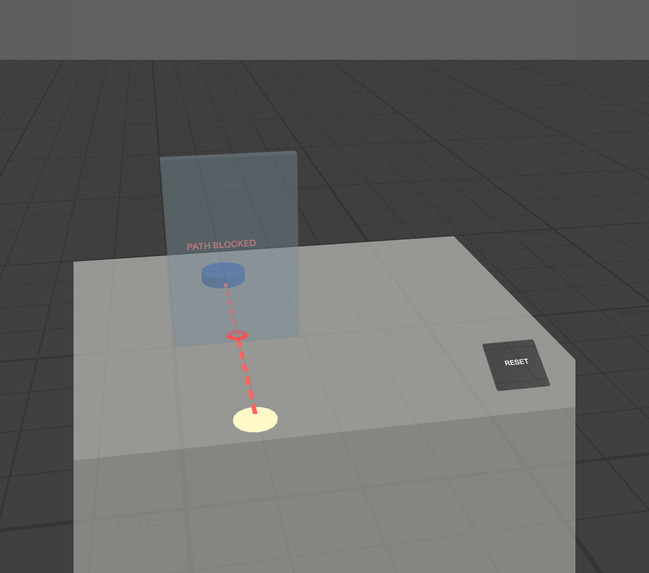
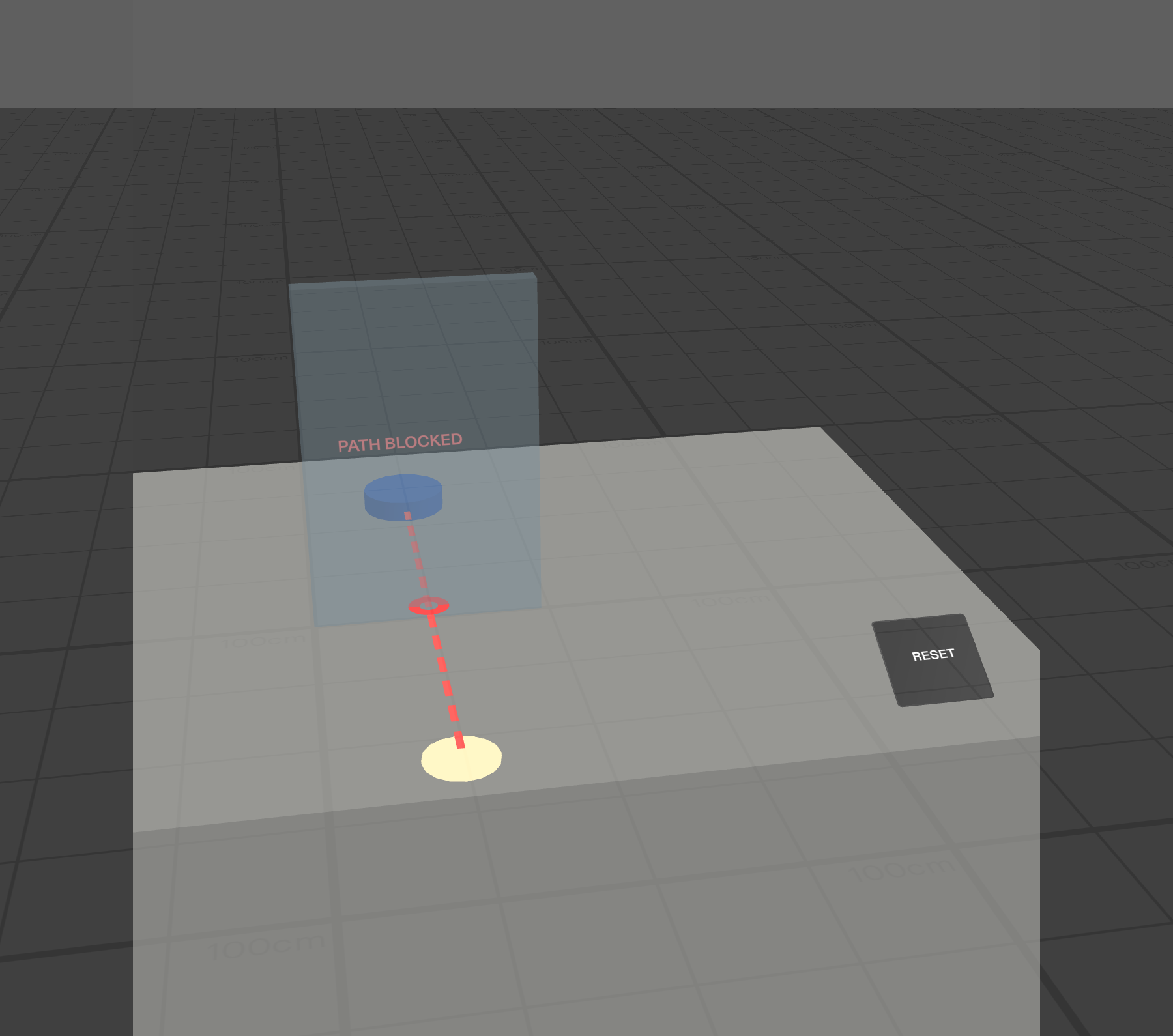
The problem: a divider blocks the direct path to the assistance button.
-
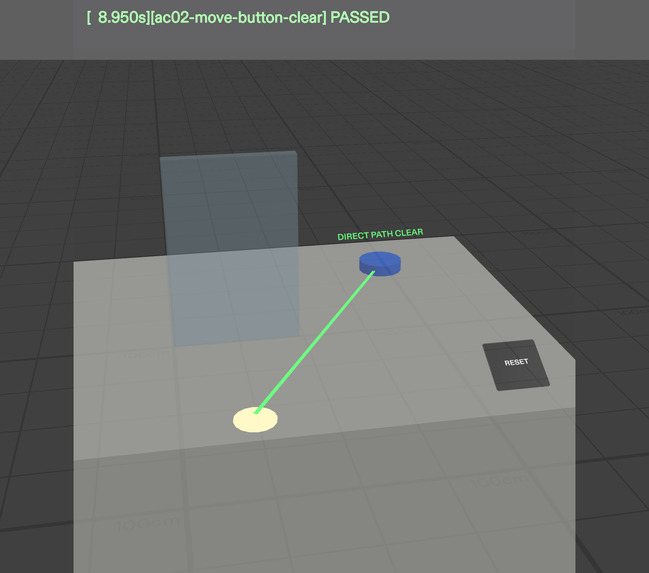
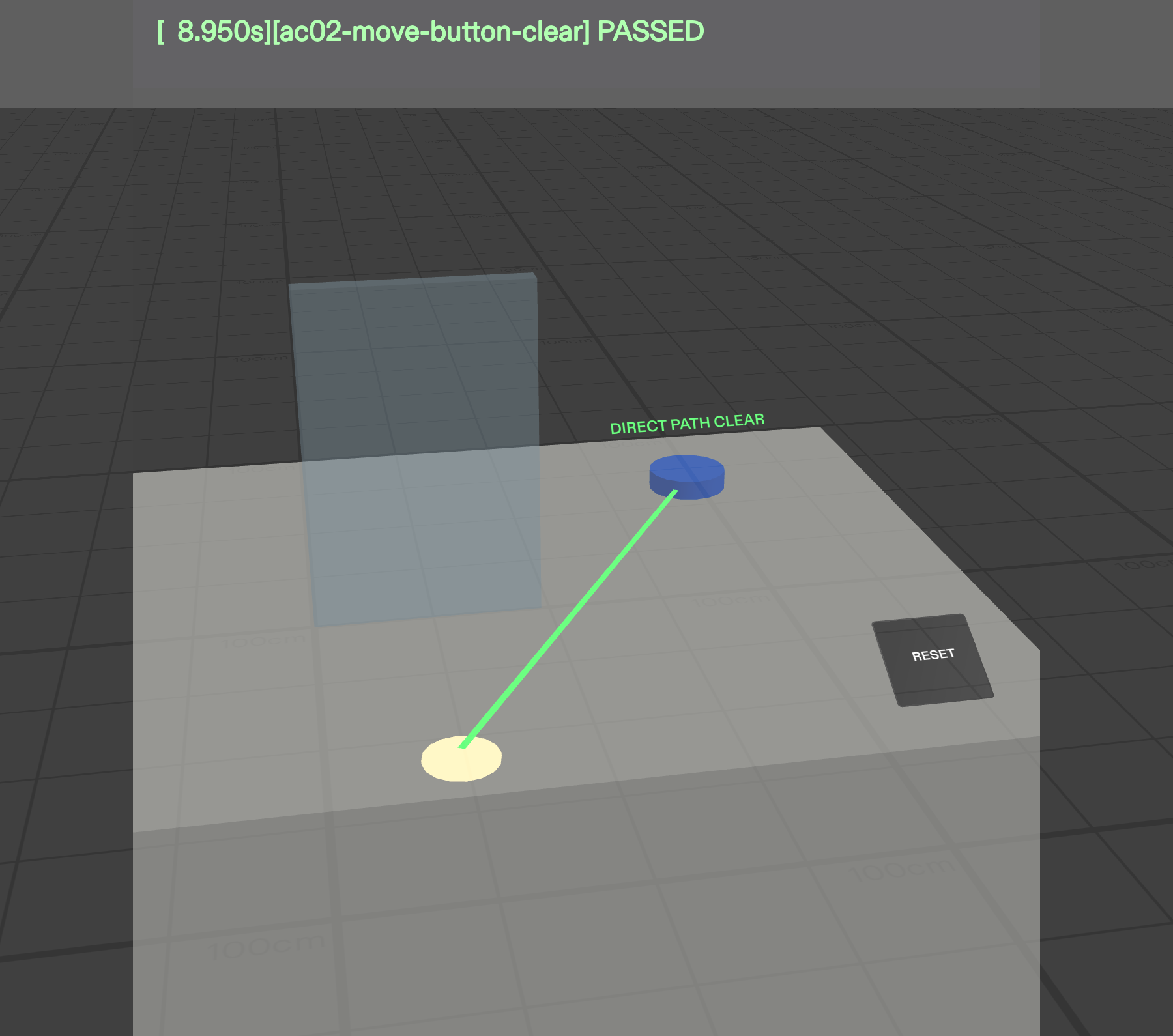
The fix: moving the button sideways creates a clear direct path.
-
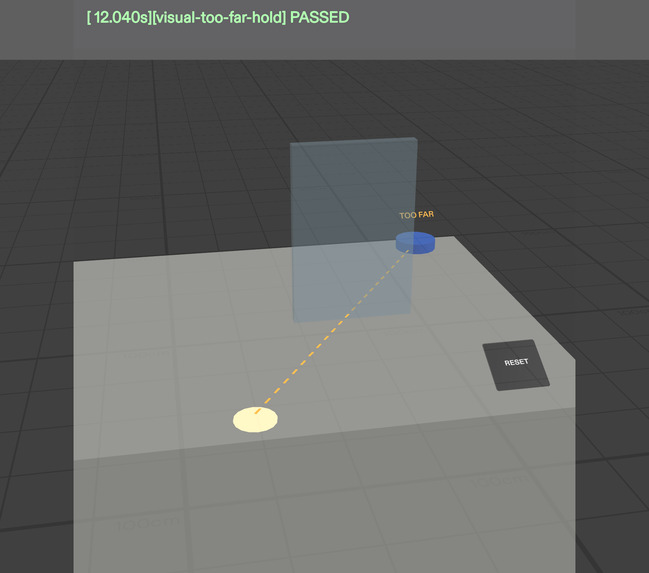
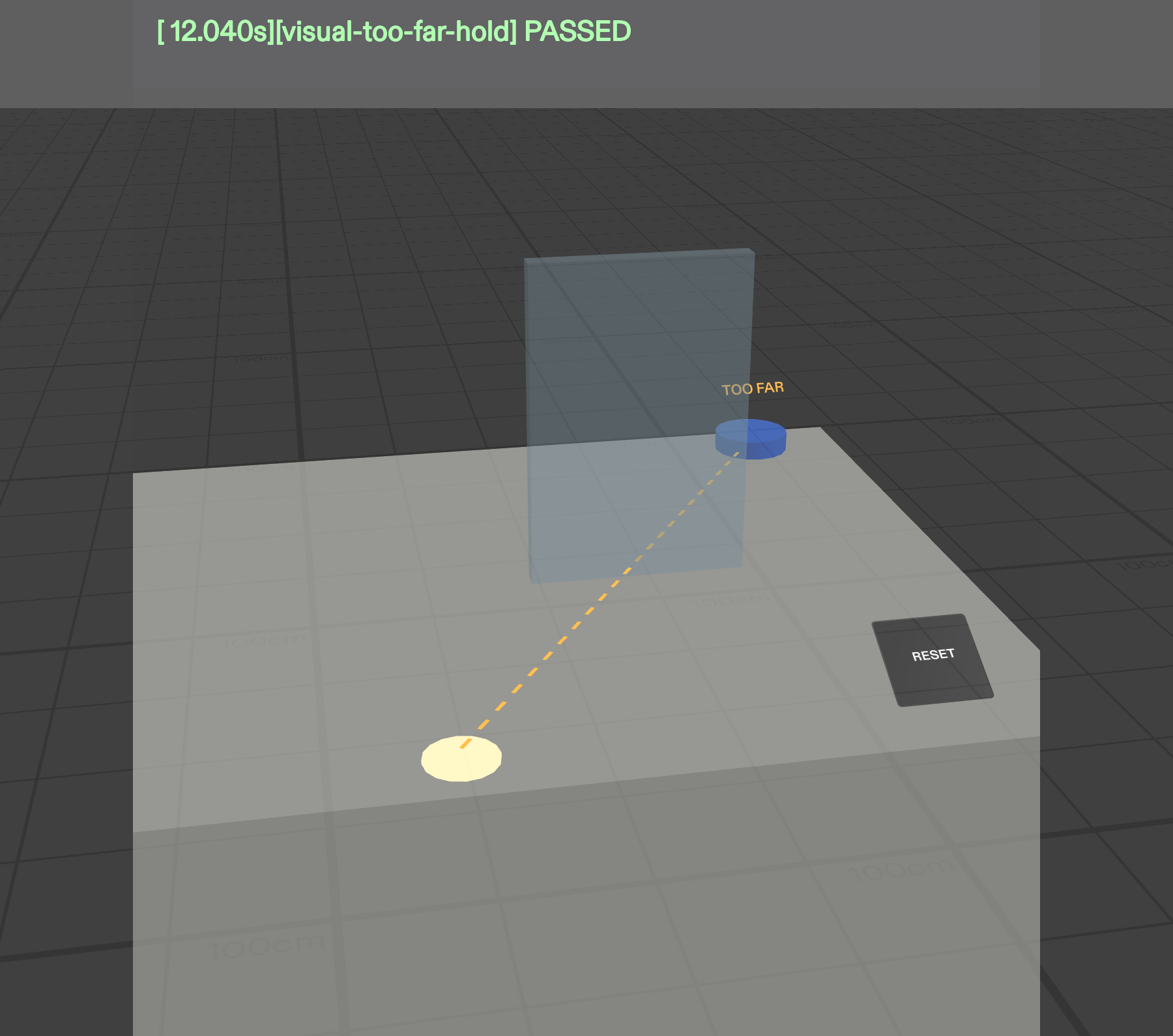
A separate distance warning activates beyond the configured reach limit.
-
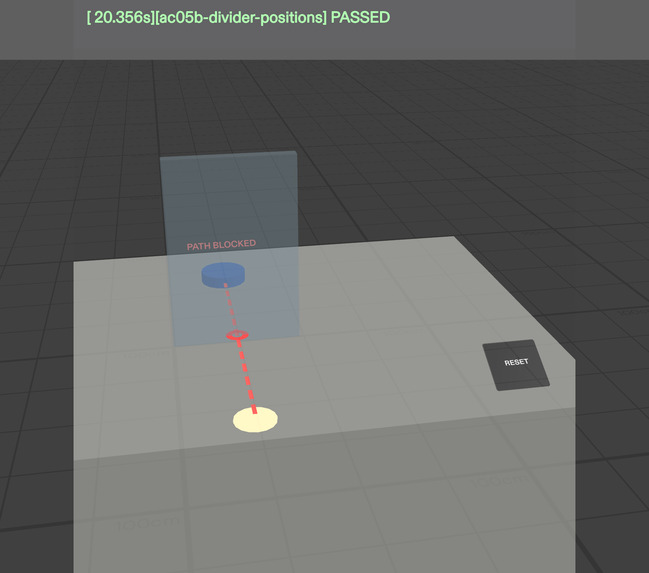
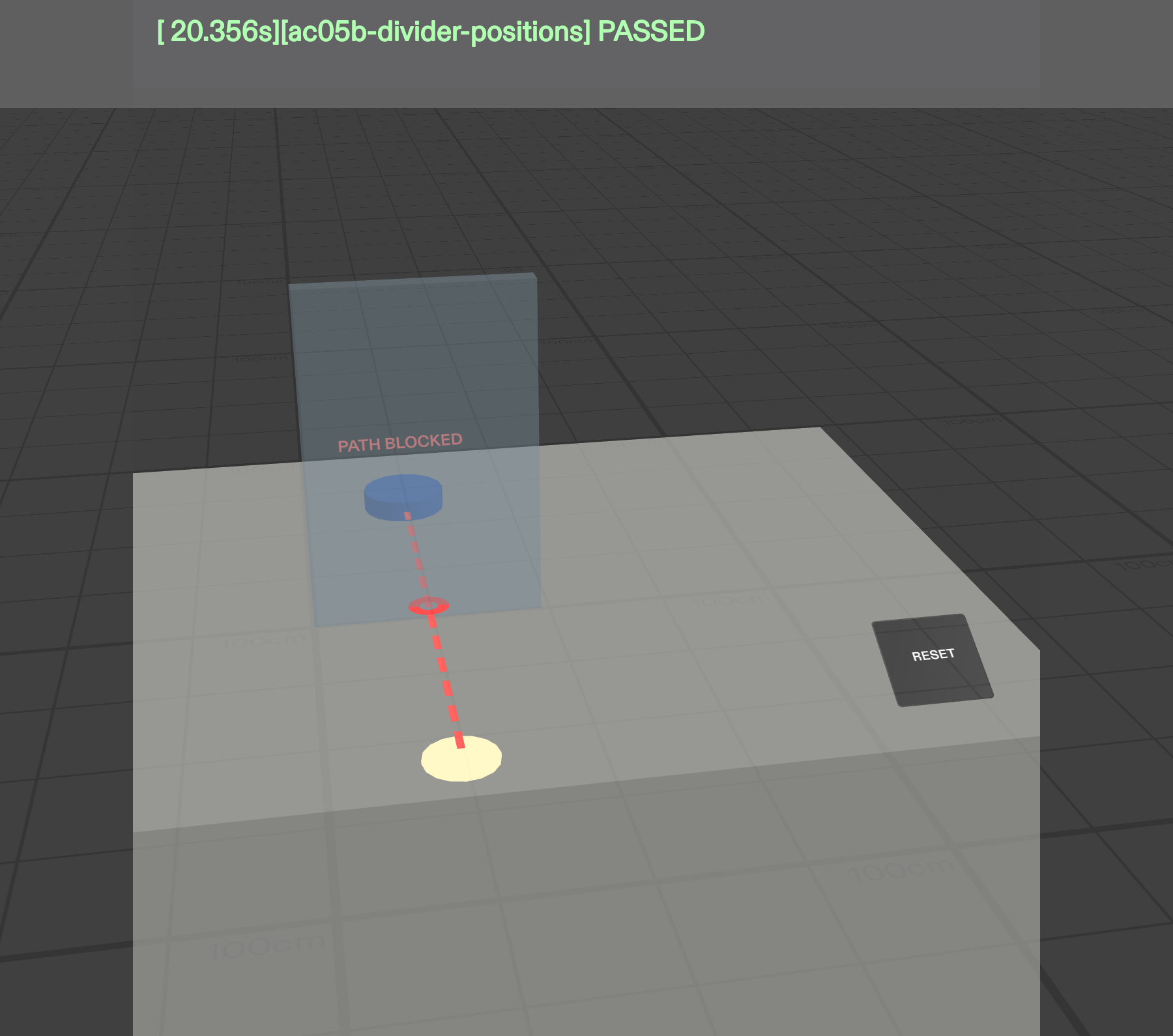
Reset restores the original counter configuration for another experiment.
Inspiration
A control can be within reach and still be obstructed.
Imagine a designer planning a public service counter. An assistance button is only 50 cm from a seated customer's reference position, yet a divider blocks the direct approach. On a conventional floor plan, this spatial conflict may be easy to overlook.
REACHSCOPE explores a simple but meaningful question: What if designers could discover and correct that obstruction directly in the space they are designing?
I wanted to build an AR experience where the physical arrangement is not just visualized — it determines the outcome. The central moment is immediate: move the button sideways, and a blocked path becomes clear. Move the divider back, and the warning returns.
That is why the concept belongs on spatial glasses rather than in a floating 2D dashboard.
What it does
REACHSCOPE is an interactive, real-scale AR preview for exploring the placement of an assistance button and a divider on a virtual service counter.
A fixed marker represents an illustrative seated customer's starting reach position. The user can grab and move the assistance button or divider across the countertop.
The Lens continuously evaluates the objects' actual spatial positions and displays one of three mutually exclusive states:
- PATH BLOCKED: A red dashed line and intersection marker indicate that the straight path crosses the divider.
- DIRECT PATH CLEAR: A solid green line confirms that the direct path is unobstructed and within the configured distance.
- TOO FAR: An amber dashed line indicates that the button is more than 65 cm from the reference marker.
The system responds immediately during dragging. Moving the divider into a previously clear path restores the obstruction warning. A Reset control returns the layout to its initial state.
The result is calculated from geometry, not from predefined animation sequences or hardcoded scenario outcomes.
Scope: REACHSCOPE models flat, straight-line geometric clearance. The 65 cm limit is an illustrative design parameter, not a validated ergonomic threshold. The prototype does not certify accessibility or track a real person's hand.
How we built it
I started with the Devpost Learn skill pack in Claude Code, using its plan-lens workflow to define the user, the spatial interaction, the real-world dimensions, the visual feedback, and measurable acceptance criteria.
That process produced an approved design brief, preserved in devpost/design-brief.md.
Next, I used CLAD (Claude Code with the Lens Studio agent toolkit) and the Lens Studio MCP to build the SPECS experience directly in Lens Studio.
The project uses:
- Lens Studio for the real-scale 3D scene, preview, rendering, and TypeScript runtime.
- Spectacles Interaction Kit (SIK) for grab-and-drag interactions and mouse-driven simulated pinch input.
- Spectacles UIKit for the Reset interaction.
- TypeScript geometry logic for live distance calculations and path/divider intersection checks.
- LEAF for automated acceptance scenarios executed in Lens Studio Preview.
The verdict updates continuously from world-space transforms, with distance taking priority over obstruction. The same interactions were also exercised manually in the interactive preview.
The completed project was published with its source code, approved design brief, test scenarios, and evidence. A fresh clone was reopened successfully in Lens Studio.
Challenges we ran into
1. SDK and package compatibility. The preview-testing workflow initially introduced LEAF 4 and InteractionKit 4 dependencies that were incompatible with the available Lens Studio engine. The missing SpecsInteractionModule API prevented compilation. I restored the compatible combination of SIK 2.0.0, UIKit 2.0.0, and LEAF 2.0.2.
2. Real-world scale versus field of view. The counter was correctly positioned in world space but was initially almost invisible because the preview camera was looking straight ahead. The work area sat below the narrow vertical field of view. A natural downward viewing angle solved the presentation problem without changing the spatial geometry.
3. Reliable interaction testing. I needed to prove that the button and divider moved through SIK events, rather than having the tests directly overwrite their transforms. The LEAF scenarios exercise grab and release behavior, while independent geometry checks verify the results.
4. Honest validation. Without physical SPECS glasses, I could validate the simulator behavior and mouse interactions, but not real-world hand-tracking comfort or ergonomic suitability.
Accomplishments that we're proud of
- Built a complete, interactive SPECS Lens from an approved spatial design brief.
- Delivered a clear blocked-to-clear transformation by moving an object in 3D.
- Demonstrated causal reversibility: moving the divider back restores the warning.
- Implemented three geometry-driven states, persistent feedback, and Reset.
- Passed all six LEAF acceptance scenarios with zero compilation errors.
- Confirmed manual mouse-driven grab, release, and Reset interactions through Lens Studio logs.
- Successfully reopened the project from a fresh public repository clone.
- Recorded an end-to-end demonstration showing real interaction in Lens Studio Preview.
The most important accomplishment is not the number of tests. It is that the spatial arrangement actually determines the result.
What we learned
The biggest lesson was that good AR is not simply conventional software placed in front of someone's eyes.
Real-scale objects, viewing angles, interaction reach, visual feedback, and the user's physical context all influence the experience.
The Devpost Learn workflow helped me prioritize the single spatial moment that mattered before implementation. CLAD accelerated construction, but successful delivery still required explicit acceptance criteria, compatible tooling, reproducible tests, and direct inspection of the preview.
I also learned that automated tests and manual interaction checks answer different questions. Both were valuable for making the prototype credible.
What's next for REACHSCOPE
The next step is to move beyond the simplified planar model:
- Explore realistic hand and arm clearance rather than only a straight line.
- Support configurable user reach profiles and evidence-based design parameters.
- Evaluate multiple counter configurations and obstacles.
- Test interaction comfort and usability on physical SPECS hardware.
- Validate the problem and workflow with actual service-counter designers and accessibility specialists.
The long-term vision is a spatial design-assistance tool that helps teams identify layout conflicts before physical installation.
For now, REACHSCOPE remains an interactive proof of concept, not an accessibility certification system.
See the obstruction. Change the layout. Verify the result.
Built With
- augmented-reality
- clad
- claude-code
- devpost-learn
- leaf
- lens-studio
- lens-studio-mcp
- snap-specs
- spatial-computing
- spectacles-interaction-kit
- spectacles-uikit
- typescript
