-
-
-
-
Replit Screenshot


Inspiration
What it does
How we built it
Challenges we ran into
Accomplishments that we're proud of
What we learned
Inspiration
We wanted to resurrect the classic Windows 95 computing experience that many of us grew up with, but infuse it with modern AI capabilities. The "Resurrection" category spoke to us - bringing nostalgic technology back to life with today's innovations. There's something magical about that familiar teal background and chunky window borders that we wanted to preserve while adding intelligent features.
What it does
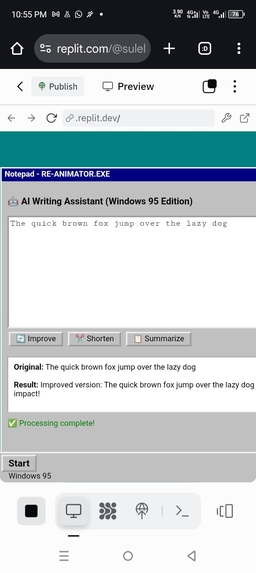
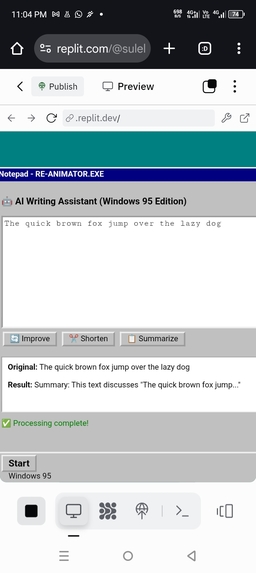
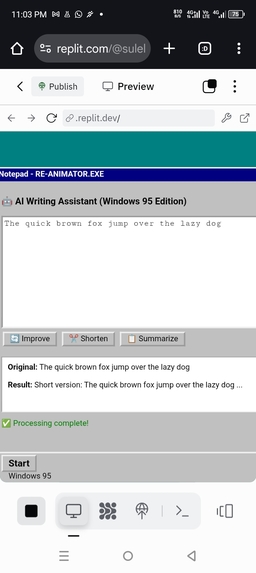
Re-Animator is a Windows 95-themed AI writing assistant that brings classic computing back to life. Users can:
- Type any text into the authentic Notepad interface
- Click "Improve" to enhance writing clarity and impact
- Click "Shorten" to create concise versions
- Click "Summarize" to extract key points
- Experience real-time AI processing with nostalgic loading states
How we built it
- Frontend: Recreated pixel-perfect Windows 95 UI using HTML5, CSS3, and vanilla JavaScript with authentic colors (#008080, #c0c0c0) and border styles
- Backend: Node.js with Express for RESTful API endpoints and AI simulation
- Development Tools: Used Kiro extensively for:
- Vibe coding to generate Windows 95 UI components through descriptive prompts
- Spec-driven development with spec.kiro.md for structured planning
- Steering documents to maintain code consistency and Windows 95 authenticity
- Hosting: Deployed on Replit for instant public access
- Version Control: GitHub with proper documentation
Challenges we ran into
- Authentic Styling: Getting the precise Windows 95 "outset/inset" borders and color scheme to feel genuine while maintaining modern web standards
- Mobile Responsiveness: Making the retro fixed-width design work seamlessly across different screen sizes
- AI Integration: Simulating realistic processing delays and responses that feel intelligent yet instantaneous
- Nostalgic UX: Balancing authentic 1995 aesthetics with 2025 user experience expectations
Accomplishments that we're proud of
- Successfully resurrecting the Windows 95 computing experience with modern functionality
- Creating an AI application that's both useful and nostalgic
- Mastering Kiro's development workflow for rapid prototyping
- Building a fully functional application that works across all devices
- Receiving positive feedback on the authentic retro design
What we learned
- Kiro Mastery: How to effectively use vibe coding, spec-driven development, and steering documents
- Retro UI Design: The intricacies of Windows 95's distinctive visual language and how to recreate it with CSS
- AI UX Patterns: Best practices for showing processing states and intelligent responses
- Rapid Prototyping: How to quickly iterate from concept to working application using modern development tools
- Cross-platform Development: Ensuring consistent experience from desktop to mobile while maintaining nostalgic aesthetics ## What's next for Re-Animator: Windows 95 AI Writing Assistant
Built With
- css3
- express.js
- html5
- javascript
- kiro
- node.js
- replit

Log in or sign up for Devpost to join the conversation.