-
-
Sounds plus visual
-
-
-
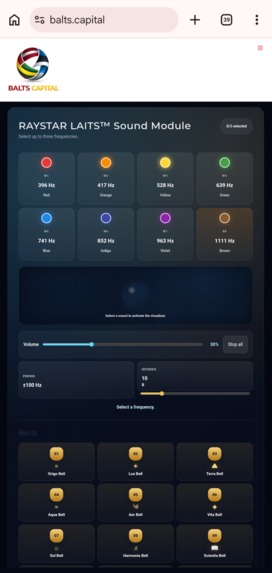
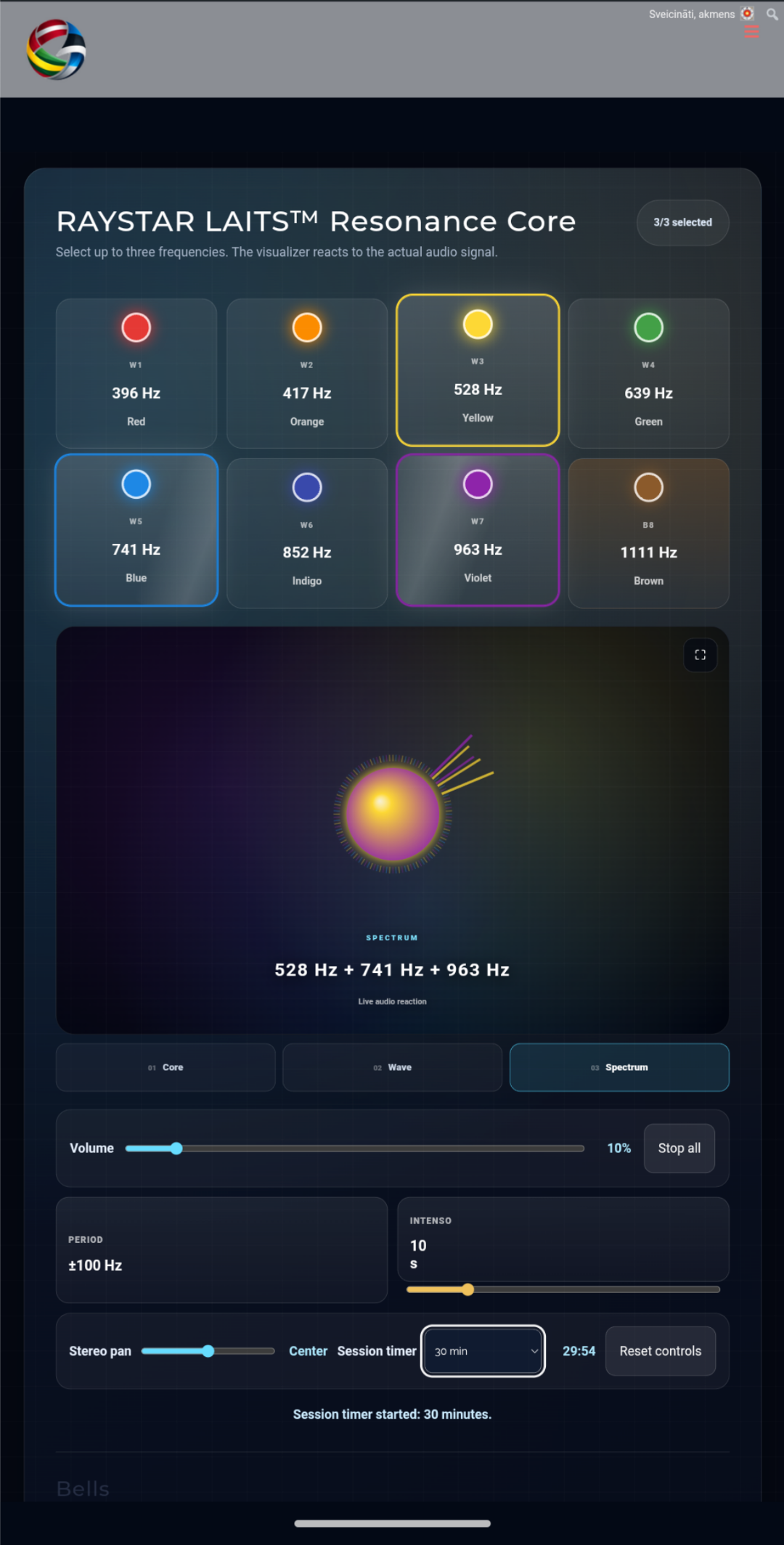
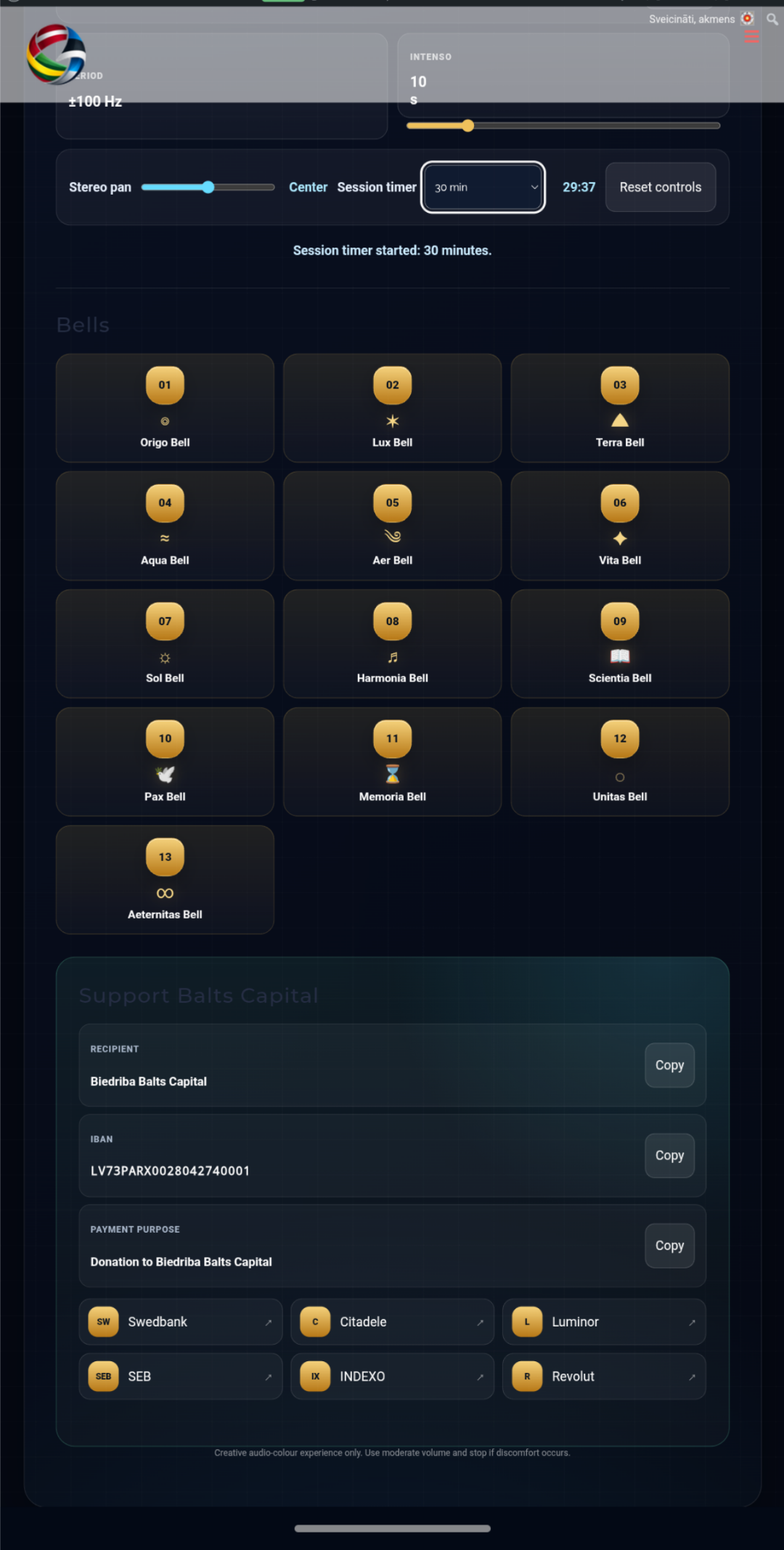
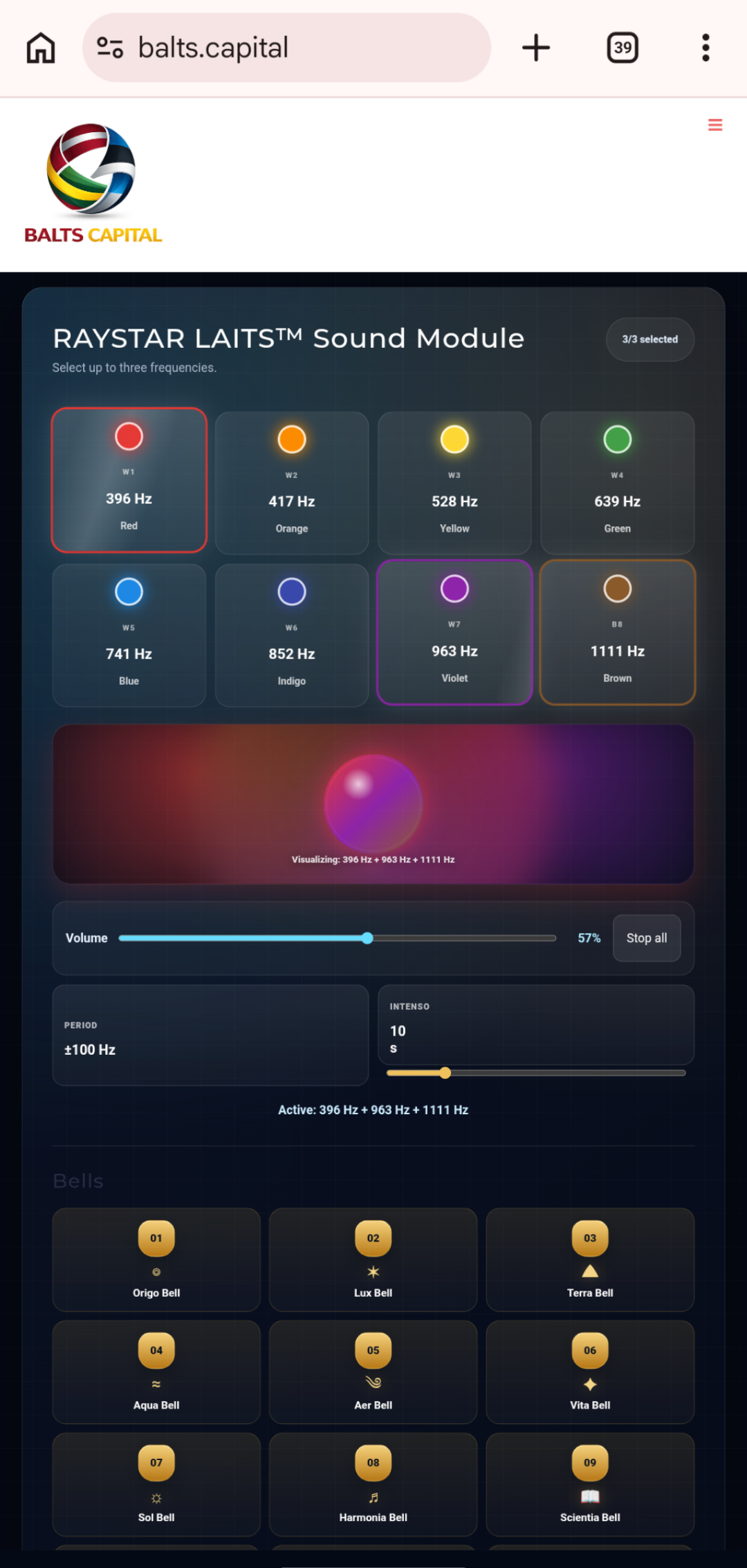
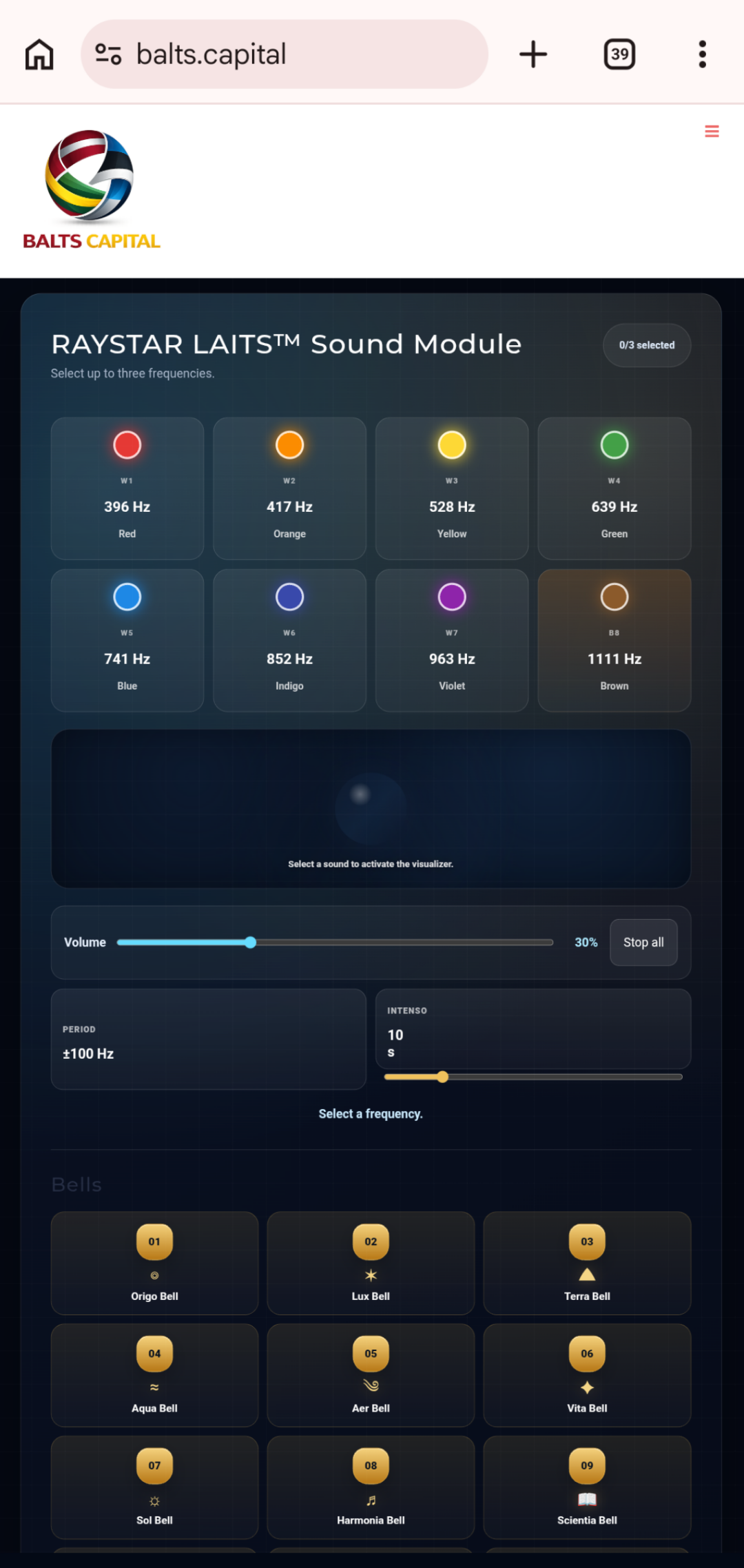
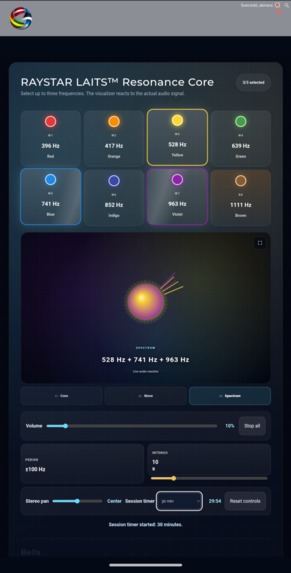
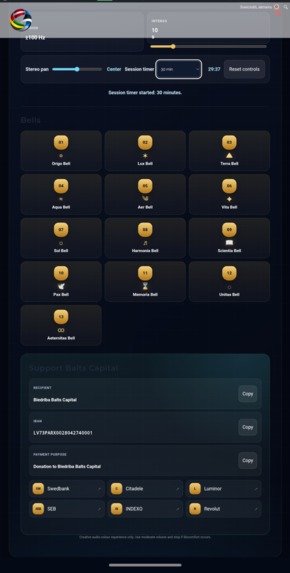
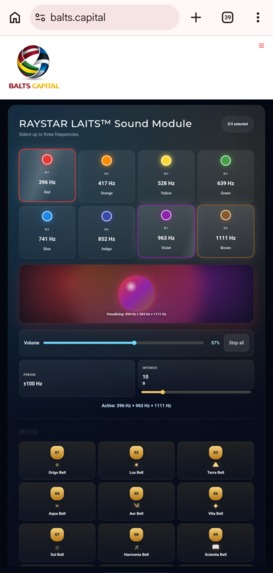
RAYSTAR LAITS™ Audio-Visual Frequency Studio Inspiration RAYSTAR LAITS™ Audio-Visual Frequency Studio was inspired by the idea of bringing sound, colour, symbolic time cycles and browser-based interaction together in one accessible creative experience. The goal was to build a lightweight application that works directly in the visitor’s browser without external audio streaming, user registration, prerecorded sound libraries or specialised software. Every tone, bell and visual response is generated locally on the user’s device. RAYSTAR LAITS™ is presented as the first application concept within the independent RayStar™ ecosystem. The current release is a browser-based WordPress plugin and a technical foundation for future research into wearable interfaces, including hands-free interaction, voice commands, spatial audio, colour-based feedback and smart-glasses display concepts. The project includes a symbolic 13-part calendar cycle represented by thirteen individually synthesised bells: Origo Lux Terra Aqua Aer Vita Sol Harmonia Scientia Pax Memoria Unitas Aeternitas Each bell has its own number, icon, base frequency, harmonic structure, transient character and decay profile. RayStar™ is an independent project. It is not affiliated with, sponsored by or endorsed by Meta or Ray-Ban. References to those companies and products describe only a possible direction for future compatibility research; no current integration, certification or interoperability is claimed. What it does The application can be added to a WordPress page or post with one universal shortcode: [raystar_laits_frequencies] Users can: Play up to three frequency presets simultaneously. Select 396 Hz, 417 Hz, 528 Hz, 639 Hz, 741 Hz, 852 Hz, 963 Hz or an additional 1111 Hz tone combined with a brown-noise layer. Control all active audio with one master-volume slider. Adjust the output between the left and right stereo channels. Play thirteen individually synthesised calendar bells. View a real-time Canvas visualisation driven by the generated audio signal. Switch between Core, Wave and Spectrum visualisation modes. Open the visualiser in fullscreen mode. Activate Period mode for a smooth ±100 Hz frequency sweep. Activate Intenso mode with an adjustable 1–50 second amplitude cycle. Start an optional 5, 10, 15 or 30 minute session timer. Stop all active sounds immediately. Reset the controls to their default values. The Resonance Core visualiser uses live waveform, energy and frequency-spectrum data from the Web Audio API. Up to three active frequency colours are blended into the visual output, while bell strikes create a separate golden harmonic pulse. Volume, stereo panorama, Intenso duration and the selected visualisation mode may be remembered locally in the visitor’s browser. These preferences are not transmitted by the plugin. An optional donation panel is disabled by default. A WordPress administrator may enable it and configure the displayed recipient or organisation name and account number. Donations are never required for access, support, bug reporting or consideration of feature proposals. How we built it RAYSTAR LAITS™ was developed as a native WordPress plugin using: PHP JavaScript HTML5 Canvas CSS3 Web Audio API WordPress Shortcode API WordPress Settings API Browser local storage for non-sensitive interface preferences The Web Audio API generates sine oscillators, a reusable brown-noise buffer, filters, gain modulation, dynamic compression, stereo panorama and thirteen synthetic bell sounds directly in the browser. The audio graph combines active tones and bells, balances their gain, applies dynamic compression, passes the combined signal through an AnalyserNode for visual processing and then sends it to the browser audio output. Browsers with StereoPannerNode support can also position the output between the left and right channels. The visual layer uses a responsive, high-DPI Canvas renderer with three modes: Core transforms the live waveform into a luminous, deforming colour sphere. Wave displays the time-domain signal as a flowing coloured waveform. Spectrum maps frequency-domain energy into a circular spectrum. Bell strikes generate expanding harmonic light rings. Rendering quality adapts to screen size, pixel density, idle state and the visitor’s reduced-motion preference. PHP renders the module, registers the shortcode, manages administrator settings and securely escapes configurable public information. CSS provides the responsive layout, control states, fullscreen presentation and keyboard-focus indicators. No external audio files, audio-streaming services or third-party visualisation libraries are required. Challenges we ran into Balancing simultaneous sounds Allowing three generated frequencies and a bell to play together can quickly create excessive volume or clipping. We addressed this with: Automatic gain scaling based on the number of active tones. A shared Web Audio dynamics compressor. Moderate default volume. Smooth gain ramps when sounds start or stop. One master-volume control. An immediate Stop All control. Building a visualiser that reacts to actual audio A purely decorative animation would not accurately represent the generated signal. The current visualiser therefore uses live time-domain and frequency-domain data from an AnalyserNode. Energy smoothing prevents unstable flicker, while adaptive frame rates and a device-pixel-ratio limit reduce unnecessary work on mobile devices. Creating thirteen recognisable bells without samples The project does not use prerecorded bell files. Each bell is assembled from several oscillators, frequency ratios, amplitude envelopes, slight detuning, filtering and a short synthesised strike transient. Distinct base frequencies and decay patterns give every bell its own character. Working within browser and WordPress constraints Browser audio must begin after a user interaction, and different devices vary in performance and Web Audio support. The plugin therefore creates or resumes its audio context only when needed and includes graceful fallbacks for optional features such as stereo panning. WordPress packaging also required careful attention to: Plugin name, folder, slug and Text Domain consistency. Secure sanitisation and escaping. Explicit administrator consent before optional external links appear. Responsive and keyboard-accessible controls. Transparent local-storage and privacy behaviour. Clear separation from medical or therapeutic claims. Accomplishments that we are proud of The current release includes: Eight locally generated sound presets. Up to three simultaneous active frequencies. Thirteen individually synthesised calendar bells. A unique number, icon and harmonic profile for every bell. Real-time Core, Wave and Spectrum visualisation modes. Fullscreen audio-reactive presentation. Period ±100 Hz frequency modulation. Adjustable Intenso modulation from 1 to 50 seconds. Stereo left/right panorama control. Optional session timers. Locally remembered interface preferences. Responsive desktop and mobile layouts. Keyboard-focus support and reduced-motion adaptation. Administrator-configurable donation information. No external audio streaming. No listening profiles or user registration. One reusable WordPress shortcode. A modular foundation for future wearable-interface research. RAYSTAR LAITS™ Audio-Visual Frequency Studio is the first software application concept in the independent RayStar™ ecosystem. What we learned The project demonstrated how much interactive audio and visual behaviour can be created with native browser technologies alone. The Web Audio API can generate layered tones, noise, filters, modulation and bell-like harmonic structures without relying on prerecorded media. We also learned that meaningful audio visualisation requires more than changing colours when a button is selected. A convincing visual response must be connected to the actual waveform, signal energy and frequency spectrum while remaining stable, readable and efficient on mobile devices. The project brought together: Sound synthesis. Real-time signal analysis. Colour and waveform visualisation. Symbolic calendar design. Responsive interaction. WordPress administration and security. A future-facing wearable-interface architecture. The development and review process reinforced the importance of secure data handling, minimal external dependencies, accurate product descriptions, accessible controls, administrator choice and transparent privacy behaviour. What is next Planned research and development directions include: Voice-command and hands-free control prototypes. Gesture and wearable-controller input experiments. WebXR and smart-glasses interface proofs of concept. Research into possible adaptation for Ray-Ban Meta and other compatible wearable platforms. User-created sound combinations and named presets. Exportable session links that contain settings but no personal data. Additional colour, spectrum and symbolic-calendar themes. More advanced spatial-audio experiments beyond basic stereo panorama. User-adjustable visual sensitivity, contrast and motion controls. Broader testing across desktop, Android, iOS and wearable browsers. Automated regression and accessibility testing. Public feedback and feature-request tools. Feature suggestions and technical feedback may be submitted through: https://www.Balts.Capital/ Voluntary donations may support continued development, but donations are never required for application access, technical support, bug reports or consideration of improvement proposals. Privacy and independence The plugin does not create user accounts, transmit frequency selections or build listening profiles. Interface preferences may be stored only in the visitor’s browser local storage and can be reset from the application. External bank links appear only when a WordPress administrator deliberately enables the optional donation panel. The destination website’s privacy terms apply after a visitor follows an external link. RayStar™ is an independent project. It is not affiliated with, sponsored by or endorsed by Meta, Ray-Ban or their related companies. Company and product names are used only to describe a possible future technical direction. Important notice RAYSTAR LAITS™ Audio-Visual Frequency Studio is currently a browser-based WordPress application and an independent smart-glasses software concept. It is not an officially released, approved or certified Ray-Ban Meta application. Compatibility with Ray-Ban Meta or any other wearable platform has not been verified. The relationship between the selected sound presets and displayed colours is a creative and symbolic mapping. It should not be interpreted as a scientifically established conversion between audible sound frequencies and visible-light frequencies. The application is intended for creative, educational and general audio-visual experiences. It is not a medical device and does not diagnose, monitor, treat, cure or prevent any disease or health condition.

Log in or sign up for Devpost to join the conversation.