-
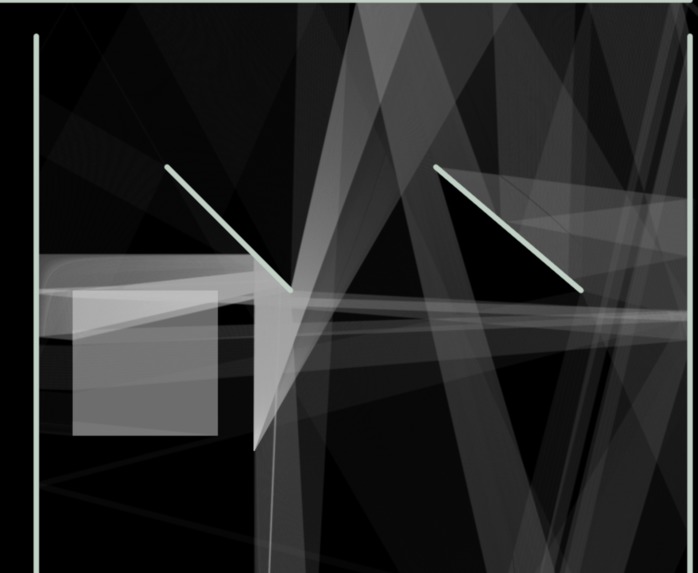
with a frostedbox/glass box, 200 rays
-
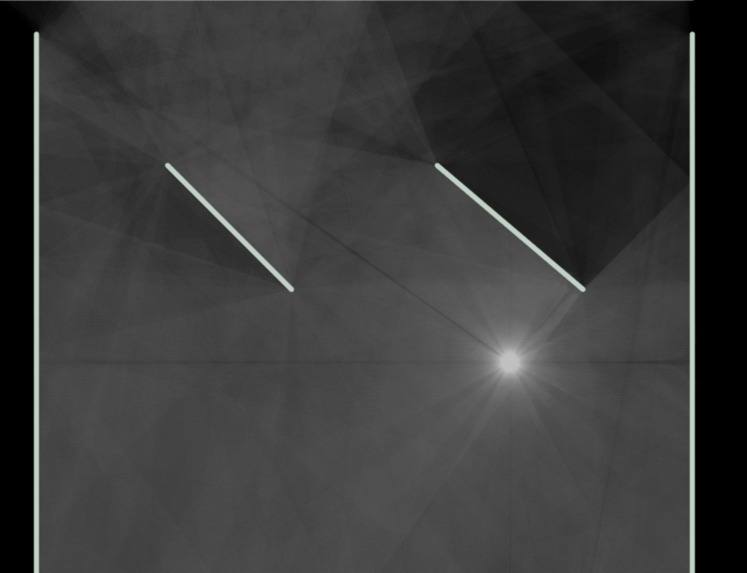
6000 rays
-
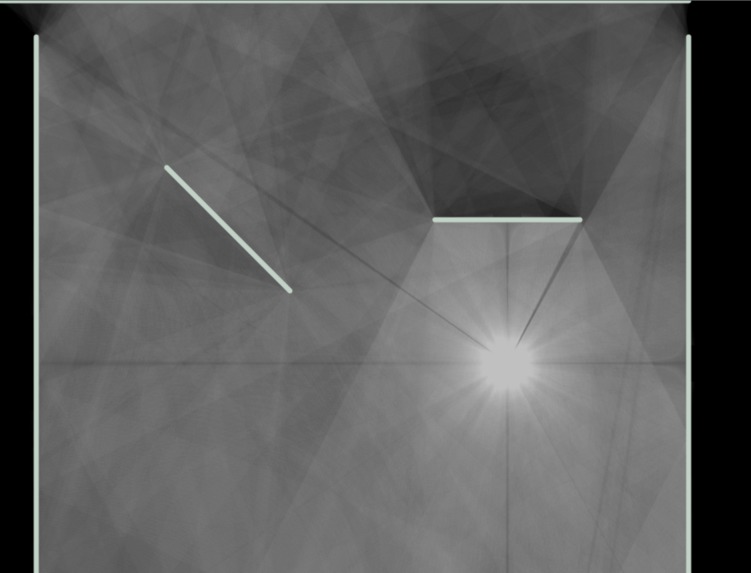
12000 rays


Inspiration
We have been wanting to build a ray tracer/ray caster for a while, and we thought that this would be a good time to attempt it. It was also relevant to some of the courses we took last semester, so we were excited to try and use those concepts.
What it does
The ray caster simulates light rays from a light source as they interact with items on the canvas. As of right now, we've implemented:
- Absorbing Walls
- Flat mirrors
- Rectangular glass items (with an arbitrary refractive index)
The program simulates thousands of rays of light as they travel through a scene and interact with their environment through absorption, reflection, and refraction. The resulting image is a physically accurate representation of light travelling through the 2-dimensional scene.
Follow the instructions in the README if you'd like to try it for yourself (you only need the packages in the 'Built with' section on this page)
How we built it
We were initially going to use MATLAB in order to qualify for an award, but we decided to use JS/Node instead because we are more familiar with it as a team, as well as its superior support for Object-oriented programming. Because of the switch, we were also able to integrate the project with React, which allowed us to build a more accessible frontend.
We began by planning the structure of the classes and, then implemented the inheritance and composition relationships. We then proceeded to implement the optical features in order of difficulty; walls, mirrors, refraction. Each of these objects required research into implement accurately.
We had been outputting a couple rays at a time numerically, then drawing them on graph paper based on their endpoints to make sure everything had reflected properly. We decided to create a React app to hold the JS code, then draw the rays and objects to an HTML canvas.
Then, we added a light source item, so we could control the initial position, angle, quantity, and direction of the rays, instead of the static source we were using up to this point.
Challenges we ran into
We came up with the idea for the ray caster at the start of the hackathon, so we didn't plan anything beforehand. The first few hours were pretty slow as we organized our project. We also ran into some minor setbacks with Git and Node, but we were able to overcome them without being held up for too long.
Our largest challenge was collision detection; although it was relatively simple when it came to the mirror, it became more cumbersome when we tried to port it over to the 2-dimensional glass box, especially with the refraction involved. It took us a while to get it to detect the interface and implement Snell's Law, but on our first attempt the rays would start to bend before entering the glass box. We found another edge case when we placed the light source inside the glass, which would cause the ray to be updated with the wrong refractive index. In the end, we weren't able to get refraction to work 100% properly, and we had to already abandon the idea of adding internal reflections.
Finally, productivity slowed down in the early hours of the morning as working more or less continuously for 16 hours took its toll.
Accomplishments that we're proud of
When we push the raycaster to its limits, it can produce some interesting generative art patterns, so we were proud to 'create' something like that. We were also happy to implement (as well as remember) some of the stuff we learned in our math, physics and cs courses.
What we learned
Personally, I can say that I learned more about React. I find that I learn better when I try and do something hands-on compared to watching a tutorial (especially for React), so I picked up a few things that I can take to other projects. I also learned about some of the math that goes into building a ray caster while we were researching the project, like the signed distance function, even though we didn't end up using it.
What's next for raycaster - 1010 Richards Stairwell
After the hackathon, we want to polish it up and make a nice looking React app out of the project. Hopefully, then we'll be able to make it interactive, so the user can click and place items on the canvas instead of refreshing Node each time we change the parameters.
We would also like to add more items, like spherical mirrors, parabolic mirrors, and lenses. Adding them wouldn't be that difficult considering we already have done a lot of the work with flat mirrors and glass.
Another feature that we were planning to add before we ran out of time was colour, so we could simulate chromatic and spherical aberration.
Further than that, we were considering rewriting the project in another language like C++ in order to increase the speed of computations and increase the accuracy of the simulation. Doing this would also allow us to plan everything from the beginning with the prior knowledge from completing the project the first time, which would allow us to avoid certain pitfalls and edge cases.

Log in or sign up for Devpost to join the conversation.