Inspiration
Over the summer, one of us attended an outdoor concert where there were glowsticks and LED glasses being handed out. The glasses didn't seem to do much at first, but once the concert progressed further into the nighttime, you could look around and see that the glasses weren't glowing their color like a glowstick, but they were instead responding to the audio. So as you would listen to the artists and the audience sing to the beat, you could see glasses almost singing along with them.
This story stuck with us and eventually transformed into the thought of, what if we could repeat this collective singing phenomenon without having to rely on a device with a very short battery life and minimal reactivity options? From there, we thought that the most convenient way to sing through a portable object was via a mobile application. This way, everyone else with the app could sing along with you without anyone having to know a word.
What it does
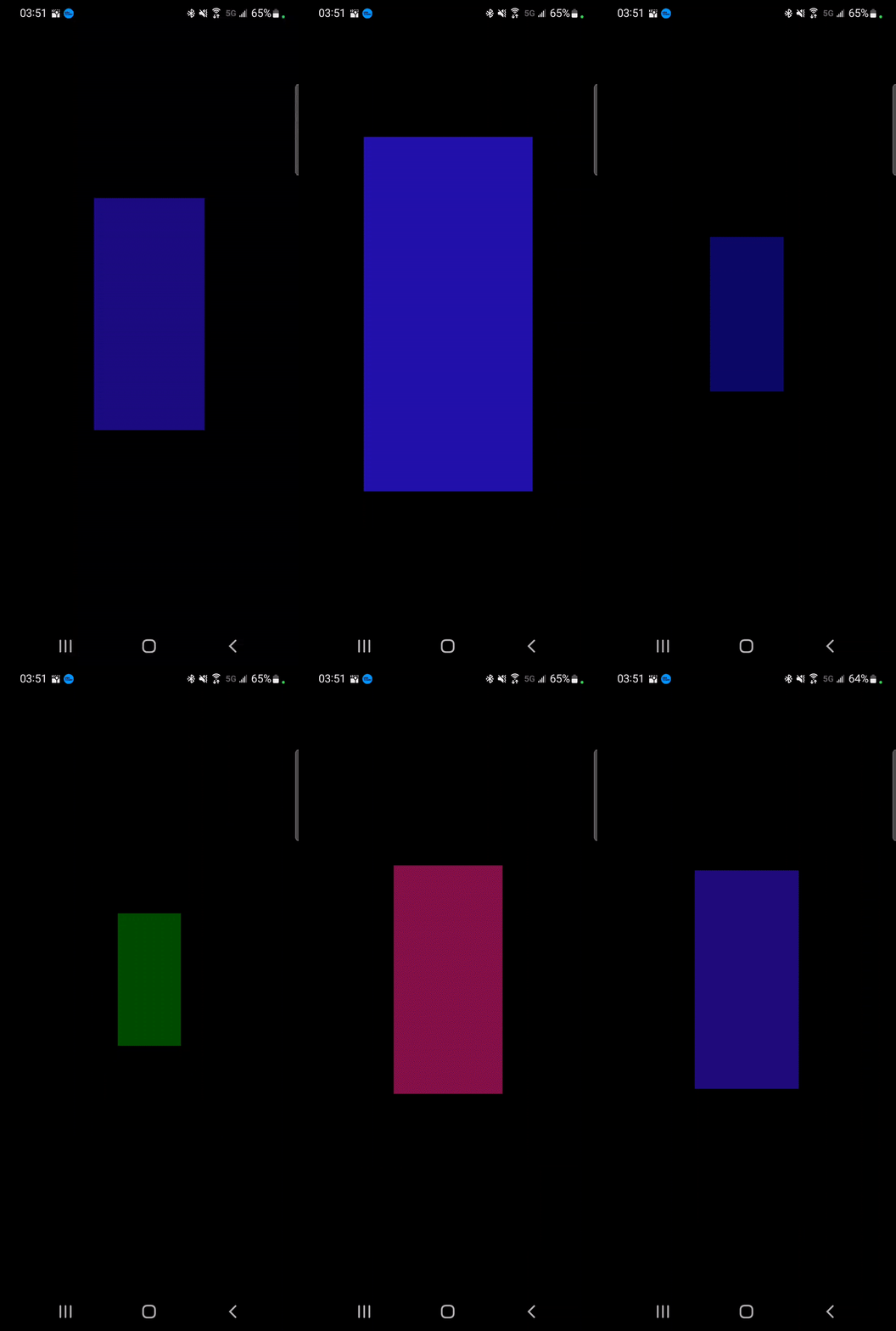
At its most basic level, this app simply reacts to sound. The way it does this is by manipulating a rectangle shape that is in the middle of the screen. This manipulation is dependent on the frequency and volume of the sound streaming through the phone's microphone, and the size, brightness, and color of the rectangle are manipulated alongside the vibration of the phone. The louder the sound, the larger the size and brightness of the rectangle and the stronger the vibration. The higher the frequency, the warmer the color, and the lower the frequency, the cooler the color.
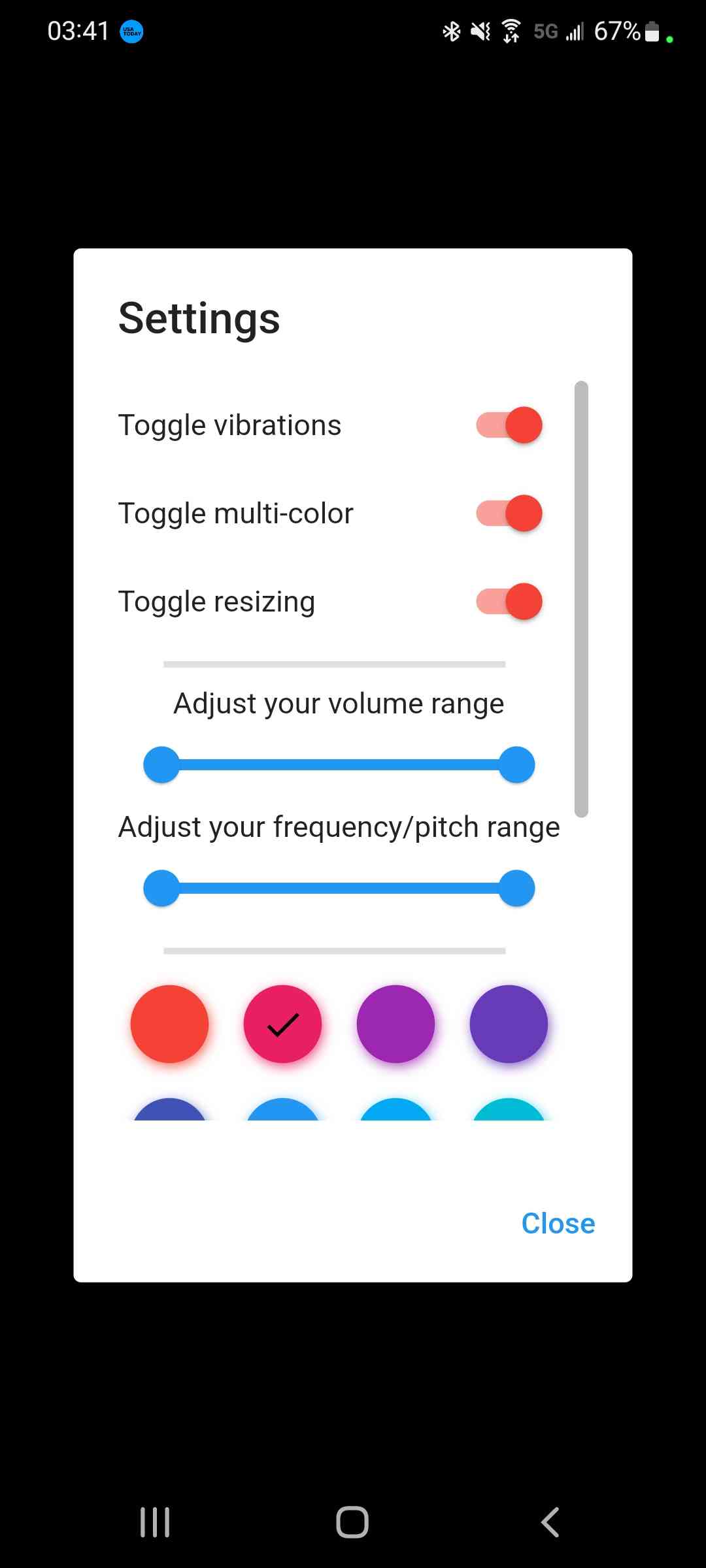
This rectangle will permanently be reacting the microphone input with no need for interference by the user, but the app does offer customization options if they so choose to use them. These options include the ability to toggle on/off the vibrations and rectangle resizing, and the ability to use a single, chosen preset color or to use multi-color according to the frequency. Additionally, the user can adjust the frequency and volume ranges that the rectangle should care about. Range adjustments are particularly useful for environments where the volume or frequency will not sink below/rise above certain values, thus allowing for the rectangle manipulations to be a more sensitive audio source with different baselines.
How we built it
This application was built entirely using Flutter and Dart inside of Android Studio and is currently verified to be compatible with Android devices.
We knew we wanted to add some retro flare with the color of the square and decided to use the pitch as the determining factor of the rectangle’s color. We also wanted volume to determine the brightness of the rectangle in order to give drastic changes in volume more impact. In order to be able to control the color of the square and the brightness of the color separately we settled on using the HSV color space instead of the RGB color space. In the HSV colorspace colors are determined by hue, saturation, and value. In simplest terms, hue is what we perceive as the colors we are taught belong to the rainbow and the blends of adjacent colors. Saturation is the quantity that comes from comparing colorfulness to brightness, but can be thought of how close a color is to white. Value (brightness) is how much light a color seems to emit, or how bright a color looks, with 0 brightness being black since it emits no light.
After knowing what characteristics of the color would be affected by the characteristics of the input sound (frequency maps to hue & decibel maps to value) it was merely a matter of how to correctly map these ranges of different sizes to each other. As an example of how different these ranges could be, our minimum and maximum frequencies are 155.0 Hz and 4,978.0 Hz, repsectively, while the minimum and maximum for the range of huu for the HSV color is from 0.0 to 360.0. Since we also map volume to the size of the rectangles width and height, giving us 4 total mappings that occur in the same way, we created a function to determine the equivalent value in the second range for any given current value in the first function.
The volume was first approached by determining the maximum and minimum decibel values that a phone’s microphone should, reasonably, be able to pick up (unless the volume range had been customized). From there, we scaled the incoming decibel value down to a value from 0.0-1.0 and then applied that scaled value to the maximum amplitude that the phone would be able to use for vibration intensity.
As mentioned before, the application is permanently subscribed to listen to the audio coming in from the microphone. However, the frequency is only used to update the color of the rectangle when there is a change in the detected frequency, but there is a constant stream of the current decibel level. Despite the constant volume stream, however, the size and brightness of the rectangle is updated every 5 milliseconds while the vibration is updated every second. The 5 millisecond delay allows for ample animation time, and the 1 second vibration delay provides just enough time between successive vibrations where the quick changes don’t feel unbearably choppy. At each second, the volume is used to change the vibration of the phone every second for a brief period of time where the vibration will work its way up to the scaled amplitude after starting from 0.
Challenges we ran into
The biggest programming challenge we faced was mapping the frequencies to color values. On an HSV scale from 0 to 360, the hues go from red -> green -> blue -> red. Originally, we simply scaled the frequency value down to a 0-360 HSV value. However, we eventually decided that cooler color tones synesthetically go with lower audio tones, so we had to figure out how to make a hue greater than 0 essentially become the new 0 and make the frequencies scale in a circular manner.
The biggest research challenge we ran into was determining how to get the frequencies of sound at a certain point in time. Prior to going into this project, neither of us had any experience in audio processing, so the research to learn about how to ascertain present frequency ranges was entirely unfamiliar and overwhelming to us, something that was never resolved. The farthest we came to transforming raw audio into frequencies was producing slices of data that would be present in a spectrogram, but we were ultimately unable to condense those values down to the more single-frequency form we had envisioned for easy manipulation operations. Luckily, we were able to find a package made by an equally frustrated Flutter developer who wrote an API for outputting the note, octave, and frequency of captured mic audio. Unfortunately, the source code was not exposed and we were unable to see how to query the frequency at a faster rate that what was provided, so the manipulations that we make based off of frequency are at a slower rate than what we would like.
The biggest circumstantial challenge we had was related to our development environment. We both used Android Studio for our project development, but the device emulators within the program are unable to use their “mic”s to stream audio data. This led to a very constant back and forth of using the single physical Android device we had between us to test out any of our audio reactivity changes.
Accomplishments that we're proud of
Our project works! That was our ultimate goal and we are so happy that it worked out in the end. We were initially worried that we would be unable to achieve a good state of our project because of our early troubles with getting the audio frequency, but we are proud of what we managed to achieve in the end. We set out to create an application that would react to pitch and volume and we did! Even with our minimal audio processing knowledge and having to permanently share a testing device.
A more technical accomplishment was our ability to circularly map frequencies onto HSV hues to fit in a customized low frequency mapped to cool color baseline.
The MVP for our project was initially creating a sound reactive app with customization features being a stretch goal. We are very proud that we managed to complete all of our next level stretch goals within the customization sphere. The only other additions we could think to make would be to add in more accessibility features beyond vibration and color/frequency/volume adjustment such as compatibility with screen readers for the settings page. We also thought that a custom color scale for minimum and maximum HSV hues could be introduced in the future.
What we learned
Our biggest takeaway from this project is that audio processing is not to be taken lightly. It is not a very simple concept and cannot be resolved by relatively simple computations, instead needing to be handled by a series of complex algorithms. Even further than that, we learned how much room there is for support for audio processing within the Flutter framework. The package we were lucky to find and use was the only one that we saw explicitly mention an outputted frequency, the rest of the packages that got close the that point only went as far as performing one of the complex algorithms, Fast Fourier Transform, whose results are then used to perform more not-so-obvious calculations. Ultimately, while we were able to create something we were proud of using limited knowledge on the subject we wanted to build with, we should go into projects whose subject matter we could comprehend better and would not have to entirely rely on an independent-developer to have already created for us.
What's next for Ravin' Rec
First and foremost, we want to provide support for the application on more platforms than just Android. We would more than likely expand into web-support first since that is our next area of expertise, and then we would look into iOS compatibility. However neither of us has access to a Mac, making it difficult to develop for iOS.
Additionally, we would like to add in more customization features with respect to the color and more accessibility features as mentioned before. We began our accessibility journey by adding haptics, but we would like to expand upon that further as we firmly believe everyone should be able to have fun with this app.
Another point of future development would relate to the vibration feature. At the moment, the vibration activates every second and goes on for a brief period of time. This vibration-free period allows for a break in continuous hand-stimulation, but it is still a pause all the same. Another reason that this delay was introduced was due to us not being able to figure out how to smoothly and continuously transition from one vibration level to another while still allowing each intensity to run for a perceptible amount of time greater than that of pokes on your hand.
We would also like to be able to introduce a way to source the current most-dominant audio frequency at a faster rate so that the color reactivity can occur closer to real-time.

Log in or sign up for Devpost to join the conversation.