-
-
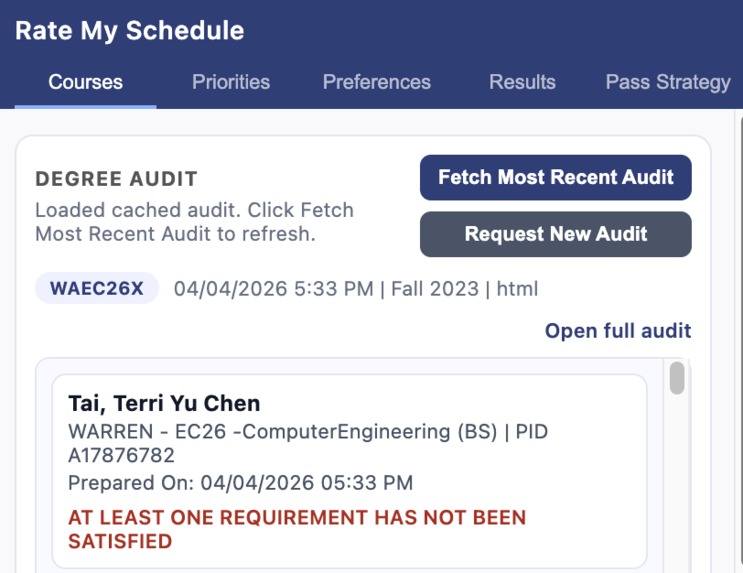
Rate My Schedule UI
Inspiration
Every quarter at UCSD, thousands of students go through the same painful ritual. You open WebReg, cross-reference RateMyProfessor in another tab, check CAPE evaluations in a third, pull up your degree audit in a fourth, and try to mentally juggle time conflicts, final exam overlaps, and prerequisite chains — all while knowing that if your first pass enrollment time is 8:00 AM on a Tuesday, you're setting an alarm and praying you click fast enough.
We've both been through this. Last quarter one of us lost a seat in CSE 100 because they overslept their pass time by twelve minutes. The other spent an entire evening manually building six different schedule options in a spreadsheet before realizing two of them had final exam conflicts.
The information students need exists — it's just scattered across five different UCSD systems that don't talk to each other. We wanted to build the tool we wished we had: one that pulls everything together, tells you what to take, and handles enrollment so you can sleep in.
What it does
Rate My Schedule is a Chrome extension that automates the entire UCSD course planning and enrollment pipeline:
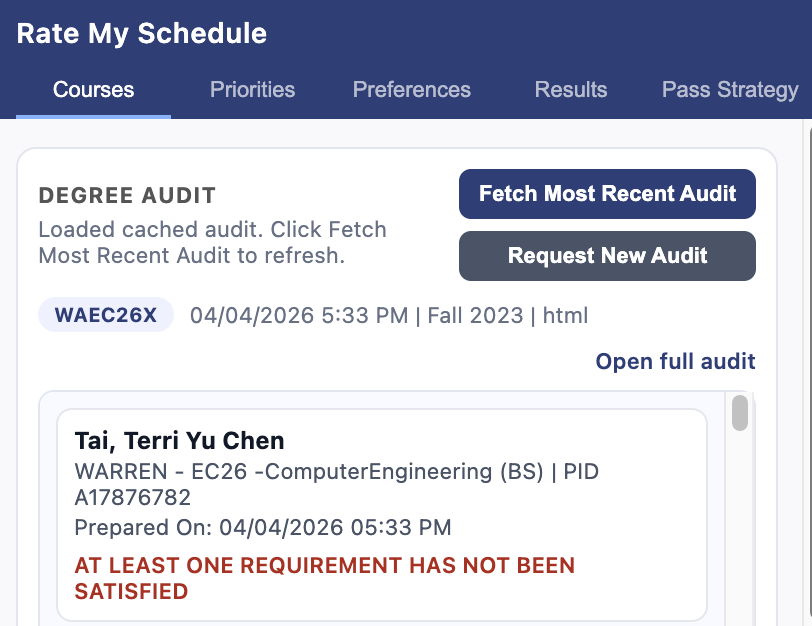
1. Reads your degree audit automatically. The extension injects into your authenticated UCSD session, fetches your DARS audit, and parses it into structured data — completed courses, outstanding requirements, prerequisite chains, GPA, units remaining.
2. Resolves what you should take next. It cross-references your remaining requirements against what's actually offered this quarter on WebReg, checks prerequisites, and auto-selects up to 4 eligible courses. Series-locked requirements (like the MATH 20 sequence) prioritize the department you've already started.
3. Scrapes professor ratings in real time. Using Browser Use, the extension fetches RateMyProfessor scores and UCSD CAPE evaluations for every instructor teaching your courses. Results are cached in SQLite so subsequent lookups are instant.
4. Generates and ranks every valid schedule. A backtracking algorithm enumerates all conflict-free combinations of lecture + discussion/lab bundles across your courses. Each candidate is scored on five normalized criteria — professor quality, time-of-day preference, final exam spread, day pattern, and workload balance — weighted by a priority ranking you set with drag-and-drop.
5. Shows you the best options. The top 3 schedules render on an interactive weekly calendar. Click any block to see the instructor's RMP rating, CAPE data, room, and final exam date. A score breakdown shows exactly why each schedule ranked where it did.
6. Recommends first pass vs. second pass strategy. Based on seat availability and fill rates, the extension tells you which classes to grab on first pass (high competition, no waitlist safety net) and which can wait for second pass.
7. Auto-enrolls at your pass time. Set your enrollment window time, and Rate My Schedule warms up a Browser Use session 3 minutes before, navigates to WebReg, and enrolls in your sections the instant your window opens. No alarm clock needed.
How we built it
Chrome Extension (client): Vanilla JavaScript with content script injection for first-party authenticated fetches against act.ucsd.edu. The extension parses DARS HTML into structured JSON, fetches WebReg's internal JSON APIs for course/section data, and runs the schedule generation and scoring engine entirely client-side for instant feedback. UI is a 5-tab popup: Courses, Priorities, Preferences, Results (with calendar), and Pass Strategy.
Express Server (backend): Node.js with better-sqlite3 for caching professor evaluations and Browser Use profile state. The server orchestrates all Browser Use interactions — profile setup with SSO login, RMP scraping, CAPE scraping, removing planned classes, and the scheduled enrollment flow.
Browser Use (automation): The cloud SDK drives a headless browser for tasks that require navigating real web pages — RateMyProfessor search result parsing, CAPE evaluation extraction behind UCSD SSO, and the enrollment automation itself. We use Zod schemas on every Browser Use response to validate structured output from the agent.
Scoring Engine: Five scoring functions, each normalizing to [0, 1], combined with user-ranked weights via reciprocal (1/k) rank-order centroid weighting. Three curve modes (gentle/balanced/aggressive) let students control how much their top priority dominates. The schedule generator uses backtracking over section "bundles" (linked lecture + discussion groups) with conflict detection.
Key data sources:
- WebReg internal APIs (
search-get-crse-list,search-load-group-data,get-prerequisites) - UCSD DARS degree audit system
- RateMyProfessor (via Browser Use scraping)
- CAPE evaluations (via Browser Use with authenticated session)
Challenges we ran into
UCSD's authentication is everywhere. Every data source — WebReg, DARS, CAPE — sits behind SSO with Duo 2FA. We couldn't use simple HTTP requests from the server. The solution was a two-pronged approach: the Chrome extension makes first-party fetches using the student's existing browser session (content script injection into act.ucsd.edu tabs), while Browser Use handles the headless browser sessions that need their own login state.
WebReg's data format is deceptive. The API returns one row per meeting, not per section. A single lecture that meets MWF with a separate Wednesday evening session and a Friday final appears as three distinct rows with the same section number but different day codes and special meeting flags. Getting the grouping right — especially the section prefix convention (A00 lecture links to A01/A02 discussions) — took significant debugging.
Cancelled sections look active. WebReg doesn't always set status: "CA" for cancelled sections. Some show up with all-zero enrollment fields and a specific zeroed-out signature. We had to add heuristic detection for these phantom sections to avoid generating schedules with unchedulable courses.
Browser Use session management. Each scraping task needs its own session, but sessions are expensive to create. We implemented profile-based session reuse with PID association, and the enrollment flow specifically warms up the session minutes before the pass time so there's zero cold-start delay when it matters most.
Scoring edge cases. When CAPE data is only available for 2 of 4 courses, summing raw hours drastically underestimates workload. We had to add proportional scaling. Similarly, when no final exam data exists, we needed to return a neutral score (0.5) rather than a perfect score (1.0) to avoid rewarding missing data.
Accomplishments that we're proud of
The auto-enrollment flow. Setting a pass time, having the browser warm up beforehand, and watching it enroll the instant the window opens — that moment in our first successful test was genuinely exciting. It solves the exact problem that made us want to build this.
The scoring engine is principled, not arbitrary. We used rank-order centroid (ROC) weights from multi-criteria decision analysis literature rather than guessing at weight values. Every criterion normalizes to [0, 1] before weighting. The three curve modes give students real control over how their priorities translate to scores.
End-to-end degree audit integration. The extension doesn't just let you search for courses — it reads your actual degree audit, resolves what you're eligible to take based on prerequisites and what's offered this quarter, and auto-selects courses. For a hackathon prototype, having the full pipeline from "open the extension" to "enrolled in classes" working is something we're proud of.
The calendar rendering handles irregular schedules. UCSD courses don't always fit neat MWF or TuTh patterns. Physics lectures might be MWF 1–1:50 plus a standalone Wednesday 5–5:50 session. Our calendar renders each meeting block independently, which sounds simple but required rethinking how sections flow through the entire pipeline.
What we learned
Browser Use is powerful but needs structured prompts. Vague instructions like "find professor ratings" lead to inconsistent results. Explicit step-by-step prompts with conditional logic ("if no results, set found=false and explain in notes") and Zod schemas for output validation made the scraping reliable.
Chrome extension security boundaries are real. Content scripts run in an isolated world, chrome.scripting.executeScript with world: "MAIN" is needed for first-party credential propagation, and chrome.storage.local isn't available in every runtime context. We built a three-layer fallback: main-world injection → content bridge → popup-origin fetch.
Schedule generation is a constrained combinatorial problem. Four courses with 3–5 bundle options each produces hundreds to thousands of combinations. Backtracking with early conflict pruning keeps it tractable, but we still cap at 2,000 candidates to prevent the popup from freezing.
Caching is not optional. Professor ratings don't change mid-quarter, but scraping them takes 15–30 seconds per professor via Browser Use. SQLite caching with staleness checks turned a 3-minute wait into sub-second responses for the demo. Pre-warming the cache before the demo was critical.
What's next for Rate My Schedule
Broader major and college support. Right now the auto-resolution works best for CS and engineering majors we tested with. Expanding to all UCSD majors and all seven colleges' GE requirements would make this useful for every student on campus.
Waitlist intelligence. Historical enrollment data could predict which waitlisted courses you'll actually get into, and the extension could auto-drop and re-enroll if a better section opens up.
Multi-quarter planning. Instead of optimizing one quarter at a time, plan your remaining 2–3 years to minimize time to graduation while maintaining balanced workloads.
Social scheduling. Let friends share their schedules and the algorithm could factor in "overlap with friends" as a scoring criterion — because having a study partner in CSE 101 matters.
Mobile companion. Push notifications for enrollment status, waitlist movement, and seat openings via a lightweight mobile app that talks to the same backend.
Built With
- browseruse
- css
- html
- javascript
- sqlite

Log in or sign up for Devpost to join the conversation.