-
-
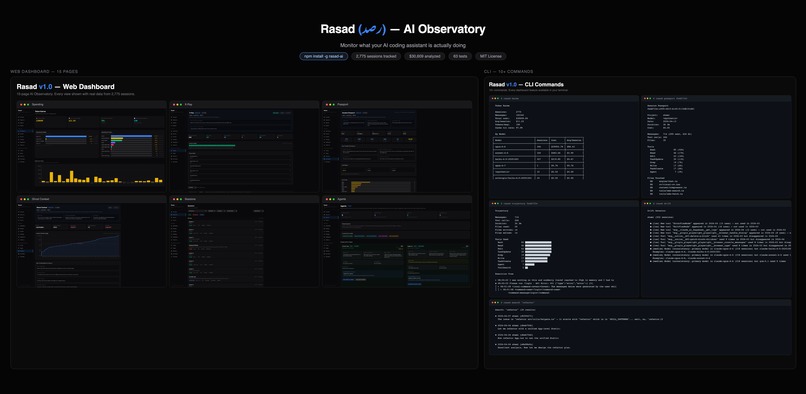
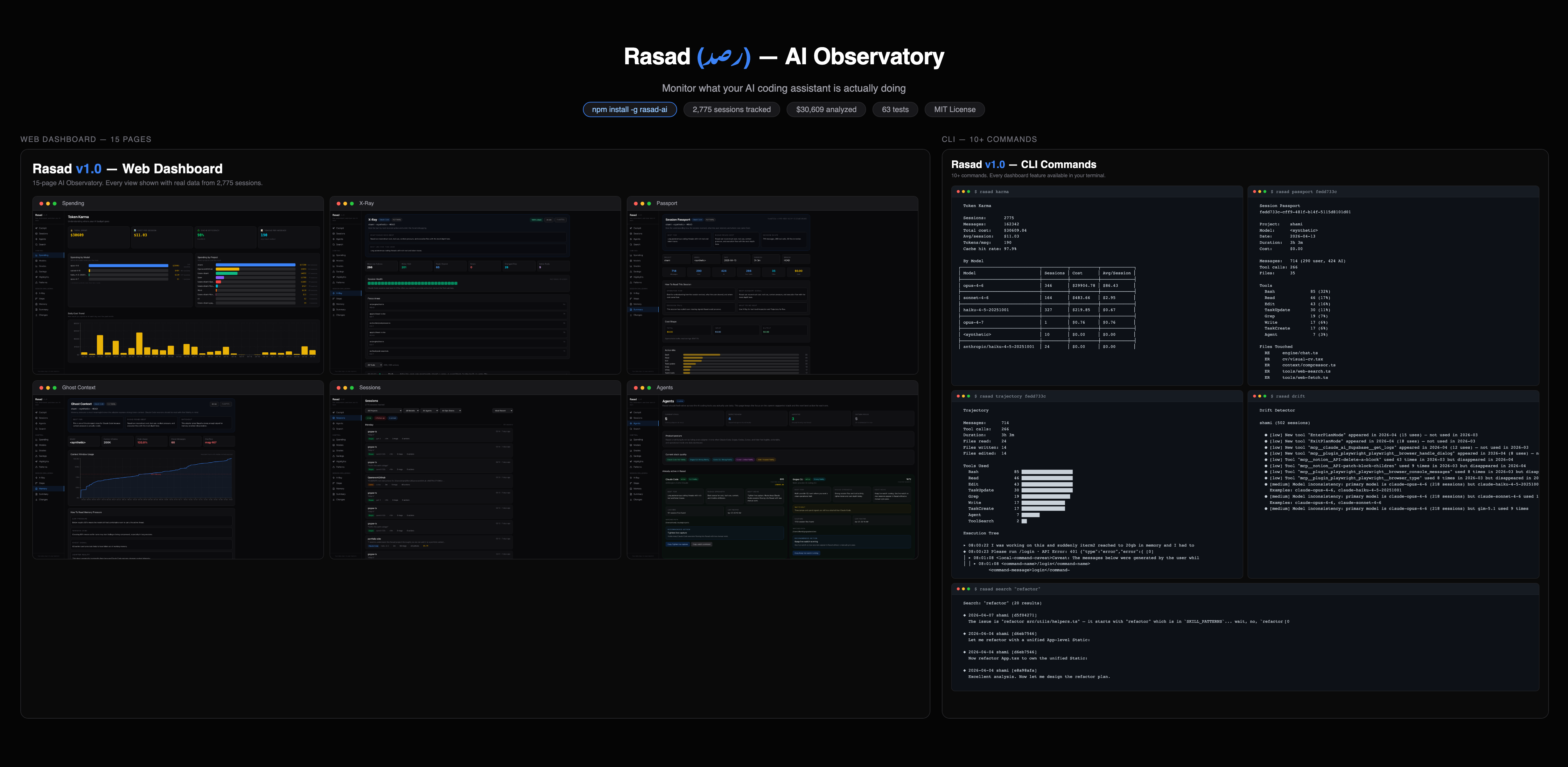
Hero Combined
-
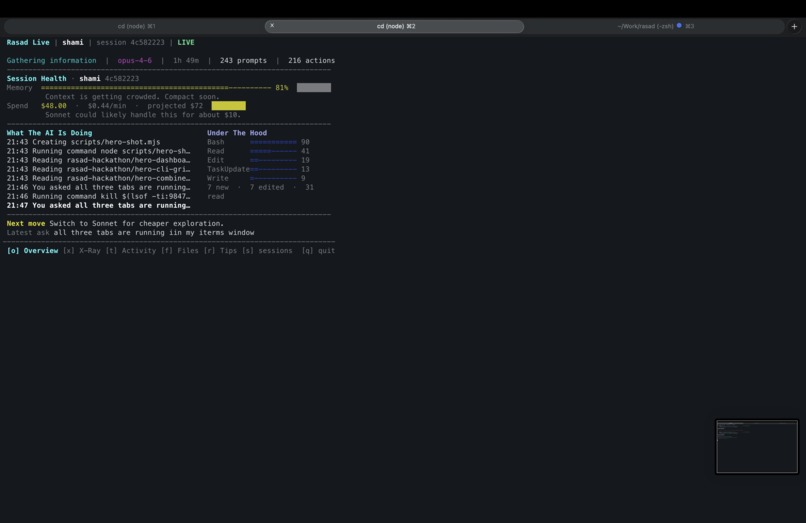
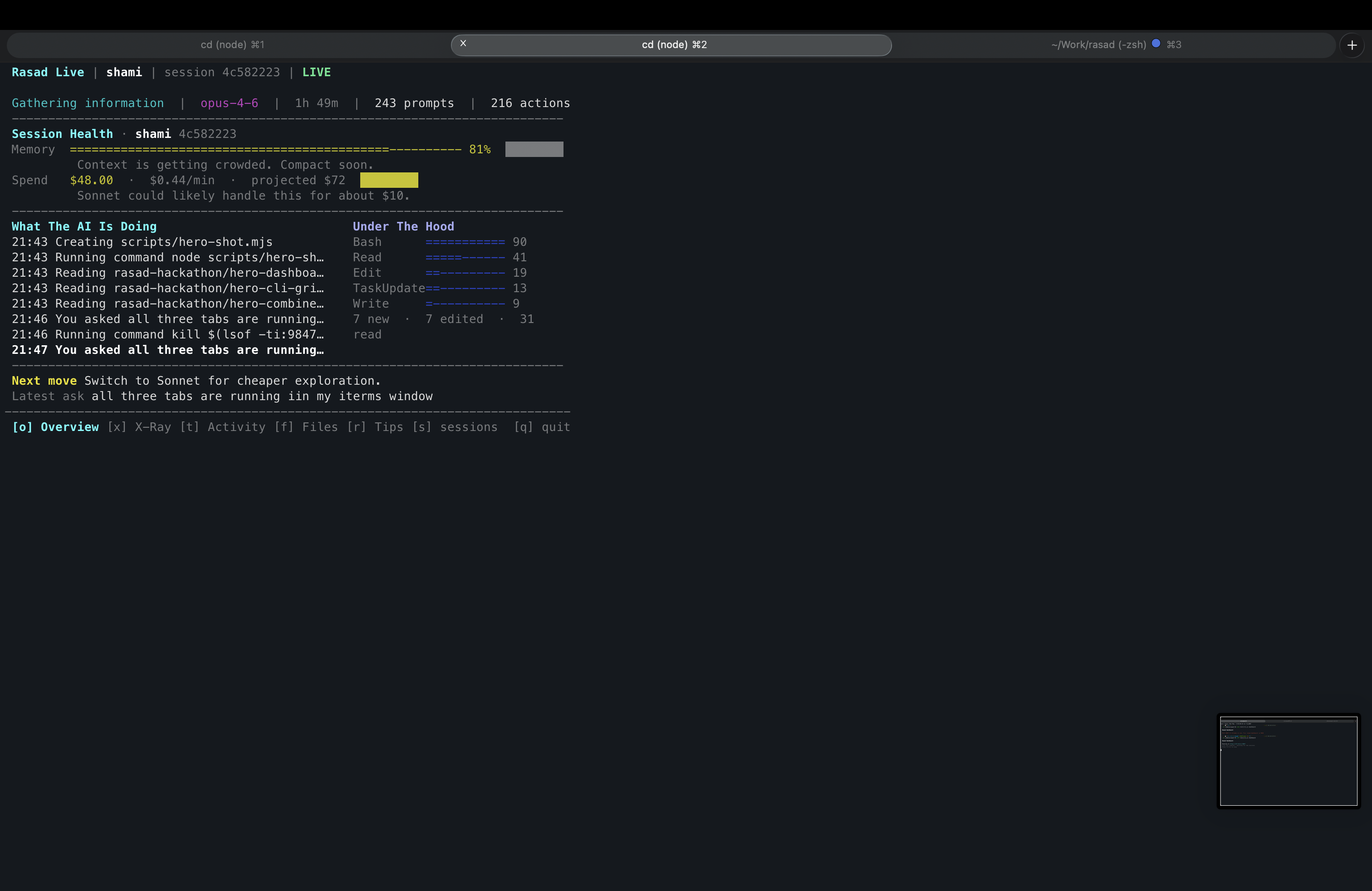
Live Overview
-
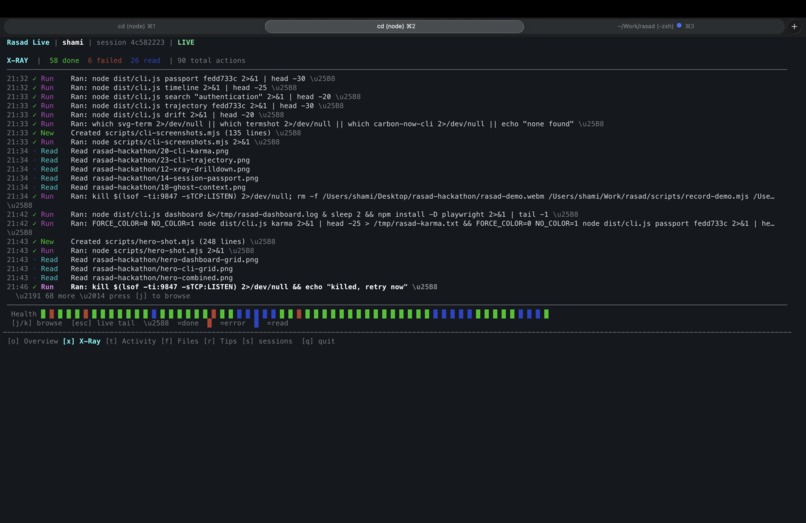
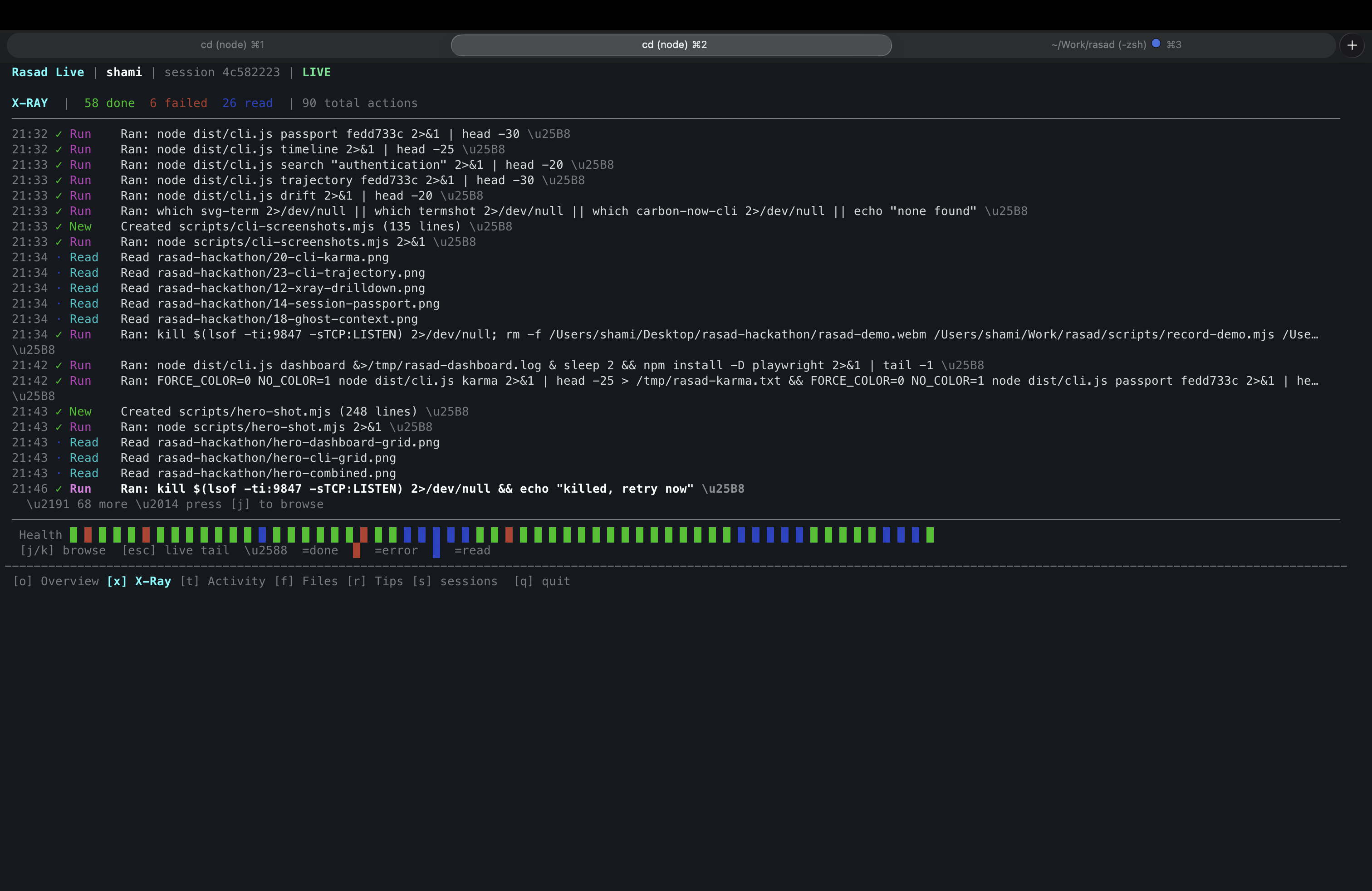
TUI Xray
-
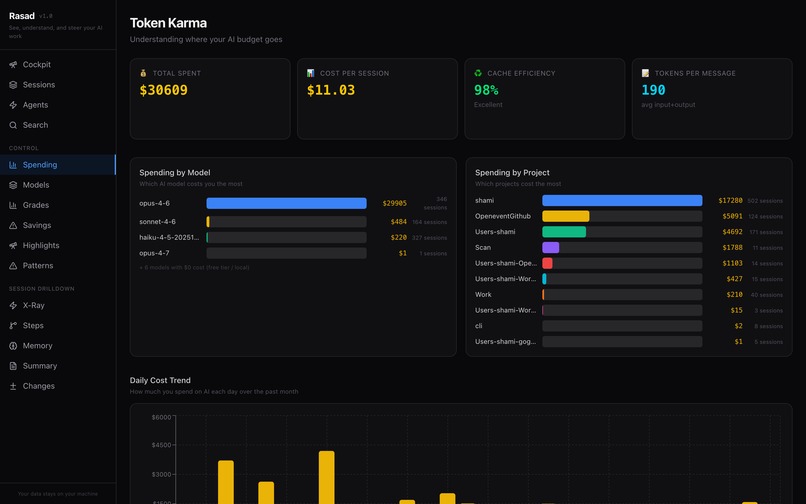
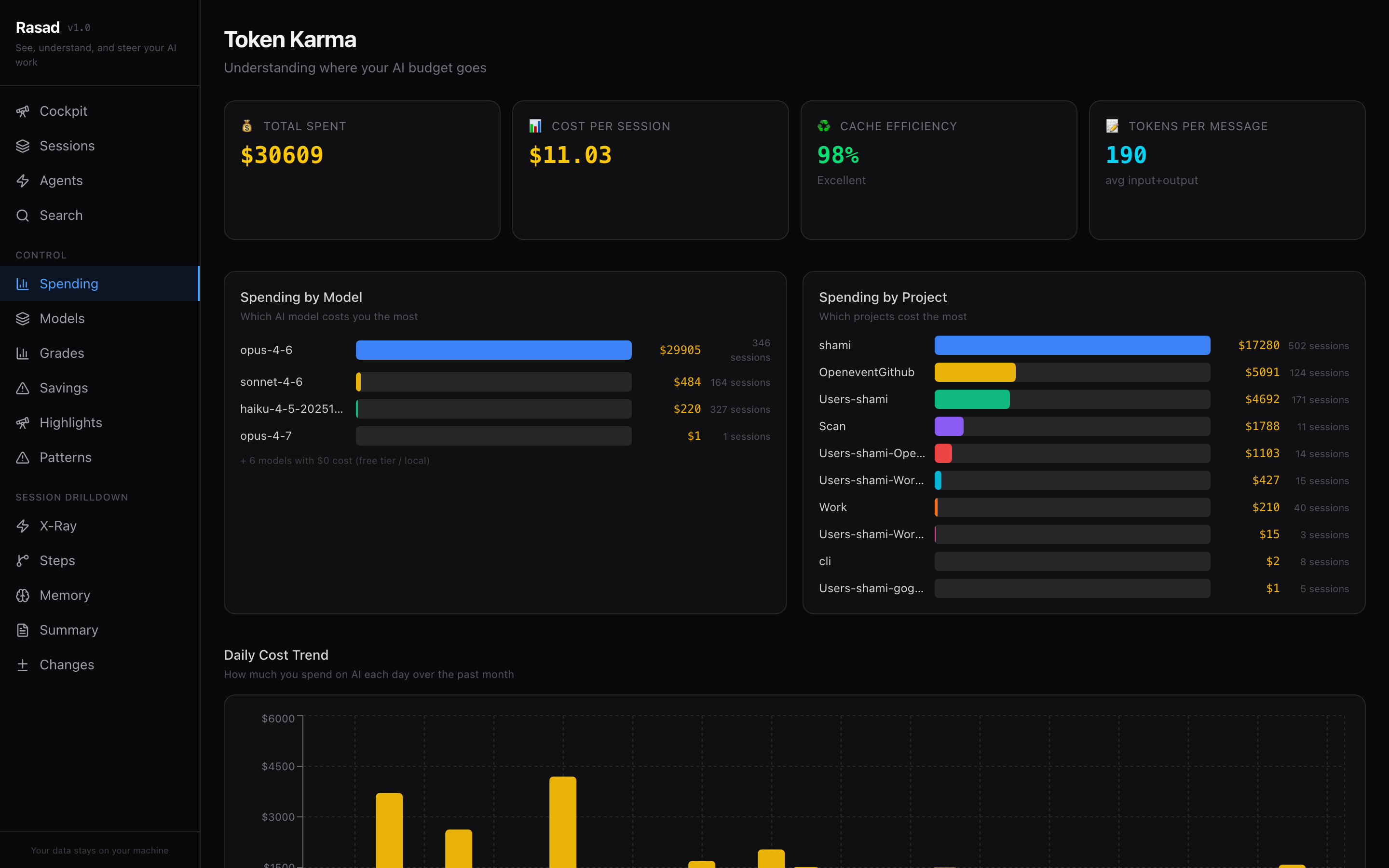
Spending Overview
-
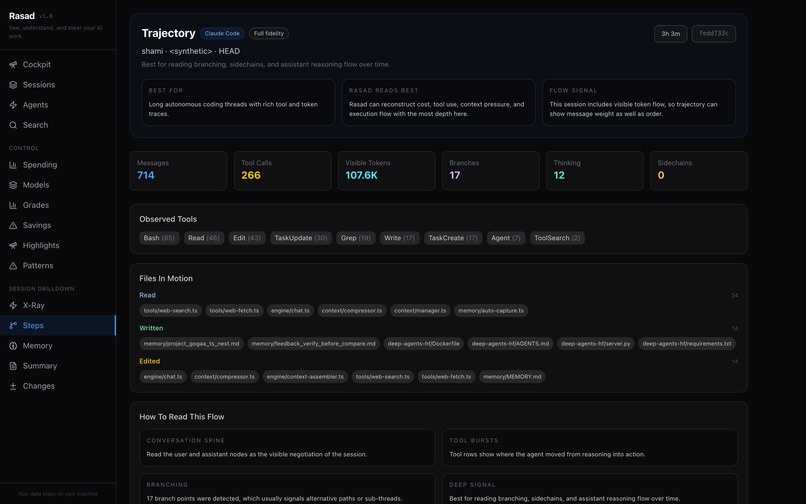
Trajectory

Inspiration
AI coding assistants like Claude Code, Cursor, and Copilot run dozens of tool calls per session, burn through hundreds of dollars in tokens, and make decisions developers never see. I kept asking myself: "Was that $85 Opus session actually worth it? Did the AI forget my requirements halfway through? What files did it actually touch?" There was no tool on npm to answer these questions. So I built one.
What it does
Rasad is a local-first CLI + web dashboard + terminal TUI that monitors your AI coding sessions and gives you full visibility into:
- Cost tracking — See exactly where your AI budget goes, by model, by project, daily trends
- Context monitoring — Detect when the AI forgets your requirements mid-conversation ("Ghost Context")
- Tool call visualization — Every Read, Write, edit, and Bash call mapped as an execution tree
- Session replay—Browse any past session with full trajectory and file diffs
- Drift detection—Find when the AI contradicts patterns from earlier sessions
- Model comparison — Head-to-head analysis of which model gives the best value
- X-Ray mode—Real-time view of what your AI is doing right now, with live diffs
- Full-text search—Find any conversation across thousands of sessions
All from a single npx rasad-ai command. Zero configuration. Your data never leaves your machine.
How we built it
- TypeScript + Node.js (ESM) — Entire stack in TypeScript for type safety
- SQLite via better-sqlite3 — WAL mode for concurrent reads, FTS5 for instant full-text search across thousands of sessions
- React Ink — Full-screen interactive terminal UI with live phase detection and cost tracking
- React + Tailwind + Recharts — 15-page web dashboard with real-time WebSocket updates
- Fastify—Lightweight localhost-only API server
- esbuild + Vite — Sub-second builds for CLI and dashboard
- Vitest—63 tests covering parsers, phase detection, cost calculation, and adapters
Architecture: Rasad uses a pluggable adapter system—each AI tool (Claude Code, Gogaa, and Aider have their own parsers that convert proprietary session formats into a unified data model. 8 analysis engines then compute costs, context usage, drift patterns, and more.
Challenges we ran into
Parsing 700MB+ of JSONL session data — We had to build streaming parsers that process files line-by-line without loading everything into memory. The first sync of 1,900 sessions takes ~18 seconds; incremental sync takes less than 1 second.
Phase detection—Determining whether the AI is "planning," "exploring," "executing," "verifying," or "refining" required analyzing recent tool call patterns and correlating them with outcomes (CAMEL-aligned detection).
Terminal rendering—Building a full-screen TUI with React Ink that updates in real-time without flicker required custom double-buffering and careful state management.
Privacy-first architecture—We committed to zero outbound network requests from day one. The server binds to 127.0.0.1 only. No telemetry, no tracking, no cloud. This constraint shaped every architectural decision.
Accomplishments that we're proud of
Category-defining: There is no "AI session observatory" on npm. Rasad is the first.
- Three surfaces: Web dashboard (15 pages), full-screen TUI, and 10+ CLI commands—all powered by the same data layer
- Real performance: 18-second cold sync of 700MB+, sub-second incremental, instant dashboard queries
- 5 adapters: Claude Code, Gogaa CLI, Aider—with Cursor and Copilot planned
- 63 tests passing: Covering parsers, phase detection, cost engines, and adapters
- Zero-config:
npx rasad-aiauto-detects your sessions and just works ## What we learned
AI session data is incredibly messy — each tool has its own format, and formats change between versions. Building resilient parsers that gracefully handle malformed data was essential.
CAMEL-aligned phase detection (plan/execute/verify) is surprisingly useful for coaching developers on how to use AI tools more effectively.
Privacy-first is a feature, not a constraint. Developers are far more willing to monitor their AI sessions when they know the data stays local.
What's next for Rasad (رصد) — AI Observatory for Developers
Cursor adapter — Parse Cursor's SQLite database for session monitoring
Copilot adapter — GitHub Copilot session ingestion
AI-powered summaries—Use your configured LLM to generate session narratives
Team sharing—Multi-developer dashboards for engineering teams
Browser extension—Monitor ChatGPT and Claude.ai sessions
Built With
- esbuild
- fastify
- node.js
- react
- react-ink
- recharts
- sqlite
- tailwind-css
- typescript
- vite
- vitest
- websocket

Log in or sign up for Devpost to join the conversation.