-
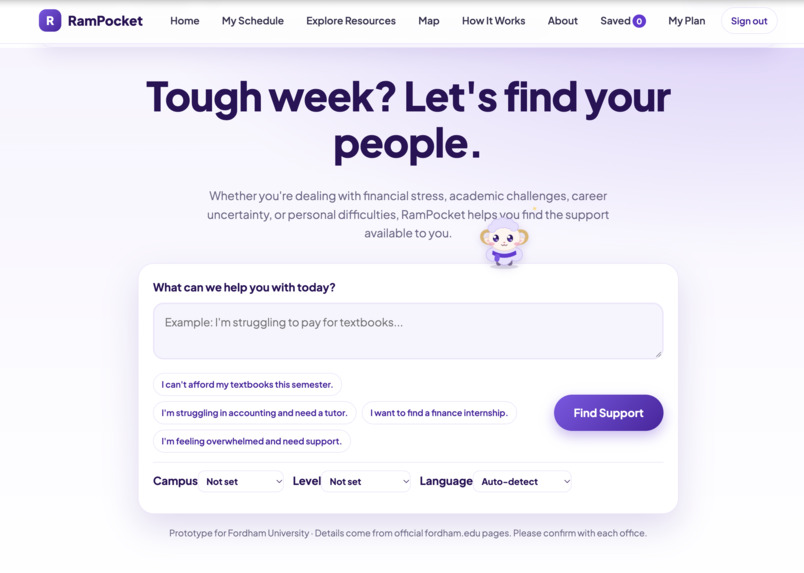
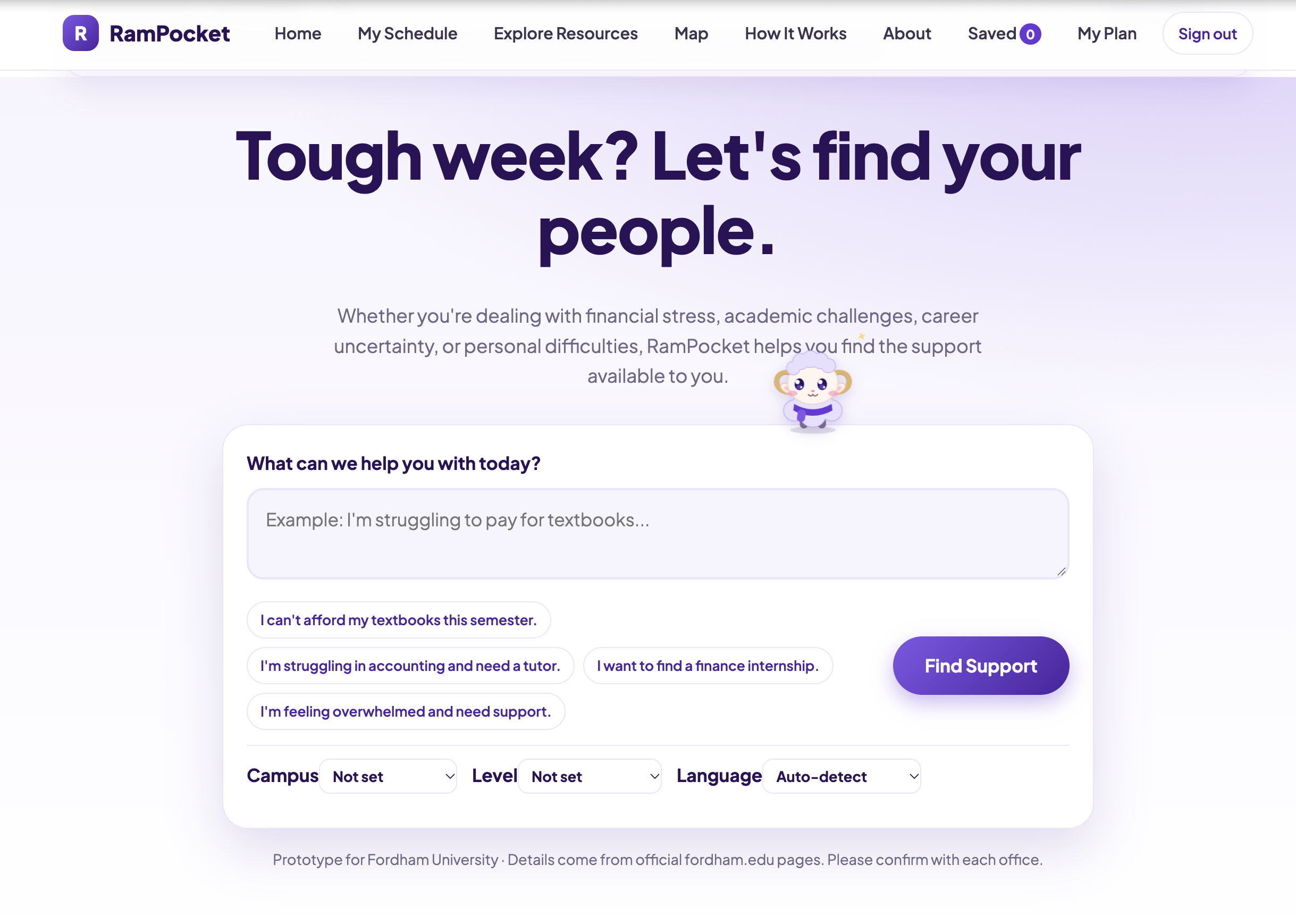
This is the resource AI search engine within the website for students
-
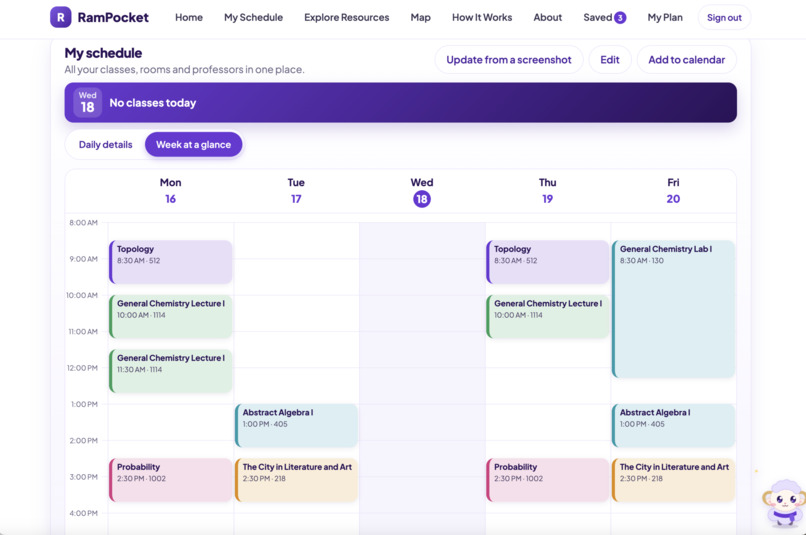
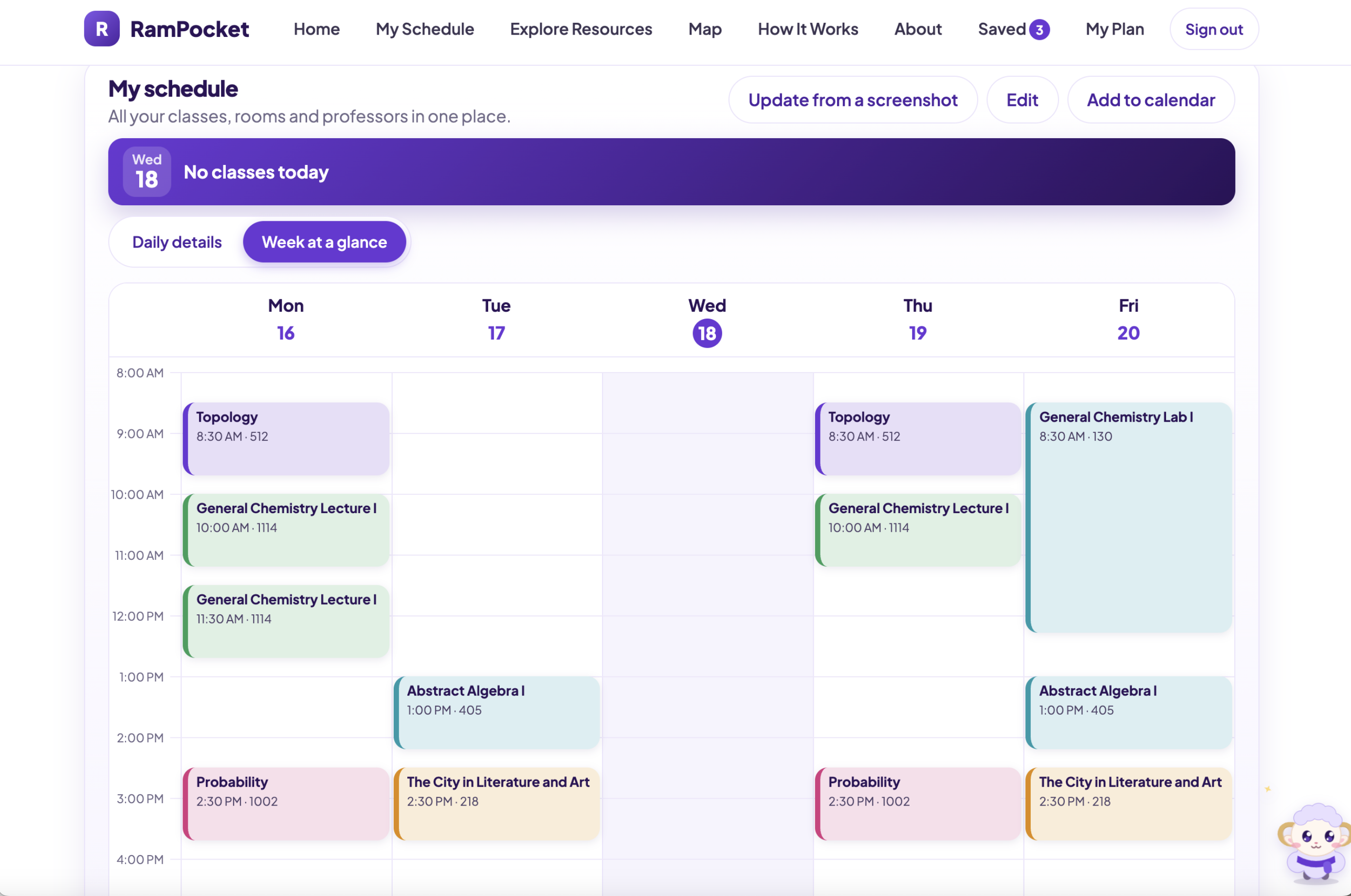
This is one option for viewing class schedules in a full week display
-
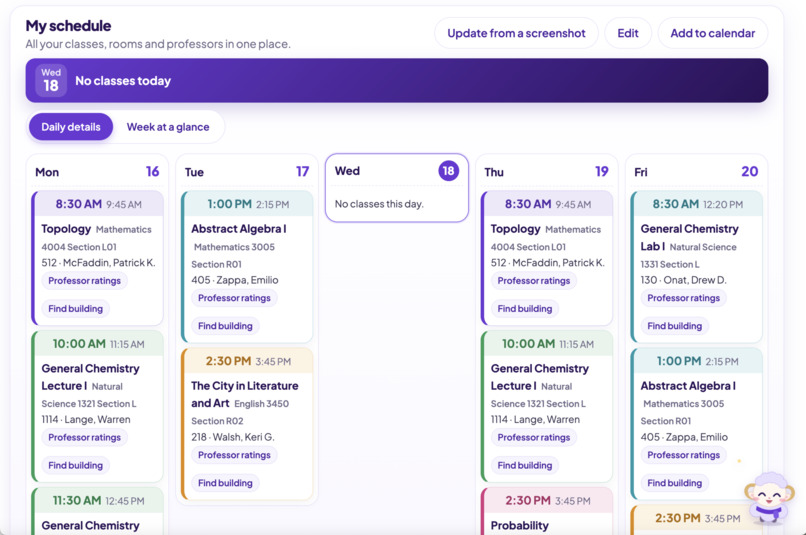
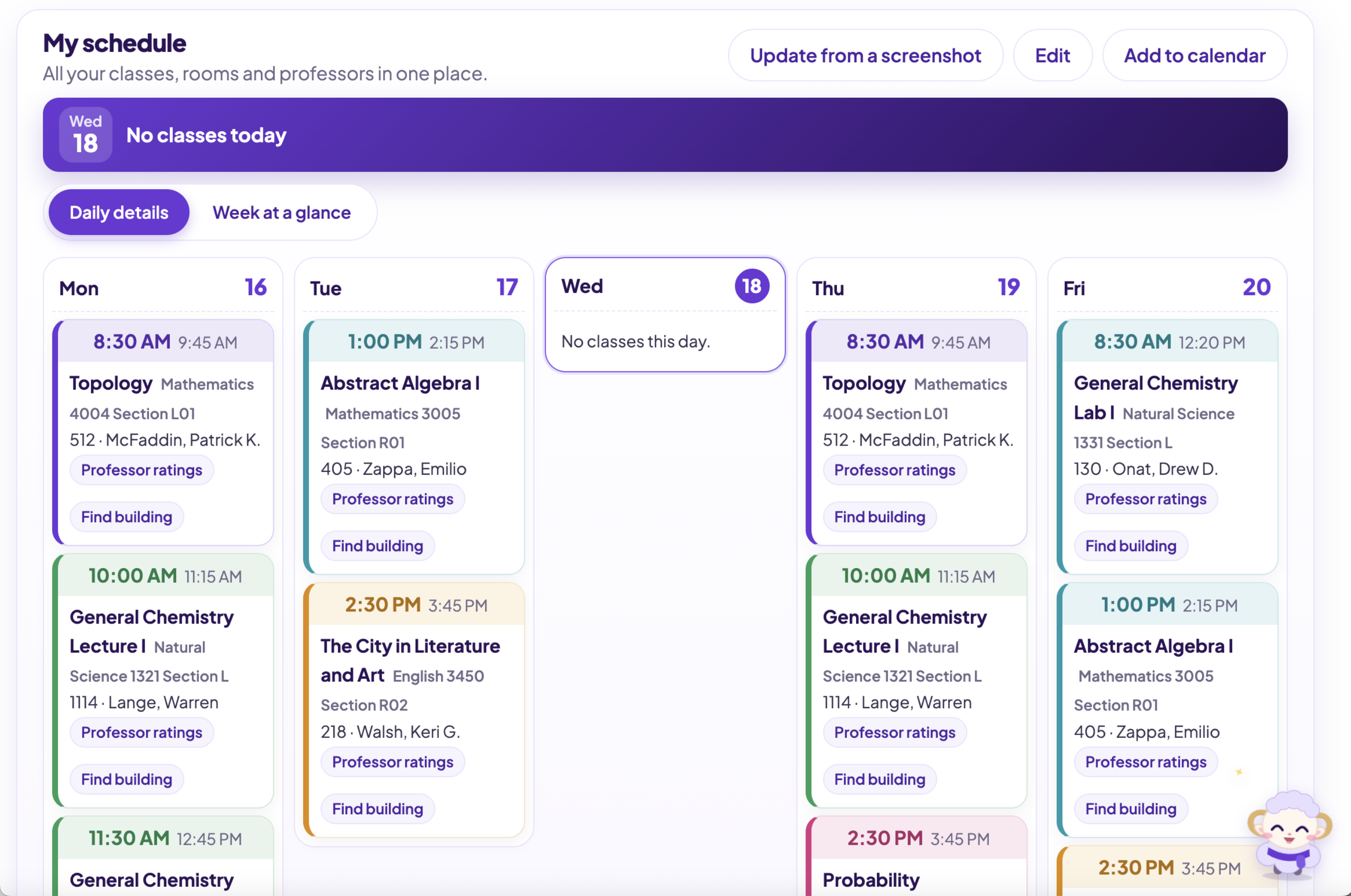
This is another option for viewing class schedules with more information and detials
-
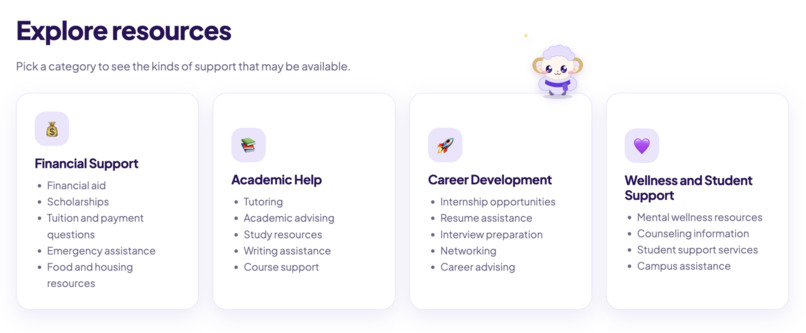
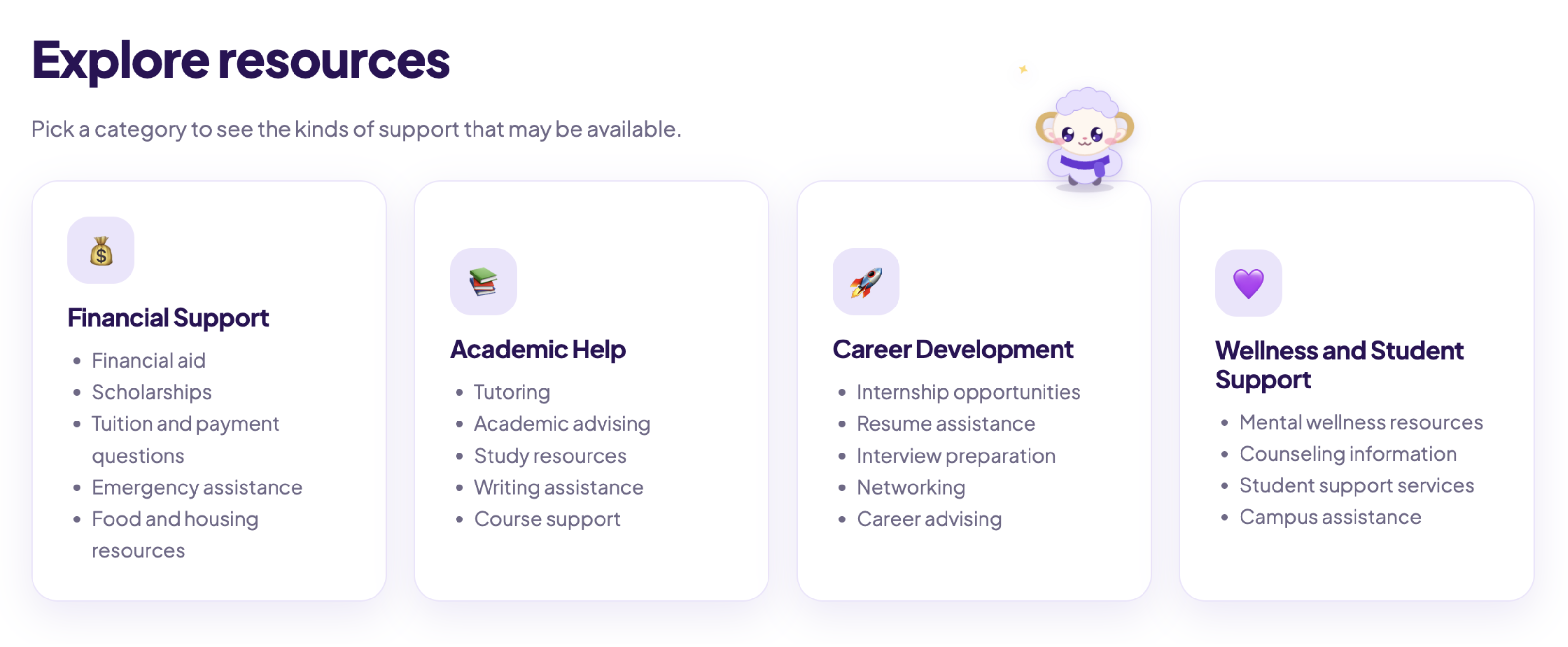
These are the four main categories of resources within our website
-
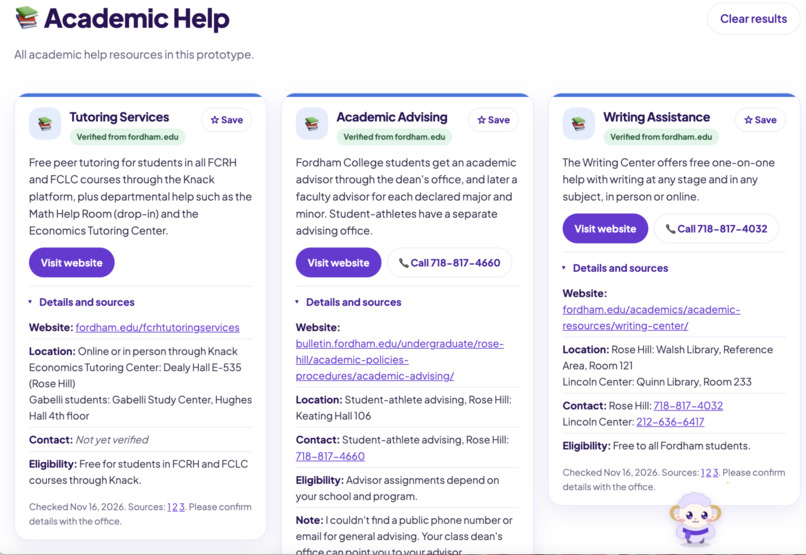
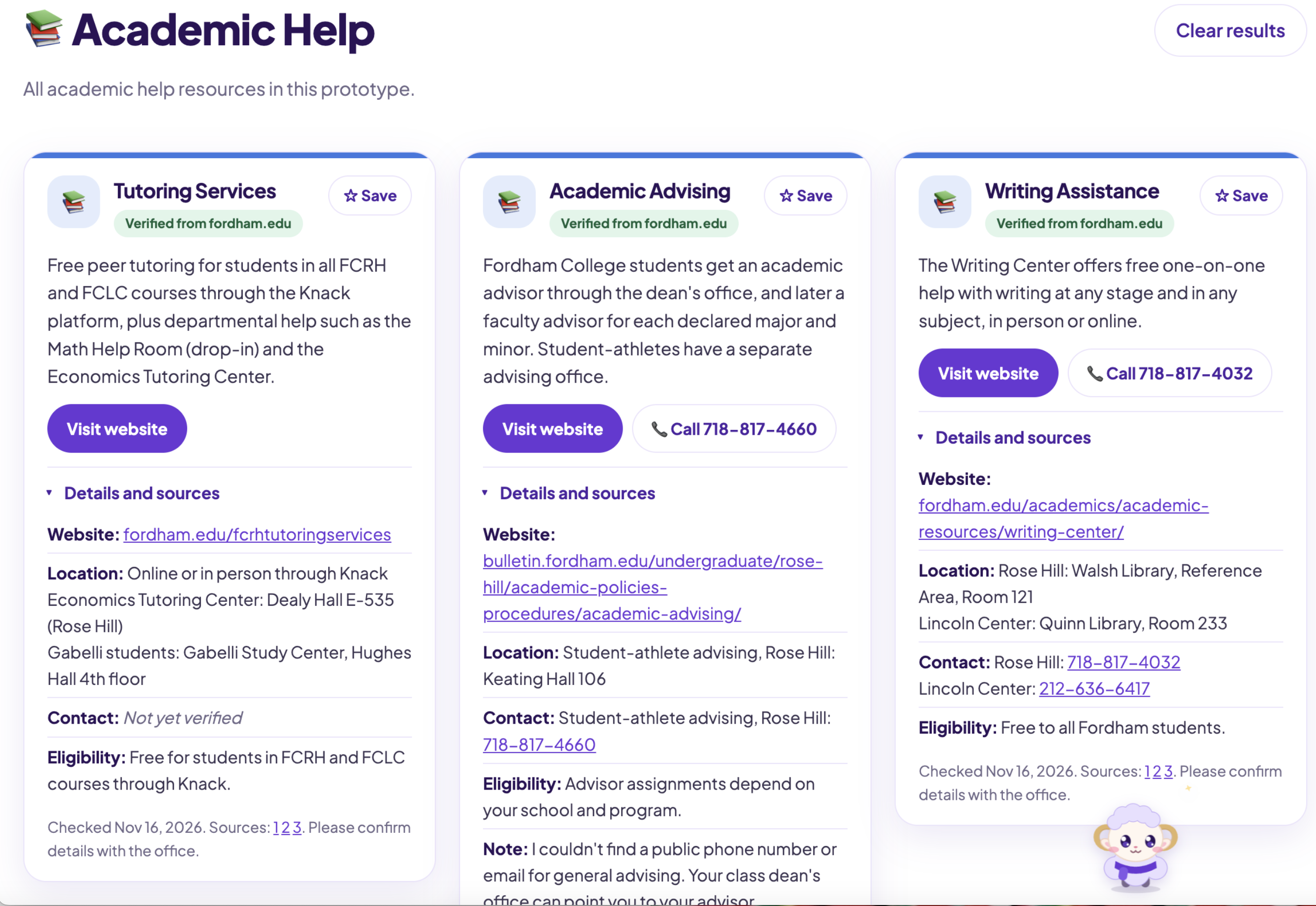
This is the result of different resources when students search the engine, it displays: Website, Location, Contacts, Hours, and Eligibility
-
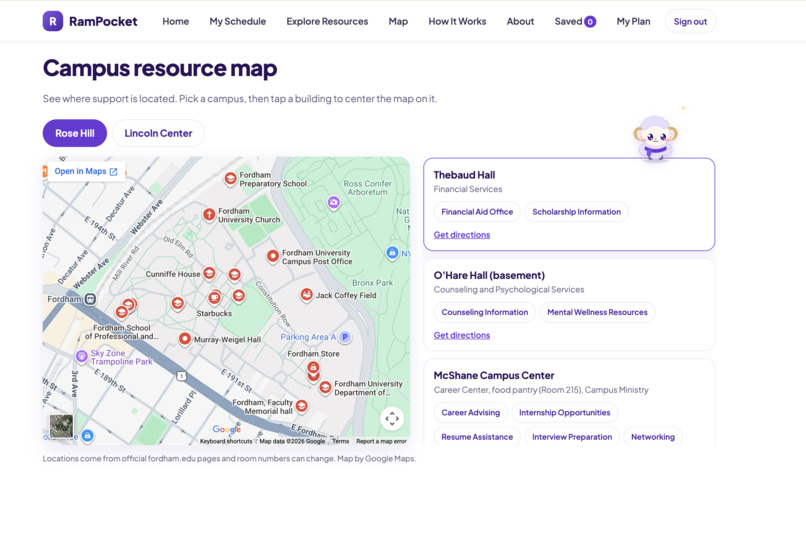
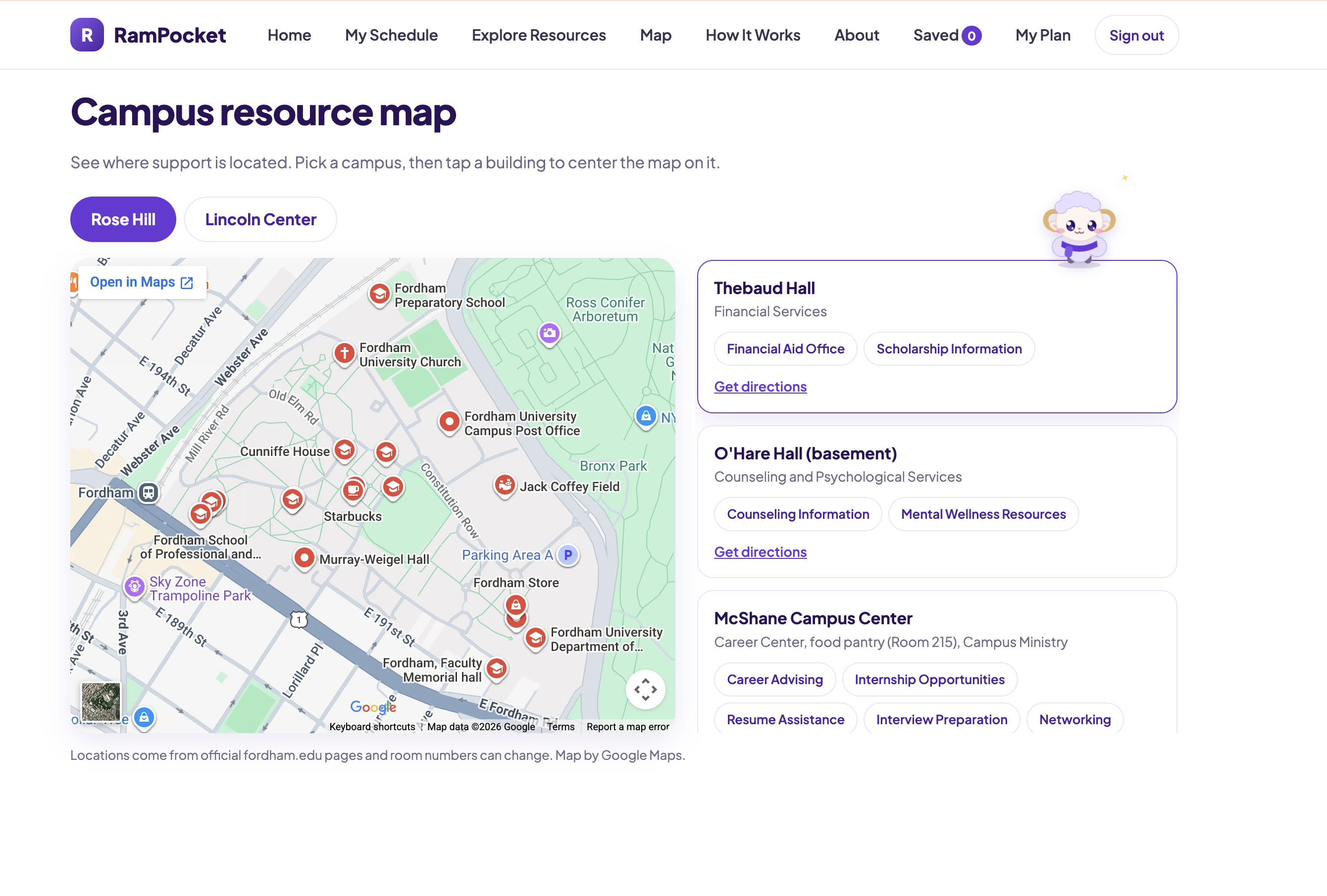
This part is synced from Google with Claude to let students view both campus services and resources in each building
-
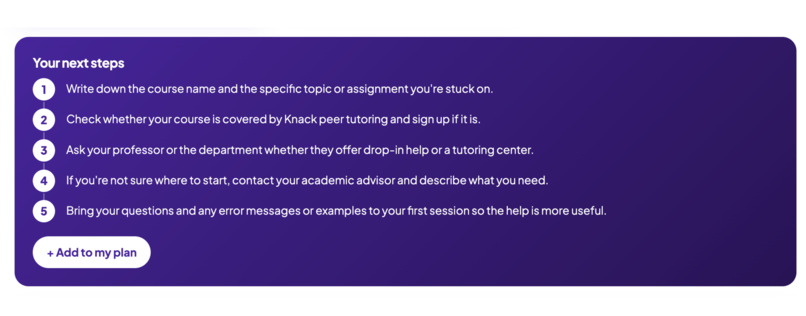
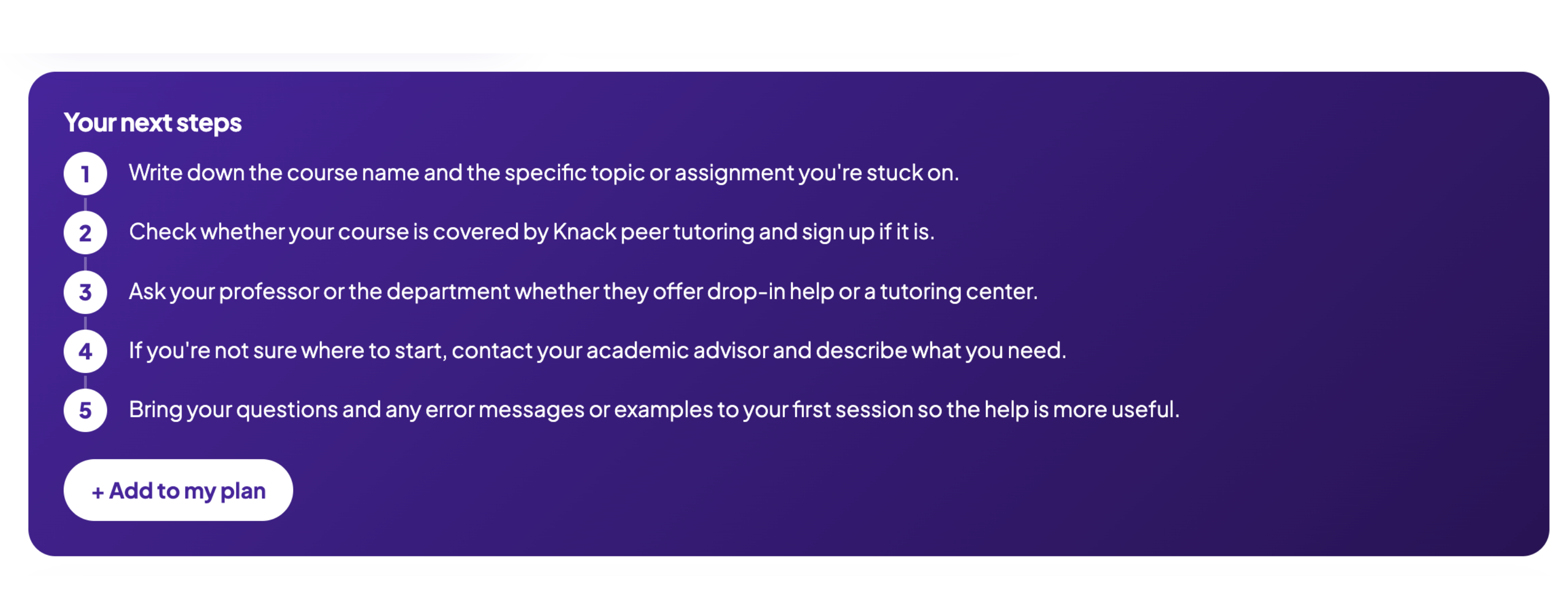
Once you search from the engine it will automatically develop a personalized plan shown here that you can add
-
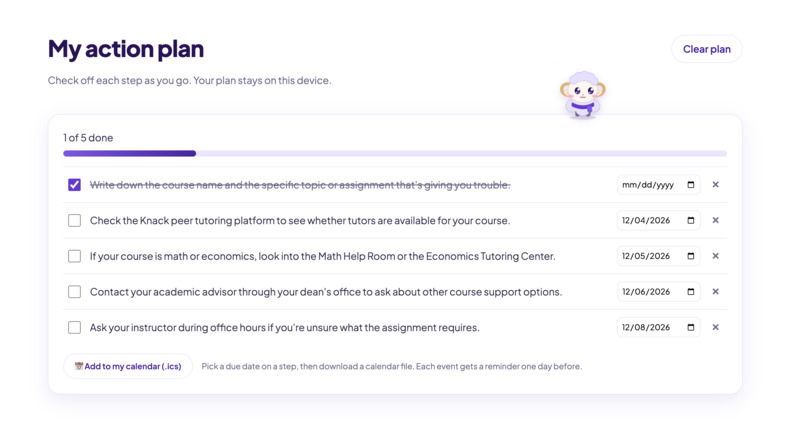
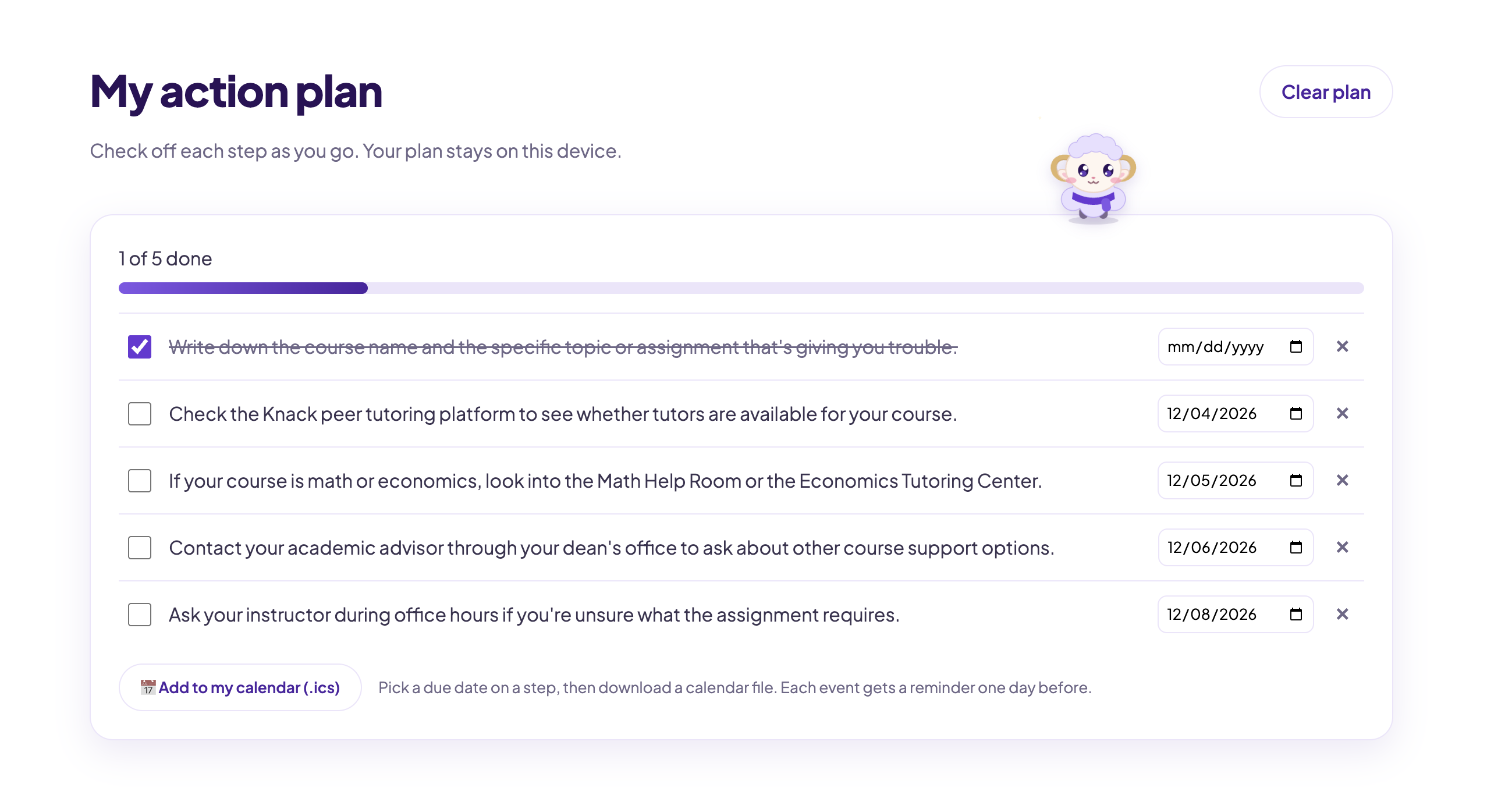
After plan is added it will be shown here, and you can also find it in the top tab bar of the website
-
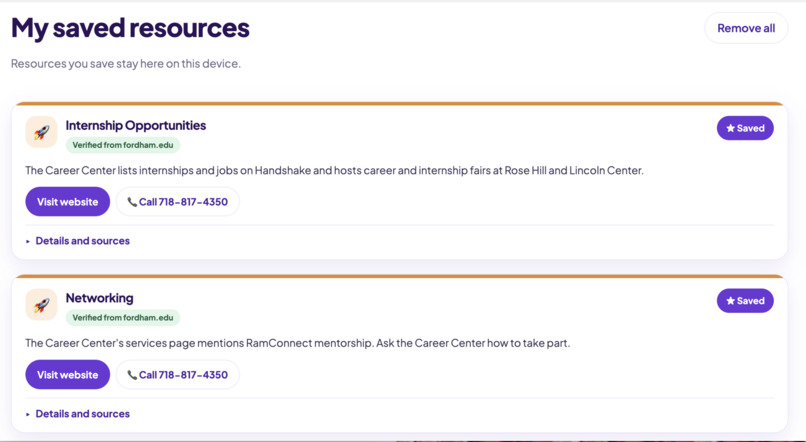
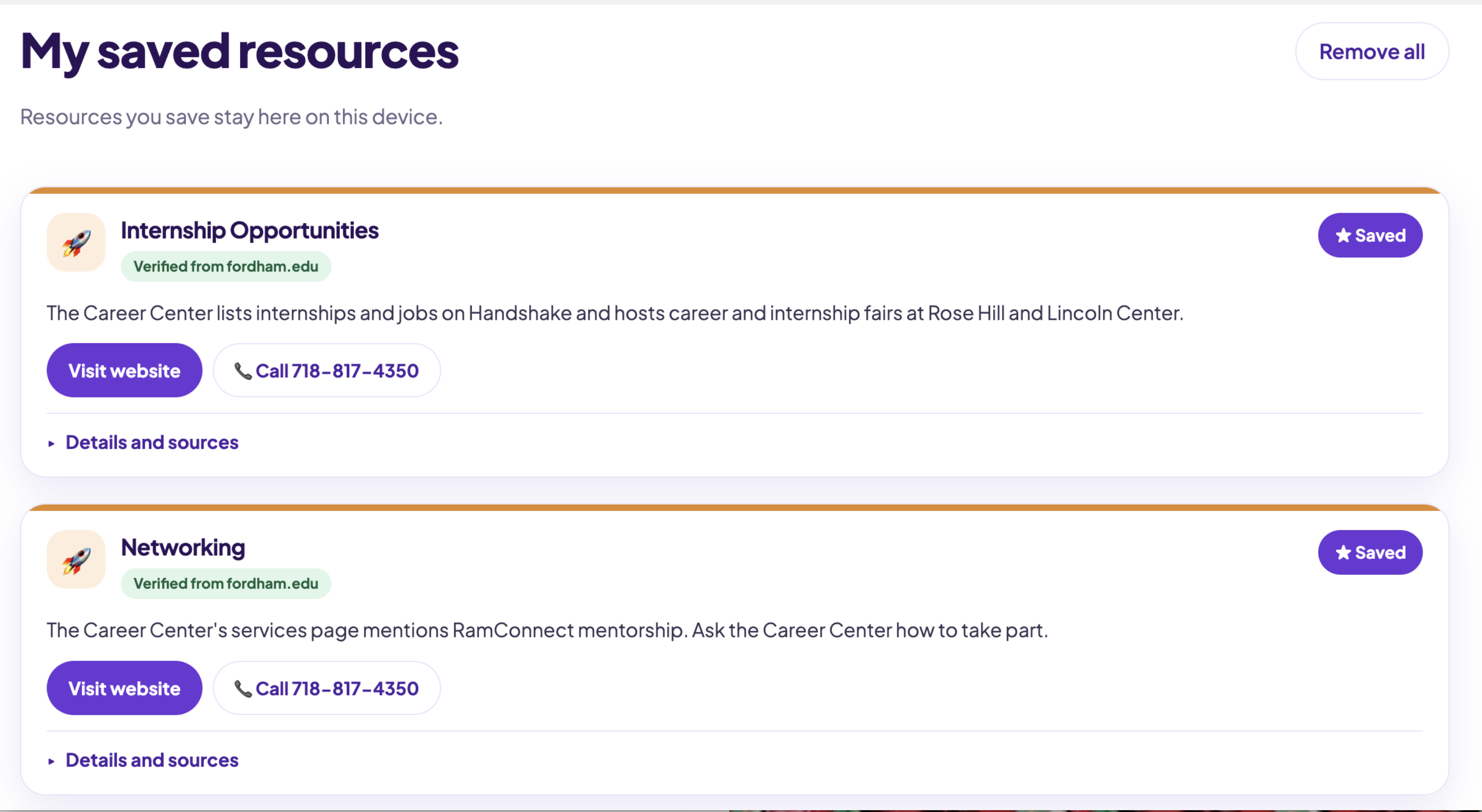
You can also save your resources once the engines display them and you can also find this on the top tab of the website
-
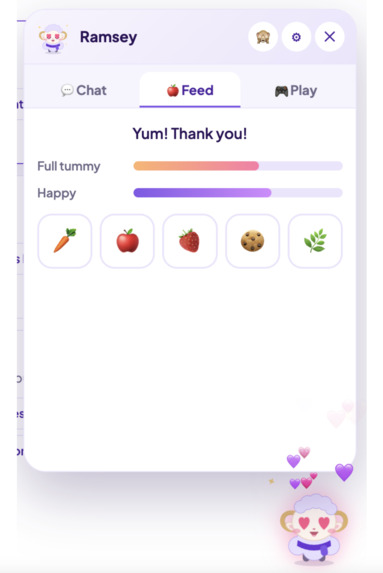
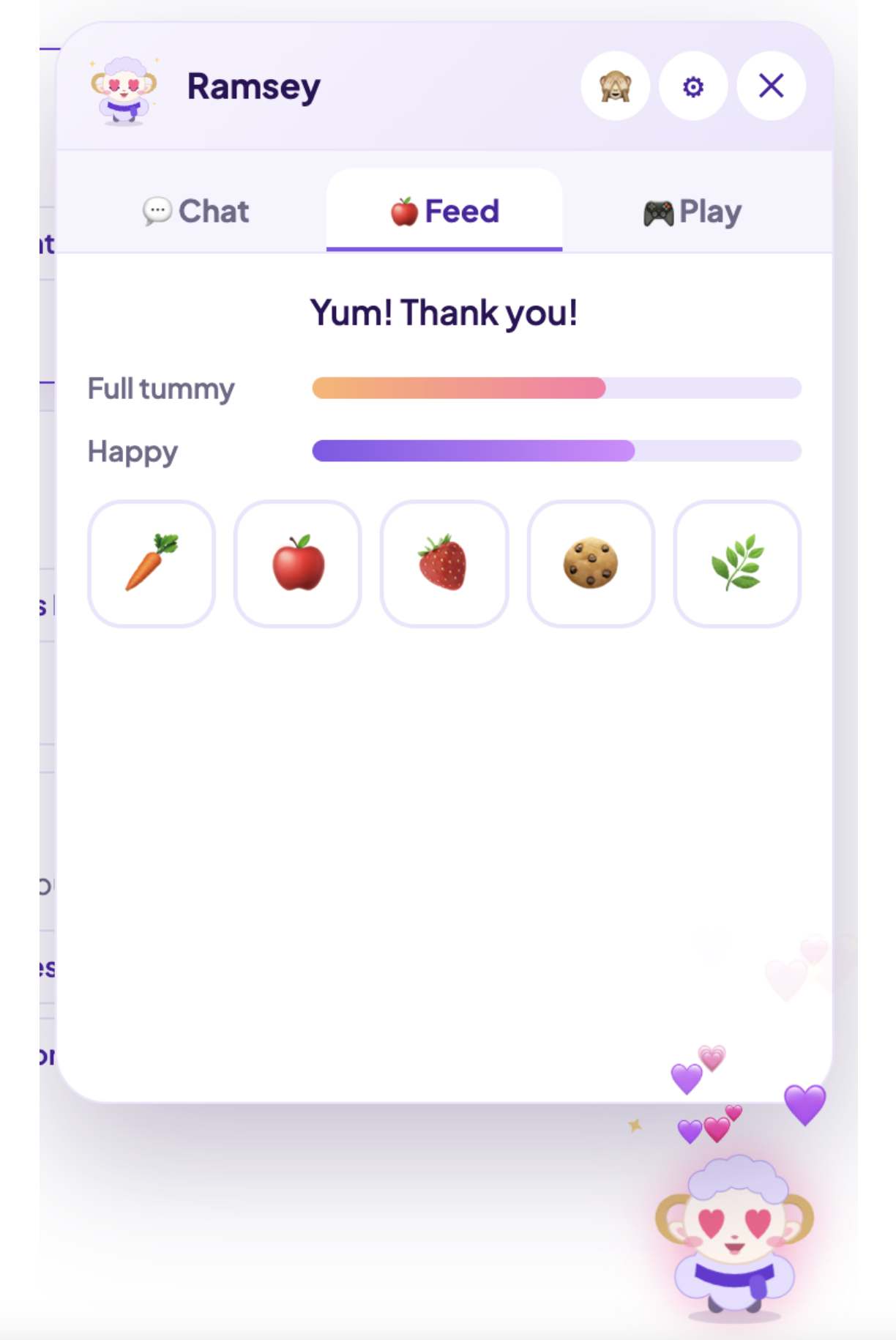
This is RamPocket's personalized AI pet for students, you can chat with it, name it, change its apperance,play with it, and feed it
Inspiration
Sometimes it can be difficult for Fordham students to find the right resources that they need. Fordham has a lot of resources, but the right office, hours, and phone number are spread across many web pages. Students need to jump between the portal, class pages, and office sites to find the information. So, we thought of the idea of putting all resources available for students in one place so there can be less stress and students can focus more on their education than worrying about the trouble of finding the right resources.
Who it's for
This website is built for all Fordham Students.
What it does
-Students can describe their problem in the AI search engine and get matching resources with a plan and details of why each fits (you can save the plan on the website and directly in your personal calendar and also save resources) -The website mainly offers resources from 4 major categories (Financial Support, Academic Help, Career Development, and Wellness and Student Support)
- Every resource shows its details (Contact, Eligibility, Hours, and Location), and links to the official page it came from. Entries we checked against fordham.edu are labeled Verified with the date checked.
- There is a Google Map available on the website where students can view locations of resources in each building
- Students can also view their schedule by importing their class schedule from a screenshot. It appears as a "today" view, a daily list, and a week-at-a-glance grid.
- The website features an AI Pet companion you can feed, play games with, and chat with.
- Fordham-only sign-in (@fordham.edu) with a guest option for demos.
- The website offers all languages and promises privacy
How we build it
- RamPocket is a lightweight web application built with HTML, CSS, JavaScript, and Cloudflare Workers, making it responsive, cost-effective, and easy to deploy.
- We integrated Anthropic's Claude API to provide personalized campus resource recommendations, multilingual translation, academic schedule extraction, and AI-powered pet conversations. Claude converts uploaded schedules into structured data, which our backend validates and students can review and edit. We also implemented error-handling and retry mechanisms to improve reliability.
- For security and privacy, Cloudflare Workers protect API keys, validate requests, enforce rate limits, and verify Google authentication. Student schedules are stored locally on their devices. To ensure trustworthy recommendations, our AI selects from a curated database of Fordham resources rather than generating unverified information.
Technical choices
- A static page plus one Worker keeps it free to run and easy to deploy.
- The AI key stays in a Cloudflare secret, never in the page.
- Fordham-only sign-in uses Google sign-in, and the Worker verifies the token.
- Official-source data only: we don't invent programs, contacts, or eligibility. If we can't verify something, the card says so.
Challenges
The AI sometimes returned slightly malformed data when reading schedules, so we added repair and retry steps. Making schedule blocks readable in a compact week view took several passes.
Limitations
- Cannot sync with Fordham official websites due to restrictions on accessing Fordham data
- It cannot go directly to the right professor when students want to learn more details about their professor's rating on "RateMyProfessor" (it only jumps to results of a Google search)
- To add plans to the calendar, it only works on Mac but not on other systems
Impact
Students spend less time hunting through pages and more time getting help. Language support lowers the barrier for students who don't read English comfortably. Seeing which offices are open between classes makes it easier to actually go. Next steps: office review of every card, more verified resources, and cross-device schedule sync.
Built With
- anthropic-claude-api
- cloudflare
- css3
- google-font
- google-identity-services
- google-maps
- html5
- javascript
- web-crypto-api
- web-storage-api

