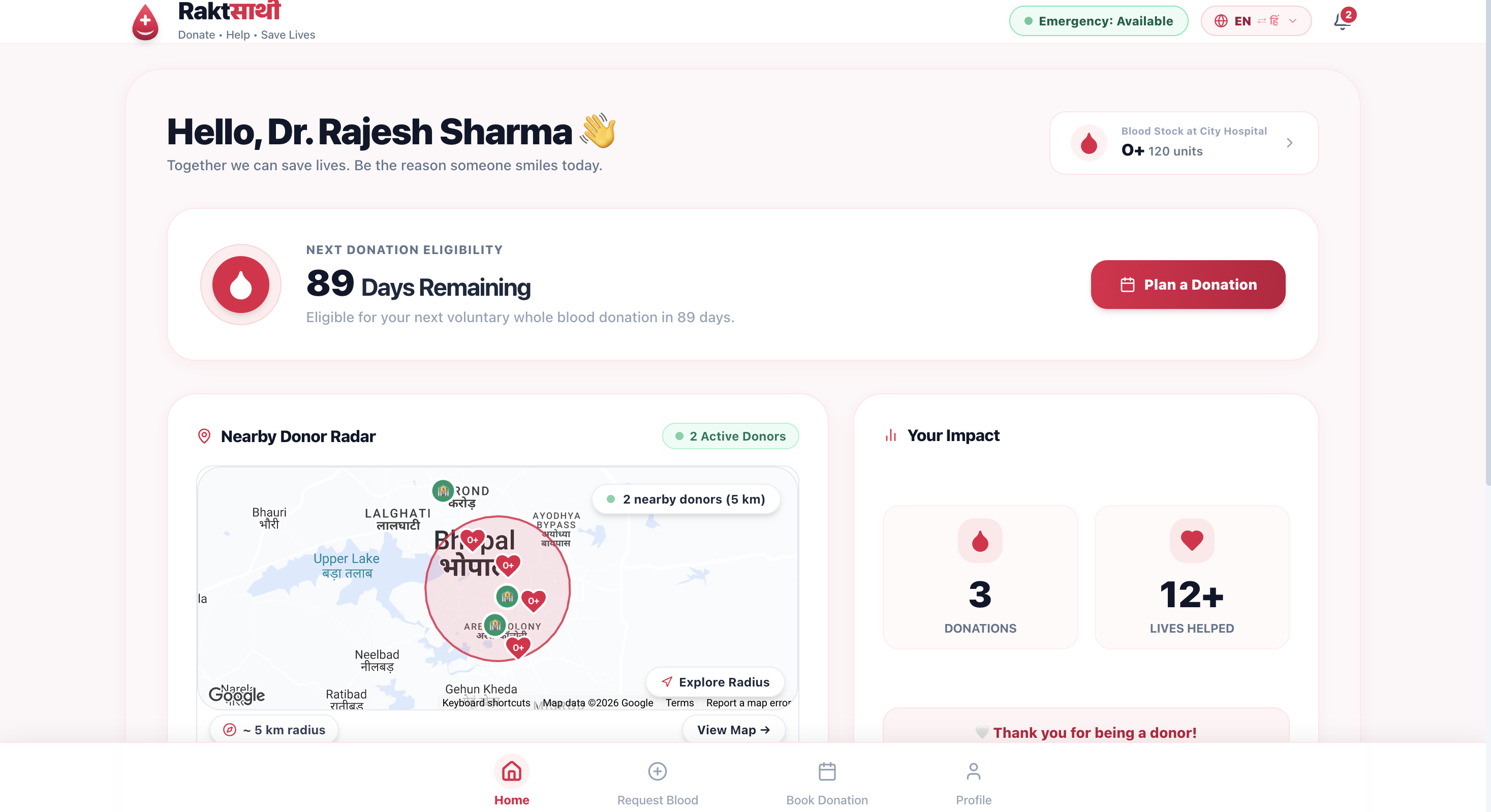
BloodConnect MVP (RaktSaathi)
Blood donation and blood inventory operational coordination platform connecting hospitals, blood banks, and registered donors.
1. Overview
BloodConnect (RaktSaathi) is an operational web application built to streamline blood component coordination, reduce communication delays, track blood stock approaching expiry, and mobilize eligible voluntary donors.
[!IMPORTANT] Strict Coordination Guardrail (PRD §1 & §9):
BloodConnect is an operational coordination tool—not a medical decision system. Blood compatibility, donor suitability, laboratory testing, component allocation, and transfusion decisions remain the sole responsibility of qualified medical personnel and authorized blood banks. The platform does not guarantee donor response, inventory availability, or clinical suitability.
2. Key User Roles & Demo Personas
The application includes an instant Demo Persona Switcher in the top navigation bar, allowing immediate evaluation of all 4 stakeholder flows:
| Role | Demo Persona | Organization | Key Capabilities |
|---|---|---|---|
| Hospital Requester | Dr. Rajesh Sharma | City General Hospital (Verified) | Create routine & urgent requests, view matching status, inspect responding blood banks, track status timeline, confirm delivery receipt. |
| Hospital (Pending) | Dr. Ananya Roy | Apollo Trauma Centre (Pending) | Demonstrates operational lockdown until administrative verification is complete. |
| Blood Bank Staff | Sunita Mehta | Red Cross Regional Centre (Verified) | Maintain stock ledger, view expiry warnings (3-day threshold), accept & reserve units, record issues, manage camps & attendance. |
| Voluntary Donor | Rahul Verma | Independent Donor (O+) | Self-report donation date, check 90-day recovery interval, toggle alert consent, view urgent requests, pledge to donate, book camp slots. |
| System Administrator | Siddharth Rao | Platform Operations | Review pending hospitals & blood banks, approve/suspend facilities, inspect immutable system audit logs, configure expiry thresholds. |
3. Implemented MVP Features
3.1 Authentication & Role-Based Access (§6.1)
- Role-based authorization for Donor, Hospital, Blood Bank Staff, and Admin.
- Organization verification engine: newly registered hospital and blood bank accounts are placed in a
pendingstate, preventing operational request creation or stock allocation until reviewed by an administrator.
3.2 Donor Profile & Consent Management (§6.2 & §6.8)
- Blood group, approximate location (city/area with exact address hidden).
- Self-reported last donation date and recovery interval calculation (configurable, non-clinical reminder).
- Explicit consent toggle for receiving emergency donation notifications with audit timestamp tracking.
3.3 Donor Discovery & Privacy Protection (§6.3 & §9)
- Search available exclusively to authenticated hospital requesters and blood bank personnel.
- Displays only active, consented donors.
- Privacy Masking: Contact numbers are masked (e.g.
+91 98*** **456) and facilitated via safe in-app alerting workflows.
3.4 Emergency Blood Request Lifecycle (§6.4)
- Fields: requesting facility, blood group, component, units, required-by date/time, delivery department, clinical notes.
- Priority levels: Routine vs. Urgent. Urgent requests automatically dispatch notifications to matching consented donors in the area.
- Workflow statuses:
Submitted→Matching→Accepted→Partially Fulfilled→Fulfilled/Cancelled. - Interactive chronological status timeline with timestamps and actor signatures.
3.5 Blood Bank Inventory & Immutable Ledger (§6.5)
- Tracks blood group, component, quantity, collection date, expiry date, status (
Available,Reserved,Issued,Expired,Discarded), and batch reference. - Immutable Transaction Ledger: Every addition, reservation, release, issue, and adjustment is permanently recorded in an append-only audit trail with actor name, delta, before/after values, and rationale.
3.6 Expiry Warning Engine (§6.7)
- Automated threshold engine (default: 3 days, adjustable from 1 to 14 days).
- Visual warning badges for stock approaching expiration.
- Quarantines expired stock and excludes it from network matching.
3.7 Donation Camps & Appointment Slots (§6.9)
- Blood banks publish donation drives with venue, date, time slots, and capacity.
- Donors book or cancel slots.
- Blood bank personnel mark attendance and record completed donations, automatically adding collected units to stock and updating donor history.
3.8 Notifications Center (§6.10)
- Real-time in-app notification drawer with unread count badge.
- Filterable by emergency alerts, request updates, camp slot updates, and verification alerts.
3.9 Admin Facility Verification & Audit Review (§6.11)
- Verification queue for pending hospital and blood bank applications.
- One-click approve, reject, or suspend with required administrative notes.
- System-wide security and operational audit log table.
4. Tech Stack
- Framework: Next.js 14 (App Router, Server-Rendered & API routes)
- Language: TypeScript 5.5
- Styling: Tailwind CSS with custom medical design tokens & responsive components
- Icons: Lucide React
- Authentication: Firebase Authentication (email and password); Firebase ID tokens are verified on the server and stored in secure, HTTP-only cookies
- Account profiles: Private user documents in Cloud Firestore, restricted to each account owner by
firestore.rules - Operational data: MVP workflows still use the file-backed JSON database (
data/db.json) with atomic writes, in-memory caching, and seed data. Move this store to Firestore before using multiple server instances or ephemeral serverless storage.
5. Getting Started
Prerequisites
- Node.js (v18+ or v20+)
- npm
Installation
# Clone the repository
git clone https://github.com/your-username/RaktSaathi.git
cd RaktSaathi

# Install dependencies
npm install

# Run the development server
npm run dev
Firebase is configured for project raktsaathi2005. Copy .env.example to .env.local and fill in the Firebase Web App settings if they are not already present. Email/password sign-in is enabled for the project. Set FIREBASE_ADMIN_EMAILS to a comma-separated allowlist of trusted, email-verified administrator accounts; public registration cannot assign the admin role. Demo persona switching is available only in development.
Cloud Firestore database raktsaathi is deployed in asia-south1 (Mumbai). Its rules allow each signed-in user to read and edit a limited set of their own profile fields, deny collection listing, prevent client-side role changes, and deny direct client access to operational records.
Visit http://localhost:3000 in your browser.
Production Build
npm run build
npm run start
Running Automated E2E Verification
To run the automated end-to-end test suite verifying all 4 roles:
node test-e2e.mjs
Resetting Demo Data
At any time, you can click the "Reset Demo Seed Data" button in the footer or invoke POST /api/reset to restore the platform to its clean initial state with rich sample requests, blood stock, and demo accounts.
RaktSaathi
Built With
- clouflare
- firebase
- javascript
- react
- typescript
