

Inspiration
I realized that it was possible to save up to 50% while shopping online, but also realized I was far too lazy to remember to search through the website to find the most suitable gift card every time I bought something online.
What it does
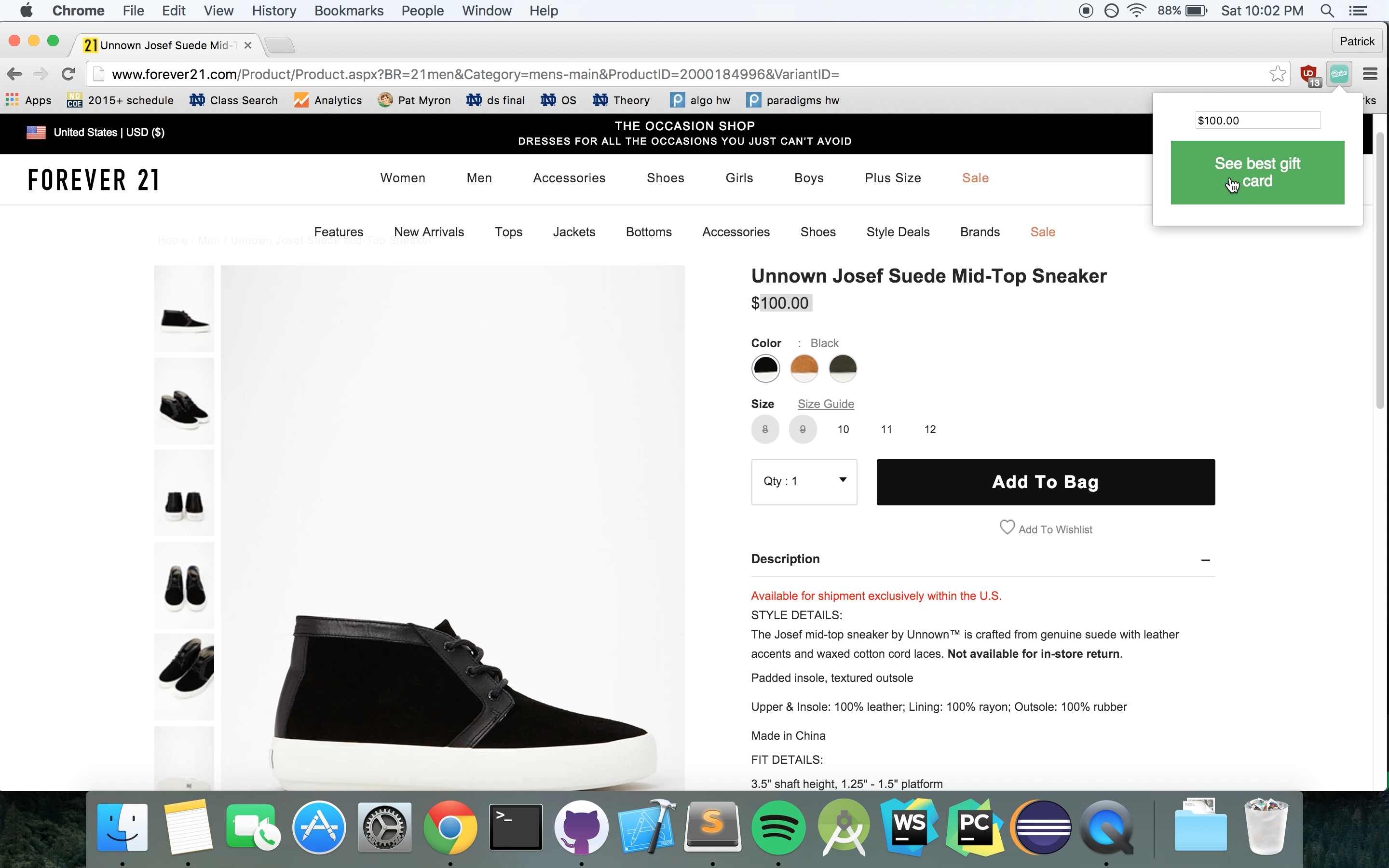
It automatically gets the name of the company from your url and gets your inputted price to scrape the raise.com website to get the best electronic gift card for your purchase and open that card in a new tab.
How I built it
I built it starting with Extensionizr's basic extension and using JavaScript and Chrome's developer tools.
Challenges I ran into
It took me a bit of time to find out that I needed to request a permission to the extension to access any part of raise.com. It also was challenging to realize that popup is considered a different separate webpage than the rest of the webpage.
Accomplishments that I'm proud of
I'm proud that I have already saved some money using the extension.
What I learned
I learned a lot about the Same-Origin Policy, Cross-Origin XMLHttpRequests and Google's policy on them. I also learned a lot about Chrome Extensions and their limitations and capabilities.
What's next for Raise.com Gift Cards Chrome Extension
-Increase the accuracy rate of getting the company name from the url. Some companies with shortened urls (tjx.com for TJ-Maxx and ae.com for American Eagle) may need to be hardcoded.
-Error messages for companies that don't offer electronic gift cards, are sold out, or don't have any cards that would save you money


Log in or sign up for Devpost to join the conversation.