-
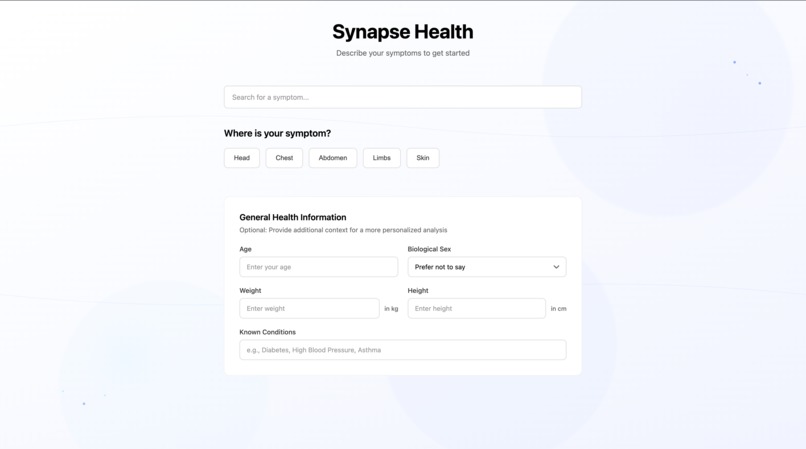
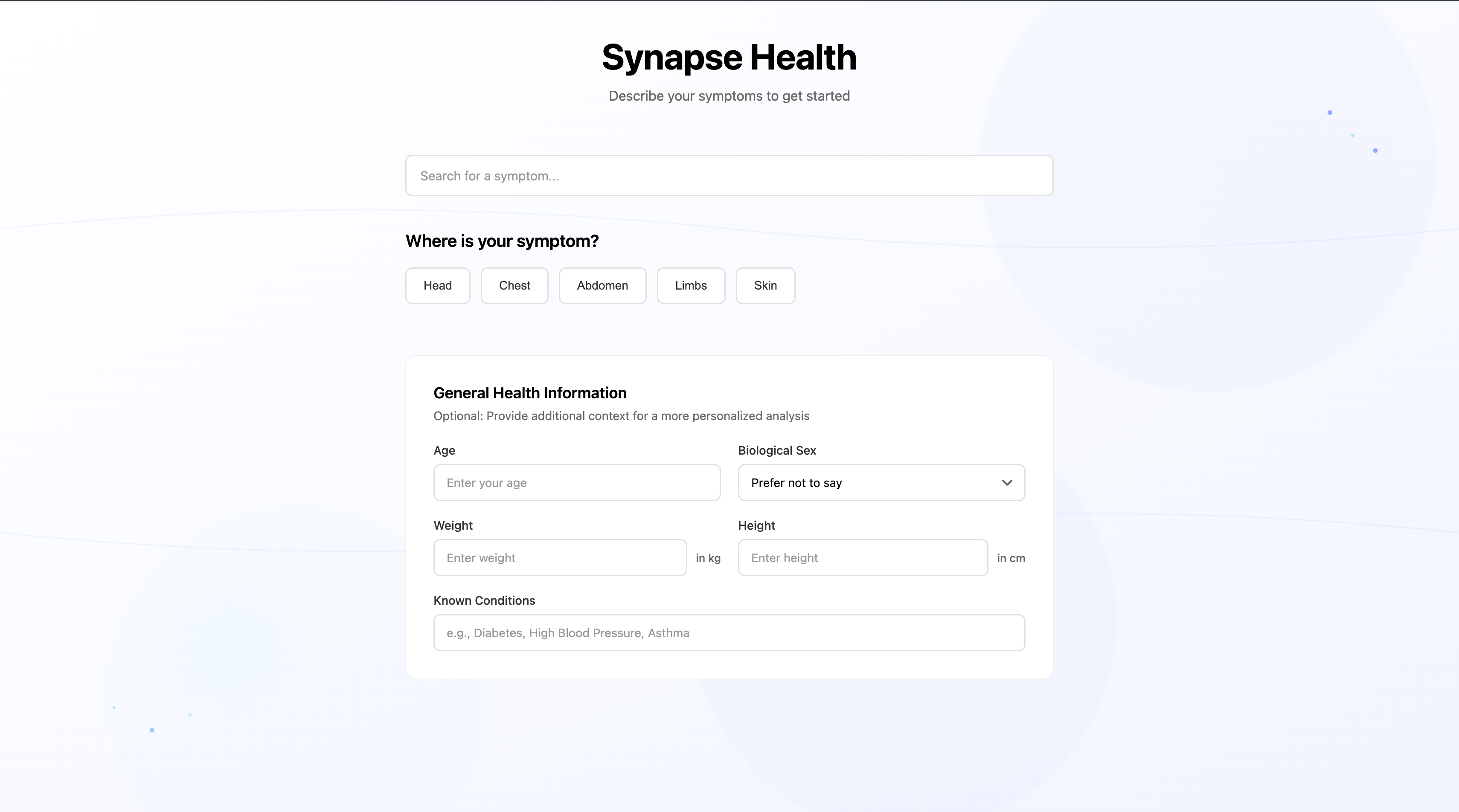
The initial view, prioritizing a calm and intuitive user experience.
-
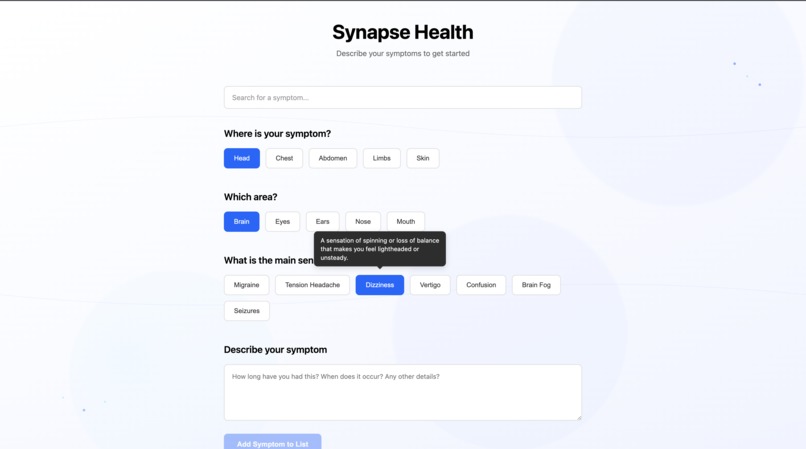
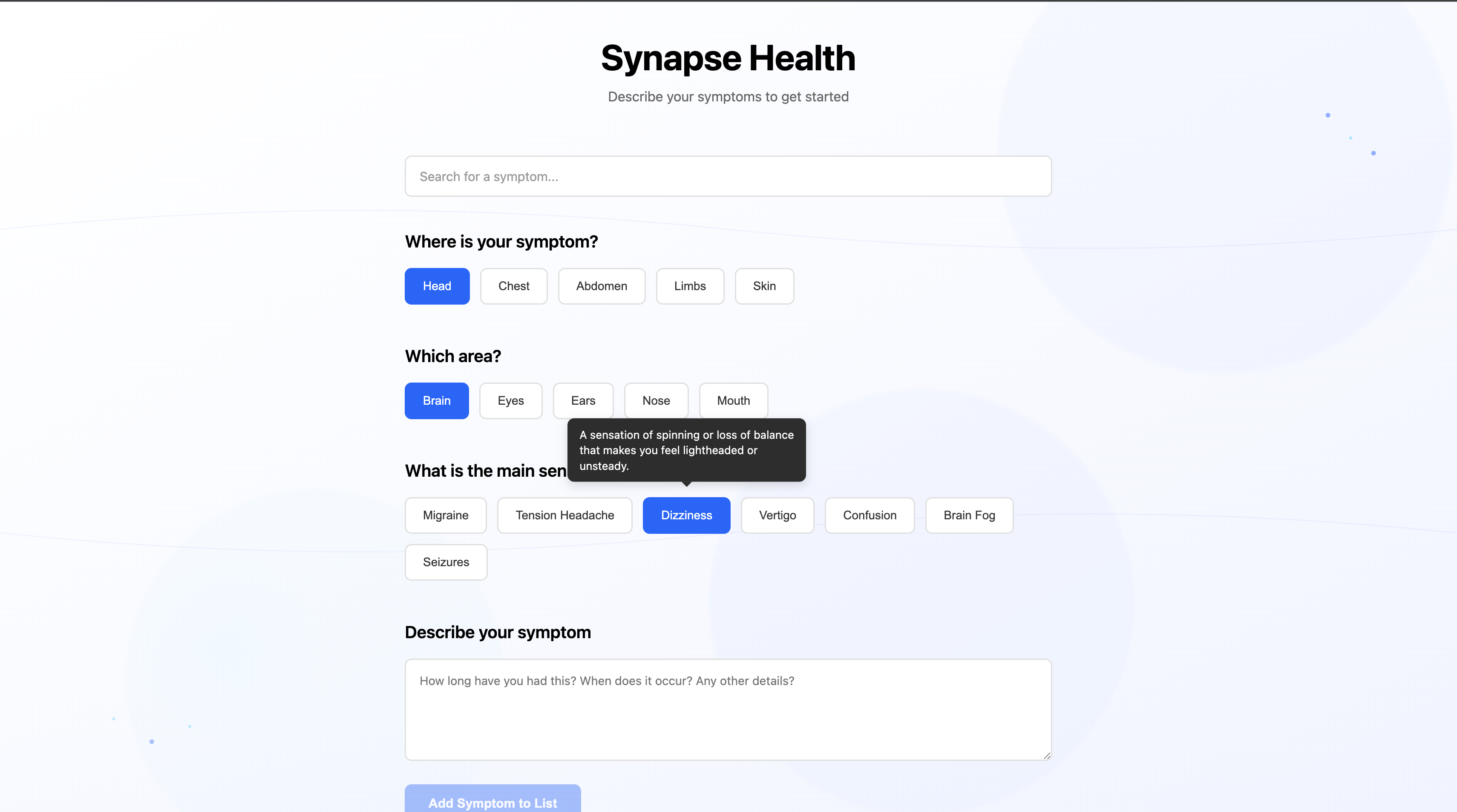
Guided symptom selection with on-hover definitions.
-
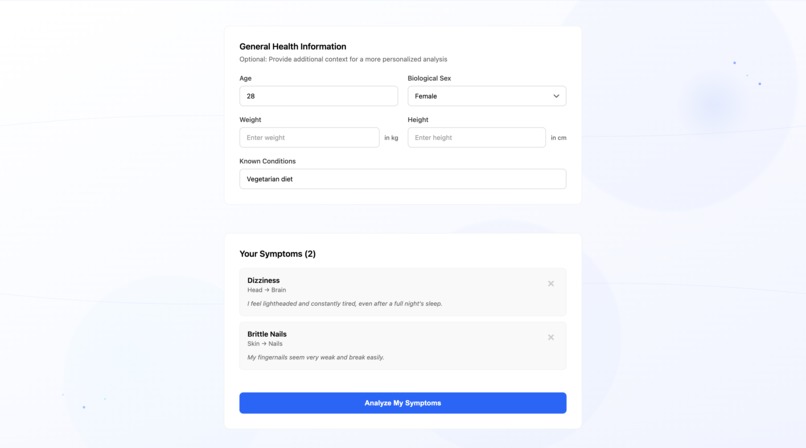
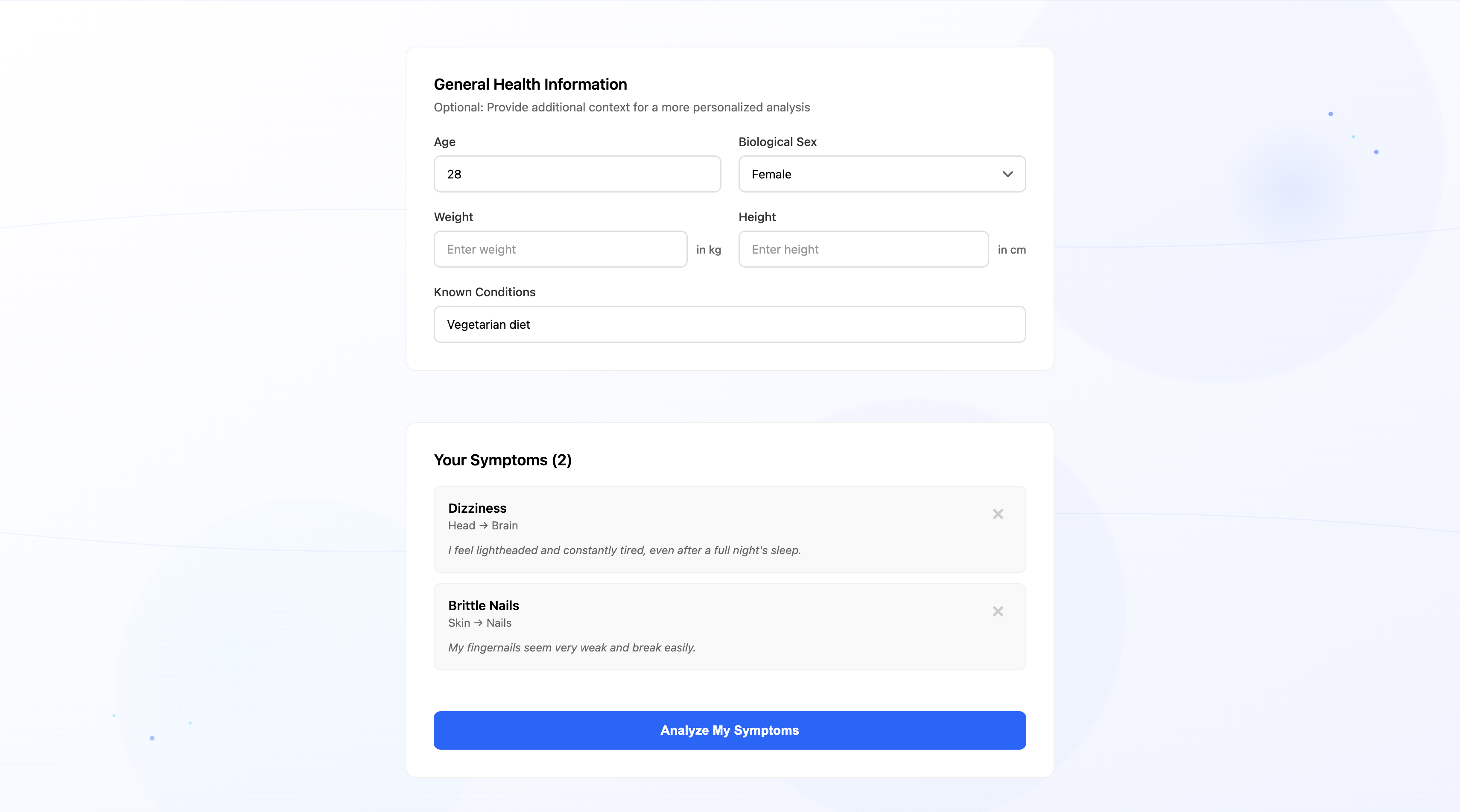
Building a comprehensive list of symptoms.
-
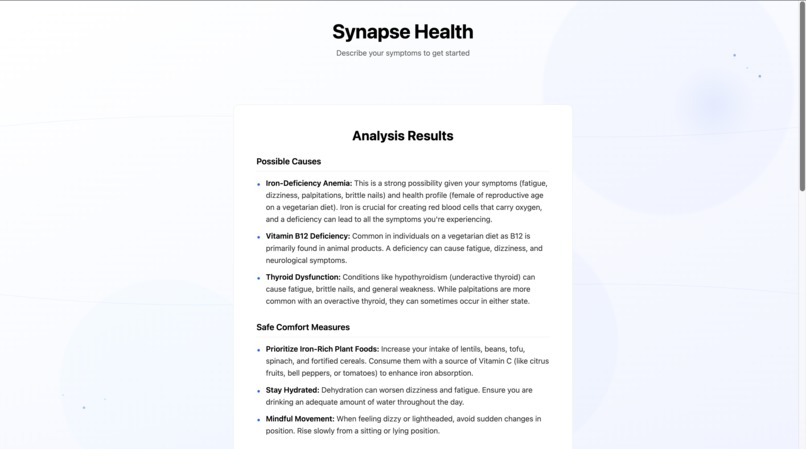
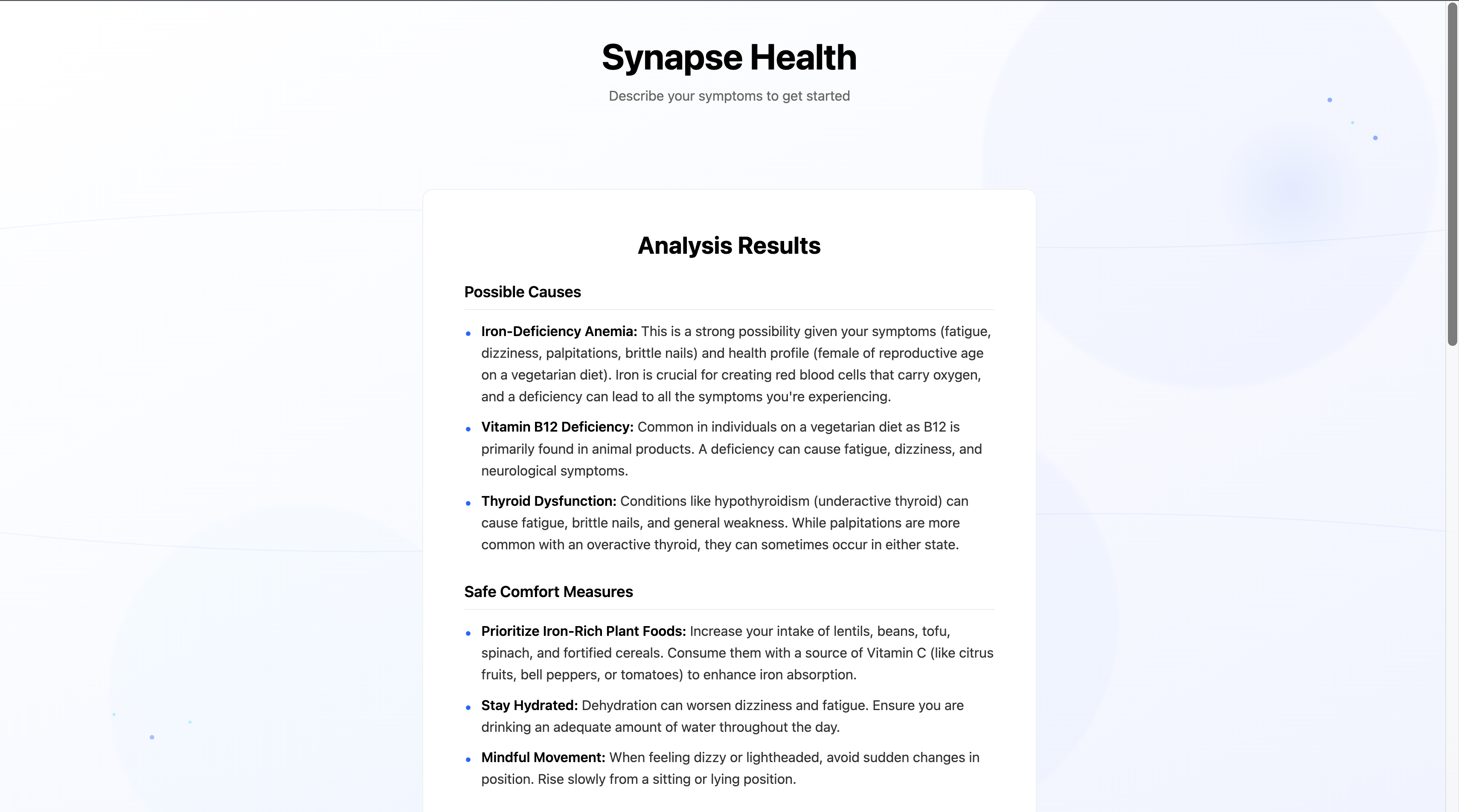
Initial analysis with AI-generated follow-up questions.
-
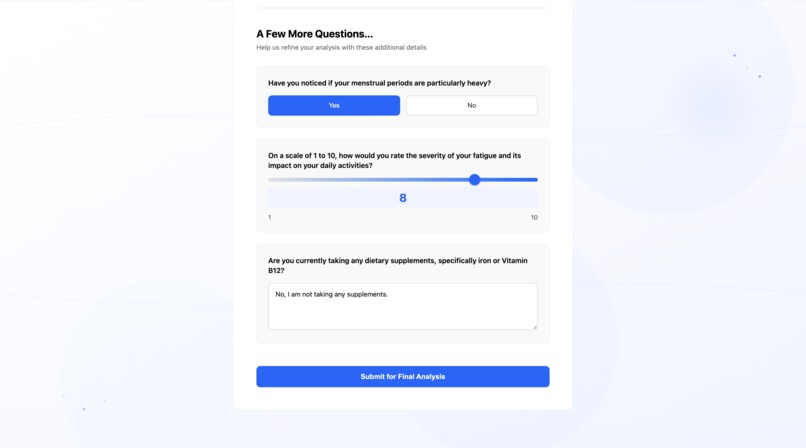
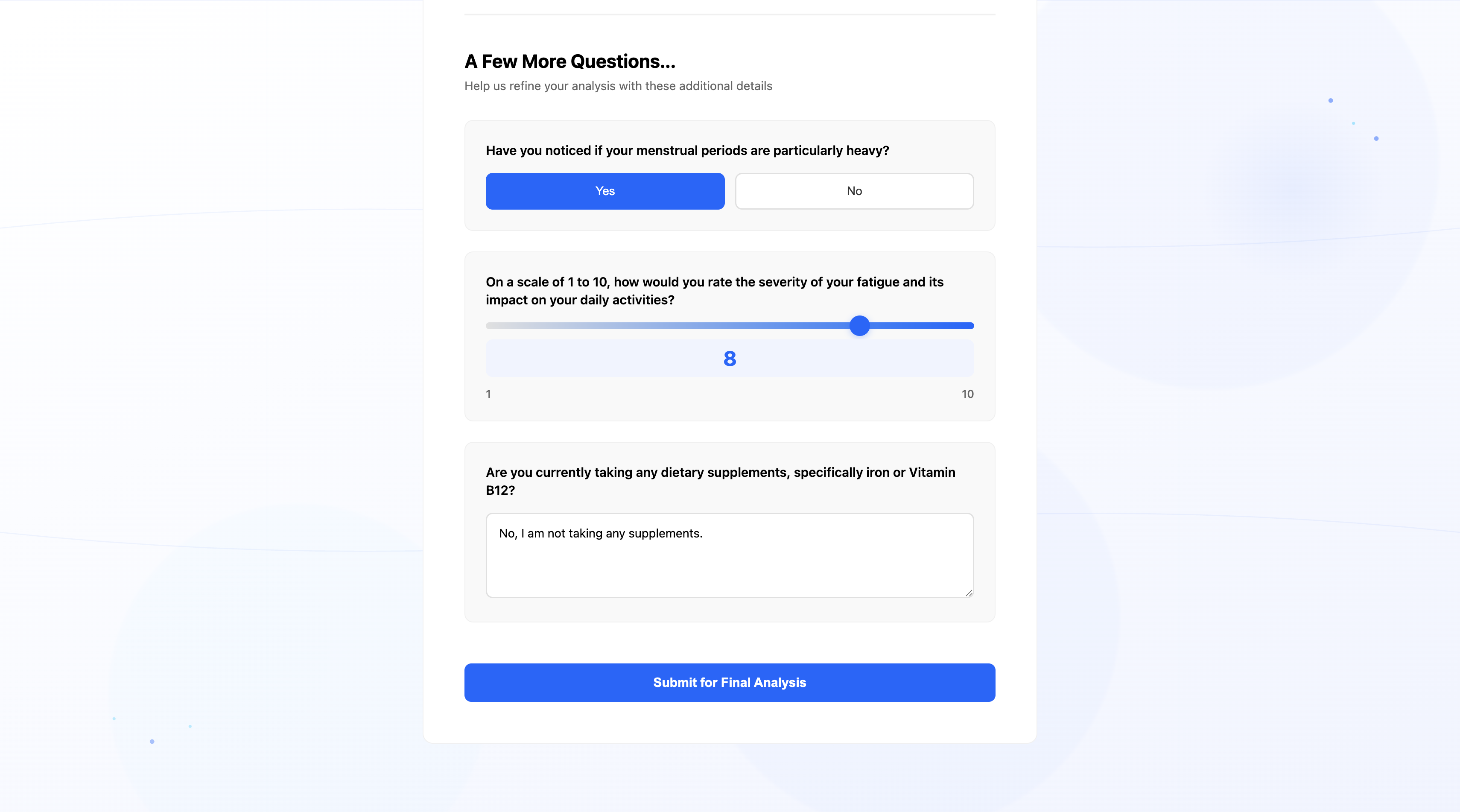
Answering personalized, AI-driven follow-up questions.
-
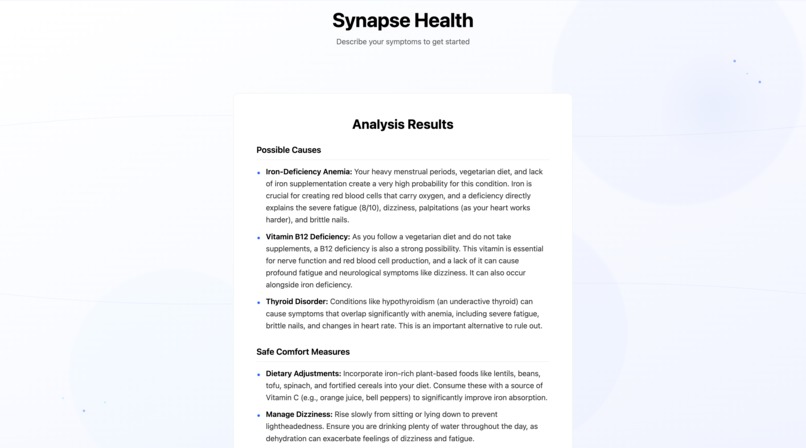
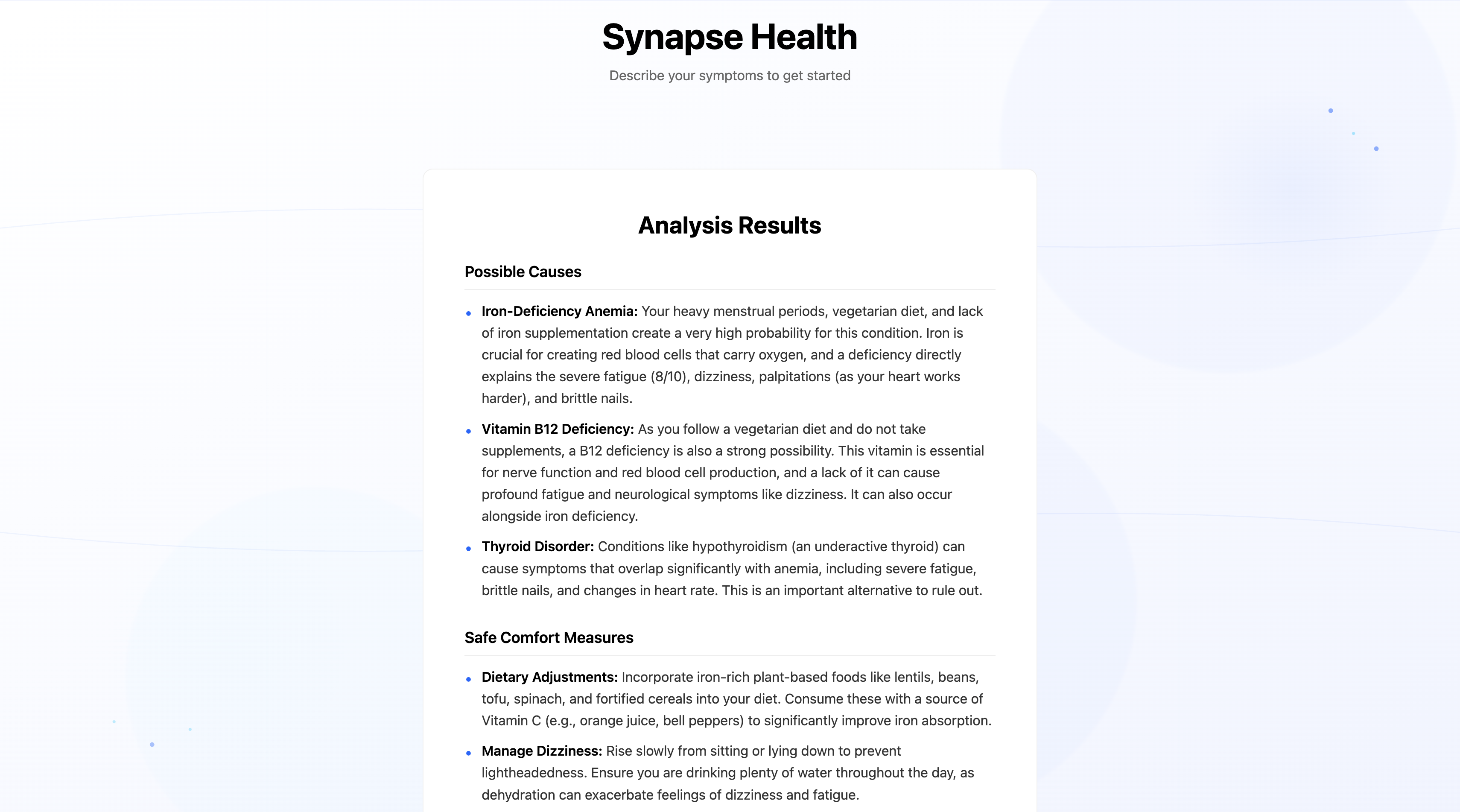
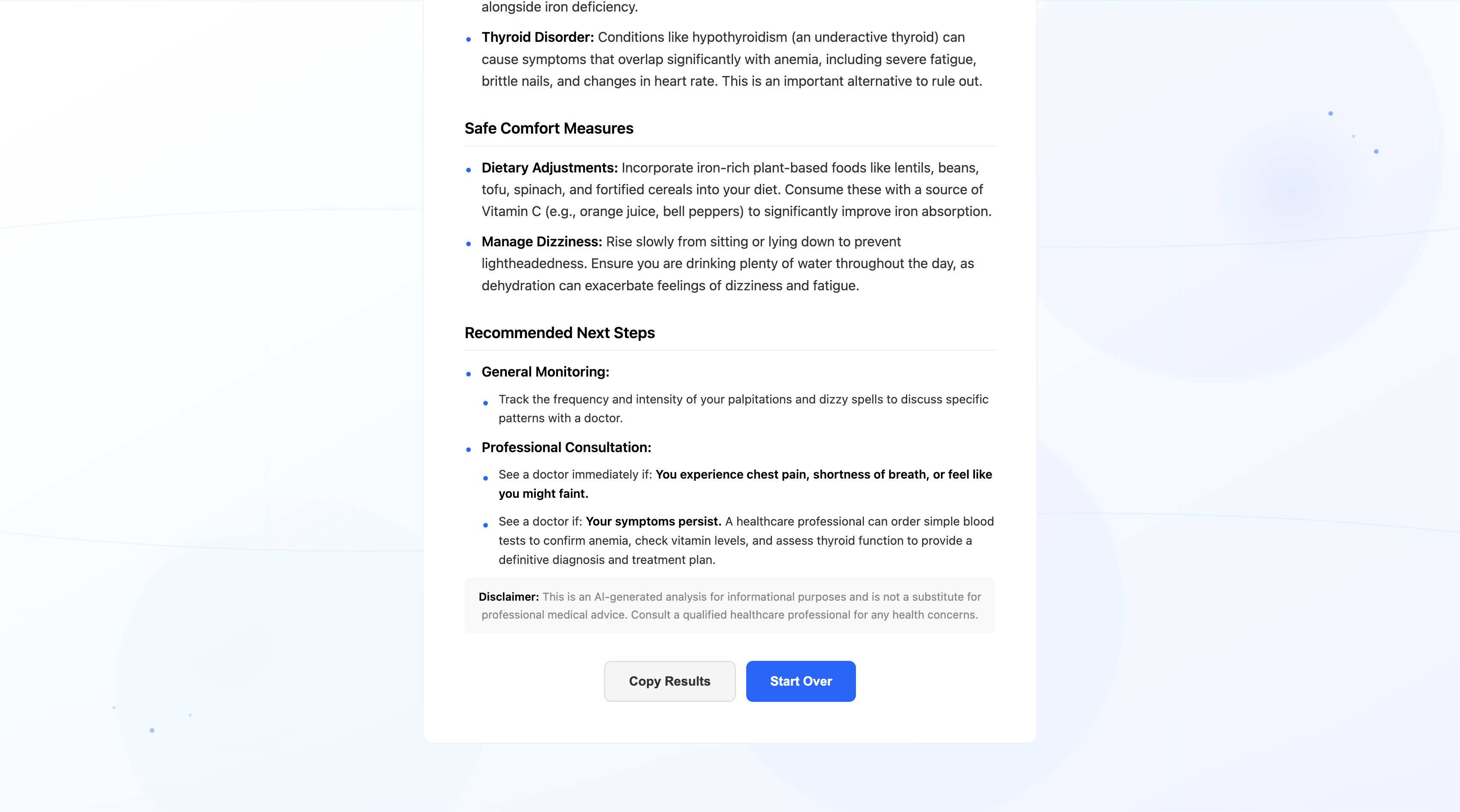
The final, refined analysis after user feedback.
-
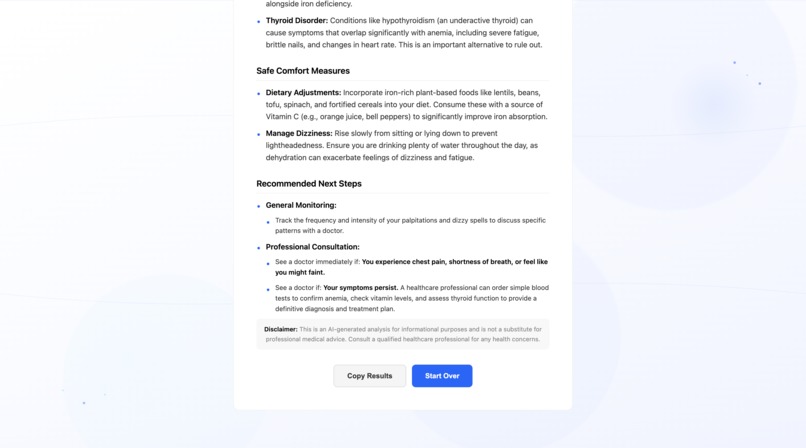
Empowering users with clear, actionable health insights.
Inspiration
The inspiration for Synapse Health came from a common, universal experience: the anxiety of using a search engine to understand a health symptom. The results are often chaotic, terrifying, and filled with complex medical jargon, leading to more stress rather than clarity. I wanted to build an alternative—a calm, guided, and educational wellness tool that promotes health literacy. My mission was to create an application that doesn't just provide information, but actively reduces the mental burden of uncertainty, empowering users to have more confident and informed conversations with healthcare professionals.
What it does
Synapse Health is an intelligent, interactive symptom navigator that helps users understand their health. It functions through a dynamic, two-stage process:
Initial Input: A user is guided through an intuitive "symptom funnel" to select and describe their issues without needing medical vocabulary. They can also provide optional background health information for better context.
Interactive Dialogue: The application's AI provides an initial, structured analysis and then generates a list of personalized, clarifying follow-up questions, just like a real doctor would.
Refined Analysis: Based on the user's answers, the AI performs a final, more detailed analysis, offering potential causes, safe comfort measures, and clear recommendations on when to seek professional care.
Throughout the process, features like a symptom search bar, on-hover definitions for medical terms, and a "copy results" button ensure the experience is as seamless and user-centric as possible.
How I built it
I built Synapse Health as a full-stack application using a modern JavaScript ecosystem.
Frontend: The user interface was built with React.js. The complex, multi-stage state logic is managed with React Hooks. I used react-markdown to elegantly render the AI's structured output, and all styling was done with custom CSS to achieve a clean, minimalist, and responsive design.
Backend: The server was built with Node.js and the Express.js framework. It serves a secure API that handles all communication with the AI. A key feature is its resilience; the backend uses a multi-model approach, automatically falling back to a secondary AI model if the primary one is overloaded, ensuring high availability.
AI & Services: The core intelligence is powered by the Google Gemini API. I engineered a series of complex, chained prompts to guide the AI. The first prompt instructs the model to return a structured JSON object containing both a Markdown analysis and an array of follow-up questions. The second prompt synthesizes all the user's information and answers into a final, definitive analysis.
Challenges I ran into
My journey was filled with real-world development challenges that forced me to adapt and innovate:
API Roadblocks: I initially planned to use one API provider but hit an insurmountable quota issue mid-project. This forced a rapid and successful pivot to the Google Gemini API, which then presented its own set of 404 errors related to project configuration and model naming, requiring deep debugging to resolve.
AI Output Consistency: Getting the AI to consistently return perfectly structured, well-formatted, and helpful text was a major challenge. It required multiple iterations of advanced prompt engineering, moving from simple requests to highly specific, template-based instructions that forced the AI to generate clean Markdown and, eventually, valid JSON objects without fail.
UI/UX Perfection: Achieving the desired "rich but subtle" aesthetic for the background was a challenge. After trying several third-party tools, I found the results too generic. The solution was to direct the AI itself to act as a generative artist, allowing me to create a truly unique and custom SVG background that perfectly matched the application's sophisticated feel.
Accomplishments that I'm proud of
The Two-Stage Interactive Consultation Flow: This is my biggest accomplishment. I didn't just build a checker; I built an interactive dialogue. The ability of the AI to ask relevant, clarifying questions based on initial input makes the application feel intelligent and genuinely personal.
The Resilient Multi-Model Backend: Implementing a system that automatically falls back to a secondary AI model in case of failure is a professional-grade feature that I am incredibly proud of. It makes the tool significantly more reliable for the user.
The Polished and Thoughtful UI/UX: From the custom, AI-generated SVG background to the helpful on-hover tooltips and the clean, responsive design, I am proud to have built an application that not only works well but feels calming, trustworthy, and beautiful to use.
What I learned
This project was an immense learning experience. Technically, I mastered full-stack development, secure API integration, and complex state management in React.
More importantly, I learned the art and science of prompt engineering. I discovered that the key to working with modern AI is not just asking a question, but directing it with hyper-specific, structured, and template-based instructions. This project taught me that the quality of the prompt directly dictates the quality of the entire application.
What's next for Synapse Health
The potential for Synapse Health is vast. The next logical steps would be:
User Accounts & Symptom History: Allowing users to create an account to track their symptoms over time, which could reveal patterns and provide even deeper insights.
Multi-Language Support: Expanding the platform to be accessible to a global audience.
Telehealth Integration: Creating a feature to seamlessly share the final analysis with a telehealth provider or schedule an appointment directly from the app.
Expanding to Mental Wellness: Adapting the two-stage consultation model to guide users through mental health check-ins, providing resources and insights for mental well-being.
Built With
- css3
- express.js
- git
- github
- googlegeminiapi
- html5
- javascript
- node.js
- npm
- react.js
- render
- vercel

Log in or sign up for Devpost to join the conversation.