-
-
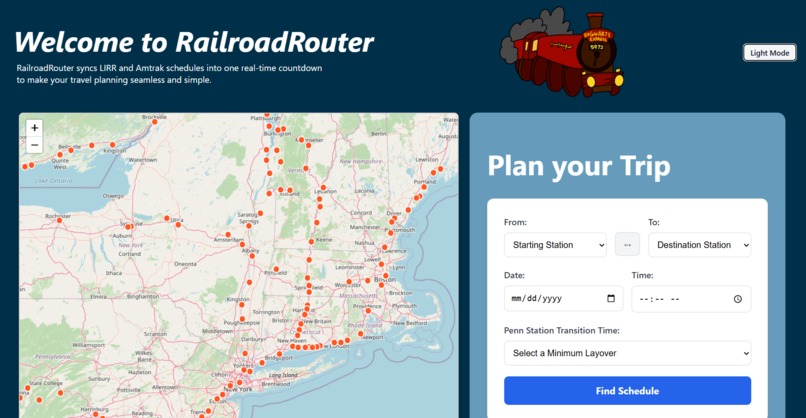
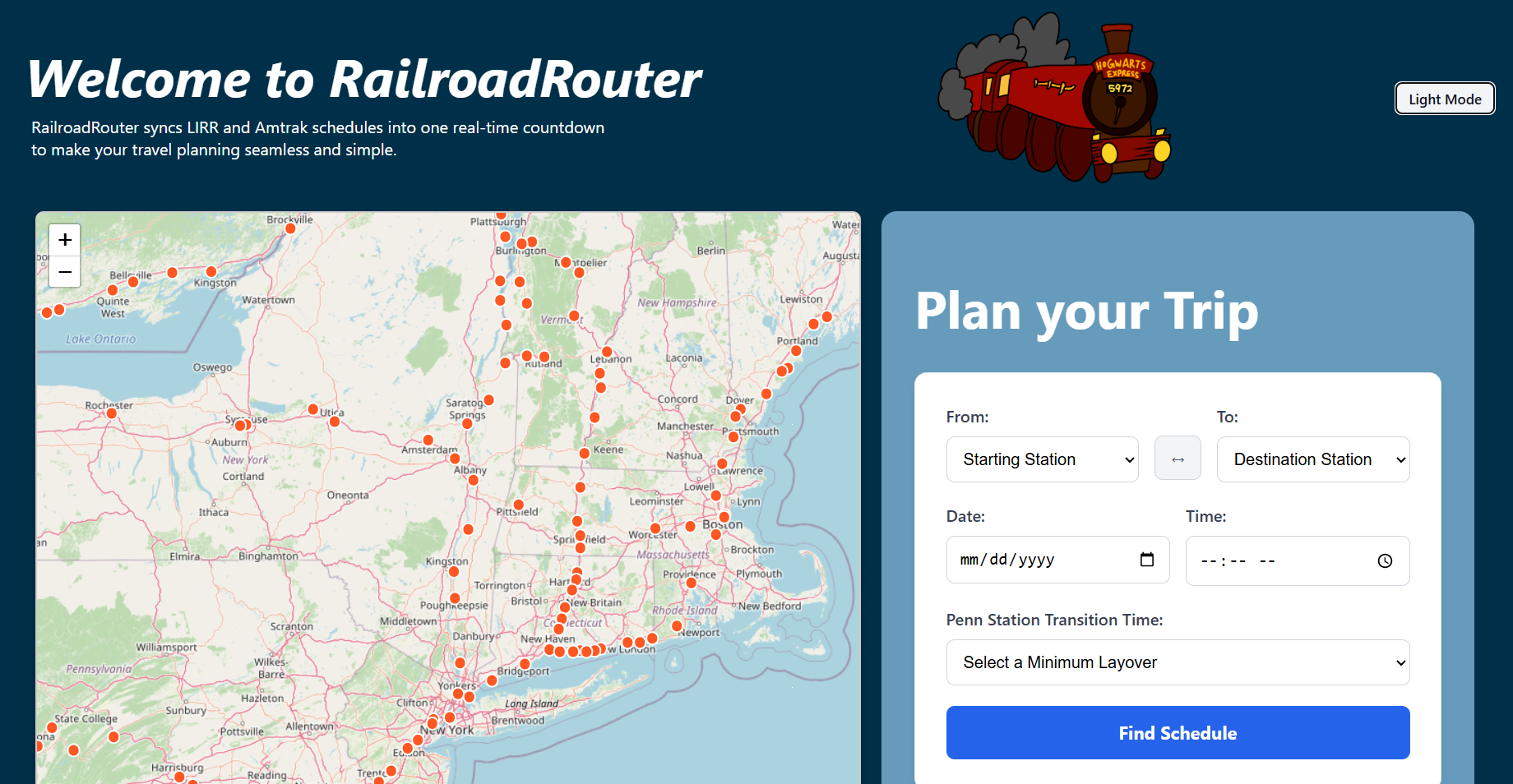
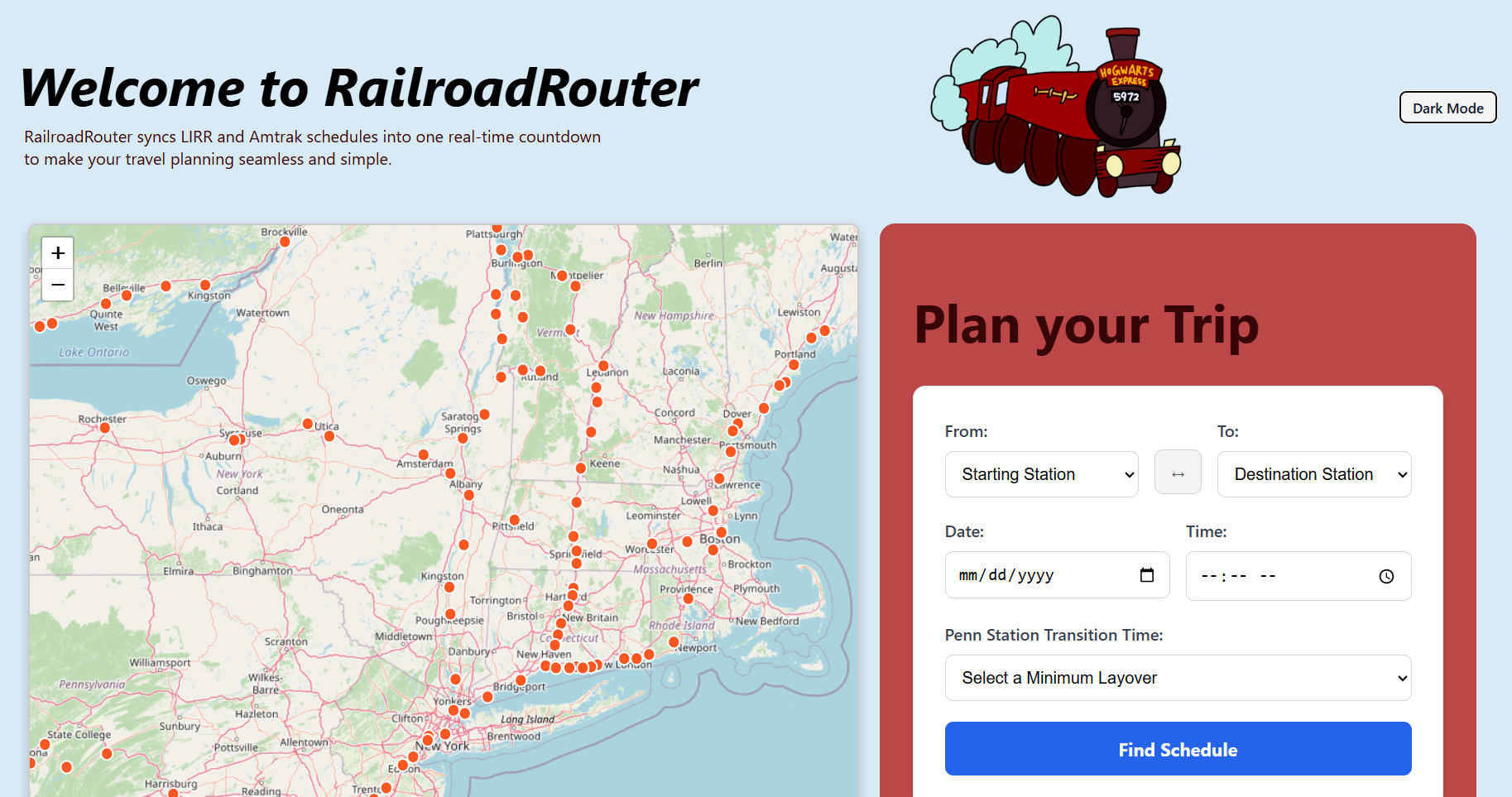
Home page where the user can input their travel information to find their desired train and transfer route between the LIRR and Amtrak
-
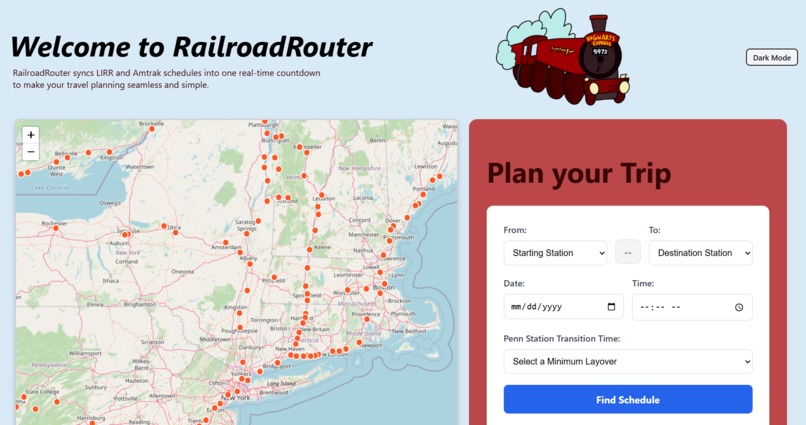
Home Page (Light Mode)
-
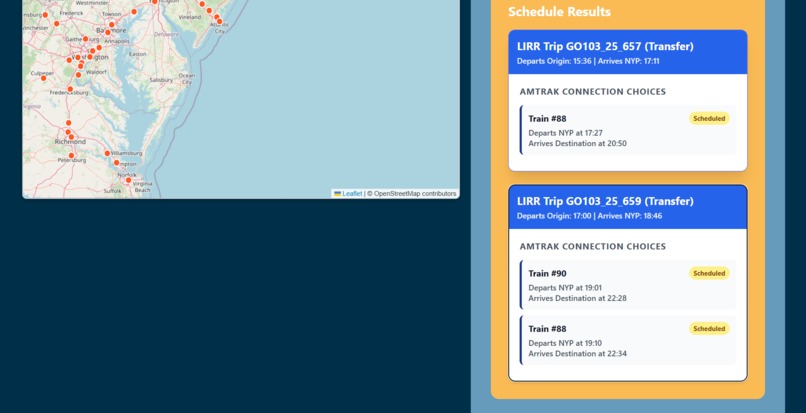
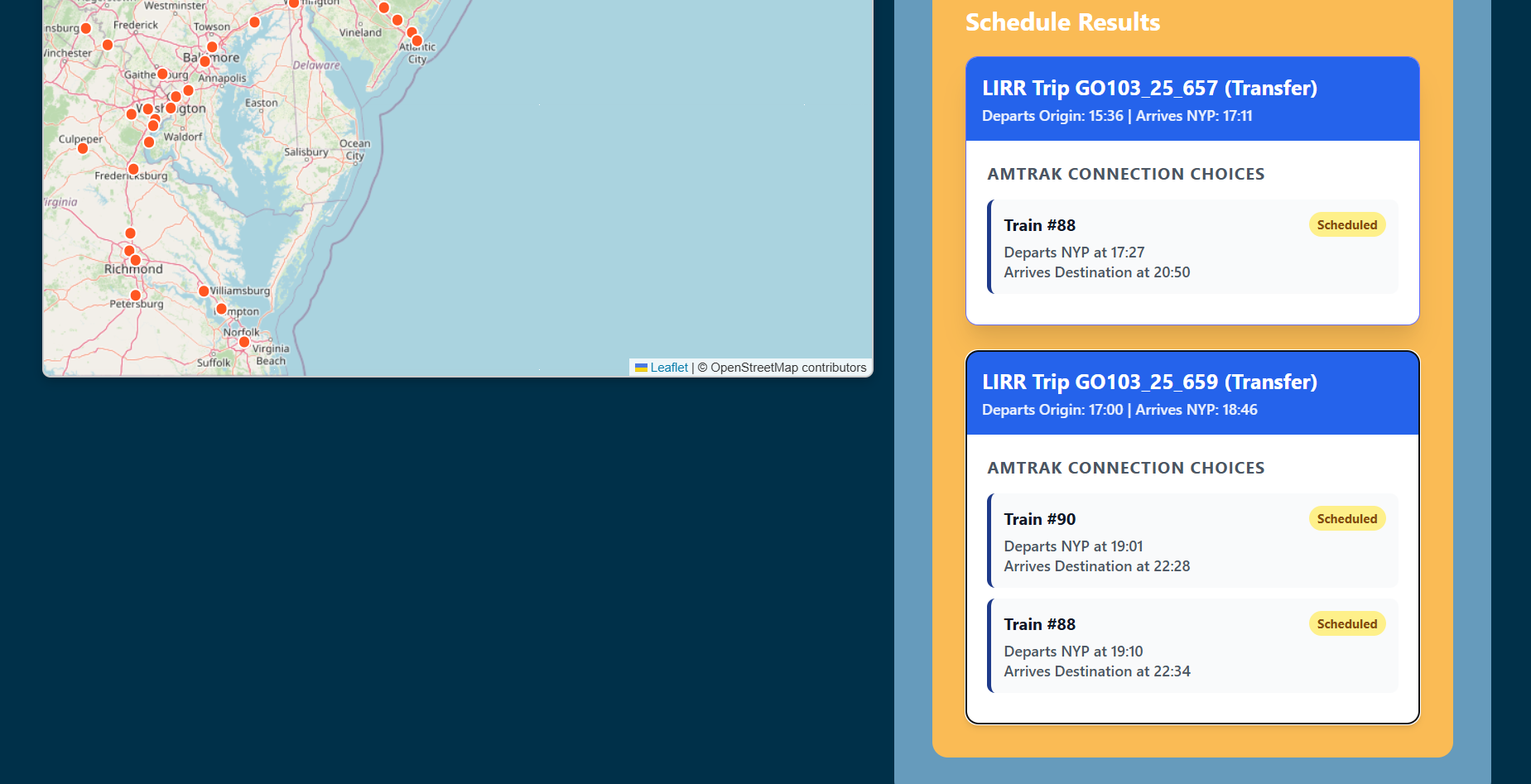
Suggested train schedules depending on user input
-
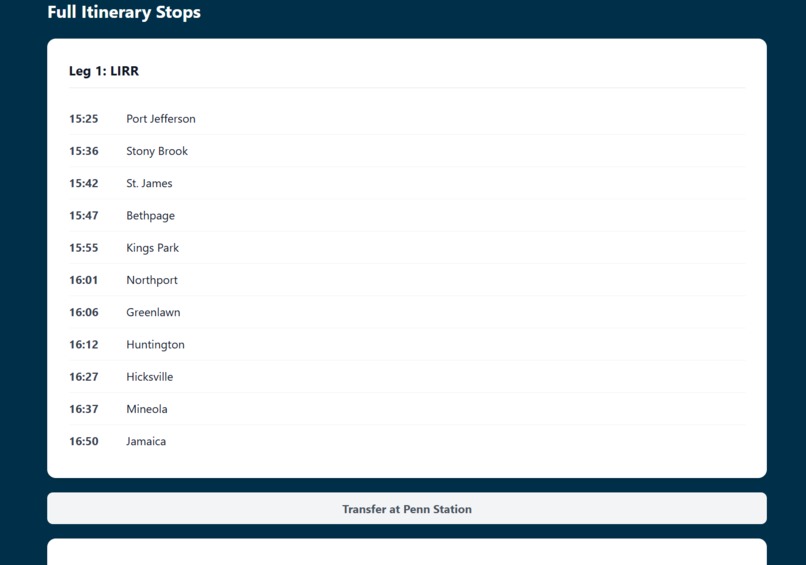
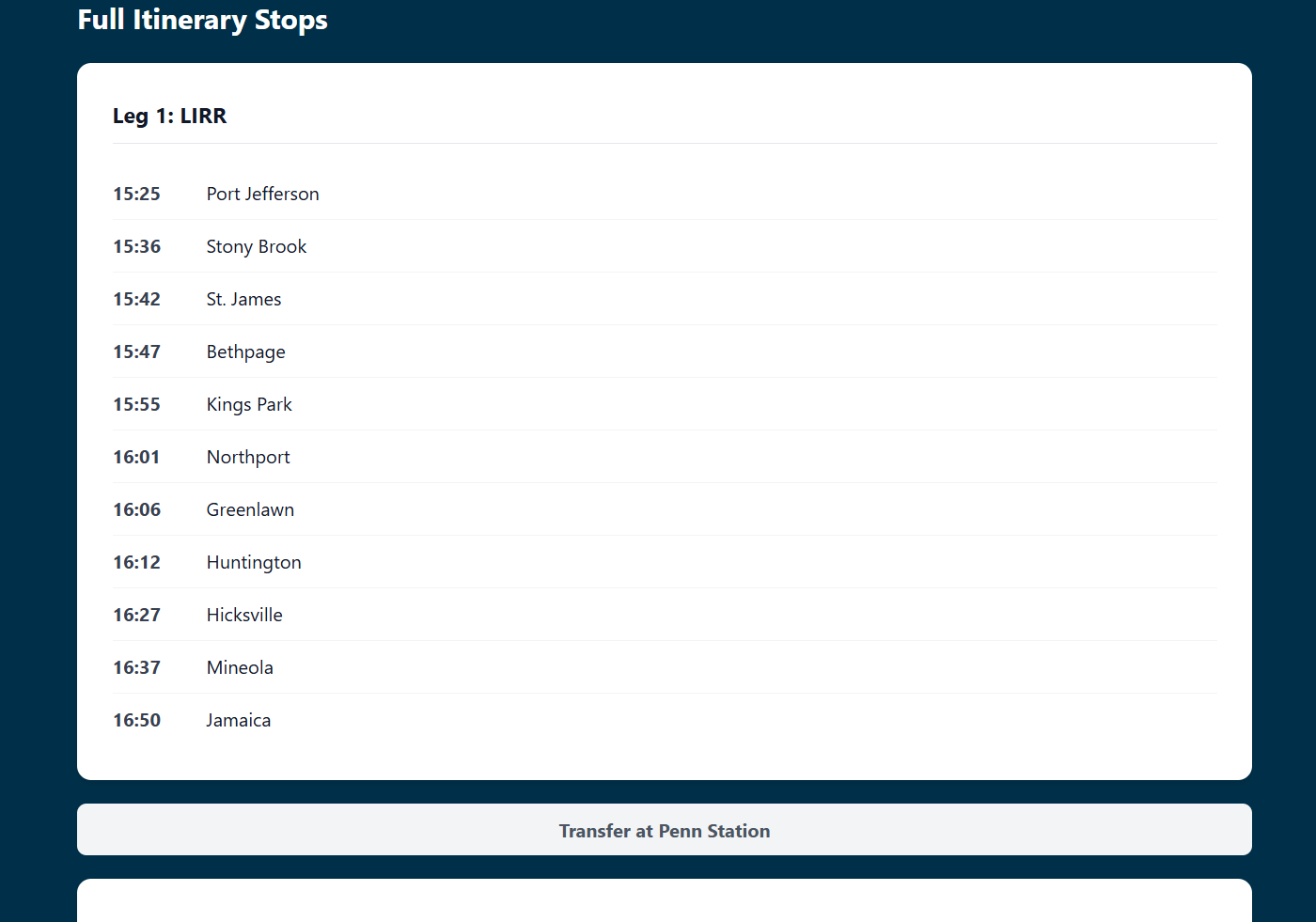
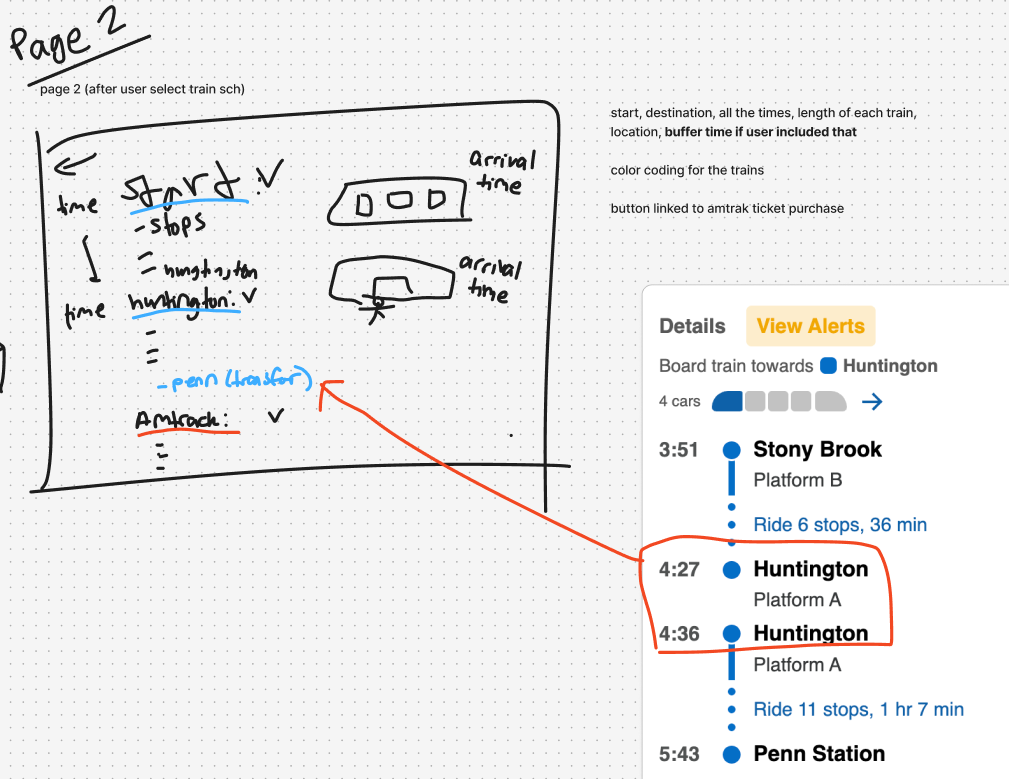
List of stops of chosen train schedule (Lirr to Amtrak)
-
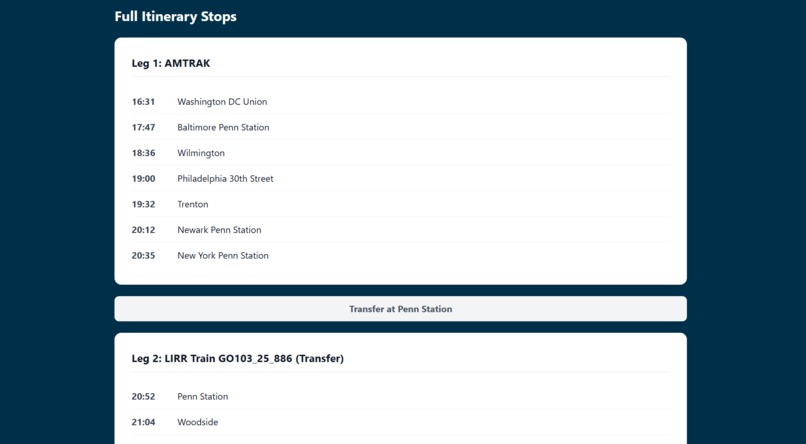
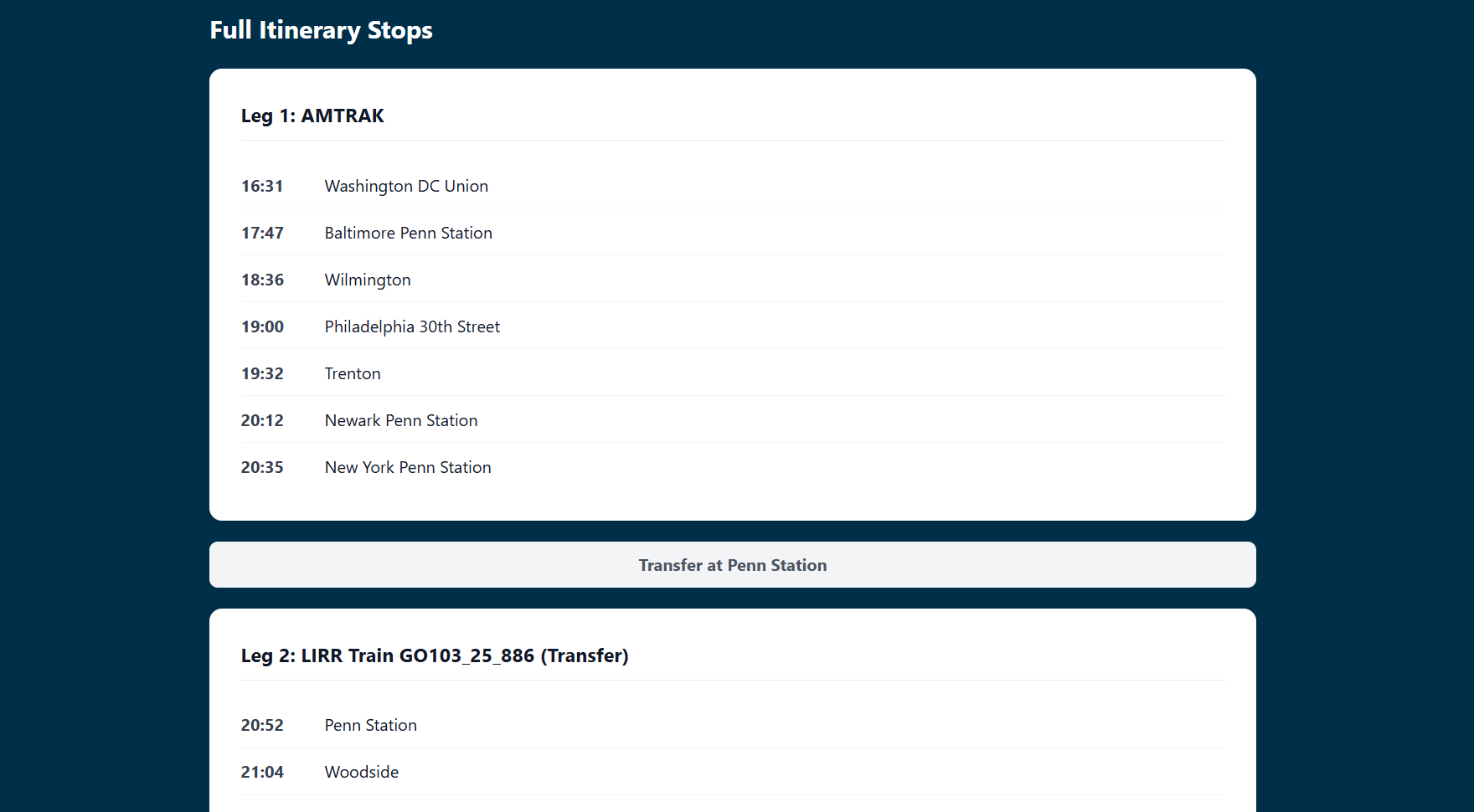
List of stops of chosen train schedule (Amtrak to Lirr)
-
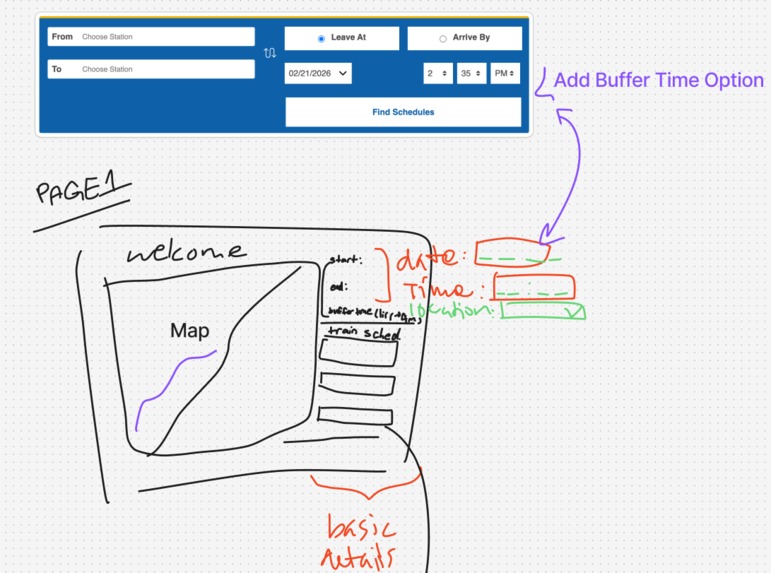
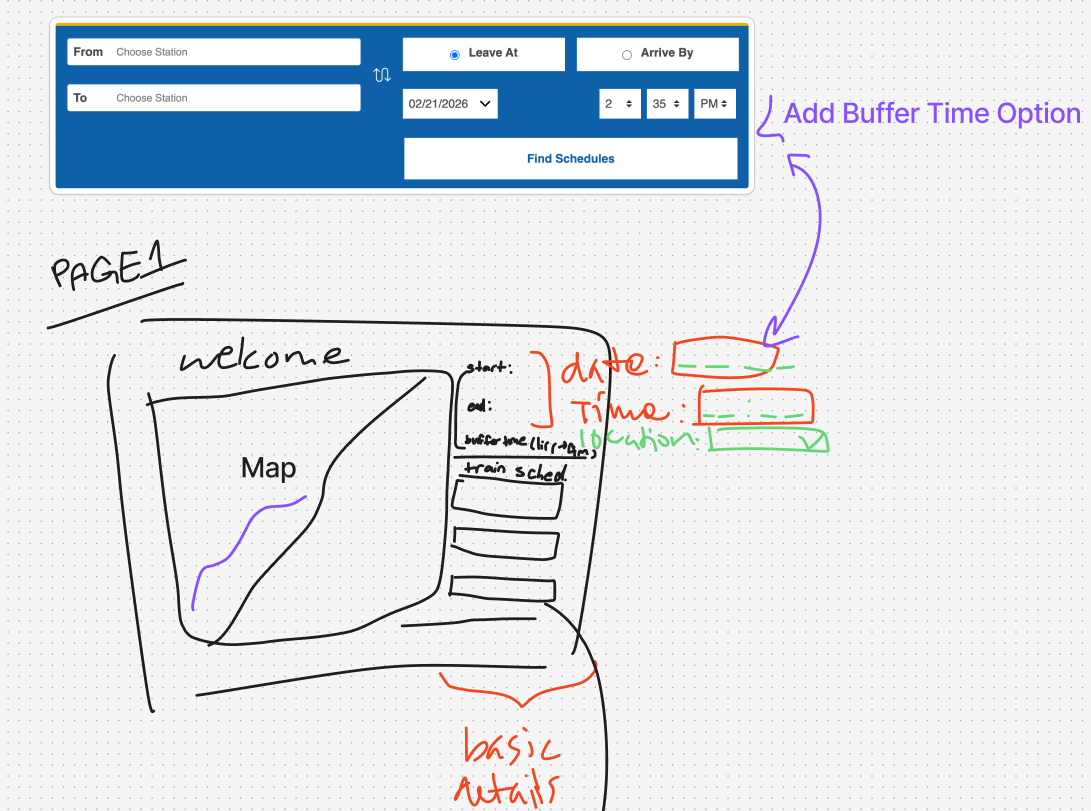
Ideation on Figma Jam
-
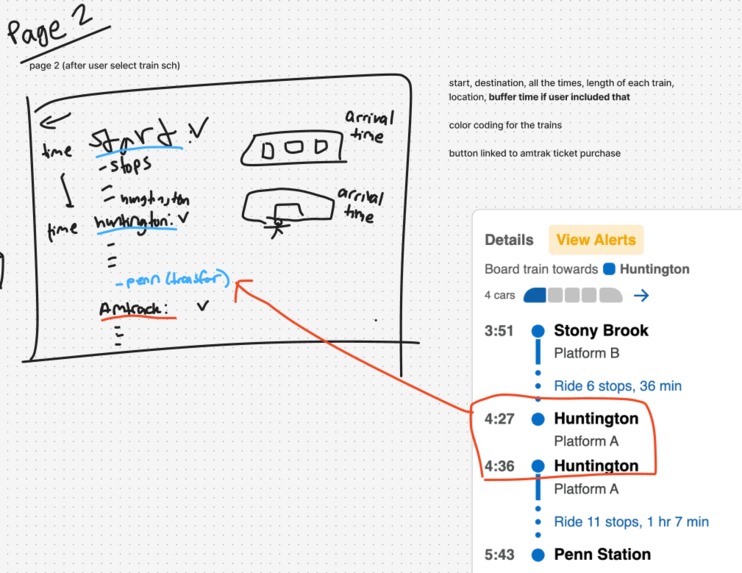
Ideation on Figma Jam pt2.
Inspiration
When transferring from the LIRR to Amtrak it can be a hassle to switch between two different scheduling apps. Especially when traveling. For example, if you want make a quick stop in the city before taking the Amtrak or just don't like rushing, you want to give yourself ample time without the hassle of switching between apps for train schedules. We wanted to make it easier to create a schedule that accounts for buffer time when waiting at Penn for the Amtrak.
What it does
The user will enter their travel information and preferred buffer/wait time between their arrival at Penn Station and the Amtrak. A list of train schedules will be generated and users can choose which schedule they prefer. Details about the chosen schedule will be provided including station stops and times. An interactive map is also provided to let users see the locations of the stations.
How we built it
We used the React framework for the frontend and for the backend, we used Flask to fetch MongoDB data.
Challenges we ran into
This is Samantha and Jackie's first hackathon and Holly's first time working on integration! There were a lot of learning curves since Samantha and Jackie had to learn React for frontend while Holly had to figure out integration between frontend and backend. For the frontend, Jackie and Samantha ran into a lot of formatting issues with having the information display on the entire screen. At first, the information was aligned too far to the left which created a lot of white space on the right side. Also, once we added the map feature, it was not staying in its respective container and appeared on top of the user input section. With pair programming, Jackie and Samantha were able to bounce ideas off of each other and fix the code in the CSS file. As the technical leader, this was Holly's first time handling merge conflicts and the API integration. Since Amtrak doesn't have their own public API, Holly had to find an open source tool that had already web scraped from the Amtrak website. For the LIRR API, there was a specific formatting that was not user friendly but using her knowledge of regex that she learned from school, she was able pull the necessary data and reformat it for our purposes.
Accomplishments that we're proud of
We learned a lot! We developed many skills, both as a team and as individual builders. The team learned how to work in a collaborative and fast-paced environment. Jackie and Samantha learned the basics of React and collaborative programming while working on frontend. This is also Holly's first time serving as a more experienced hacker on the team and working on integrating the frontend and backend. She gained a lot of of experience with handling merge conflicts and integration on her own. She's grateful for the opportunity to serve as a technical lead. Some little details that we are proud of are the swap button that will swap the starting and final station and the cursor drag that adds a little touch of magic to our project. Overall, we are proud to have learned how to iterate an idea, collaborate, and to have completed a full-stack project!
What's next for RailroadRouter
We would also like to include more public transportation systems such as the DC Metro. We would also like to deploy this onto an actual web server and gain users and feedback. In addition, we want to add a feature for users to integrate their selected schedule to their Google Calendar.


Log in or sign up for Devpost to join the conversation.