-
-
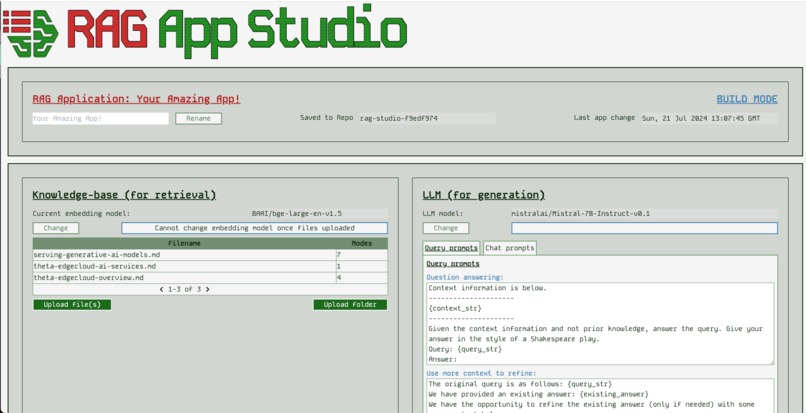
Builder screen - configuring and building a RAG-enhanced application
-
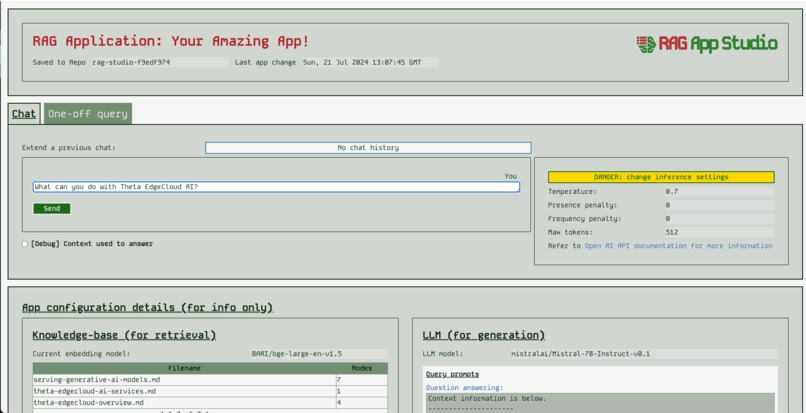
Runner screen - serving a RAG-enhanced application

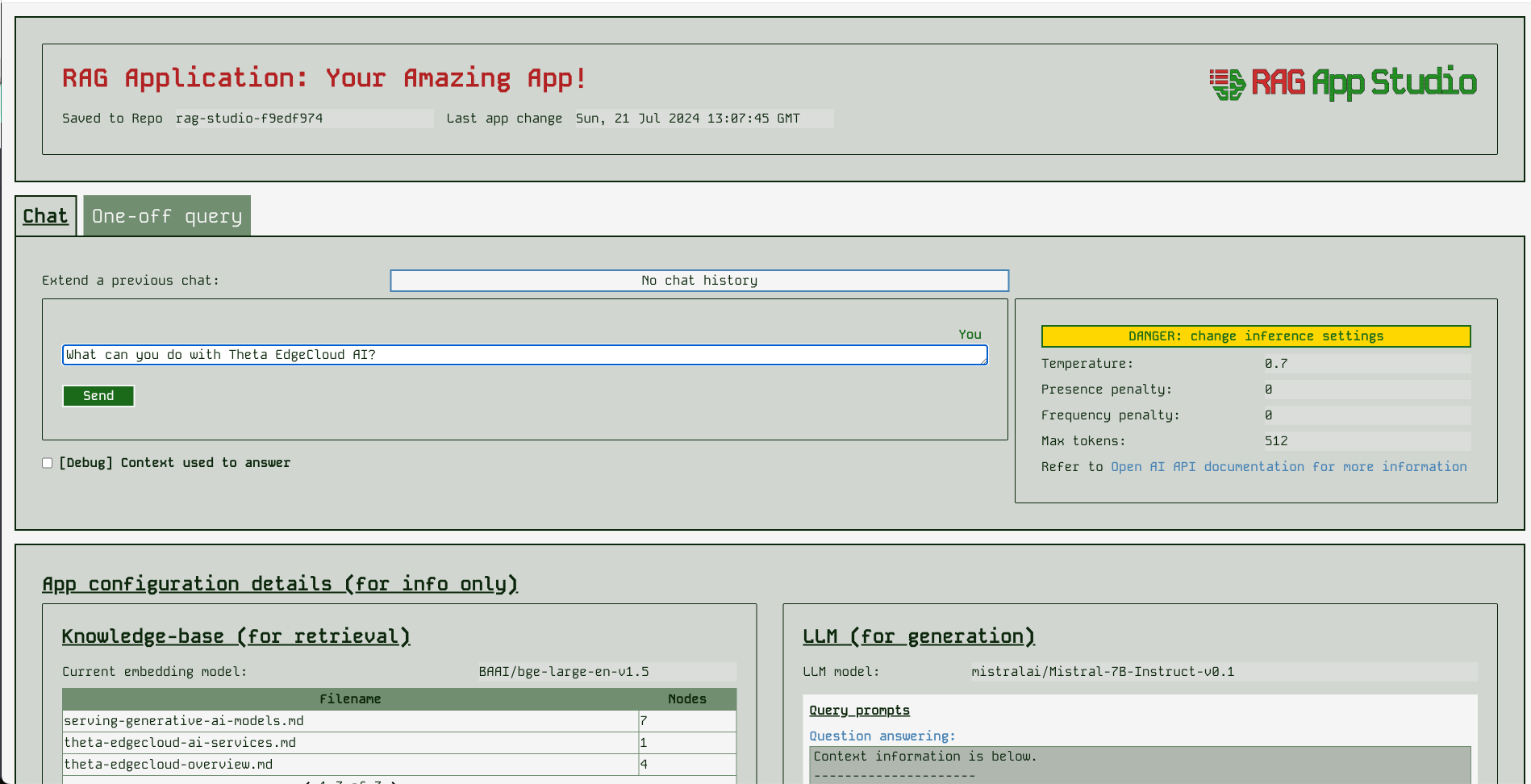
Inspiration
Theta EdgeCloud AI Services offer a great way to run personalised AI workflows without interacting with BigTech companies. When I searched for why people might want to run such a workflow the first thing that comes up is wanting either to fine-tune a model, or to specialise it without further training by feeding it a knowledgebase of data that the user wants to query. For example, this can be used to support chat-like querying over a company's internal documents or directing a chatbot to focus it's attention only on certain topics. This type of workflow is known as RAG (Retrieval Augmented Generation).
I had previously looked into using RAG, and I found a few frameworks to help. The one which looked particularly good was Llama-index and it packaged up a lot of the tools you need. But using it still required writing a fair amount of code. I decided to try and make a RAG application low-code builder, based on Llama-index. Based on what I read and the general hype around RAG and LLMs, this should be an excellent offering to bring new users to the Theta EdgeCloud ecosystem. Anybody with an application idea can come and make their own RAG-based chatbot!
What it does
RAG App Studio integrates LlamaIndex and VLLM with basic frontend features to allow users to create RAG-enhanced chatbot applications without writing code. In order to store the configurations that users make, and their document bases that sit behind the retrieval side of the chatbot, RAG App Studio uses HuggingFace hub repositories to save the information privately (it only creates and manages private repositories that only the user can access). Using RAG App Studio a user's workflow looks something like:
- Start the builder app of RAG App Studio
- Set an app name to remember it easily
- Upload the documents that represent the knowledgebase to be queried over / specialised to
- Experiment to find a good combination of LLM & prompting to make the desired app
- Potentially change the LLM model
- Do some prompt engineering to improve the structure of what the model is being asked
- Try out some queries and chats to see how it behaves
- When ready, move over to running / serving the app by launching the runner app of RAG App Studio
- At this point, you have a URL for your own chatbot specialised to your needs that you can share with others who need that, e.g. you share your support chatbot with your support & dev teams
NOTE on the live demo
Typically a builder user uses RAG App Studio builder instance in their own HuggingFace account, and a single builder user builds the app. However, in order to give you a live link showing this running on Theta EdgeCloud, I have left a builder instance running after the demo video, for you to play with. Since this instance is using my hugging face hub account, you should not upload any private information. It also isn't really designed to be used by multiple users concurrently, so you may see conflicting behaviour if you do so. If you wish to launch a runner instance you would need your own builder instance separate from my demo, and using your own HuggingFace hub account.
How I built it
RAG App Studio is a python backend that integrates VLLM and LLamaIndex, two very good open source frameworks. We also integrate with HuggingFace hub to store the models. The app interaction is designed to integrate the frameworks into simple commands for ease of use. On the frontend side we have a ReactJS app built using Vite and styled with Tailwind CSS. All of this is packaged up with Docker for running in Theta EdgeCloud.
Challenges we ran into
It was pretty hard to get the models running at all in the cloud at first. Although VLLM and LLamaIndex are good frameworks, finding the right pieces to plug together was tricky. Also, the VLLM multiprocessor support was hard to get working robustly. Apart from that, the biggest challenge was simply to create something with an easy UX with a fairly limited set of building blocks out of the box (just container orchestration without any permanent storage).
Accomplishments that I'm proud of
I feel like RAG App Studio does a good job of getting from a very raw framework into something that will be genuinely useful. The number of articles talking about RAG in the general blogosphere give me confidence that this is an app that people will be very interested to try out. I have focused on making it easy to use and as low/no-code as possible.
I also quite like the UI design - I'm still no Michaelangelo in this area, but the last few apps I did were very samey, and this one breaks the mould by comparison!
What I learned
This project was the first time I used pretty much most of this LLM-related tooling. I've got a lot more of a sense of what's going on under the hood with chatbots, chat applications and LLMs running on GPUs now. I also picked up Tailwind CSS for the first time on this project, and found it to be a total breath of fresh air. Vite + ReactJS + Tailwind CSS is going to be my go to frontend stack from now on!
What's next for RAG App Studio
Things I'd like to add in the future:
- More features around the knowledgebase - more options to ingest & manage documents, more options over where to store them and how to search them
- Expose even more of the features of Llama-index especially around retrieval strategies, LLM function calling, and different chat engines, but do so in a way that keeps the sensible thing easy, and keeps the app as simple as possible
- Improve the UX for developing multiple apps, e.g. allow users to manage which app they work on via the frontend, rather than only via environment variables
- Add better systematic evaluation features - e.g. allow users to upload a file of "query / ideal answer" pairs and measure the semantic similarity between what the app says and the ideal answer
- More UI polish


Log in or sign up for Devpost to join the conversation.