-
-

Rabbithole Tracker logo
-
-
-
-

Inspiration
Like many people, I've experienced the modern web's double-edged sword: it's an infinite library of knowledge but also an endless labyrinth of distraction. The initial spark for Rabbithole Tracker came from a personal frustration—a "quick five-minute search" would frequently spiral into a multi-hour journey across dozens of websites.
Existing productivity tools felt too blunt, focusing on simply blocking sites. I wanted to build something smarter. The inspiration was to create a "digital mindfulness" tool that doesn't just restrict you but makes you aware of your own intellectual journeys. The goal wasn't to stop rabbitholes but to understand them and empower the user to decide if a journey is a productive deep-dive or an unintentional time-sink.
What it does
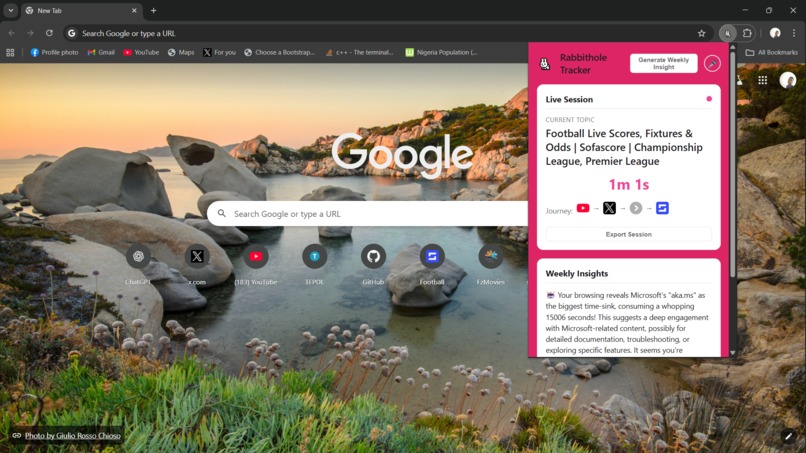
Rabbithole Tracker is an intelligent browsing companion that uses Chrome's built-in AI to analyze, score, and report on your cross-domain browsing sessions.
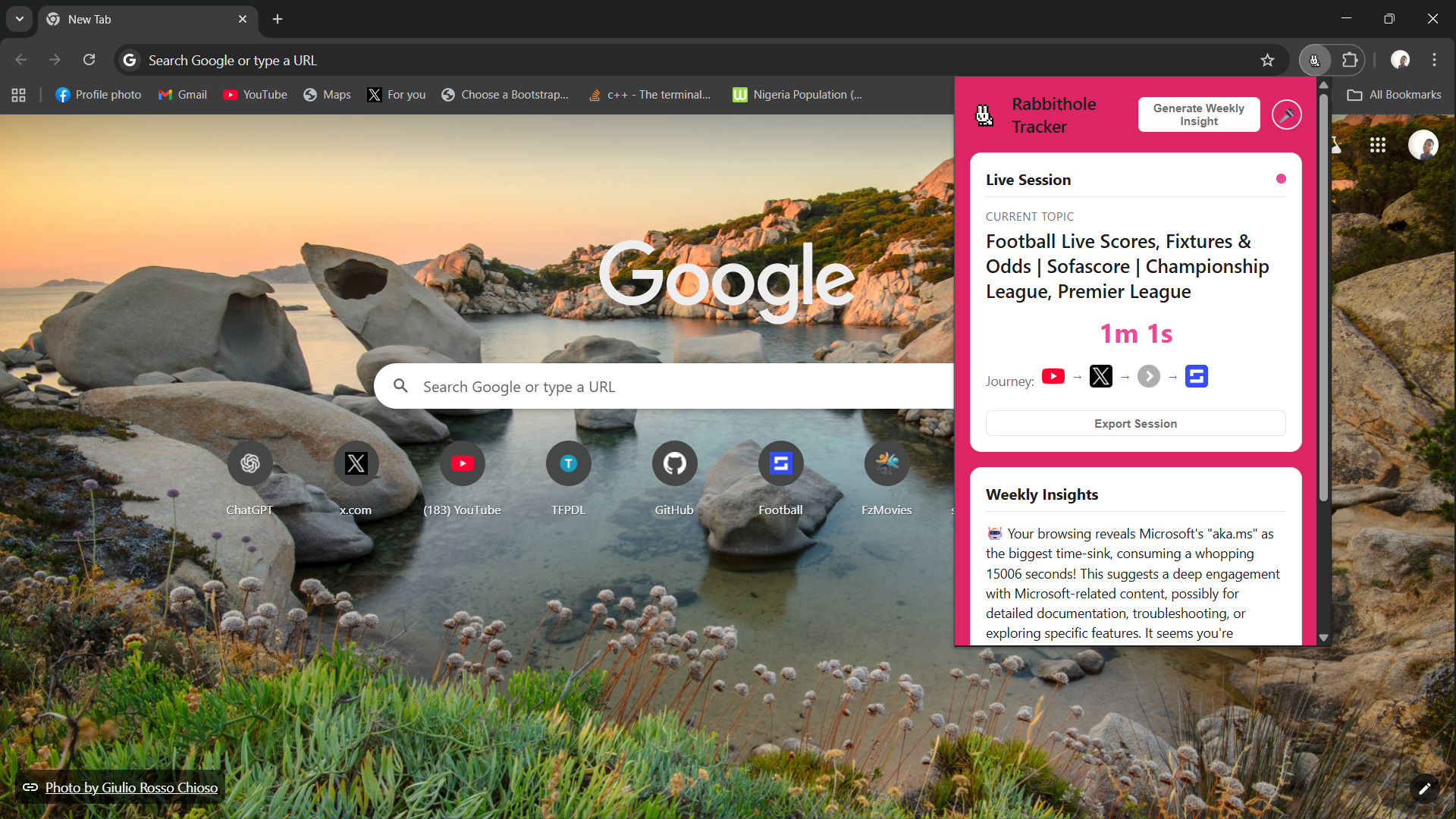
- 🐰 Cross-Domain Session Tracking: It automatically identifies when you're on a "rabbithole" journey, grouping visits across different websites (like YouTube → Wikipedia → Reddit) into a single, coherent session.
- 🤖 AI-Powered Topic Analysis: Using the
Summarizer API, the extension reads and understands the content of the pages you visit to automatically extract key topics, moving beyond simple URL tracking. - 🧠 Intelligent Topic Synthesis: It uses the
Prompt APIto analyze keywords from an entire session and synthesizes a high-level, human-like title for your journey, like "Research into WWII and its Key Figures." - ✍️ AI Research Reports: With a single click, the
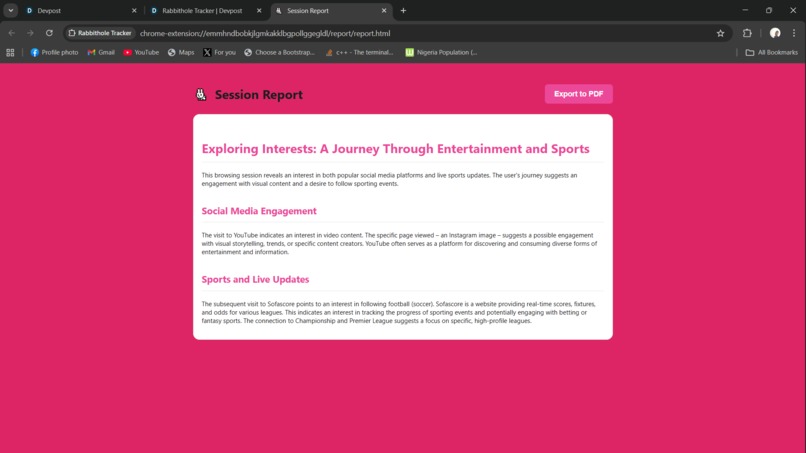
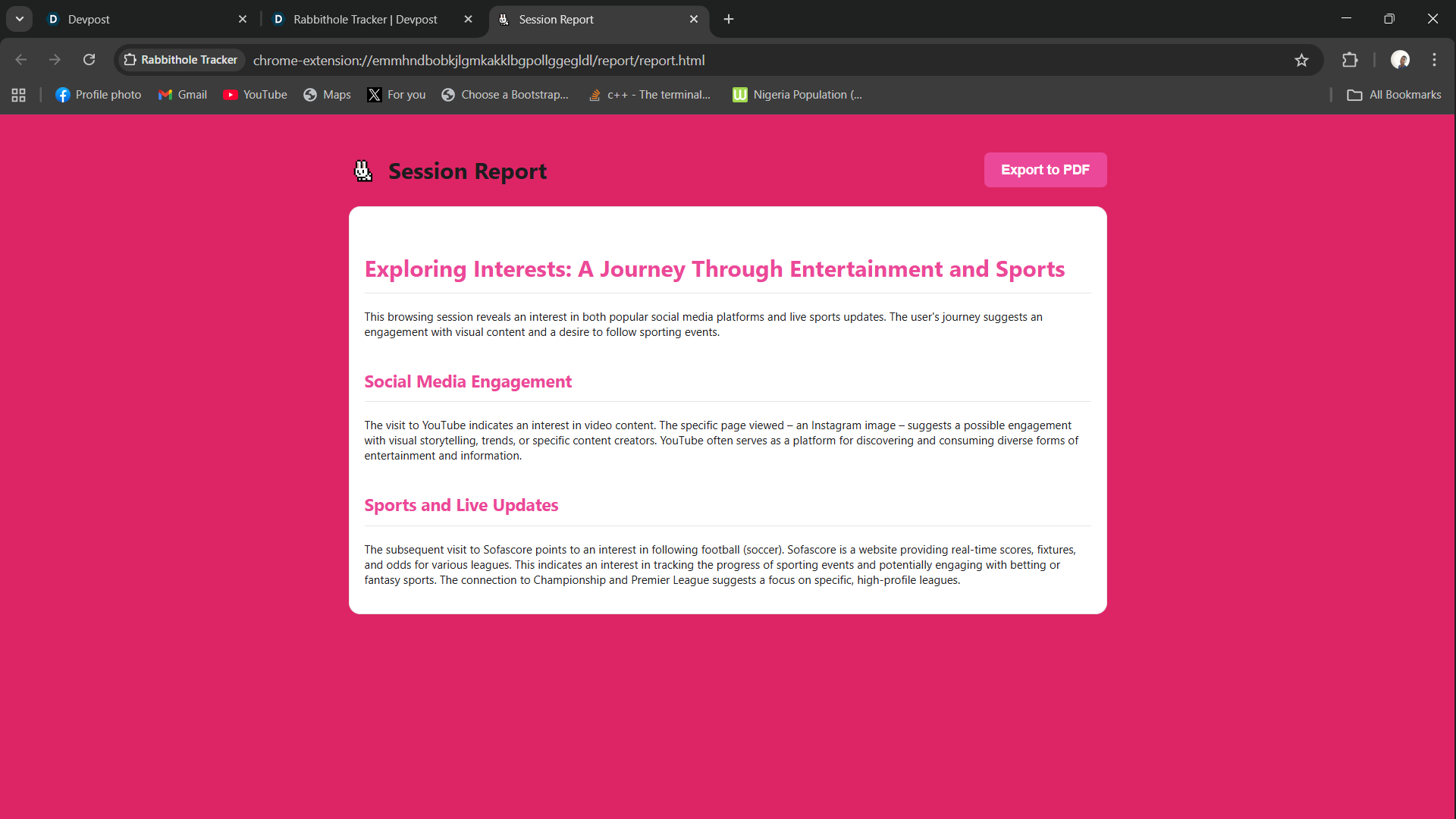
Writer APItransforms a chaotic browsing session into a beautifully formatted and structured article, summarizing your journey and making it perfect for research. - 📊 Weekly Insights & Visualization: It uses the
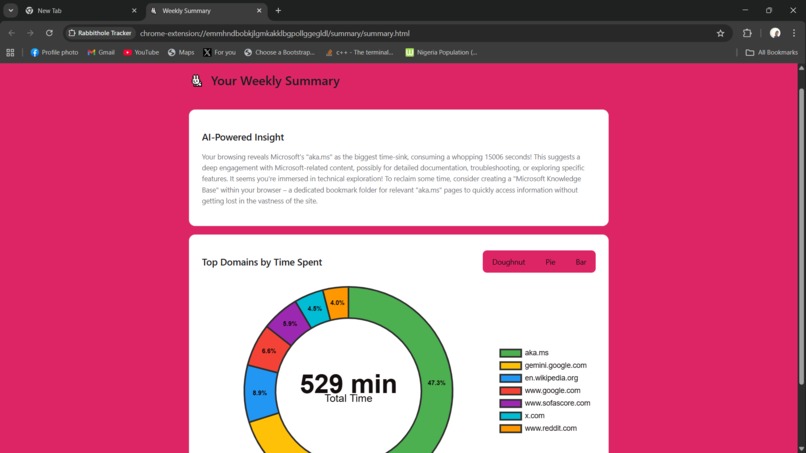
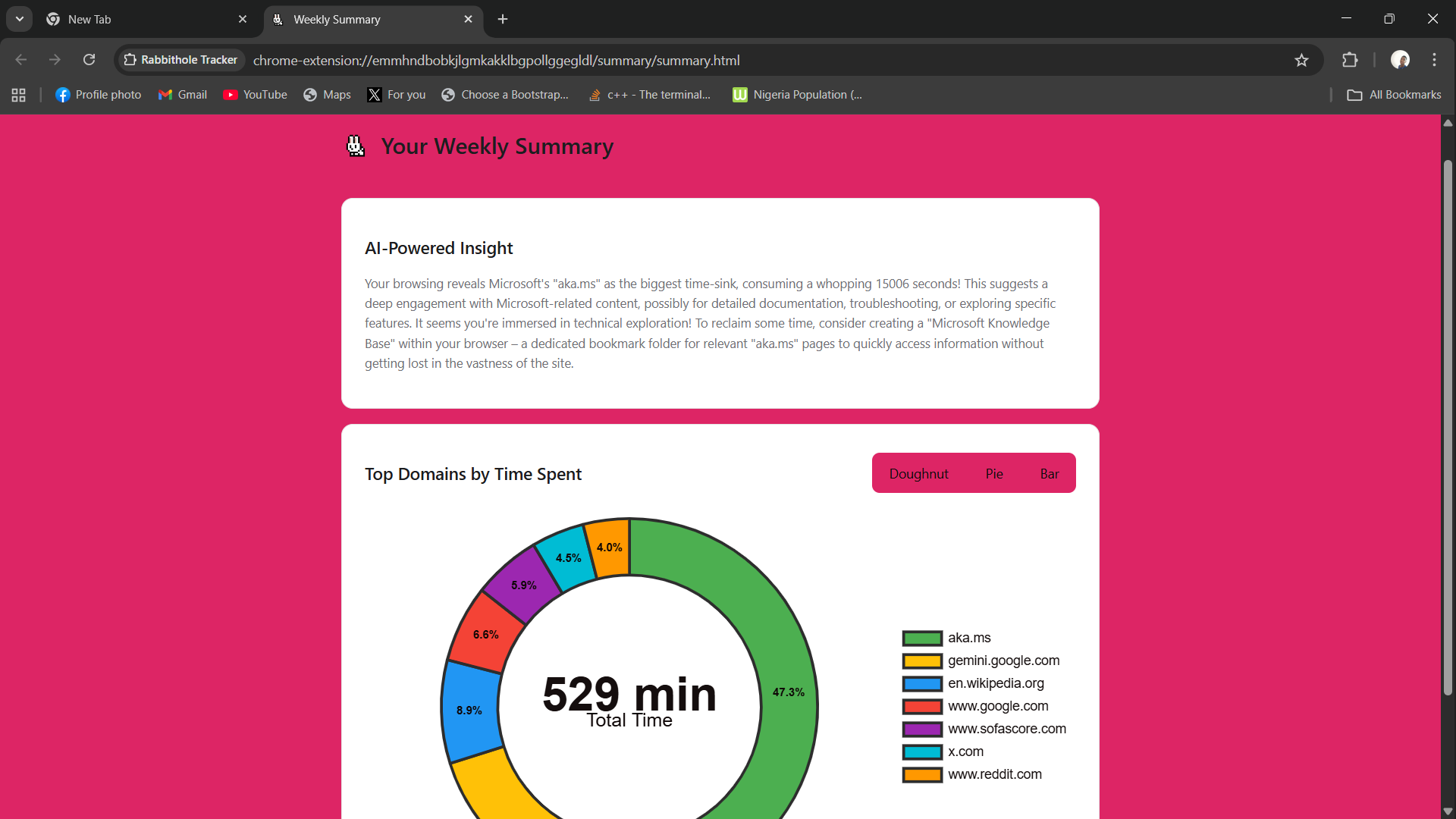
Prompt APIto generate a personalized weekly summary of your browsing habits, identifying potential time-sinks and offering actionable advice, paired with interactive charts. - 🎤 Voice Commands: For a true multimodal experience, you can use your voice to generate weekly or session reports.
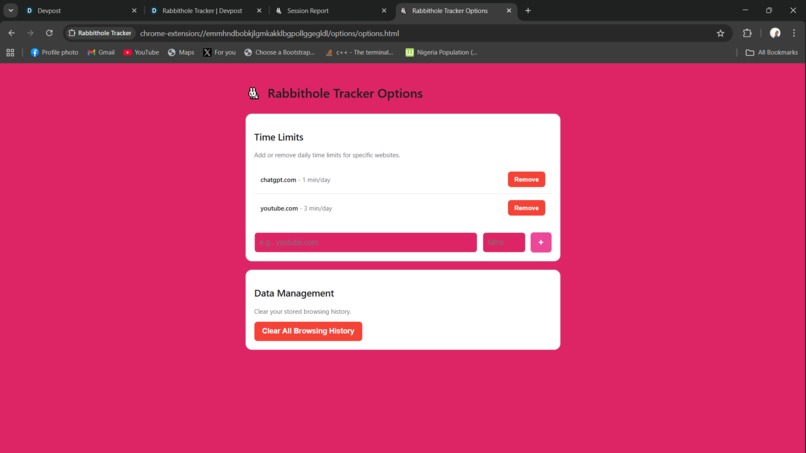
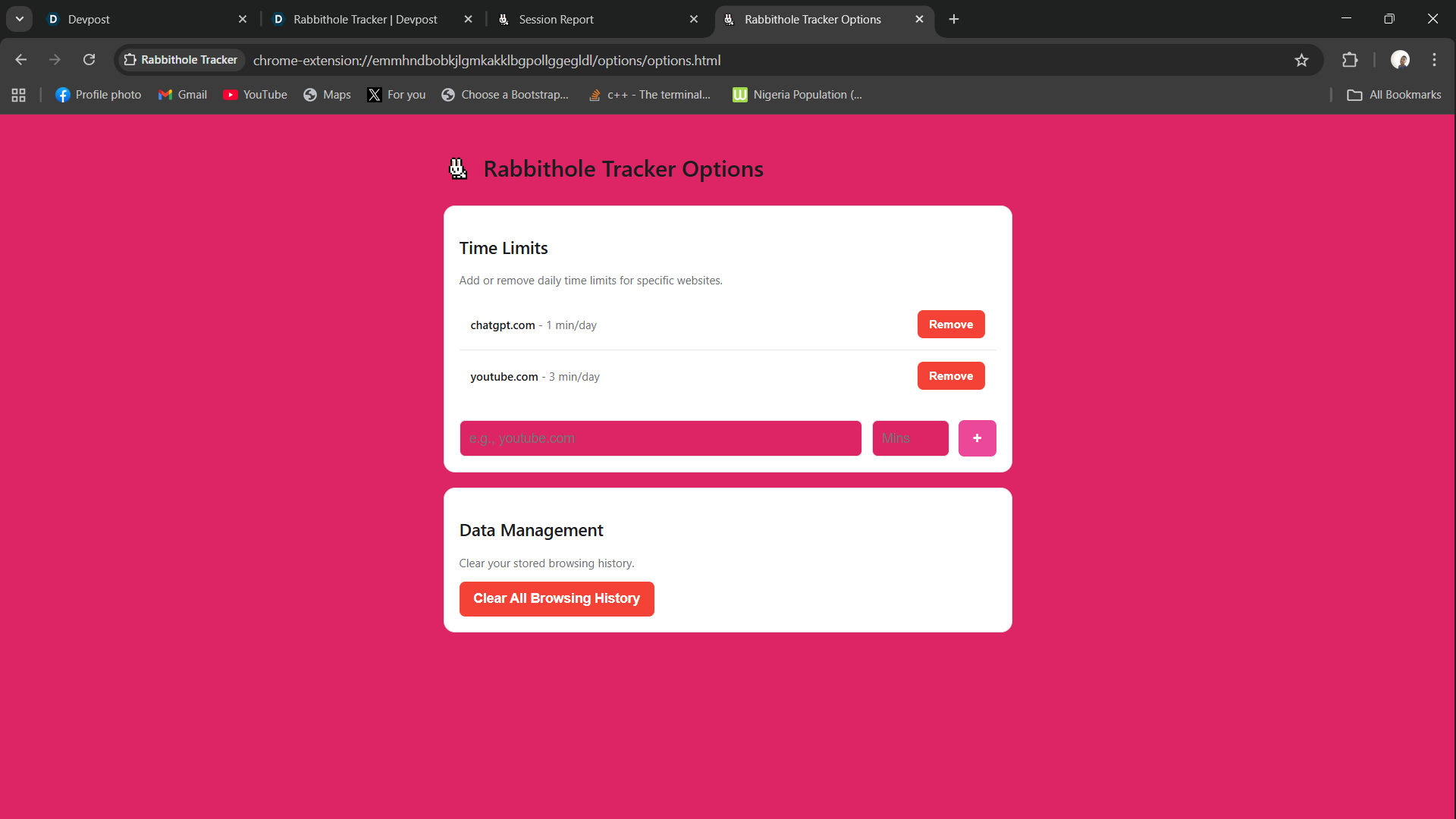
- 🛡️ Custom Time Limits & Notifications: Users can set daily time limits for specific websites and receive a system notification when a limit is exceeded.
- 🌐 Full Internationalization (i18n): The entire extension, from the UI text to the AI-generated reports and insights, automatically adapts to the user's browser language, with support for English, Spanish, German, Dutch, Hindi, Chinese, Japanese and many more.
How I built it
This extension was built from the ground up as a modern Manifest V3 extension with a focus on a modular JavaScript architecture.
- The Foundation: I started with the core tracking engine, creating a robust
service-worker.jsto orchestrate tasks and separate modules for time tracking (time-tracker.js) and session management (session-manager.js). All data is saved tochrome.storage. - The AI Core: The magic comes from integrating Chrome's built-in AI. I used a
content-script.jsto interact with on-page models:- The
Summarizer APIwas implemented first to extract topics from page content. - The
Prompt APIwas then used to both synthesize aprimaryTopicfor the live session and to generate weekly text insights. - Finally, the
Writer APIwas integrated (after solving the Origin Trial challenge) to generate full, structured articles from session data.
- The
- The User Interface: The UI was built with plain HTML, CSS, and JavaScript. I created a popup for live session data and a dedicated summary page for visualizing the weekly report with Chart.js. A fun "bunny" theme was implemented for a unique personality.
- Enhancements & Polish: I added a multimodal layer with the Web Speech API for voice commands and a PDF export feature. A major part of the polish phase was internationalization, using Chrome's
i18nAPI and_localesto make the entire application, including the AI prompts, fully multilingual.
Challenges I ran into
The biggest challenge was navigating the experimental nature of the built-in AI APIs.
- Hardware & System Requirements: I spent significant time debugging why the AI model wasn't downloading, eventually tracing the problem to strict hardware requirements (GPU VRAM) and, most critically, a lack of free disk space.
- The "User Gesture" Requirement: The browser's security model correctly prevents automatic downloads of large AI models. I had to implement a UI button to get the user's explicit permission to trigger the one-time download.
- API Instability & Documentation: Working with APIs in Origin Trial, like the
Writer API, was challenging. I encountered crashes and had to solve manifest key errors (trial_tokensvsorigin_trial_token) through research and community discussions.
Accomplishments that I'm proud of
- Successfully Integrating Three AI APIs: I'm incredibly proud to have implemented the
Summarizer,Prompt, andWriterAPIs, demonstrating the full power of on-device AI in a single, cohesive application. - End-to-End Multilingual Experience: Implementing internationalization not just for the UI, but for the AI prompts themselves, was a major accomplishment. The extension now provides fully translated insights and reports, which feels like a truly complete and global-ready product.
- A Polished, Multi-Modal UX: The final product, with its custom theme, interactive charts, and functional voice commands, feels like a complete and delightful product, not just a hackathon prototype.
- Resilience in Debugging: Overcoming the difficult hardware, security, and API stability challenges was a huge accomplishment and a testament to a rigorous testing and problem-solving process.
What I learned
- The Power and Perils of On-Device AI: I learned firsthand about the incredible potential of privacy-first, on-device AI, but also about its current limitations in terms of hardware dependency and model constraints.
- Advanced Extension Architecture: This project was a deep dive into modern Chrome extension development, including the intricacies of service workers, message passing, and the proper use of Chrome's
i18nand storage APIs. - The Importance of Prompt Engineering: I learned that the quality of the AI's output is directly proportional to the quality of the prompt. Refining and translating the prompts for the
Prompt APIandWriter APImade a night-and-day difference in the final result.
What's next for Rabbithole Tracker
The current version is a powerful proof-of-concept, but there are many exciting directions to take it:
- Broader Language Support: Add more languages to the
_localesdirectory to expand the extension's global reach. - Smarter Blocking: Use the AI topic data to enable context-aware blocking (e.g., "Block YouTube for entertainment, but allow it for educational content").
- Historical Timeline: Create a new UI to visualize past rabbitholes, allowing users to see their patterns over time.
- Integration with Note-Taking Apps: Add an "Export to Notion" or "Export to Obsidian" button for the AI-generated session reports, turning the extension into a powerful research tool.
Built With
- chart.js
- chartjs-plugin-datalabels
- chrome.idle
- chrome.notifications
- chrome.runtime
- chrome.storage
- chrome.tabs
- css3
- googlechromeextension
- html5
- javascript
- marked.js
- promptapi
- summarizerapi
- webspeechapi
- writerapi


Log in or sign up for Devpost to join the conversation.