-
-
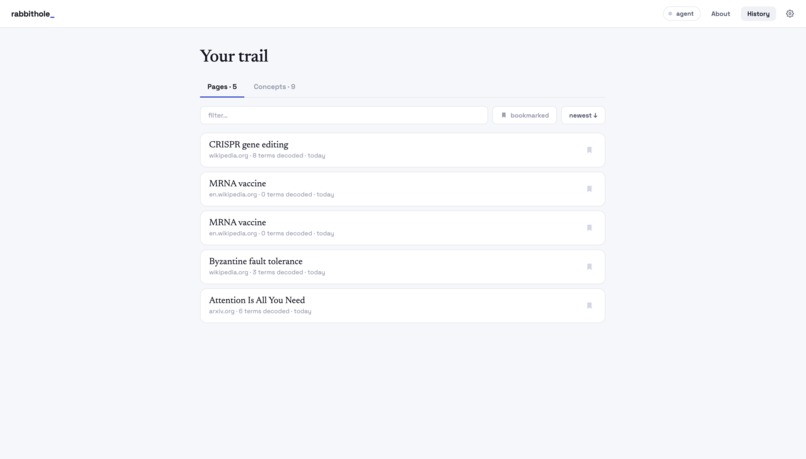
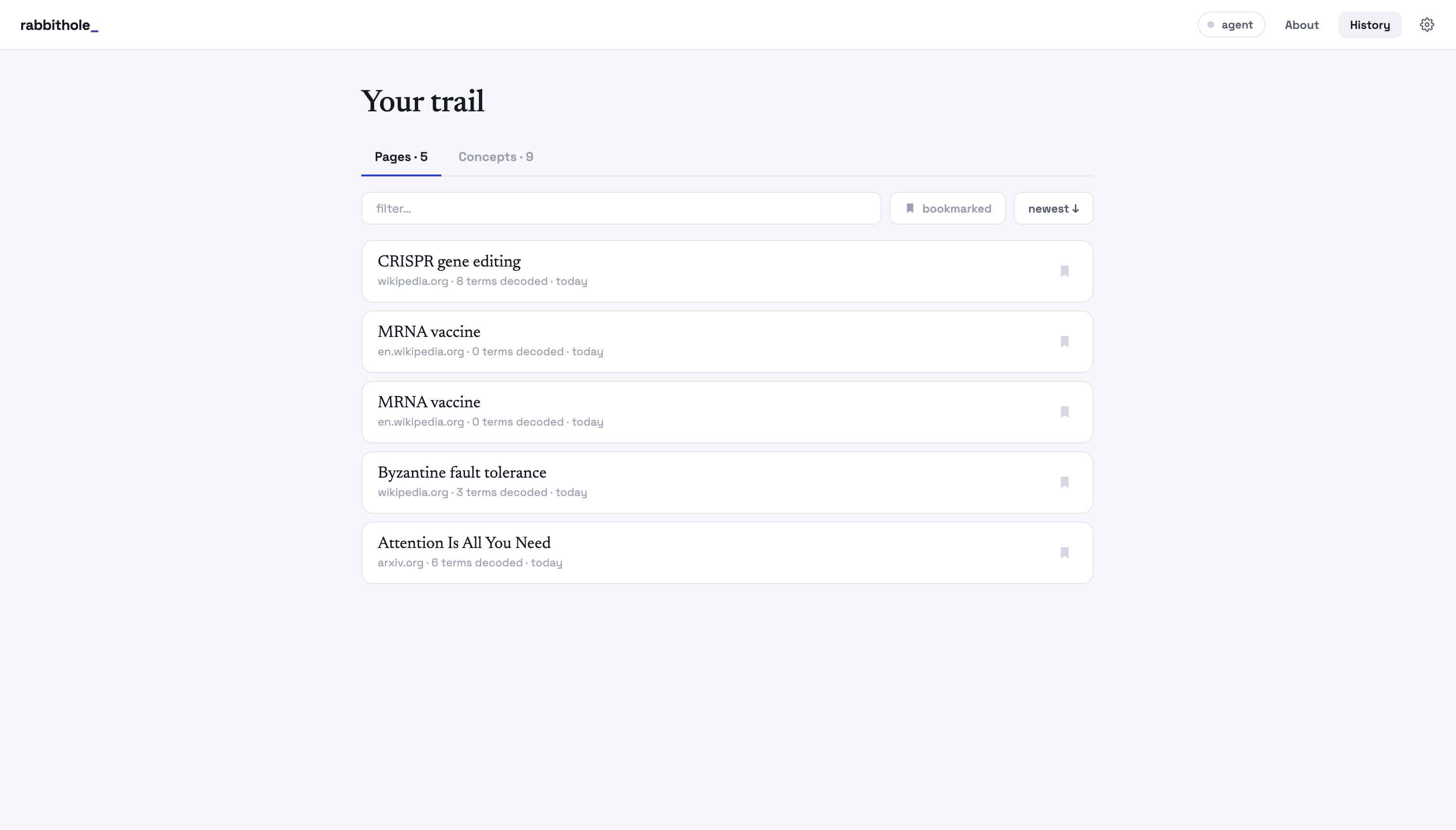
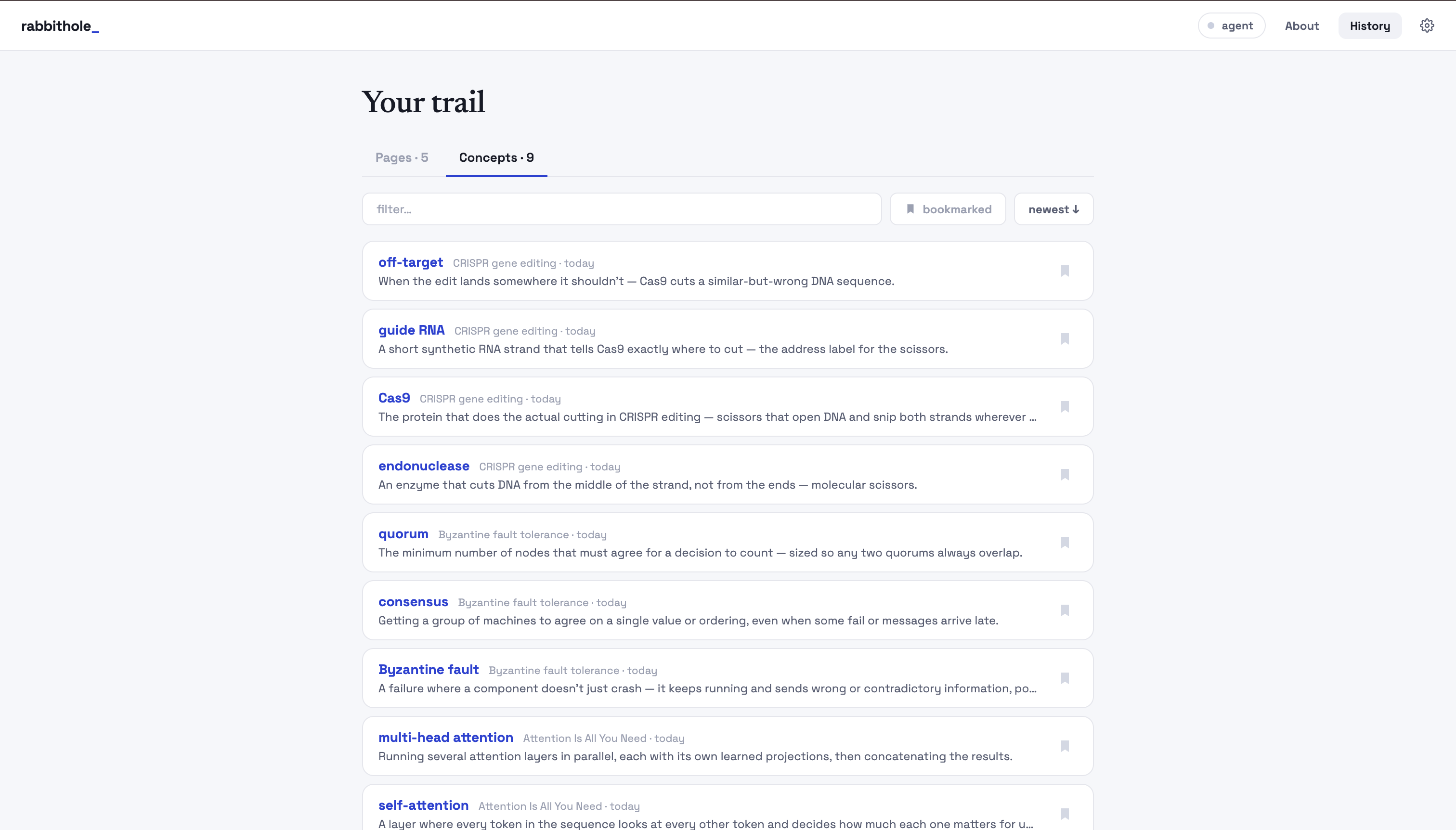
history of pages you read
-
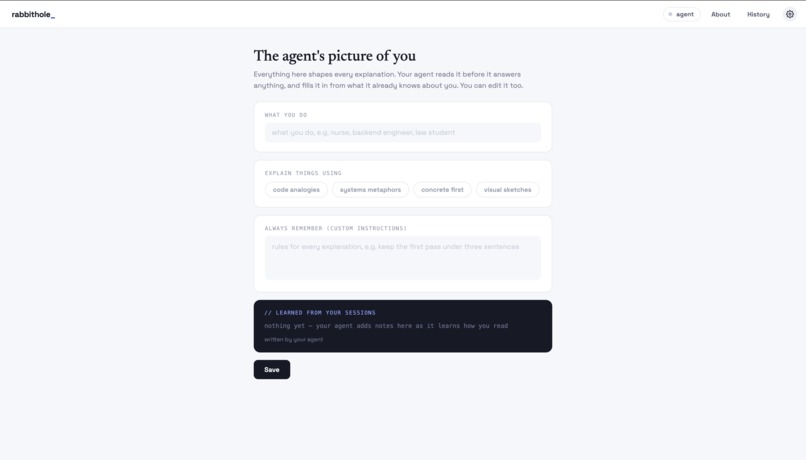
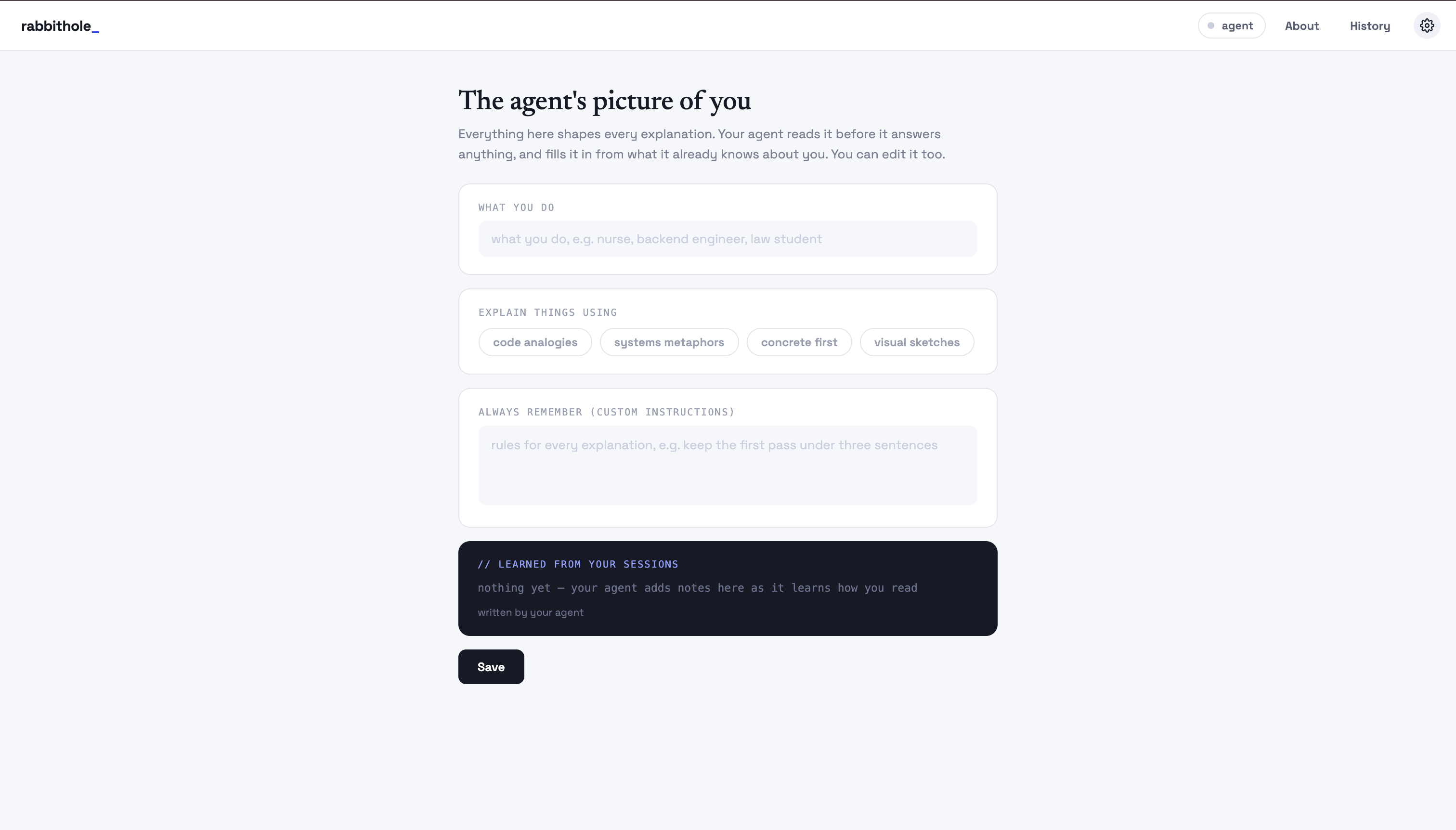
your profile, you can edit for more fine tuned experience
-
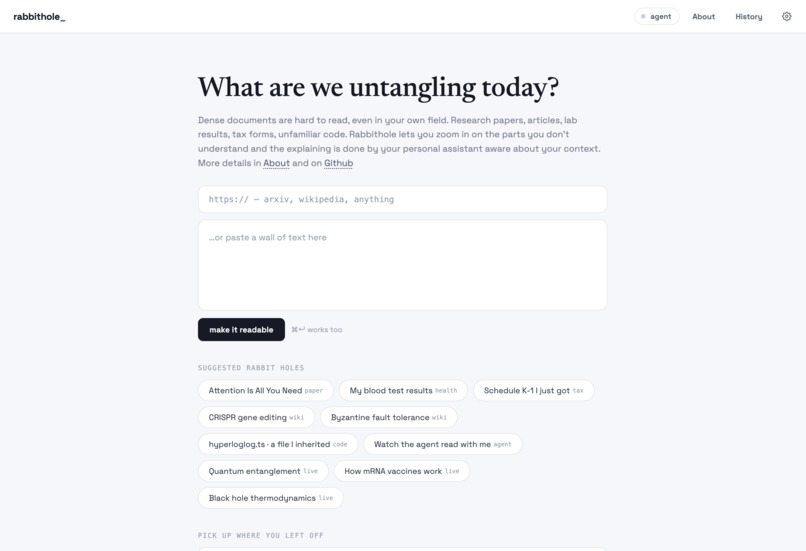
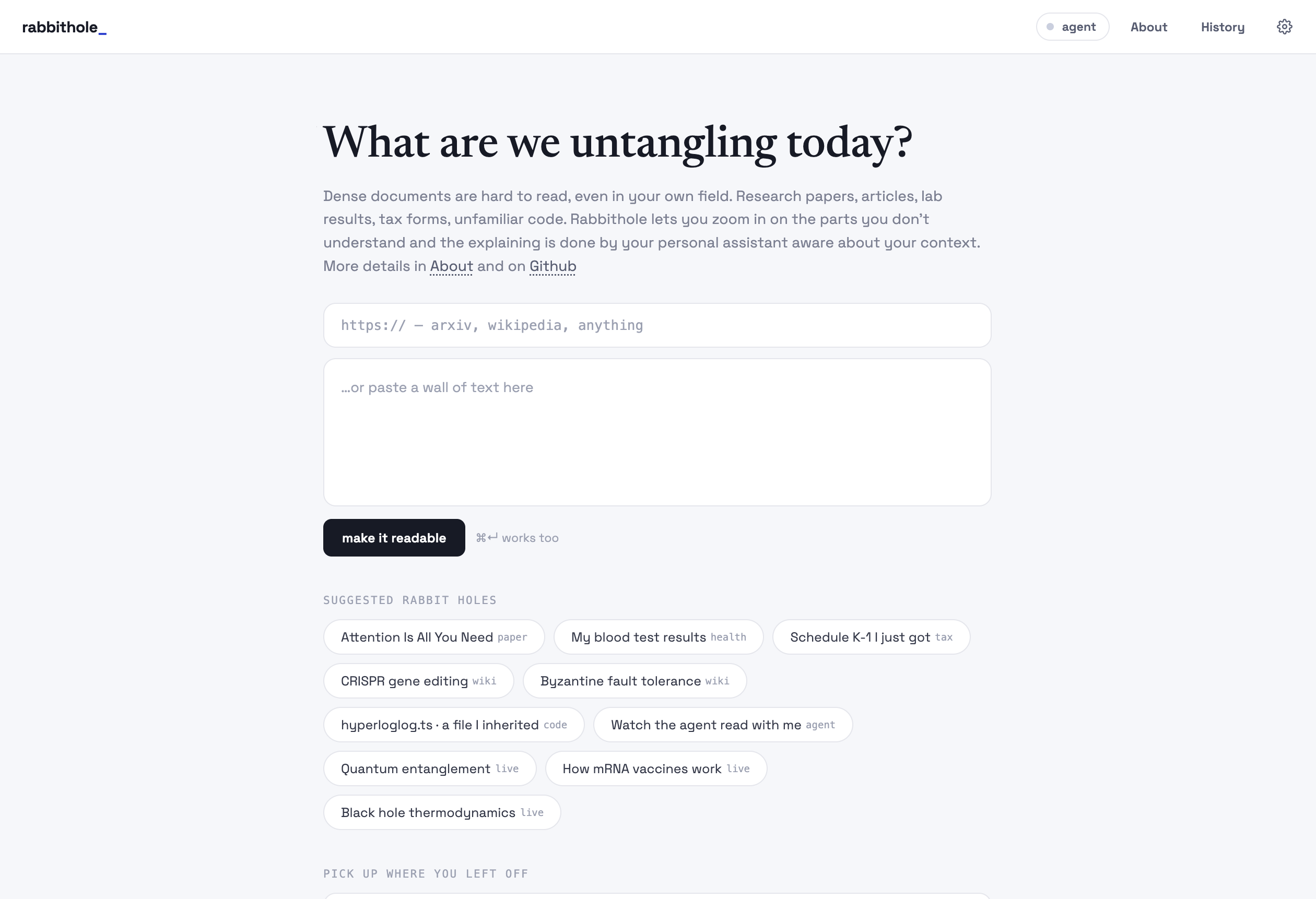
home page
-
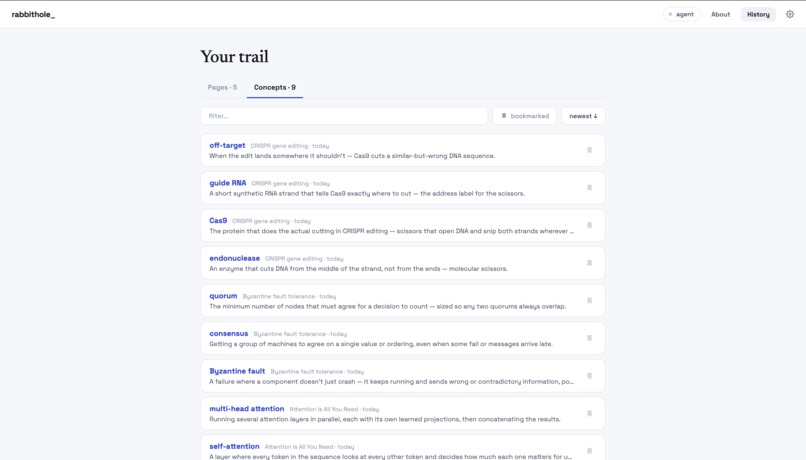
history of concepts you drilled in
-
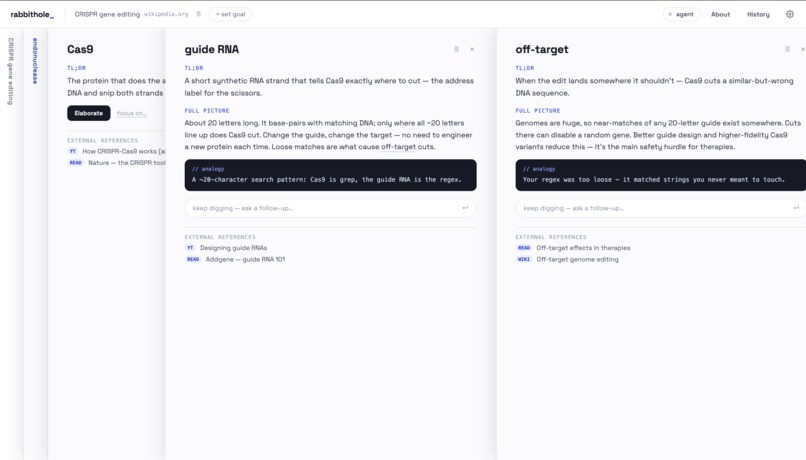
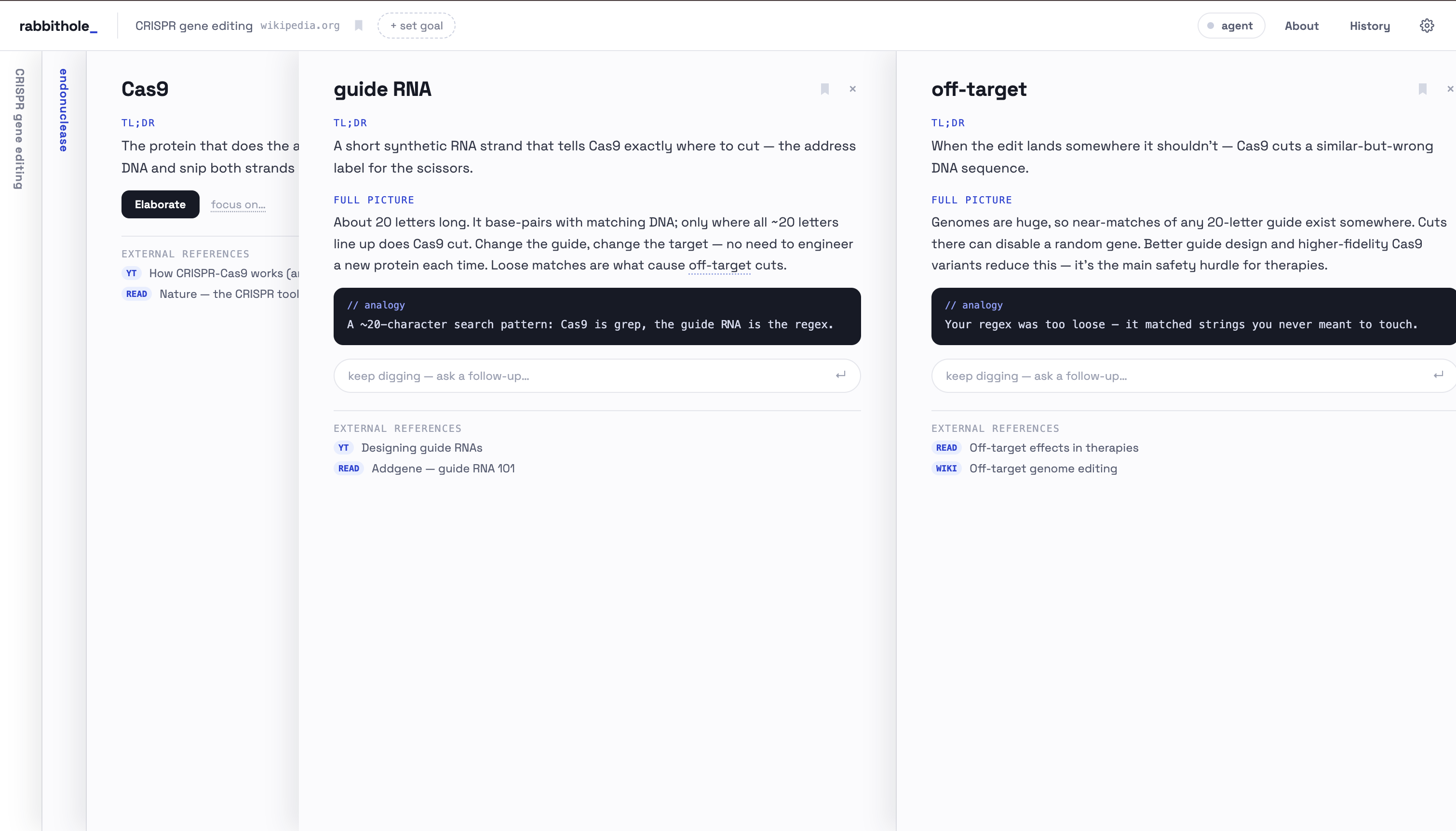
another example of drilling down further on a crispr related doc
-
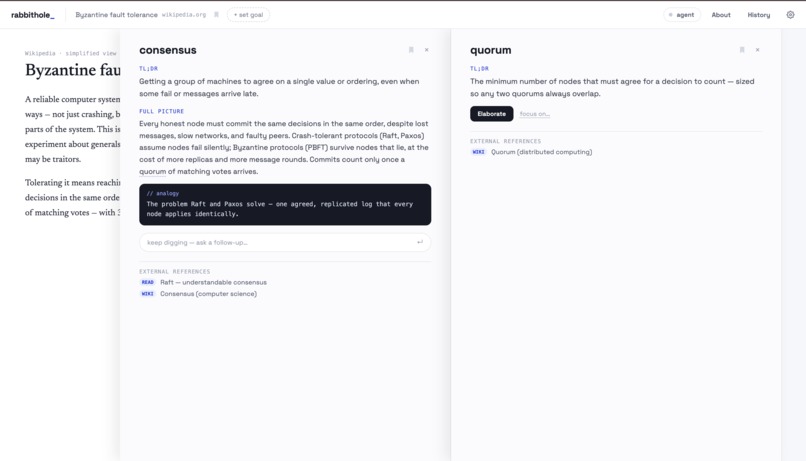
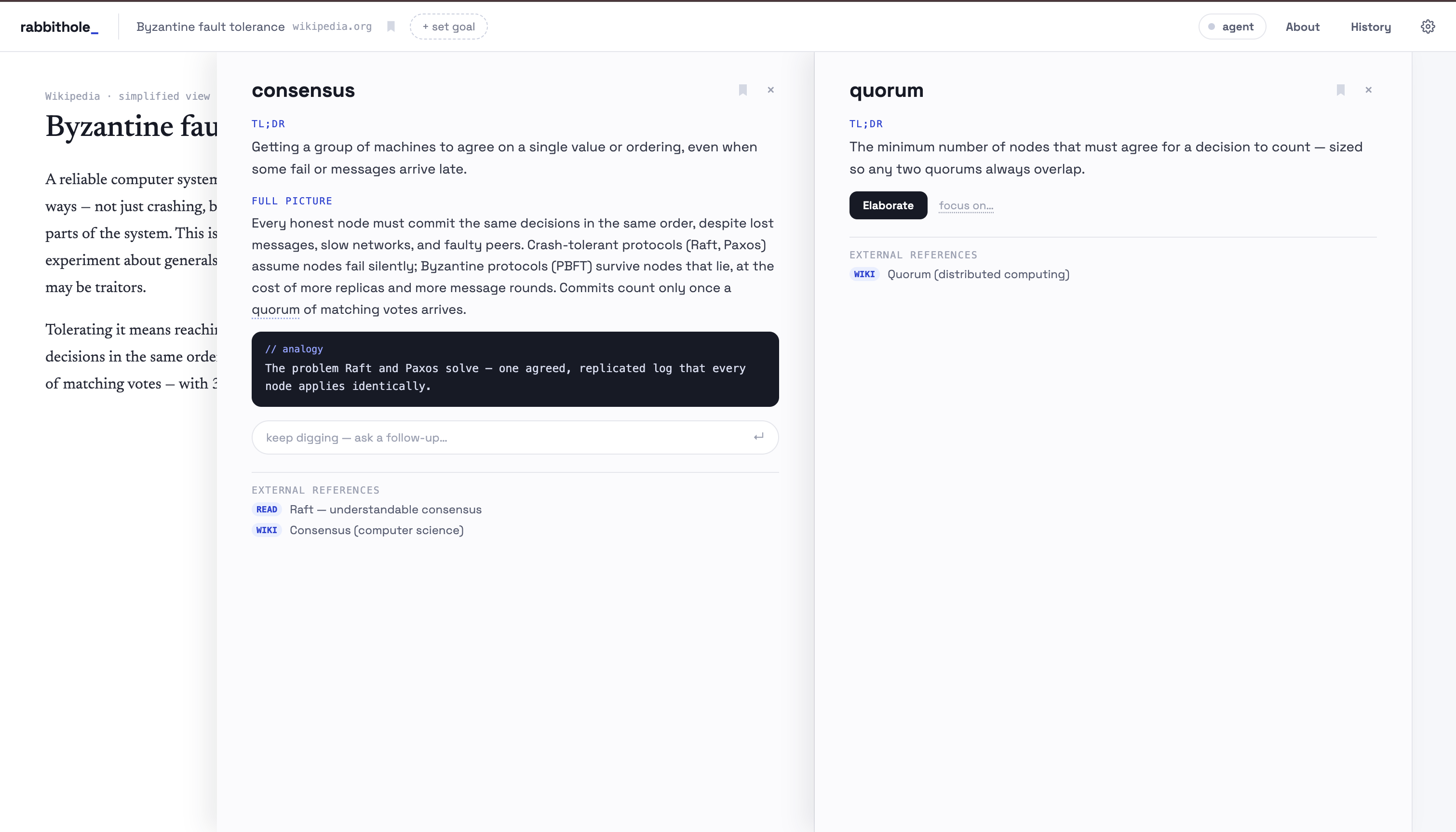
example of reading a text, drilling down
Inspiration
I read a lot - articles, papers, code, engineering spec, wiki pages and so much more. And I love going down rabbit holes, which there are many of when I'm reading dense documents or text in domains I'm not proficient in. So very often, I start at something, have a dozen open tabs a few hours later plus a long thread with an AI, and have lost track of whatever I was reading in the first place. I wanted to fix this workflow.You know how fun it is to read and figure something out with a smarter friend who also knows your gaps? Everything gets so much easier. Well, that's the experience I wanted to create.
I'm also trying to imagine a future where web feels more collaborative, where you and your agent do things together, like partners. As agents become more personal, I don't just want them to be doing things for me on some remote cloud machine. I want them to be ambiently present with me, across every surface.
Where RabbitHole fits
If we divide reading into two axes -
- x axis - the granularity you read the text in - from "hand it over for a summary" to "every word"
- y axis - the amount of personalized help you have while reading(could be human but let's focus on AI here)
RabbitHole sits on top right. It's immensely useful for cases where you want to actually read, understand or skim over a piece, than only working with a derivative of the original text(summaries or questions asked on top). There's a image of this linked in Readme that gets the point across better than words.
Why WebMCP fits
The key thing is that the assistant should not be inside the reading app. It should be your assistant, whichever one that is, and the app should be a place it can work. WebMCP is exactly the interface for that: any agent with a browser can find the page's tools and call them.
What it does
- True to its name, it lets you go as deep as you want into anything, starting from something you want to read and understand.
- There is a nice sliding pane UI(Andy Matuschak's style).
- You start with pasting the text or link for what you want to read and asking your agent to help you with reading alongside.
- Your personal agent(codex, claude, openclaw, hermes, littlebird, anything that supports WebMCP) highlights the terms and parts that are non trivial "for you". A biologist probably doesn't know "apophenia"; a psychologist probably doesn't know "Cas9". So whatever terms are likely unfamiliar to you gets highlighted.
- But you're not limited to them, you can also pick anything else or even multiple sentences, and drill into that.
- Everything you drill into opens a pane on the right. From there you can keep elaborating on that thing, or go deeper into something else and open more panes.
- Every explanation, elaboration, and answer takes into account both the context it sits in and you — your goals, your familiarity with the concepts, other things you've been doing that might connect.
- You can set an explicit goal for why you're reading. Maybe you're reading papers on homeschooling to decide the best course for your child, or researching vocal technique to sing better. Knowing the goal, on top of everything else about your life, lets the agent explain things even better.
- It stores the concepts you drilled into so they're easy to revisit.
- Once you have it in your agent's memory, you can also just ask it - "open this thing in RabbitHole".
How I built it
Mostly vibing with my coding agent, what feels right, the direction I want, features I find joy and delight in on top of utility, thinking hard about balancing minimalism with power.
The design inspiration is https://notes.andymatuschak.org. I've used this type of view for my personal notes in Obsidian as well and always liked it as a good UX to drill down without losing track.
Challenges I ran into
Duplex communication(app being able to invoke the agent on demand). I don't like the UX of chatting with agent to reactively make WebMCP tool calls. I wanted to focus on the actual reading for the most part, so I had to figure out ways to make it duplex. I tried an idea of having a long async call, sort of like long polling. But it didn't work as cleanly on its own due to client timeout. So I added polling asking the agent to sleep and check if there are no things to process in the queue, which works well.
Accomplishments that I'm proud of
The UI, the duplex trick, and honestly just building something I'm going to use often. I'll probably spend even more time on making it good lol(yeah there is an xkcd for it https://xkcd.com/1205/ 🥲).
What I learned
The web can be so much more collaborative than it is. I like WebMCP - it's directionally right, though still missing some important things. The usual demos of "filling in web forms" don't even scratch the surface of what's possible.
What's next for RabbitHole
- Support for more types of inputs - PDFs for e.g.
- More software eng specific coverage - PRs for example.
- URL based state of the whole path which others can open and see the explanation in terms they would understand best.
- Login and server side storage to carry what you're reading and concepts you're interested in across sessions and AI agents.
- More proactivity - capture your attention and pass it to the agent. If you're lingering on a paragraph, the agent can proactively offer you help.
- Suggested actions — "add this to our repo" while reading an engineering blog, or "add this to your slides" if it relates to a presentation you're working on.
Built With
- bun
- codex
- react
- shadcn
- webmcp

Log in or sign up for Devpost to join the conversation.