Inspiration
We wanted to make short-form video creation feel less like a production pipeline and more like a single decision: type an idea, get a reel. The core inspiration behind qwkly was the gap between how fast ideas happen and how slow content creation still is. Even with great AI tools, creators and small teams usually have to jump across research, scripting, music, visuals, and editing manually.
The idea was to compress that whole workflow into one prompt and one continuous agent experience. A user describes the concept, and qwkly handles the rest: understanding the topic, writing the script, generating music, creating visuals, and assembling a finished vertical video.
What We Built
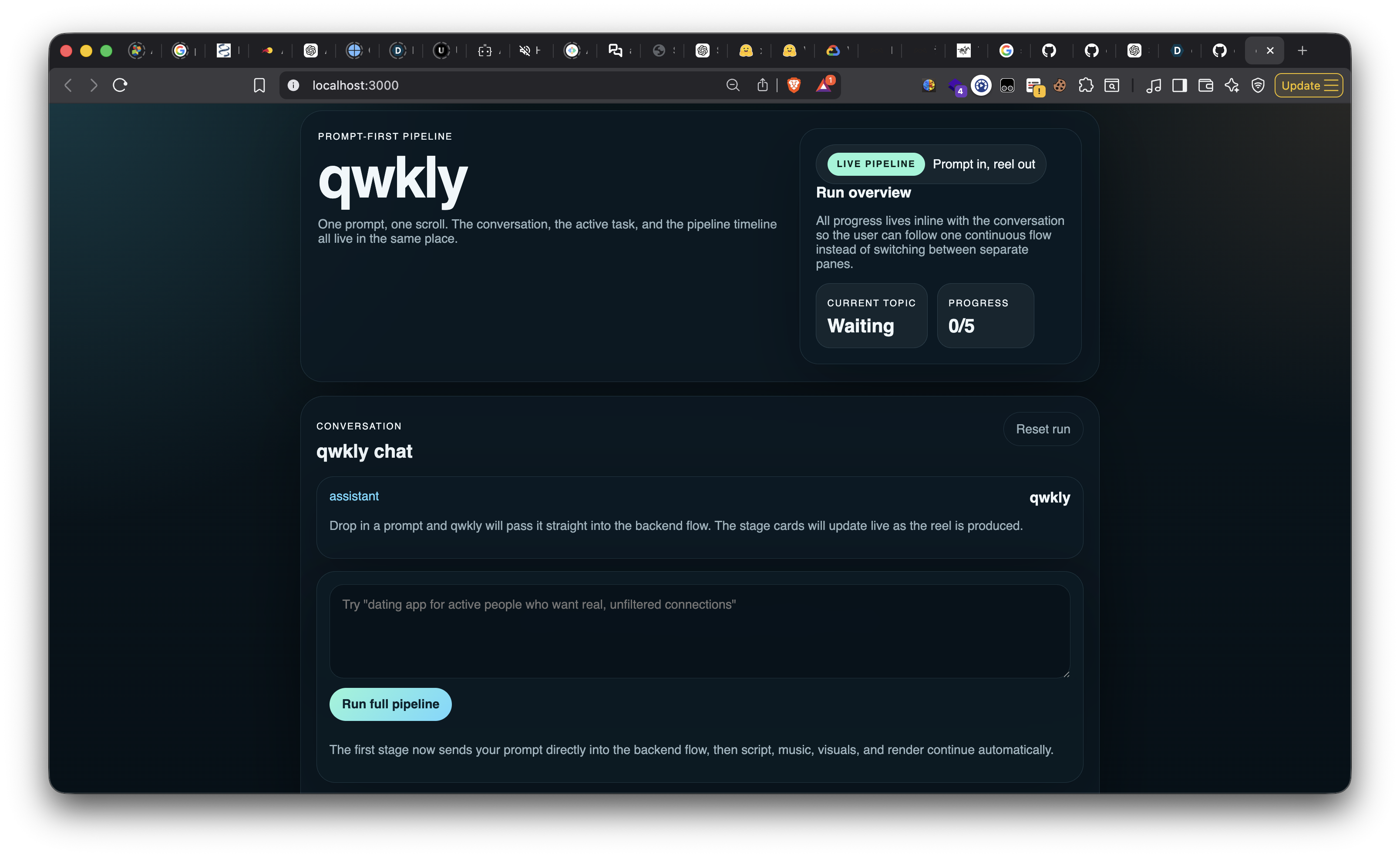
qwkly is an AI-powered short-form video agent that turns a text prompt into a vertical reel workflow.
The system is split into two parts:
- A backend pipeline that orchestrates topic research, script writing, music generation, image generation, and FFmpeg-based video assembly.
- A frontend chat-style control room that streams live progress as each stage runs.
The backend uses a tool-chain style architecture to move through the pipeline:
- Research the topic context
- Generate punchy short-form script lines
- Generate upbeat background music
- Generate supporting visuals
- Assemble everything into a 9:16 video
The frontend presents that as a simple operator interface, so instead of exposing a bunch of disconnected steps, it feels like one continuous system.
How We Built It
We used a Next.js frontend and a Python backend.
Frontend
The frontend was built with:
- Next.js
- React
- TypeScript
- A chat-style UI pattern inspired by assistant workflows
The interface accepts a single prompt and streams stage-by-stage updates from the backend. We designed the stage cards to make the pipeline legible in real time, so users can see where the project is in the process rather than waiting on a black box.
Backend
The backend was built with:
- Python
- Flask + ASGI wrapper
- Railtracks-style tool orchestration
- OpenAI for script and image generation
- kie.ai Suno API for music
- FFmpeg for final video assembly
The key backend design was treating each phase as a callable node in one pipeline. That made the flow composable and easy to stream as SSE events to the frontend.
Conceptually, the system looks like:
Prompt
  -> Research
  -> Script
  -> Music
  -> Visuals
  -> Render
  -> Final MP4
You can think of the product goal as reducing content creation friction from something like
$$ T_{\text{manual}} = t_r + t_s + t_m + t_v + t_e $$
to a mostly automated flow where the user effort is closer to
$$ T_{\text{user}} \approx t_{\text{prompt}} $$
while the system absorbs the rest of the pipeline work.
Challenges We Faced
One of the biggest challenges was designing around partial integration and real-world API uncertainty.
We had to deal with:
- backend/frontend coordination happening in parallel
- streaming state cleanly across multiple pipeline stages
- shaping the UI so it reflected real backend progress, not fake placeholders
- external API behavior, especially around credentials and service availability
- keeping the product coherent while parts of the stack were still moving
Another challenge was deciding how much “intelligence” to expose in the UI. We did not want users to feel like they were managing infrastructure. At the same time, we needed enough transparency so that failures in music generation, research, or rendering were understandable and debuggable.
The FFmpeg assembly path was also a meaningful engineering challenge. Taking generated assets and turning them into a polished 9:16 reel with captions and audio means a lot of small details matter: timing, sizing, padding, subtitle rendering, and media compatibility.
What We Learned
We learned that the hardest part of building an AI product like this is not just generation quality. It is orchestration.
Each individual model or API can do impressive work, but the real product value comes from how well the stages connect:
- the research has to support the script
- the script has to support the visuals
- the visuals and music have to align with the pacing
- the frontend has to make the whole system understandable
We also learned how important live progress feedback is. When a workflow takes multiple generation steps, streaming state updates dramatically improves trust. Users are much more comfortable waiting when they can see what the system is doing.
Why We’re Excited
qwkly is exciting because it turns a high-friction creative workflow into a prompt-native product. Instead of asking users to become editors, prompt engineers, and media coordinators at the same time, it gives them one surface and one job: describe what they want.
That makes it especially compelling for:
- creators producing reels at scale
- early-stage startups making social content quickly
- marketing teams testing multiple content angles
- anyone who wants output speed without hand-building each asset
Final Thought
The goal of qwkly is simple: make creating a reel feel as lightweight as having the idea for one.
Built With
- assistant-ui
- dall-e-3
- digitalocean
- fastapi
- ffmpeg
- next.js
- openai
- python
- railtracks
- react
- senso.ai
- shipables.dev
- suno-api
- tailwindcss
- typescript
- unkey


Log in or sign up for Devpost to join the conversation.