-
-
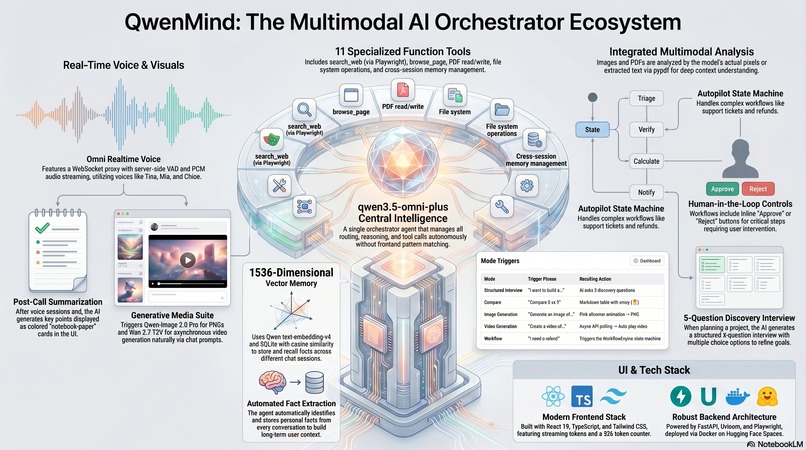
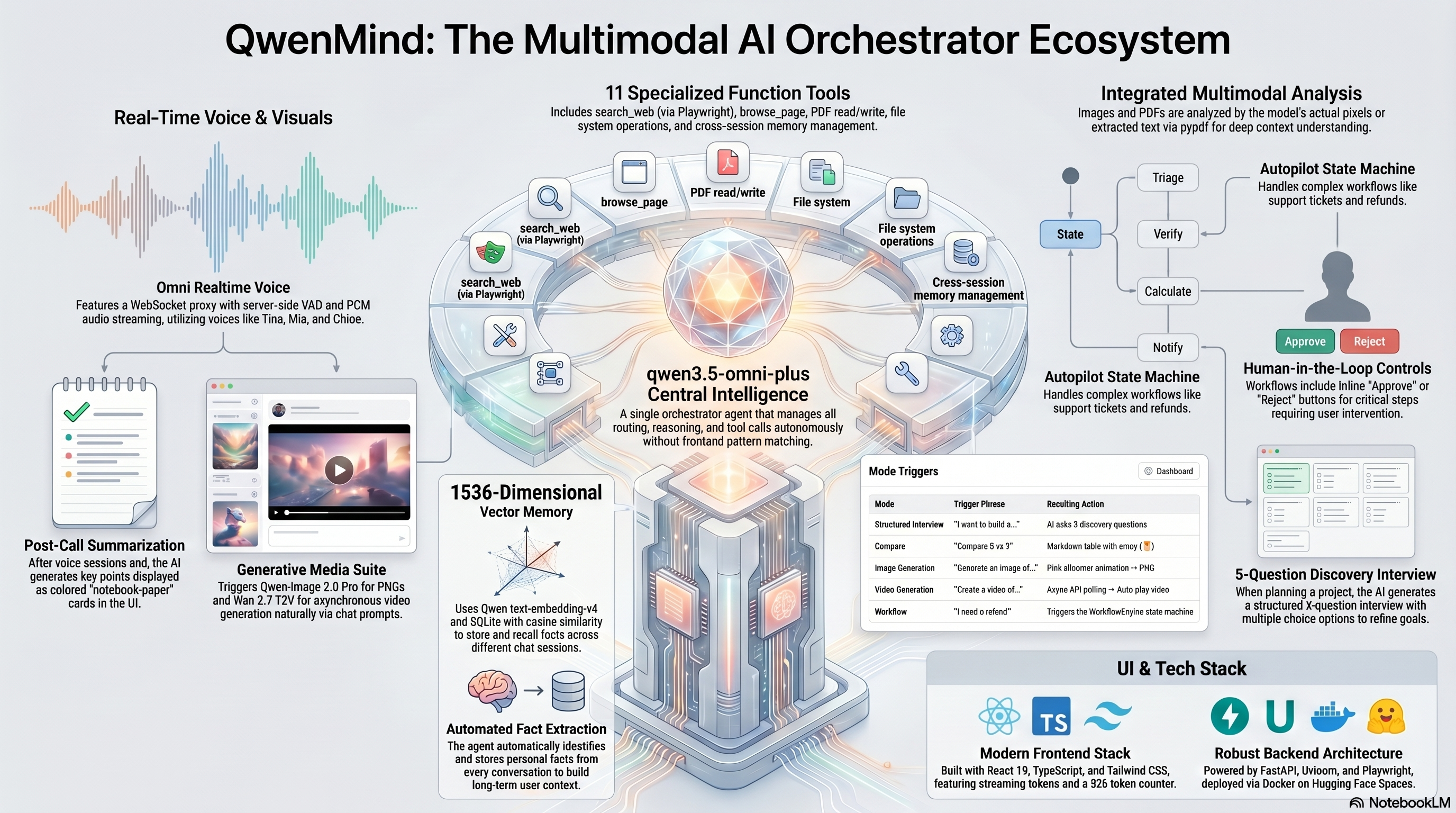
full visual architecture
Inspiration
Most AI assistants have amnesia. You tell them your name, your preferences, your project details — and the next conversation, they remember nothing. We wanted to build an AI that actually remembers. Not just within a chat window, but across days, sessions, and modalities. One agent that sees your images, hears your voice, reads your PDFs, and recalls who you are.
We also wanted to prove that a single powerful model (Qwen3.5-omni-plus) with the right tool ecosystem can replace the complex multi-agent architectures that most teams reach for. One orchestrator, 11 tools, and a memory layer — that's the entire stack.
How we built it
Frontend: React 19 + TypeScript + Tailwind CSS + Vite. Streaming SSE tokens with a blink cursor, collapsible reasoning panels, inline image/video rendering with shimmer loading states, and drag-and-drop file upload.
Backend: FastAPI with SSE streaming, WebSocket proxy for Omni realtime voice, and a tool-calling loop that lets the orchestrator decide when to search the web, generate images, or recall memories. All API calls go through the OpenAI-compatible SDK to Qwen Cloud (dashscope-intl).
Memory layer: Qwen text-embedding-v4 produces 1536-dimension vectors, stored in SQLite with cosine similarity search. Facts are automatically extracted from every conversation — things like the user's name, preferences, project details — and injected into future session context.
Voice: Omni Realtime WebSocket with server-side VAD and whisper-1 transcription. The full-duplex protocol lets us stream PCM audio from the browser mic to Qwen and stream synthesized speech back, all in real time.
Image & Video: Qwen-Image 2.0 Pro for image generation (base64 PNG via the multimodal generation API). Wan 2.7 T2V for video generation with async task submission and frontend polling.
Workflow engine: A state-machine-based WorkflowEngine that executes multi-step processes (support tickets, refunds) with human-in-the-loop approval buttons rendered inline in the chat.
Challenges we faced
Context window limits. Qwen3.5-omni-plus has a 32K token limit. Base64 image data can easily blow past this. We had to strip binary data from tool results before feeding them back to the LLM while still sending the full image to the frontend for display.
Video generation quota. Wan 2.7 requires paid billing. The free tier exhausted quickly, returning AllocationQuota.FreeTierOnly. We built the async polling infrastructure anyway — it works end-to-end once credits are applied.
Omni WebSocket complexity. The real-time voice protocol requires careful state management — audio buffer chunks, transcription events, VAD triggers, and session cleanup. We learned the hard way that missing a response.create message means the model never answers.
File upload routing. We went through three iterations: pattern matching on the frontend → tool calling on the backend → clean attachment preview above the input bar. The final approach lets users upload multiple files, type their own question, and sends the actual pixel data (not a text description) to the multimodal model.
Streaming interruptions. Users type while the AI is still speaking. We built an AbortController-based interruption system that cancels the current SSE stream and starts fresh — no stale tokens, no duplicate messages.
What we learned
- A single multimodal model with function calling can match or beat specialized multi-agent pipelines
- Vector memory doesn't need a vector database — SQLite + cosine similarity works at this scale
- The Omni Realtime API is powerful but demands careful async architecture
- Deployment to Hugging Face Spaces with Docker is free and simple
- The best UX for file uploads is "show a preview, let the user decide when to send"
Built With
- fastapi
- python
- qwen-image2.0pro
- qwen3.5-omni-plus
- react
- tailwindcss
- typescript
- uvicorn
- vite


Log in or sign up for Devpost to join the conversation.