-
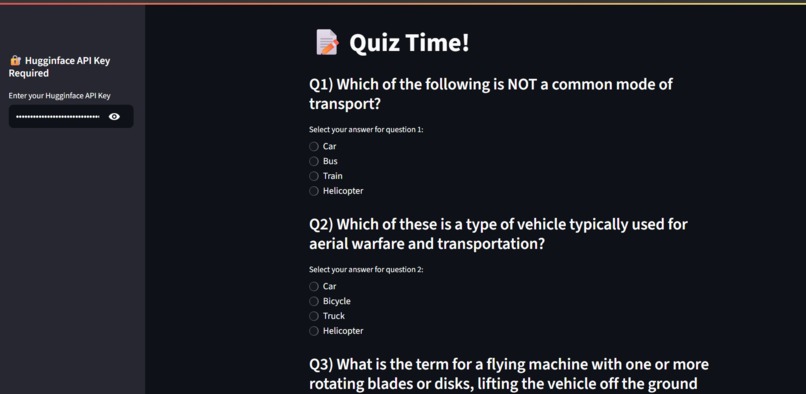
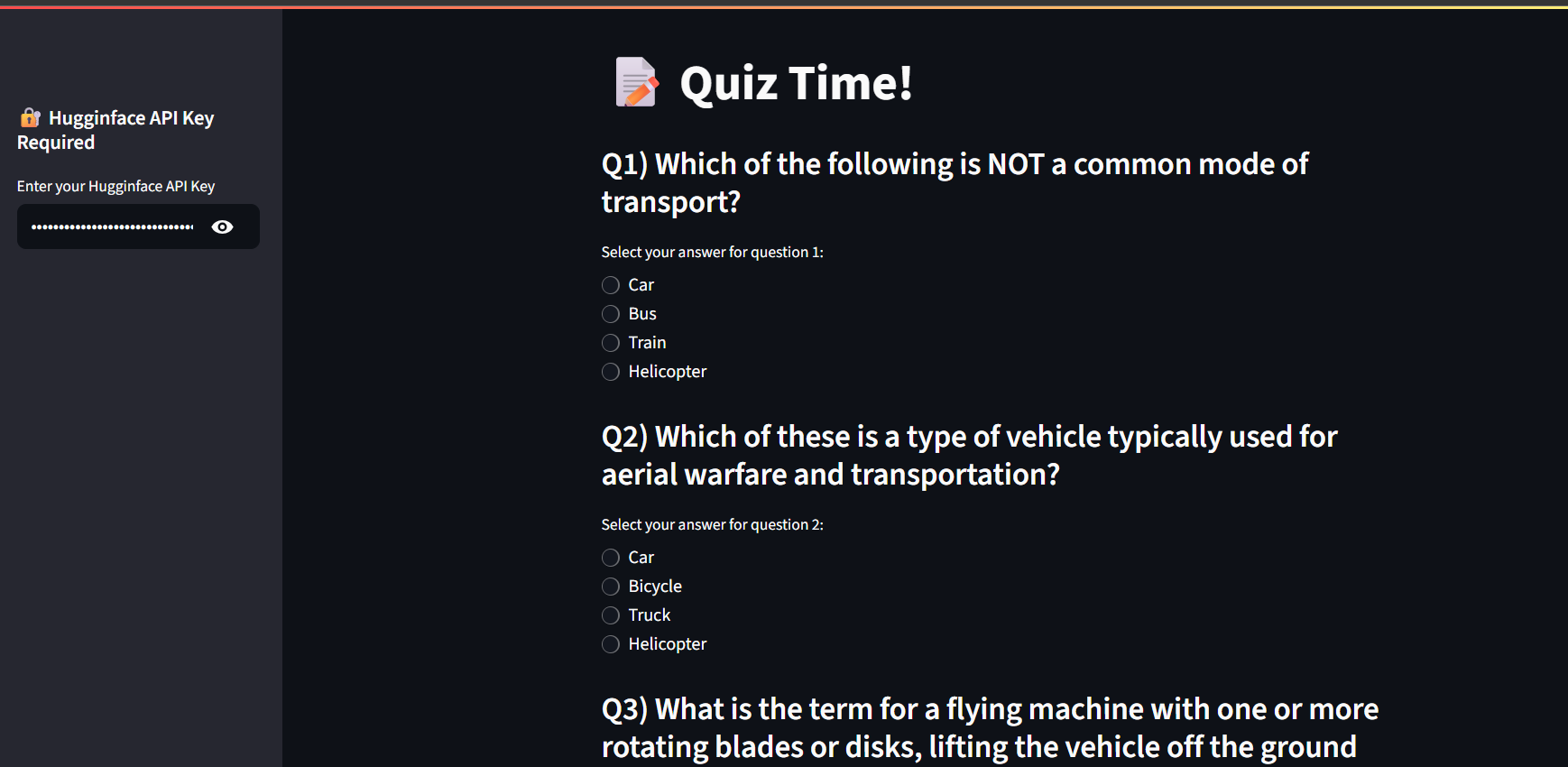
A simple quiz generated on input of helicopters
-
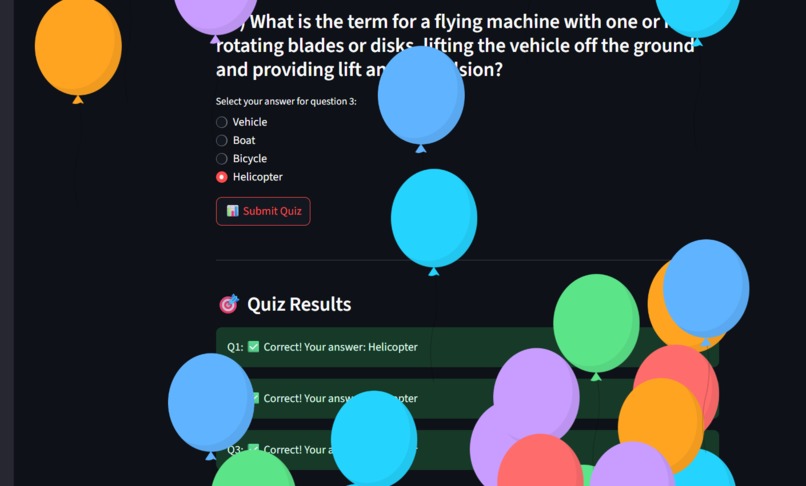
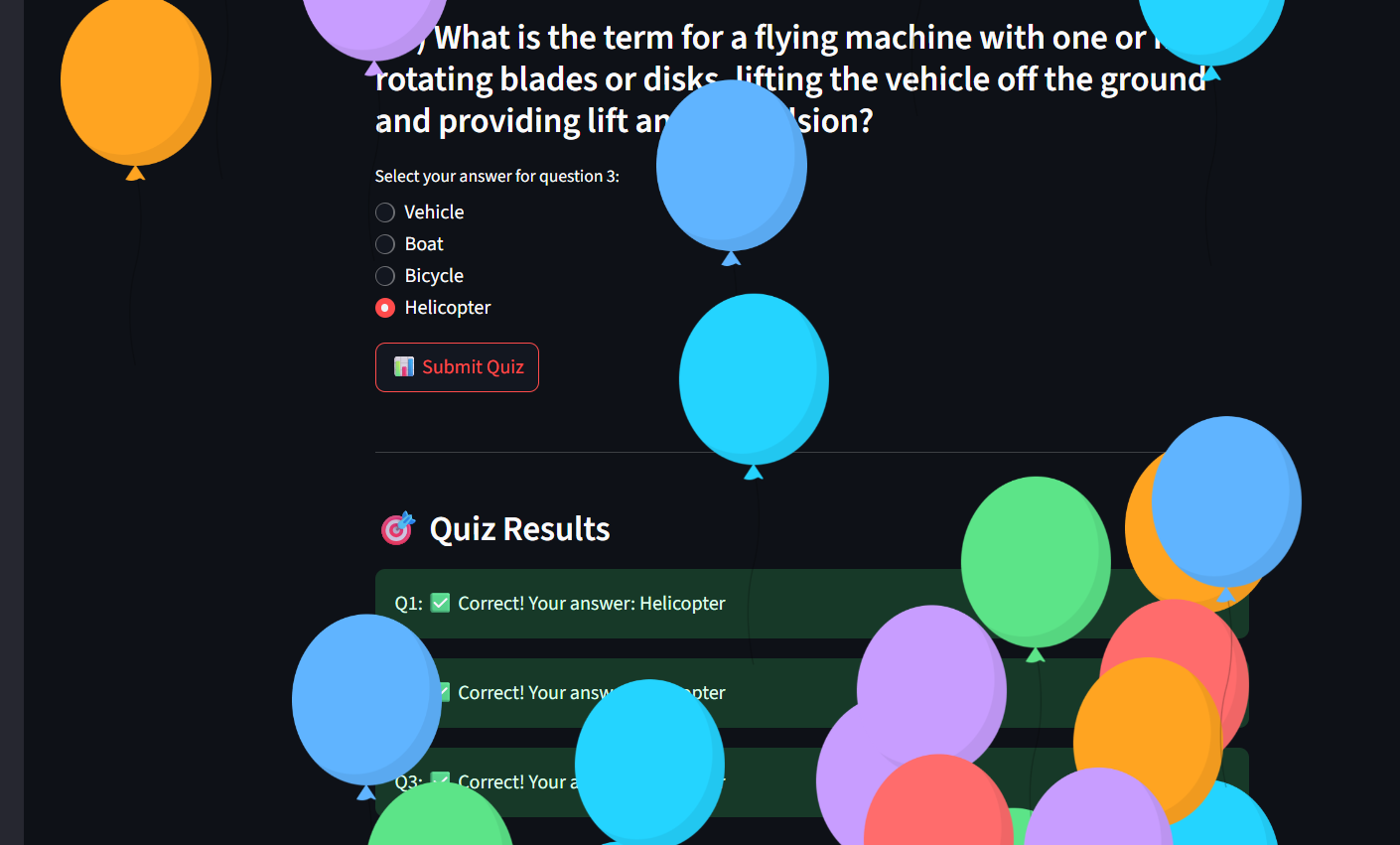
Ballons when getting all questions correct.
-
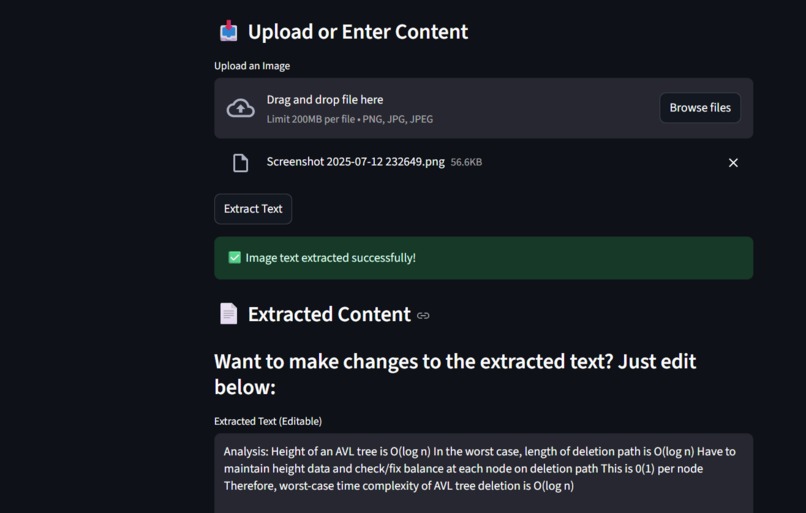
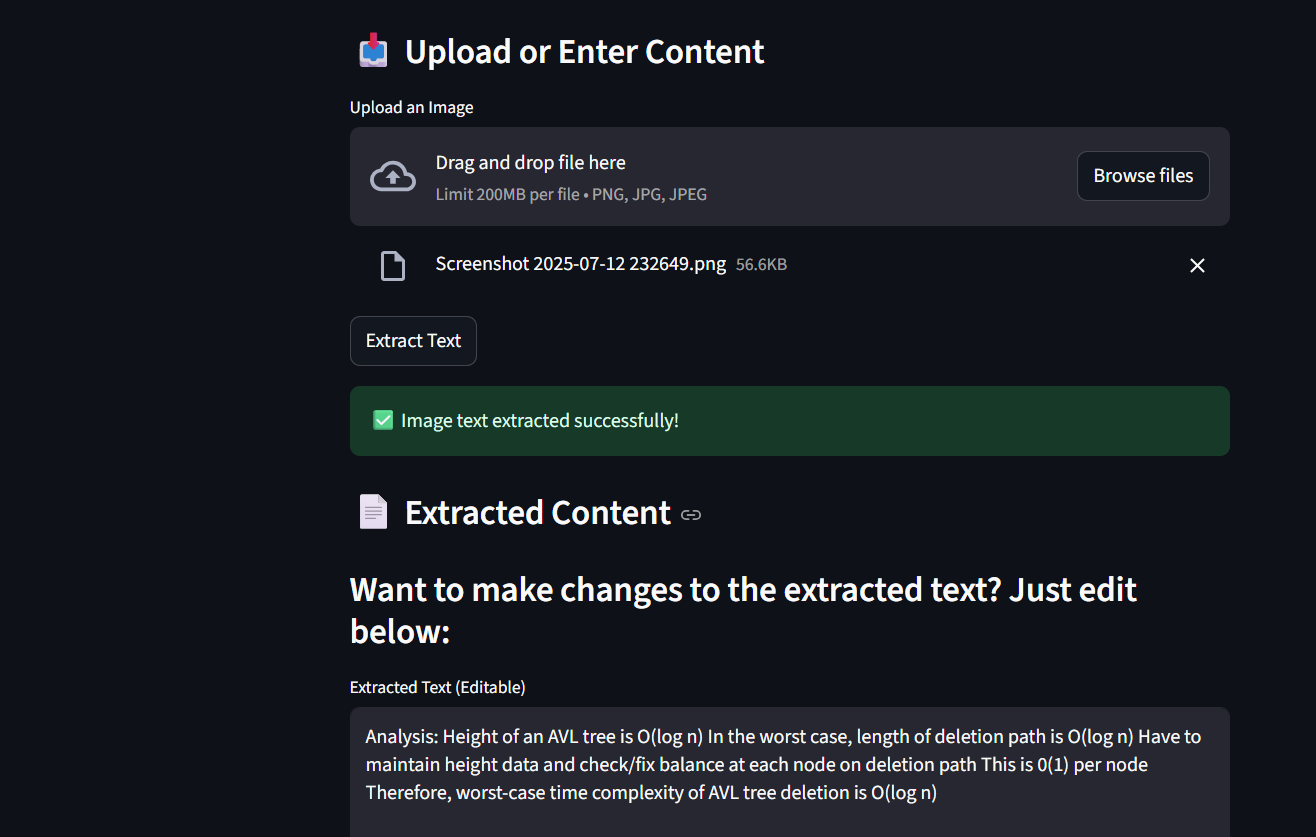
Sample text generation from image
-
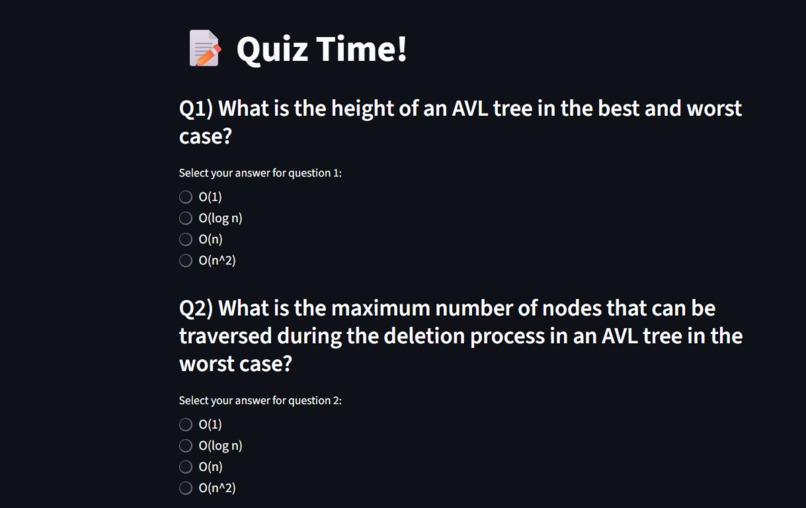
Quiz generated based on lecture note, about avl trees
-
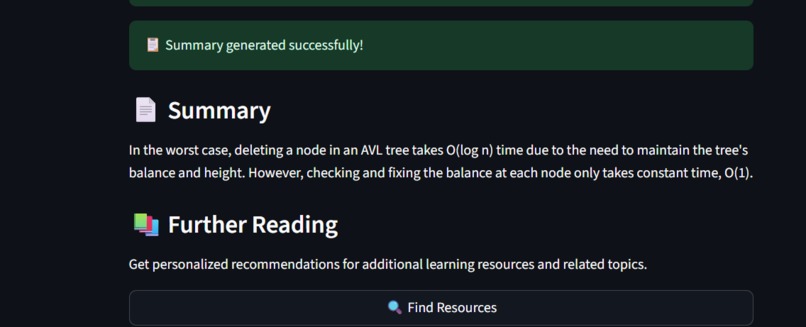
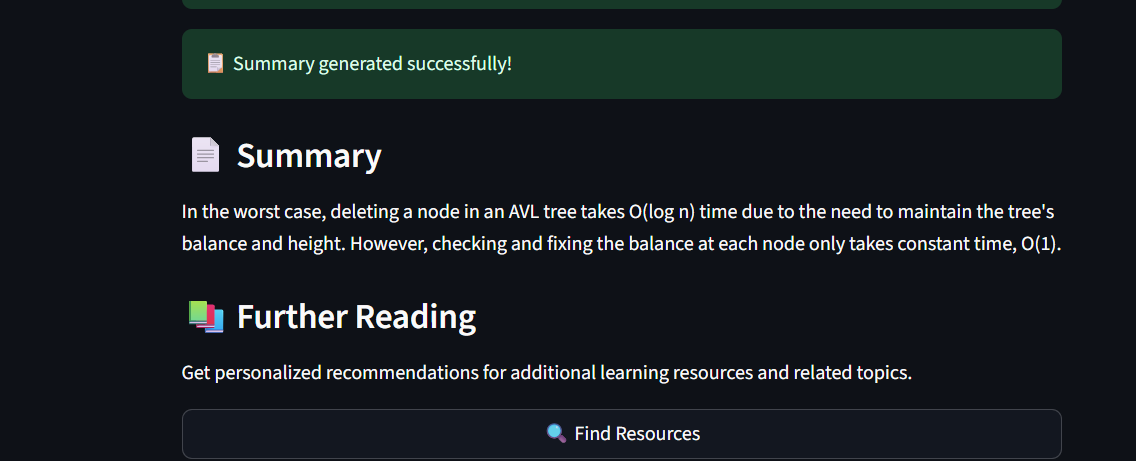
Short summary based on the slides
-
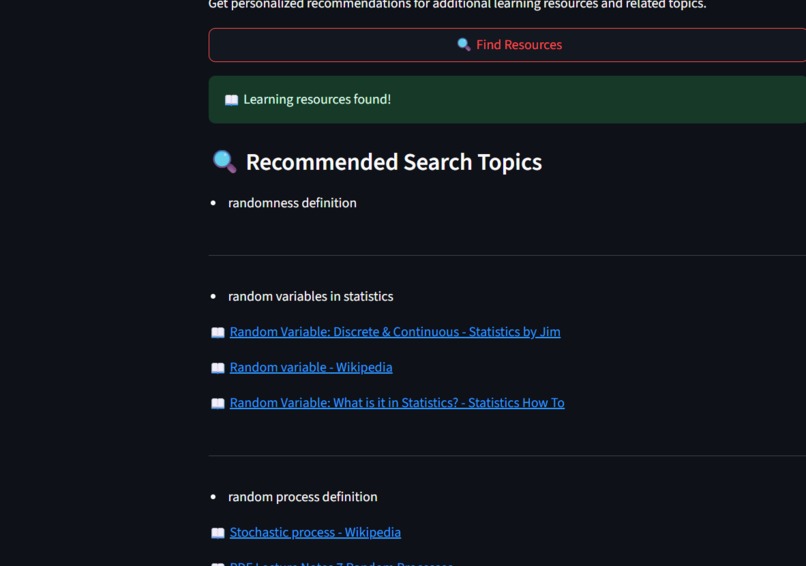
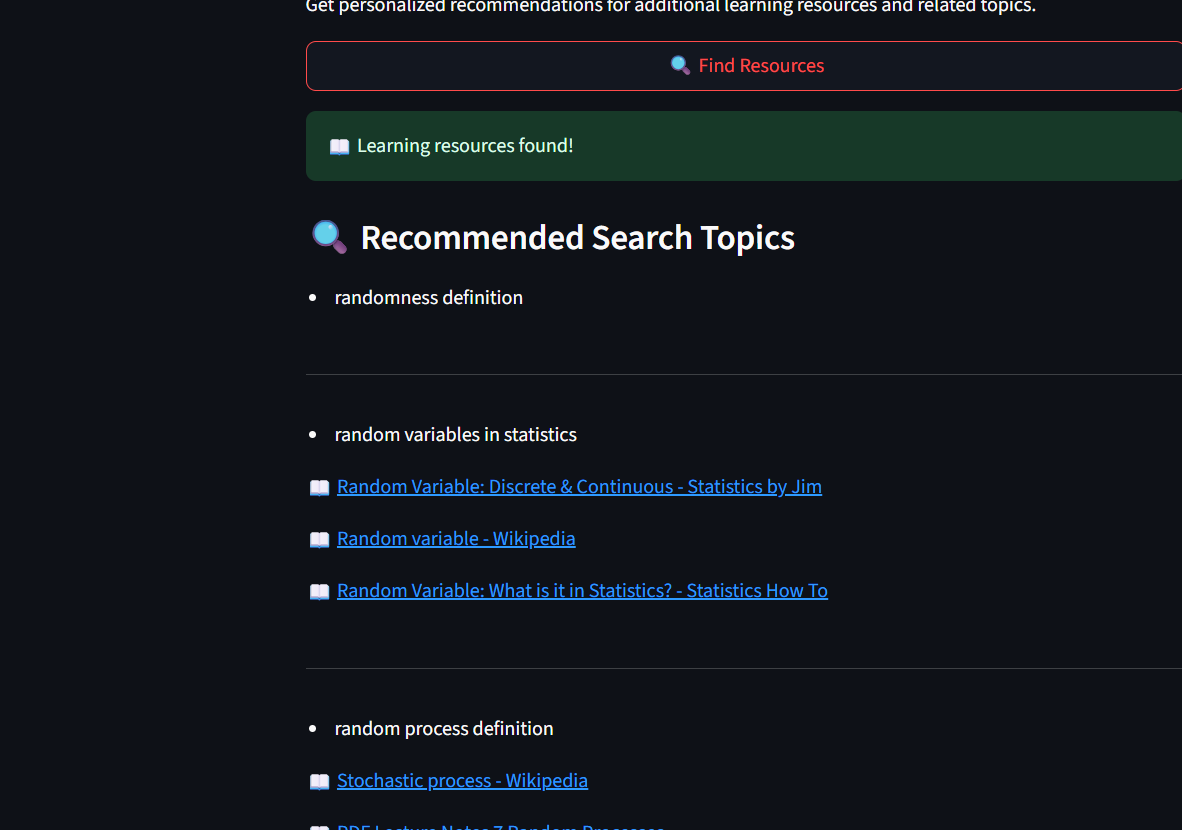
Further reading links creation, about topic random

Inspiration
ChatGPT, and other llms are able to produce such rich textual results, but can sometimes lack the interactiveness, especially when it comes to learning, based on this my team decided to build a AI tool that makes learning easy.
What it does
It first takes in a Huggingface api, an input like raw text, a pdf or an image then then based on the input it creates a quiz with the numbers specified by the user, as well as summary, and further reading links upon request. This can be used by the learner to not only test their knowledge, but to also extend it, from the further links.
How we built it
The app is streamlit based, which is excellent for chat like application. with its python usage, the ui rendering is simplified and is inherently powered by python. Then by running a virtual environment, we downloaded streamlit, using pip, and also set up a github repo. The next step was to just pass in a api key for hugginface llms, and check if the key is valid, which was done by querying a simple input like 'Hello'. After the api key is validated, we then ask user using radio buttons what kind of input they want, text, pdf, or image.
For text we simply pass the response directly to the model for the response. For the pdf we used pdfplumber to parse the pdf into text, and for the image, we used easyocr which turns the image into readable text. And installed these using python pip install <name>, we had to write some custom logic to parse the text especially for the image ocr, we wrote some script for a progress bar for the aesthetics. Then the user is given an option to readjust the text. After this we show a generate quiz button, which by using input engineering, results in a json like response from the llm(note this does not work 100% of time). This response is then turned into a quiz by iterating over the quiz list, and its properties like question, answer, and correct. Then the user is allowed to select buttons(if quiz was generated successfully), and get a summary of right and wrong answers. Otherwise if the quiz generation fails the use can also reprocess the input, regardless a json response is always printed for learning with questions and answers. This is because llm can sometimes produce incorrect outputs.
Next we started implementing the summary and further reading. The summary was essentially sending a request to the model asking for a summary for the given text. Which when returned successfully prints the summary onto the screen. The search feature was challenging however, as it meant implementing a searching system, that takes in keywords at a time, and then returning results as links. After much research we implemented duckduckgo raw query mechanism as this was google scraping free, then we called the search after generating keywords, again by using input engineering, which then iteratively gave links based on the searches of the keywords. Again because of nature of AI it does not always product accurate results, but most of times results are fairly usable.
Challenges we ran into
Setting up the project initially. This was a very minor issue but cost us a lot of time, for some reason the system python was set to 3.9, which caused range of issues when installing packages, it took a great time to realise this issue, as we would keep on getting errors.
After the setting up process, we tried using the openAi api for the llm, however we kept on failing, with token limit error, then we decided to use Hugginface. Mistral model for the generation. Due to the initial idea of using openai api we lost time converting to mistral.
Another very challenging issue was getting the OCR to work, as initially we tried using pytesseract, which requires local installation, though being lightweight, then we ended up using easyocr which is a pip package though being heavier it is easier to setup.
Other major issues included the result being not in json or invalid, also many errors that were caused by session_state not being changed properly which caused items to vanish, as well as many logical errors, in the flow of statements.
Accomplishments that we're proud of
Getting the app to be working in a short amount of time.
What we learned
Used of AI, Stremlit and how it is used in terms of ui and logic. We also learnt how to use an ai llm api in a project, with rendering objects containing llm response, and general application design.
What's next for Quizzus
As of now Quizzus is not extremely accurate, hence using a better model may help with responses, also as of now the ui is not perfect, hence next steps would be to make the quiz app more lively instead of radio boxes. Furthermore adding additional features in the quiz such as changing difficulty or the ability to download the quiz, would be good additions.

Log in or sign up for Devpost to join the conversation.