-
-
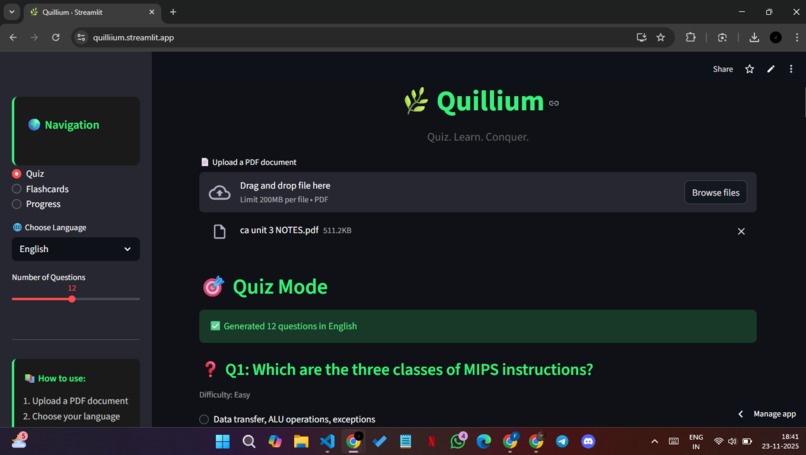
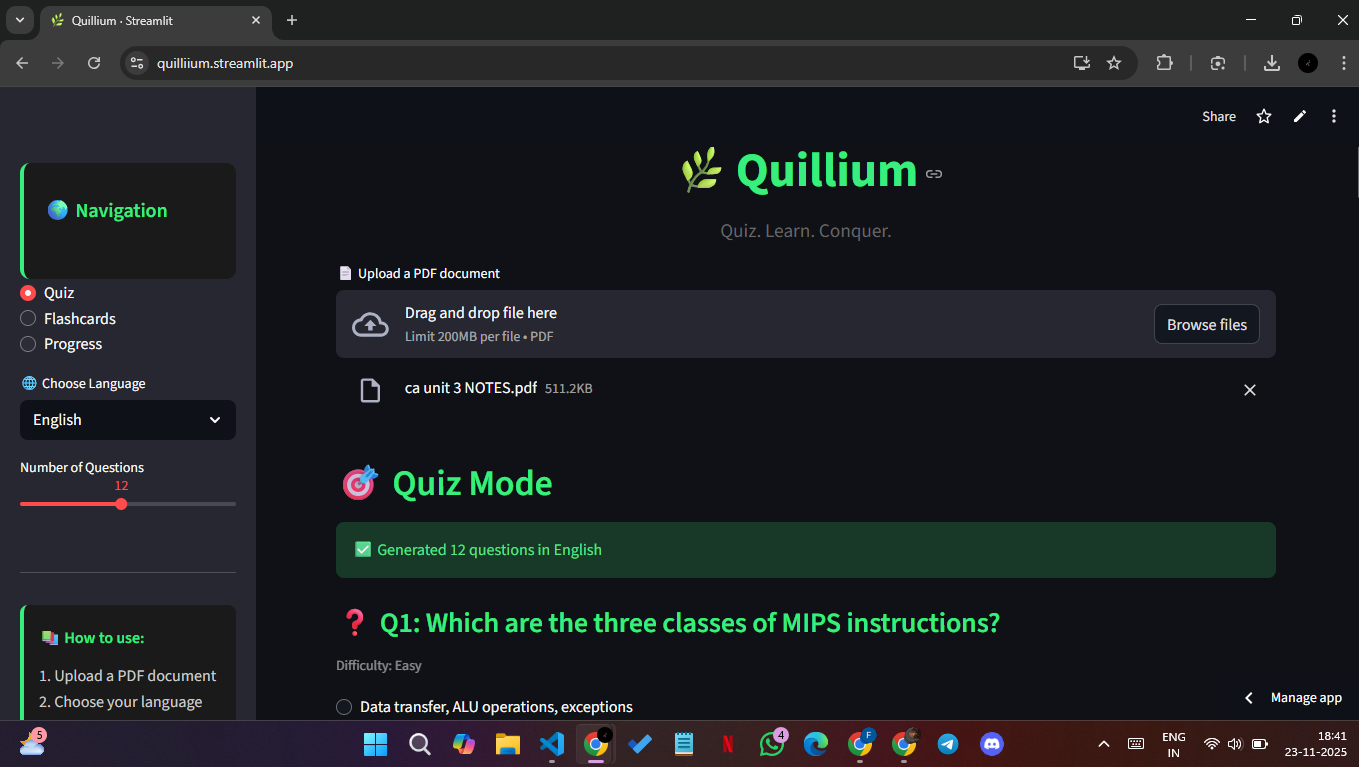
Start by uploading any text-based PDF notes, textbook chapters, worksheets, anything.
-
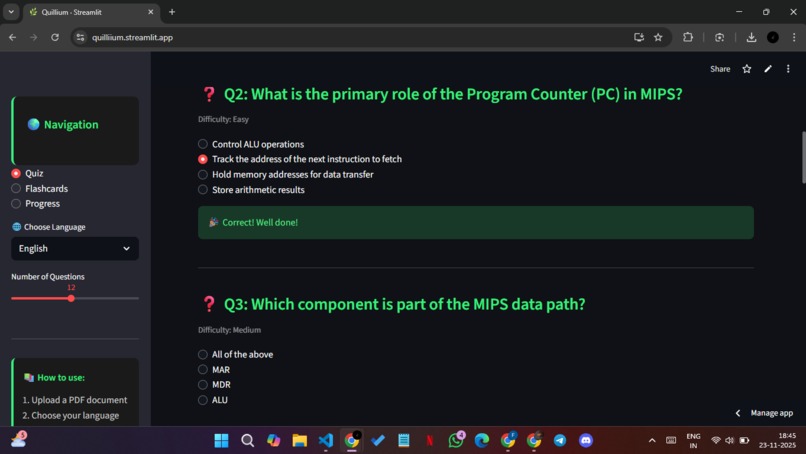
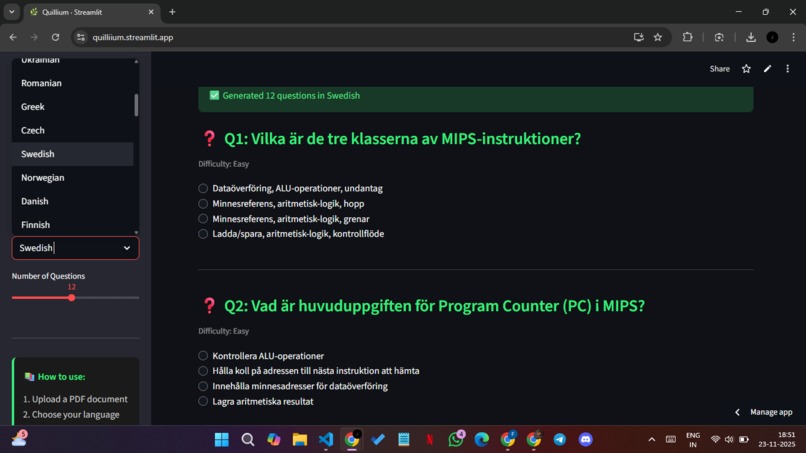
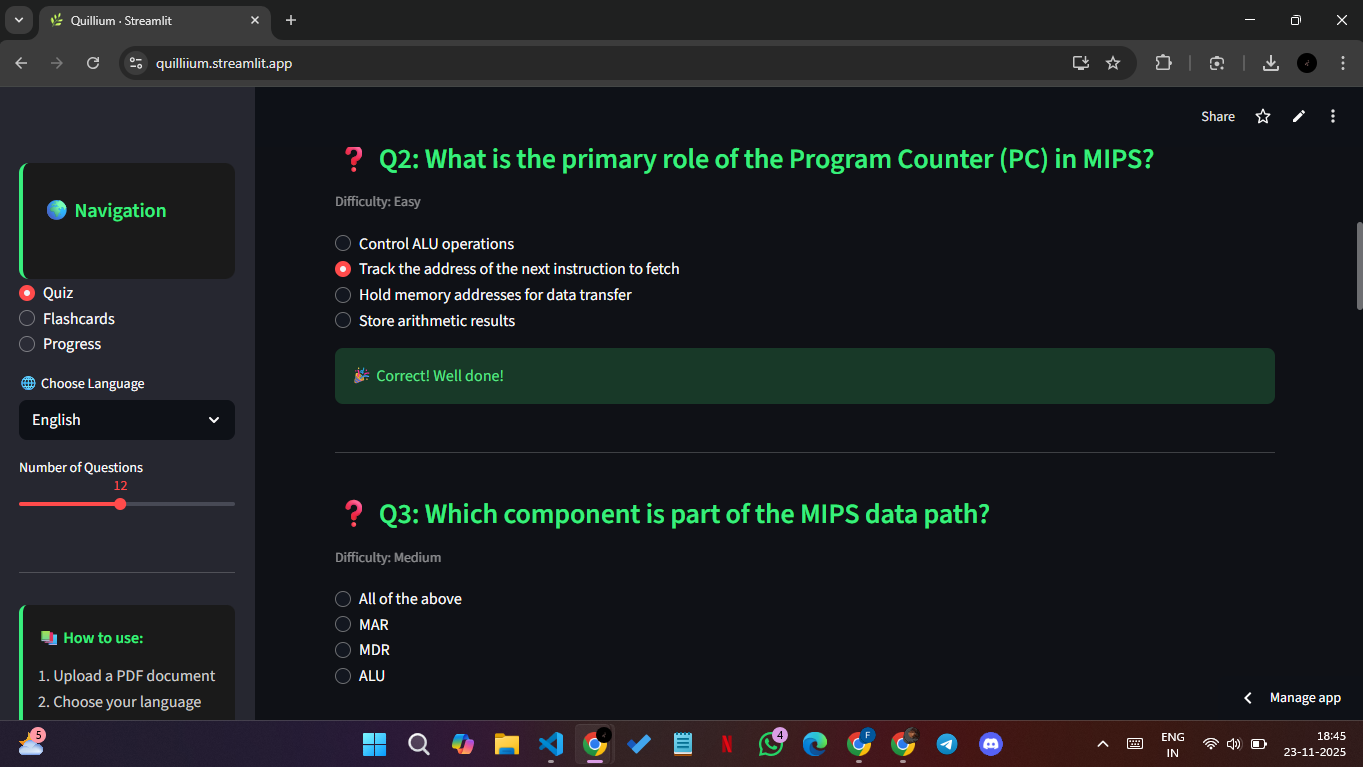
Exam-style questions generated adapting to content difficulty.Instant feedback supports confidence and retention
-
-
-
-
-
✨ Inspiration
Students don’t struggle because they lack intelligence — they struggle because studying is still built around passive reading, not how memory actually works.
We kept seeing the same pattern everywhere:
📄 Endless scrolling 🔁 Rereading without retaining ❓ Still unsure of what they actually understood
And another problem became clear: access isn’t equal.
🌍 Some students learn in a language that isn’t their first 🧠 Some need structure, not long paragraphs ♿ Some require accessibility features like dyslexia-friendly formatting 🔥 Many just needed studying to feel less overwhelming and more adaptive
So we asked:
What if studying adjusted to the learner — not the learner to the material?
That question became Quillium.
Quillium is built around one core belief:
Learning should follow how memory works — through active recall, spaced repetition, multimodal reinforcement, and accessible design.
Not just another flashcard tool. Not another reading assistant. But a personal learning companion that turns information into understanding.
🚀 What It Does
Quillium transforms any text-based PDF into an interactive, adaptive learning system.
Once uploaded, Quillium:
✔️ Generates high-quality practice questions using evidence-based learning science
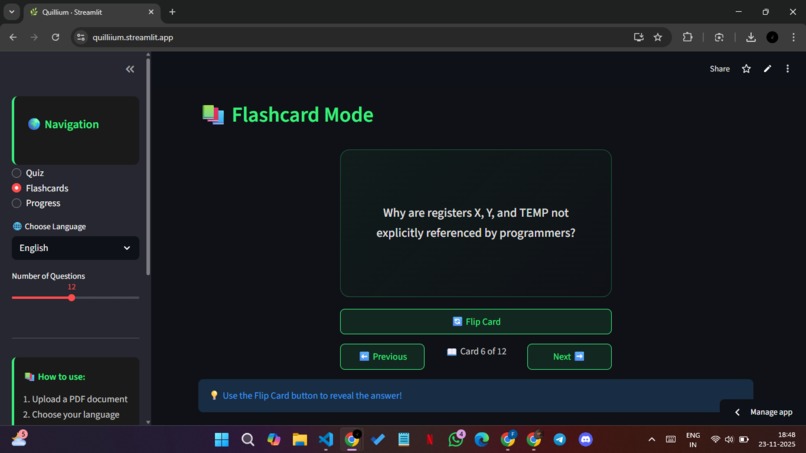
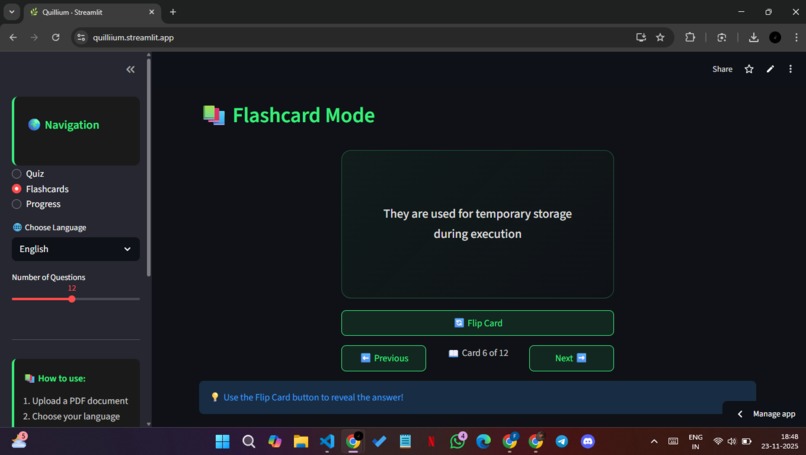
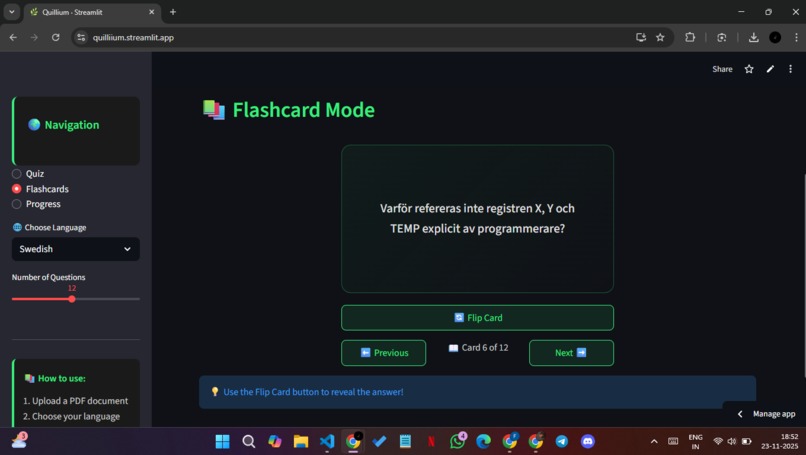
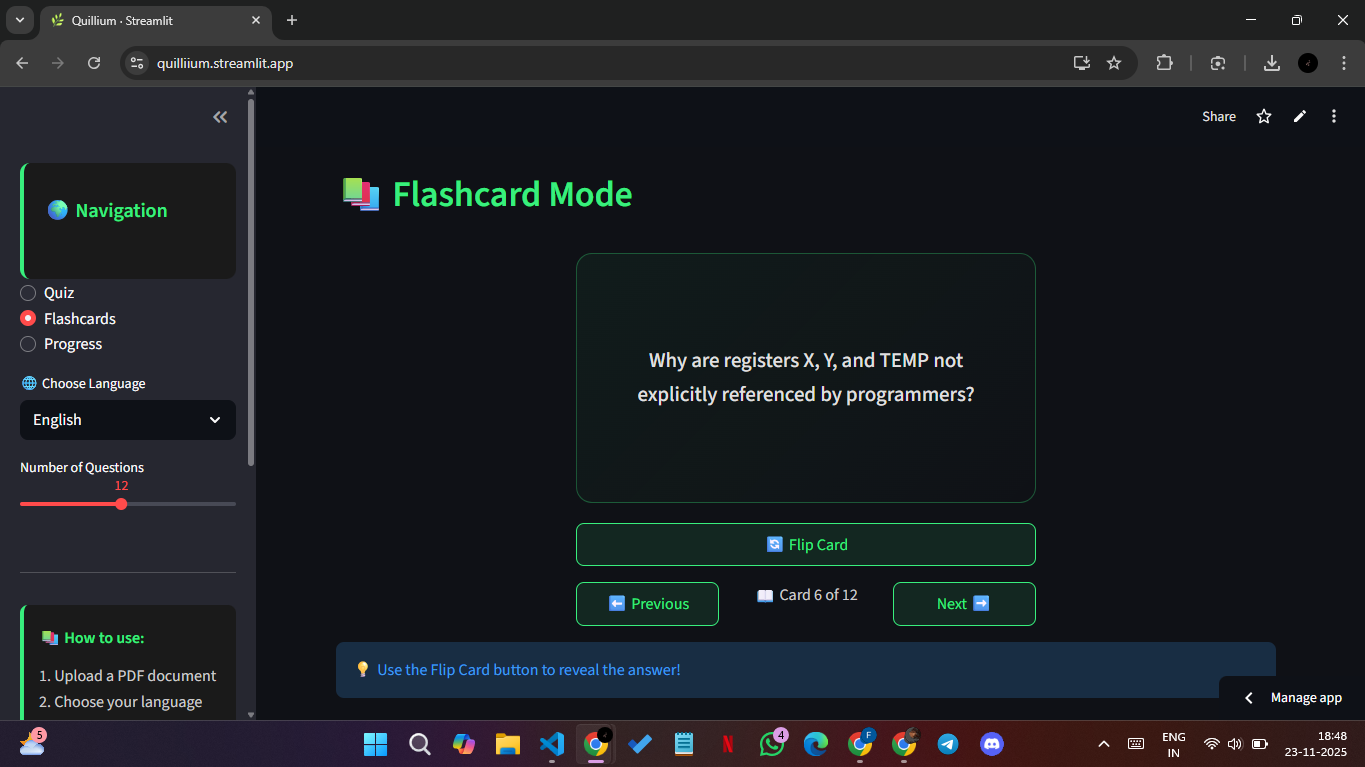
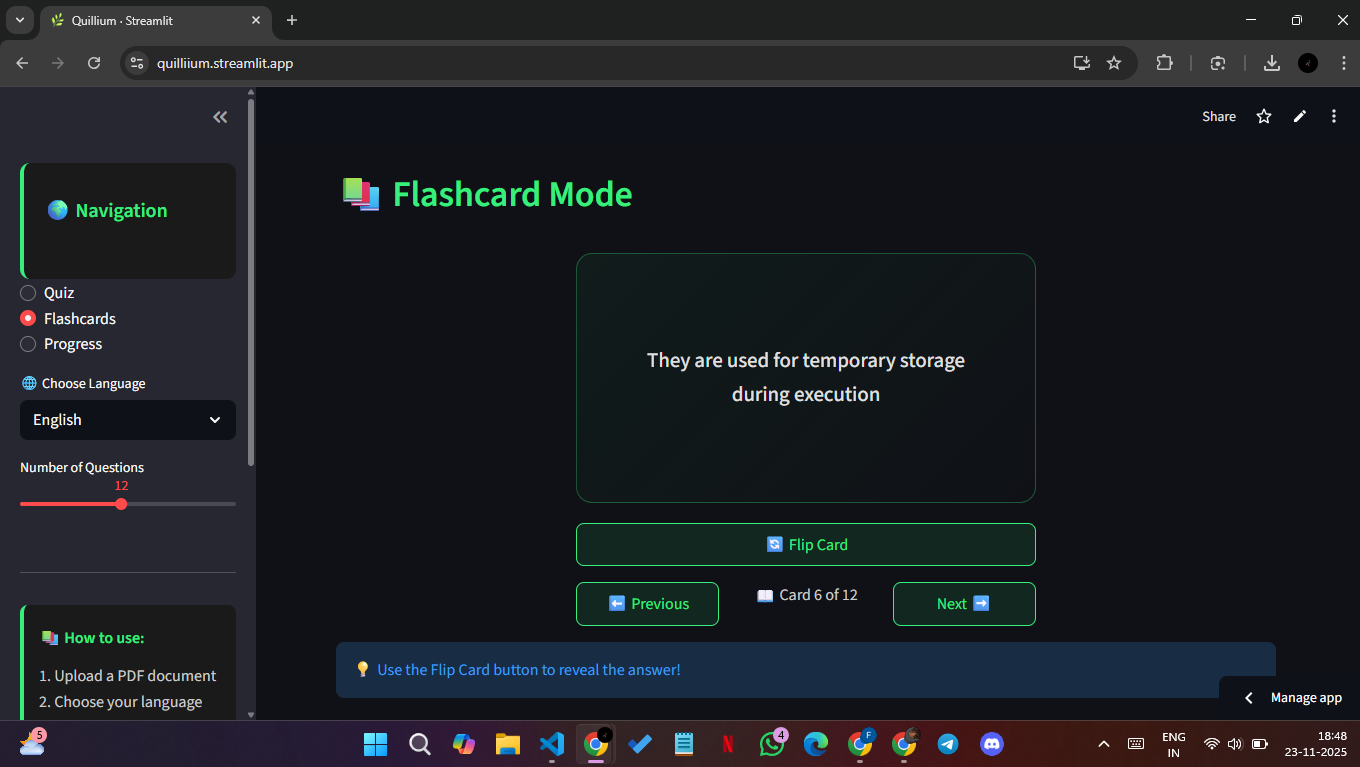
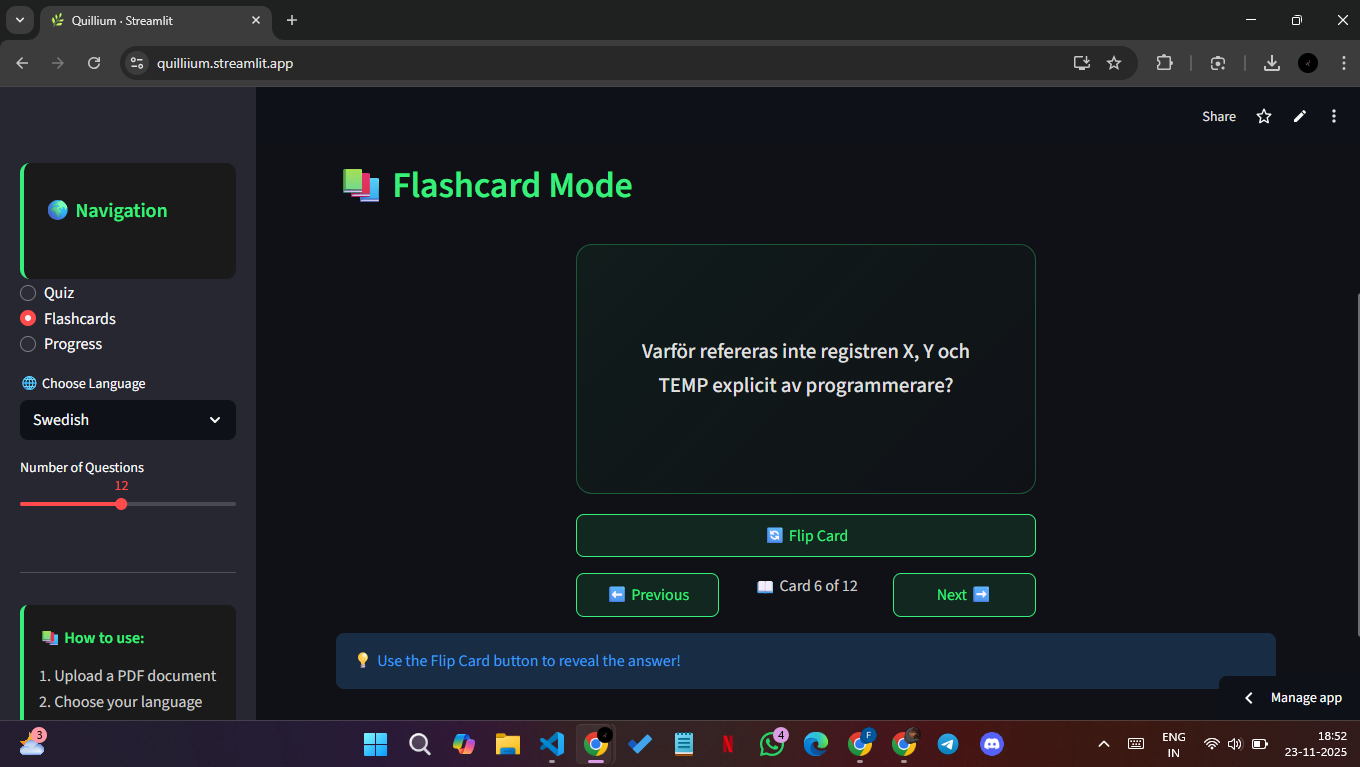
✔️ Creates adaptive flashcards that adjust to learner performance
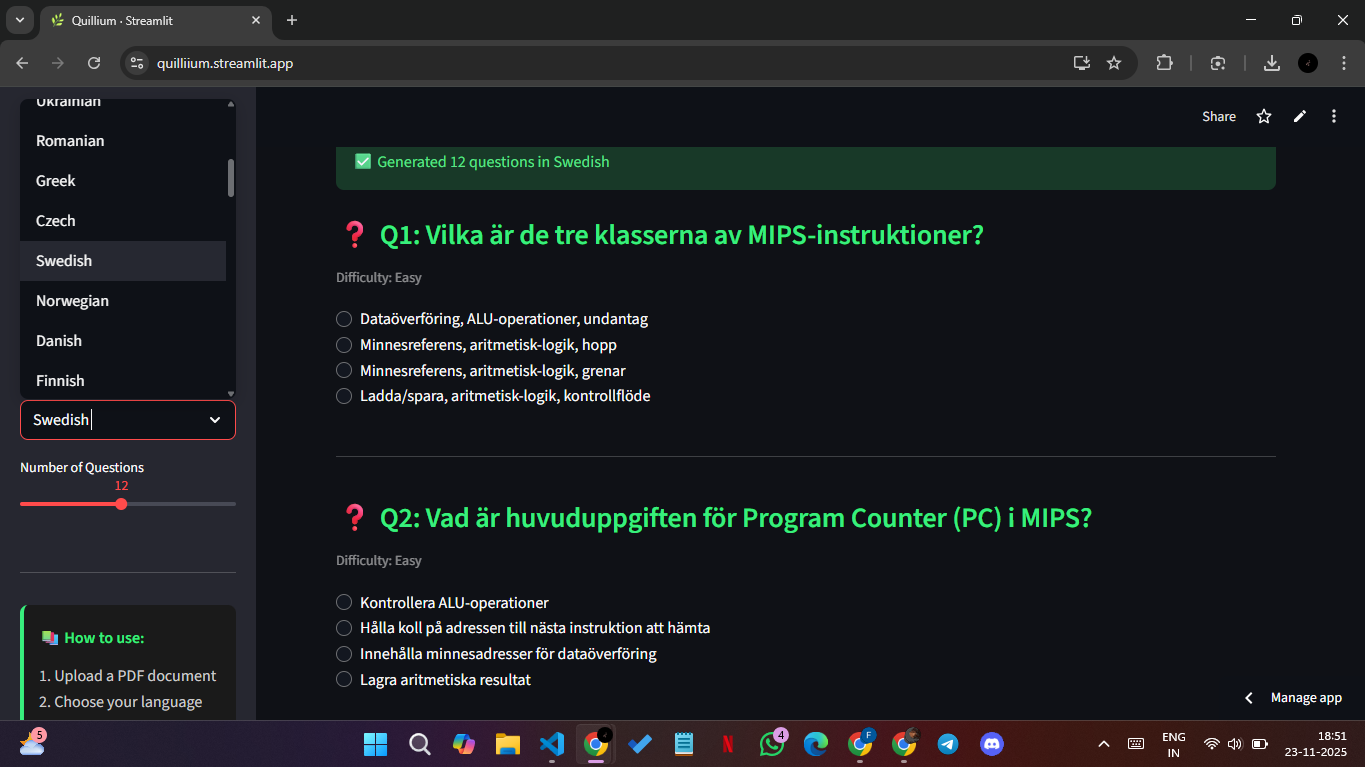
✔️ Translates content and questions into 50+ languages
✔️ Automatically changes difficulty as understanding improves
✔️ Provides a dyslexia-friendly reading mode
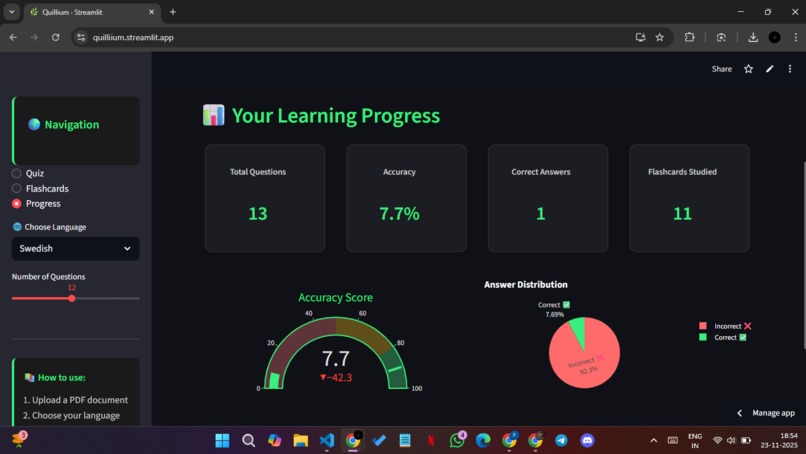
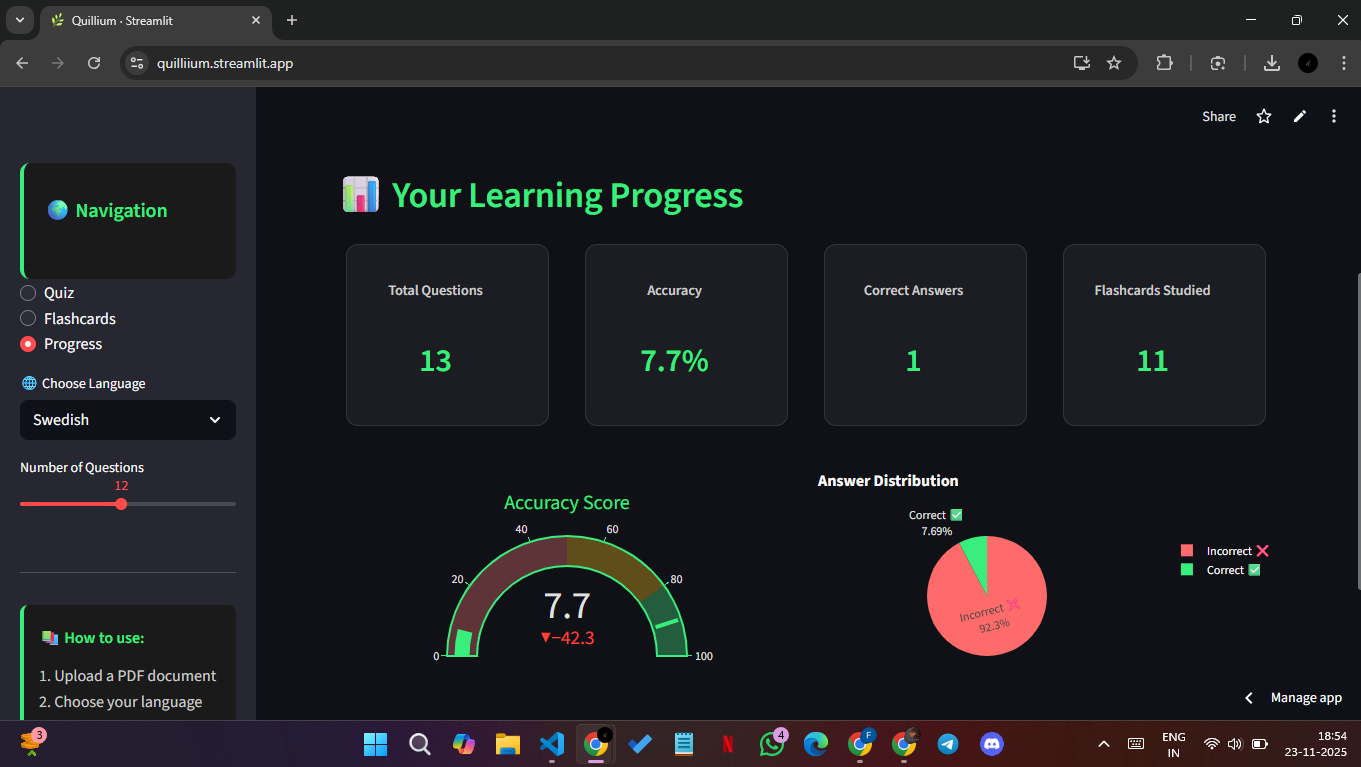
✔️ Tracks progress through simple, meaningful analytics — not confusing dashboards
Learners move through a purposeful cycle:
Understand → Practice → Recall → Improve → Master
Quillium doesn’t force learners to change how they study — it reshapes material to match how learning works.
🧠 How We Built It
Quillium blends NLP, multilingual AI, and accessibility-first UX.
Tech Stack 🛠️
- 📝 PyMuPDF → Extract structured text from PDFs
- 🤖 DeepSeek (via OpenRouter) → Generate structured MCQs
- 🧩 NLTK + WordNet → Smart distractors
- 🌍 Helsinki MarianMT → Translation across 50+ languages
- 🎨 Streamlit + Plotly → Accessible and elegant learner experience
⚠️ Challenges We Ran Into
- 🗣️ Ensuring translation accuracy across diverse languages
- 🎯 Generating high-quality, exam-style questions consistently
- 🏗️ Adding accessibility features without overwhelming the UI
- 🚀 Keeping performance smooth for low-spec devices and slow networks
🏆 Accomplishments We’re Proud Of
- 🎓 A working prototype that generates quizzes, flashcards, and translations automatically
- 🧬 A workflow rooted in modern memory science
- 🌍 Accessibility and multilingual support built from day one — not as a future feature
- 💬 Early testers said studying felt clearer, structured, and less overwhelming
📚 What We Learned
- 🌐 Multilingual AI meaningfully reduces educational barriers
- 🔁 Adaptive repetition increases retention and confidence
- 🧩 Students don’t need more content — they need learnable content
- 🧼 Simplicity invites use — complexity scares learners away
🔮 What’s Next
To continue building Quillium into a global learning platform, we’re working on:
- 📶 Full offline access for low-bandwidth regions
- ✍️ OCR to support handwritten and printed notes
- 🎤 Voice interaction + natural text-to-speech
- 🔗 Export to Notion, Anki, Google Forms, and LMS platforms
- 🧠 A fully adaptive learning engine that adjusts pacing and difficulty automatically
👉 The long-term vision:
A learning experience that feels personalized, accessible, and achievable — for every learner, in every language.


Log in or sign up for Devpost to join the conversation.