Inspiration
We kept noticing the same problem: you walk into a cafe expecting a quiet corner to focus, and instead you're hit with blaring music, harsh fluorescent lighting, and a room packed shoulder to shoulder. For neurodivergent people, people with anxiety or migraines, or honestly anyone having an overstimulating day, this isn't just annoying — it can be genuinely overwhelming. Apps like Google Maps tell you food ratings and opening hours, but never whether a space will actually feel calm or chaotic. There's no way to know before you walk in. We wanted to fix that.
What it does
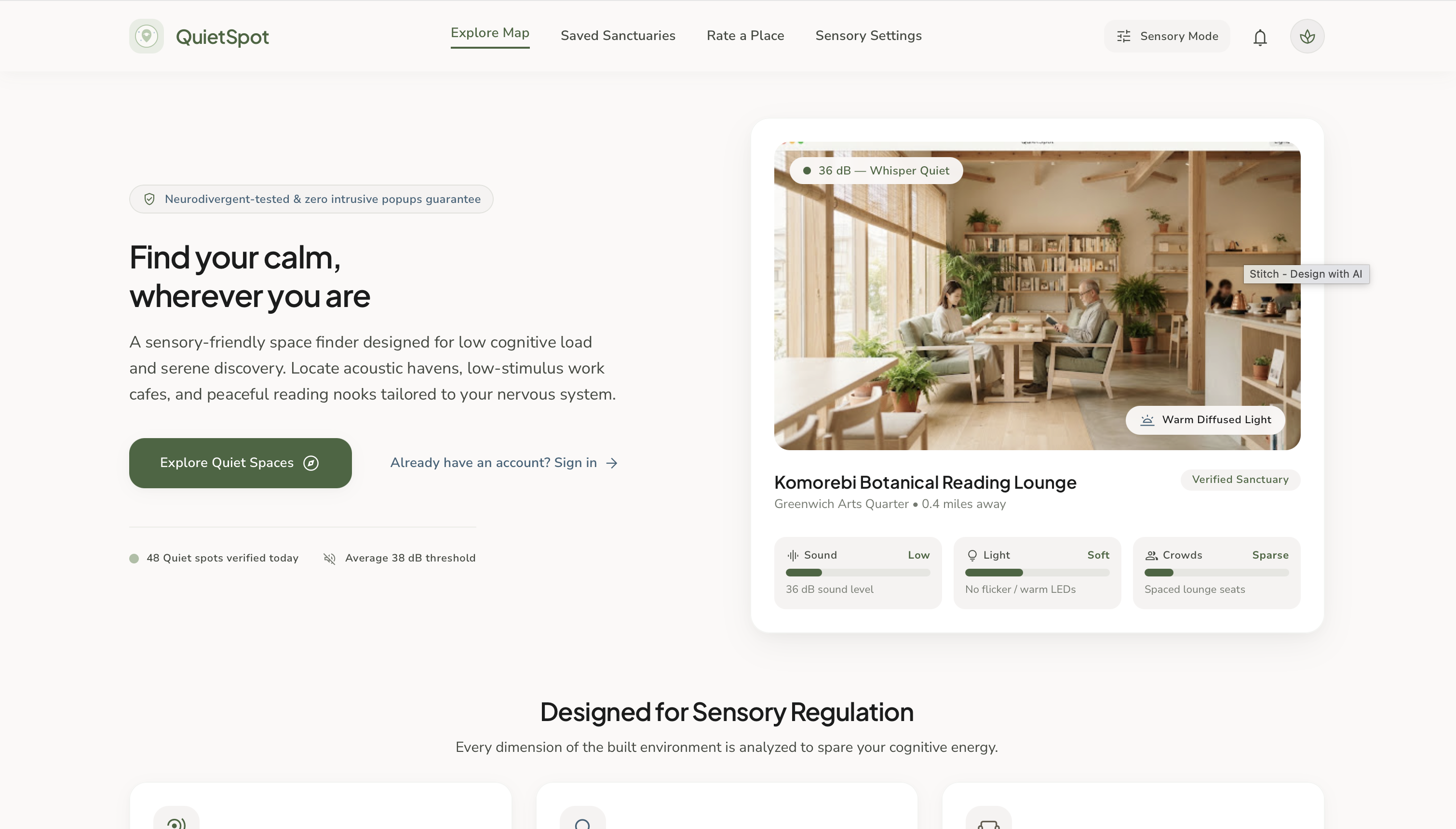
QuietSpot is a sensory-friendly space finder that helps people locate calm, low-stimulation places nearby — cafes, libraries, reading rooms, and workspaces — based on real sensory data instead of generic star ratings.
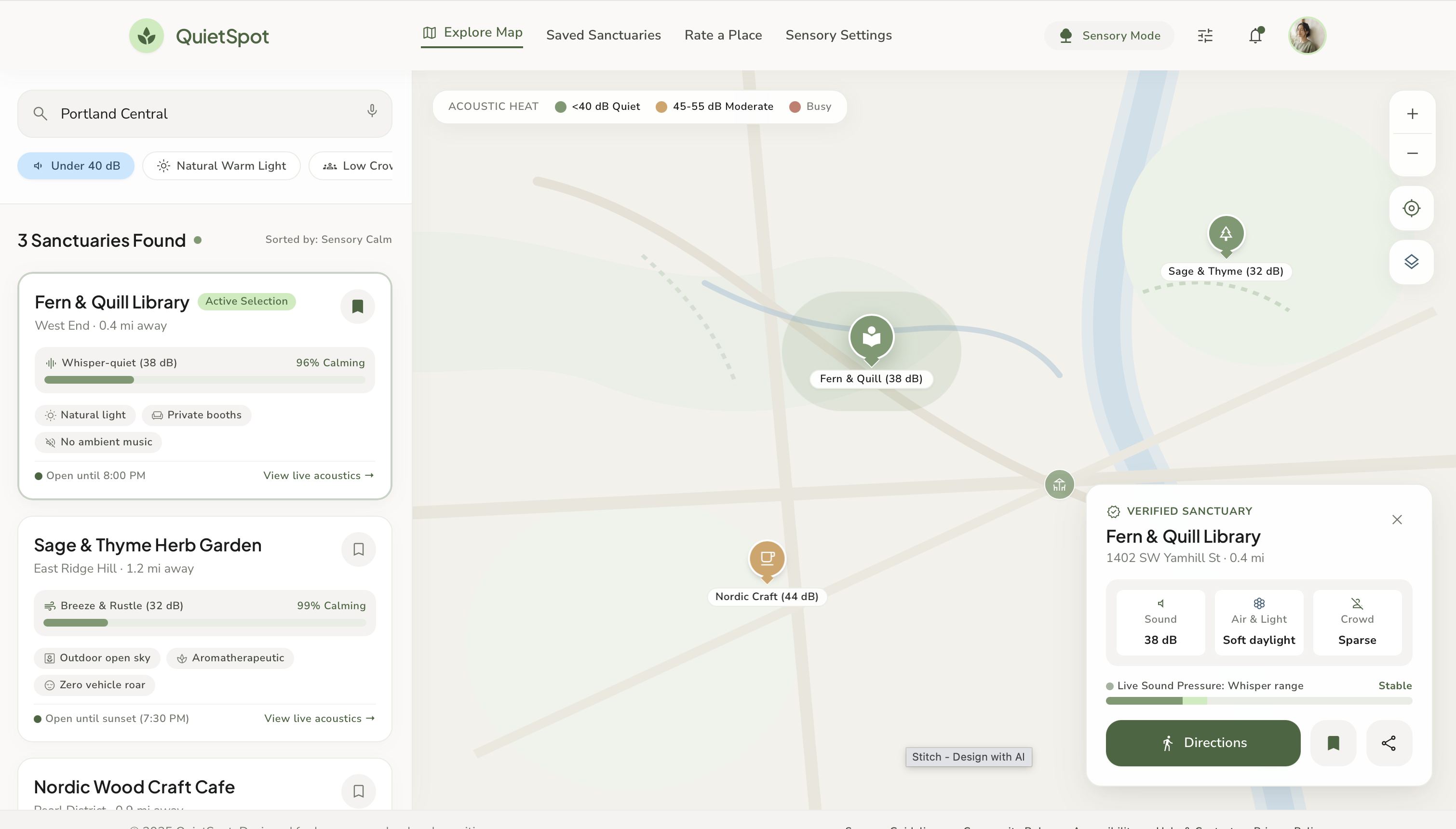
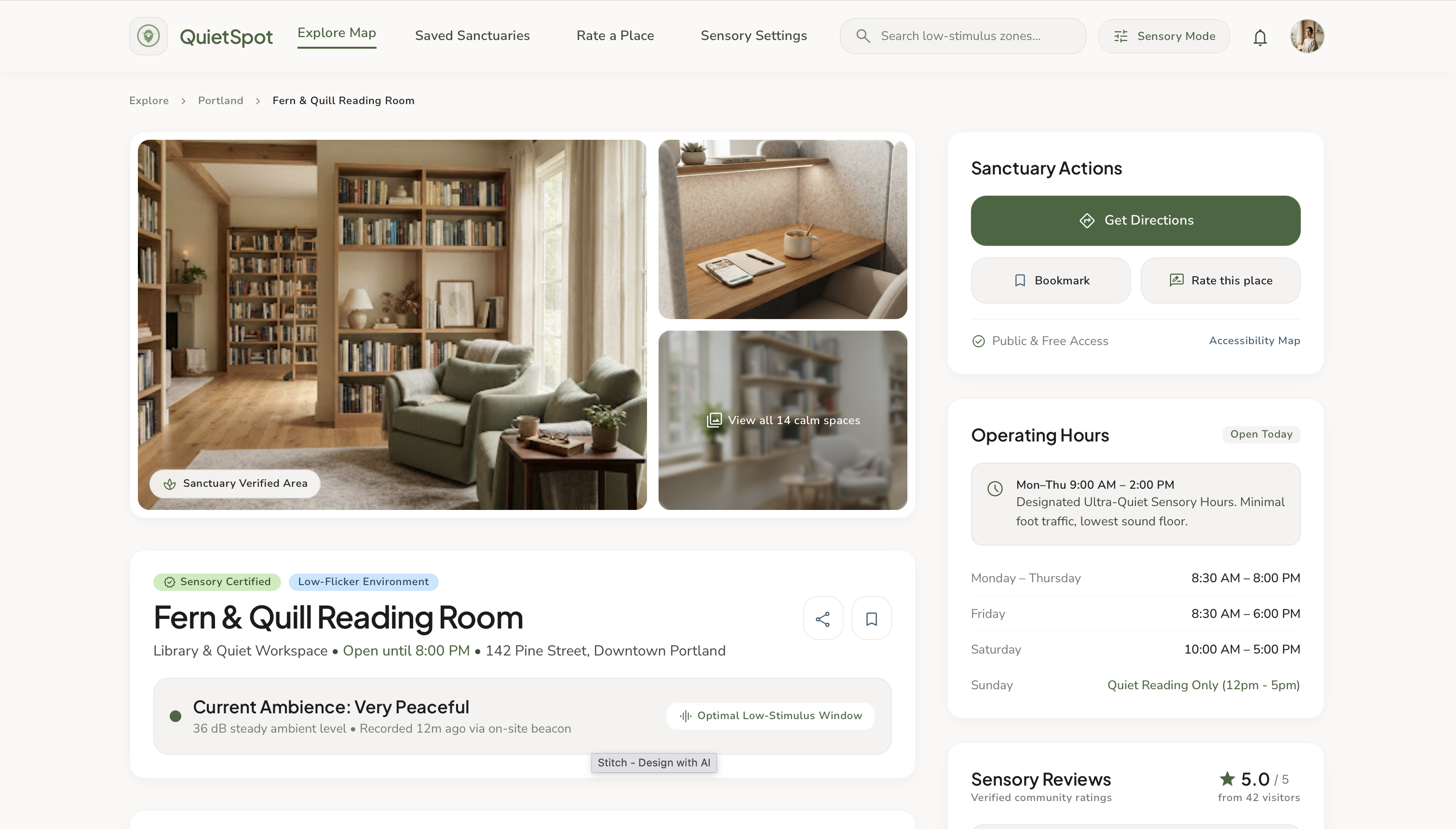
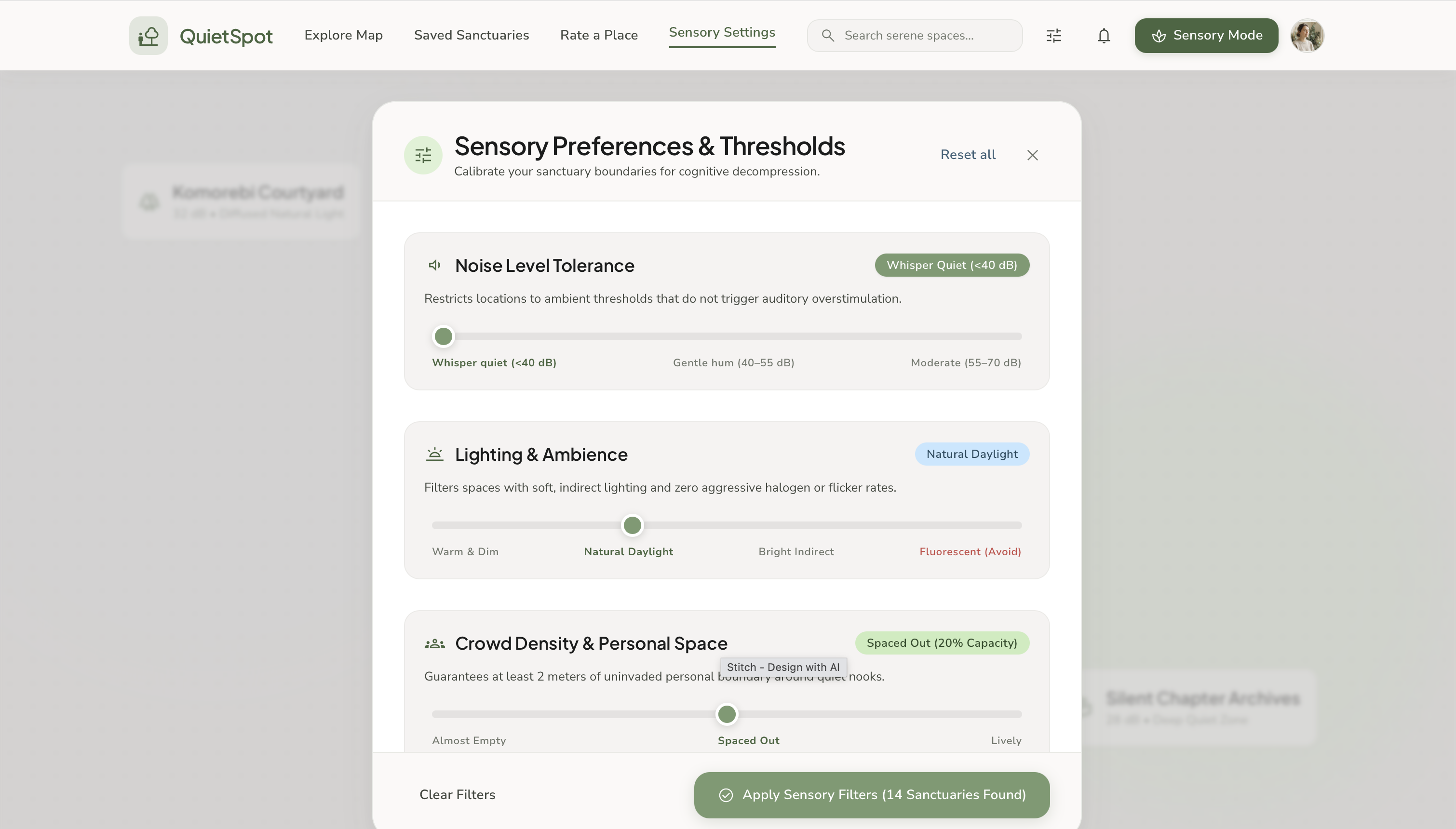
- Explore Map — browse nearby quiet spots and filter by personal sensory thresholds like noise tolerance and lighting preference
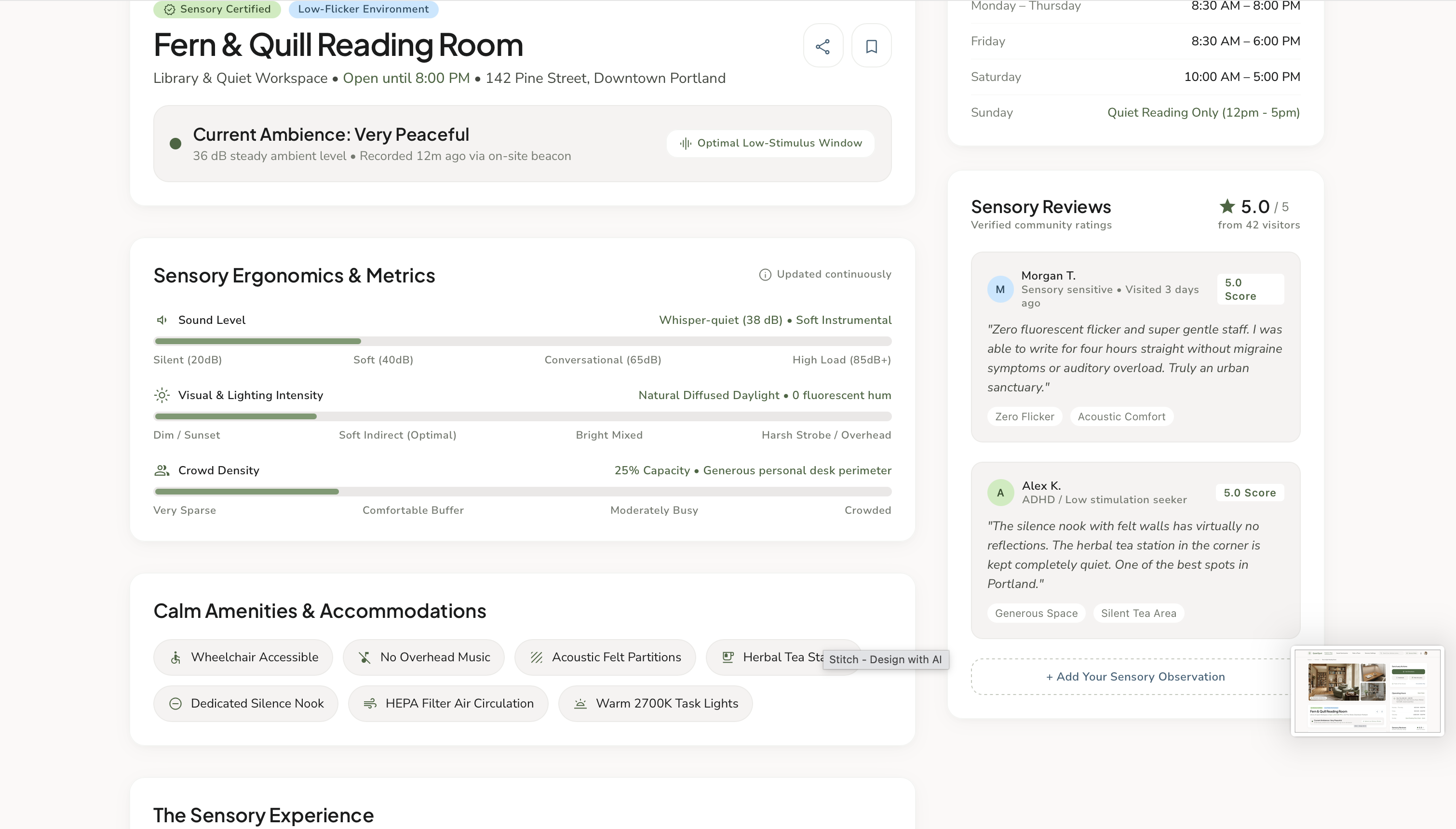
- Place Detail — see a full sensory breakdown: decibel level, lighting quality (flicker-free, warm spectrum), crowd density, operating hours, and designated "Ultra-Quiet Sensory Hours"
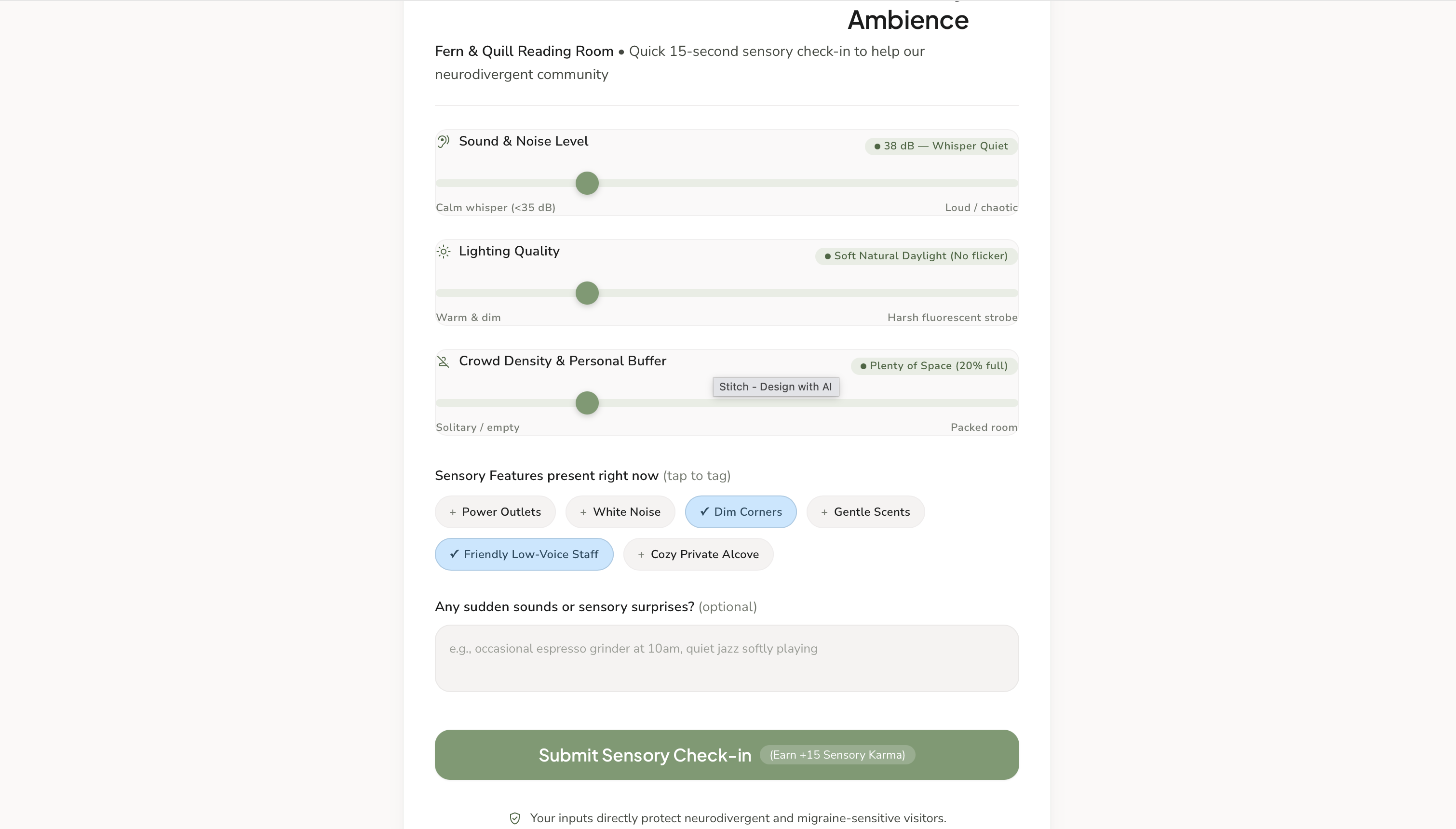
- Rate a Place — quick sliders let the community keep sensory data fresh and accurate
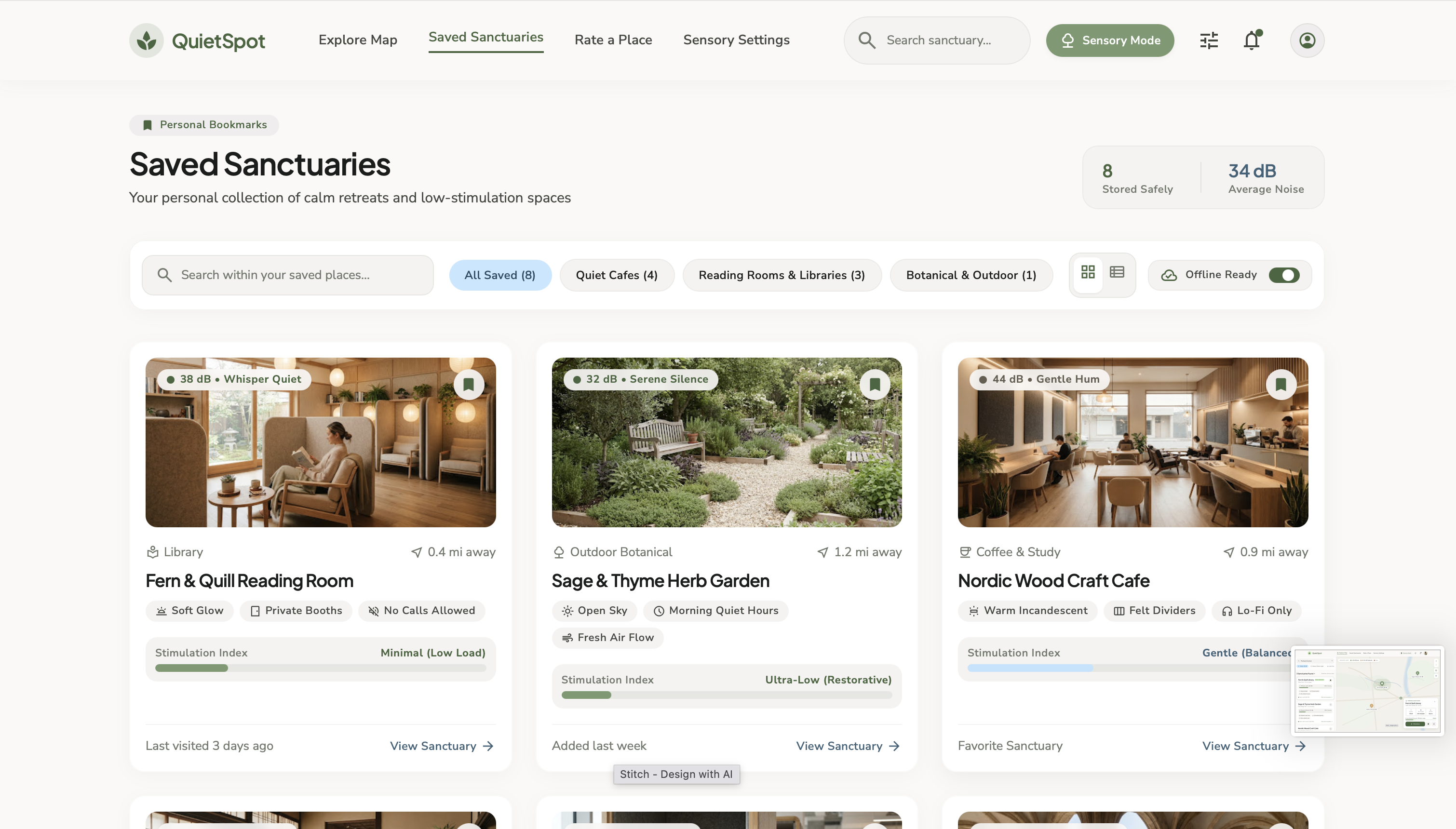
- Saved Sanctuaries — save trusted calm spaces for quick access later
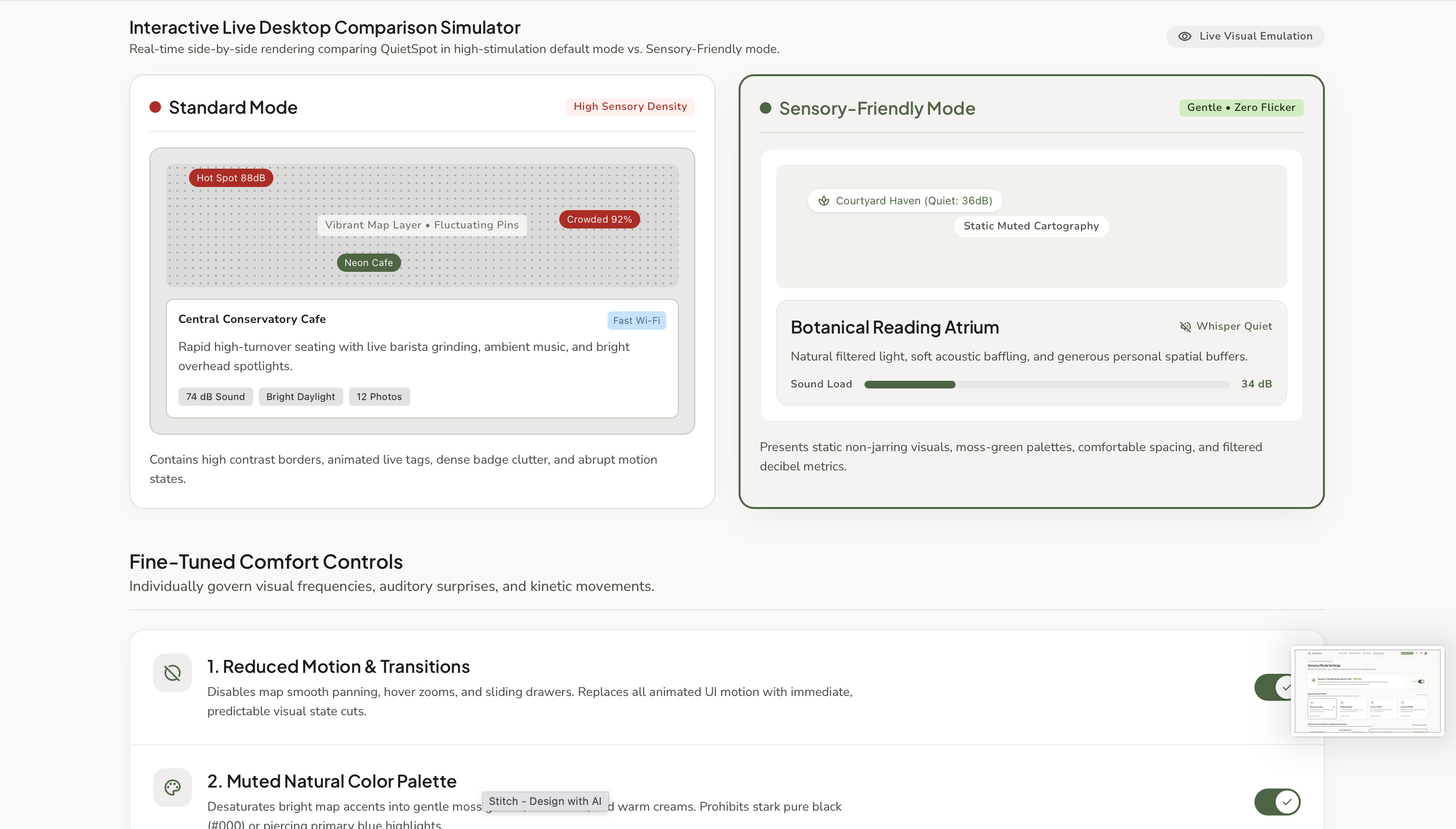
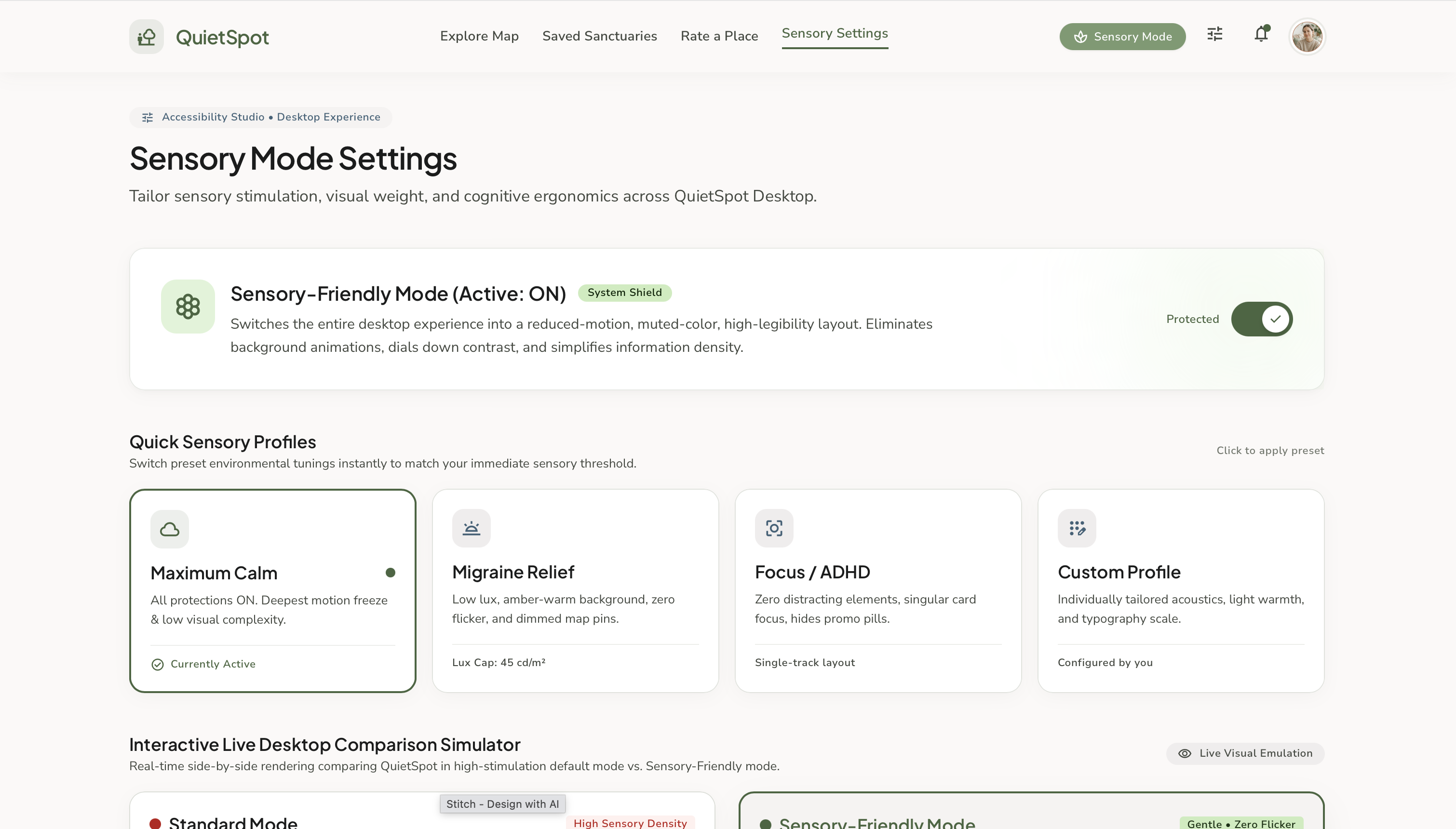
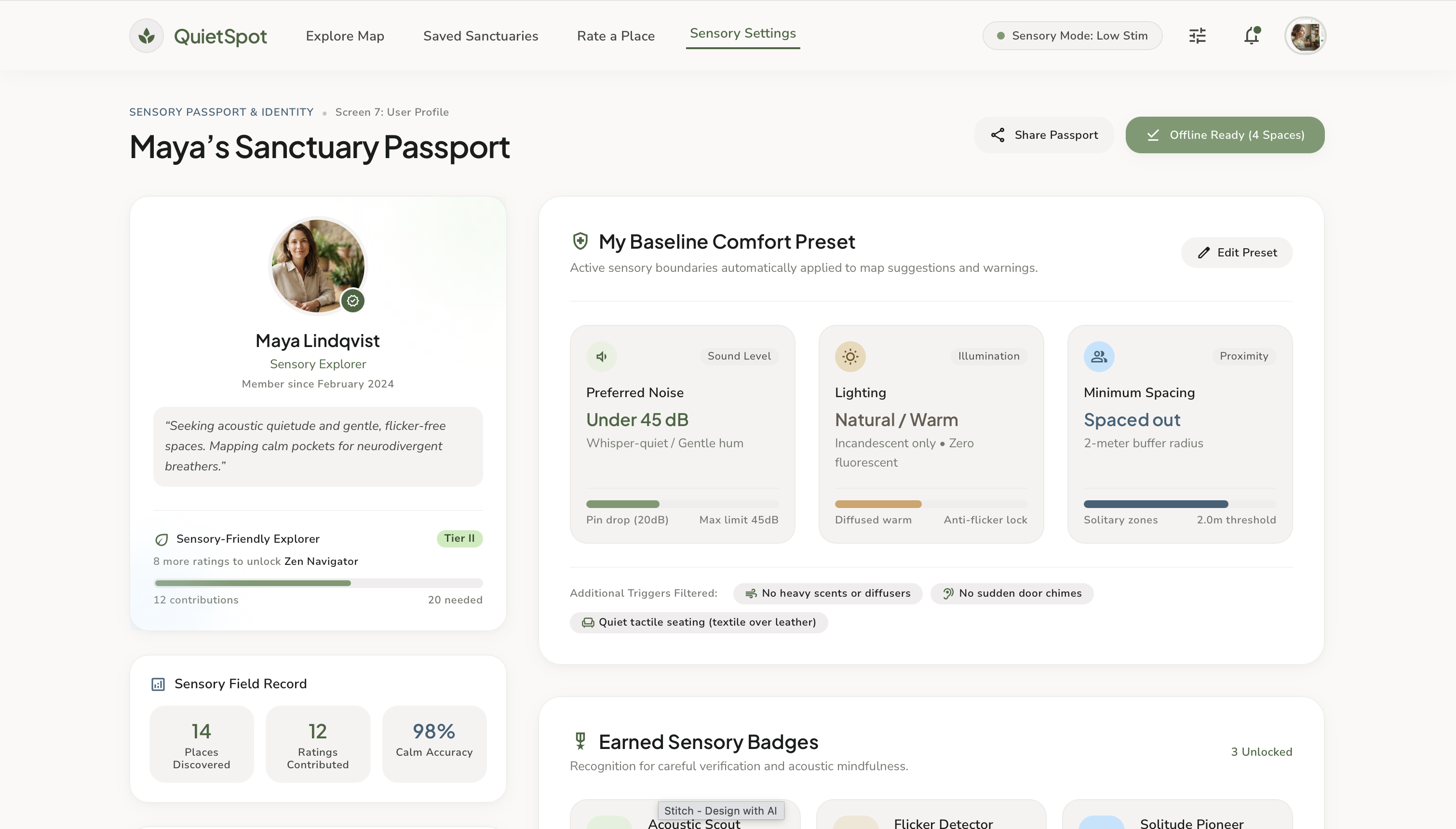
- Sensory Mode — a personalized settings profile where users define their own comfort thresholds, so the app adapts to their specific sensory needs rather than offering one-size-fits-all data
How we built it
We started by mapping out the core user journey: search, evaluate, rate, save. We used Stitch AI to rapidly generate initial screen layouts for the full flow (onboarding, map, place detail, rating, saved places, and settings), then brought those into Figma to refine the visual design — establishing a consistent calming color palette (soft sage green, muted sky blue, warm off-white), typography, and spacing across every screen. We paid close attention to making the core "rate a place" interaction fast (under 15 seconds) since a rating system only works if real users will actually use it.
Challenges we ran into
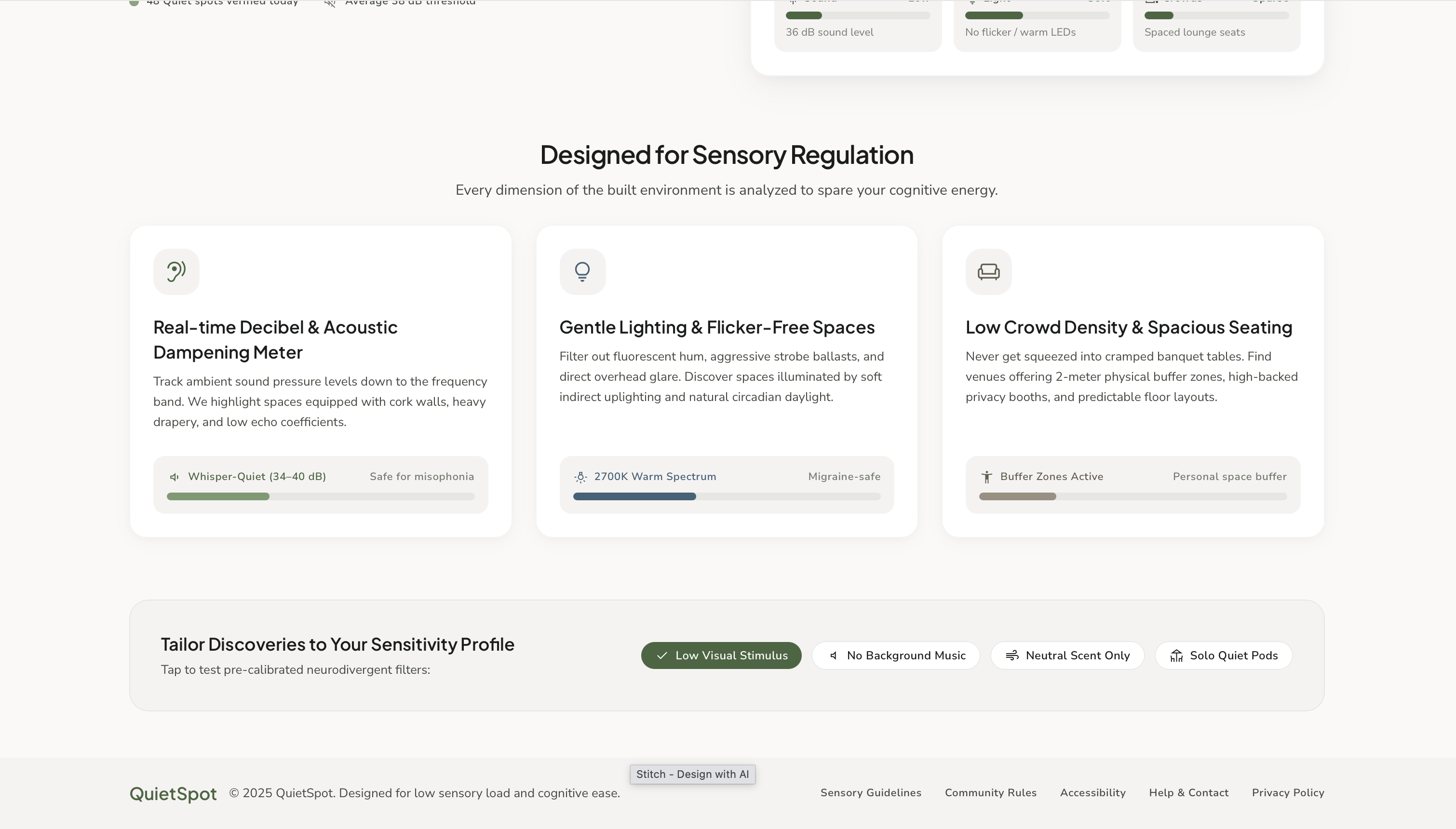
The biggest challenge was translating an abstract idea — "sensory comfort" — into concrete, measurable UI elements that felt trustworthy rather than gimmicky. We solved this by grounding every screen in specific, realistic metrics (actual decibel numbers, color-temperature lighting specs, crowd density descriptions) instead of vague labels like "quiet" or "loud." We also had to think carefully about what data fields would make the rating flow both fast for users and rich enough to be genuinely useful.
Accomplishments that we're proud of
We're proud that QuietSpot doesn't feel like a rough concept — every screen, from the landing page to the sensory settings panel, feels like a coherent, launch-ready product with a consistent visual identity. We're especially proud of the Sensory Mode feature, which lets users personalize their own comfort thresholds rather than relying on one-size-fits-all filtering — this is what sets QuietSpot apart from simply extending existing map apps.
What we learned
We learned how much thought goes into designing for accessibility and sensory needs specifically — small details like avoiding flicker, offering low-visual-stimulus modes, and giving users control over notifications and popups all matter far more than we initially expected. We also learned how to use AI tools like Stitch effectively as a starting point for rapid prototyping, while still doing the manual design work needed to make a product feel intentional rather than generic.
What's next for QuietSpot
Next, we'd want to build a real-time acoustic sensing feature using phone microphones (with user consent) to auto-verify noise ratings rather than relying solely on manual community input. We'd also like to build out the business side — a dashboard for cafes and libraries to view and respond to their own sensory ratings, and potentially partner with accessibility organizations to verify listed "sensory certified" spaces.
Built With
- figma
- stitchai


Log in or sign up for Devpost to join the conversation.