-
-
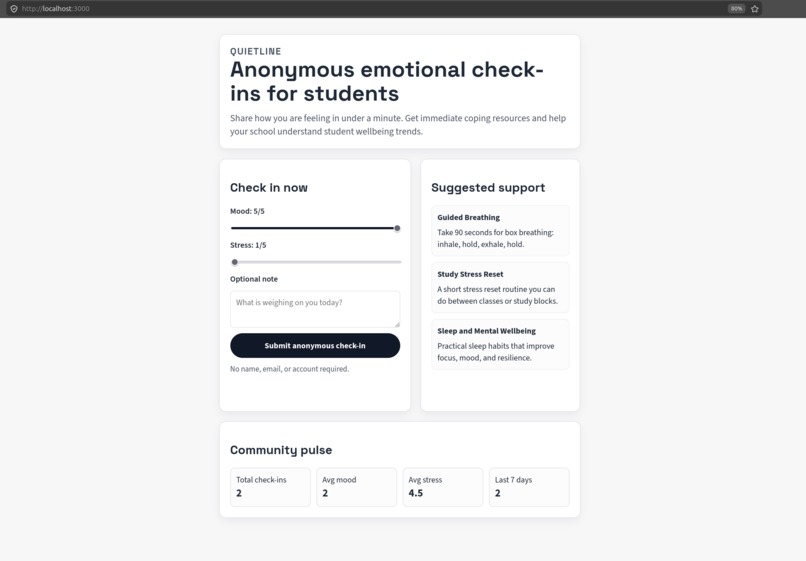
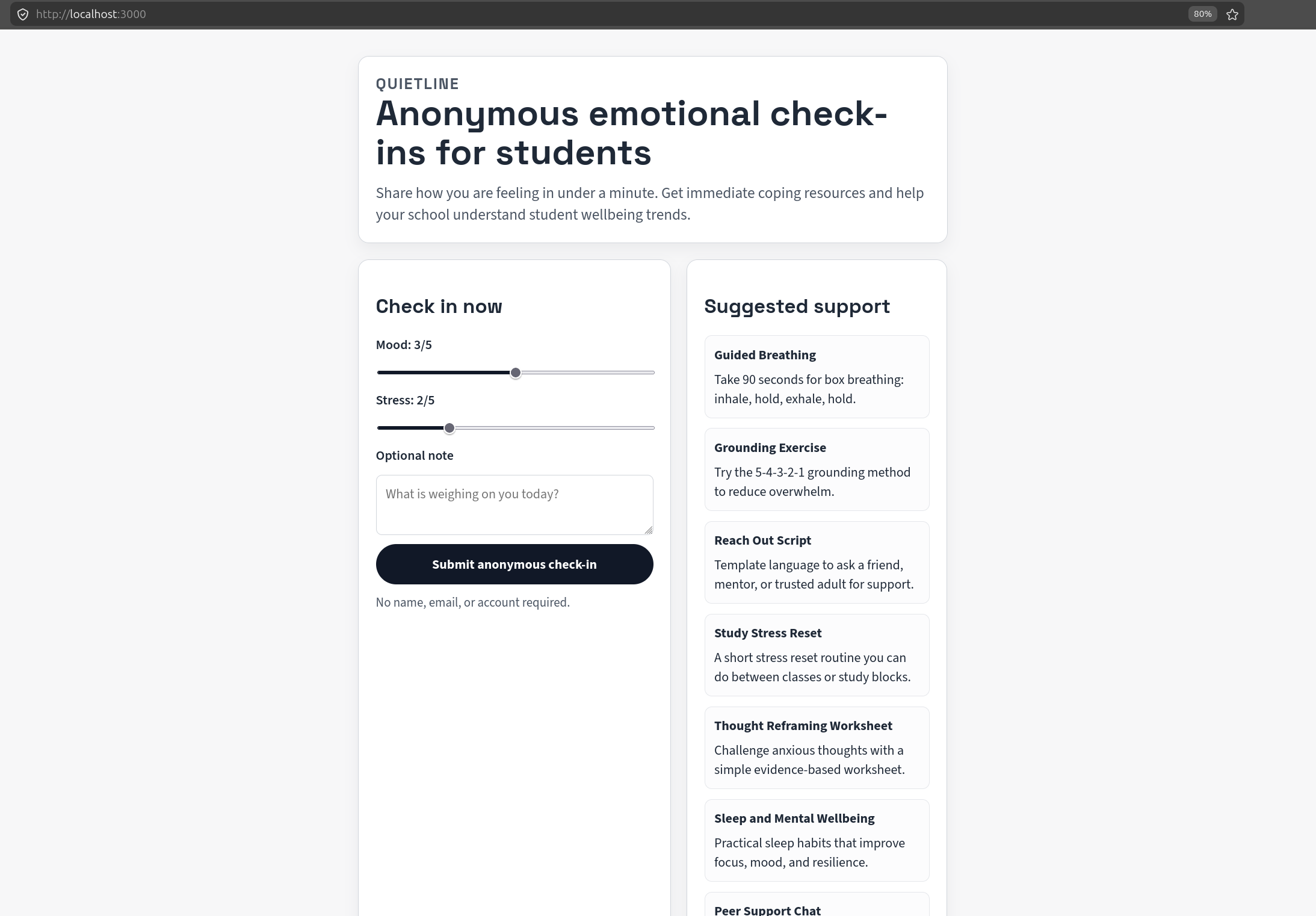
Low stress and good mood
-
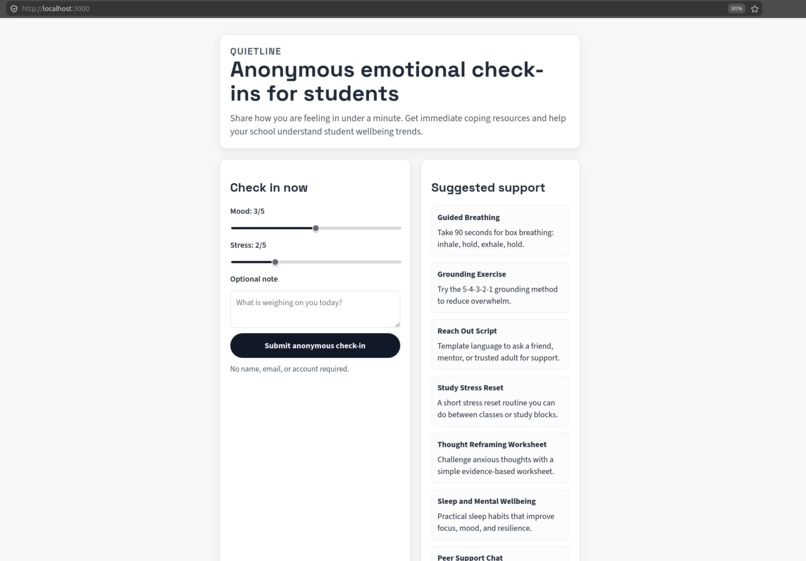
Average mood and stress level
-
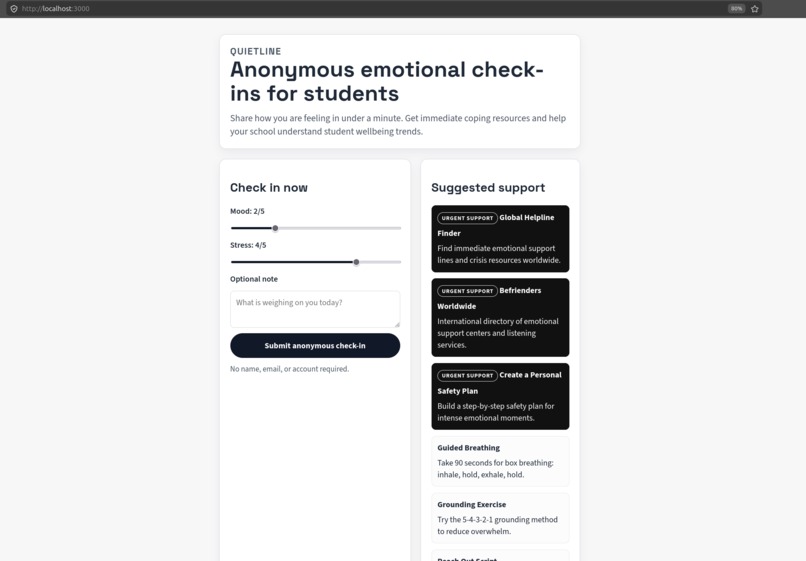
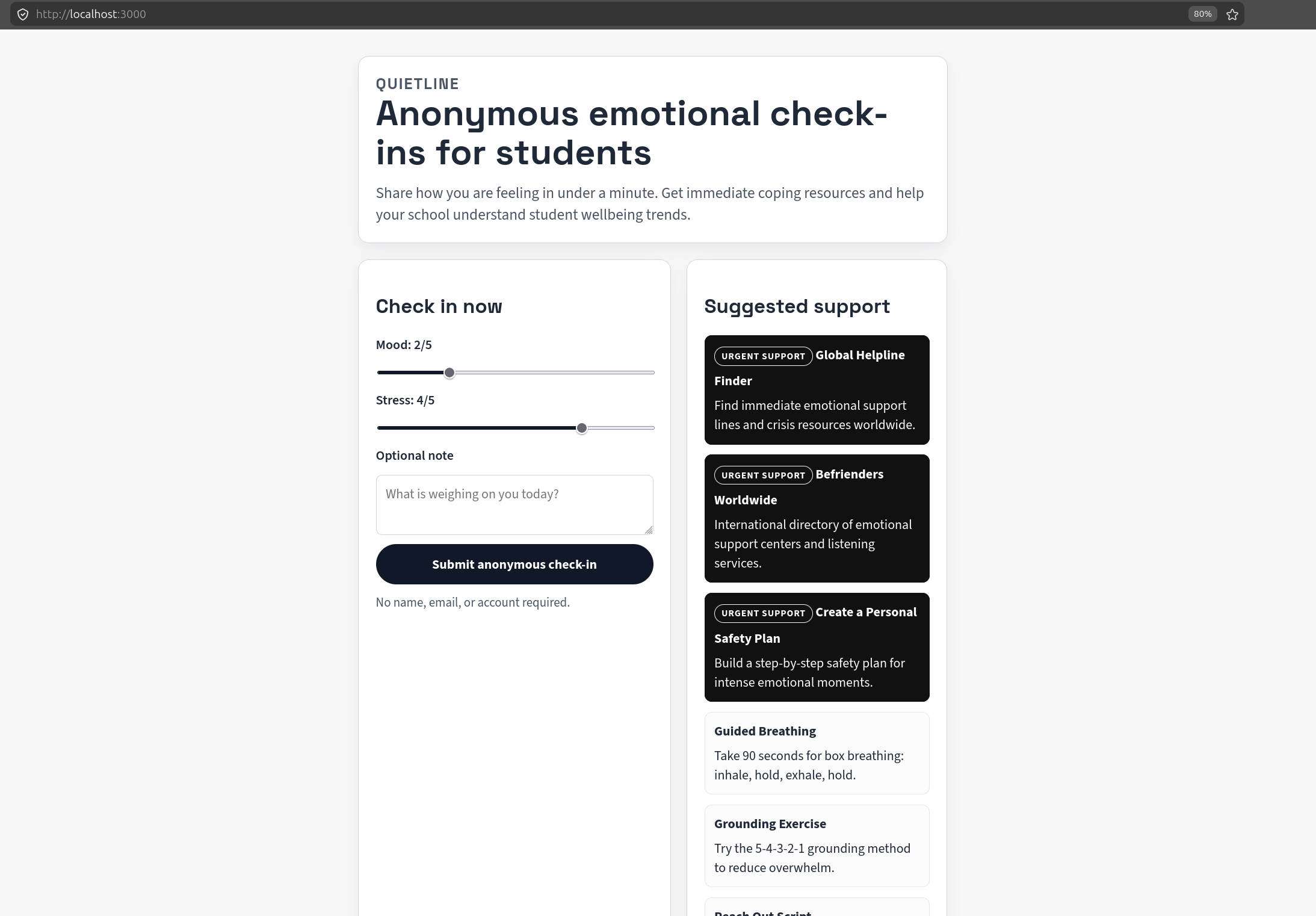
High stress and low mood
Inspiration
Mental health support often fails at the first step: asking for help can feel too heavy, too public, or too complicated. We wanted to build something that reduces that friction for students. The goal behind QuietLine was simple: make emotional check-ins anonymous, fast, and useful in less than a minute.
We were also inspired by the gap between individual support and school-level visibility. Students need private, immediate tools, while educators need trend-level signals, not personal data. QuietLine was designed to serve both needs safely.
What it does
QuietLine is a lightweight web app where students can:
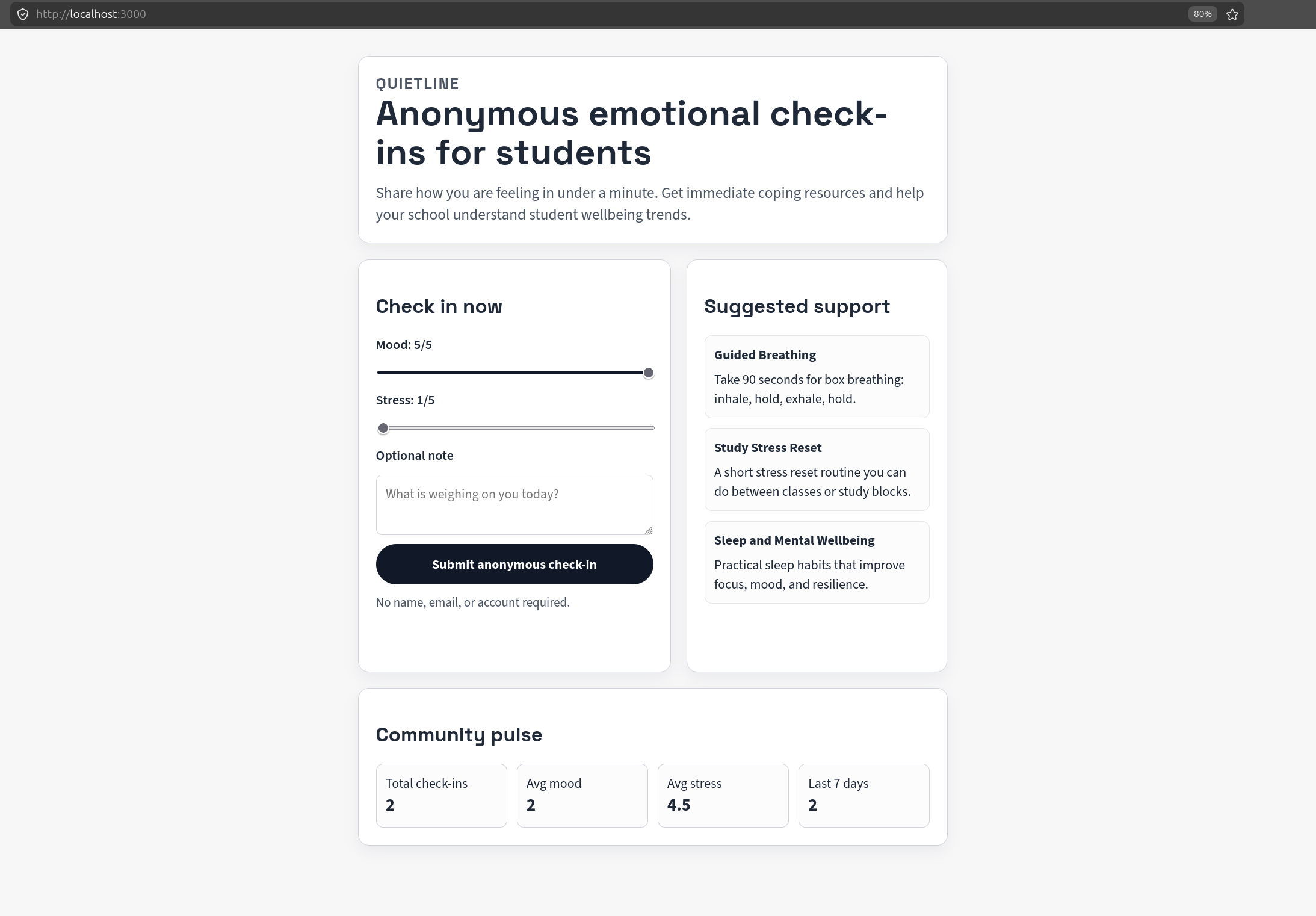
- Submit an anonymous check-in with mood (1-5), stress (1-5), and an optional note.
- Instantly receive support resources tailored to their current emotional state.
- See a simple community pulse dashboard with aggregate metrics:
- total check-ins
- average mood
- average stress
- check-ins in the last 7 days
It also adapts recommendations by state:
- High mood and low stress returns only 2-3 links to avoid overwhelm.
- Higher stress or lower mood surfaces urgent support options more prominently.
- High-priority resources are visually highlighted so they are easier to notice quickly.
How we built it
We built QuietLine as a full-stack JavaScript app with a focus on speed, simplicity, and privacy.
- Backend: Node.js + Express API
- Frontend: Vanilla HTML, CSS, and JavaScript
- Storage: local JSON file for anonymous check-in persistence
- Testing: Node built-in test runner for validation and stats logic
Key implementation pieces:
- Input validation for mood/stress ranges and note limits
- Resource recommendation engine with scenario-based branching
- Aggregation logic for trend metrics
- UI updates for a sober, clean design suitable for teenagers
- Visual emphasis for urgent support cards
Challenges we ran into
- Balancing support vs overload: early versions showed too many links for students who were doing relatively well. We fixed this by adding a calm path that returns only a short list.
- Risk communication: urgent help needed to stand out visually without making the whole interface feel alarming. We solved this with selective high-priority styling.
- Tone and trust: design had to feel modern but not clinical, and supportive without being intrusive.
- Privacy boundaries: we wanted useful analytics without collecting identity data.
Accomplishments that we're proud of
- Built a complete working prototype from scratch with both API and UI.
- Added adaptive recommendation logic that changes by emotional state.
- Implemented a clear privacy-first flow with anonymous check-ins only.
- Improved usability through iterative design changes:
- removed distracting gradients
- switched to a cleaner, more sober visual system
- highlighted urgent resources for faster scanning
- Maintained clean project history with frequent conventional commits.
What we learned
- In wellbeing products, less can be more. Showing fewer, better options at the right moment improves usability.
- Small UI decisions can directly affect emotional safety and trust.
- Privacy-first architecture is possible even in fast hackathon builds.
- Iterating quickly with focused commits and lightweight tests keeps momentum high without losing reliability.
We also learned that impact is not only about advanced AI or big infrastructure. A clear flow, empathetic content, and careful defaults can create meaningful value.
What's next for QuietLine
- Add localization and multilingual resource packs.
- Introduce region-aware emergency guidance while keeping core experience global.
- Move from JSON storage to a production database and role-based access for counselors.
- Add stronger abuse protection (rate limiting, moderation safeguards).
- Expand analytics with time-based trend views and early warning signals.
- Run pilot feedback sessions with students and school staff to refine wording and UX.
Long term, we want QuietLine to become a trusted first-touch support layer: fast, anonymous, and practical, with clear paths from self-help to human help when needed.

Log in or sign up for Devpost to join the conversation.