-
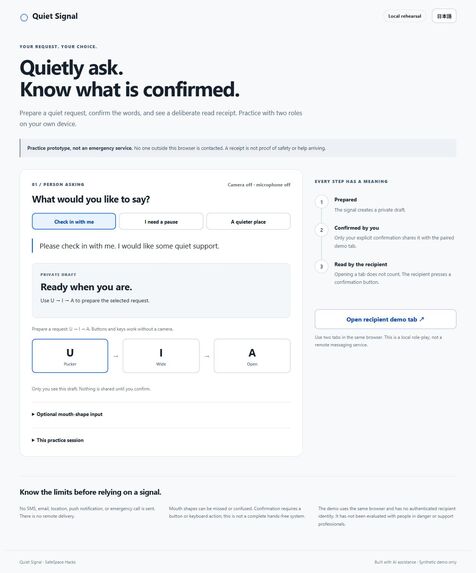
Actual local Computer Use screenshot using synthetic QA input; not a field result.
-
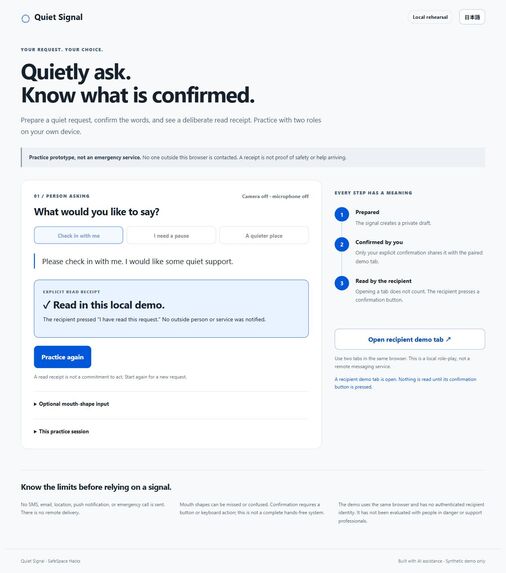
Actual local Computer Use screenshot using synthetic QA input; not a field result.
-
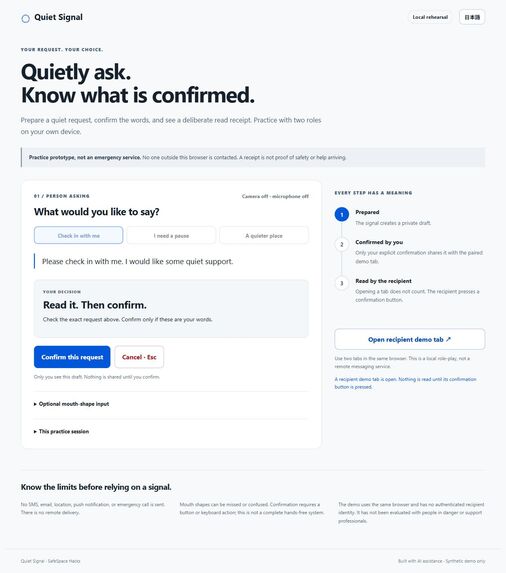
Actual local Computer Use screenshot using synthetic QA input; not a field result.
Inspiration
When my grandmother's voice grew weak, she did not have less to say; she had fewer ways to say it. My wider Kuchimoji project explores input without voice. Quiet Signal focuses on a separate question: when a person prepares a request, can the interface make it clear what they chose, what they confirmed, and what another person actually acknowledged?
Problem
A prepared message, a shared request, and an acknowledgment are different events. Blurring them can create false confidence. A gesture can be accidental; an open screen does not mean the other person has read it. This prototype explores an explicit handoff without pretending that a signal guarantees safety or help.
What it does
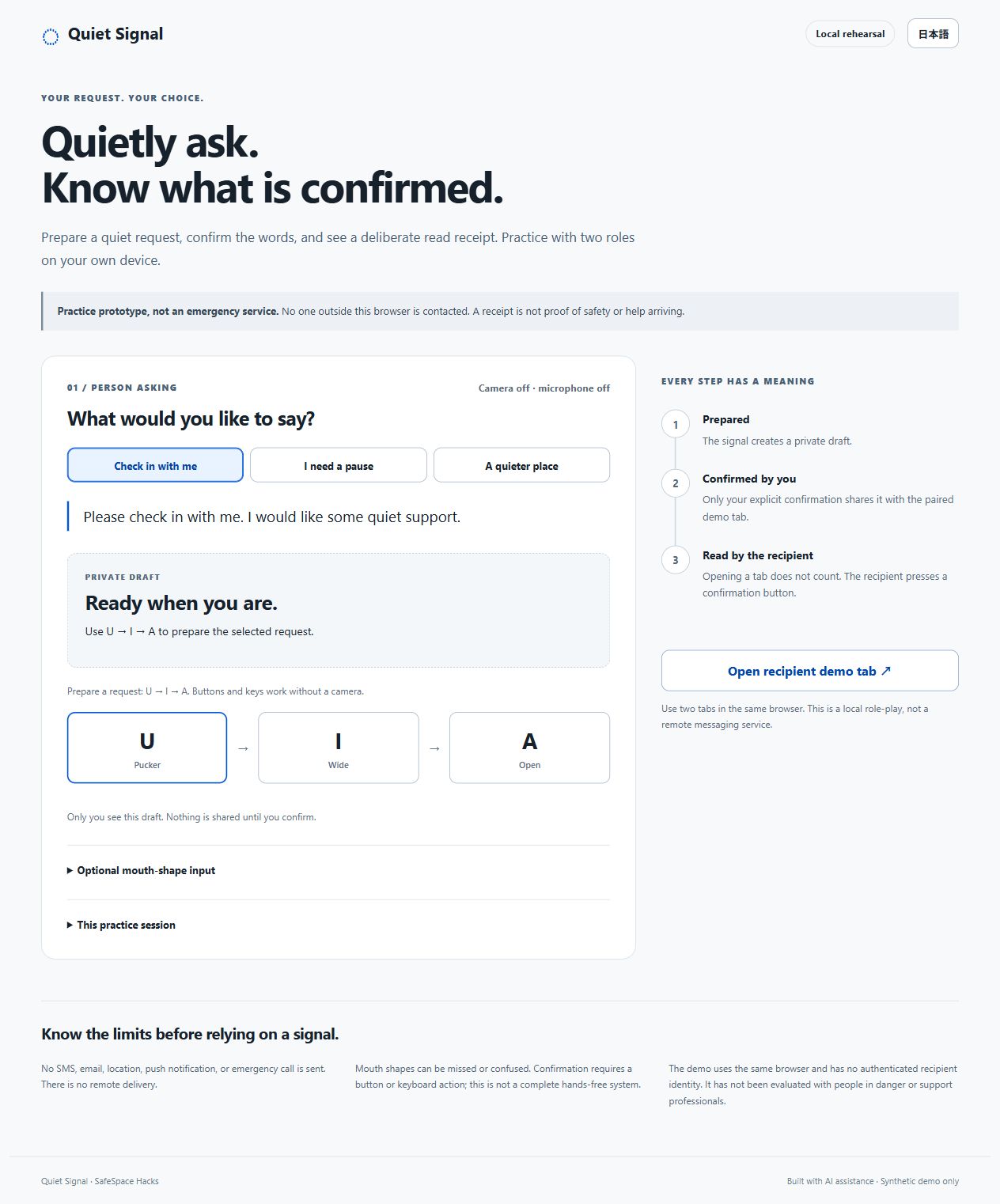
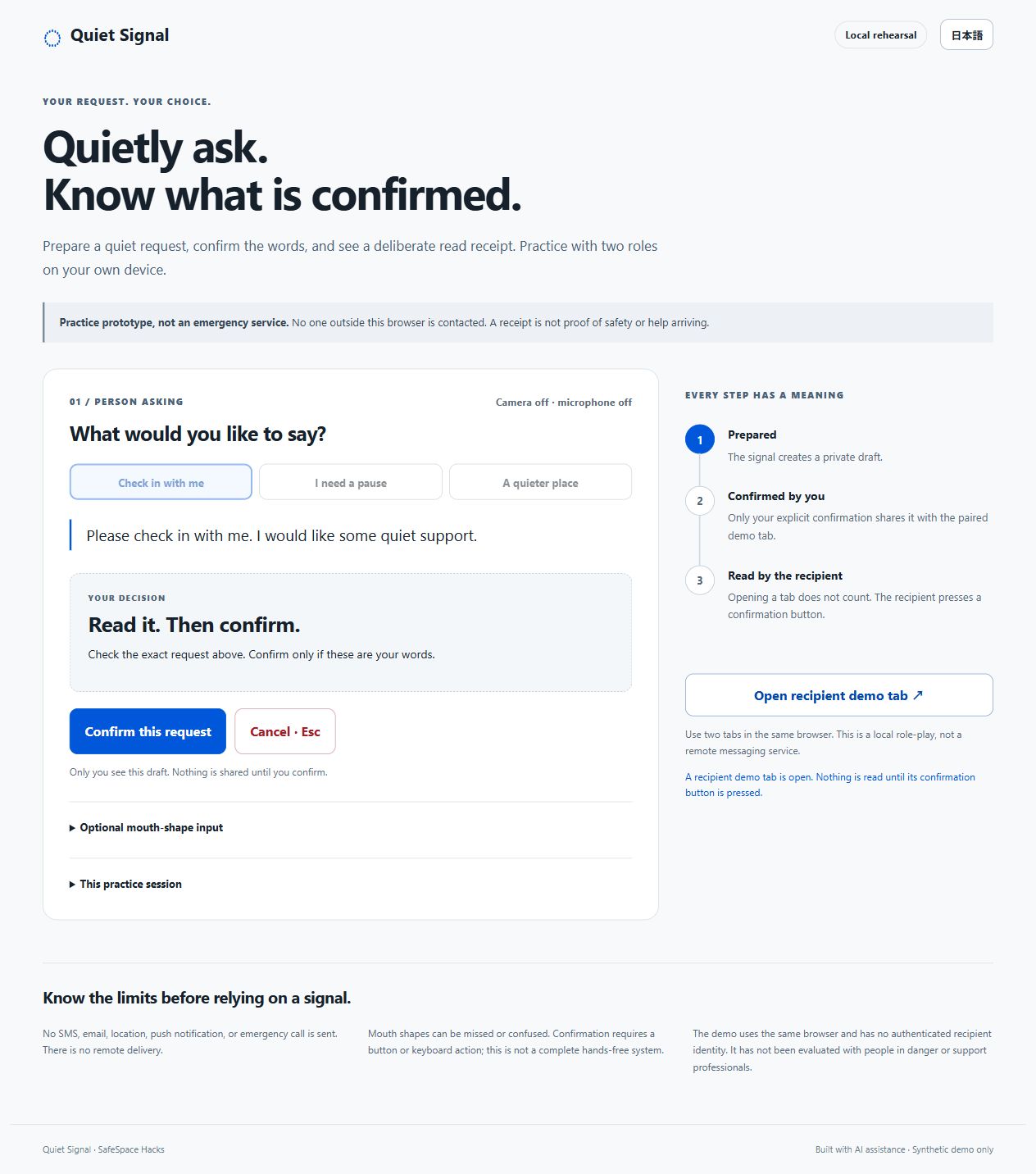
Quiet Signal is a bilingual, local rehearsal with two roles in the same browser. The sender chooses a synthetic preset request and enters U → I → A using buttons, keys, or optional calibrated mouth shapes. A five-second cancellation window leads to a private review. It never confirms automatically. Only the sender's explicit confirmation makes the request available to the paired recipient tab.
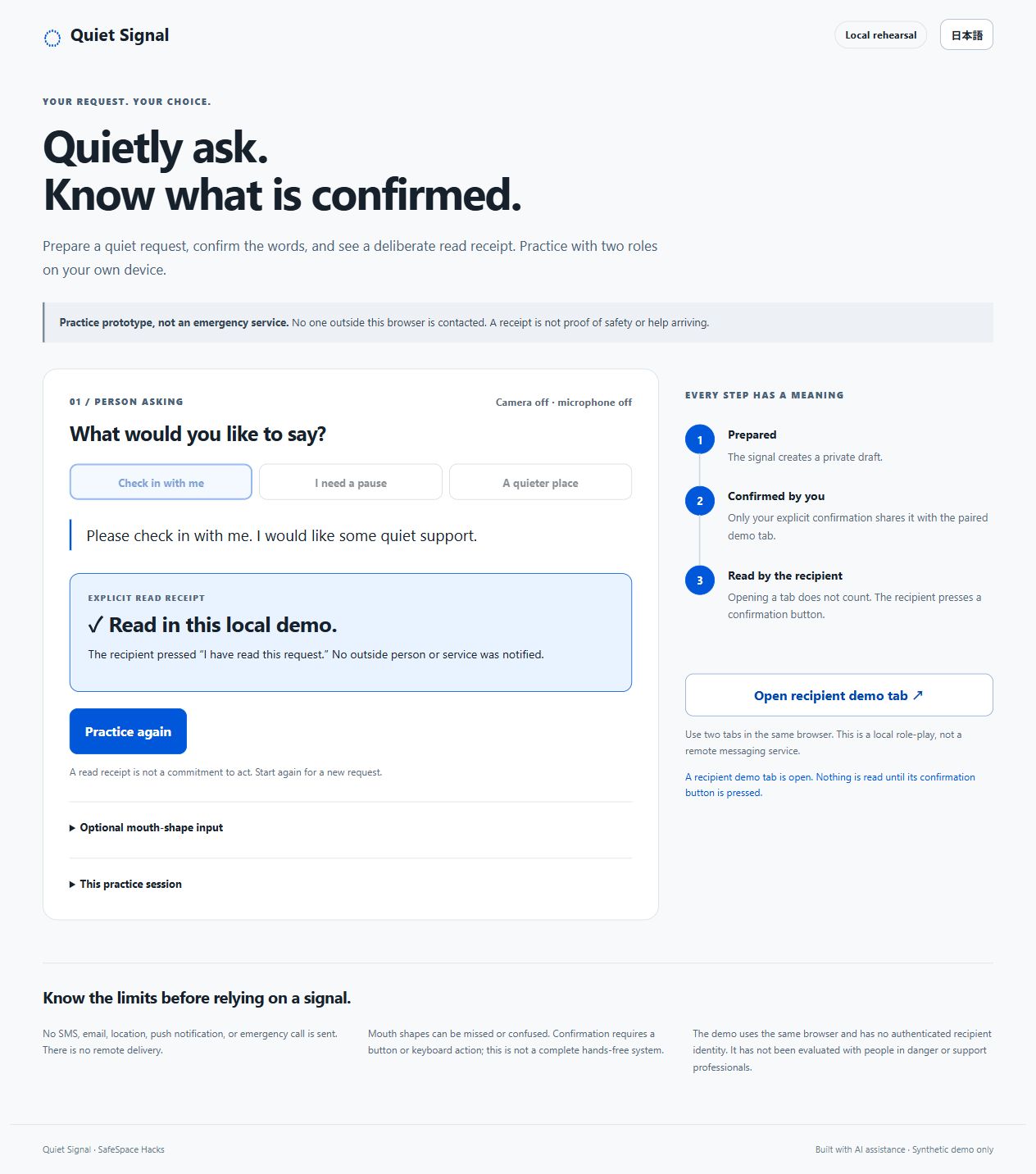
The recipient reads the exact request and presses “I have read this request.” Until that action arrives, the sender continues to see “Waiting for a read receipt.” Requests can be withdrawn and unacknowledged requests expire after two minutes without retrying automatically. Opening the recipient tab alone does not produce a receipt.
Example of a safer interaction — synthetic, not a field result
In a rehearsal, a person accidentally completes the gesture sequence while preparing a request for a pause. They cancel it before confirmation. Nothing reaches the recipient tab. In a second attempt they deliberately confirm the request, but it remains unacknowledged until the recipient explicitly reads it. This demonstrates a safeguard and a visible distinction between states; it does not demonstrate reduced harm in real life.
How it was built
Static HTML, CSS, and JavaScript, with a small pure-JavaScript state machine and an in-memory BroadcastChannel between two same-origin browser tabs. Random room identifiers are carried in URL fragments. The local Node server has no external dependencies and binds to loopback. The static build can be hosted separately over HTTPS.
Optional camera input uses self-hosted MediaPipe Tasks Vision 1.2.0 and a Face Landmarker model. Seven expression features are calibrated for REST/U/I/A, ambiguous matches are rejected, and sustained holds require a release between commands. This is a simple expression classifier, not the Kuchimoji Japanese lip-reading model. The workflow remains fully demonstrable with buttons and keys.
Trust and limitations
This is a practice prototype, not an emergency service or remote messaging app. It sends no SMS, email, location, push notification, or emergency call. No contacts, credentials, real victim stories, or personal records are requested. Frames, calibration, and application state are kept in memory; microphone permission is not requested. Stopping or hiding the tab closes the camera.
Two local tabs do not authenticate a real recipient. A read receipt is not proof of safety, a commitment to respond, or evidence that help is arriving. The prototype needs a usable browser and, for optional mouth input, a visible face and suitable light. Camera accuracy and false-trigger rates are unmeasured. Final confirmation requires a button or keyboard action. It has not been evaluated with people in danger or with support professionals.
Testing and current status
Twenty-three automated checks pass: sequence order and timeout, cancellation, explicit confirmation, acknowledgment binding, no automatic receipt on opening, expiry, withdrawal, malformed offers, synthetic gesture classification, and local HTTP behavior. The core desktop flow was also checked through computer use: private review without automatic confirmation, explicit confirmation, no receipt on merely viewing the recipient tab, deliberate read acknowledgment, and withdrawal in both tabs. Actual screenshots are included. These are software and synthetic desktop checks, not human performance measurements. Real-camera behavior and mobile layout remain unverified. The static application is publicly deployed. Its hosted sender flow was also checked through computer use: the five-second window led to private review, explicit confirmation created the request, and the sender remained waiting for a read receipt.
Event contributions and reuse
The Quiet Signal two-role state machine, request/acknowledgment/revocation/expiry behavior, interface, bilingual text, tests, and documentation were created on November 3, 2026, within the build period. The optional mouth-input and classifier modules and their self-hosted MediaPipe assets were reused from my Kuchimoji Steps / LaunchPad work. The task-step navigator, learning exercises, commerce application, and media-art work are not this submission. Reuse is limited to the disclosed input components and third-party libraries.
Challenges and learning
The core design decision was to stop the countdown at review instead of silently sending a message. Another was to avoid marking a request read simply because a tab opened. Withdrawal and stale receipts also needed explicit handling. These choices made it possible to demonstrate the difference between interface events without overstating a safety outcome.
What's next
Evaluate the interaction with accessibility and support practitioners before any real-world use, measure false triggers with a stated protocol, and investigate authenticated, consent-based recipient communication. Those are future steps, not completed partnerships or validated capabilities.
Team
Soma Nomura — solo student entrant, Nagoya International Professional University of Technology.
Credits
OpenAI Codex assisted with design implementation, code, tests, and English/Japanese text. A Claude-prepared kit informed the initial idea. MediaPipe Tasks Vision and Face Landmarker: Apache-2.0. Shared applicant-owned input modules: disclosed in LICENSES.md. No real personal dataset, third-party artwork, downloadable font, or audio is used.
Built with
JavaScript, HTML5, CSS3, BroadcastChannel, MediaPipe, Node.js
Try it out
https://quiet-signal-2026.terraise.chatgpt.site
Judge setup
Use a desktop browser. Open the recipient demo tab, return to the sender, press U/I/A in sequence, wait five seconds, and explicitly confirm. Switch to the recipient and press the read-confirmation button; return to the sender. Repeat and cancel to inspect the withdrawn state. The camera is optional. Use only these synthetic preset requests.

Log in or sign up for Devpost to join the conversation.