-
-
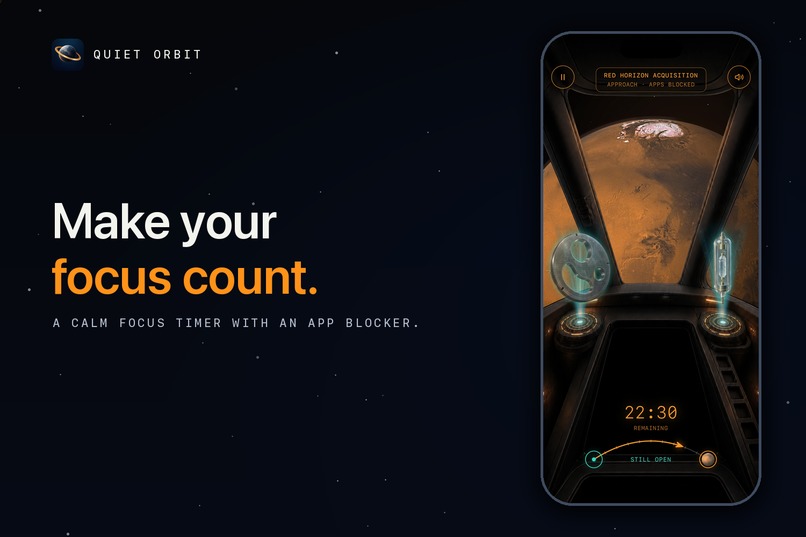
A calm focus timer with an app blocker. Every minute you focus flies your ship toward the next planet.
-
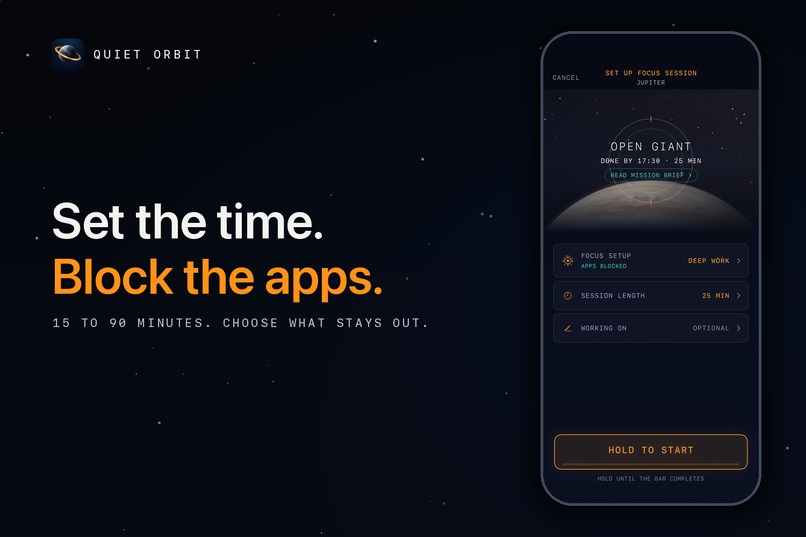
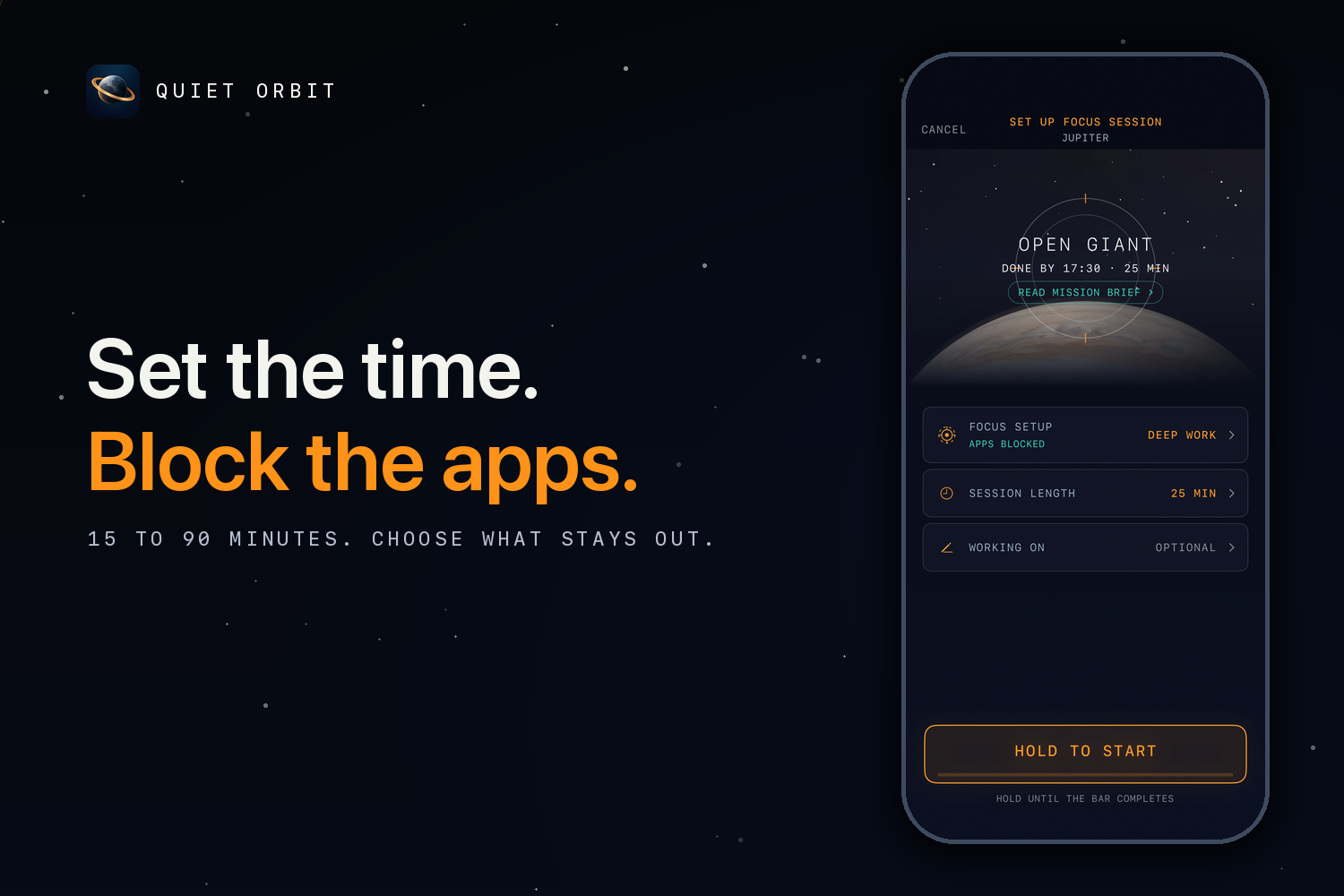
Pick 15 to 90 minutes, choose which apps stay out, hold to start. Blocking is optional and lifts on its own when the session ends.
-
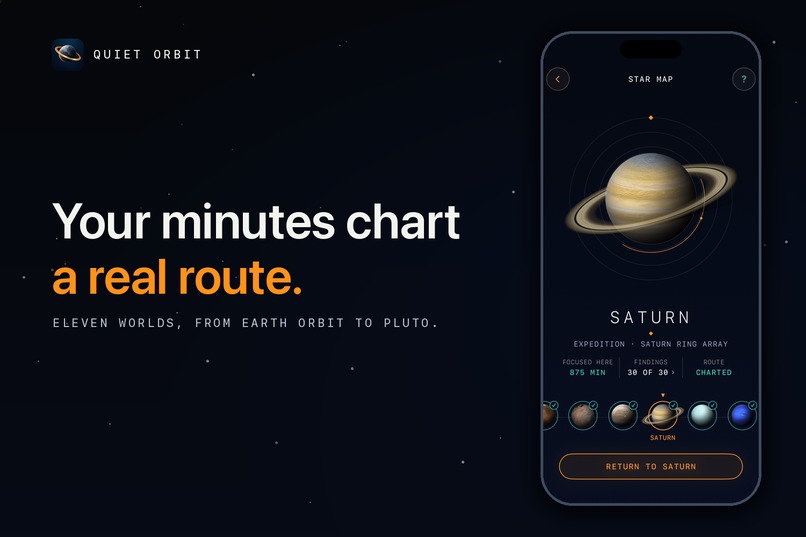
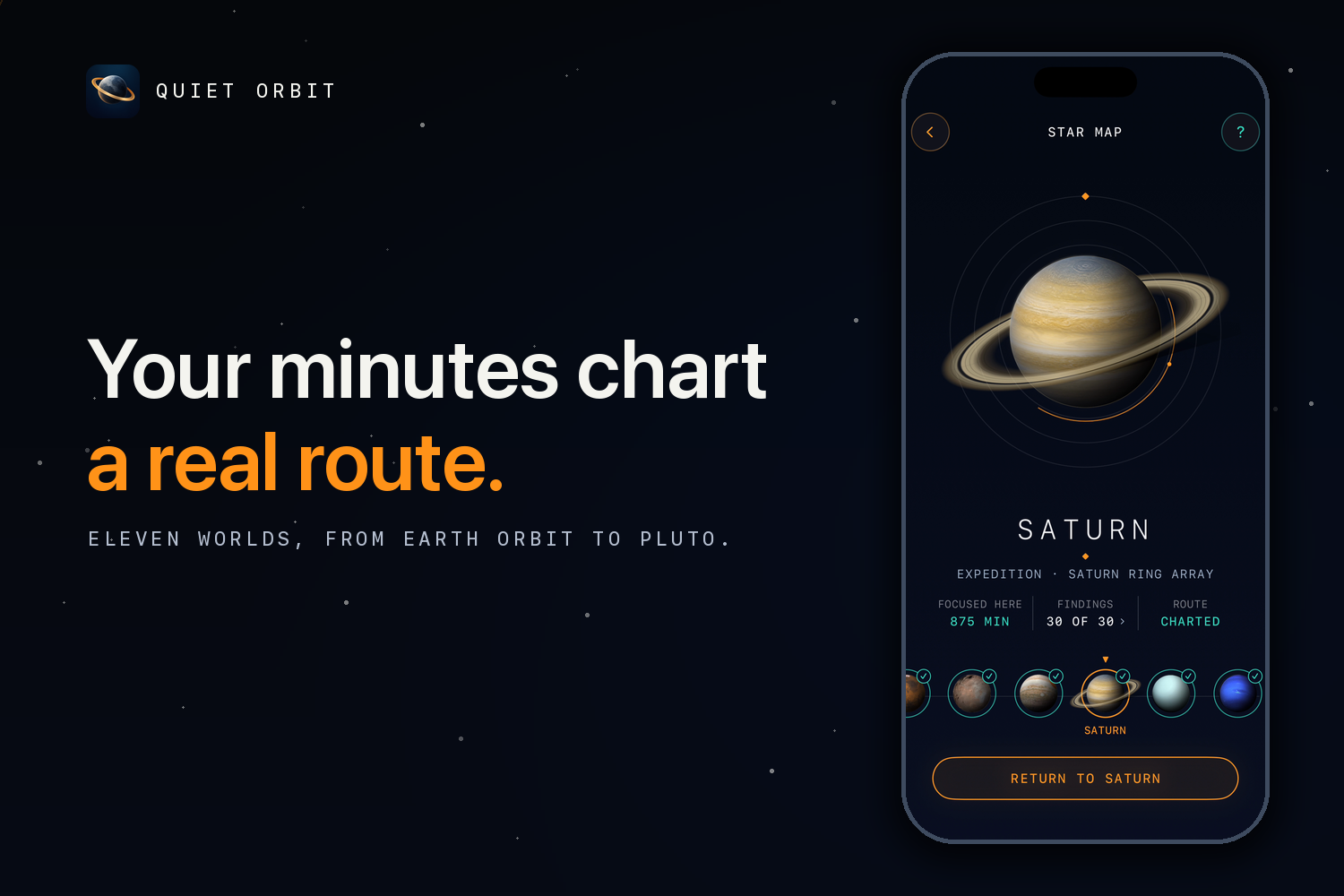
The map: eleven worlds from Earth orbit to Pluto. Every focused minute counts toward the next one, across sessions.
-
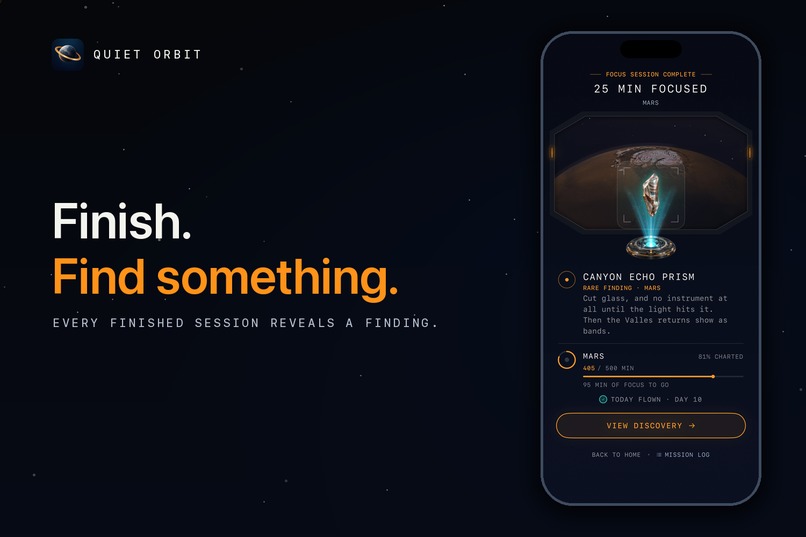
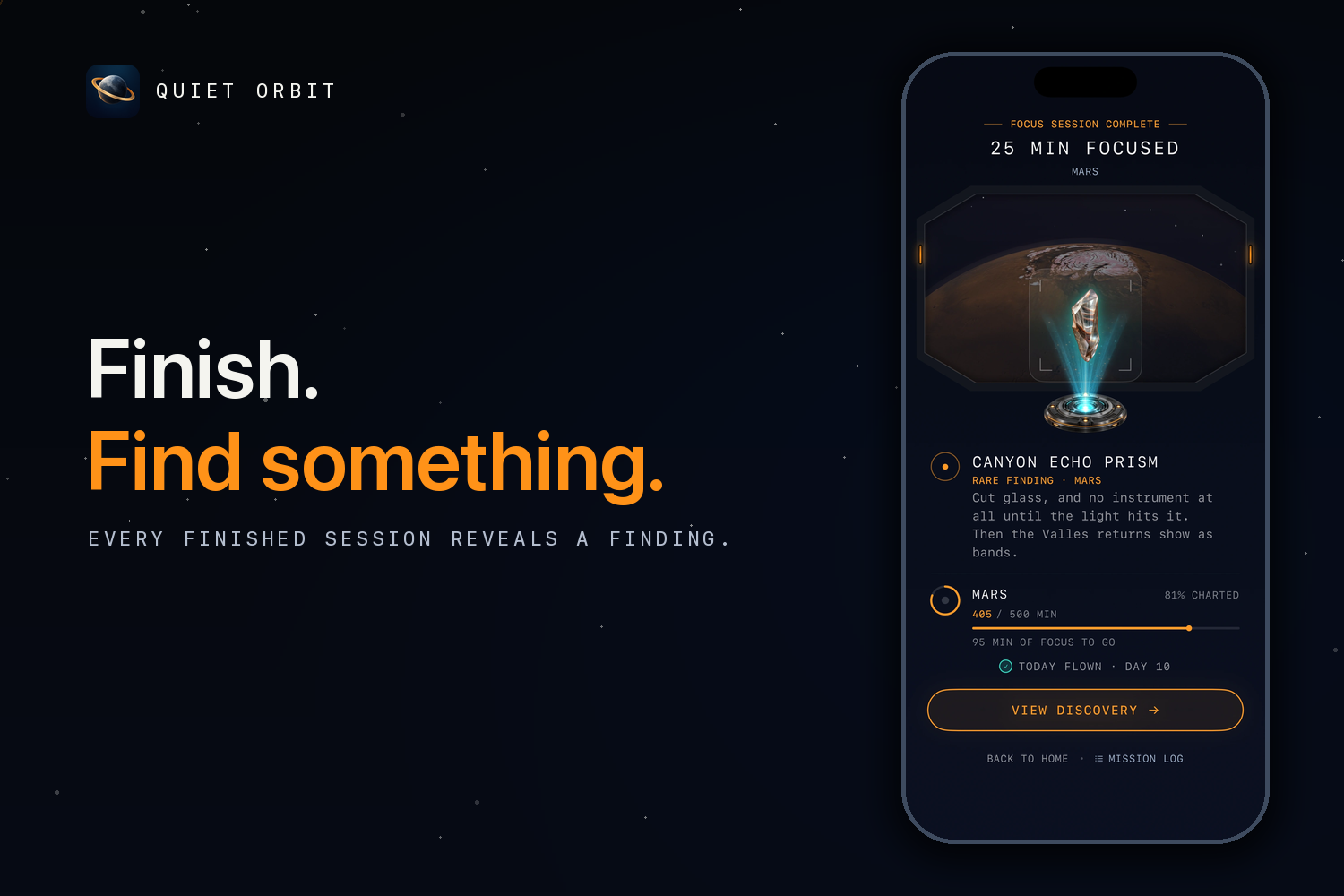
A finished 25 minute session at Mars: the Canyon Echo Prism, a rare finding, lit on the pedestal.
-
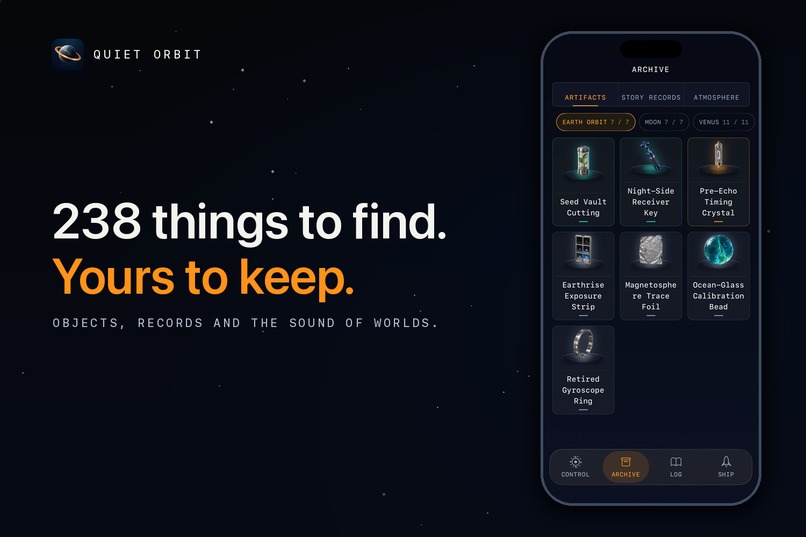
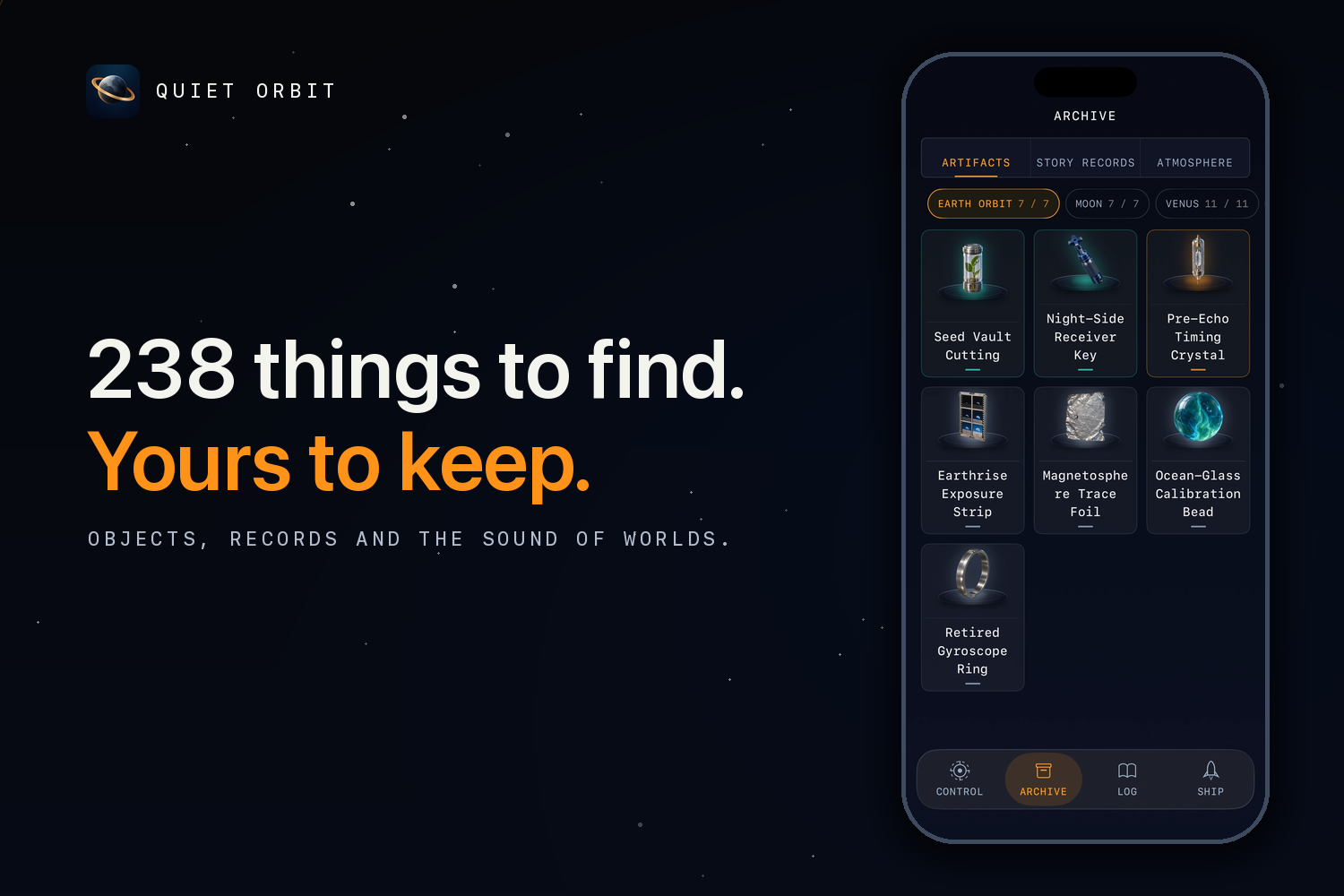
Your collection: 238 findings across eleven worlds. Objects, records and sounds, each with a name, a story and a rarity.
-
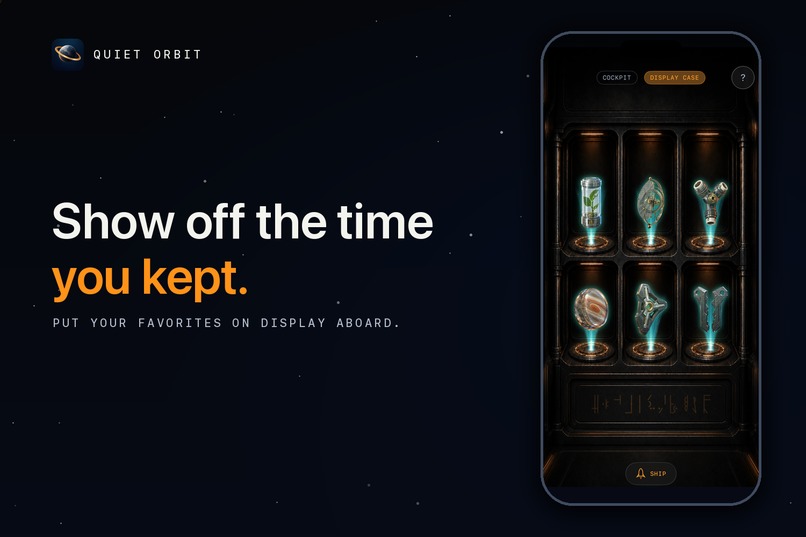
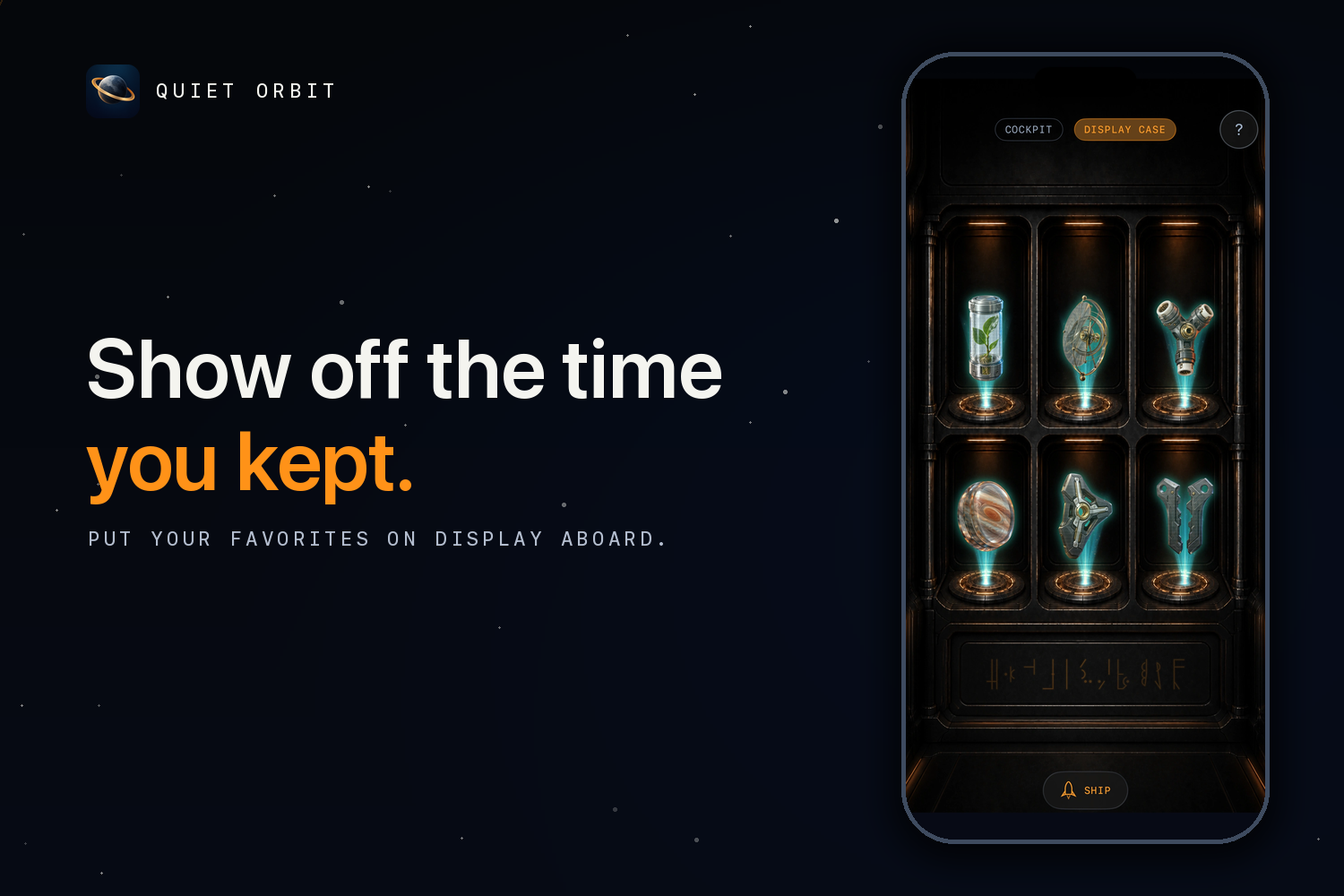
The display case in your ship: six bays for your favorite findings, and two more beside you in the cockpit while you work.
-
App Icon
-
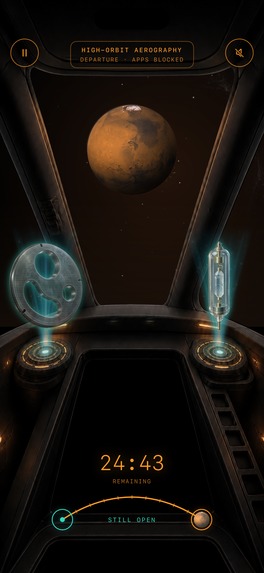
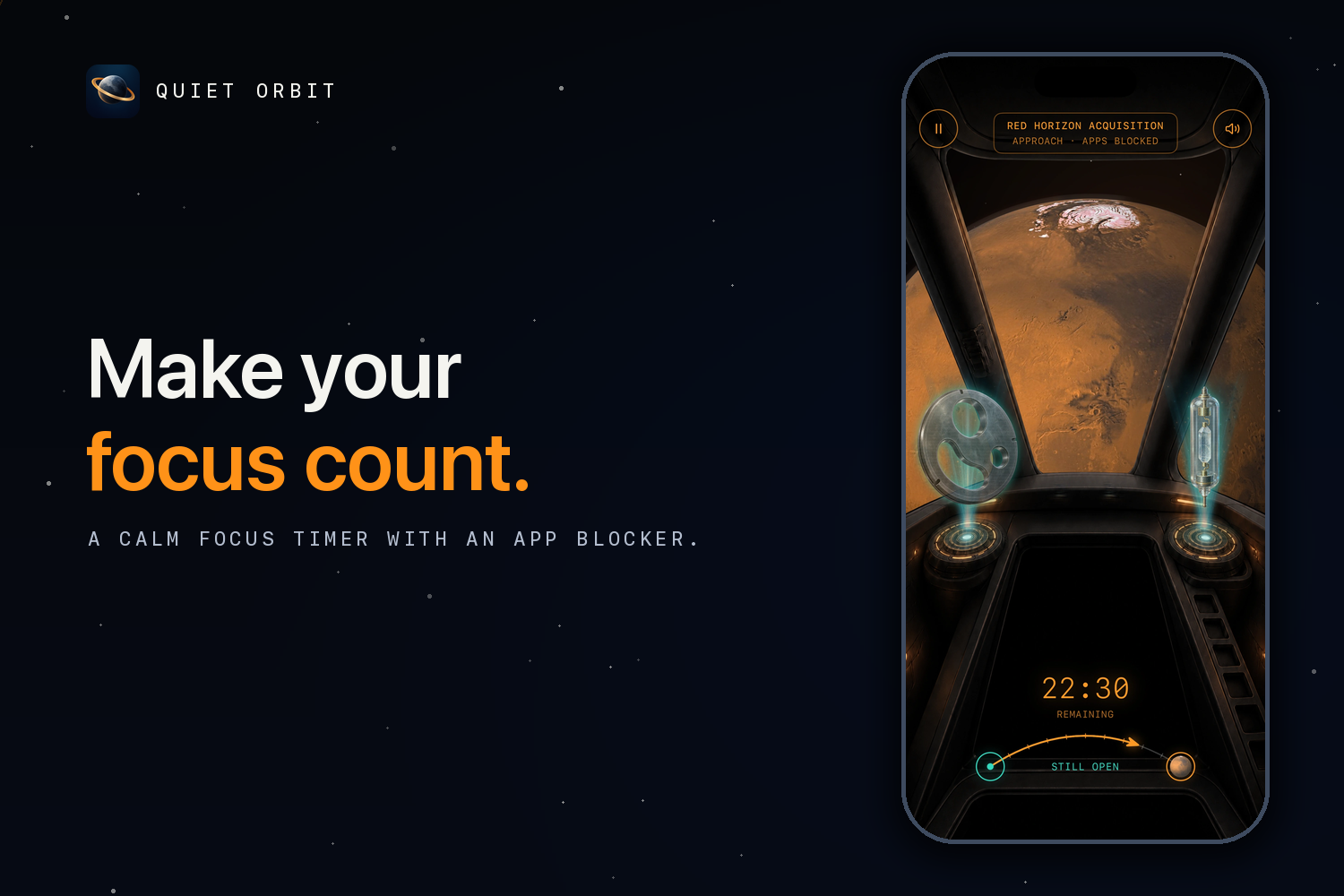
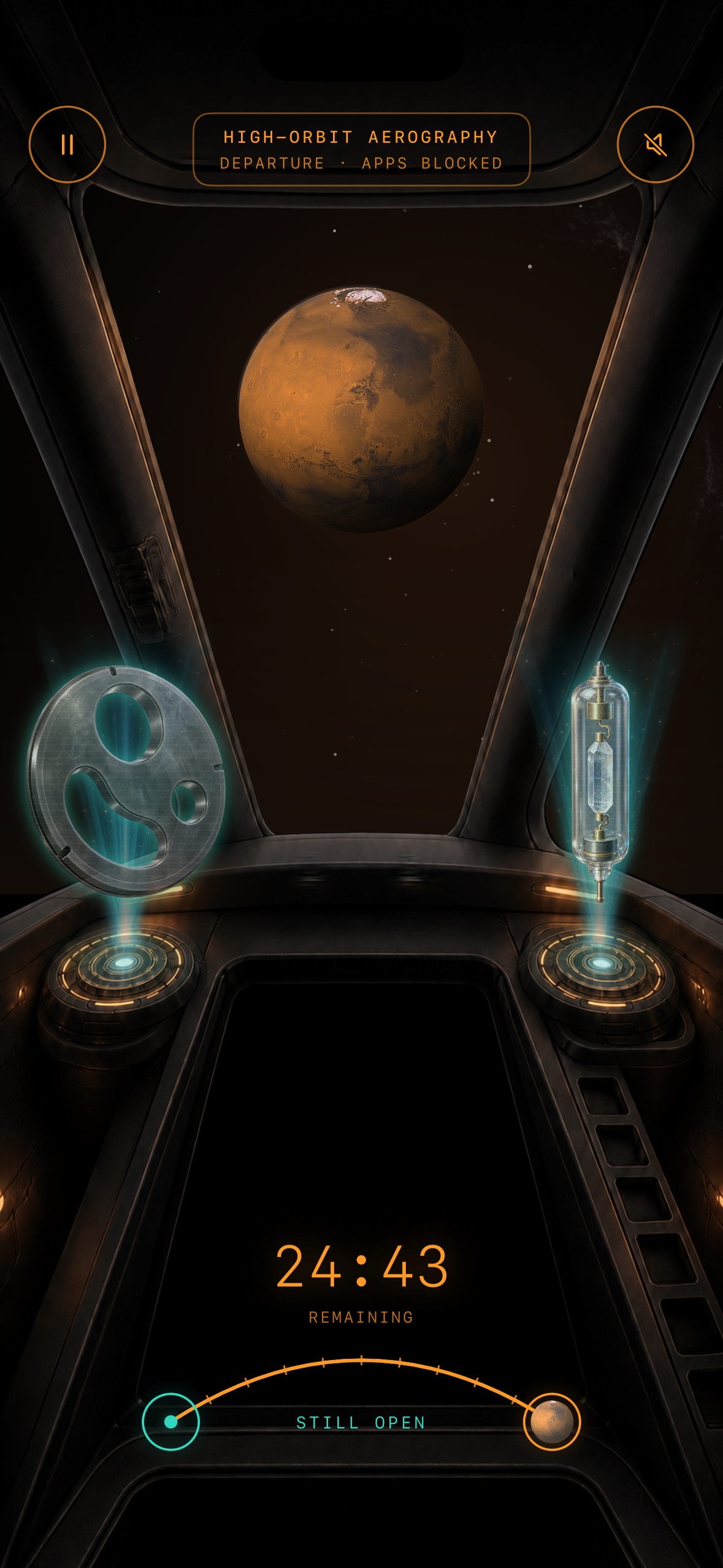
The cockpit during a session, no device frame: Mars in the window, the timer counting down, two findings lit on the projectors.
The short version
Quiet Orbit is a focus timer and app blocker for iPhone. Pick 15 to 90 minutes, choose which apps stay out, hold to launch.
The idea is that every minute you focus moves your ship toward the next planet, along a route of eleven worlds. A finished session brings back a finding from the world you reached: one of 238 objects, records and sounds, to put on display in your ship.
Inspiration
I'd watched Project Hail Mary a while before the Shipaton, and when the theme came out it turned out to be the same one. One person alone in space, far from home, finding things nobody has seen before. What stuck with me wasn't the danger, it was how quiet it is out there. Space is slow. There's nothing else to look at, so you look at the one thing in front of you, and every small step you take is kept.
My phone is the opposite of that. I usually know what I need to do, I have somewhere between 15 and 90 minutes, and I still put off the start or pick up the phone "for a second". I don't want to get rid of my devices. I wanted to keep using them on my own terms: put them aside for a set time and get my attention back, without a blocker that treats me like a kid. I also have children who will grow up with far more of this than I did, and I'd rather hand them a practice than a ban.
The timers I tried felt sterile, the strict blockers felt controlling, and the focus games hand out little rewards and then punish you for missing a day. So I started thinking about a ship instead. A calm cockpit that stays out of your way while you work, one long expedition that every focused minute pushes a bit further, and things you find out there and bring back. A home for your focus time.
What it does
Quiet Orbit is a focus timer and app blocker for iPhone.
You pick between 15 and 90 minutes, choose the apps you'd rather not see for a while, and hold to start. Blocking is optional, runs on Apple's Screen Time framework, and you decide which apps stay reachable.
While you focus, a small ship flies along a route. There are eleven worlds. Earth and the Moon are free, and the rest go out through Mars, Jupiter and Saturn to Pluto.
When you finish a session you bring something back: one of 238 named findings, in three rarity tiers, each with its own record. You put them on display in your ship, on the two cockpit projectors or in the six bays of the display case.
End early and you keep every minute. The only thing you don't get is the finding, because that needs a session you see through. Streaks have a weekly rest day, and the app never warns you about losing one.
There are also protected breaks, a Live Activity, widgets, 30 insignia, iCloud sync and a flight log.
How we built it
Specs first. The game design, screen map, voice guide and art direction were written and made to agree with each other before any app code existed, and the rule is still that the specs win when the code disagrees.
The app is Swift 6 and SwiftUI on iOS 17 and up. Most of the code lives in a local Swift package: plain value models, a deterministic engine with an injected clock and random source, JSON content catalogs with validation tests, and the design system. The app target is thin, because the Screen Time monitor, the shields and the widgets each run in their own process and can't share code with it.
Storage is SwiftData with a CloudKit-compatible schema, RevenueCat handles the purchases, and prices are set in 175 territories through the App Store Connect API.
Challenges we ran into
Getting the spaceship to look and feel right took longer than any single feature. The planet has to sit in the window at the right size and heading for how far along the route you are, and look right from the cockpit in flight, in the ship at rest and on the map, so one resolver now feeds all three. The window effects were rewritten after the first version was "too static, just a line moving". Placing the findings was the hardest part. The first version seated them as objects in the room, and however they were lit they looked like stickers floating in front of the wall. I threw that out, switched to two projectors in the cockpit that light the finding up as a hologram plus a six-bay display case, and retired a whole living-quarters room with it.
The wording was a struggle the whole way. The app is full of space words, and a lot of them were difficult or meant nothing to someone using it. The engine says "surveying", "Station-Keeping" and "Console socket"; on screen that became "42% charted", "Holding orbit" and "left projector".
Accomplishments that we're proud of
The free version is a complete focus app on its own: Earth, the Moon, every duration, blocking, breaks, reminders and history.
The part I'm most proud of is the immersion, which took over the last days of the build. The sky is real. The Moon shows its actual phase, the cockpit window draws the 300 brightest stars in the true direction you're travelling, ten meteor showers appear on their real dates, and after a session the log tells you how long your report would take to reach Earth at the speed of light. All computed on the phone, no network. Each world has its own living window: ring shadows sweeping the sky at Saturn, cloud decks drifting past at Jupiter with faint lightning deep inside, dust gusting at Mars, the Moon's night side creeping across over the length of the flight. At night the cabin dims to amber.
Sound and touch got the same care. Launch is a hold, not a tap: the haptics build under your thumb, then a rumble on liftoff, a soft thud as the hatch settles, a thruster bloom as you depart. During a session there's a faint hull tick every minute or two and another bloom on your close pass. Each world has a sound atmosphere you earn, there are twelve lighting presets that cast a faint light on the hull, and the cabin audio is spatial, so a sound comes from the seat it belongs to. All of it can be turned off.
What we learned
Writing the rules down before writing code is what made a ten-day build possible. And the keyword and pricing decisions I made from data turned out better than the ones I made from taste.
What's next for Quiet Orbit
A custom soundtrack, built with a sound engineer instead of synthesized on the phone. More content to explore: more worlds, more findings, more stories to bring back. More parts of the ship you can walk into and make your own. And a different view while you fly, so the trip out looks as different as the places you arrive at.
Built With
- posthog
- revenuecat
- swift
- swiftui


Log in or sign up for Devpost to join the conversation.