Inspiration
Every finance app seems built for people with 30 minutes to analyze spreadsheets—not someone with 30 seconds while the kettle boils. They're packed with jargon, shame users about their spending, and completely ignore the reality of parenting chaos.
The idea for Quidly came from following creators like Rebecca Louise and seeing her community of busy mums seeking financial independence. These women wanted control over their money but felt overwhelmed by traditional tools. They needed something that celebrated the £5 saved by switching to own-brand cereal. Something that acknowledged "meal planning" during the witching hour is an Olympic sport. Something that felt like a financially-savvy best friend, not a stern accountant.
I built Quidly for every mum who deserves to feel confident about her finances in micro-moments—warm, supportive, and judgment-free.
What It Does
Quidly is a pocket money coach for the chaos of motherhood. It helps mums take control of their finances in micro-moments—every feature delivers value in under 30 seconds.
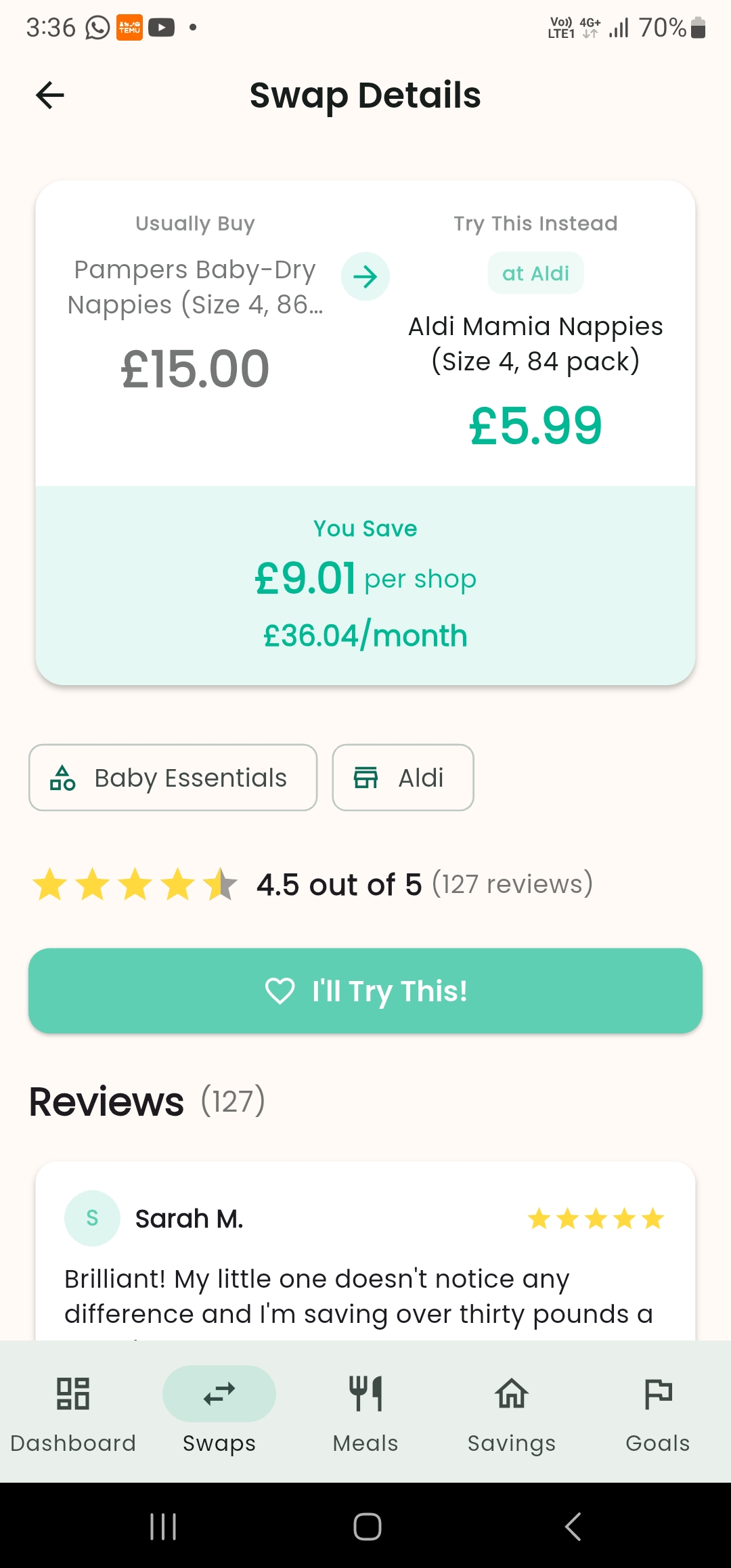
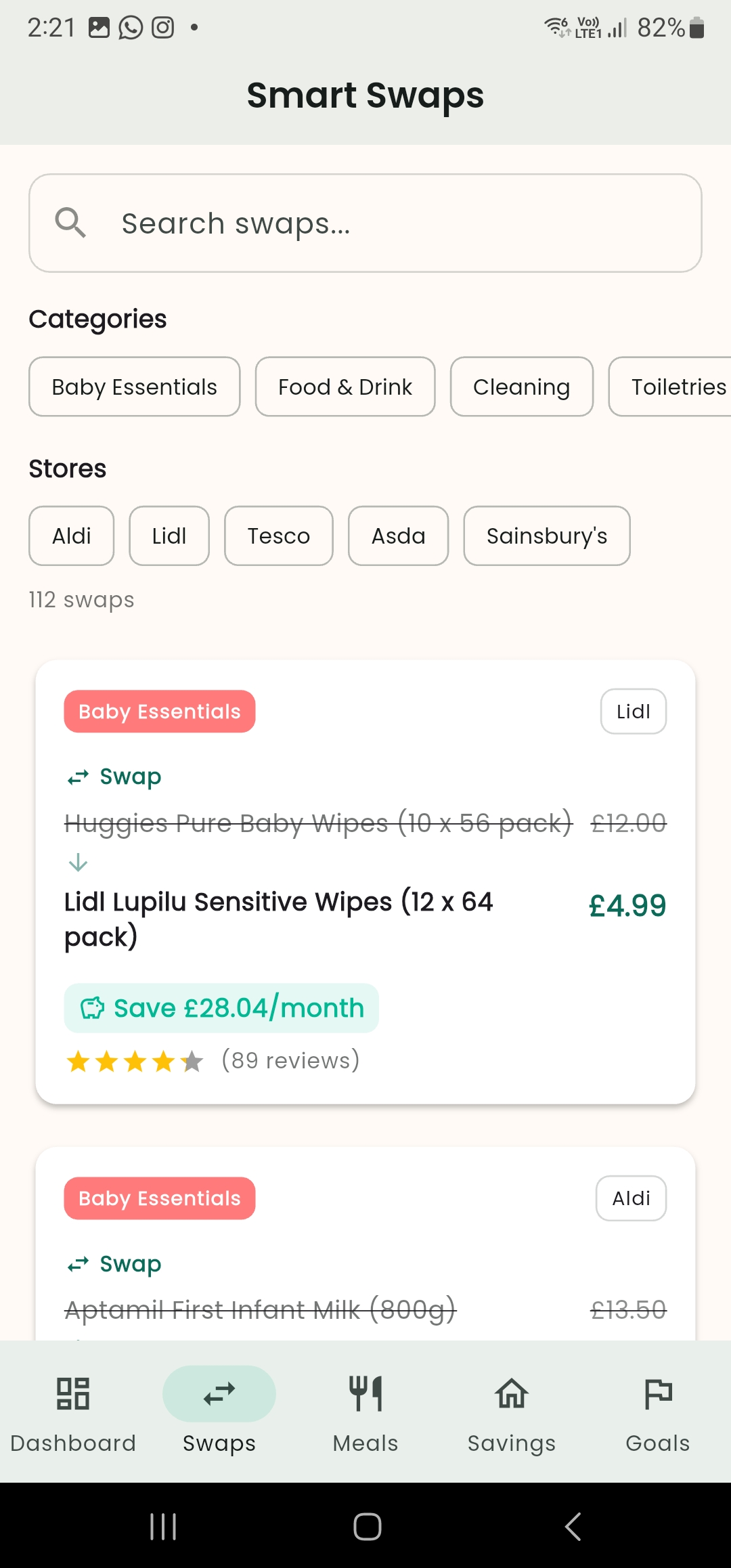
Smart Shopping Swaps: Browse 112 real UK supermarket price comparisons. See exactly how much you'll save per month by switching brands or stores. Commit to trying a swap with one tap.
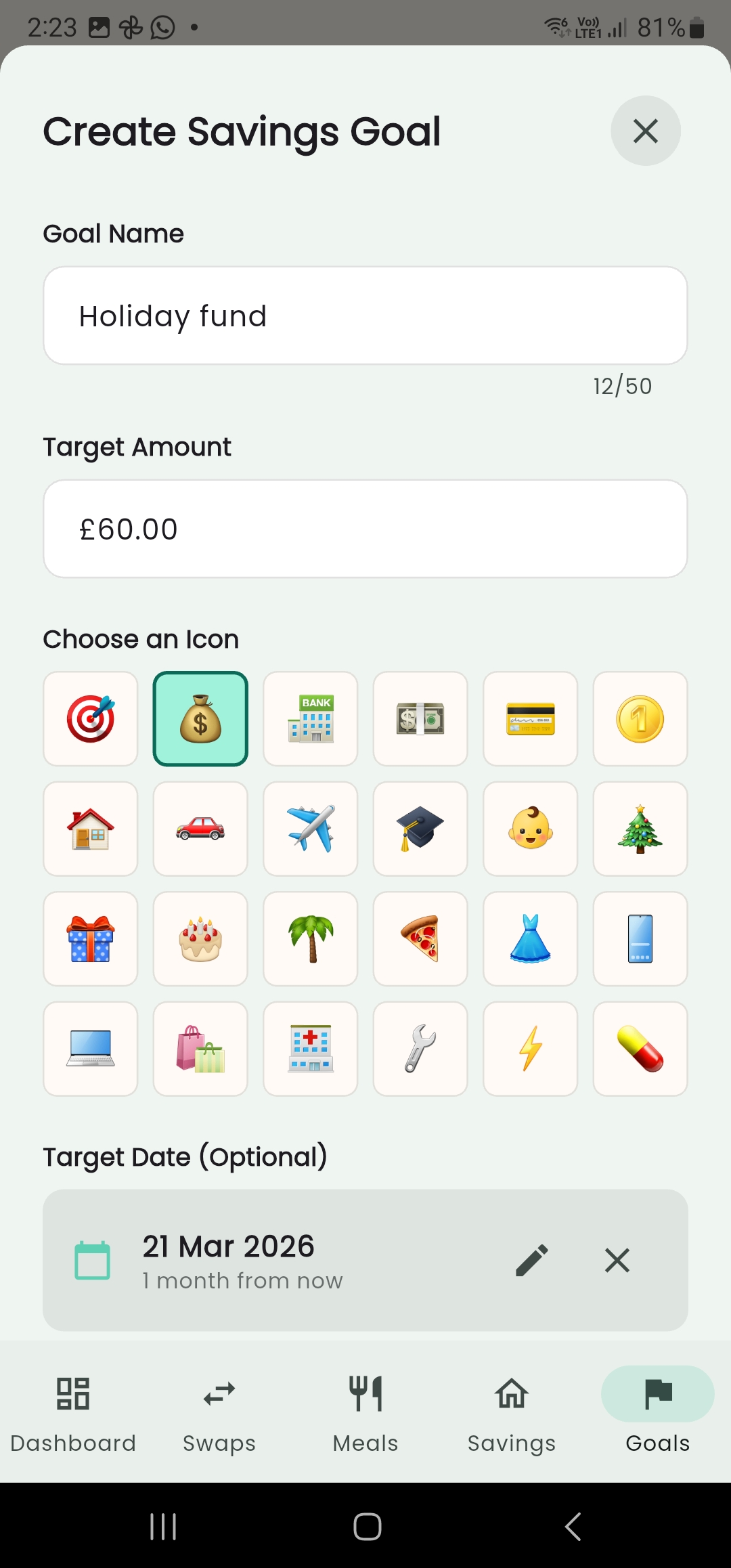
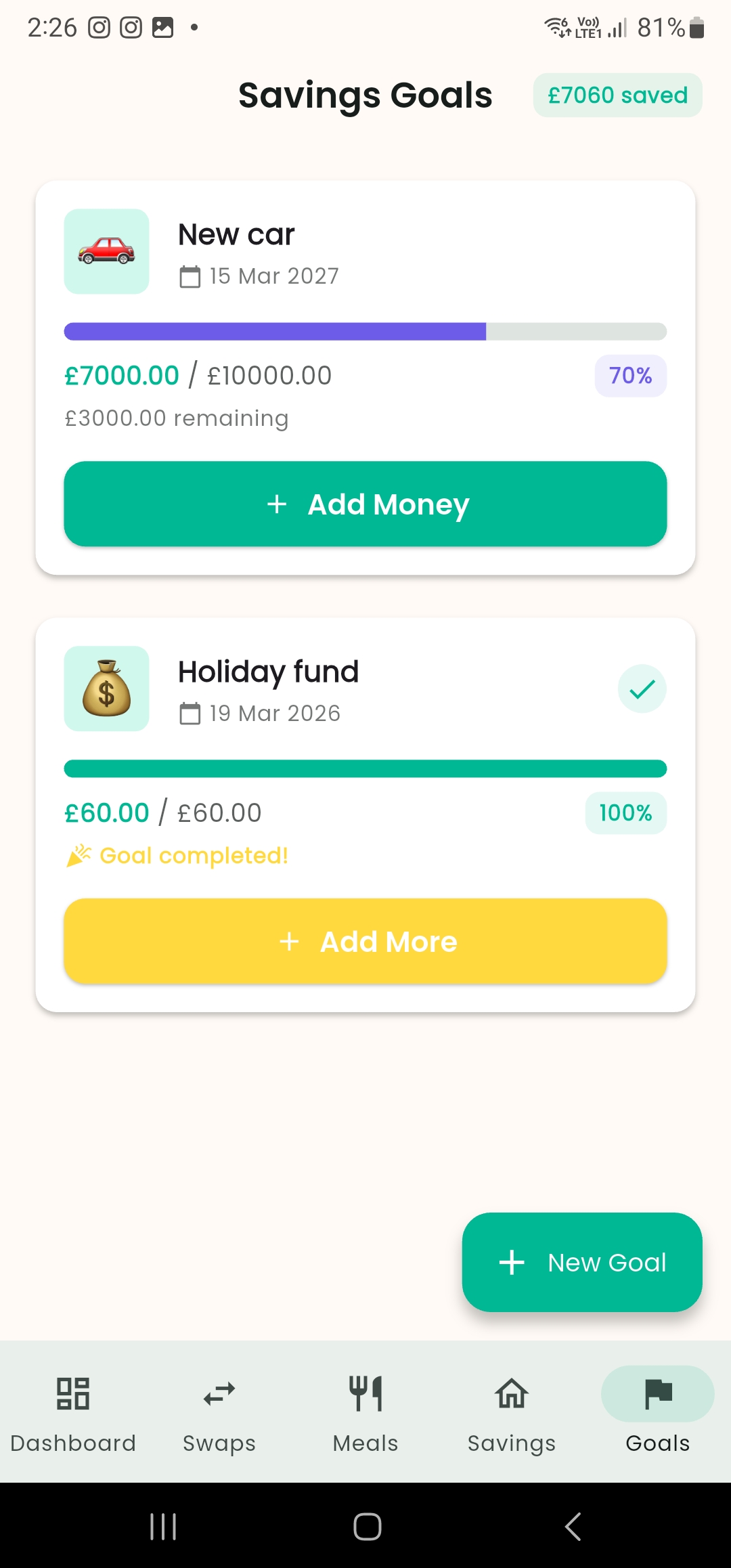
Savings Goals: Create visual savings goals with progress bars that celebrate milestones. Whether it's Christmas presents, a family holiday, or an emergency fund—watch your progress grow and feel proud of every deposit.
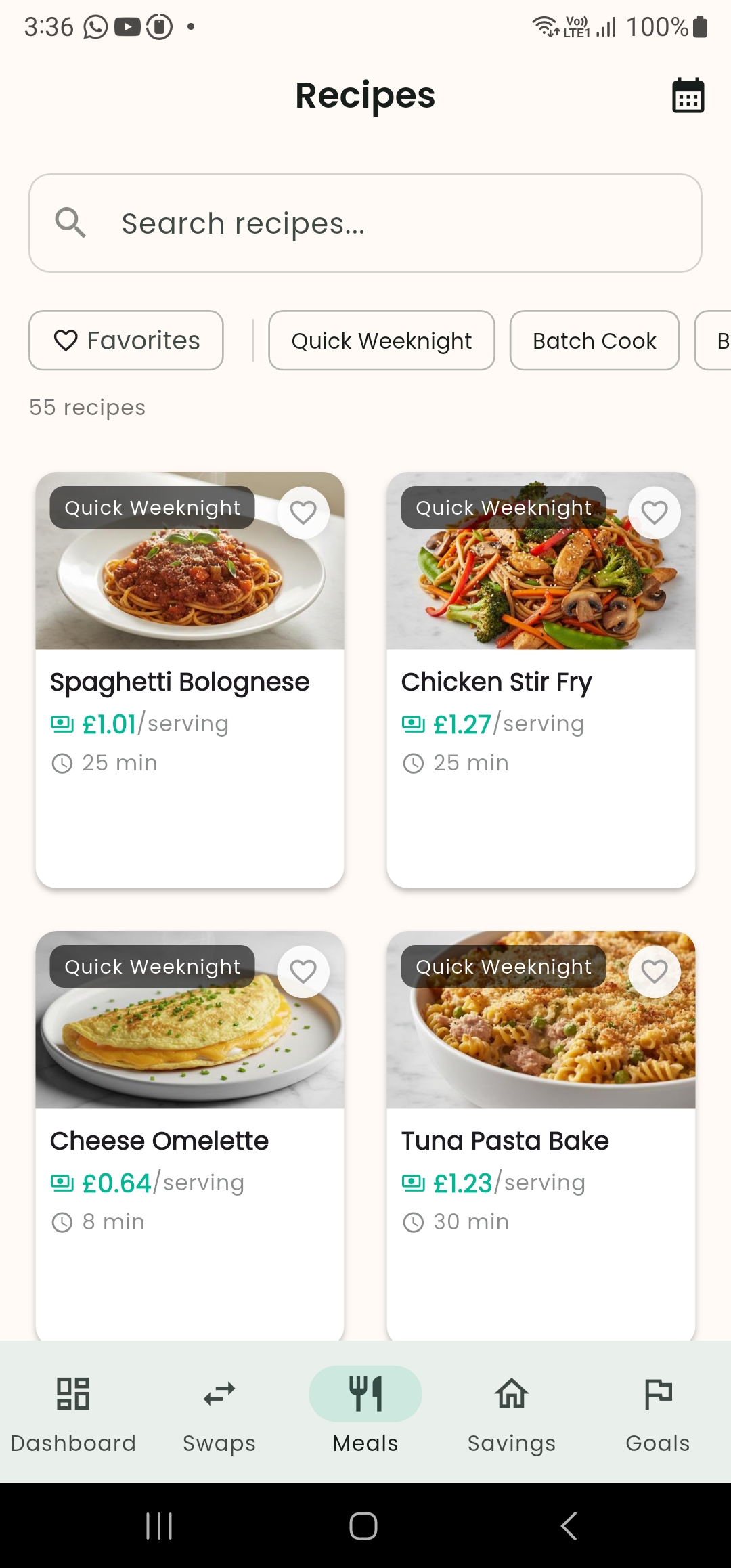
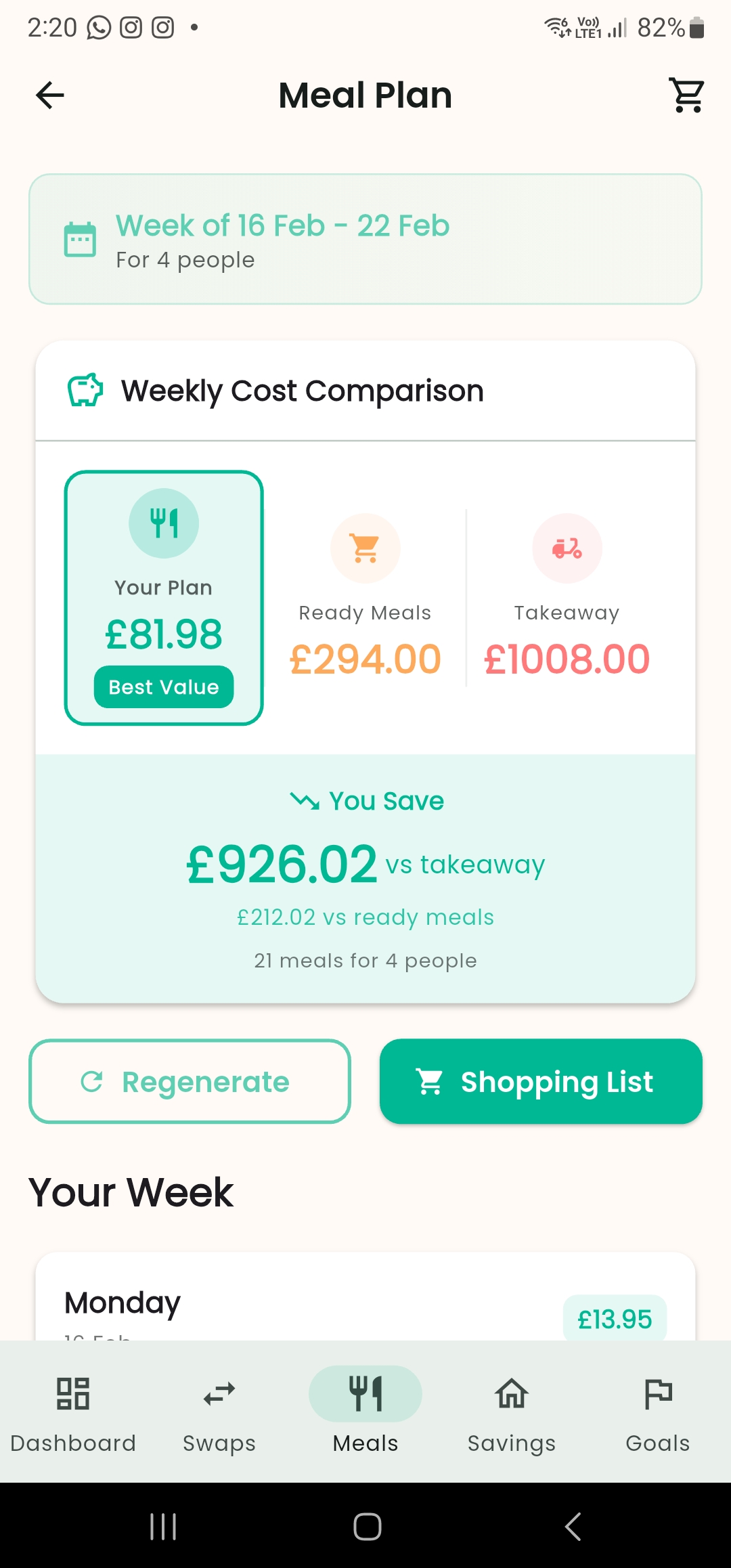
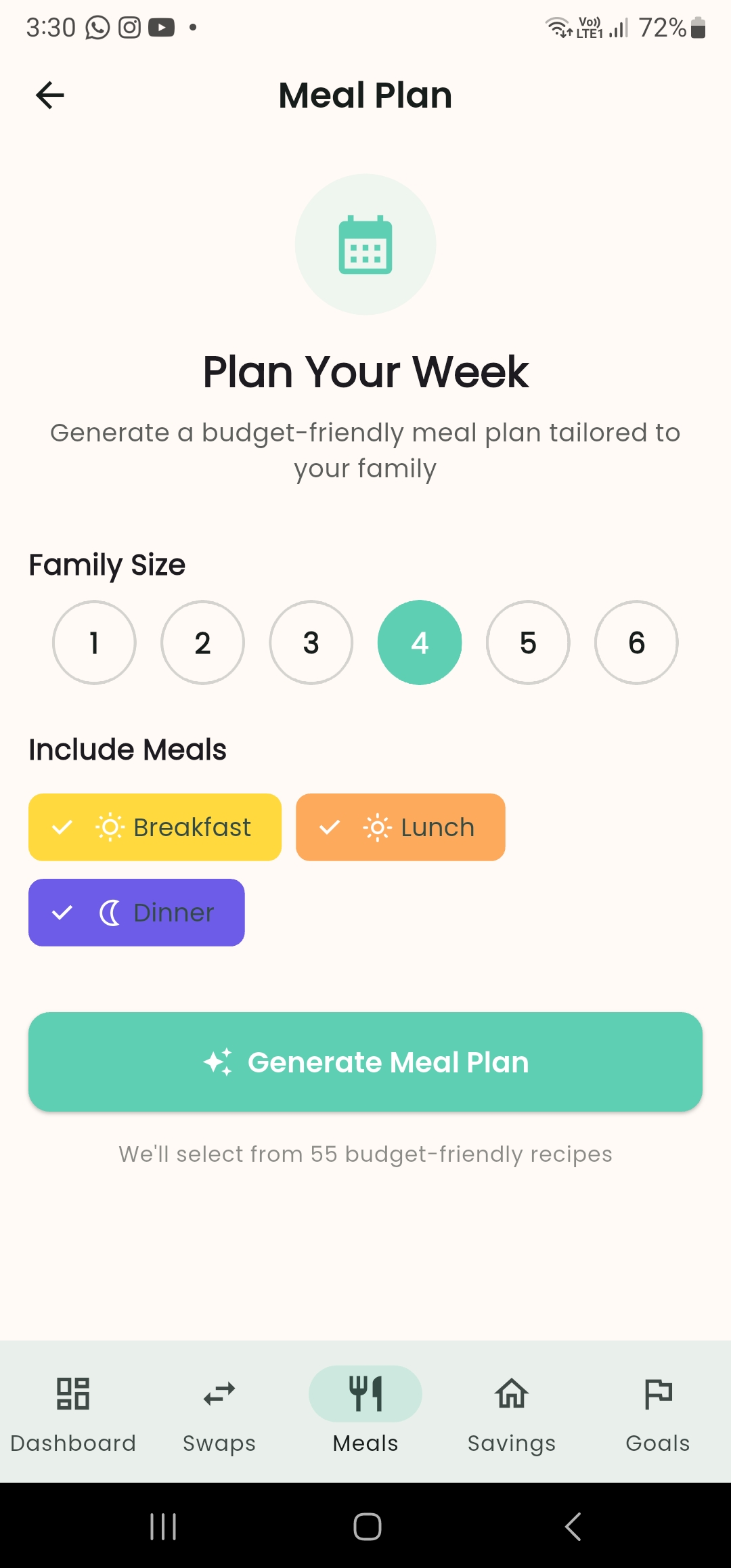
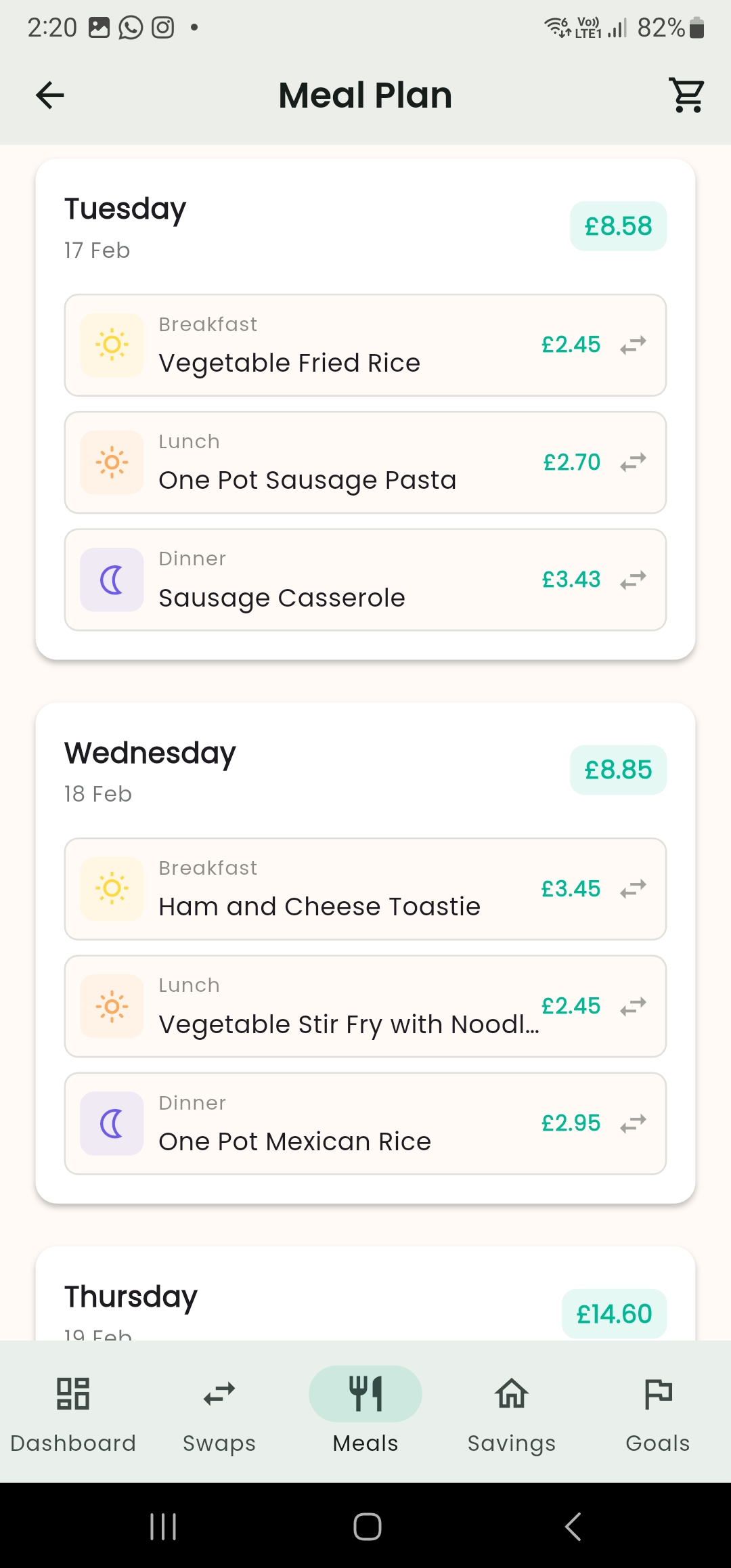
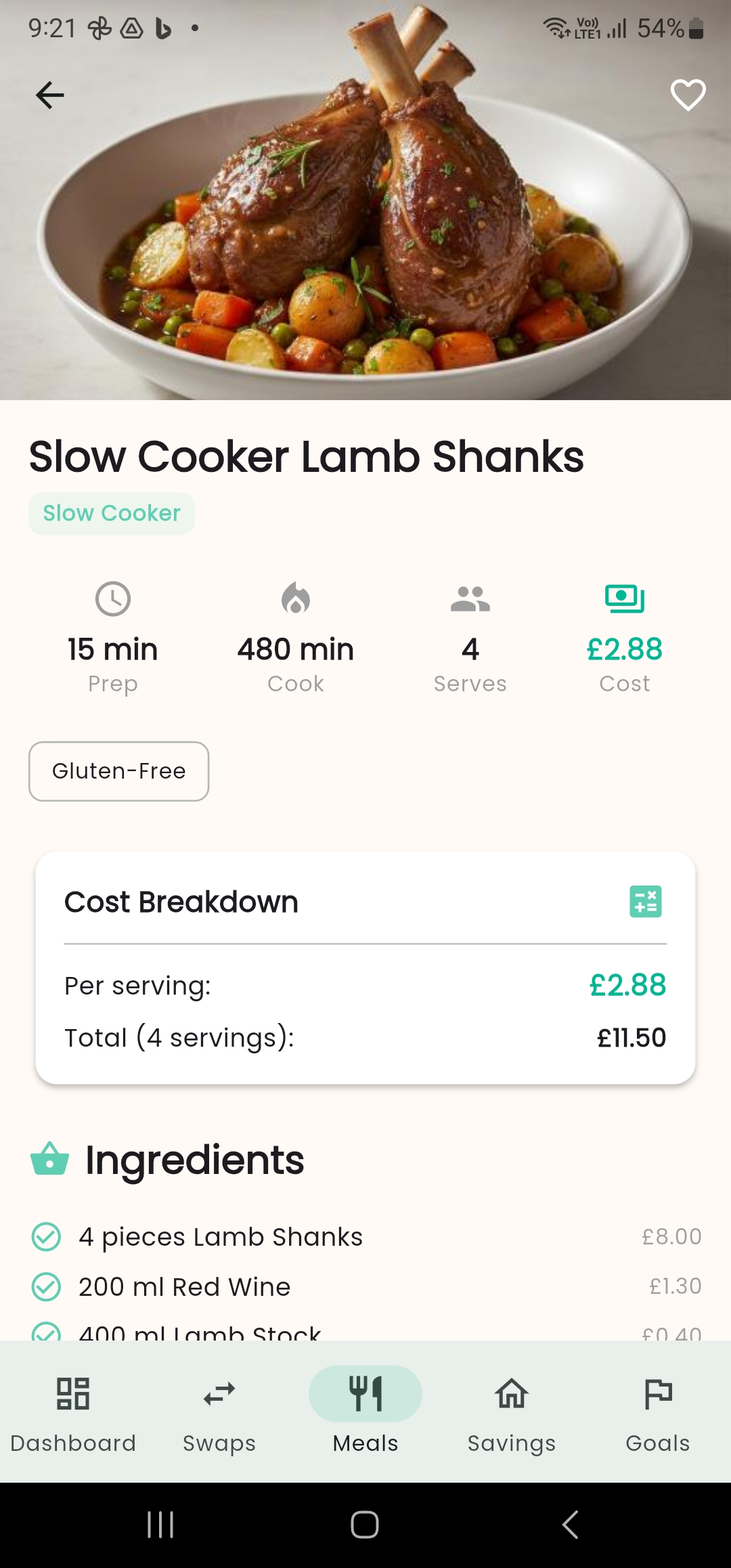
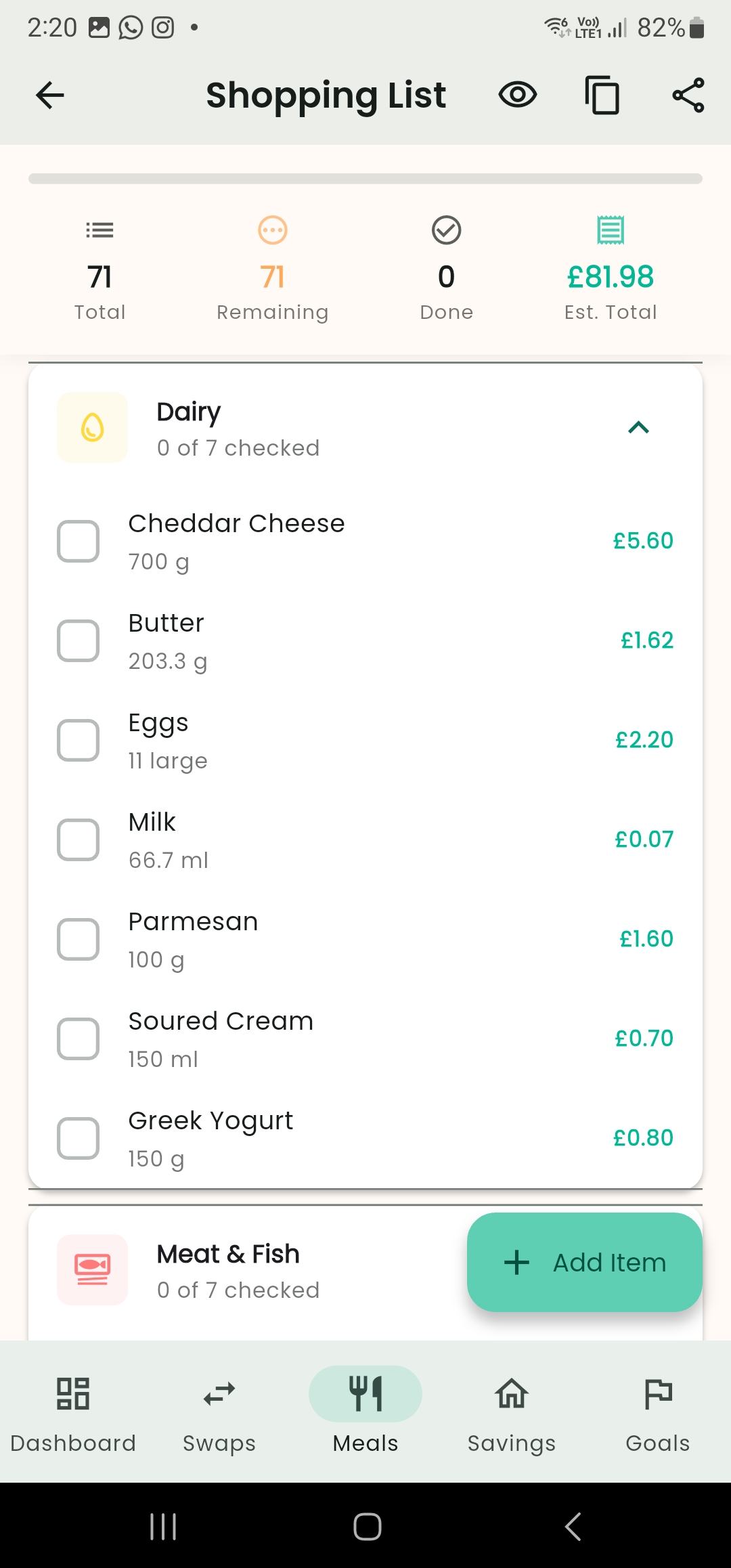
Meal Planning: Generate weekly meal plans from 55 budget-friendly batch cooking recipes. Get cost-per-meal comparisons to ready meals and takeaway. Export shopping lists organized by supermarket aisle—no more wandering back and forth.
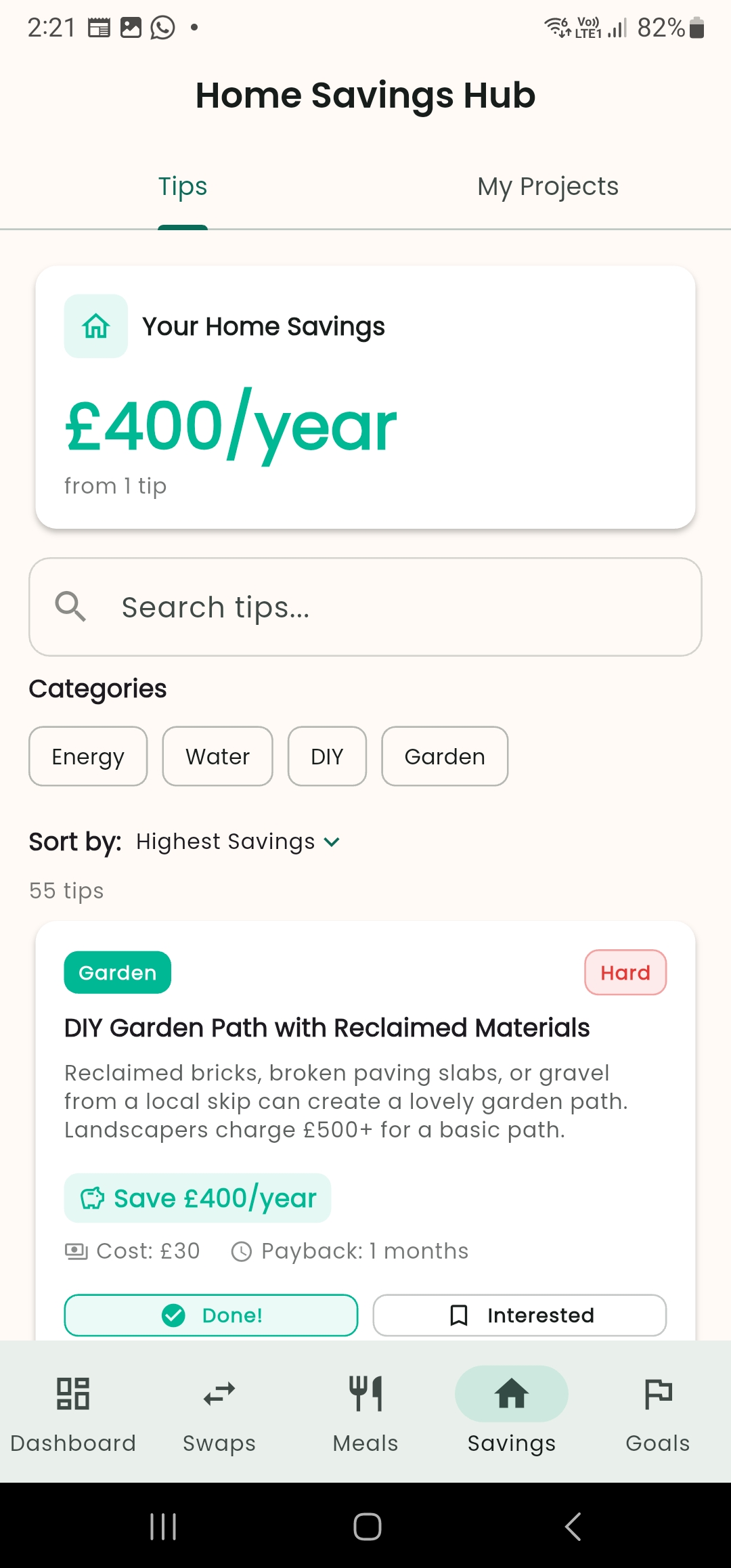
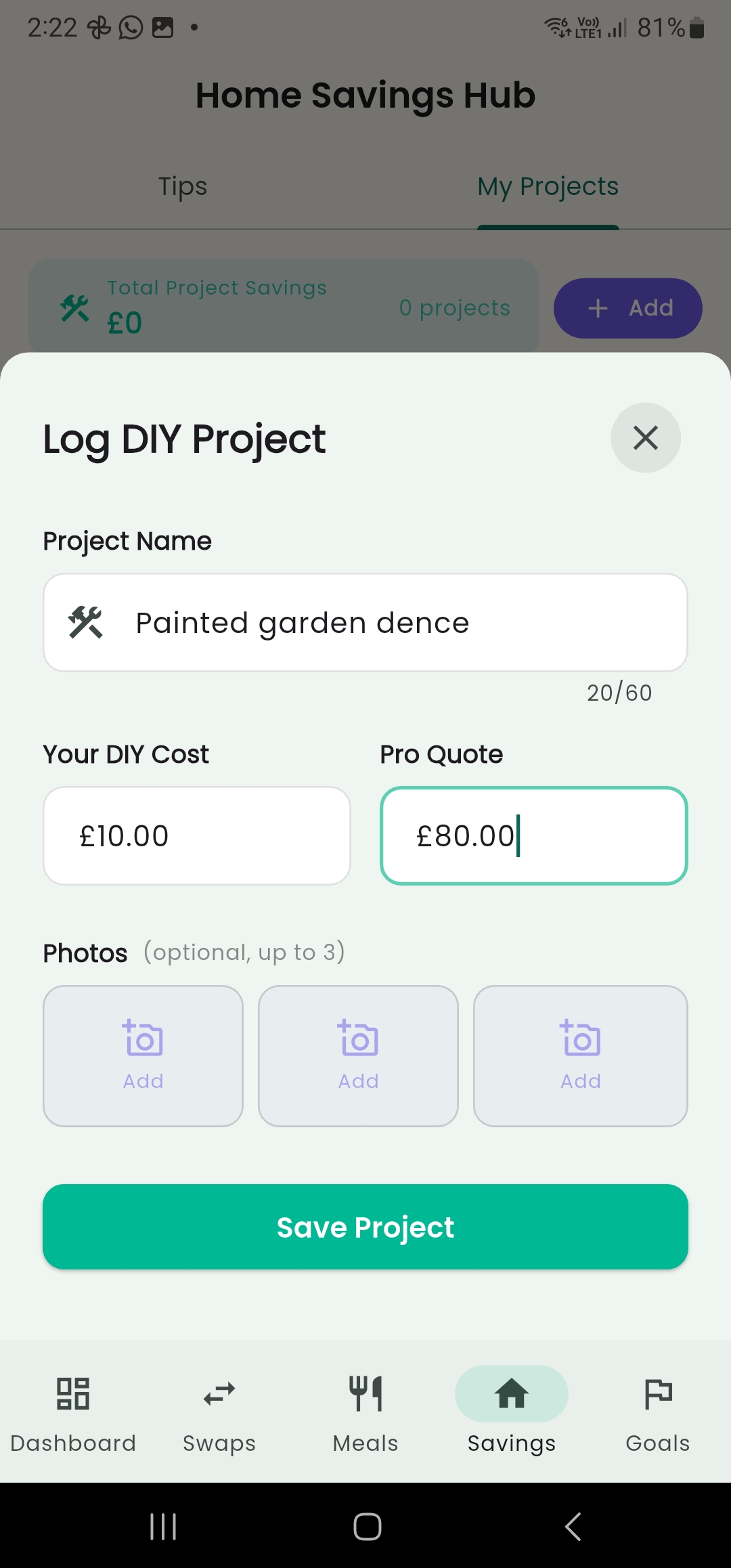
Home Savings Hub: Discover 55 quick wins for saving on energy, water, DIY, and garden costs. Track DIY projects with before/after photos and see exactly how much you saved by doing it yourself versus hiring a professional.
AI Money Coach: Chat with an empathetic AI that understands UK-specific finances (ISAs, council tax, Child Benefit). Ask questions like "How do I start an emergency fund on £50/week?" and get warm, practical advice—never judgment.
How We Built It
We followed an 8-day build process focused on delivering immediate value:
Week 1: Built the foundation and authentication, then created a personalized dashboard that greets users by name and rotates daily tips.
Week 2: Launched Smart Shopping Swaps with real UK supermarket prices, followed by Savings Goals with visual progress tracking.
Week 3: Added Meal Planning with 55 recipes and auto-generated shopping lists, plus the Home Savings Hub with DIY project tracking.
Week 4: Integrated the AI Money Coach powered by Gemini, built the RevenueCat subscription system (Monthly £4.99, Yearly £29.99), and added polish—dark mode, haptic feedback, and offline support.
Content Strategy: Pre-loaded 277 pieces of content so users get value immediately:
- 112 shopping swaps with real UK prices
- 55 batch cooking recipes
- 55 home saving tips
- 55 motivational quotes
Challenges We Ran Into
Challenge 1: Making AI Feel Human Early versions of our AI coach felt robotic and occasionally condescending. mums don't need to be told "you should budget better"—they need empathy.
Solution: We built privacy controls so users choose what the AI knows about them. We added conversation starters to guide toward helpful responses. Most importantly, we trained the AI to celebrate small wins and acknowledge the reality of parenting chaos.
Challenge 2: The App Felt Slow Initial load times were 4-5 seconds—unacceptable for an app designed for 30-second tasks.
Solution: We restructured how the app initializes, deferring non-critical setup until after the UI appears. Added offline support so core features work without internet. Now the app loads in under 3 seconds.
Challenge 3: Building Trust with Pricing Finding accurate supermarket prices was difficult—prices change weekly.
Solution: We manually verified prices at local stores and built the system to update easily. Users see transparent calculations: "Switch from Tesco to Aldi, save £12/month." No surprises, no hidden costs.
Challenge 4: Balancing Free and Premium We wanted free users to experience real value, but also needed a compelling reason to subscribe.
Solution: Free users get 2 savings goals and access to all shopping swaps and recipes. Premium unlocks unlimited goals, the AI coach, and advanced features. The free tier is genuinely useful; premium is genuinely worth it.
Accomplishments That We're Proud Of
1. It Feels Made for Mums Every word, every color, every interaction acknowledges the reality of motherhood. The app opens with "Good morning, [name]" and a rotating tip like "Swap to supermarket own-brand—same quality, lower price." No finance jargon. No shame. Just support.
2. Celebrates Small Wins When you add money to a goal, the phone vibrates with haptic feedback. The progress bar fills. At 25%, 50%, 75%, and 100%, the vibration intensifies—subtle physical celebrations that make saving money feel rewarding.
3. Works Without Internet Every feature works offline. Browse swaps on the tube. Check recipes in rural areas. Track goals when the Wi-Fi is being used by Netflix-streaming teenagers. When connection returns, everything syncs automatically.
4. Real UK Prices, Real Savings We didn't use placeholder data. All 112 shopping swaps use actual UK supermarket prices. A mum in Manchester can open the app and immediately see: "Switch from Heinz to Tesco own-brand beans, save £8/year." That's actionable.
5. Production-Ready in 8 Days This isn't a demo—it's a shippable product. Over 27,000 lines of code, comprehensive error handling, dark mode, offline support, and a complete subscription system. We built something mums could actually use today.
What We Learned
Constraints Drive Creativity The "30-second task" rule forced ruthless prioritization. If a feature couldn't deliver value in half a minute, it didn't make the cut. This constraint actually made the product better—every feature serves the core value.
Content is a Feature Pre-loading 277 pieces of content wasn't extra work—it was the difference between a demo and a product. Users need immediate value, not promises. When a mum downloads Quidly, she immediately sees swaps that could save her £20 this month.
Premium Should Feel Fair Users accept paywalls when the free tier delivers clear value. Two savings goals is enough to validate the feature; unlimited goals is worth paying for. The AI coach being premium-only makes sense—it's advanced functionality for committed users.
Celebrate Everything The haptic feedback at goal milestones costs nothing but builds emotional connection. mums are used to apps demanding their attention; Quidly celebrates their progress. That difference matters.
What's Next for Quidly
Immediate (Next Month):
- Transition from standard Material 3 components to a custom, polished design that features unique animations, glassmorphism cards, and engaging micro-interactions. The result is a premium experience that embodies the distinctive essence of "Quidly."
- Voice input for the AI coach—just say "Hey Quidly, how much should I save for Christmas?"
- Share swaps and goals with partners via text message
Q2 2026:
- Investing Education: Gamified learning paths for ISAs and index funds—because saving is step one, growing is step two
- Freezer Inventory: Scan receipts to track what's in the freezer and reduce food waste
Long-Term Vision: Quidly becomes the default financial companion for UK mums. Think "YNAB meets parenting"—warm, practical, celebratory. Subscription revenue funds continuous content updates, seasonal recipe packs, and community challenges.
The goal isn't to make mums financial experts. It's to give them confidence, one £5 swap at a time.

Log in or sign up for Devpost to join the conversation.