-
page1
-
page load
-
page2

Inspiration
The inspiration for this project stemmed from the recognition that handwritten content often poses challenges in the digital age. It can be time-consuming to manually transcribe and edit handwritten text, which is why we set out to develop QuickScan.
What it does
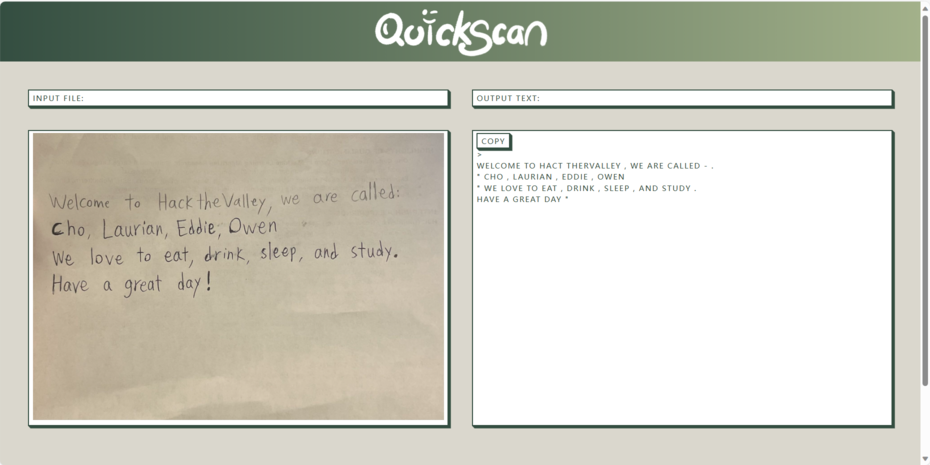
QuickScan simplifies the process of converting handwritten documents into digital format. It empowers users to effortlessly digitize their handwritten notes, enabling easy editing, storage, and sharing of the content. Whether you're a student looking to archive lecture notes or a professional seeking to transform handwritten memos into text, QuickScan streamlines the process.
How we built it
Our development process involved tight integration between the front-end and back-end components. HTML templates were used to structure the user interface, and JavaScript facilitated real-time interactions, such as updating the displayed image and managing the submit button state. Python and its libraries, including TensorFlow and OpenCV, were crucial for the back-end, where image processing and text recognition took place. These components were connected using Flask, ensuring a seamless user experience.
Challenges we ran into
The development of QuickScan presented several challenges. One notable challenge was optimizing the OCR and machine learning models to efficiently recognize and extract text from handwritten images. Additionally, managing the state of the submit button based on user input required careful JavaScript integration to ensure a smooth user experience.
QuickScan-Handwritten-Paragraph-Recognition
OpenCV and TensorFlow for model deployment, combined with Flask for web development and HTML,CSS and JavaScript for front-end work, to enable Handwritten Paragraph Recognition with web-based accessibility.


Introduction to QuickScan
- QuickScan is a powerful web application designed to swiftly convert handwritten text into digital text. This application utilizes a blend of front-end technologies such as HTML, CSS and JavaScript, combined with robust back-end tools like Python, Flask, TensorFlow, and OpenCV.
To use this web application, follow these simple steps:
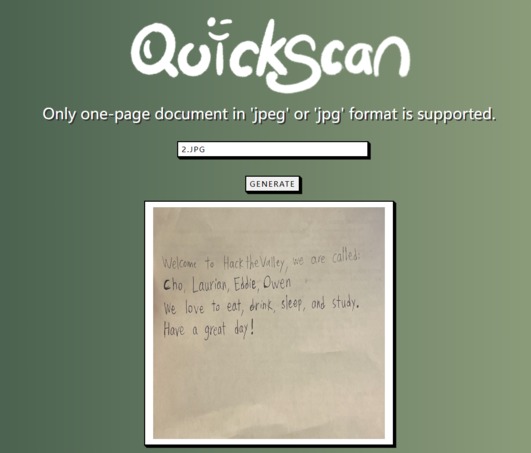
- Upload: Start by uploading a jpg file containing the handwritten text you wish to convert.
- Generate: Press the "Generate" button to initiate the conversion process.
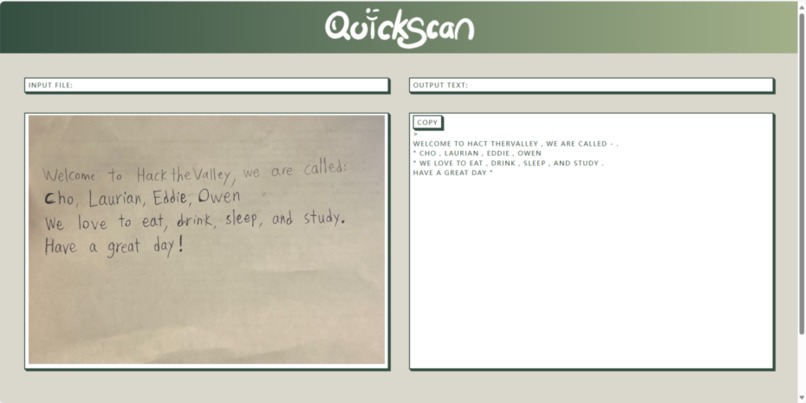
- Magic Unveiled: Witness the magic as QuickScan transforms the handwritten text into digital format.
Enjoy the seamless experience of converting handwritten text to digital effortlessly with QuickScan!

Designed By Laurian Li
Tech Stack
- Back-end: Python(Spark, OpenCV, Tensorflow)
- Front-end: HTML, CSS, JavaScript
Machine Learning Model Architecture
- The pipeline consists of 2 steps: Image Segmentation and line prediction.
1. Image Segmentation
The input consists of a jpg image with dimensions width x height x 3 channel (RGB), and it contains paragraph(s) of handwritten text.

After reading the input image, a list of contours/boundaries are calculated for each line in the paragraph(s) using techniques from OpenCV.
The input image is then cropped based on the contours, which produces lines of handwritten text, then saved as new jpg files, and their file paths are saved to a .csv file as output.
2. Sentence Line Prediction
- The input of this section is taken from the .csv output of image segmentation.
- The model will predict the line of handwritten text from each row of the .csv file.
To predict the handwritten text, we trained a machine learning model with TensorFlow.
- We used two neural networks, CNN, which is used to extract key features from the images and RNN, which is responsible for processing the extracted features and make predictions.
- Also, by utilizing CTC(Connectionist Temporal Classification) as our loss function, the model will update to reduce the disparity between the estimated values and the actual labels.

The recognized text from model is returned as prediction output.

- Click following link, if you want to train the model by yourself. Please, be careful of the version of Tensorflow and CUDA if you want to train the model by using you GPU.
- https://drive.google.com/drive/folders/1c4Nc-Pvrw30cXvWK-bDIztEcYLzaF-dw
Web Development Architecture
1. Interactive File Upload
JavaScript enhances user interaction by enabling real-time file upload updates. Users see an immediate change in the displayed image when they select a file for conversion, providing a responsive and engaging experience.

2. Loader Page
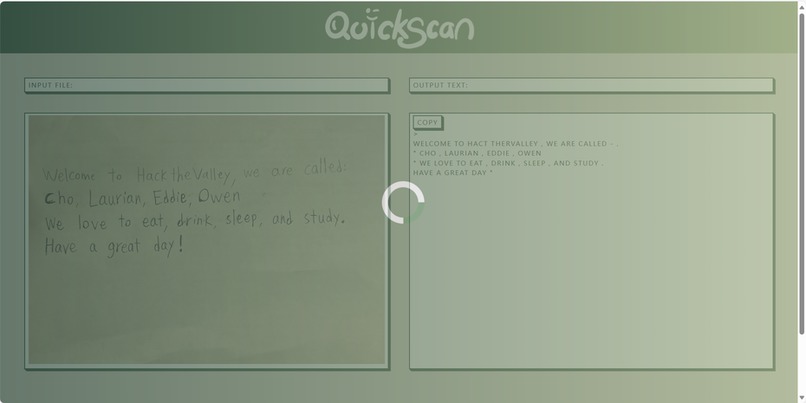
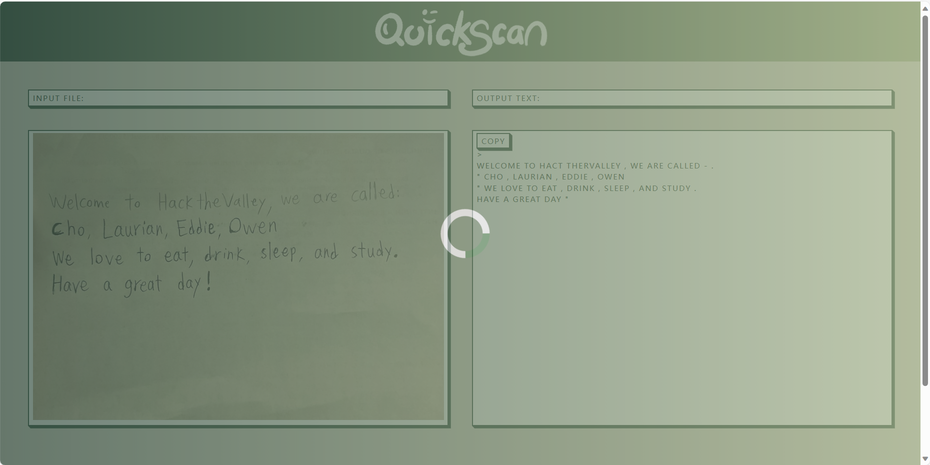
The loading page, created using a combination of HTML, CSS, and JavaScript, effectively communicates the progress of text recognition. Users are provided with a visual indicator that their document is being processed, maintaining engagement.

3. Quick Copy
QuickScan simplifies the process of copying the converted prediction text to your clipboard with the "Quick Copy" feature. This feature enhances user convenience and expedites the use of digitized text in various applications and documents.

How can I use the QuickScan?
- Install the related libraries
> This project uses deep learning related libraries, go check them out if
> you want to modify the code
pip install mltupip install numpypip install matplotlibpip install pandaspip install opencv-pythonpip install Flaskpip install pillowpip install tqdmpip install librosa - Clone the original files in git bash
git clone https://github.com/FywOo02/ScriptScan-Handwritten-Paragraph-Recognition.git - Run the home.py, and access the local server address to try it!
python project_src/home.py
File Descriptions
├── project_src
    ├── Model_development
        ├── handweitten_to_digit    # place to do Nerual Network model
        ├── line_segmentation       # place to do OpenCV operations
    ├── static                      # place to save temp data files and CSS files
    ├── templates                   # place to save HTML files
    ├── test_image                  # place to save the .jpg file for QuickScan test
    ├── home.py                     # @@place to start the ScriptScan@@
├── readme_file_src
├── Environments.txt                # environments needed to run the program
├── LICENSE.txt
├── README.md
Contributor


Special Assist

License
MIT © Involution Group

Log in or sign up for Devpost to join the conversation.