-
-
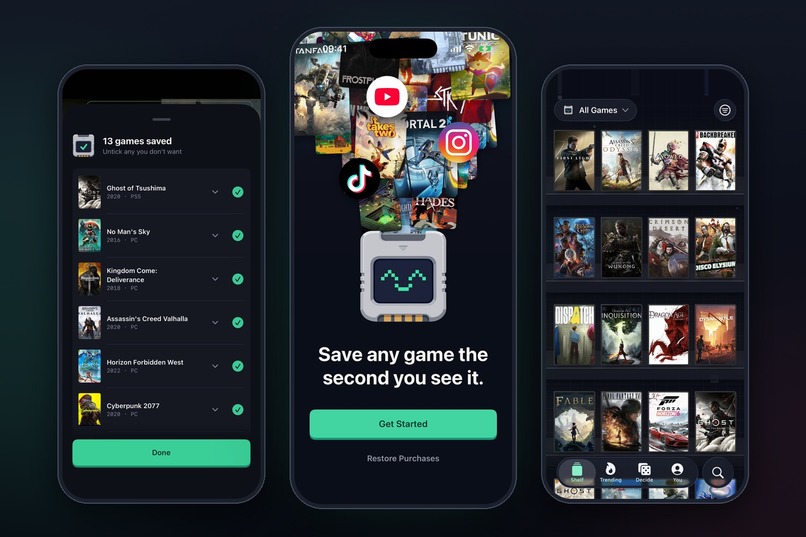
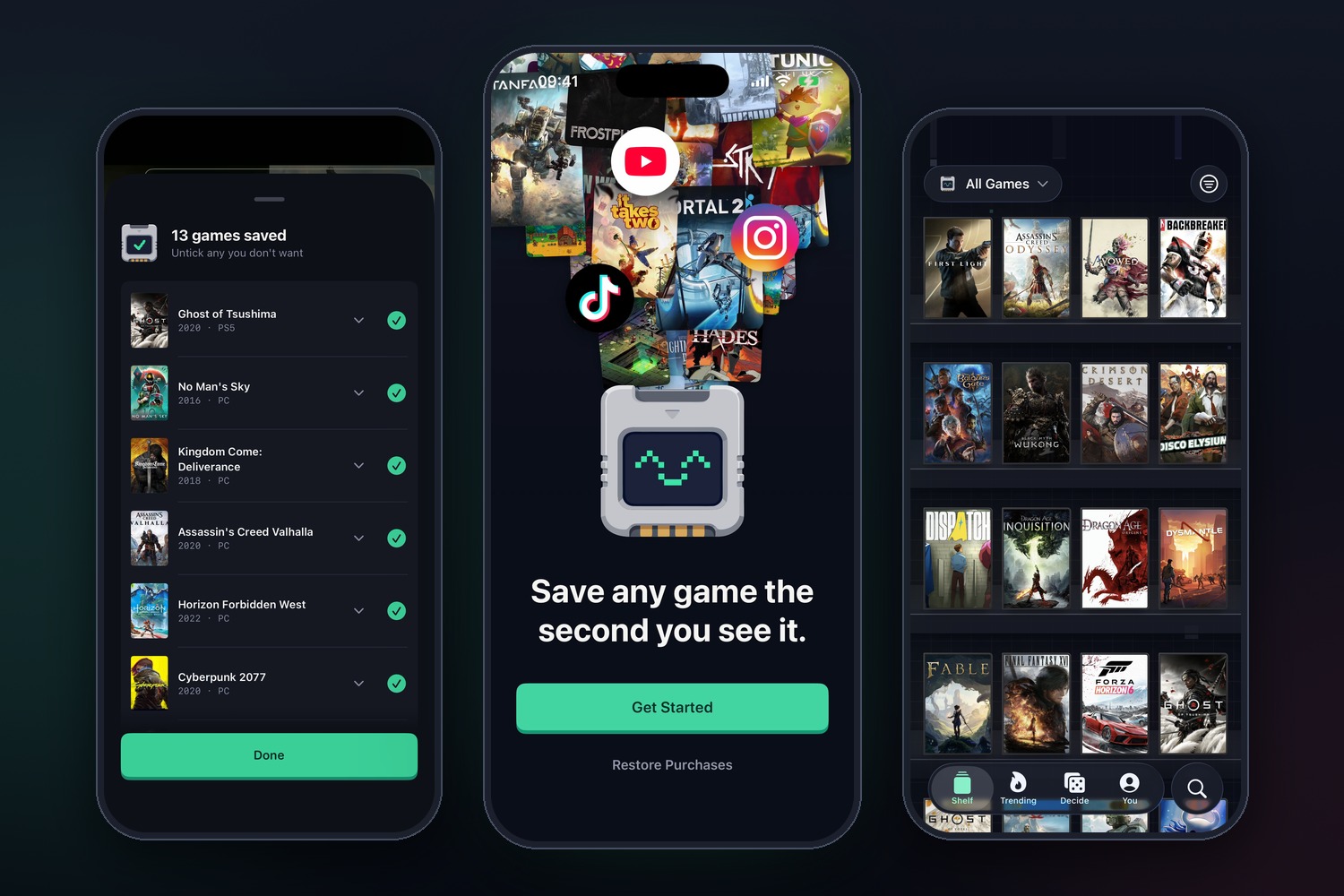
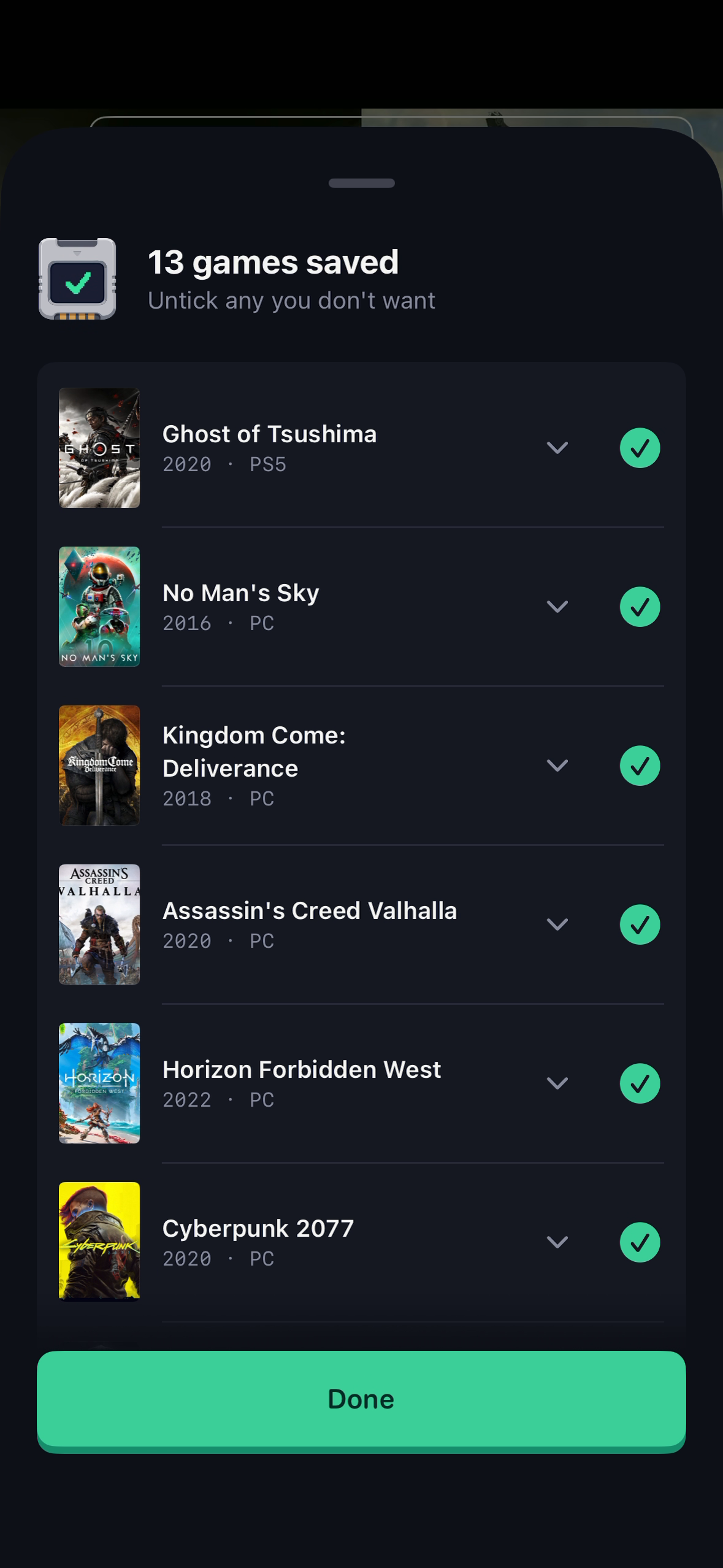
Share a post and every game in it lands on your shelf. Thirteen games from one TikTok slideshow, saved in seconds.
-
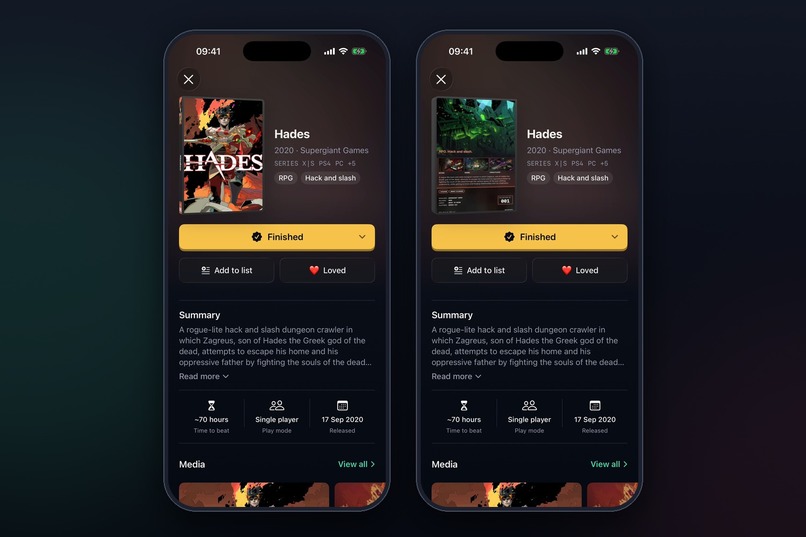
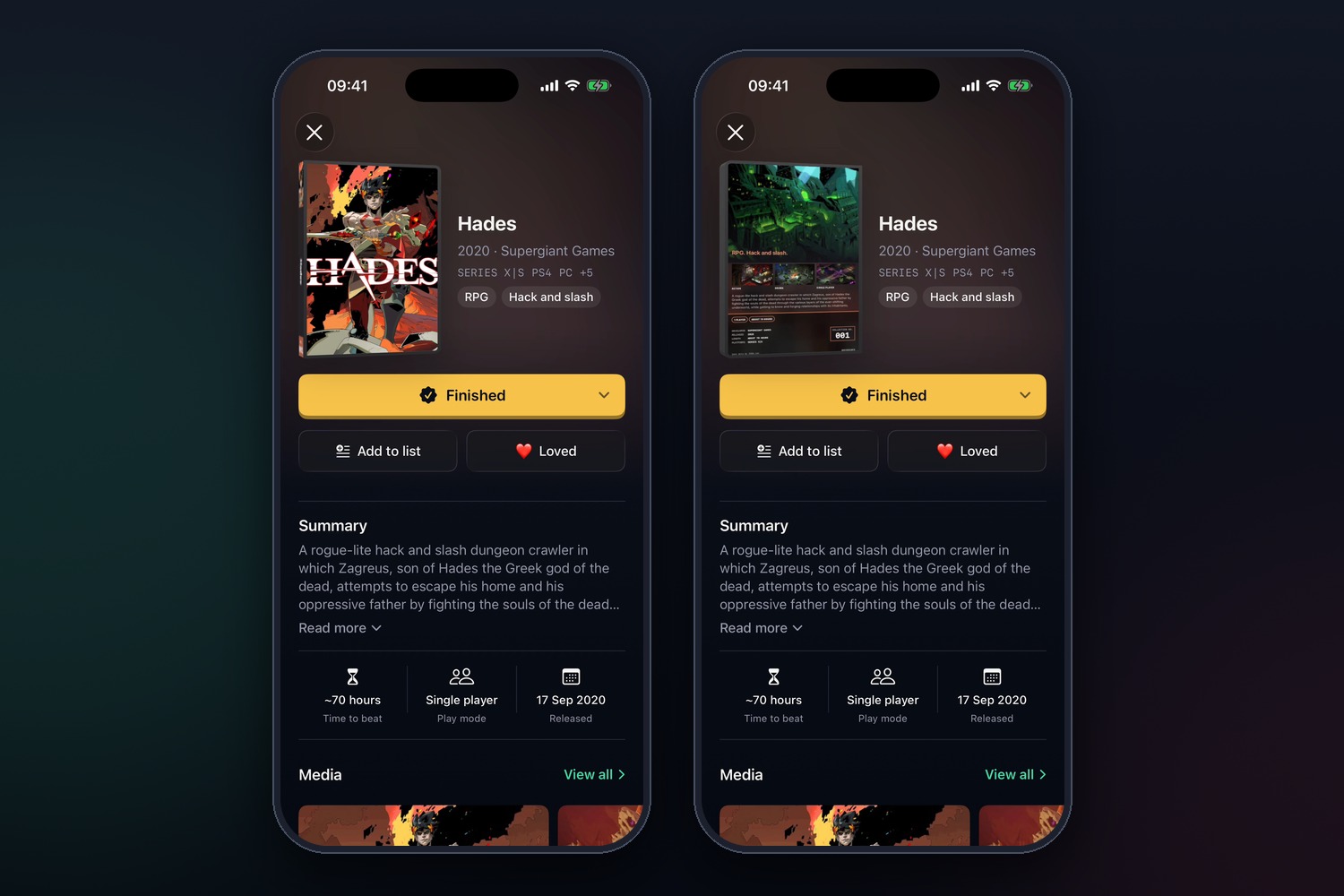
Tap a game and it flies off the shelf as a 3D case. Flip it over.
-
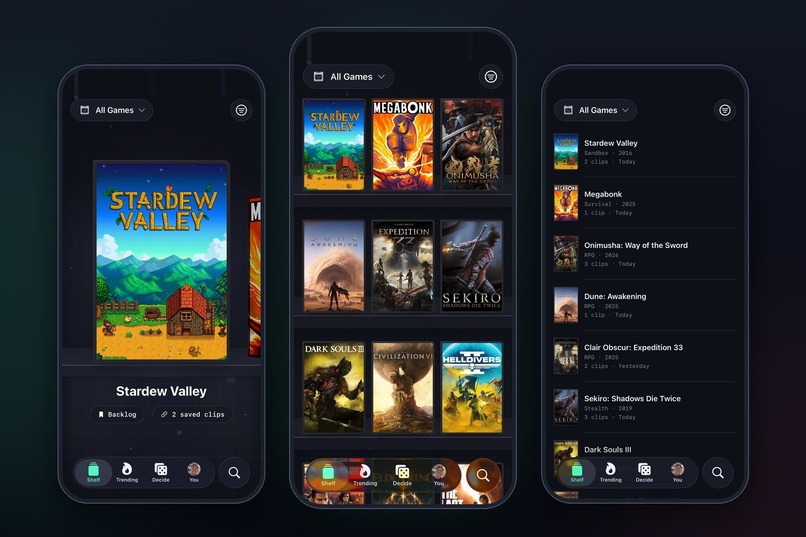
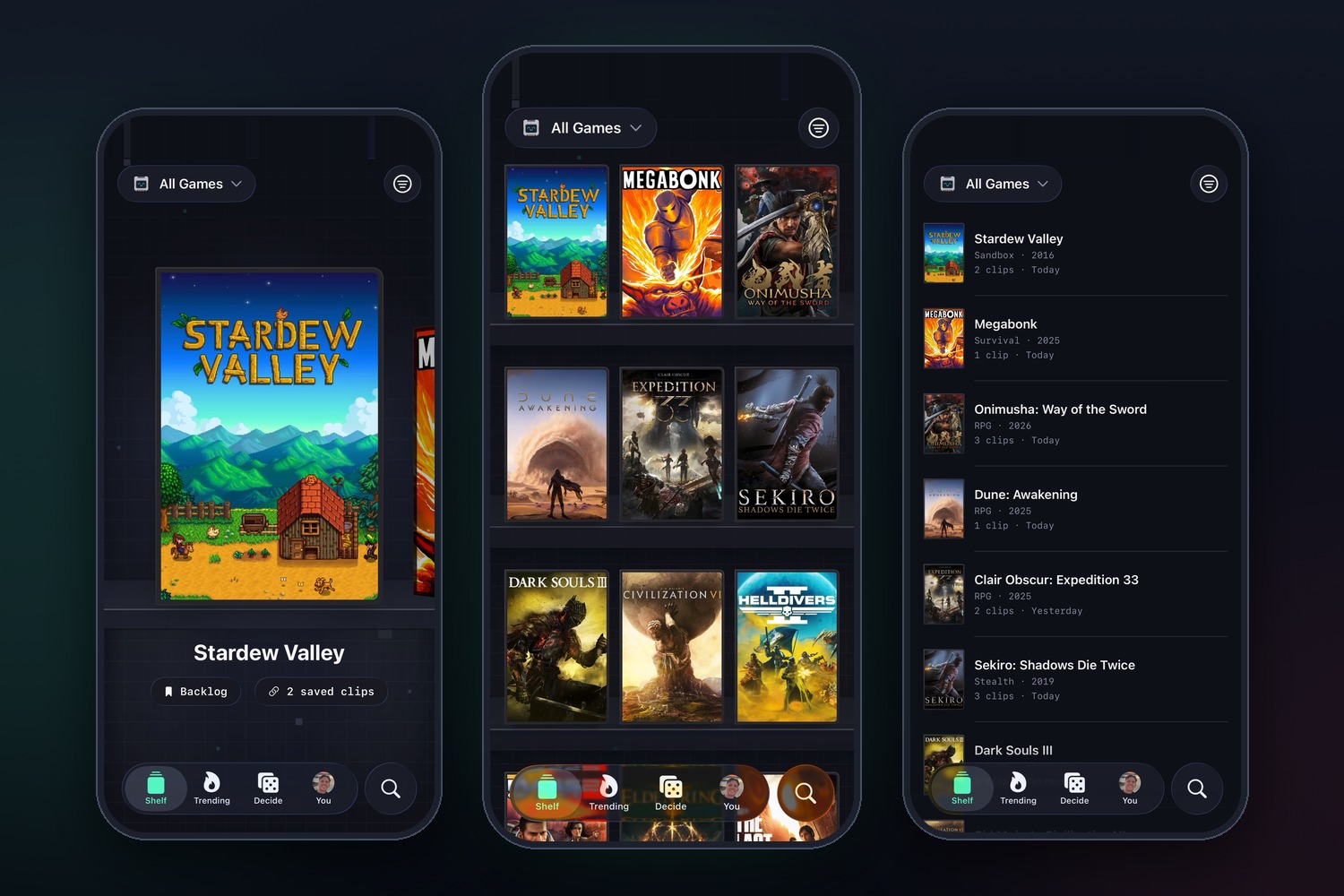
Pinch to zoom your shelf, from one game at a time to a grid to a list, like a photos app.
-
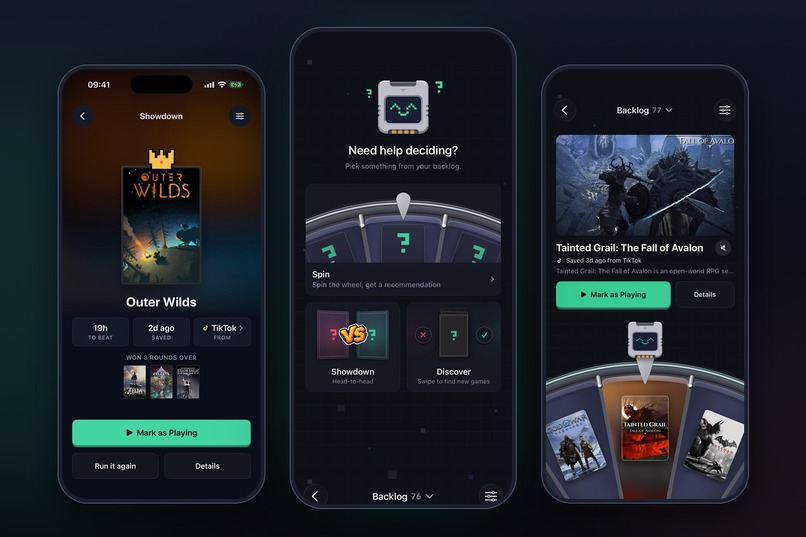
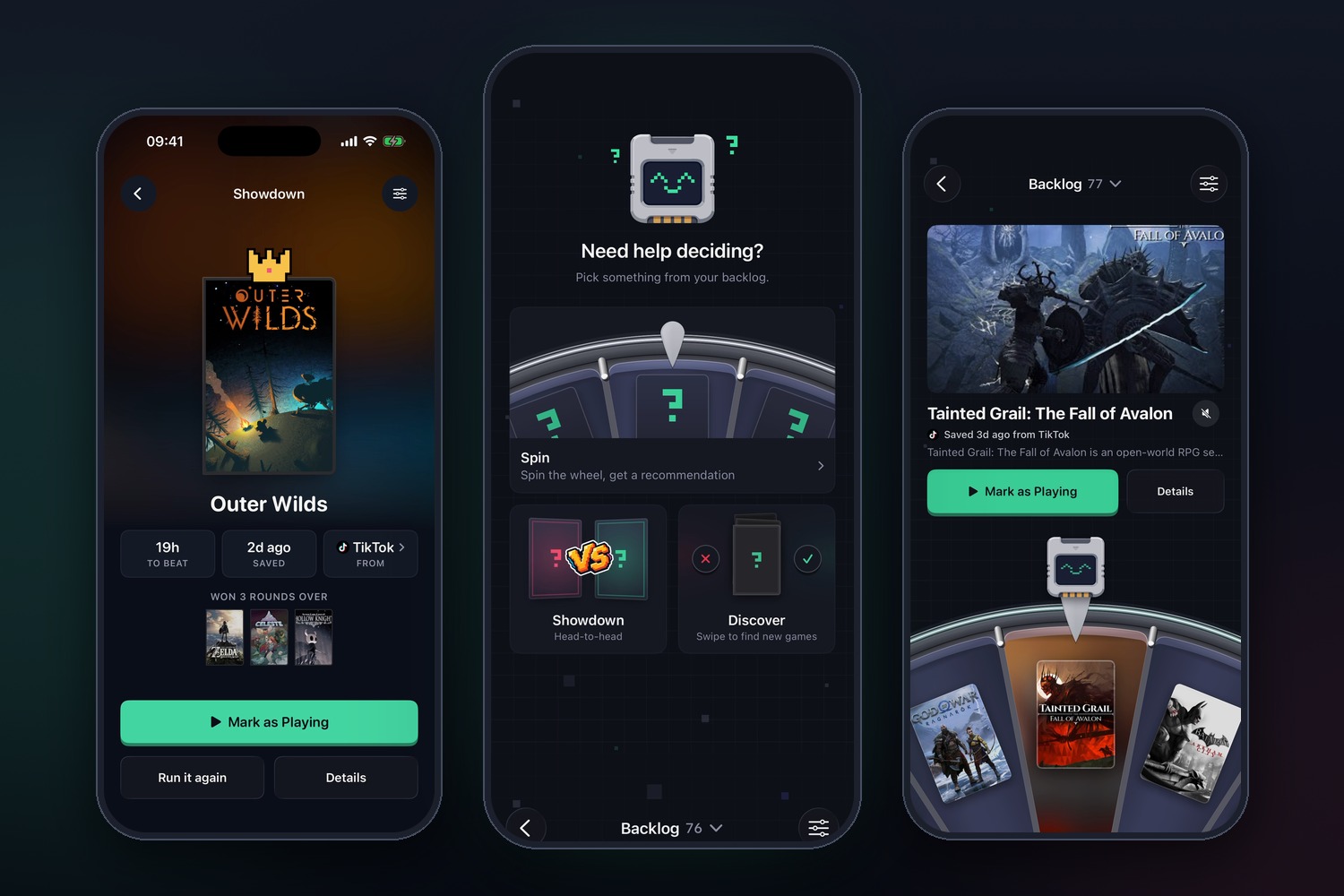
Can't decide what to play tonight? Three games to help you pick.
-
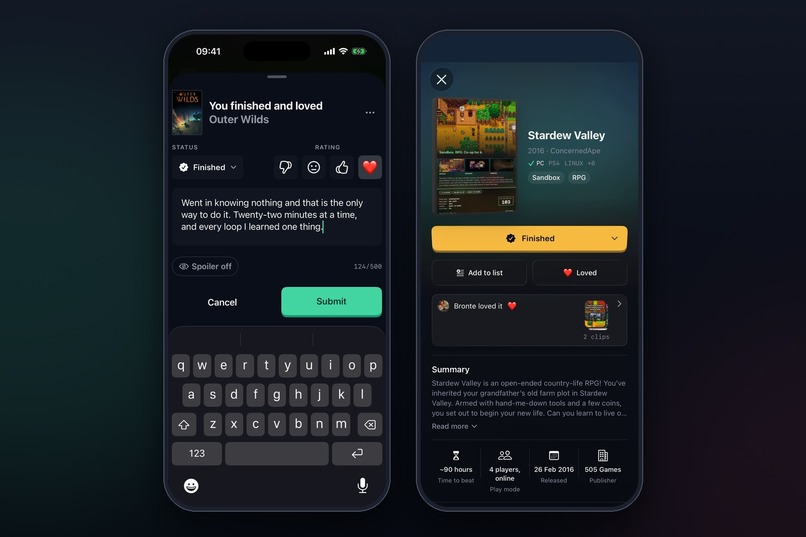
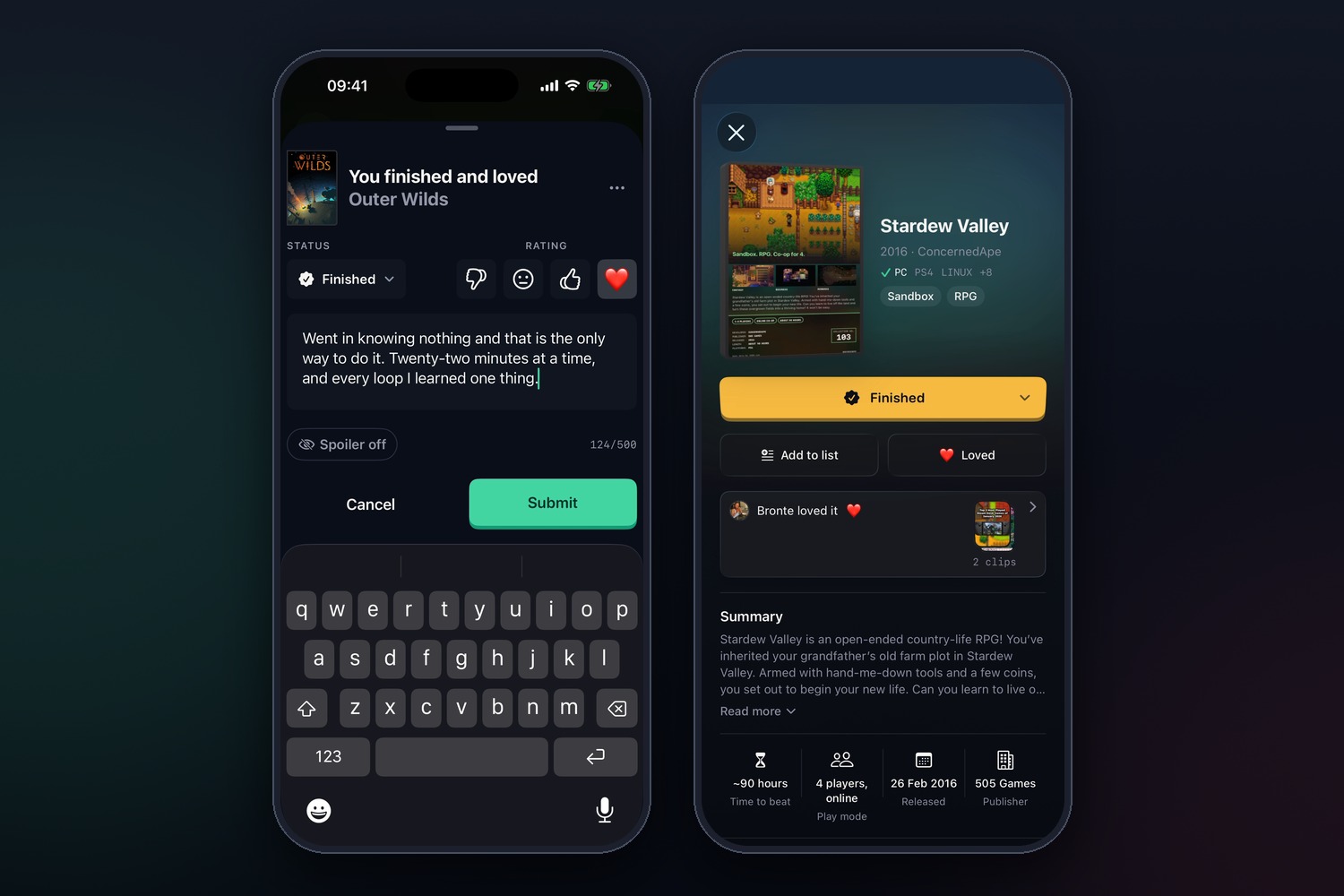
Finish a game and pick Disliked, Okay, Liked or Loved. See your friends ratings, with the clips they saved it from.
-
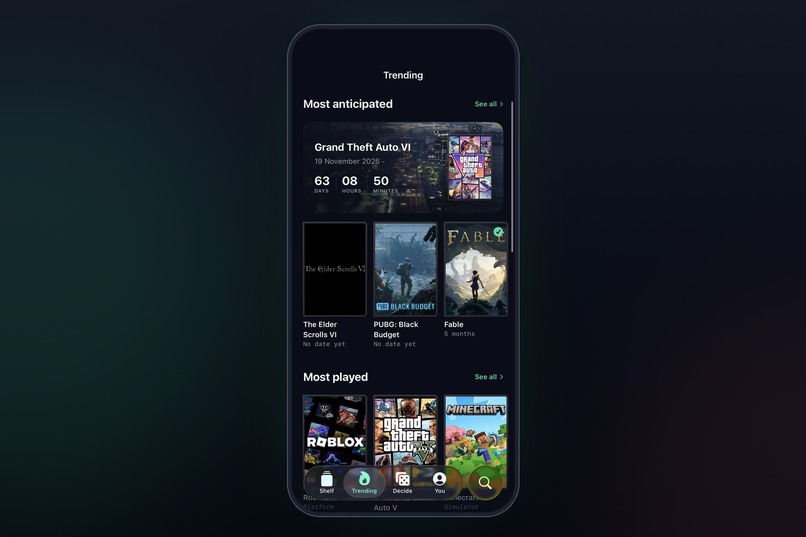
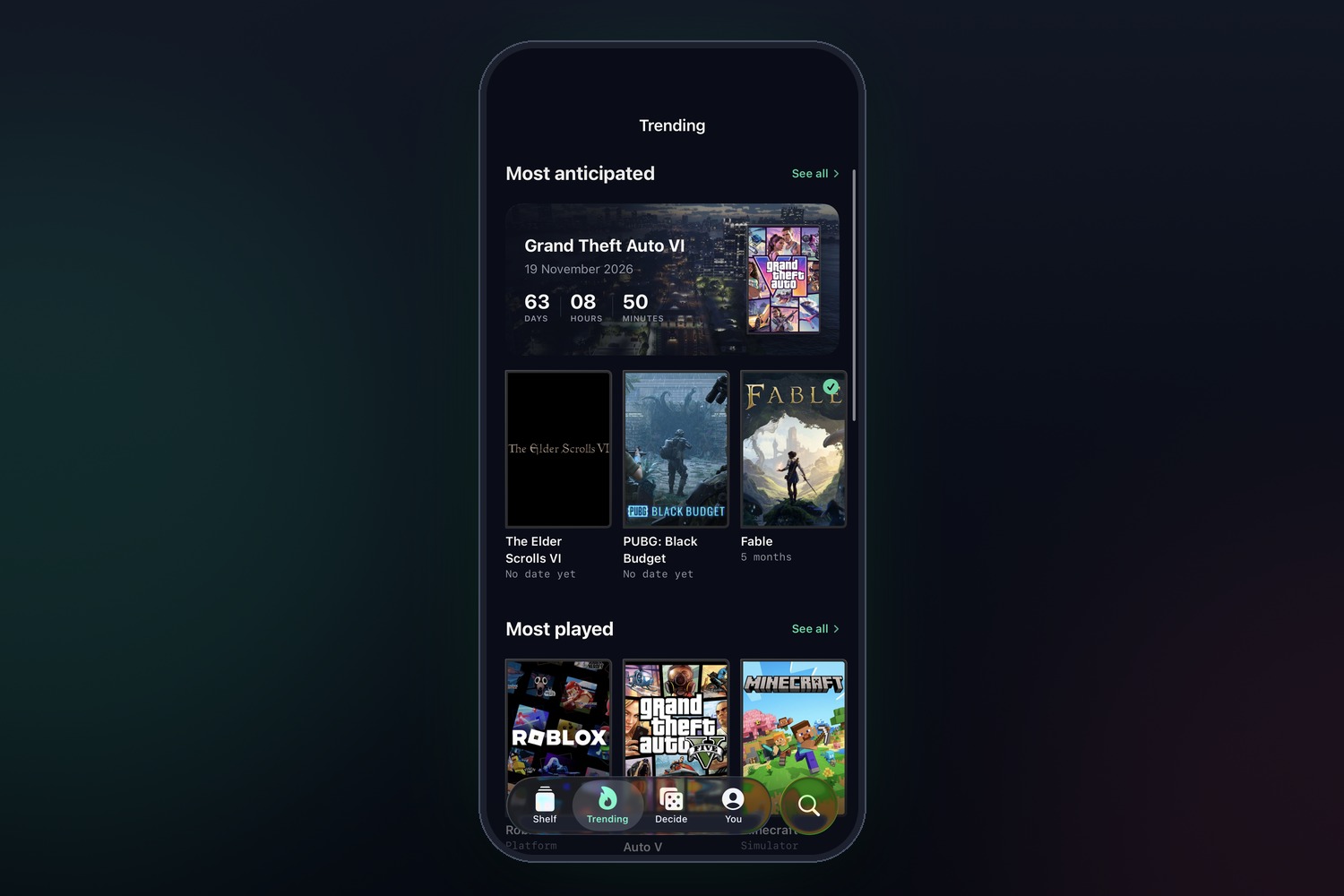
Trending tab: the most anticipated games, counting down to release, and what everyone's playing.
-
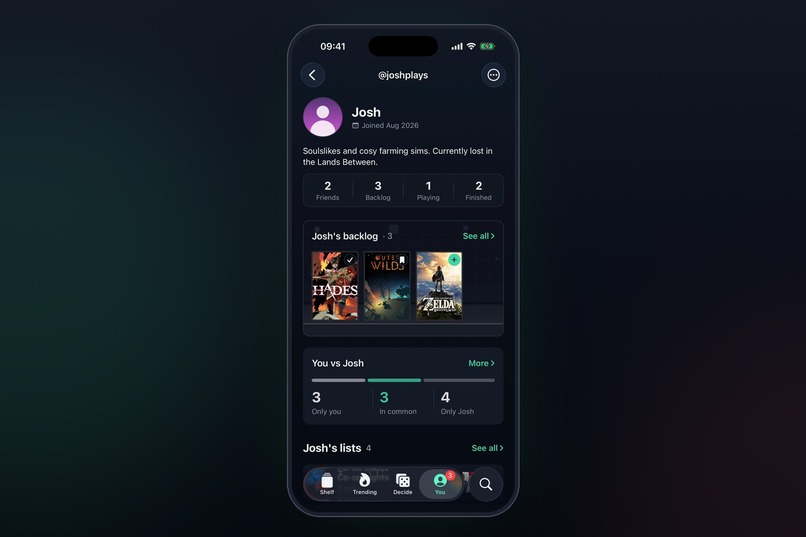
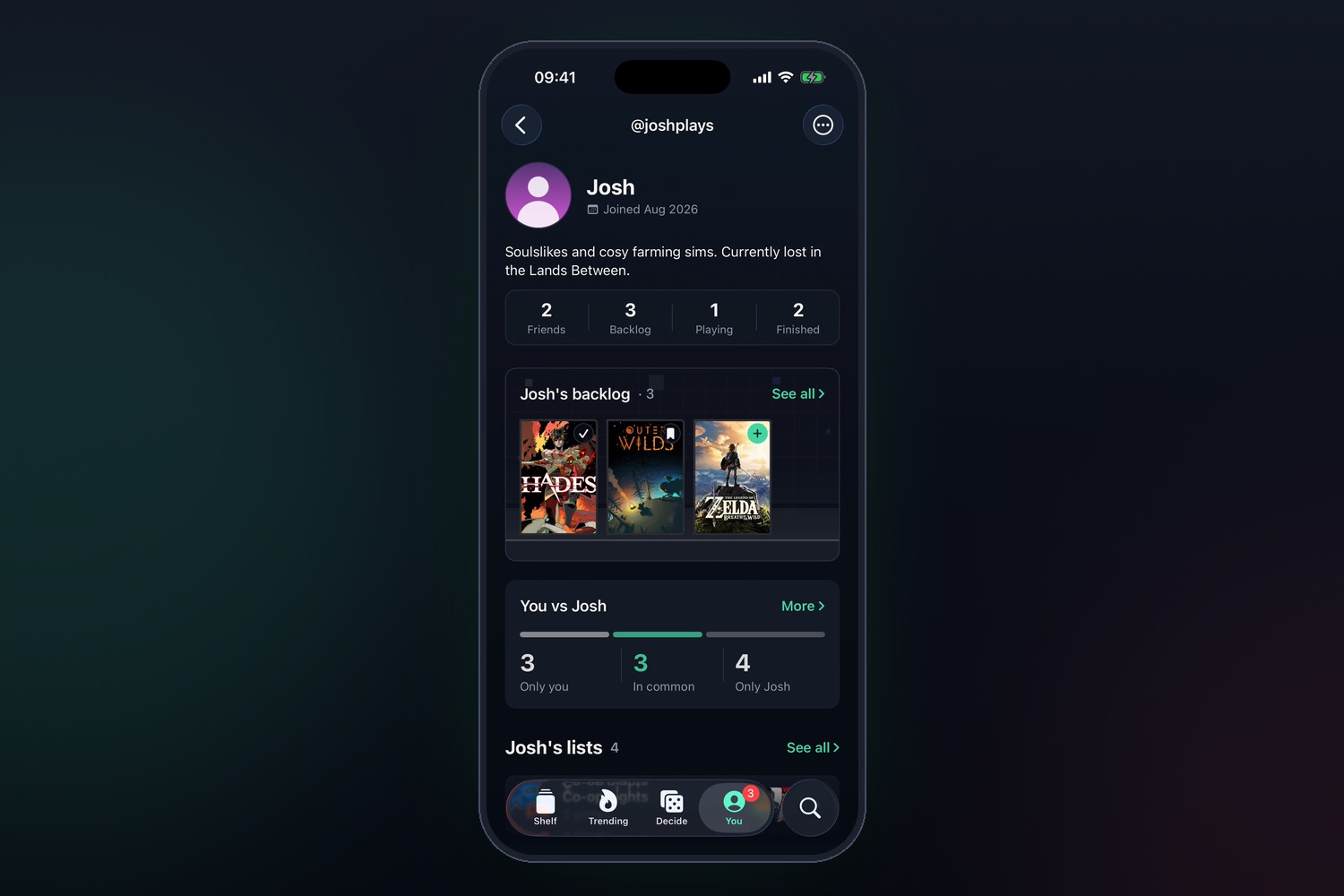
Add friends. Showcase your backlog or favourite games on your profile.
-
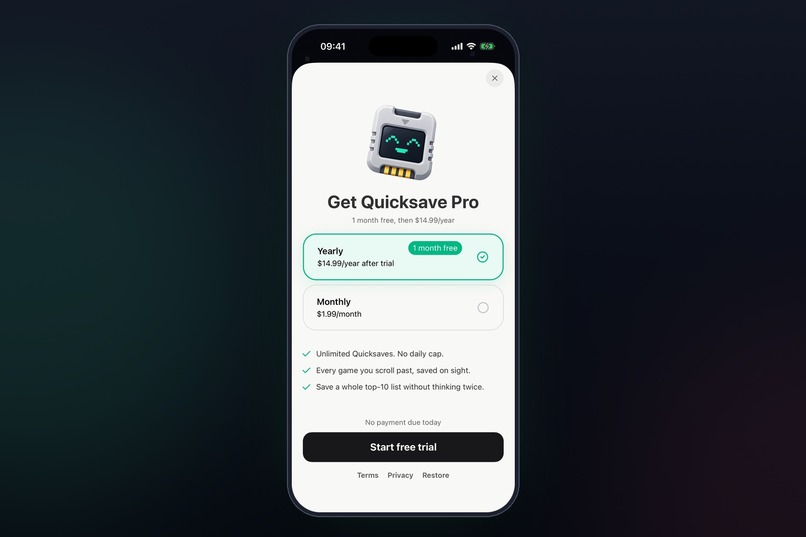
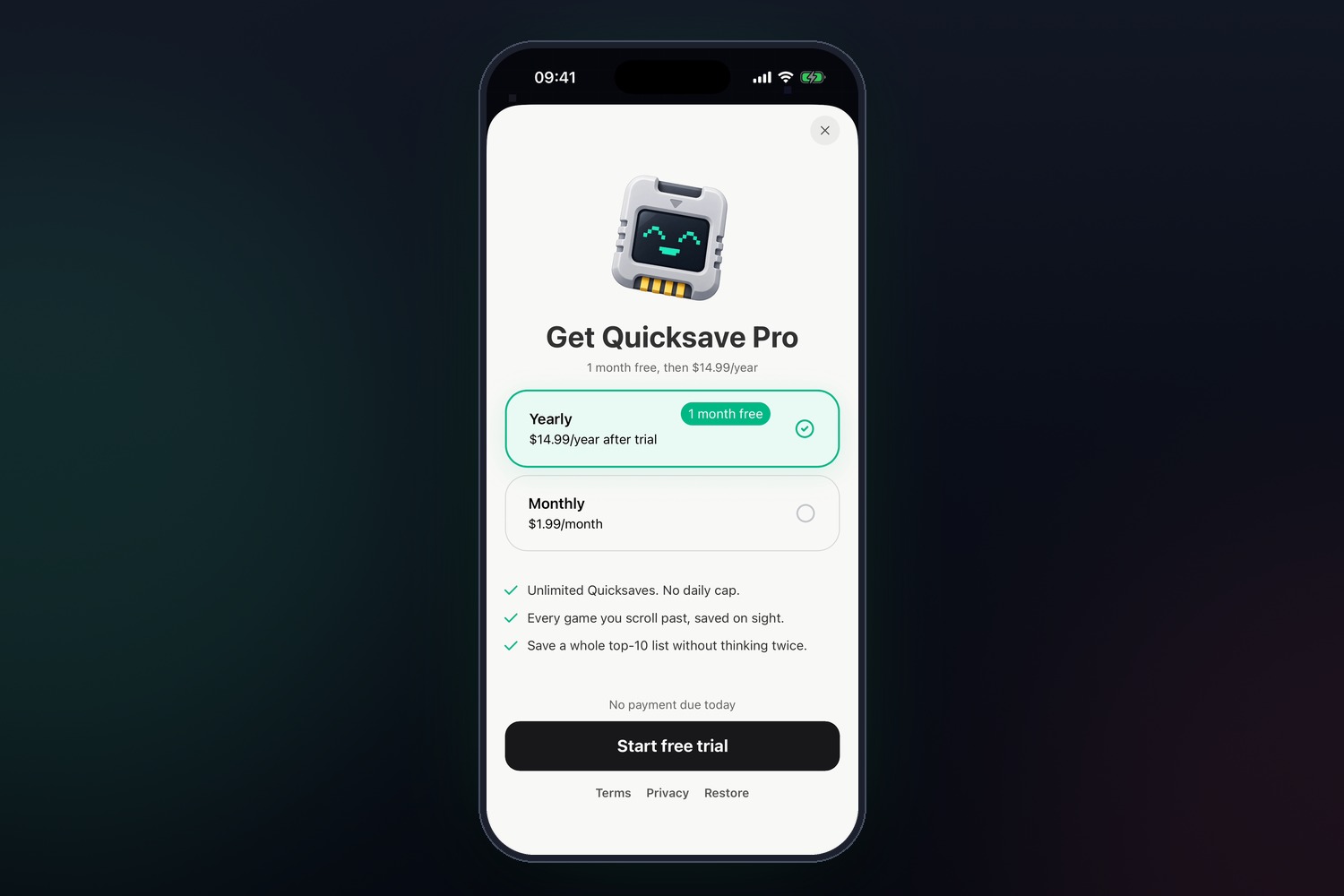
RevenueCat Paywall. Free users get one Quicksave a day. Pro gets unlimited.
-
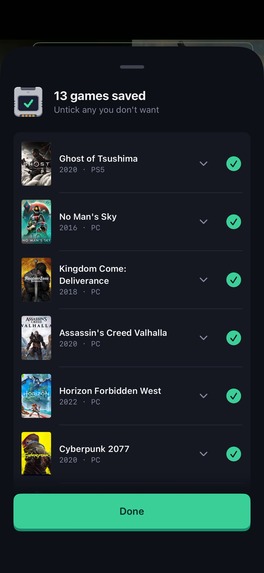
One share, thirteen games.
-
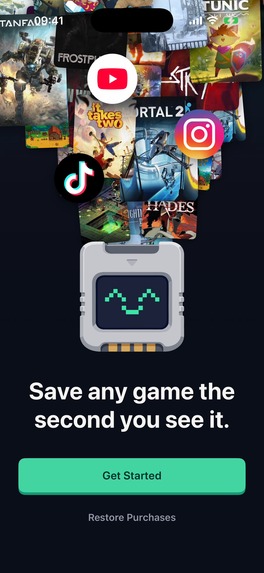
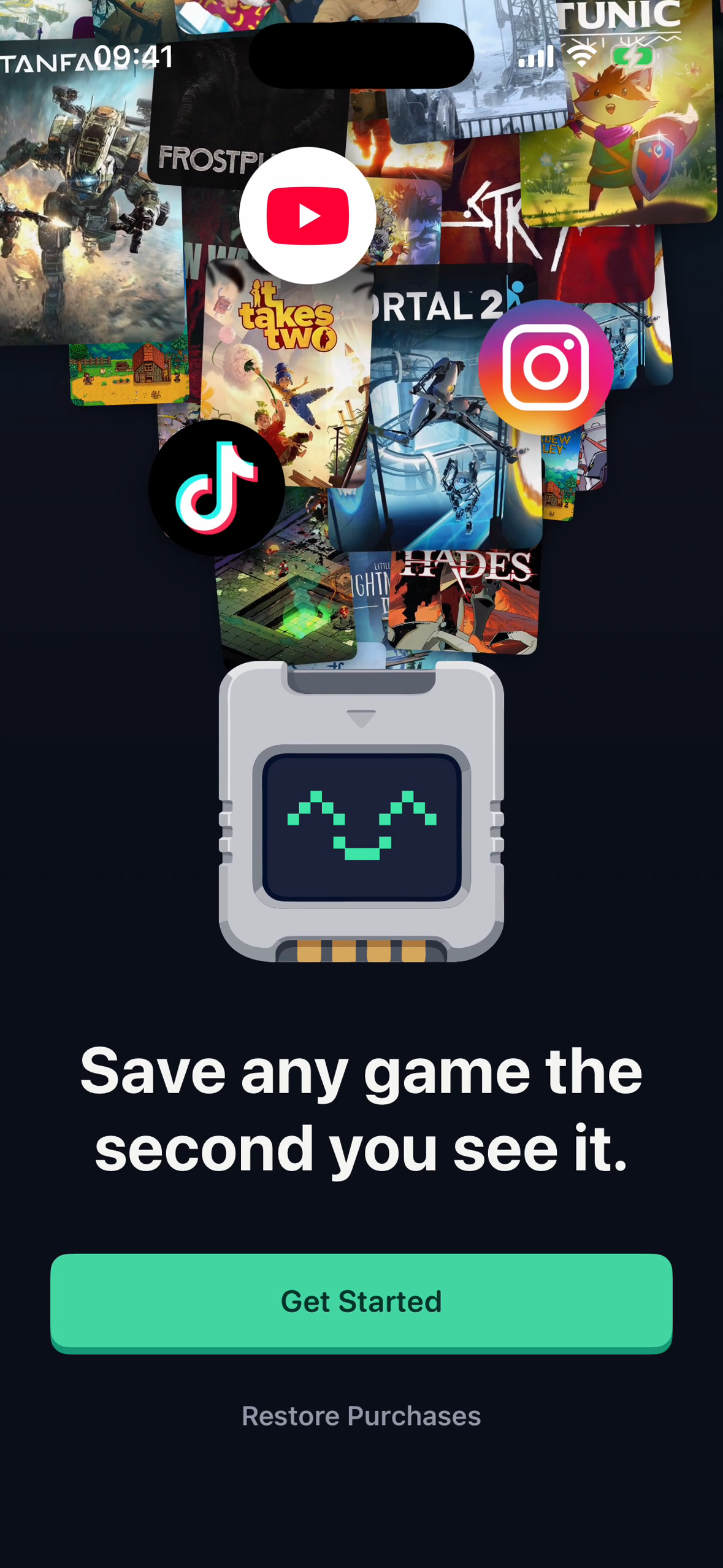
The opening screen. Every game you've scrolled past, pouring into the memory card.
-
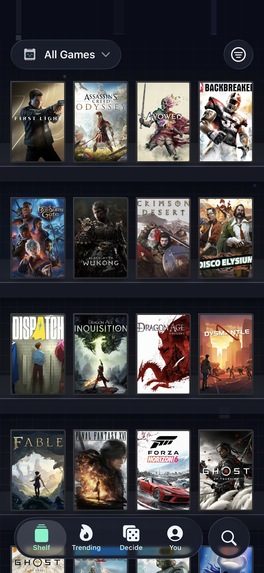
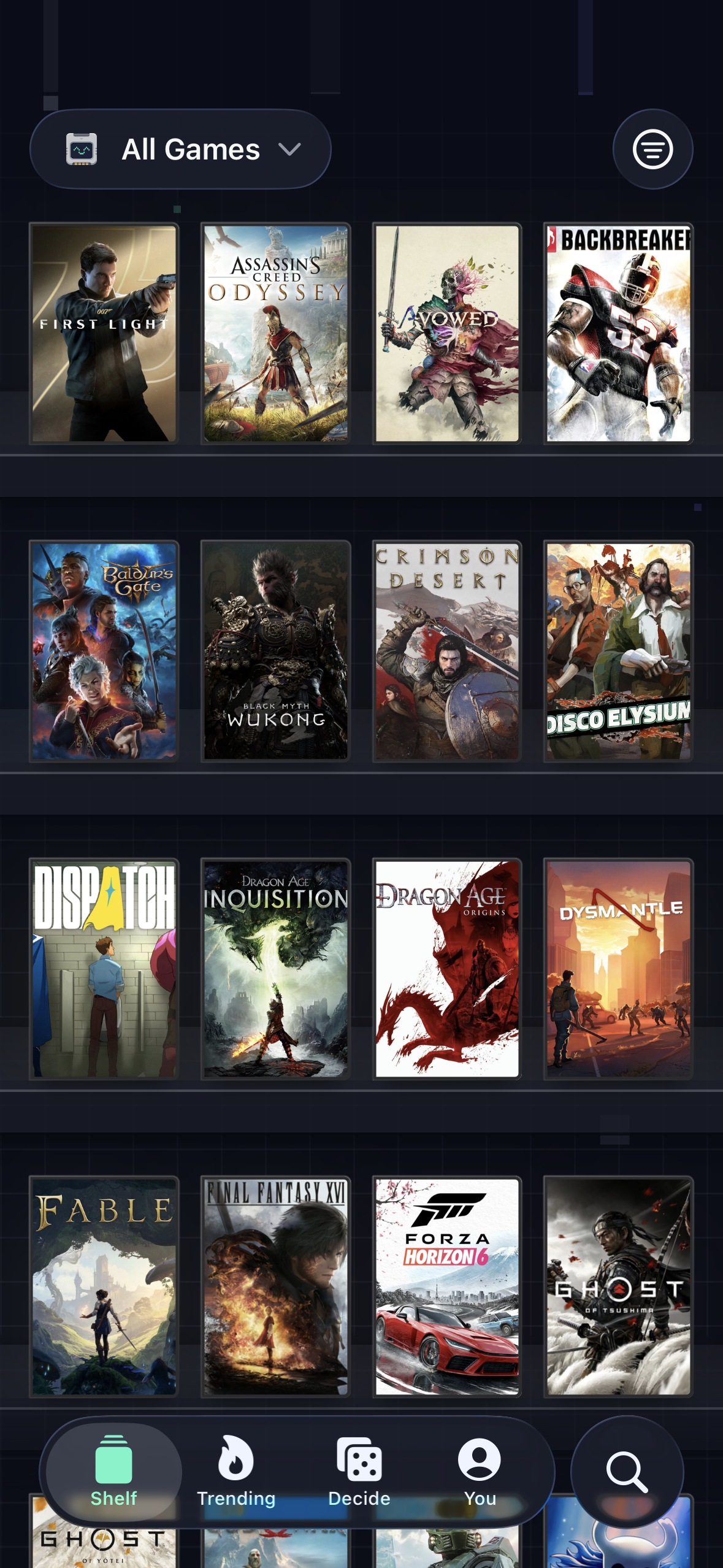
Shelf tab
-
App icon
-

Presenting Quicksave at the London Shipaton meetup

Entered for the Gaming Influencer Award and the Design Award.
Inspiration
I use a lot of media tracking apps for things like books and films. But they all have the same problem: I most often find new things on social media, not in the app itself. So I'll like a post or take a screenshot for later, but when I go back for it, it's always a chore to dig up. Games are worse, because I don't even have a single app for them.
I've played games for as long as I can remember, so quicksaving is second nature. Boss fight coming up, one lockpick left, an NPC getting on my nerves: I hit F5 so I can always get back to that moment.
So I built the memory card I always wanted.
What it does
Save a game. When you see a game you like the look of on social media, hit share and Quicksave. The game gets identified and added to your backlog with the post attached, so you don't just remember what you want to play, but why it caught your eye in the first place. You can dismiss it and go back to scrolling, and the games will be in the app later. Or, if you don't know what the game is, stick around for a couple of seconds and find out. It even works with lists of games: tracking the "Top 10 games releasing this year" is just one share from TikTok. And for a game you've just heard about, search finds it in seconds, or browse the Trending tab for popular games and new releases.
Your backlog. Every game you save appears on your shelf as it's found. Swipe through them one at a time, or pinch to zoom out, just like a photos app, and watch the whole collection shuffle into a grid or list view. You can also group them into custom lists of your own.
I wanted to recreate that feeling of picking a game up and flipping it over to read the back. Tap a game and you get the details and links you'd expect, but the satisfying part is watching it fly off the shelf as a 3D case you can turn over and inspect.
Finishing a game. Track what you're playing, and when you're done, mark it as finished (or shelve it), then rate it and leave a review. I've never been a fan of a 10-star scale (everything ends up a 7/10), so Quicksave gives you four options: Disliked, Okay, Liked and Loved.
Friends. Gaming has always been social for me; a friend raving about a game is usually what gets me to play it. So add your friends and browse their shelf like you're round at theirs, see what you've got in common, and build lists together. Activity shows up throughout the app, so when you open a game you'll see what each of you thought of it, and the clips that made you save it.
Deciding what to play. If you're anything like me, you've got 50 games on your backlog and when the time comes you end up playing the same old thing anyway (League, anyone?). So I've added a whole tab to help you make that choice, with three modes.
- Showdown: see how long your games have been sat waiting on the shelf, then pit games from your backlog and what's trending against each other and see what comes out on top.
- Spin: for when you're feeling indecisive. Spin the wheel, see where it lands, and quick-fire through trailers.
- Discover: if you're looking for something new entirely, swipe through a stack of games tailored to you, based on the ones you've saved, loved, and what your friends are playing.
Finally, there's an easter egg hiding on the Decide screen that I spent way too much time on. See if you can find it.
Free and Pro. Sharing a post to Quicksave and having it identify the games inside is the one part that costs money to run, so free accounts get one shared post identified a day, and Pro makes it unlimited. Everything else is free: adding games through search or Trending, your shelf, friends, lists and Decide.
How I built it
- SwiftUI on iOS. I stuck with native, as I've already been learning it the last few months working on another app.
- The backend is Go on AWS Lambda, my bread and butter. That's where game identification runs, calling in AI models only when a post's own text isn't enough.
- All game data comes from IGDB (an absolute blessing).
- Supabase for DB and auth. I store all the game data I need from IGDB here rather than calling them directly to avoid hitting rate limits. A GitHub Action pulls in IGDB's changes every day.
- RevenueCat handles every purchase: one Pro entitlement, sold monthly, or yearly with a free 30-day trial. The paywall appears once in onboarding and never nags after that; the daily limit does the selling instead, because that's the moment you actually want more. The limit is enforced on the server against RevenueCat subscription state, so it can't be bypassed from the app.
Challenges I ran into
Game identification. Each social platform has its own quirks, but the common problem is a post whose title, captions, or thumbnail straight up don't name the game; the only thing left is to watch the video itself. That's expensive, but worse for the user, it's slow. In the early versions, posts with a lot of games took from 10 to 40 seconds. Now, the average is under 3 seconds. Games also stream in the moment each one is found, so you're never staring at a loading screen while Quicksave works on the last of 20. And a post someone's already shared is cached, so it comes back almost instantly.
The quirks never stop, though: Instagram drops the thumbnail from any post with licensed music, and the practical way YouTube lets you see inside a video is through Google's Gemini. I find a new one almost every day, and only by actually using the app.
3D cases. Games only come with a front cover, so I had to build the spine and back myself, and then make the whole case run smoothly on any phone.
- Design. Early versions were fine on their own, but put The Witcher next to Super Smash Bros and you'd expect them to look noticeably different. So the back changes based on the game's era and genre, and the spine is cut from the best strip of the cover art. Finding that strip kept landing on poorly cropped logos, so I did a lot of testing with Apple's Vision detectors. A character's face wins when there is one; otherwise the model picks based on aesthetics.
- Performance. I thought pre-rendering the cases would be a good idea, so one could flip over the instant it left the shelf. It ran well on my phone, but the first friend to try it had 100 games on their backlog and Low Power Mode on: an unusable, laggy mess. Nobody's phone should run hot just to look at a list of games. So I deferred and cached everything I could: the blank case is rendered once, each game's textures are made on the fly and cached, and, most importantly, the case only renders once the rest of the game's details have loaded, so it's never blocking. Picking a spine takes about 5ms with a face, or 50ms without, and only once per game. There's also a Low Power Mode setting (on, off or automatic, following your phone) that swaps the 3D cases for flat covers.
Accomplishments I'm proud of
The design. I'm a backend dev in my 9-5, so game identification was the first thing I built. But when I put it in front of people, they just weren't that excited. To them, naming a game was something they could just get AI to do. Turns out people often don't care about features, but they do like shiny things. I thought about what makes gaming so satisfying, and it's all the little moments in between, like the dopamine hit of an achievement popping. So I set out to chase that feeling: now games animate onto your shelf as they're found, a game becomes a 3D case you can turn over, and the memory card mascot ties it all together. Share a post and he absorbs it, a loading bar fills his screen, and he celebrates finding a game. It's what turned a lifeless tracking app into something with character.
What I learned
Get feedback sooner. I went to the London Shipaton meetup last month, and was really apprehensive about presenting. But the reaction was what finally pushed me to get it onto my friends' phones. Watching someone try it for 60 seconds caught more bugs and UX issues than two months of using it every day myself.
When to scrap something. I built a light mode and even launched an unpolished version of it, but it wasn't hitting the mark across the board, and people subconsciously judge quality in the first few seconds. So I pulled it and refocused on the problems that mattered more.
What's next for Quicksave
- Customisation. Shelves and profiles have a lot of room for self-expression that I haven't tapped into yet.
- Android. Friend groups don't split by phone, and the social side only works when everyone can join.
- Distribution. I started building on the 3rd of August, which feels insane given how far it's come, but I've been so locked in on the build that I've neglected the other half of shipping it: finding real users. So next is marketing it properly, getting it into gaming communities and growing it beyond my friends.
Built With
- aws-lambda
- claude
- github-actions
- go
- igdb
- postgresql
- posthog
- revenuecat
- sentry
- supabase
- swift
- swiftui

Log in or sign up for Devpost to join the conversation.