-
-
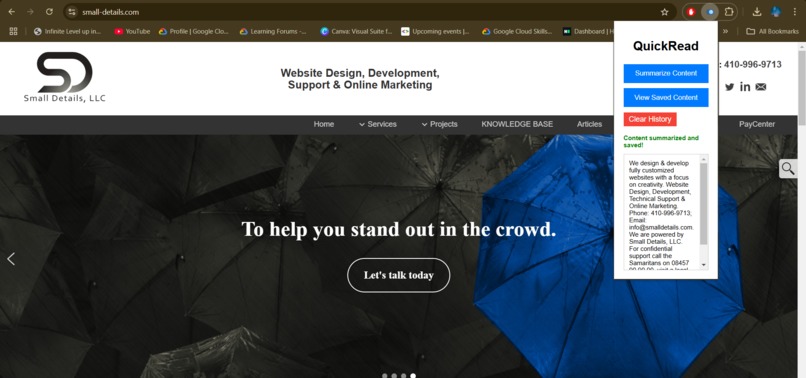
QuickRead chrome extension in working
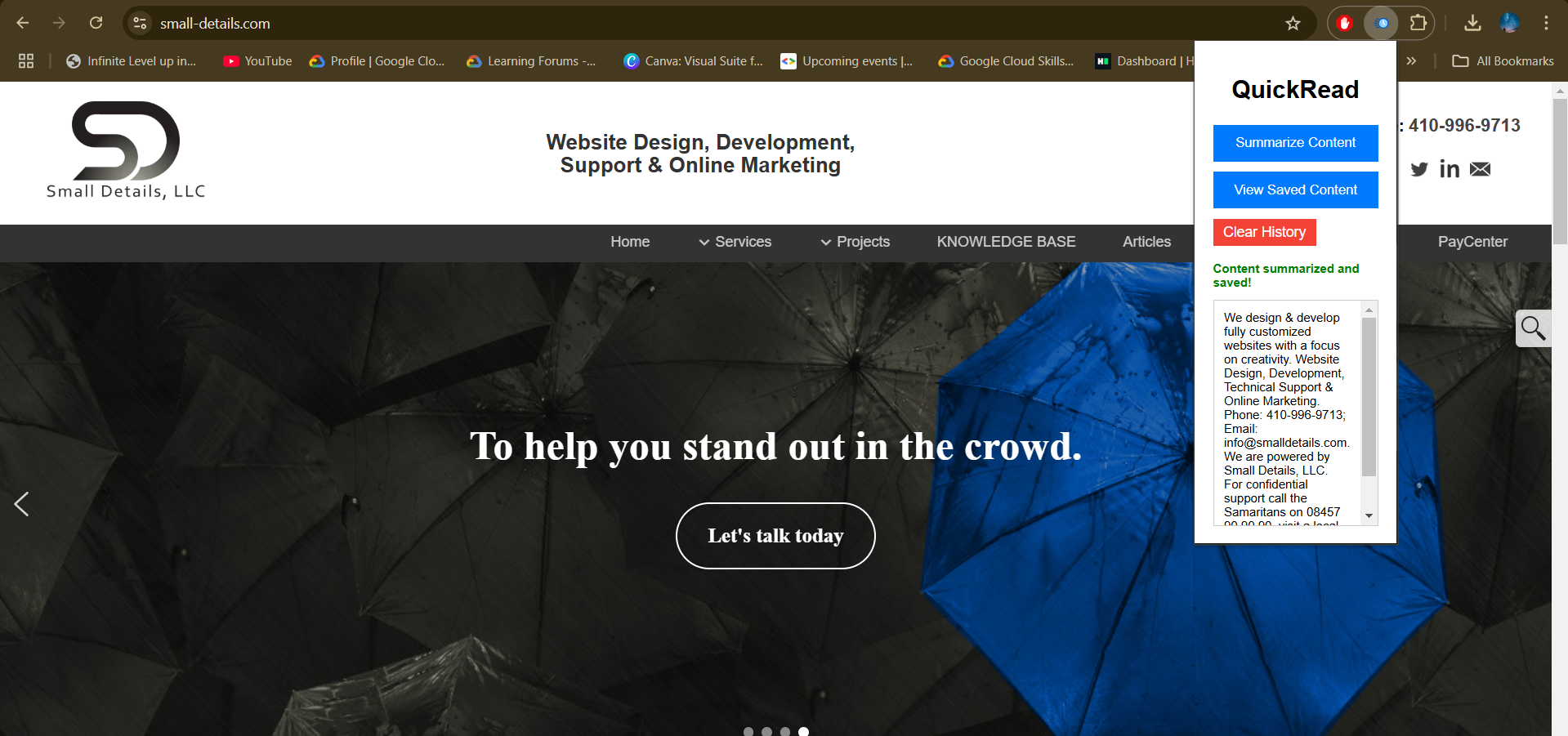
About the Project: QuickRead - Chrome Extension
Inspiration
The idea for QuickRead was born out of a simple need: to quickly extract key insights from lengthy articles, blogs, or research papers while browsing the internet. We wanted to create a tool that not only saves time but also ensures users can revisit summarized content whenever needed, even offline. As avid readers and learners, we envisioned a solution that combined the convenience of a browser extension with the power of AI summarization.
What it does
QuickRead is a Chrome extension that leverages AI to quickly summarize the content of any webpage. The extension also allows users to save summaries for later use and access them offline. With a clean and user-friendly interface, it helps users save time by providing concise summaries of lengthy articles, blogs, or research papers.
How we built it
Brainstorming
We started with brainstorming sessions to define the problem, ideate solutions, and finalize features that align with user needs.UI/UX Design
Using simple design principles, we created a minimalistic and functional interface. HTML and CSS were used for structuring and styling the extension.AI Summarization
We integrated the Hugging Face API to provide powerful and accurate content summarization. The backend was designed to process the selected content and generate concise summaries.LocalStorage
We implemented LocalStorage to ensure summaries are saved locally for offline access. This allowed us to maintain user privacy while offering a seamless offline experience.Testing and Optimization
Rigorous testing was conducted to ensure compatibility across different webpages and to optimize the summarization output for diverse content types.
Challenges we ran into
AI Model Selection
Choosing the right AI model for summarization was a challenge, as we needed a balance between accuracy and performance. After evaluating multiple options, we settled on Hugging Face’s Gemini model for its reliability.Offline Access Implementation
Ensuring seamless offline access required a deep understanding of LocalStorage and efficient data handling to avoid performance bottlenecks.Browser Compatibility
We faced minor compatibility issues with certain webpage structures, requiring us to refine our logic for content extraction.Time Management
Balancing the technical development and user experience design within a limited timeline was challenging but rewarding.
Accomplishments that we're proud of
- Successfully integrated AI-powered summarization using Hugging Face’s Gemini model.
- Developed a fully functional Chrome extension that allows users to summarize web content with a single click.
- Implemented an offline mode to ensure users can access saved summaries even when they’re not connected to the internet.
- Built an intuitive and clean user interface that makes the summarization process easy and efficient.
What we learned
- Chrome Extensions Development: Gained hands-on experience with the Chrome Extensions API and how to create interactive browser-based applications.
- AI Integration: Learned about integrating machine learning models for real-time use cases, specifically for content summarization.
- Local Storage Management: Understood how to handle data locally and manage offline access efficiently.
- UI/UX Design: Enhanced our understanding of building a simple, user-friendly interface that prioritizes functionality and ease of use.
What's next for QuickRead
- Text Highlighting for Summarization: Allow users to highlight specific sections of a webpage they want summarized.
- Multi-Language Support: Integrate language detection and support for summarization in multiple languages.
- Exporting Summaries: Enable users to export saved summaries as text files or share them via email or messaging apps.
- Cloud Sync: Add cloud synchronization to allow users to access their saved summaries across different devices.
- Customization Options: Provide options to customize summary length and focus based on user preferences.
Built With
- and-managing-data.-**html/css**:-for-building-the-extension's-ui.-**localstorage**:-for-saving-summaries-locally
- chrome-extension-api
- css
- html5
- huggingface-api
- javascript
- localstorage
- saving


Log in or sign up for Devpost to join the conversation.