Inspiration
Shopping in the real world still means pulling out your phone, typing a product name into a handful of tabs, and guessing whether the price is fair. Subscriptions are the quiet version of the same problem: small recurring charges that stack up until your balance can't cover the ones that matter. And both assume you can comfortably read a screen.
I wanted one place where you can look at a thing, hear the best price, buy it, and keep your recurring bills under control. Point. Price. Pay.
What it does
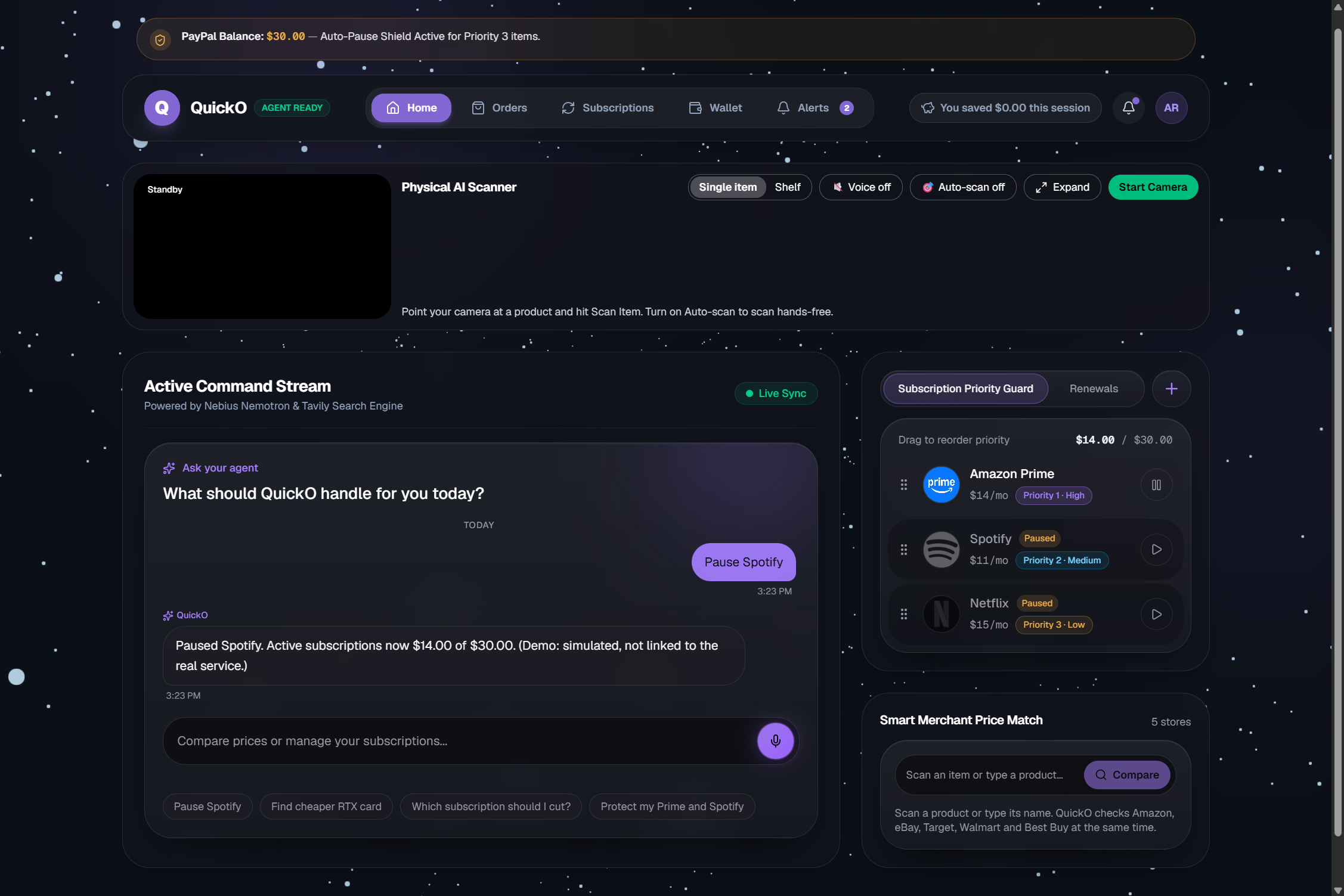
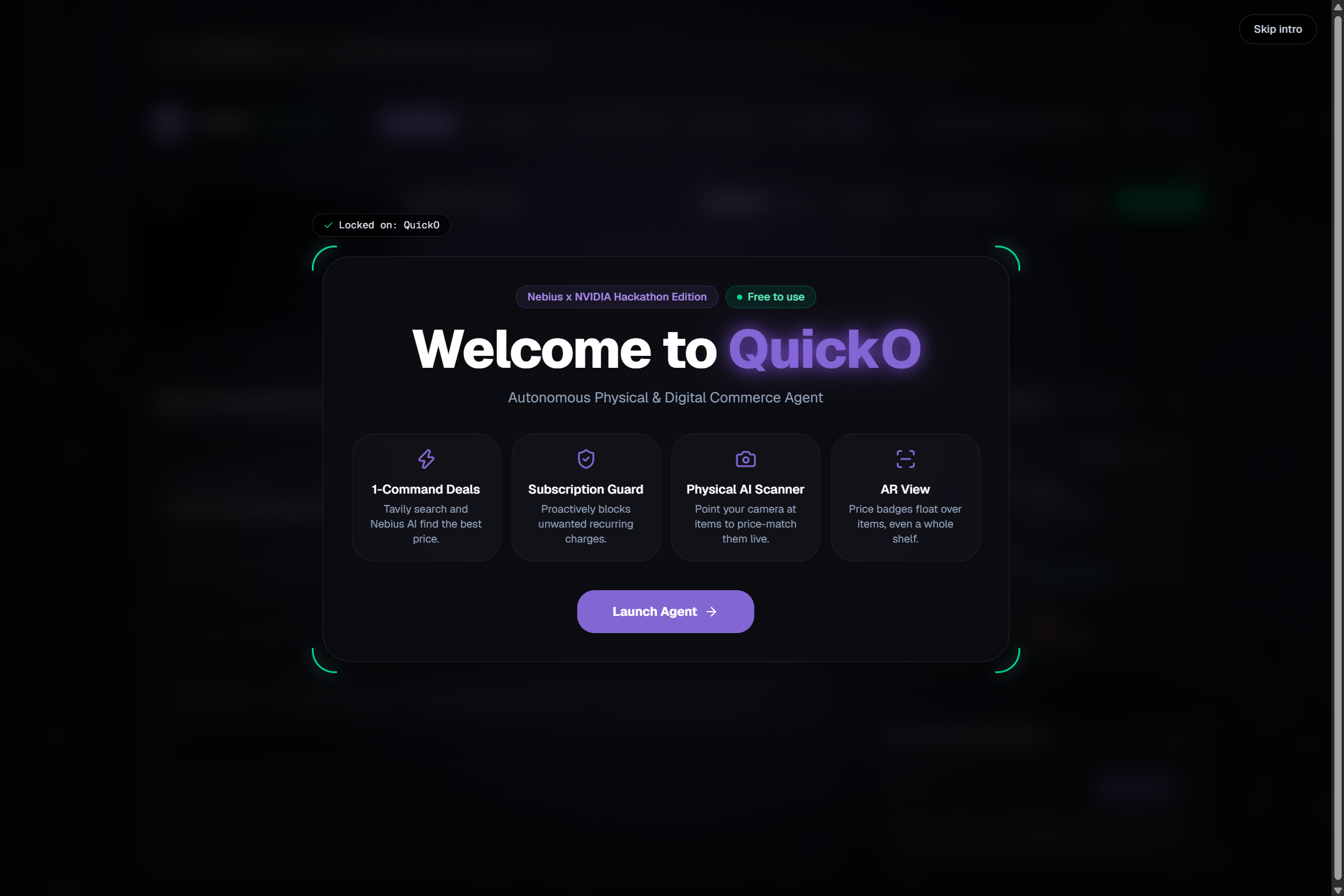
QuickO is a free web app that turns your camera into a price-matching tool.
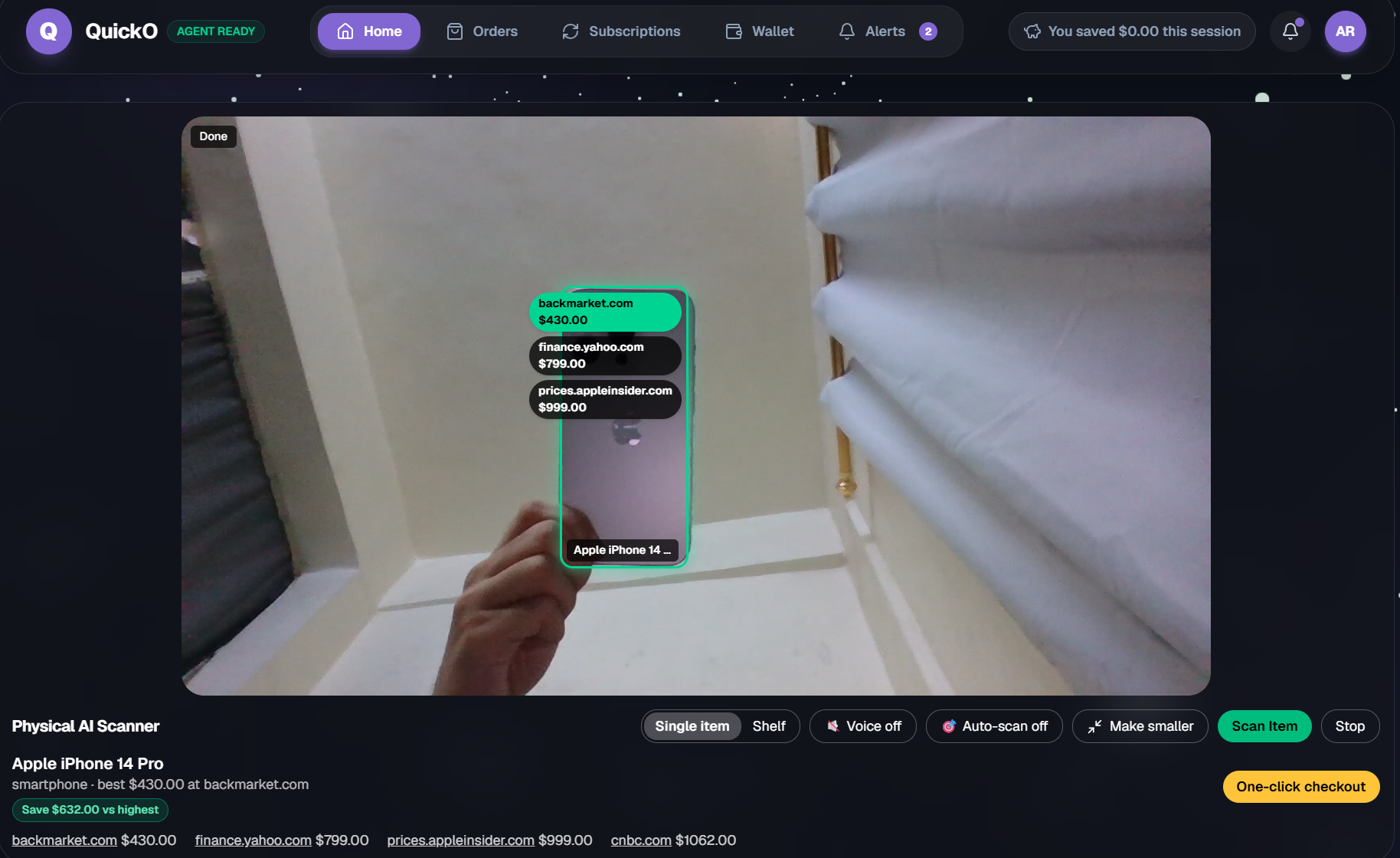
Scans a product or a whole shelf. A Nemotron vision model on Nebius identifies each item and where it sits in the frame. Shelf mode handles up to 6 items in one scan.
Shows prices on the live video. Boxes lock onto items and price badges appear as each price lands. Hold the camera steady and auto-scan can trigger on its own.
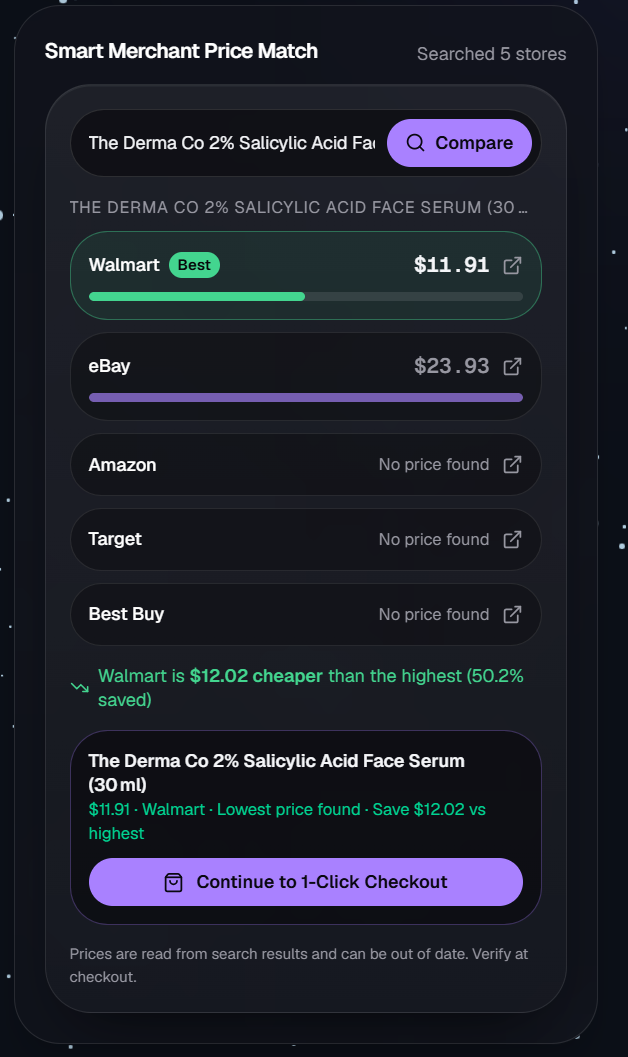
Compares five stores. Live web search checks Amazon, eBay, Target, Walmart, and Best Buy side by side and highlights the cheapest.
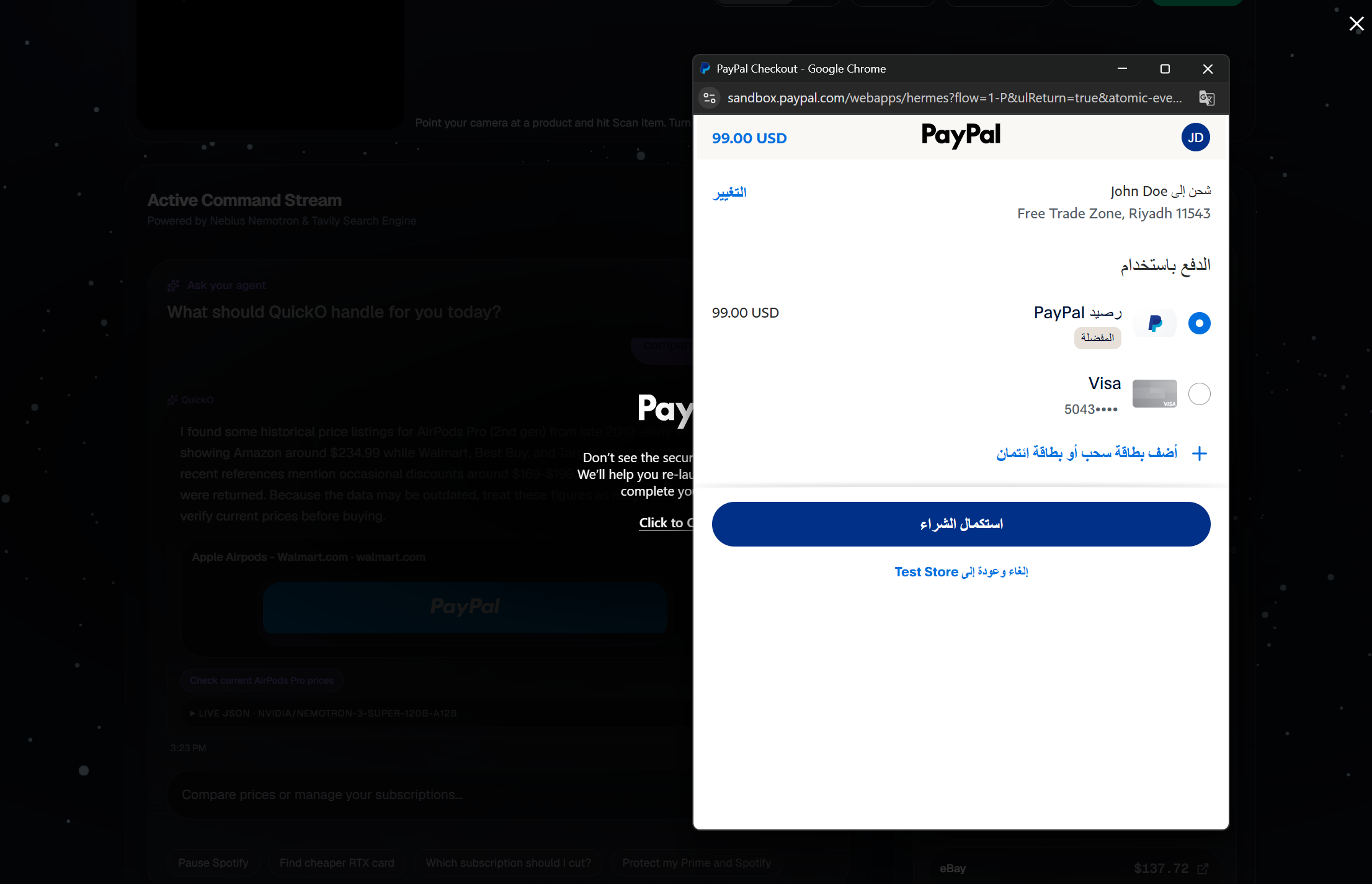
Buys in one tap. PayPal checkout (sandbox) for one item, or for every ticked item on a shelf in a single payment.
Speaks the deal. Turn on voice and QuickO reads the best price out loud, so you don't have to look at the screen.
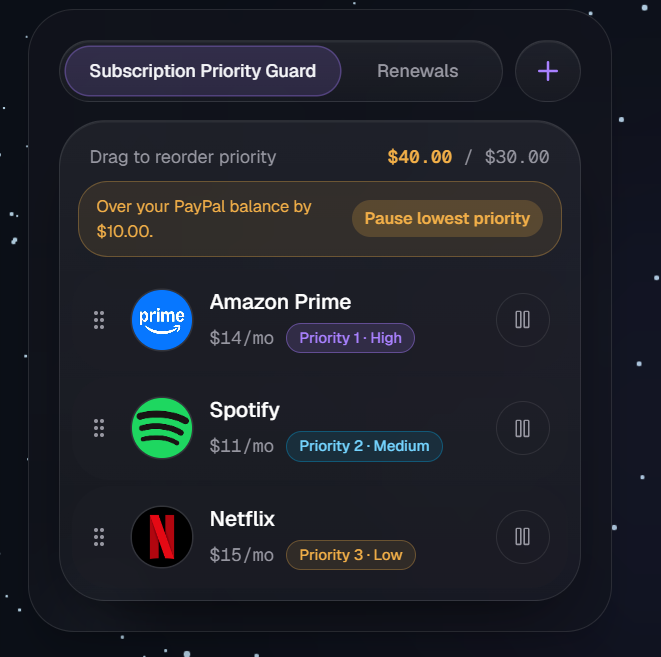
Guards your subscriptions. Rank your subscriptions against a 30 USD budget. When you go over, QuickO pauses the lowest-priority one. Say "pause Spotify" in the chat and the Guard changes.
Counts your savings for the session.
Prices come from live web search, so they are leads, not guarantees. Items without a verified price can't be added to a shelf checkout.
At a glance
5 stores compared live, in parallel.
Up to 6 items per shelf scan, paid in 1 PayPal checkout.
1.5 seconds of holding the camera still triggers auto-scan (opt-in).
0.4x to 2.5x of the median: prices outside that range are dropped as outliers.
0 accuracy claims. I did not run a formal benchmark, so we show the limits openly instead.
How I built it
QuickO is a Next.js and TypeScript web app. The camera frame goes to NVIDIA Nemotron 3.5 Super VL, served through Nebius Token Factory, which returns the product name, category, a rough price, and a bounding box as flat JSON. Tavily's live web search finds the prices.
The chat assistant runs on the same Nemotron family, with a guardrail check that runs before any search so it stays on shopping. PayPal's sandbox handles checkout.
On the front end, React Three Fiber powers a 3D background that reacts to each scan stage, Framer Motion handles animation, dnd-kit handles drag-to-rank subscriptions, and a few small shared stores keep the scanner, chat, checkout, and Guard in sync. It is deployed on Vercel.
Challenges I ran into
Messy prices. Web search returns text, not clean data. I filter outliers, flag "Price looks off", and keep unverified items out of checkout.
An overlay that stays honest. The model's box positions only match at scan time, so the overlay fades when the camera moves and is labeled approximate when the model gave no box.
Keeping the AI on task. A gate decides ALLOW or BLOCK before any search runs, and the system prompt is strict about shopping only.
Strict output from the model. My parser needs flat JSON, so I ask for flat keys and normalize box coordinates that arrive on different scales.
Real AR is limited. True WebXR AR only works on some Android phones, so we built an overlay that works in any modern browser.
Cost. One shelf scan is 1 vision call plus up to 6 searches, so voice and auto-scan are off by default.
Accomplishments that I am proud of
One flow from seeing an item to paying for it, for a single product or a whole shelf.
It works without looking at the screen: voice announcements, ARIA live status messages, focus rings, and reduced-motion support.
Chat commands that really change the Subscription Guard.
Uncertainty shown in the interface instead of hidden: price flags, unverified items excluded, "verify at checkout".
A free app that runs in the browser. A small achievement for many but a big one for me as this is my first ever project.
What I learned
Showing uncertainty in the interface builds more trust than hiding it.
A strict, flat output contract with a vision model saves a lot of debugging.
Put the guardrail in front of the expensive steps, not after them.
Building for accessibility early made the whole interface simpler.
Honest limits
QuickO is a working demo, not a finished product. Here is what's missing or weak:
Prices can be wrong or missing. They come from live web search text, not official store data. Amazon often hides prices, and generic items (a plain mug) usually get no verified price. Branded products work best.
The savings counter shows potential savings. It compares the cheapest price found with the most expensive one, so it is not money guaranteed saved.
Shipping, taxes, and promo codes are not included. Always check the store page before you buy.
Limited stores. It compares five retailers, mostly US ones, in USD.
The camera overlay is approximate. Box positions come from the vision model, only match at scan time, and fade when the camera moves. It is not true AR.
The model can't prove an item is genuine or read small serial numbers.
Checkout and subscriptions are simulated. PayPal runs in sandbox, so no real money moves.
Nothing is saved. Orders, added subscriptions, and savings reset when you reload the page.
No formal accuracy test. I tried it on real products but did not benchmark it.
Voice input only works in Chrome, Edge, or Safari, with microphone permission.
What's next for QuickO
Make it real. Connect real subscription services so pausing actually works, and move from PayPal sandbox to real accounts.
Remember things. Save orders, subscriptions, and savings across devices, and add price history and alerts.
Open the toolbox with MCP. Package the vision, price search, and checkout steps as Model Context Protocol tools, so any MCP-compatible AI app can use QuickO as a shopping toolkit.
Specialist agents. Split the work into separate agents for looking at items, hunting prices, and guarding the budget. They would propose a purchase, and you would approve it.
Real AR. Bring true spatial price tags to supported phones and headsets, such as Meta Quest 3, using WebXR.
More stores and countries.
Try it yourself
Live app: https://quick-o-dashboard-design.vercel.app
Code: https://github.com/shaydeydev/quick-o-dashboard-design
Checkout test login (PayPal Sandbox, no real money): email: [email protected], password: 12345678
Allow the camera when asked. Branded products work best, like headphones or a mouse.
In the chat, try "pause Spotify" or "Compare prices for Airpods"
QuickO helps you see it, price it, and pay, without ten tabs.
Built With
- cursor
- lucideicons
- nebius
- nemotron
- next.js14
- paypalsandbox
- tailwindcss
- v0
- vercel

Log in or sign up for Devpost to join the conversation.