Inspiration
Being a peer tutor at my high school, I often see my peers struggling with math problems, which often involves calculations such as addition, subtraction, multiplication, and division. While helping these students, I notice that it’s not that students don’t understand the concepts; but rather, it’s that they take way too long to perform these simple calculations, which is what makes the problem so overwhelming for them. RapidMath is the perfect solution - as it sharpens one’s mental math skills which enables them to better attack problems and even simply do it in their heads!
What it does
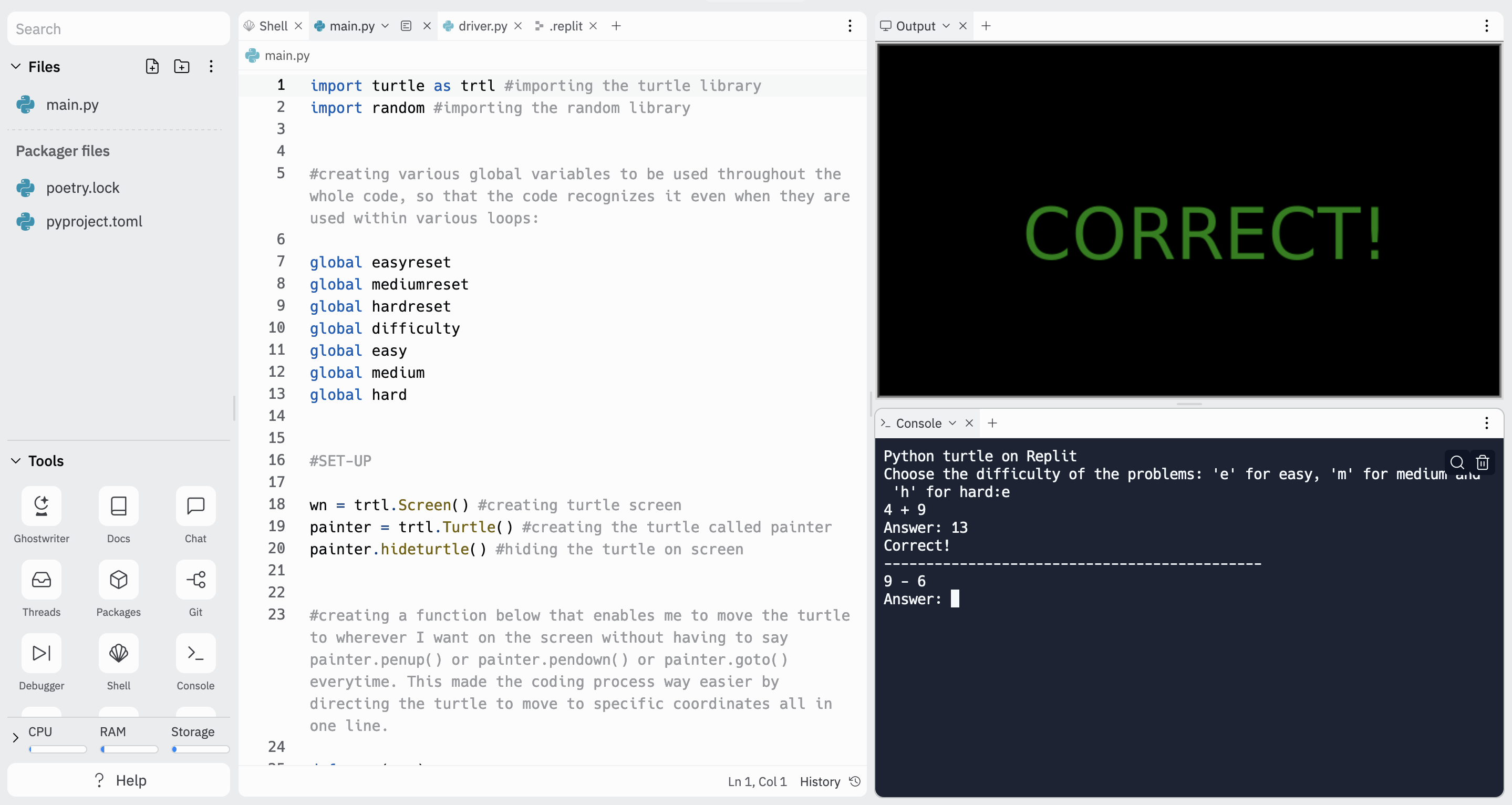
RapidMath has three different levels - Easy, Medium, and Hard. Users receive problems that correspond to the difficulty level that they chose. If the user is simply trying to master their multiplication tables, the easy level is the right level for them. However, if the user wants to work on speed and calculate two-digit multiplication and division problems, then the hard level is perfect for them. The user gets feedback depending on whether or not they inputted the right answer, and the game stops at the first incorrect answer.
How we built it
RapidMath was built entirely using Python (with Turtle).
Challenges we ran into
Some challenges that I ran into while creating this project was that I could not figure out a way to prompt the user to play again once they lost. Initially I thought of adding a game loop condition, but I soon realized that this would not work because it did not allow the user to change difficulty level if they realized that they were playing the wrong difficulty. As a result, I fixed this issue by creating another function that was responsible for bringing the user back to the screen that displayed the instructions as to how to play the game. What this did was that it allowed the user to toggle between the difficulties and not just play one level of difficulty the whole time.
Accomplishments that we're proud of
One accomplishment that I am proud of is that I was able to call the right variables at the right time and not lose focus. This program had over 50 variables that were responsible for a certain aspect of the game, and hence at times I lost track of where each variable was being updated. However, I was able to keep the code organized and used abstraction wherever necessary to keep the code easy to read and go back to whenever I needed to.
What we learned
One thing I learned over the course of this project is that it’s always better to code in increments because it allows you to correct your errors quicker. For example, in a complex program like RapidMath, it is never advised to code lines at a time because it can take you hours to find the error, which can be as subtle as an indexError. Coding perhaps two lines at a time and running the program to check that it is working as intended is always the best way to code because it affirms that you are on the right track and the program is working as intended.
What's next for RapidMath
If I had additional time, I would have added a timer and a leaderboard to further bring out the game aspect in RapidMath. I would have users compete against one another and get a higher number of problems correct over a time span. This would push the users more to use RapidMath and would help them be more engaged in this program.

Log in or sign up for Devpost to join the conversation.