Inspiration
Growing up bilingual, I often learned new words by translating them into my other language to better understand their meaning. However, the process of constantly copying and pasting text to translate became repetitive and time-consuming. This inspired me to create a solution that simplifies the process—allowing users to simply highlight a word or phrase to instantly translate it. Additionally, during my college years, I spent a lot of time reading academic papers, and given the chance to use these APIs, I think it would be meaningful to create a shortcut for summarizing articles. Combining these needs, I was motivated to develop this tool to make both translation and summarization more efficient and accessible.
What it does
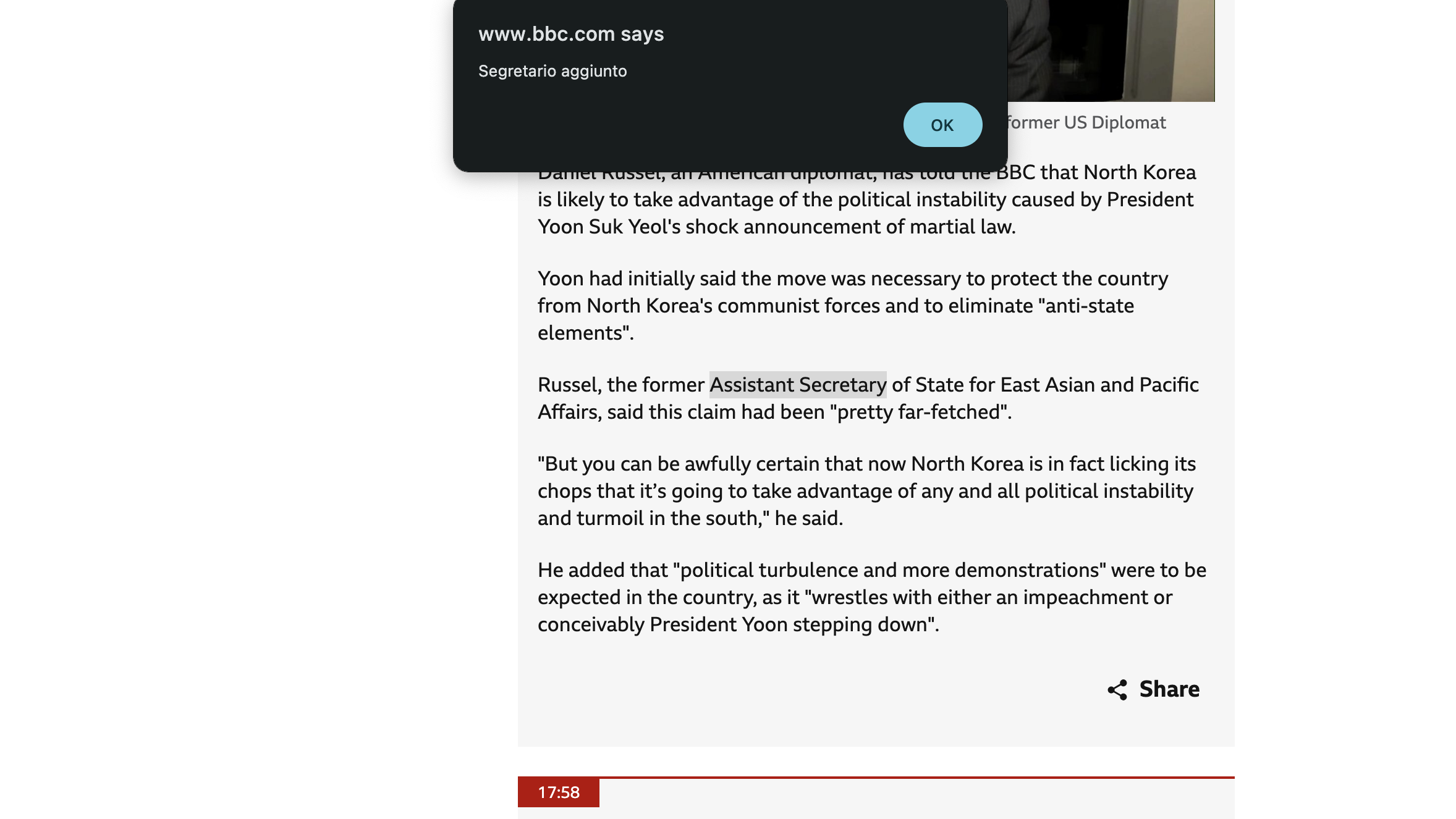
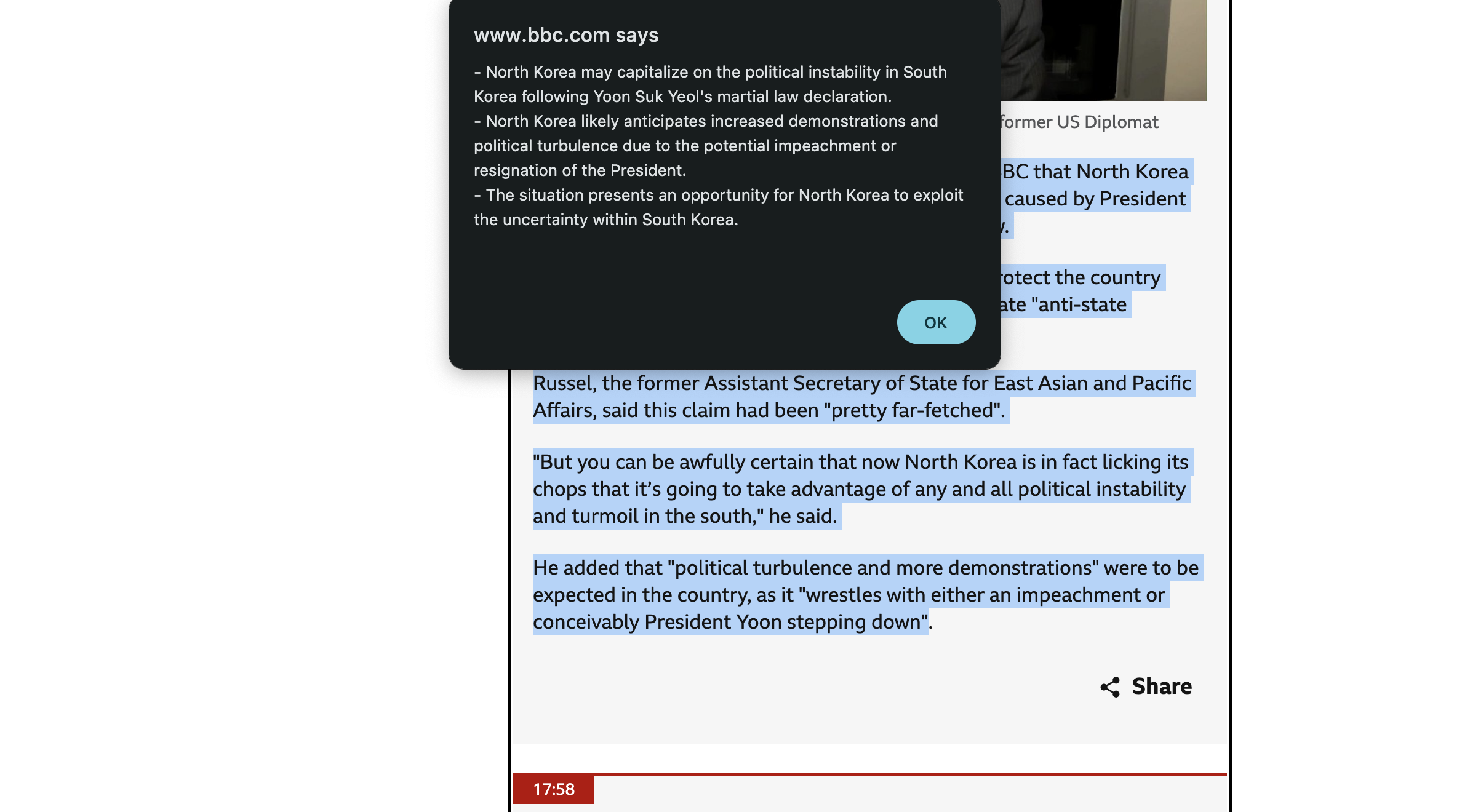
Highlight: Translate and Summarize Instant Translation: Translate text into preferred languages with a click. Summarization: Condense lengthy texts into clear and digestible summaries. One-Click Action: Users can access both features with a single interaction, improving workflow efficiency.
How we built it
We built the QuickLingo Chrome extension using React for the frontend to provide an interactive and responsive UI. The app uses Bootstrap for styling, ensuring a clean and user-friendly design. To manage language preferences, we integrated Chrome's local storage API, allowing users to save and retrieve their selected language setting across sessions.
Challenges we ran into
Overall the project went really smooth, I took most of the time to comprehend documentations.
Accomplishments that we're proud of
It's really cool how the extension can translate any highlighted text, which is especially helpful when learning a new language. Reading in a foreign language can be tough, but instead of translating an entire article, I can select specific phrases or sentences I don't understand. This allows me to learn more efficiently. Additionally, the summarization feature is a game-changer when I'm in a rush and only need the main points of a long article. It saves time and helps me focus on what matters most.
What we learned
This project was my first time building a Chrome extension, and it was a great learning experience. The Chrome Extensions API is powerful and easy to work with, allowing me to automate tasks that would otherwise require much more effort. It simplified processes like content manipulation and background tasks, reducing the need for complex back-end logic.
Built With
- chromeextension
- javascript
- react

Log in or sign up for Devpost to join the conversation.