-
-
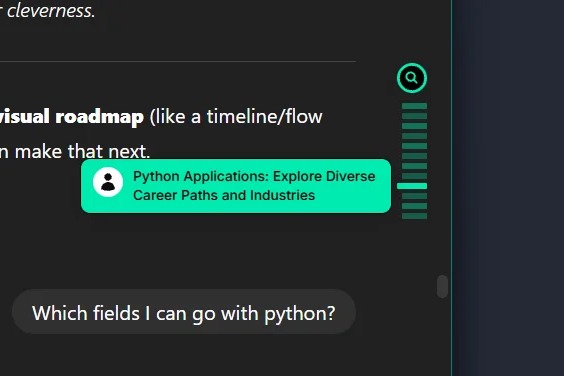
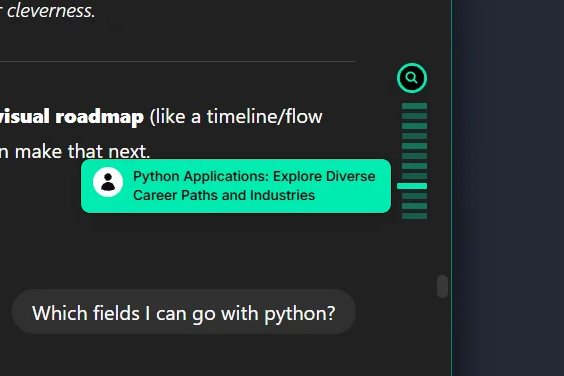
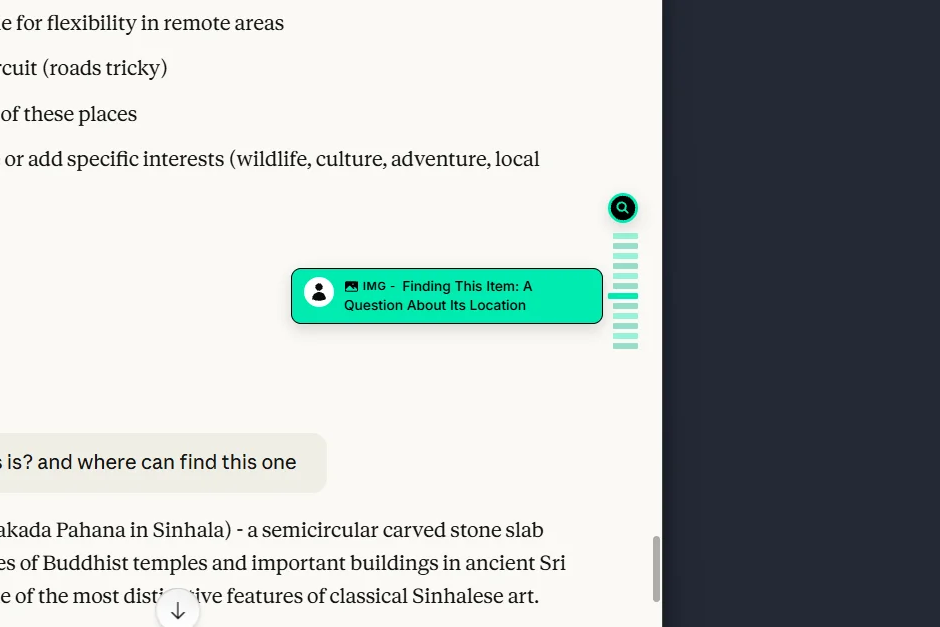
Quickly Jump to your messsage
-
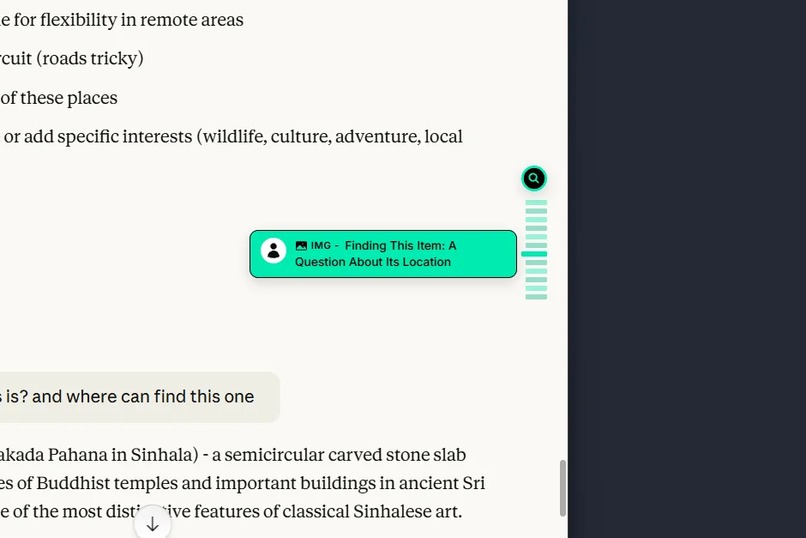
See what's inside your messages
-
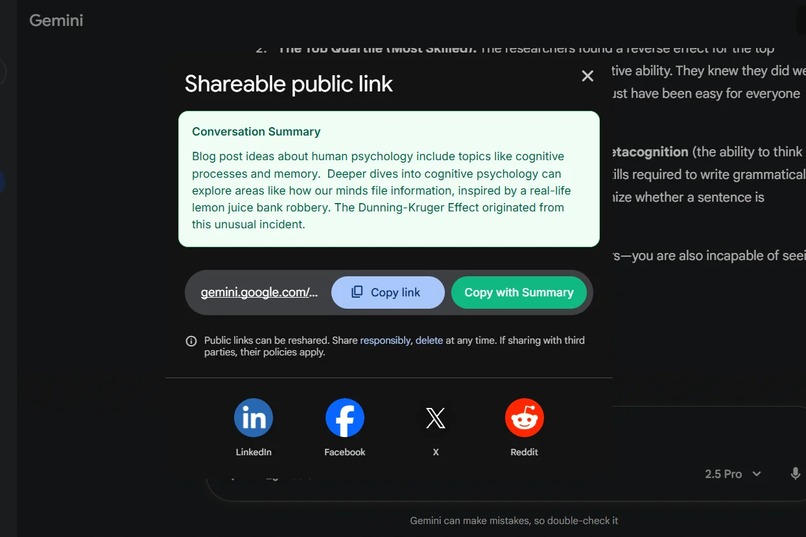
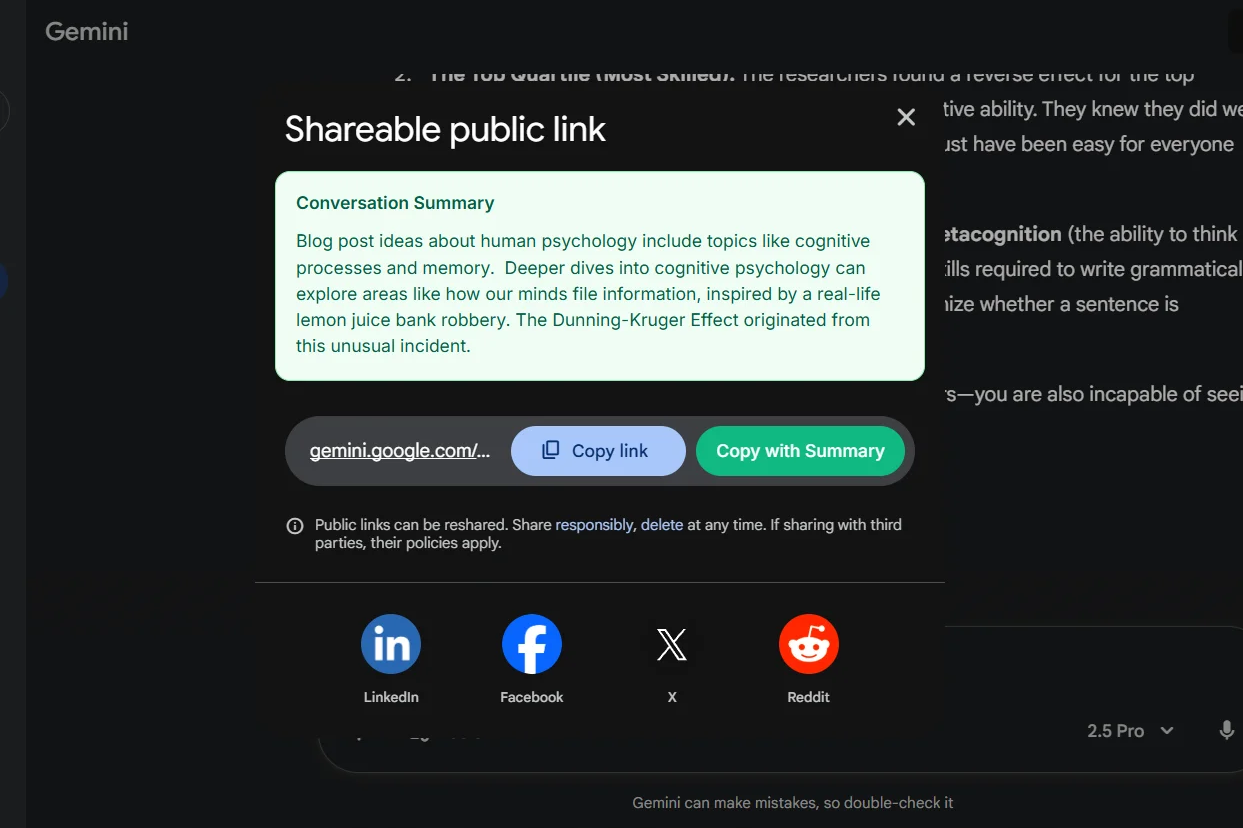
Send it to your friend with a breif
Inspiration
I face a problem daily: my AI chats often get very long. It takes a long time to find a specific code snippet while debugging an application, or to locate a product I saw earlier when comparing it with similar items. I wasted a lot of time hunting through my chats for something I knew was there, time that could have been saved and put towards my work. I tried many workarounds, like starting fresh chats for each atomic topic and adding "concise mode" to the instructions, but each approach had its drawbacks. Fresh chats lost context, and concise responses weren't always what I needed.
The idea came to me while using Notion, which has a navigation feature for headings. I wondered why AI chats couldn't have something similar. The idea stuck with me because I use LLM tools daily. Then came the Google Built-in AI Challenge. While working on another project, I suddenly found the missing piece: I could generate summaries of each chat message locally. Not only that, but I could also create a navigation layer so users can quickly jump to what they need.
What it does
QuickJump is your map for AI chats. It automatically captures and summarizes all messages in your Gemini, ChatGPT, or Claude conversations, displaying them in a clean sidebar. User requests and AI responses are highlighted separately. Clicking on a summary instantly jumps you to that exact message, eliminating the need to search through long message lists.
It also stores summaries locally, so they load quickly the next time you open a specific chat.
An extra feature lets you generate a summary of the entire conversation when you share it. You can easily copy the summary along with the link, so you don't have to explain the context to the person you're sharing it with.
Key Features:
- Auto-generated message summaries using Chrome's Summarizer API
- One-click navigation to any message
- Attach a summary when sharing the conversation link
- Works seamlessly with ChatGPT, Claude, and Gemini
How I built it
I built the QuickJump Chrome extension using React, with the Create Chrome Extension (.crx) repository as a foundation. This setup provided the benefits of React and Vite, enabling rapid development with hot reloading.
For the AI-powered summaries, I integrated Google's built-in Summarizer API, which allows for local and privacy-focused processing. To store the summaries, I utilized the browser's IndexedDB, ensuring that the data is both easily accessible and secure.
The overall architecture follows a basic modular design.
Challenges I ran into
- DOM Detection: Each AI platform (Gemini, ChatGPT, Claude) has a different DOM structure. I had to observe their patterns and create platform-specific enhancers and observers to reliably detect and inject components. For instance, special handling was required for ChatGPT's sharing feature, as it allows sharing a different chat than the one currently open. This was simpler with Gemini, which automatically switches to the selected chat before sharing, removing the need for an additional check.
- Chrome Built-in AI APIs: Working with the APIs was challenging since they are still experimental. Ensuring the correct model was installed was a hassle, and the developer experience could be improved if the APIs were available as a standard JavaScript package.
Accomplishments that I'm proud of
- Seamless Integration: The extension integrates so smoothly that it feels like a native feature on supported platforms.
- Privacy-First Design: All processing and storage happen on-device using Chrome's built-in AI and browser storage, ensuring no user data ever leaves the browser.
- Solving a Real Problem: The project successfully addresses a common frustration for heavy users of AI chatbots, creating a genuinely useful tool for daily work.
What I learned
The Power of Chrome's Built-in AI: The Summarizer and Writer APIs proved to be surprisingly capable and fast. This project highlighted that on-device AI processing opens up incredible possibilities for building powerful, privacy-respecting browser extensions.
What's next for QuickJump for AI Chats
- Expanded Platform Support: Integrate with a wider range of LLM tools.
- Unified Search: Implement a centralized search feature using vector search, allowing users to find information across all their LLM chats from different platforms in one place.
- Chat Clustering: Generate a "webgraph" from chat context to automatically group similar conversations.
- Customization Options: Allow users to customize summary length, formatting preferences, and the sidebar's appearance.
- Cross-Browser Support: Extend the extension to other browsers beyond Chrome.
- Advanced AI Integration: Experiment with other AI models, such as the Google Gemini, to enhance features.
Built With
- browserextension
- chrome
- javascript
- react


Log in or sign up for Devpost to join the conversation.