-
-

Logo
-
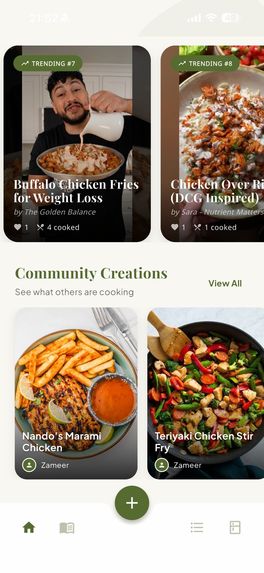
Homepage
-
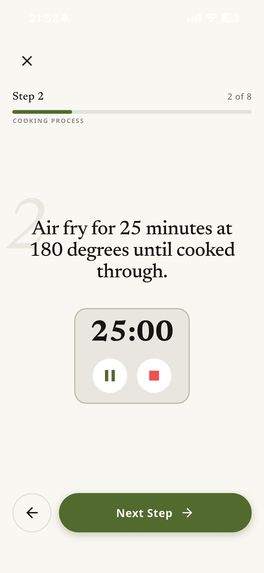
Cooking Steps
-
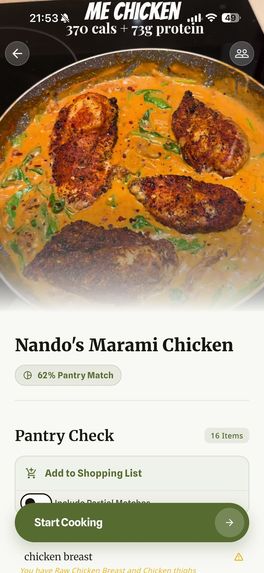
Recipe
-
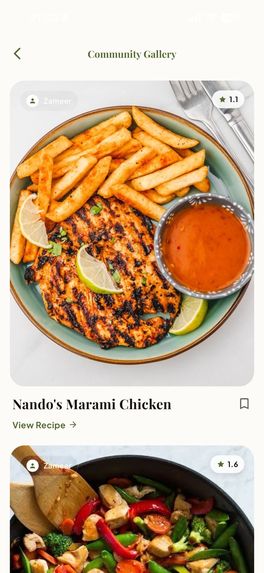
Community

QuickCook
Inspiration
The inspiration for QuickCook came directly from Eitan Bernath’s challenge. We noticed a common pattern among food lovers: we constantly scroll through TikTok and YouTube Shorts, seeing incredible recipes and hitting "save" with the intention to cook them "someday."
However, that day rarely comes. Why? Because the friction is too high. It is tedious to scrub through a fast-paced video to write down ingredients, check if you have them, and create a shopping list.
QuickCook was created to bridge the gap between "doom scrolling" and actual cooking. We wanted to empower users to finally cook the viral recipes they find, while also fostering a community where users can share their own modifications, photos, and tips.
What it does
QuickCook is an AI-powered culinary companion that transforms viral video content into a structured cooking experience. The app features four main ecosystem pillars:
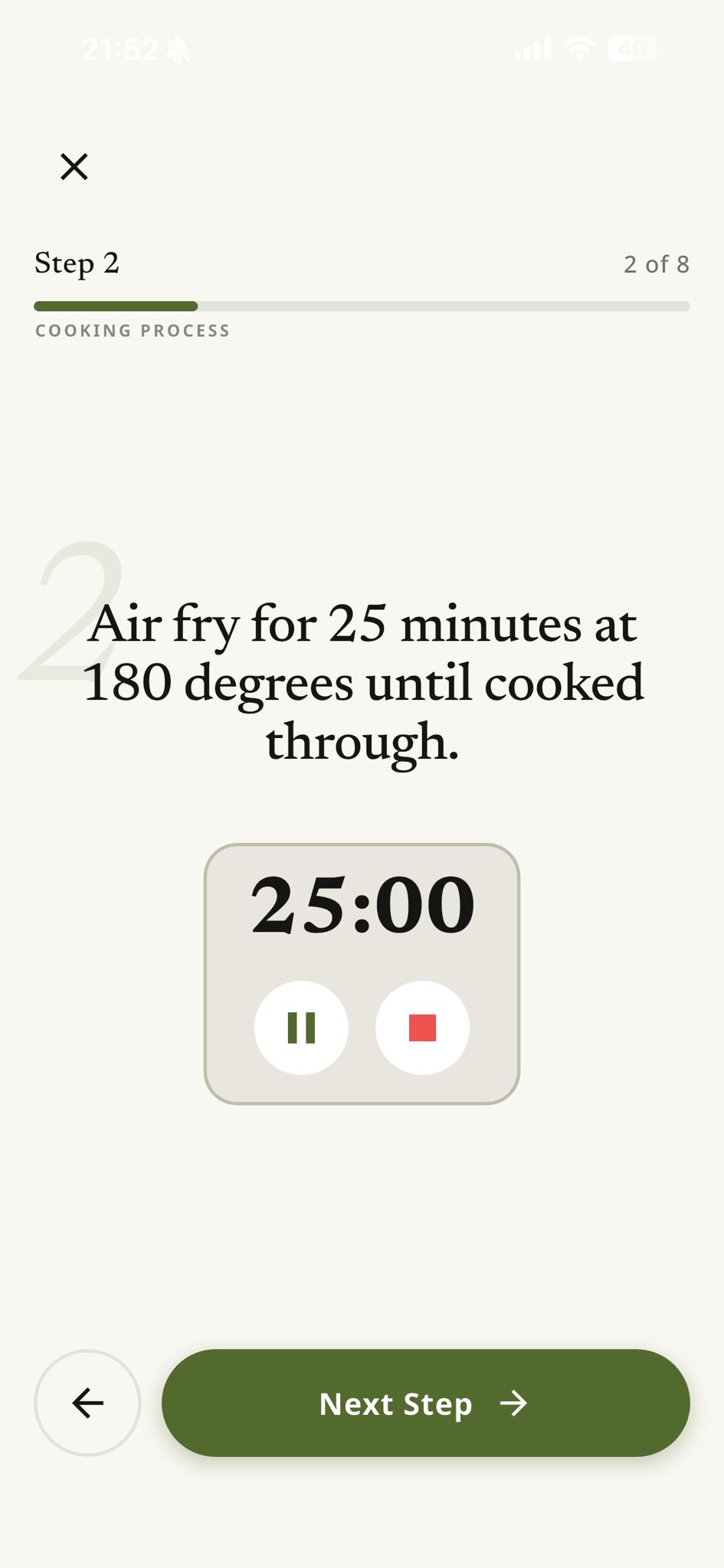
Recipe Extraction: Users can paste a URL from a YouTube Short or TikTok. Our AI engine analyzes the content and extracts a structured list of ingredients and step-by-step instructions.
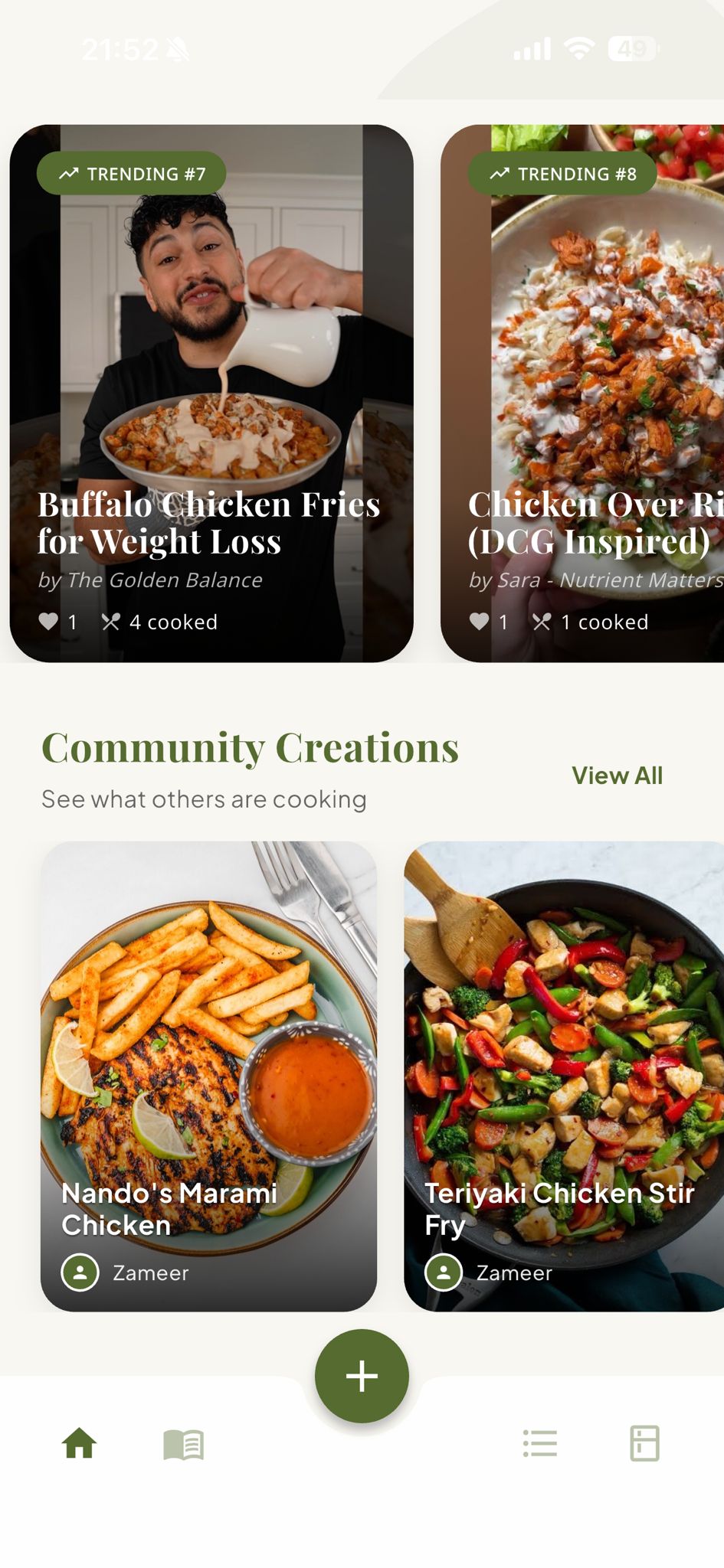
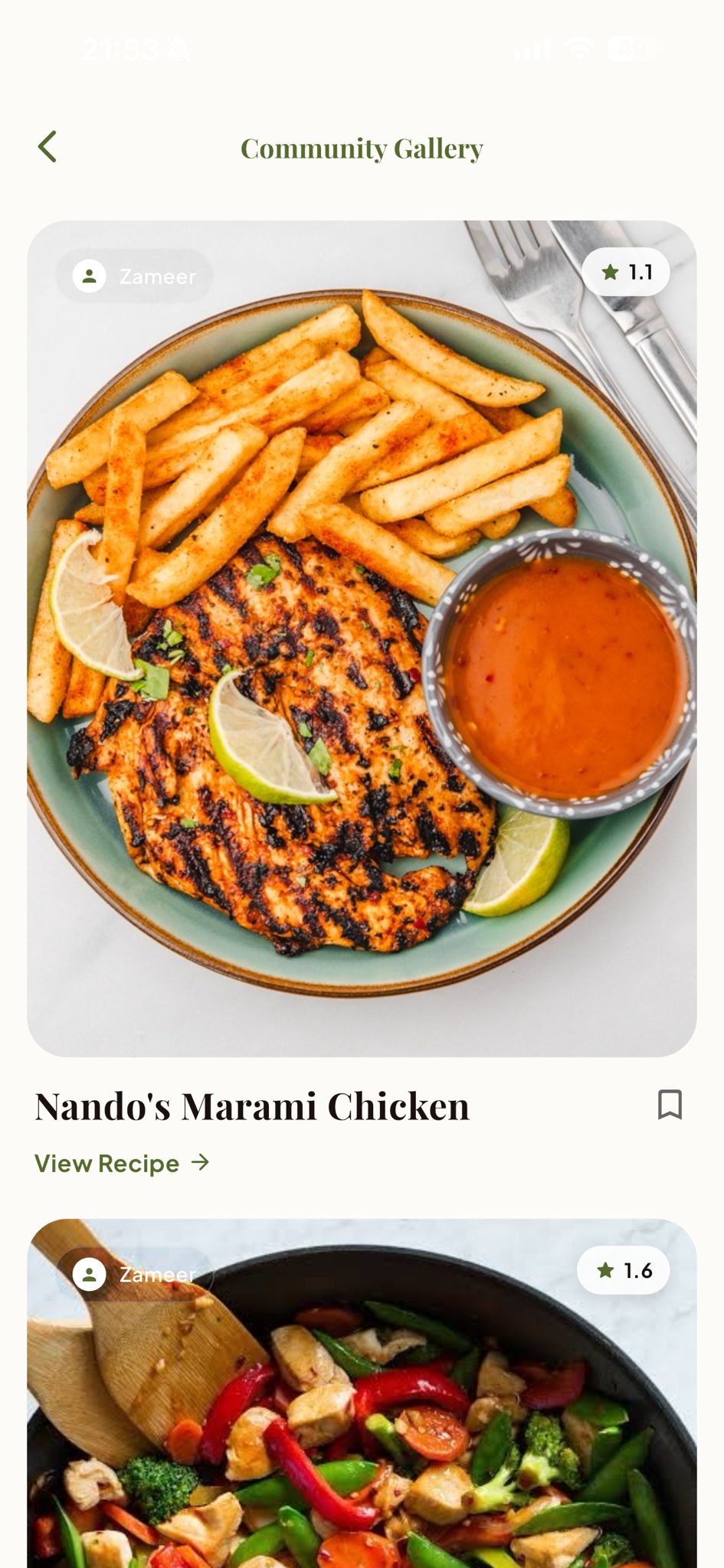
Community & Trending: The homepage showcases trending viral recipes extracted by other users. You can see how others cooked it, read their comments, view their photos, and see the modifications they made to the original creator's recipe.
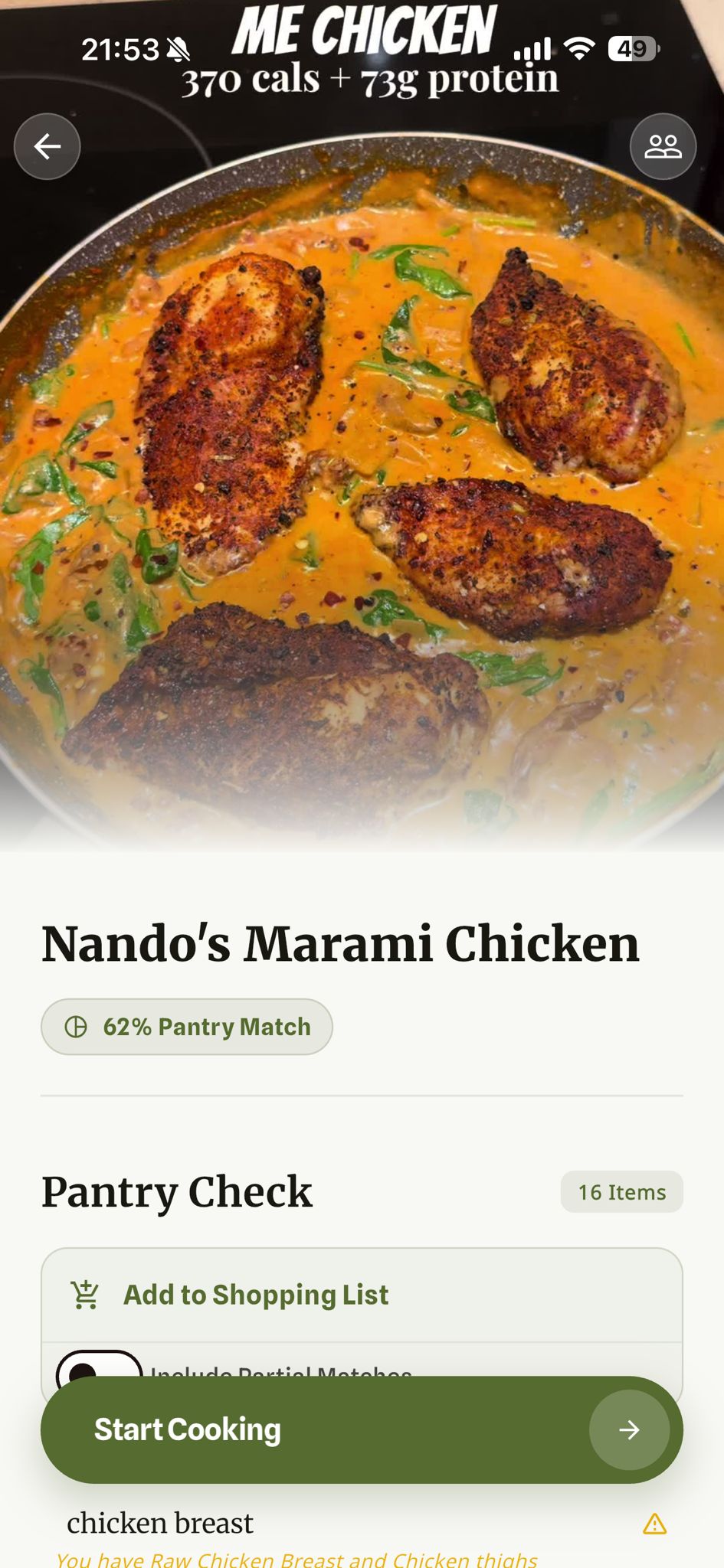
Intelligent Pantry & Semantic Matching: We don't just check for exact string matches. We use AI to run a semantic check against the user's pantry. If a recipe calls for "steak" and you have "ribeye" in your pantry, the app recognizes the partial match.
Smart Shopping: Once the pantry check is complete, users can instantly add missing ingredients to their shopping list. As items are bought and completed on the list, they are automatically moved to the user's digital pantry.
Pantry Management & Vision: The pantry is divided into Pantry, Fridge, and Freezer. Users can manually add items or use our AI Vision feature to snap a photo of their groceries, which identifies ingredients and populates the pantry automatically.
Monetization Strategy: We utilize a freemium model. Free users get 10 AI extractions. We implemented RevenueCat to handle subscriptions ($2.99/month or $24.99/year) for unlimited extractions, utilizing their customisable paywalls feature and web interface for seamless integration and iteration.
How we built it
We prioritized speed and cross-platform performance, choosing Flutter for the frontend. This allowed us to deploy to both iOS and Android from a single codebase while maintaining a native feel.
For the heavy lifting, we integrated Google's Gemini Flash 2.0. We specifically chose Flash over heavier models (like Gemini Pro or GPT-4) because we wanted to balance efficiency, accuracy and speed. Flash offered us three distinct advantages: Openrouter api compatibility, massive cost savings (crucial for our freemium strategy), and native multimodal handling of video and images without needing separate transcription pipelines.
We utilized Gemini Flash for:
- Recipe Extraction (Multimodal Video Analysis): Converting unstructured audio and visual cues from video URLs into structured, user-friendly ingredient lists and steps. Flash processes this data very quickly, keeping the user flow seamless.
- Semantic Analysis & Fuzzy Logic: Comparing recipe ingredients against the user's pantry to determine "cooking readiness." Flash is efficient enough to run these comparisons cheaply at scale, understanding that "mince" matches "ground beef" without hallucinating.
- Computer Vision (Pantry Scan): Analysing photos from the gallery to populate the pantry. Flash's vision capabilities allow us to identify multiple grocery items in a single image with high accuracy, eliminating manual data entry.
We used a Firebase backend for authentication and real-time database needs, which pairs perfectly with Flutter for rapid and secure prototyping. Beyond the initial build, Firebase provides us with production-ready infrastructure that scales effortlessly.
This is achieved by utilizing Cloud Firestore, which benefits from a NoSQL database that scales horizontally, allowing us to handle a surge from dozens to millions of users without manual server intervention. Its global CDN and multi-regional support ensure low-latency data access for our community regardless of their location.
Finally, we integrated RevenueCat early in the process to serve as our "subscription backend-in-a-box." Within RevenueCat, we set up the SDK and product offerings and utilized the RevenueCat Paywalls dashboard to design and deploy a premium subscription paywall screen. This allowed us to quickly create an excellent user experience and iterate on our UI and packaging remotely without needing to resubmit to the App Store or hard-code complex layouts.
Challenges we ran into
One of the biggest technical hurdles was the Semantic Pantry Matching. A simple database query doesn't understand that "cilantro" and "coriander" might be the same thing depending on the region, or that "mince" can substitute for "ground beef." Transitioning from basic string comparisons to fine-tuned semantic AI prompts allowed us to resolve 'fuzzy' ingredient matches with far greater accuracy, capturing nuances that string matching missed.
We also had to carefully balance token usage and cost. Video extraction and semantic analysis are token-heavy operations. We implemented server side caching to ensure the cost per user didn't exceed the value of the subscription model, and tested extensively with Gemini Flash to find the best balance of latency and cost..
Accomplishments that we're proud of
The Community Loop: Creating a system where a single extraction by one user becomes a shared asset for the whole community—allowing them to comment and tweak that specific recipe—creates a collective sense of accomplishment.
Seamless Integration: Successfully combining Video Extraction, AI Vision, and Payment processing into a single, smooth Flutter UI.
The "Readiness Badge": We are proud of the logic that tells a user instantly, "You have 90% of these ingredients." It changes the user psychology from "I wish I could make that" to "I am going to make that right now."
What we learned
We learned that the barrier to cooking isn't a lack of desire, but a lack of organization. By removing the friction of list-making, we unlock creativity.
Technically, we learned a massive amount about the capabilities of Multimodal AIs. We moved beyond simple text generation to complex logic tasks (pantry management) and vision analysis. We also gained a deep appreciation for tools like RevenueCat that abstract away the pain of subscription infrastructure, allowing us to focus entirely on the app's core features.
What's next for QuickCook
We are looking to partner with content creators like Eitan to verify recipes officially within the app. We also plan to refine our AI to suggest recipes based solely on what is currently in the user's pantry to reduce food waste.
Our ultimate goal is to continue refining QuickCook to make innovating with food as easy and quick as possible, using modern AI to bring the joy of cooking to as wide an audience as we can.

Log in or sign up for Devpost to join the conversation.