-
-
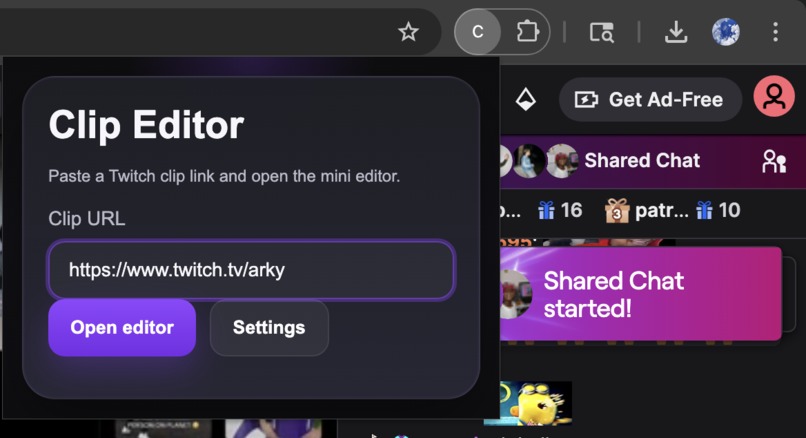
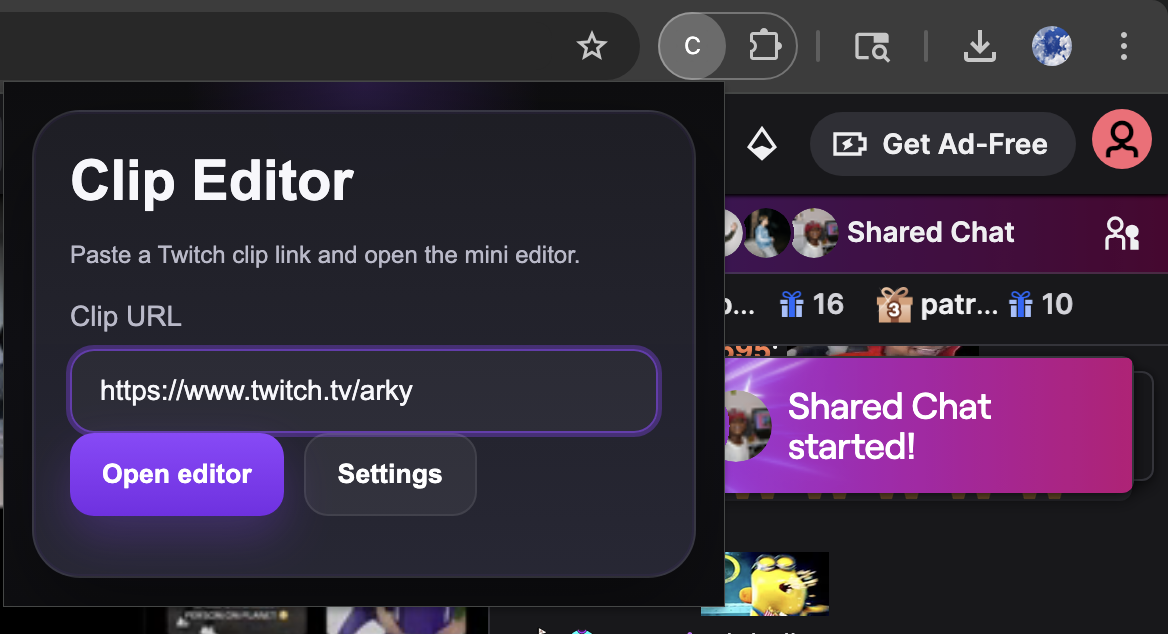
How the Chrome Extension looks like.
-
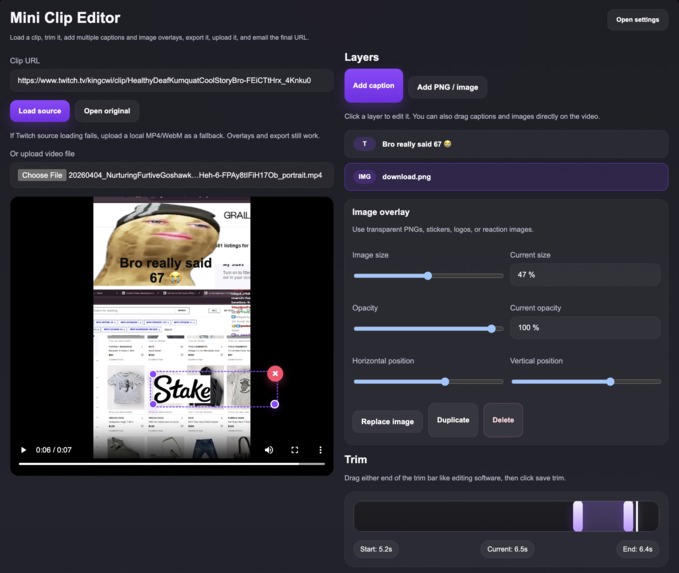
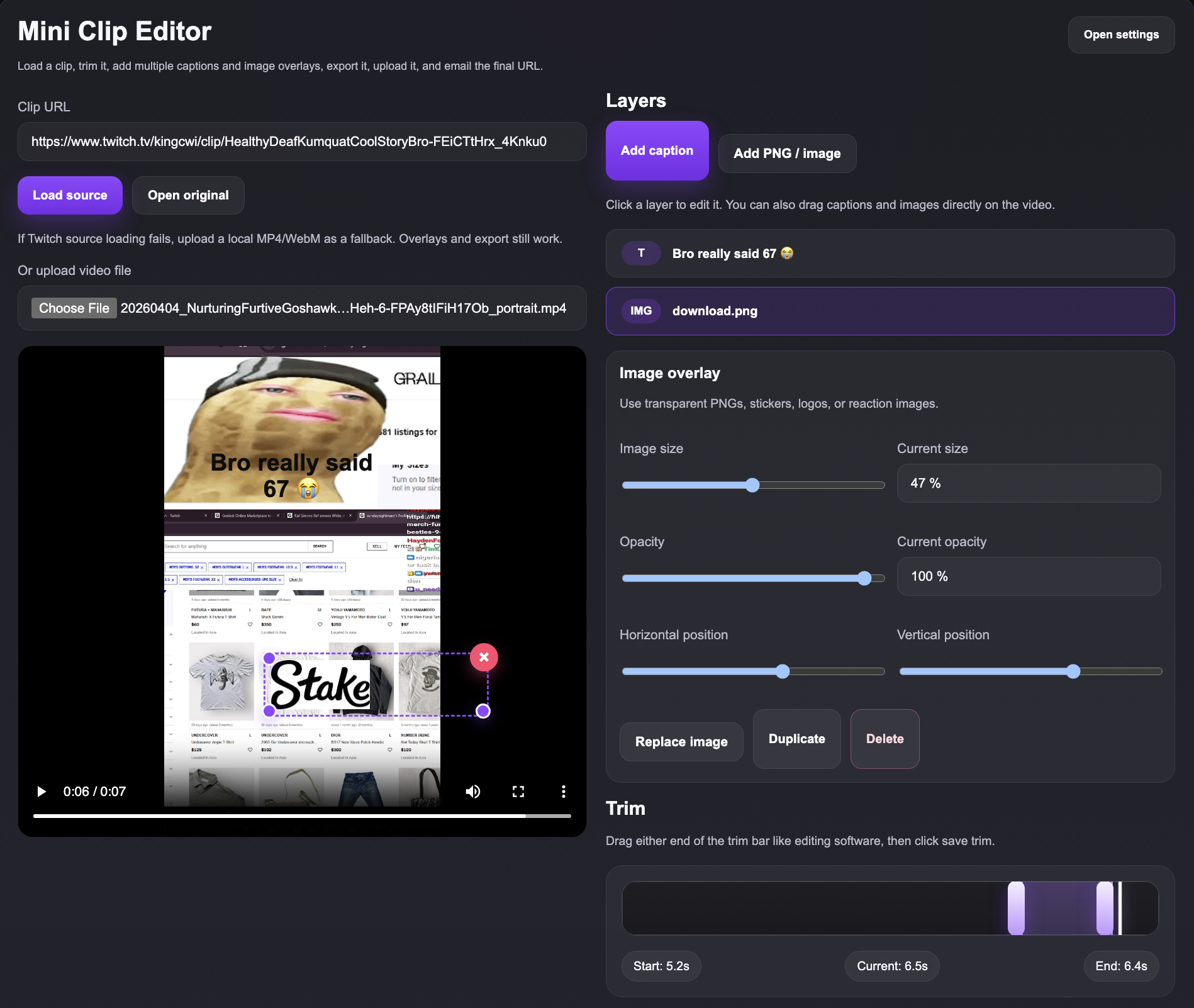
How the mini editor looks like.
-
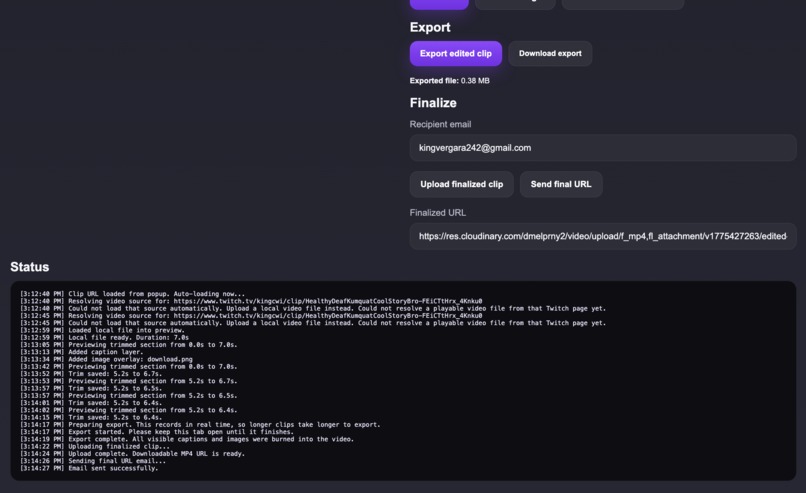
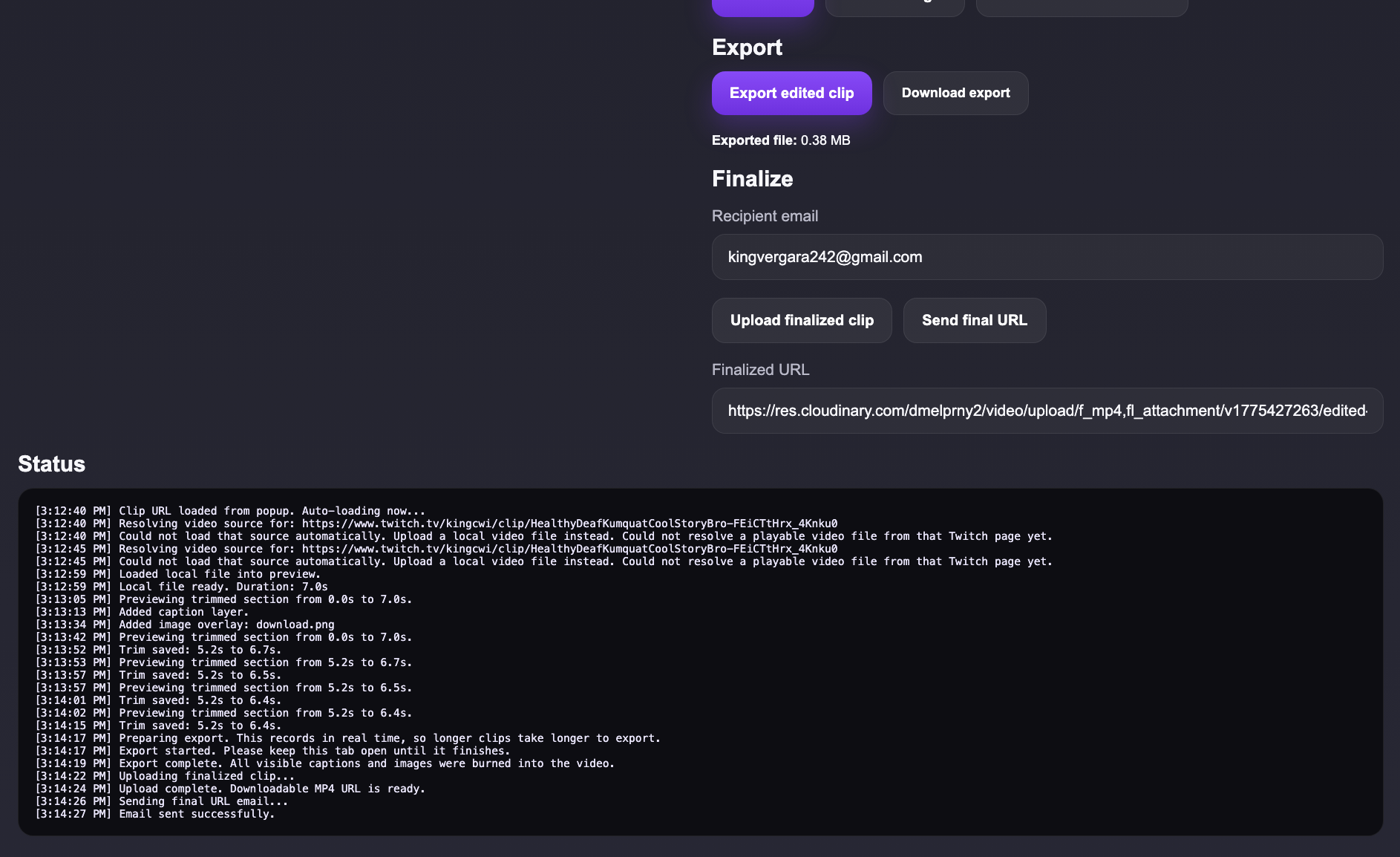
This is the lower half of the editor that shows the status.
-
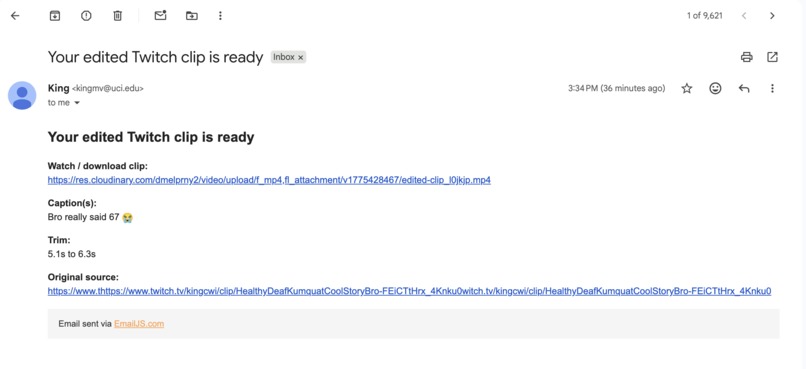
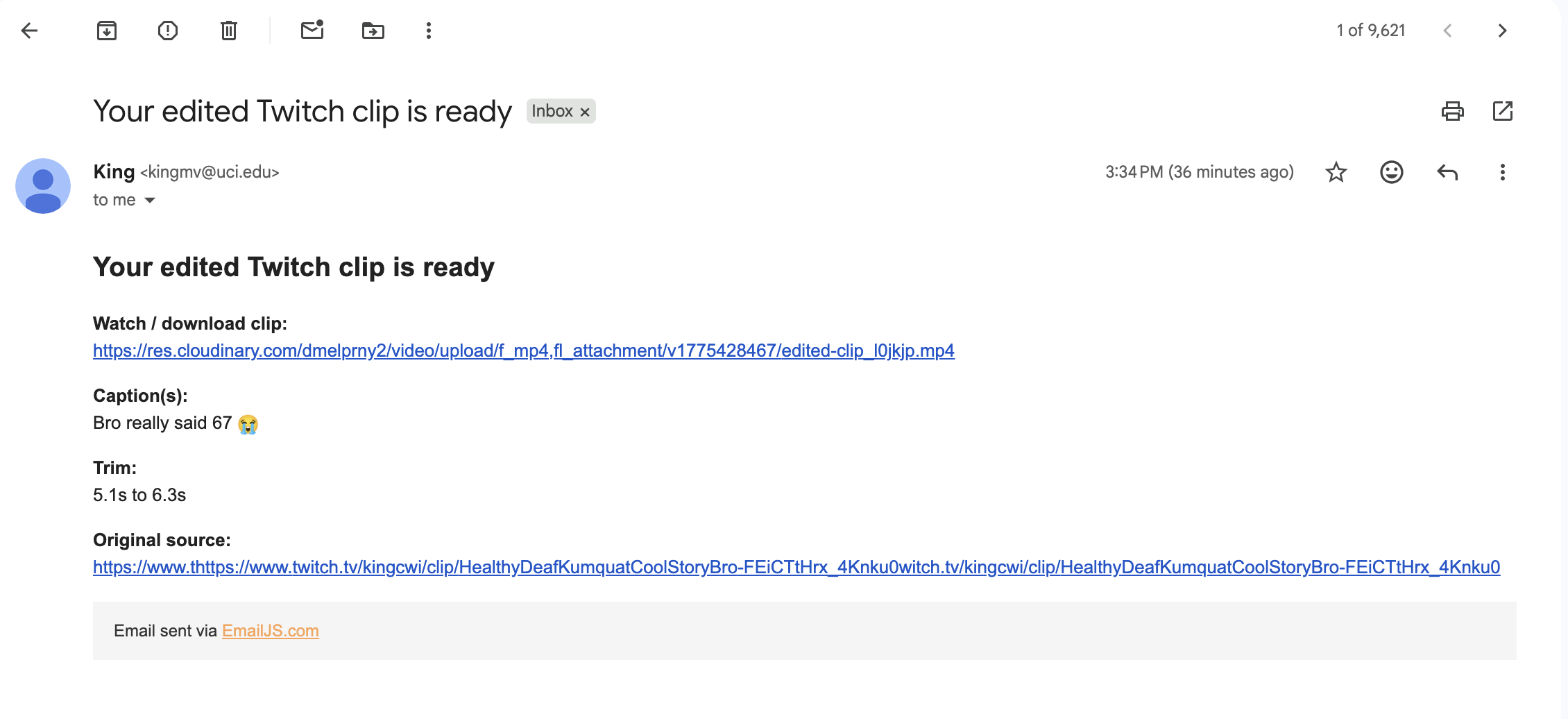
This is whats sent to your email.
Inspiration
According to analytics, over 90% of Twitch streamers stream to little to no viewers. Discoverability on Twitch isn’t very friendly for smaller creators, making it difficult to grow an audience organically. Because of this, many streamers rely on platforms like TikTok, YouTube Shorts, and Instagram Reels to gain traction. We wanted to make that process faster and easier.
What it does
QuickClips is a Chrome extension that allows users to take a Twitch clip, quickly edit it, and prepare it for sharing on social media. Users can load a clip, trim it, add captions, overlay images, and export the final video. The goal is to reduce the friction between creating content and posting it, so streamers can focus on growth instead of editing.
How we built it
We built QuickClips as a Chrome extension using HTML, CSS, and JavaScript. The editor interface runs in the browser and uses the HTML5 video and canvas APIs to render edits like captions and image overlays. We implemented trimming functionality, drag-and-drop positioning, and real-time previewing.
For exporting and sharing, we integrated Cloudinary to upload processed videos and generate shareable links, and EmailJS to send the final clip directly to users. We also developed logic to resolve Twitch clip URLs into playable video sources so they can be edited inside the extension.
Challenges we ran into
One of the biggest challenges was handling Twitch clip URLs. Twitch does not easily expose direct video files, so we had to experiment with multiple approaches to extract playable sources.
Another challenge was rendering edits like captions and overlays onto video in real time while maintaining performance. Exporting videos in-browser was also tricky since it requires recording a canvas stream and syncing it with audio.
Additionally, managing Chrome extension permissions and API integrations (Cloudinary + EmailJS) required careful debugging and configuration.
Accomplishments that we're proud of
One accomplishment we are proud of is that this is our first Chrome extension.
We’re also proud that we built a fully functional mini video editor that runs entirely in the browser, including trimming, overlays, exporting, uploading, and emailing — all in one flow. Turning a Twitch clip into a shareable asset in just a few clicks feels like a big win.
What we learned
We learned how to work with multiple APIs and connect them into a single workflow. This includes using EmailJS to send emails directly from the frontend and Cloudinary to upload and host video files.
We also learned more about browser-based video processing, including working with the HTML5 video element, canvas rendering, and MediaRecorder for exporting edited clips.
Finally, we gained experience building and debugging Chrome extensions, especially handling permissions, storage, and cross-origin requests.
What's next for QuickClips
Next, we plan to fix remaining bugs and improve reliability when loading Twitch clips.
We also want to finalize our AI caption generator, which will automatically generate engaging captions based on the clip’s content and tone (e.g., funny, professional, or general).
In the future, we aim to add direct posting integrations to platforms like TikTok and YouTube, as well as improve the UI/UX to make editing even faster and more intuitive.

Log in or sign up for Devpost to join the conversation.