-
-
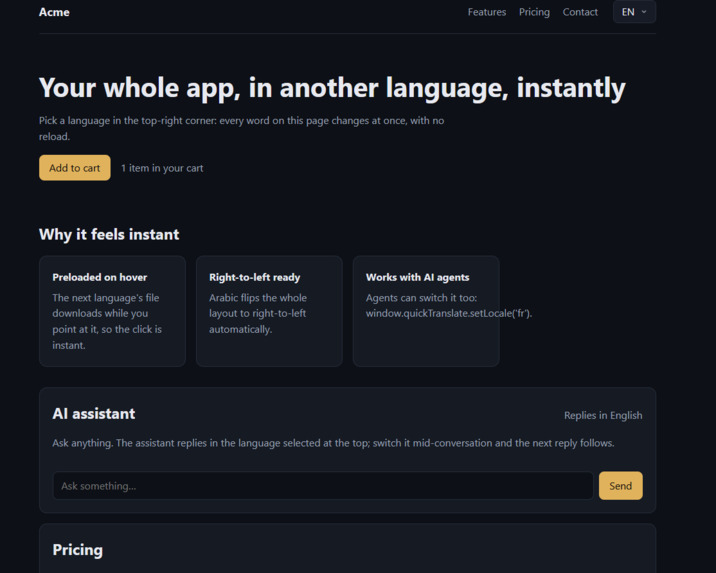
example app
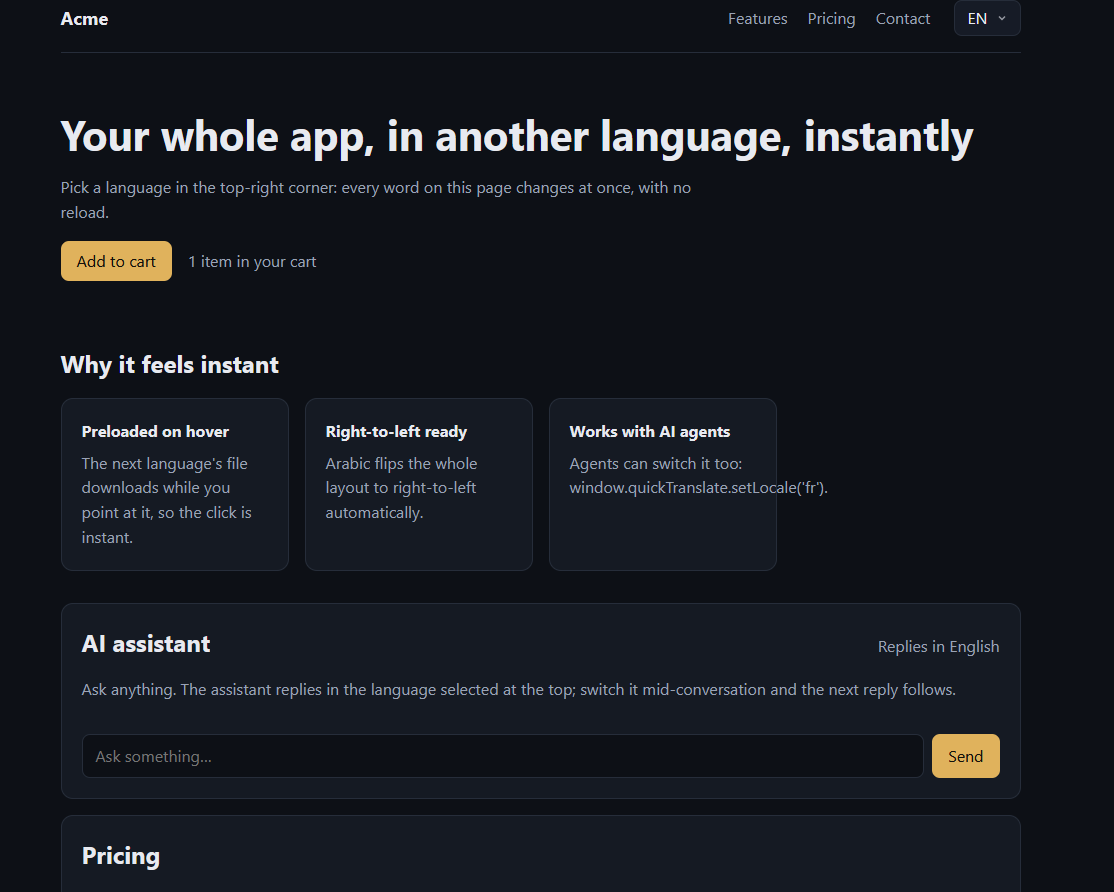
Inspiration
Most websites handle language switching poorly. You pick a language from a menu, the page reloads or shows a loading spinner while translations download, and you lose your place. For anyone who doesn't read the default language, that first experience is slow and frustrating.
I wanted a language selector that feels like changing a setting, not loading a new page. Click a language and the whole app is translated instantly, with nothing reloading. And since more apps now include AI chat, I wanted the AI to answer in the language the user chose too.
What it does
Quick-translate (quick-translate-sdk on npm) is a language selector and translation toolkit for React and Next.js apps.
- Instant switching. Picking a language translates the whole app in one frame (about 16 ms), with no reload and no loading flash.
- Nothing to wait for. Every language is preloaded while the page is idle, so a switch never waits on the network.
- Real localization. Plurals, numbers, currency and dates follow each language's rules. Right-to-left languages like Arabic flip the layout automatically.
- AI replies in the user's language. A small helper tells your AI chatbot which language the user picked, so its replies follow the menu. If the user switches mid-conversation, the next reply comes back in the new language.
- AI agents can use it. An agent API and tool definitions let an AI agent read and change the app's language.
- Remembers each user's choice, and supports deep links like
?lang=fr. - Simple setup. One component wraps your app:
<QuickTranslate locales={['en','fr','ja']} messages={...}> - Small and accessible. About 7 kB gzipped, and keyboard and screen-reader friendly. It supports 107 languages, with names and flags generated from the browser's built-in language data.
It works with React 18/19 and Next.js 14/15, and it's published as an open-source package on npm and GitHub Packages.
How we built it
- TypeScript throughout, bundled with tsup into separate entry points (core, React, Next.js, AI, agent, styles), so apps only ship what they use.
- React's
useSyncExternalStorefor the language state, so a switch updates only the components that read it. - The browser's built-in
IntlAPIs for language names, flags, plural rules, text direction and number/date formats, instead of shipping large data files. - Next.js middleware and server helpers to detect the user's language on the server and render the right language on the first load.
- The Claude API (Claude Opus 5.5) for the AI chat demo, with the user's language sent as a request header and added to the system prompt on the server.
- A demo app built with React and Vite: a small store page with a cart, pricing, dates and an AI assistant, all translated into 6 languages including Arabic and Japanese.
- Testing: 87 unit tests with Vitest and Testing Library, end-to-end browser tests with Playwright, and bundle-size budgets checked on every push with GitHub Actions.
- I built it with help from Claude Code, an AI coding assistant, for writing code, tests and docs.
Challenges we ran into
- The slow part wasn't JavaScript. The first switch into Japanese took 80–144 ms, even though our code finished in a few milliseconds. The browser was spending that time loading fallback fonts and laying out Japanese text for the first time. I fixed it in two ways. The menu now closes and paints first, and the page switches right after, so the click always feels instant. And the browser warms up fonts and text for every language offscreen while the page is idle.
- The first menu open was slow too (40–64 ms) for the same reason. Warming up an offscreen copy of the real menu brought it down to 24–32 ms.
- Server and browser disagreed on language names. Node.js and Chrome ship different versions of the language database, so some names (like Yoruba) came out differently and broke React hydration. I added a way to set exact names and made the rendering tolerant of these differences.
- Matching languages correctly. A user asking for Traditional Chinese (
zh-TW) shouldn't get Simplified Chinese just because both are "Chinese". The matching now checks the writing system first. - Publishing. The name
quick-translatewas already taken on npm, so it ships asquick-translate-sdk. GitHub Packages requires a different, scoped name, so I wrote a script that publishes to both from the same code.
Accomplishments that we're proud of
- Every language switch I measured took one frame: 16 ms in all 27 measured clicks, including the first switch into Japanese and Arabic. The page finishes translating 6–16 ms after the click.
- Setup is a single component, but the package still supports server rendering, Next.js, right-to-left layouts and AI chat.
- It stays small. About 7 kB gzipped for the full component, selector and translator, with a size budget enforced on every push.
- It's a real, published package on npm and GitHub Packages that anyone can install today, with docs, tests, a CLI and a copy-paste prompt for setting it up with an AI coding assistant.
What we learned
- Measure before optimizing. I expected the code to be the bottleneck, but the browser's font and text layout was. Browser performance tools showed me where the time actually went.
- Browsers already know a lot about languages. The
IntlAPIs provide names, plurals, formats and text direction for free, which kept the package small. - Perceived speed matters as much as raw speed. Closing the menu first and switching one frame later feels instant, even when the full switch takes slightly longer.
- Publishing a package is its own project: naming, versioning, registries, tokens and CI each came with their own surprises.
What's next for Quick-translate
- Test more Next.js setups, such as more Pages Router configurations and hosting platforms.
- Translation tooling: a CLI command that finds untranslated text in an app and creates the translation files.
- Support more frameworks, such as Vue and Svelte.
- A public live demo so anyone can try the switch in their browser.
- Measure on low-end phones and slow networks, and keep the switch at one frame there too. ```
Built with (Devpost asks for this separately): TypeScript, React, Next.js, Vite, Node.js, Claude API, Vitest, Playwright, tsup, Biome, GitHub Actions, npm.
Two things to adjust: if you worked in a team, change "I" to "we". If you deploy the demo before submitting, remove "A public live demo" from What's next and add the link.
Built With
- ai
- anthropic
- biome
- claude
- css
- github-actions
- html
- i18n
- intl
- javascript
- next.js
- node.js
- npm
- playwright
- react
- tsup
- typescript
- vite
- vitest

