-
-
Main features
-
Generating personalized UIs
-
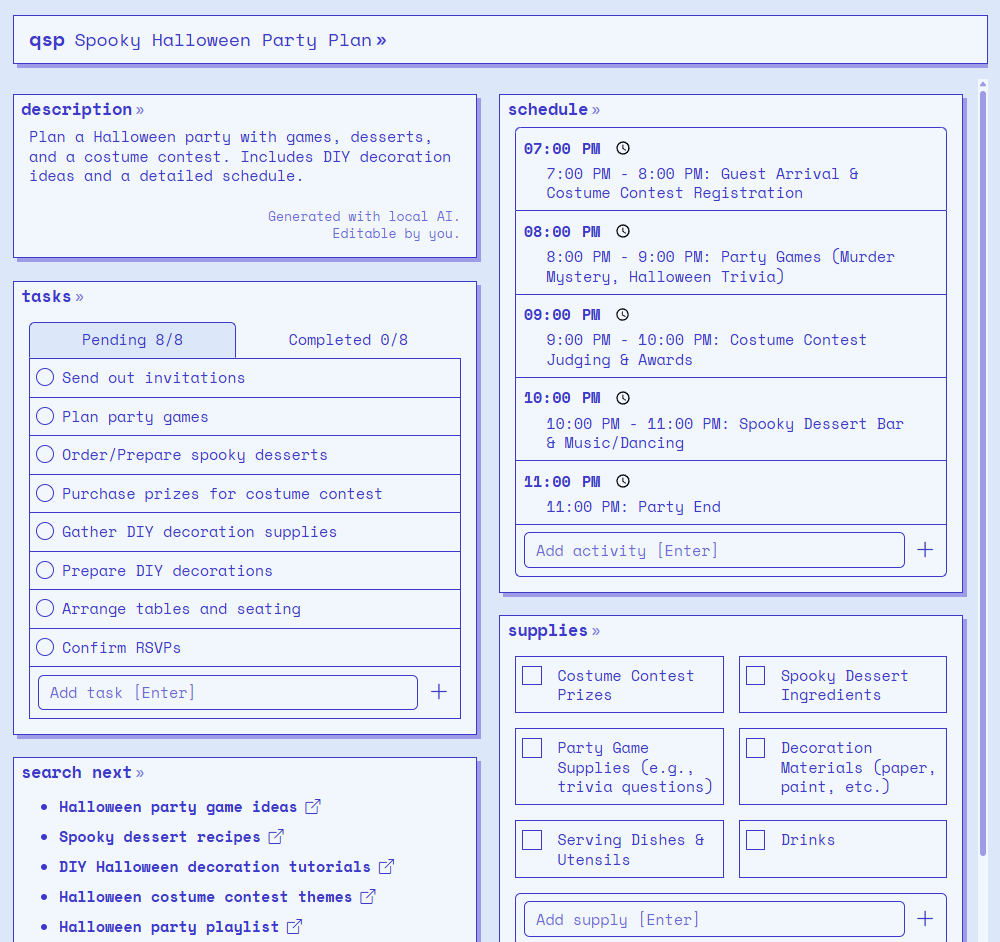
A generated UI for planning a Halloween party
The problem
No matter who you are, there’s always something you need to plan—whether it’s a birthday party, a holiday trip, or an important speech. But there’s a big problem: planning is not an easy task. It requires a lot of time and effort, and planner apps don’t make it any easier for you either. They give you tools, but you still have to do all the actual planning yourself. Even those that include AI usually treat it as a small add-on. It’s like making the user bake a cake and then offering to put the cherry on top for them. That’s not simplifying the baking process at all.
With this project, we wanted to make planning easy—genuinely easy.
Our solution
LLMs can generate so much more than just plain text and markdown. In fact, they can help us generate personalized user interfaces. That’s called Generative UI, it means that the interface can be generated for a specific user intent, rather than being manually crafted in advance.
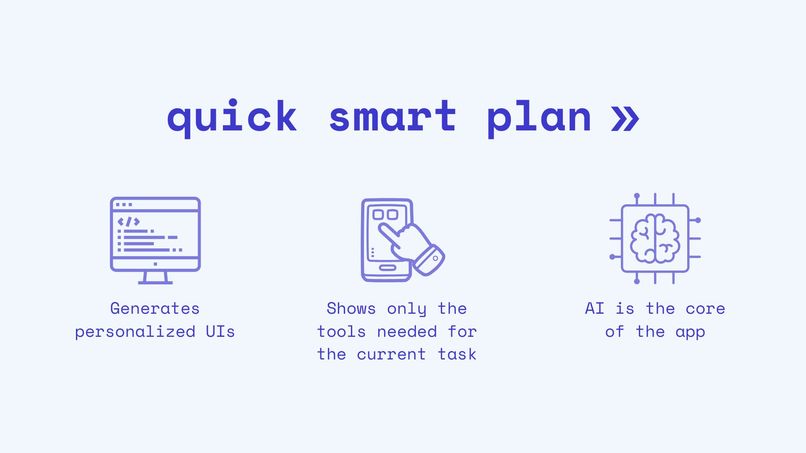
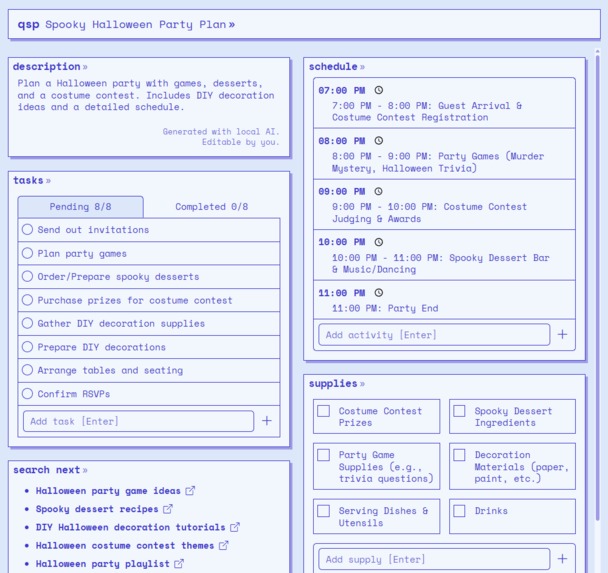
Quick Smart Plan uses Generative UI to simplify the planning experience. Instead of overwhelming users with extensive toolsets and forcing them to search for what they need, the process starts with the user’s intent—the user describes what they want to plan—and the system responds by generating a custom interface that includes only the tools the user needs for their specific task. In particular, it generates widgets already filled with relevant information that the user can edit later.
What it does
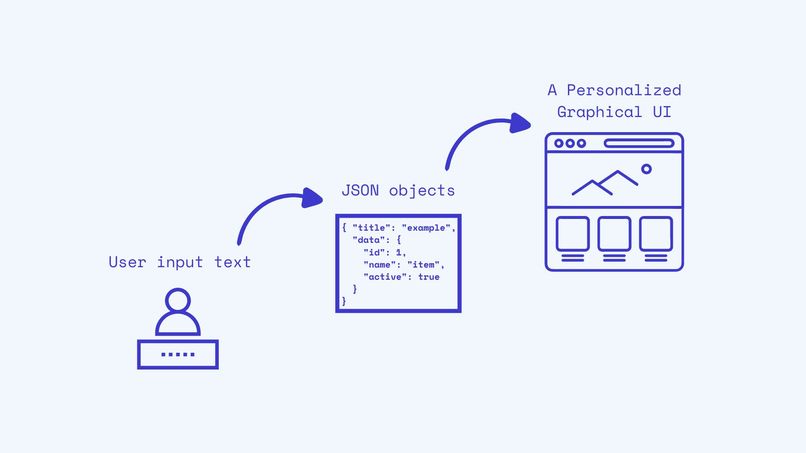
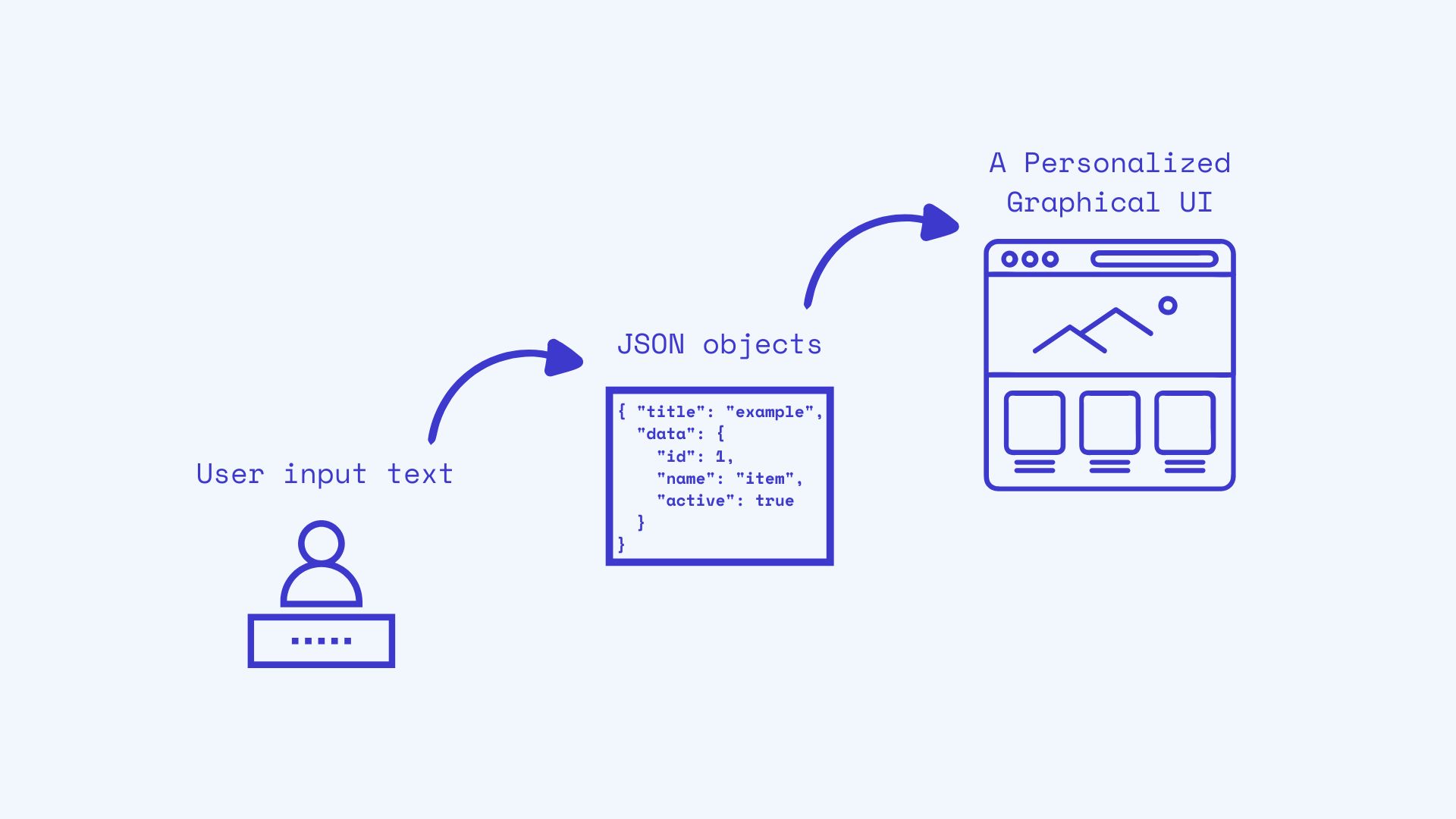
Quick Smart Plan uses Chrome's Prompt API (with Gemini Nano) to generate JSON objects, which are used to create the user interface. This means we are transforming a text output into a graphical interface.
- The process begins by capturing the user’s intent: the user specifies what they wish to plan through a text input.
- This text is then passed to the Prompt API, which analyzes the input and determines the set of components most relevant to the user’s task.
- Finally, the Prompt API generates structured JSON objects representing the content and configuration of each selected widget, which are subsequently rendered into the interface.
Since the system evolves from plain text to graphical components, we wanted to emphasize that transition visually. The app starts with a terminal-style interface, then shifts into a full graphical UI made up of widgets. This inspired the app’s overall retro-futuristic aesthetic, symbolizing the transition from text-based interaction to a graphical user interface.
How we built it
We built a library of lightweight, reusable web components for planning—like checklists, timelines, schedules, supplies and team lists—designed to be framework-agnostic. Each component reads and writes its state as JSON, saved per project in localStorage. A simple storage layer handles multiple projects and keeps track of the “active project”, so components don’t need to worry about where their data is stored.
On top of that, an AI generator module asks the user what they want to achieve, compiles a list of available tools, and sends both as context to the Prompt API. We use schema-first prompting: for every component we provide a precise JSON structure the model must return. The schema includes the editable fields of the component (e.g., task items, activity names, time slots) and its configuration parameters (e.g., checked or unchecked states for each task item). The output is then cleaned up, validated, repaired if needed, and passed through the storage layer so the UI updates instantly.
Everything runs in the browser—no backend—so it’s fast and private. A few micro-utilities round it out: a drag-and-drop helper for reordering lists, a tiny DOM helper, and a short-ID generator for stable keys. The result is an AI-assisted planner where the model doesn’t just write text—it generates interface-ready data that powers the components in real time.
Challenges we ran into
The main challenge we faced was the non-trivial effort required to coerce the Prompt API into generating a reliably structured JSON output. We could not simply provide the schema and expect adherence; instead, we had to engage in an intensive, iterative process of prompt engineering. This phase required substantial labor to prevent the API from making contextually logical but structurally invalid deviations from the schema.
The secondary, yet critical, challenge was maintaining the stability of our user-facing components. Component development relies heavily on a consistent and well-defined data contract. Minor deviations from the expected schema—which persisted despite using the most deterministic sampling configurations (topK=1, temperature=0)—could lead to inconsistencies when mapping planning data to functional UI elements such as checklists, timelines, and resource lists. To address this, a significant amount of defensive coding was required to ensure that the application could robustly interpret the Prompt API’s output and deliver a reliable, high-quality user experience aligned with the user's planning objectives.
Accomplishments that we're proud of
We're particularly proud of:
- Being able to generate a graphical user interface from a text output.
- Unlocking a new way of building applications: user intent first, tools later.
- Making AI the core of the application, not just a dispensable add-on.
What we learned
The Prompt API is a powerful, integrated AI capability that ultimately succeeded in generating complex, structured JSON for our planning application. However, achieving this high-fidelity output required a substantial investment in iterative prompt engineering. We learned to employ highly aggressive and specific constraints—such as enforcing exact key names, prohibiting contextually useful but non-schema-compliant fields, and dictating precise value formats (e.g., "HH:MM" for time stamps)—to ensure the output met our strict data model requirements.
The fact that the Prompt API achieved consistent, correct output after this rigorous tuning highlights its powerful underlying processing capabilities, even within extreme formatting constraints. This proves that, when properly instructed, the API is capable of delivering the structured data needed for complex component development. We now understand the precise level of engineering required to unlock the full potential of the Prompt API for structured application-side tasks.
What's next for Quick Smart Plan
These are a few plans we have for expanding Quick Smart Plan’s functionalities:
- Creating more components, like a Gantt chart for project management, a dashboard, an AI tutor to guide the user through the plan execution processes, and so forth.
- Adding color themes to the interface, and giving Built-in AI the ability to choose a color theme for each user input.
- Use other AI APIs to include text correction and rewriting tools within each component.
- Add hybrid support so the app can also run on devices without local AI capabilities.
Impact and Future
Quick Smart Plan is just an example of how Generative UI can help create applications that minimize cognitive and operational effort, enabling users to achieve their objectives easier and with less friction.
We believe that this new way of building applications can be used in many other contexts. Apps should be able to adapt their interfaces based on user intent right from the start. To enhance usability, personalization shouldn’t stop at content—the UI itself can also be tailored to each user.
In future work, we’d like to explore more areas where Generative UI can make user experiences quicker and smarter.
Built With
- css
- hugo
- prompt-api
- vanillajs


Log in or sign up for Devpost to join the conversation.