-
-
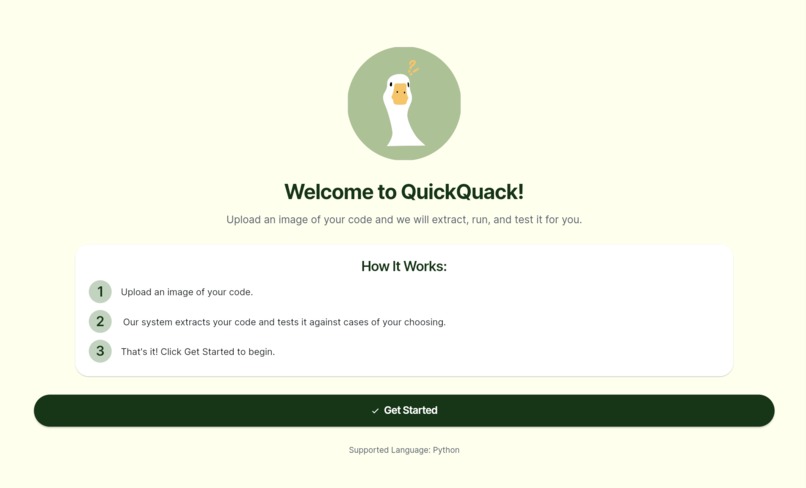
Welcome to QuickQuack!
-
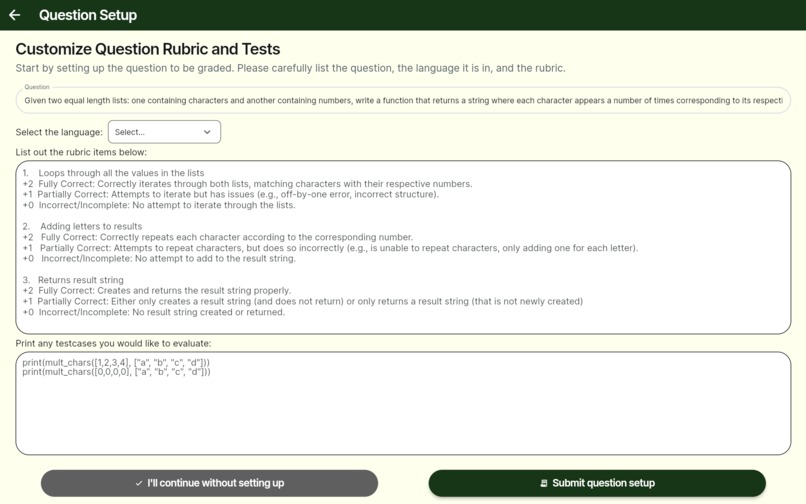
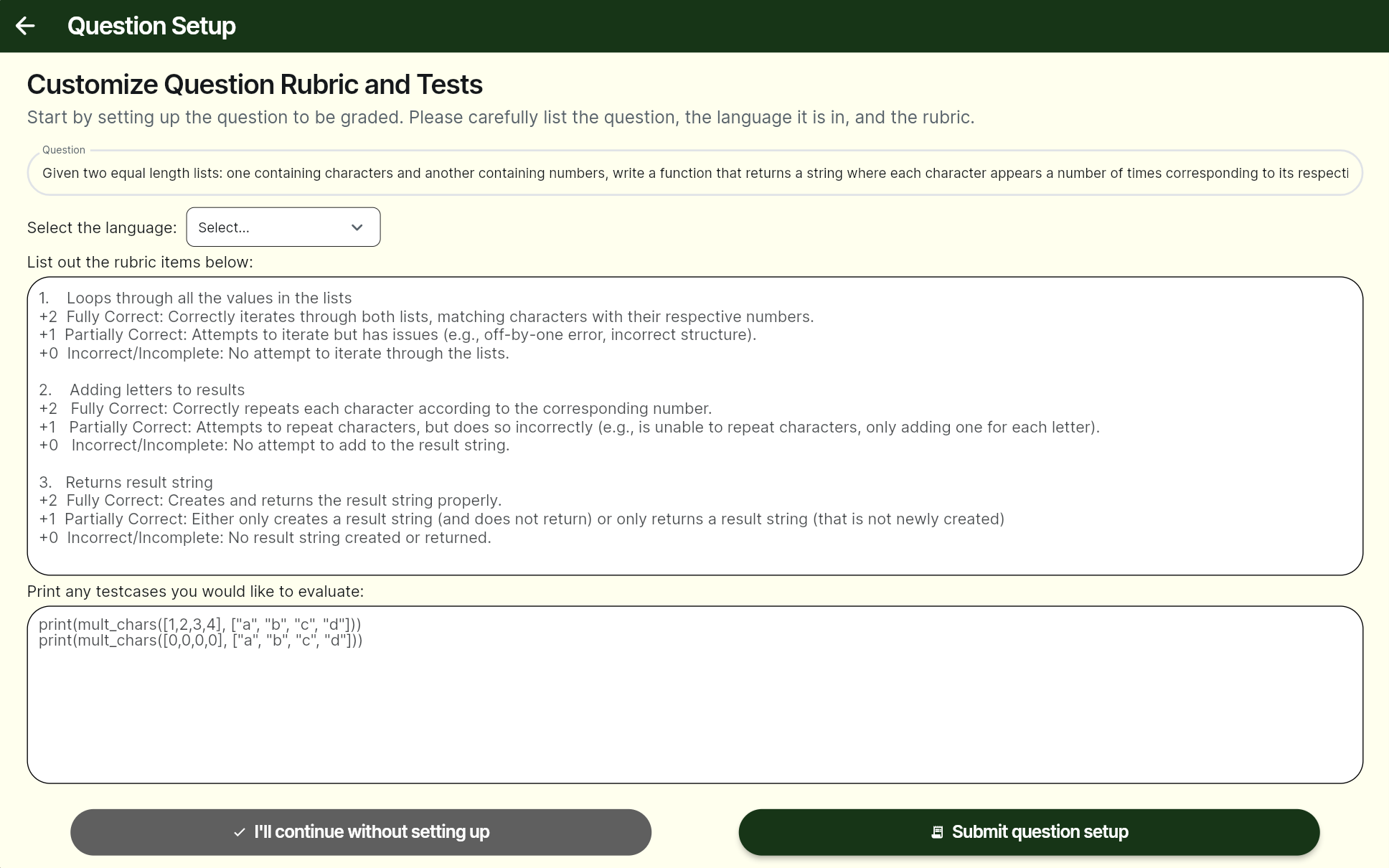
Users can add their own question, rubric, and test cases for grading
-
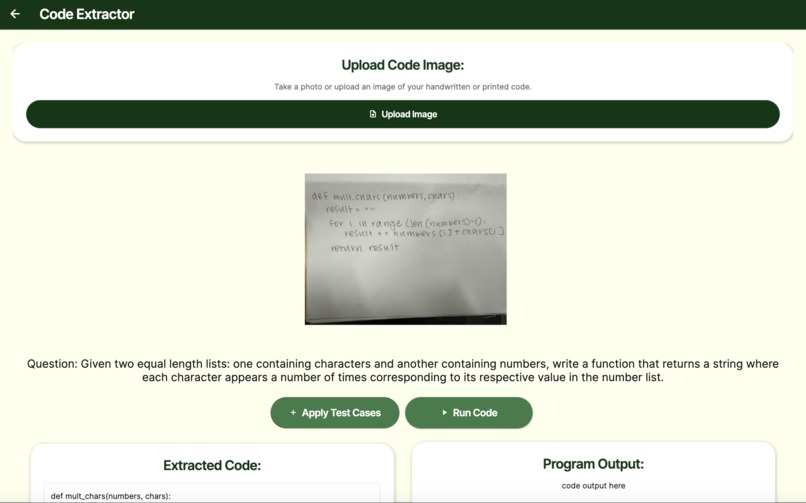
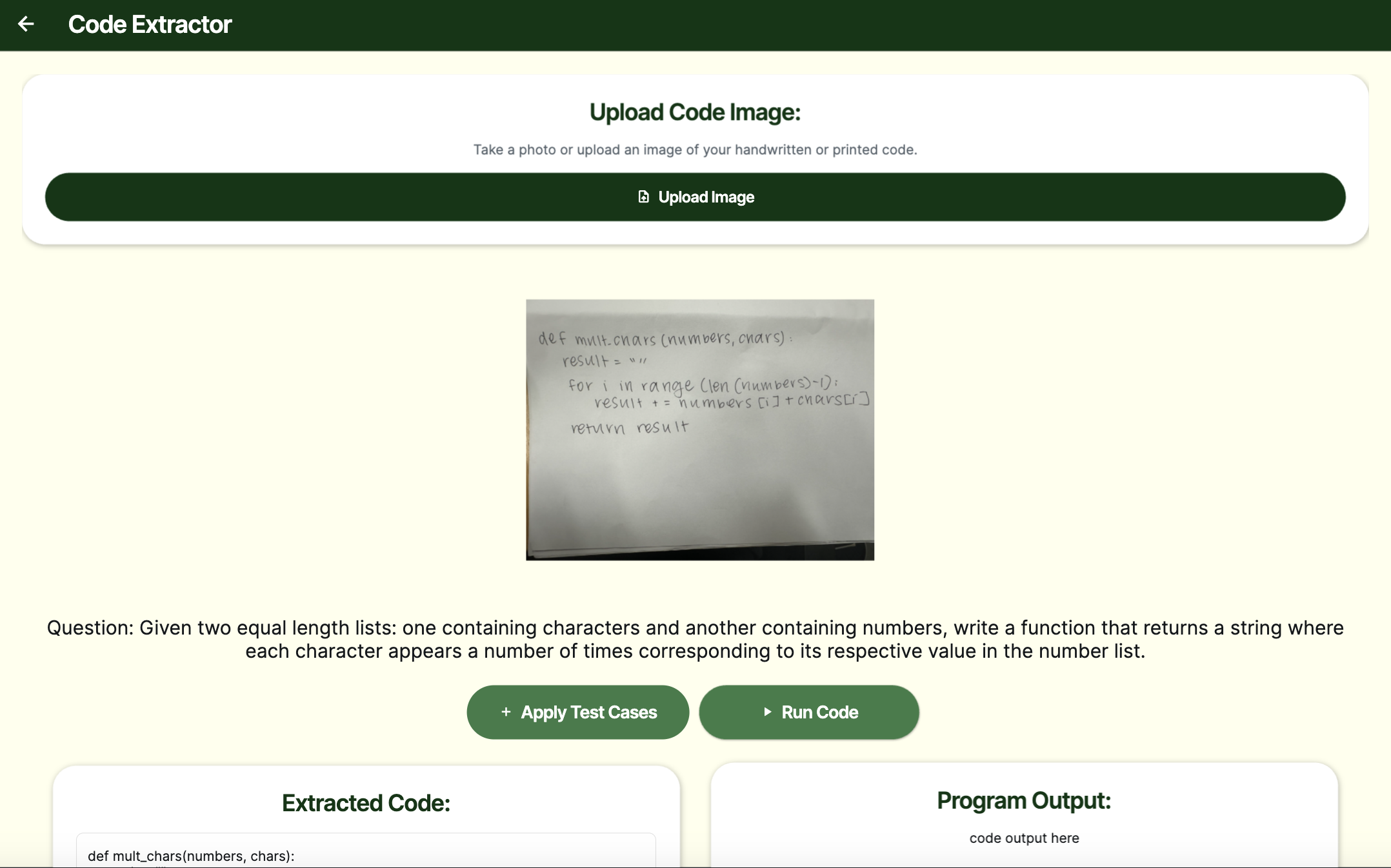
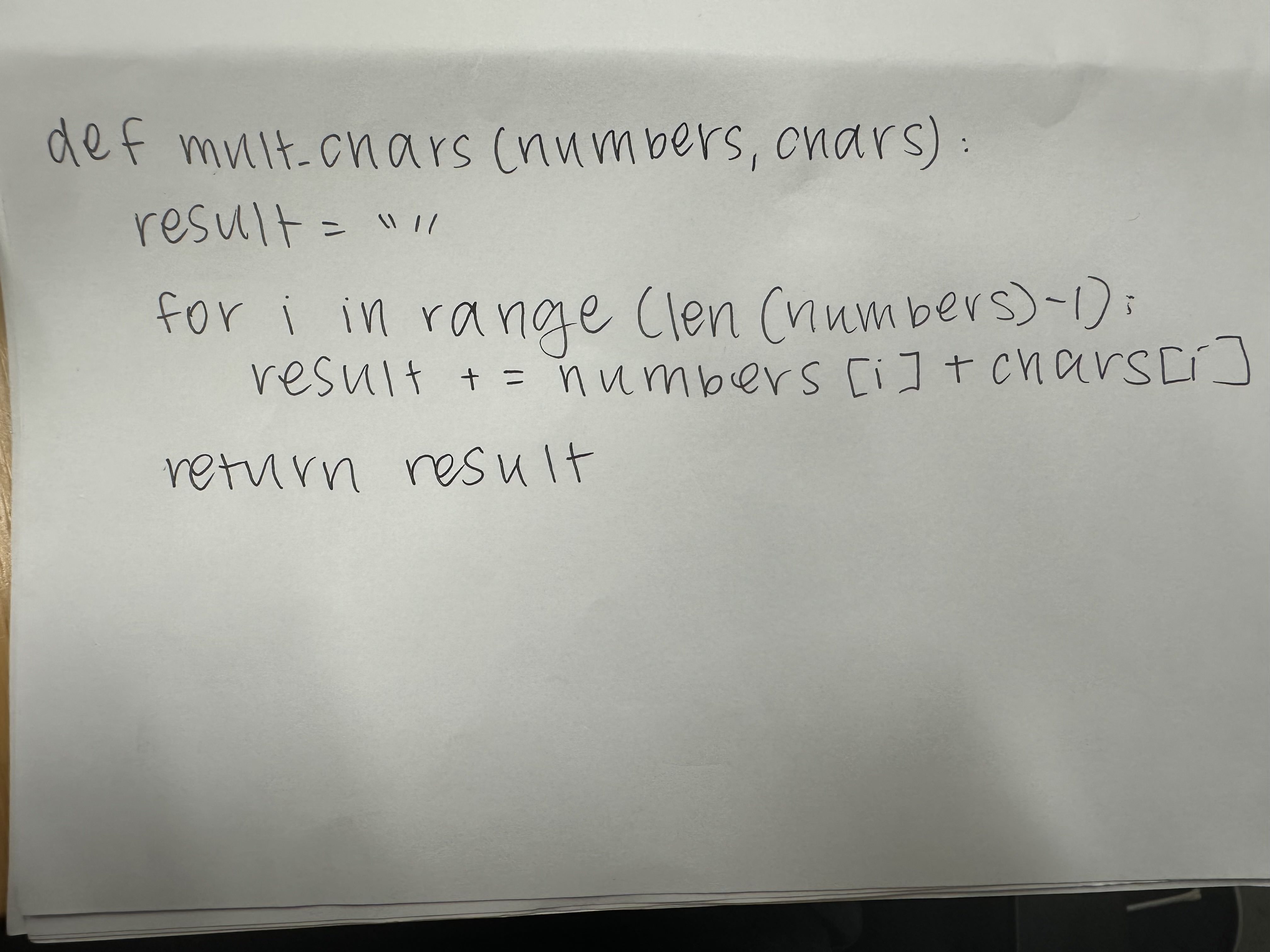
QuickQuack extracts and runs handwritten code from image
-
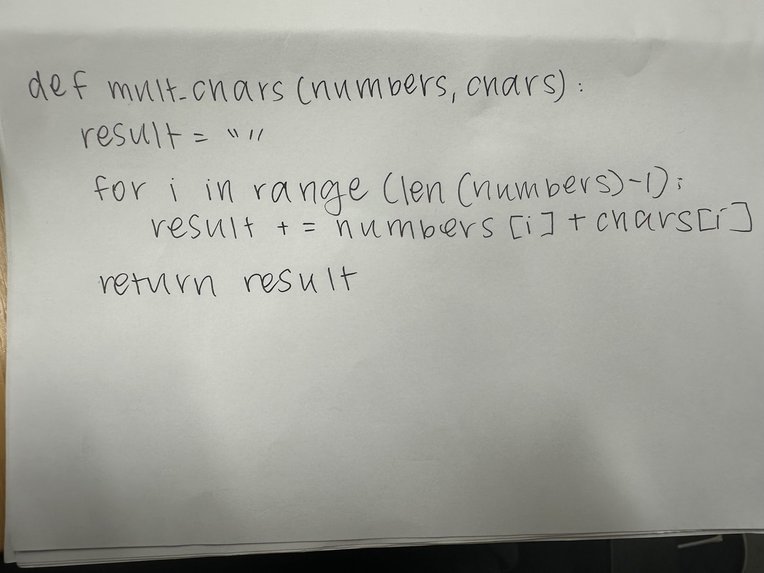
Picture of example handwritten student code to be graded by our app
-
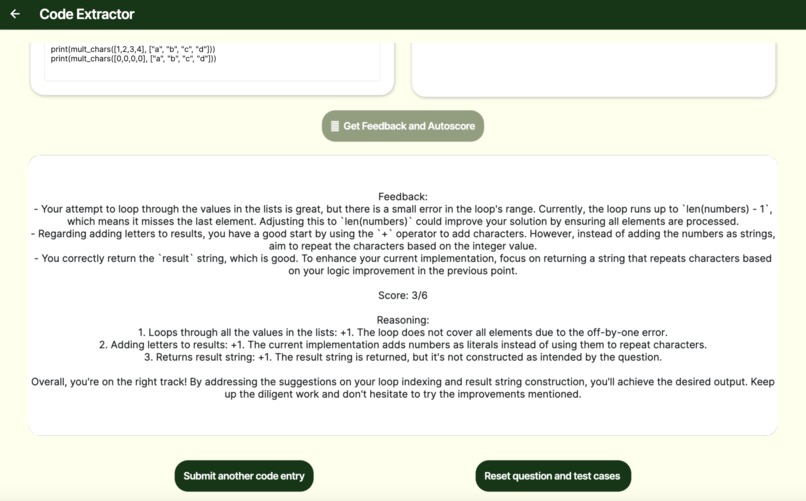
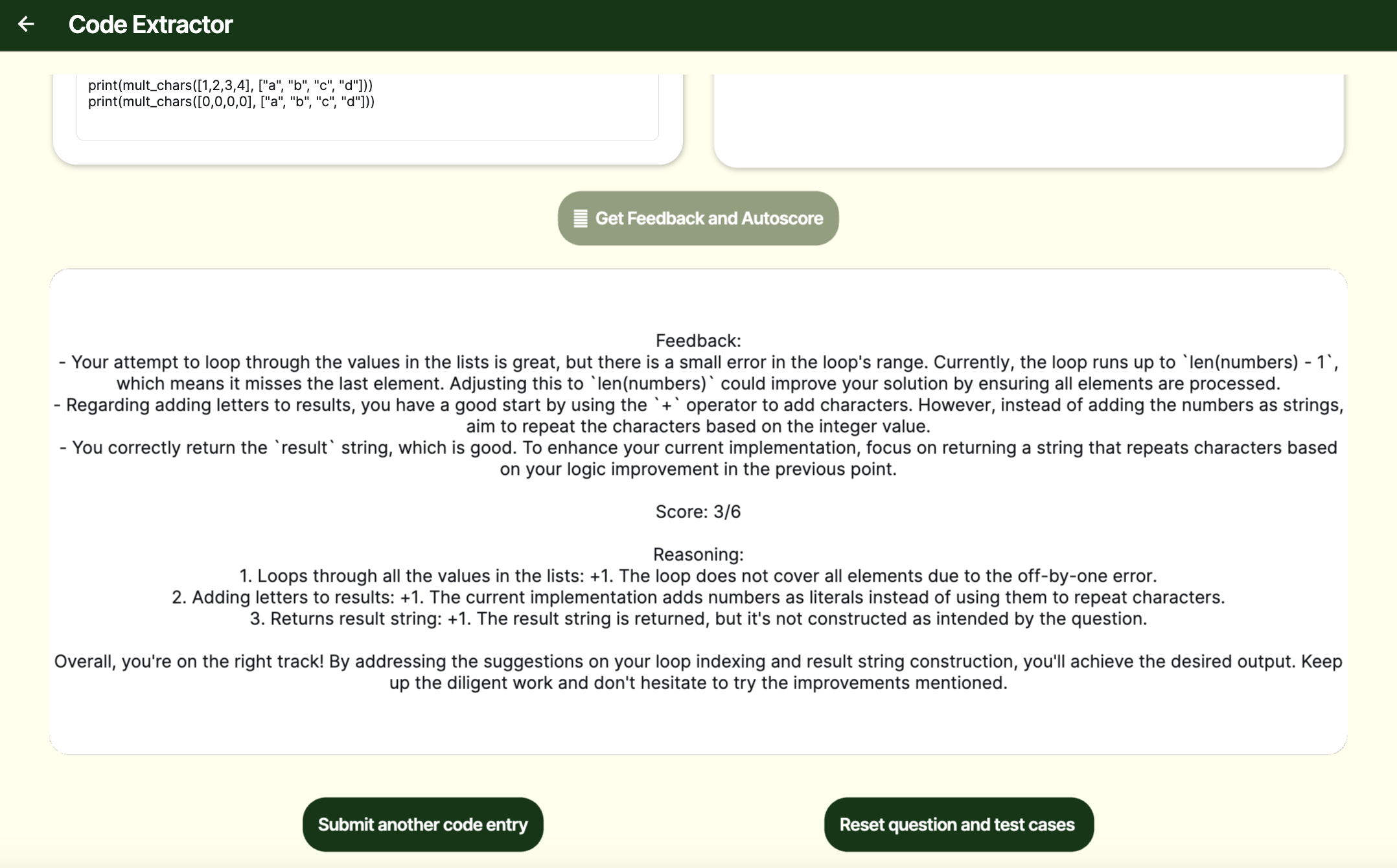
QuickQuack provides personalized feedback and grade to handwritten code
Inspiration
Six hours, uninterrupted, grading a single exam. That's not a typo, that's our team member’s reality. As a TA for one of the largest CS classes at Stanford, she spends up to 12 hours per quarter just grading tests alone, even with a 100-person teaching team. That's roughly 4800 hours per year dedicated to grading, hours that could be directed towards impactful teaching, not tedious paperwork.
This is because CS exams are handwritten. TAs cannot run student code against the provided rubric. Instead, to grade, TAs must drudgingly review every line written and carefully discuss their possible results, opening up room for human error in the process.
To alleviate this burden, we developed a web app that automates the grading processes, creating a system that automatically extracts handwritten code, executes the code in a sandbox environment, and evaluates code output against a set of tests and rubrics that can be customized by the user. Based on our user testing and interviews, our tool has the potential to decrease grading time by 80%.
What it does
QuickQuack is an AI-powered grading application that extracts submitted handwritten code and evaluates them against user-inputted test cases and grading rubrics. Here’s what it does:
- Enables users to input their own question statement, test cases, and grading rubric.
- Leverages Optical Character Recognition (OCR) technology to accurately extract handwritten code from uploaded images.
- Displays extracted code in an editable text field that can be directly edited by the user.
- Executes extracted code and evaluates program functionality against user’s tests and rubric.
- Uses AI-powered analysis to provide detailed feedback and autograded score for the written program.
How we built it
Frontend: We used FlutterFlow to prototype and develop the overall architecture of our application, allowing us to create a clean and intuitive user interface. FlutterFlow’s streamlined graphical interface, combined with custom API integrations, made it possible to connect our grading system seamlessly with the backend. Backend: To process handwritten code submissions, we leveraged advanced OCR (Optical Character Recognition) technology combined with large language models (Gemini, ChatGPT) to extract handwritten text from uploaded images. This allowed us to convert handwritten student submissions into digital code that could then be executed and graded automatically. For code execution, we experimented with multiple APIs, including Piston and JDoodle, to find a reliable solution for running submitted code. After troubleshooting issues with multi-line execution in Piston, we ultimately integrated JDoodle, which successfully handled input/output operations in our FlutterFlow application. Our backend handled API requests for grading and feedback. It managed test case evaluation, correctness checking, and AI-driven analysis for efficiency and style. We structured our API calls to ensure smooth data flow between the frontend and backend, optimizing for speed and scalability.
Challenges we ran into
36 hours ago, none of us ever worked with FlutterFlow. Now, we emerge with a fully functional web app, and achieving this means addressing various challenges. First, navigating flutterflow interface. While powerful, FlutterFlow was new to us, and the process of discovering and learning to use its plethora of features took time. We found it especially challenging to manage both frontend and backend developments. For example, Gemini code extraction often includes garbage values, and we needed to learn how to write custom string parsing functions that cleaned up this output. Additionally, the process of prompt engineering was tricky. Because our code extraction and grading features make calls to LLMs, we must ensure that model outputs remain consistent and accurate over usage. This looked like many trials and errors as we perfected the optimal prompt that elicited the best results from our models. Moreover, achieving reliable code execution within FlutterFlow presented technical challenges. While AI models such as ChatGPT/Gemini were valuable for other aspects of our development, we found that their outputs lacked the necessary consistency for deterministic code evaluation. Similarly, Piston API presented challenges with multi-line code execution within FlutterFlow. Ultimately, we discovered JDoodle, which successfully executed inputted code within our FlutterFlow application. Finally, we are thankful to our Flutterflow mentors (shoutout to Patricia Wei!) for guiding us through some of our implementation hurdles along the way.
Accomplishments that we're proud of
Our solution is designed to be highly scalable; it can be used to streamline the grading process of thousands of CS classes around the world. QuickQuack significantly reduces the time and effort required for evaluation while maintaining accuracy and consistency.
In addition, we are proud of our successful integration of essential back-end functionalities with FlutterFlow, enabling a seamless and efficient user experience. We have deepened our expertise in working with APIs, leveraging them to optimize our system’s performance and functionality. One of our key achievements in this regard was implementing a robust and reliable code execution system. After extensively testing multiple APIs, we identified the best fit for our platform, ensuring efficient and secure execution of student submissions. Through this process, we have not only built a powerful tool but also expanded our technical skill set, gaining valuable experience in software development, problem-solving, and system design.
Finally, we iterated on our product through user testing and interviewing real CS TAs, continuously learning user insight, improving user experience, and ensuring that our tool addresses real user needs.
What we learned
Throughout this project, we gained valuable insights into several key areas. First and foremost, we deepened our understanding of FlutterFlow development—learning how to navigate the platform, integrate APIs, and design a user-friendly interface. We explored FlutterFlow’s capabilities, troubleshooting issues along the way and adapting our approach to work within its constraints. Next, we strengthened our skills in API integration, experimenting with different APIs for remote code execution. Initially, we faced challenges with Piston, which struggled to handle multi-line code execution in FlutterFlow. Through trial and error, we learned how to debug API-related issues and ultimately implemented JDoodle as the most reliable solution. This process taught us how to structure API calls effectively and manage data flow between a web-based frontend and a FastAPI backend. For automated grading, we researched different approaches to ensure a fair and efficient system. We learned how to assess code correctness, analyze efficiency, and evaluate style using structured grading criteria. Additionally, we gained experience in designing a scalable architecture that could handle high volumes of grading requests, making our system adaptable for different courses and institutions. Beyond the technical aspects, we learned valuable teamwork and problem-solving skills. Working through technical roadblocks required strong collaboration, clear communication, and effective task delegation. We developed a better understanding of how to efficiently split responsibilities, support each other in debugging complex issues, and iterate on solutions together. Overall, this project taught us not just the technical skills needed to build an automated grading platform, but also the importance of adaptability, persistence, and teamwork in tackling complex engineering challenges.
What's next for QuickQuack
We want to further scale up our project to be a multifunctional Gradescope. Right now, QuickQuack can grade individual submissions, but we want it to handle large-scale processing—automatically sorting, grading, and generating reports for hundreds or even thousands of students in one go. Eventually, we want it to be able to take in pictures of many students and create separate auto-grade reports for each student. This would make it an even more valuable tool for massive courses with high enrollment numbers, like CS106A and CS 106B. Beyond this, we could get it to expand to even more classes, including other classes that require handwritten code.


Log in or sign up for Devpost to join the conversation.