Inspiration
The idea was born out of the chaotic, crowded waiting rooms we often experience in medical clinics. Patients are constantly left wondering, "When is my turn?", which leads to anxiety, while receptionists are often overwhelmed by manual queue tracking. We wanted to create a seamless, digital-first experience that brings absolute transparency to the waiting process, reduces stress, and allows doctors to focus strictly on patient care rather than administration.
What it does
The Clinic Queue System is a modern, full-stack queue management platform tailored for healthcare. It features:
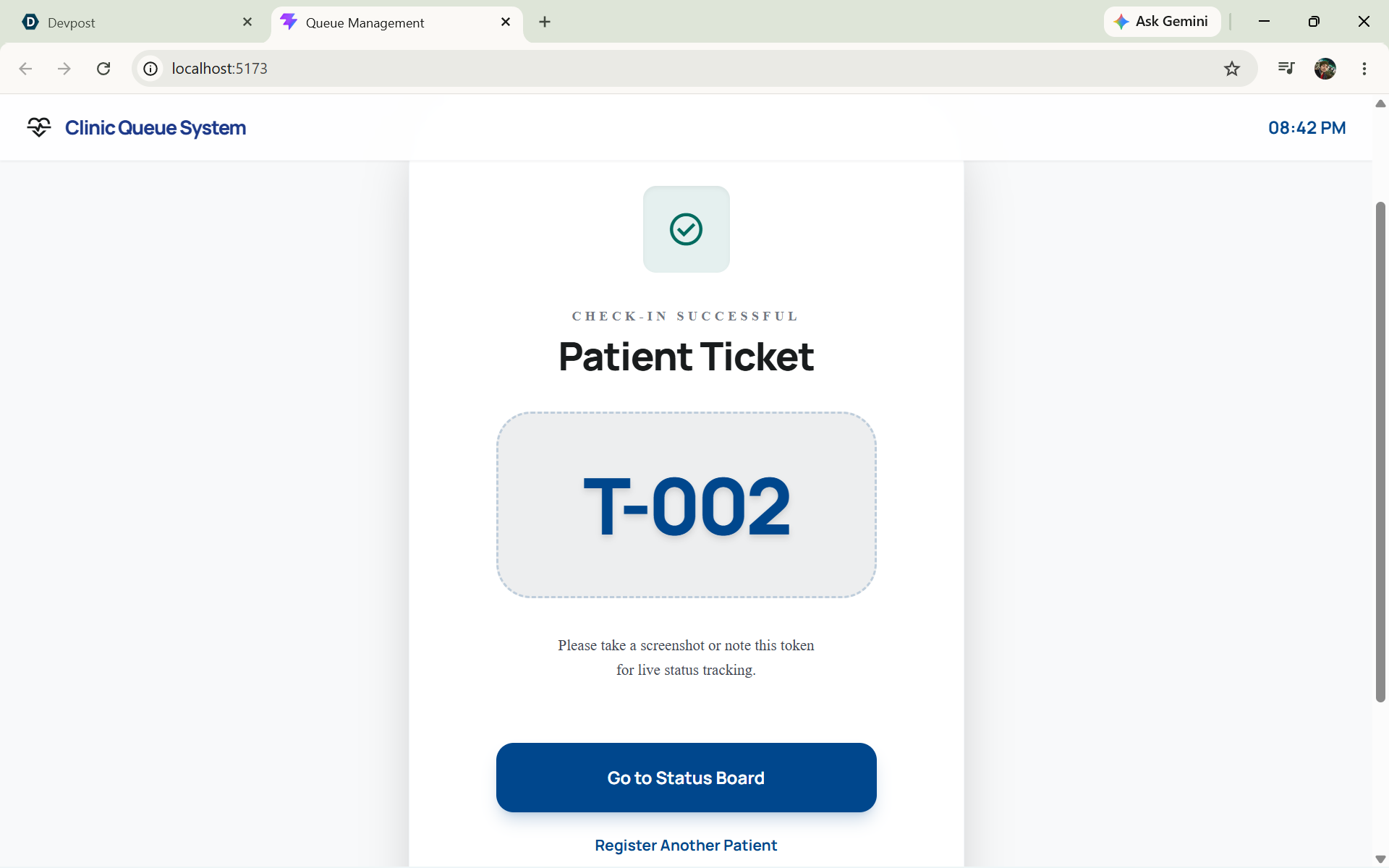
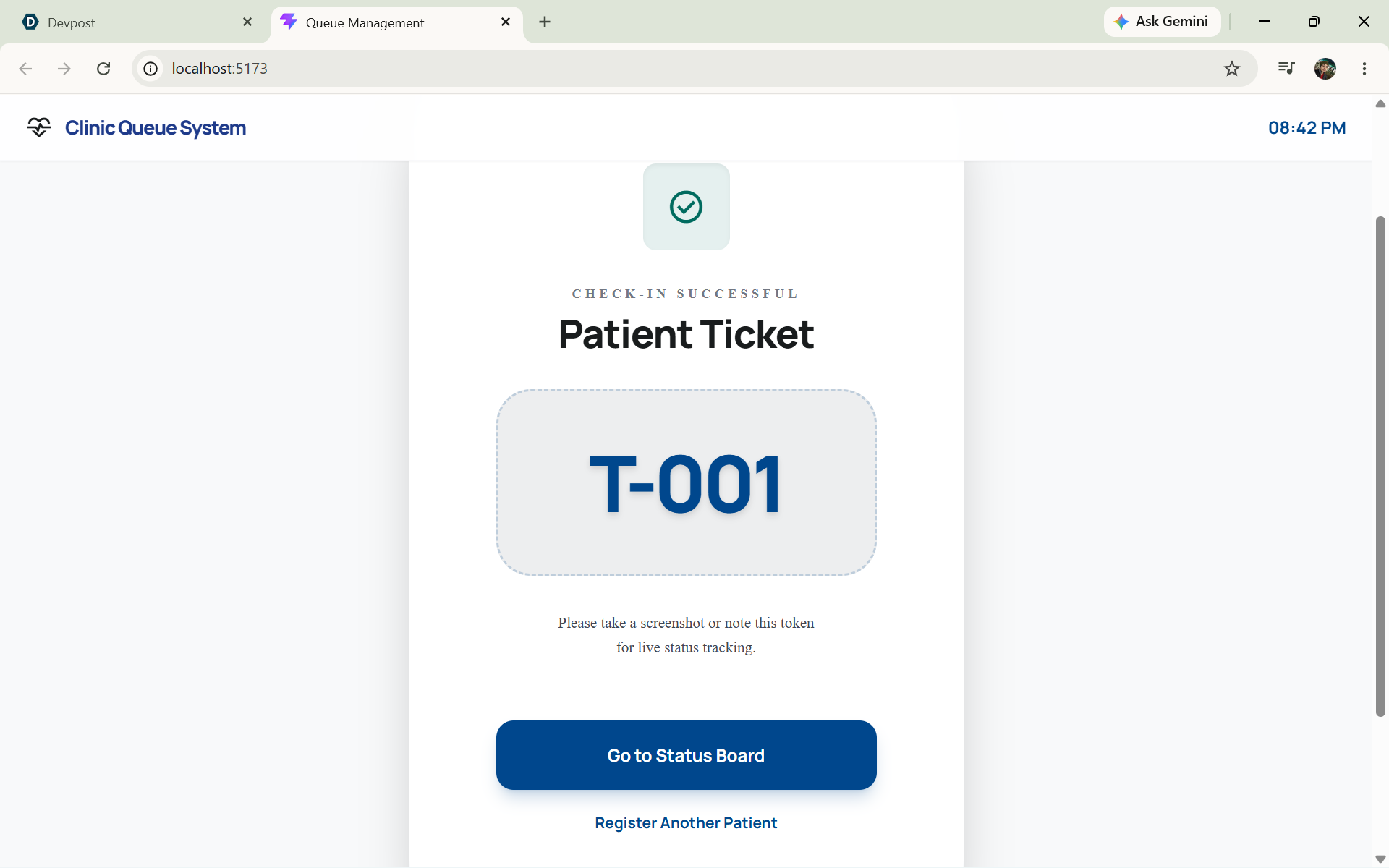
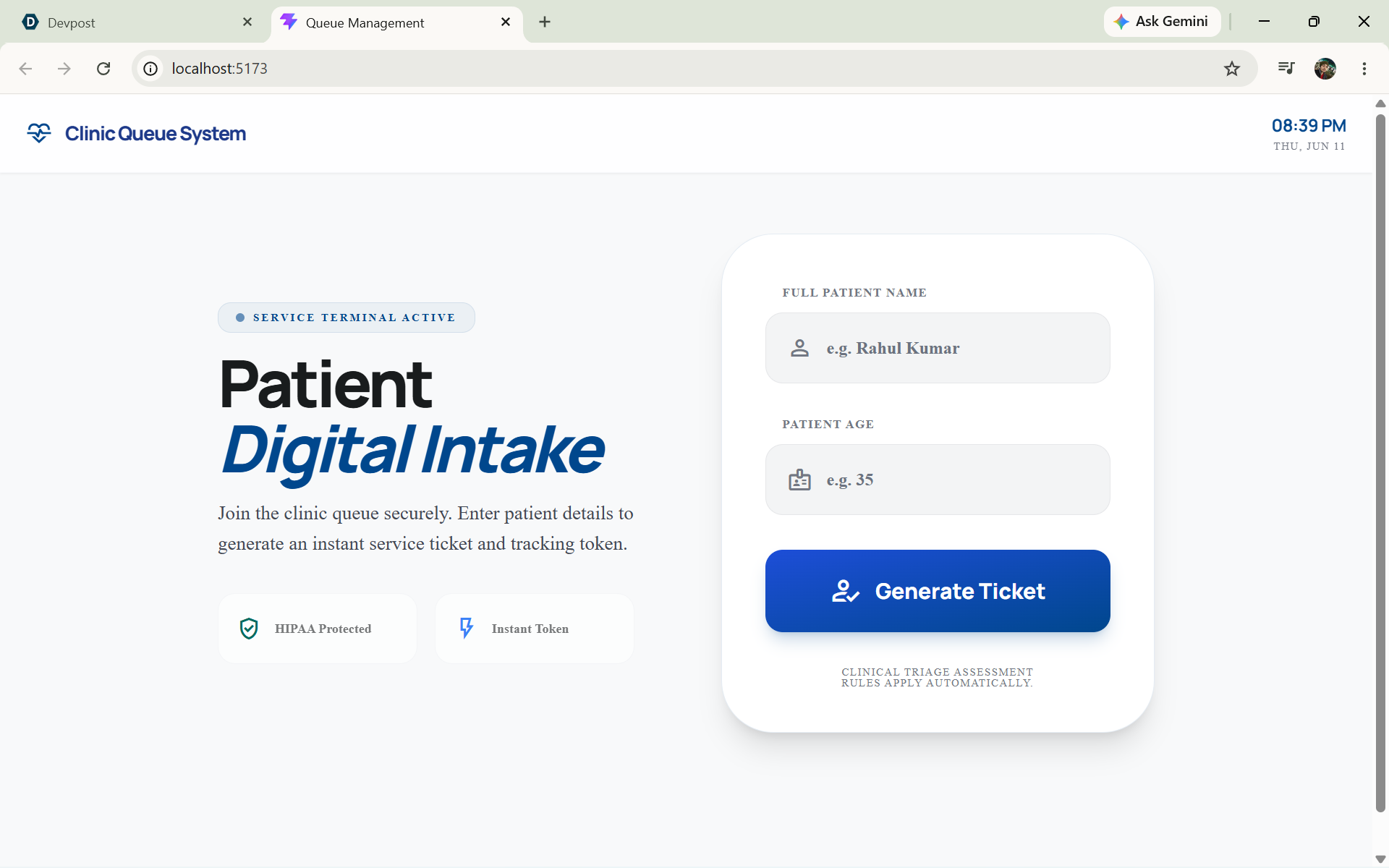
- Digital Patient Registration: Patients can easily join the queue (often by scanning a clinic QR code), instantly generating a unique digital token (e.g., T-001).
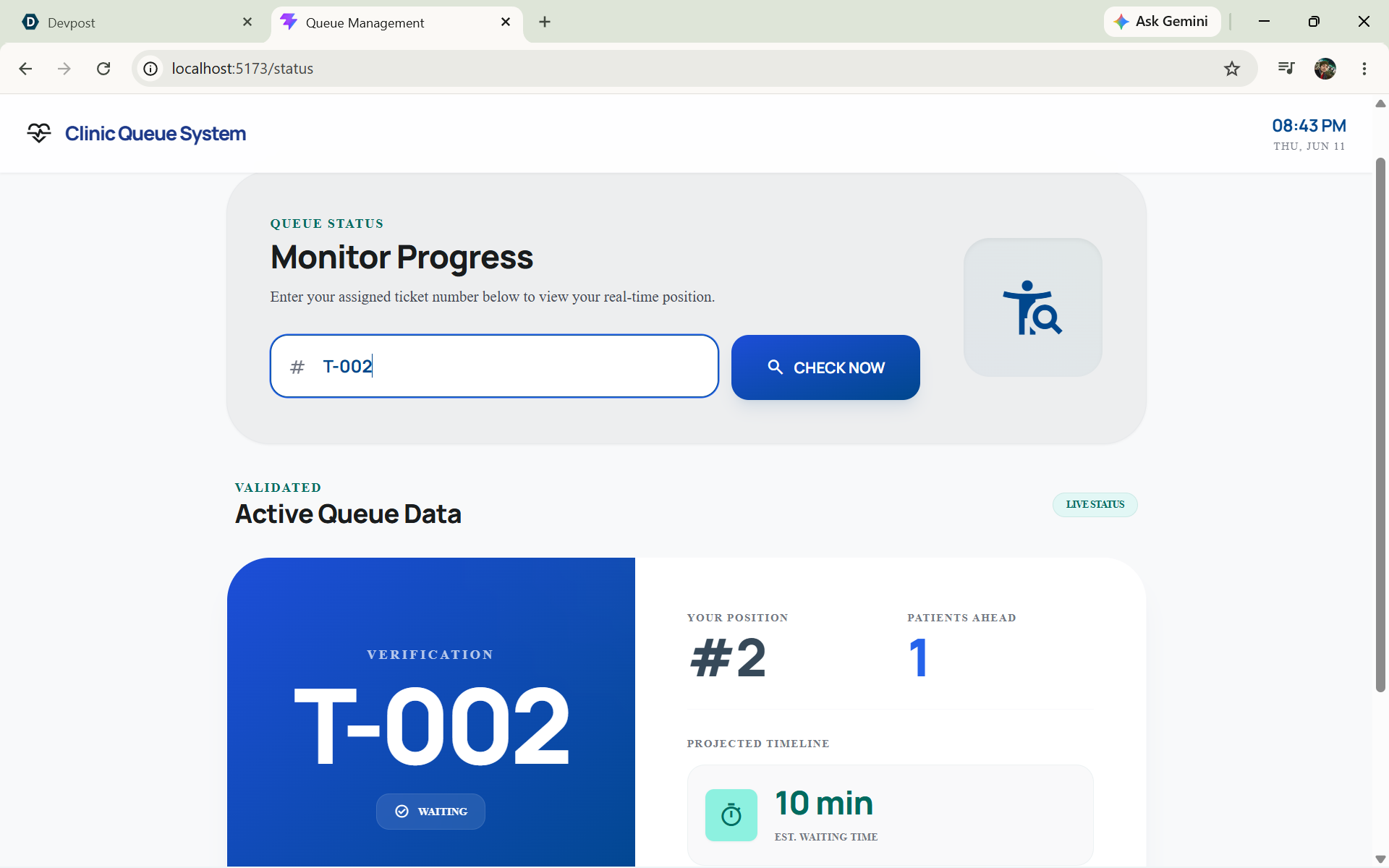
- Patient Status Display: A clean, highly readable dashboard designed for waiting room TVs. It informs patients of the currently served token, their exact position in line, and their dynamically estimated wait time.
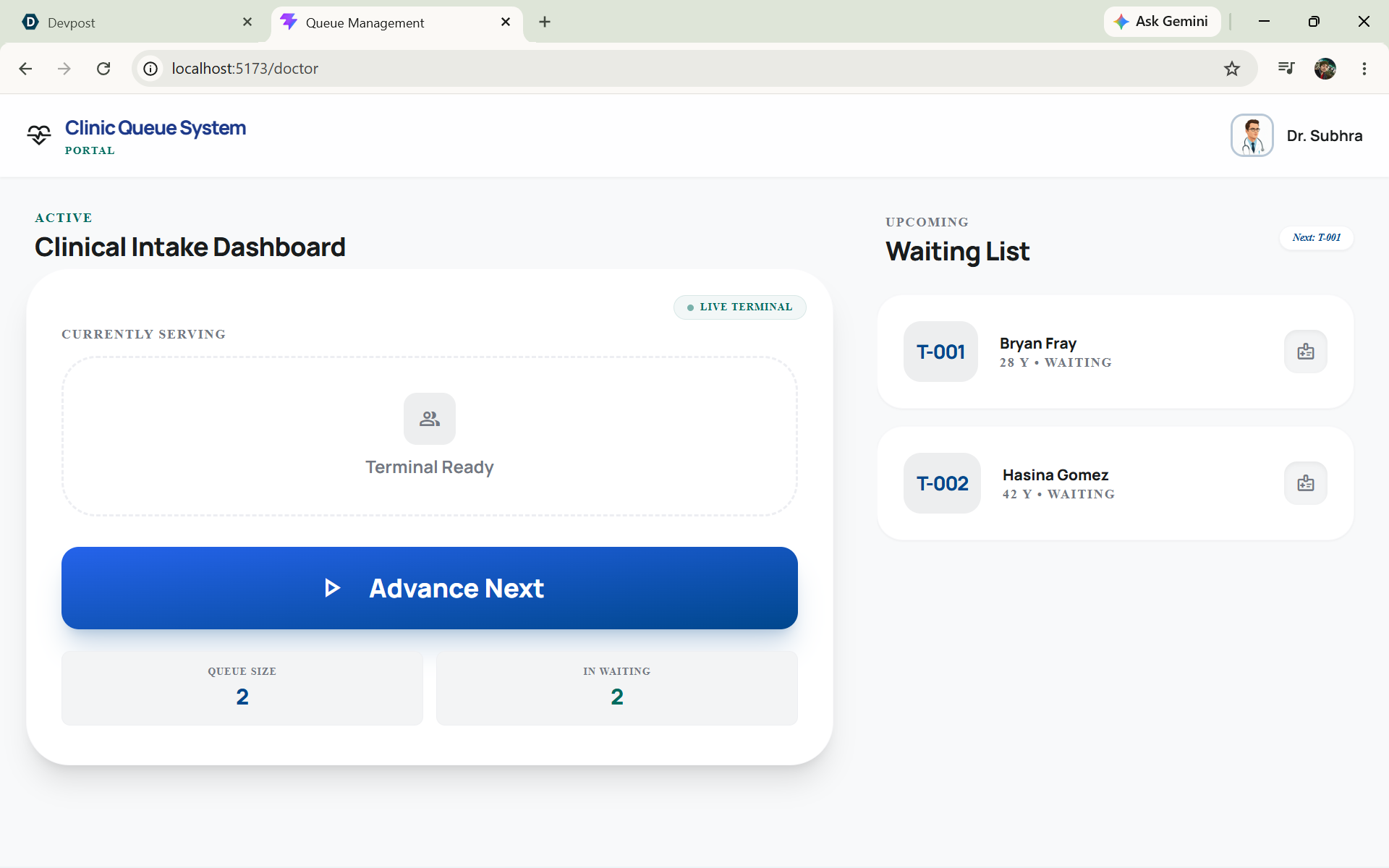
- Doctor Dashboard: A dedicated interface giving doctors and staff complete control to view the active queue and seamlessly "call" the next patient with a single click.
- Automated Daily Reset: A maintenance-free feature that automatically clears the queue and resets ticket counters exactly at midnight, ensuring the system is fresh for the next morning.
How we built it
We utilized a robust modern tech stack to ensure data integrity and a sleek user experience:
- Frontend: Built with React.js (via Vite) and styled using Tailwind CSS. We embraced the Aura Health design system for a professional, clinical, and reassuring aesthetic.
- Backend: Powered by Node.js and Express.js, providing efficient RESTful APIs to handle queue logic and status checks.
- Database: We chose PostgreSQL to securely store patient data, utilizing robust SQL transactions to guarantee queue order and token uniqueness.
- Automation: We integrated node-cron on the Node server to securely schedule the automated daily queue truncation and ID reset at the database level.
Challenges we ran into
- Concurrency & Queue Integrity: Ensuring that multiple patients registering at the exact same moment don't receive the same queue token. We solved this by implementing database-level
MAX()aggregation combined with ACID-compliant SQL transactions (BEGIN/COMMIT) in PostgreSQL. - Timezone Management: Handling the automated midnight reset meant standardizing server times. We had to carefully configure both our PostgreSQL queries and the cron job to strictly adhere to Indian Standard Time (
Asia/Kolkata) to avoid resetting the queue at the wrong local time if hosted on global servers. - UI Scalability: Designing the Patient Status board to prevent content clipping and remain highly readable even when the clinic is packed and the waiting list grows long.
Accomplishments that we're proud of
- Successfully engineering the automated midnight reset with
node-cron, entirely removing the need for manual staff intervention to start a new day. - Building a smart estimation algorithm that dynamically calculates wait times and positions in real-time based on the exact number of pending patients ahead of a specific token.
- Delivering a visually stunning, responsive UI that feels premium, calming, and perfectly suited for a healthcare environment.
What we learned
- The intricacies of robust timezone handling in SQL queries (using
CURRENT_TIMESTAMP AT TIME ZONE) and server-side cron jobs. - Best practices for structuring a decoupled full-stack app, managing separate Vite (frontend) and Express (backend) environments while keeping the logic cohesive.
- The importance of UX in high-stress environments like clinics—where simple, large, and clear typography directly contributes to reducing user anxiety.
What's next for Queue Management
- SMS/WhatsApp Notifications: Integrating third-party APIs (like Twilio) to text patients when they are next in line, allowing them to wait at a nearby cafe instead of the clinic.
- Real-Time WebSockets: Upgrading from REST APIs to WebSockets (e.g., Socket.io) for instantaneous, zero-latency updates on the patient display board the millisecond a doctor clicks "Call Next".
- Analytics Dashboard: Adding historical data tracking so clinic administrators can view peak hours and average consultation times to optimize doctor schedules and staffing.

Log in or sign up for Devpost to join the conversation.