-
-
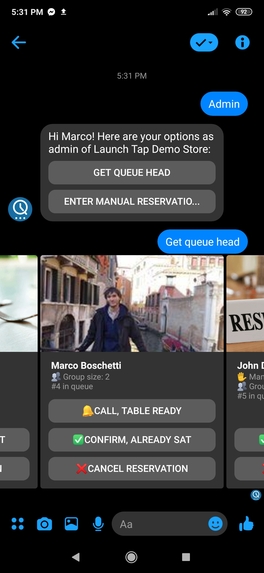
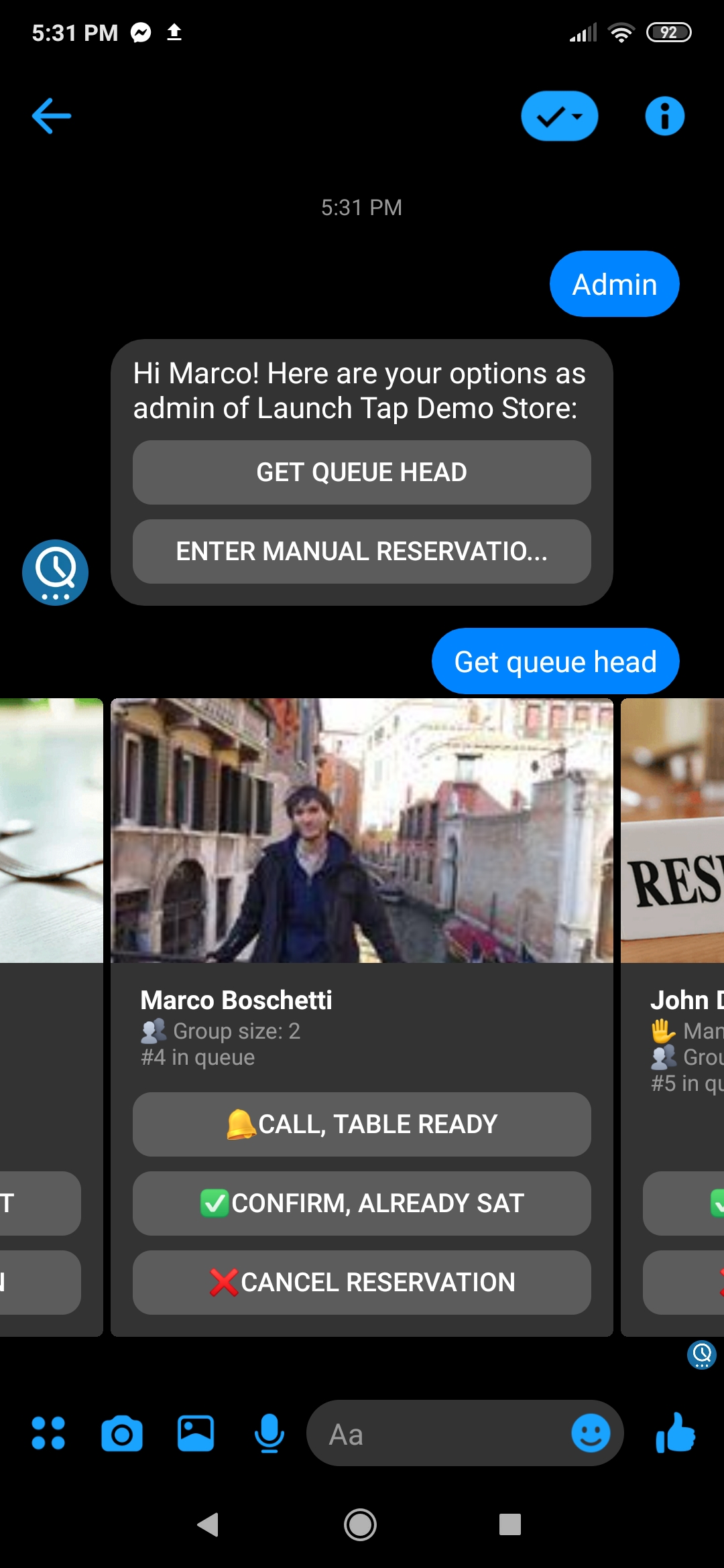
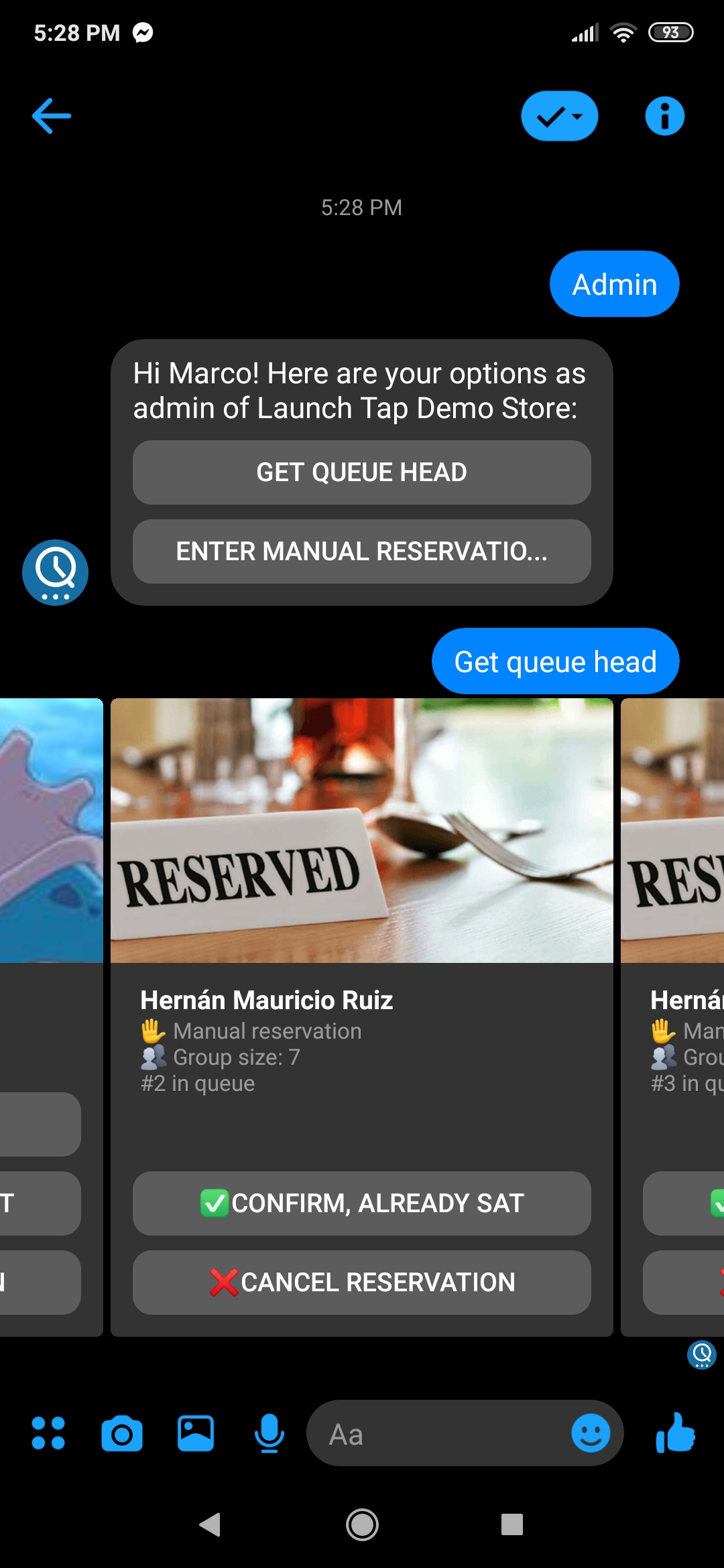
Reservations include facebook's public profile image and full name to easily identify the client, as well as the group size and position.
-
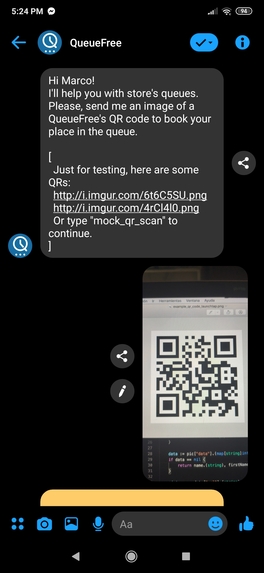
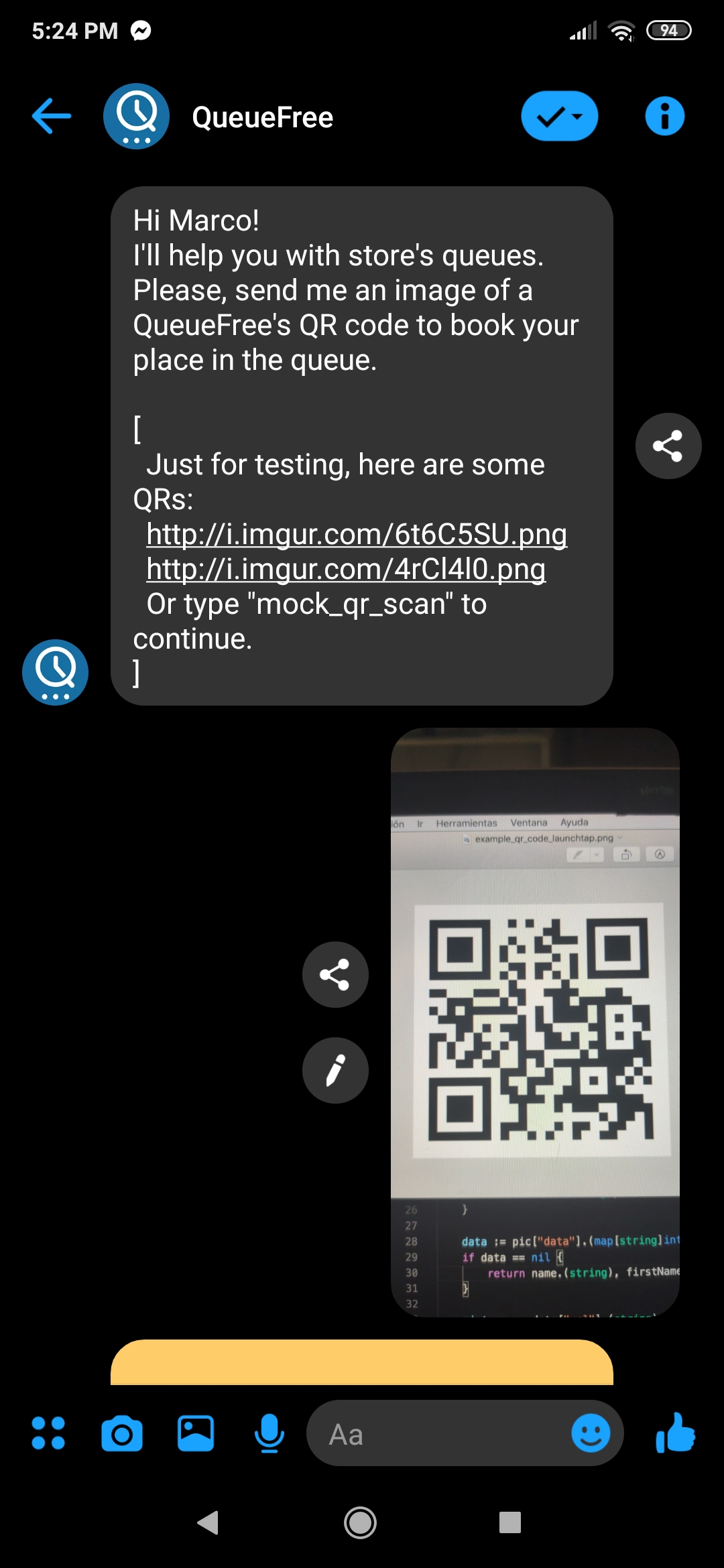
QR Scan at Store's door to enter virtual queue. Cases of double scan, invalid QR o incorrect decoding are supported.
-
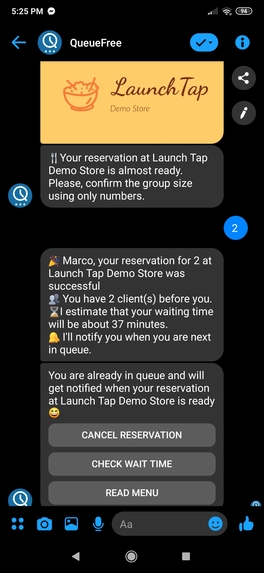
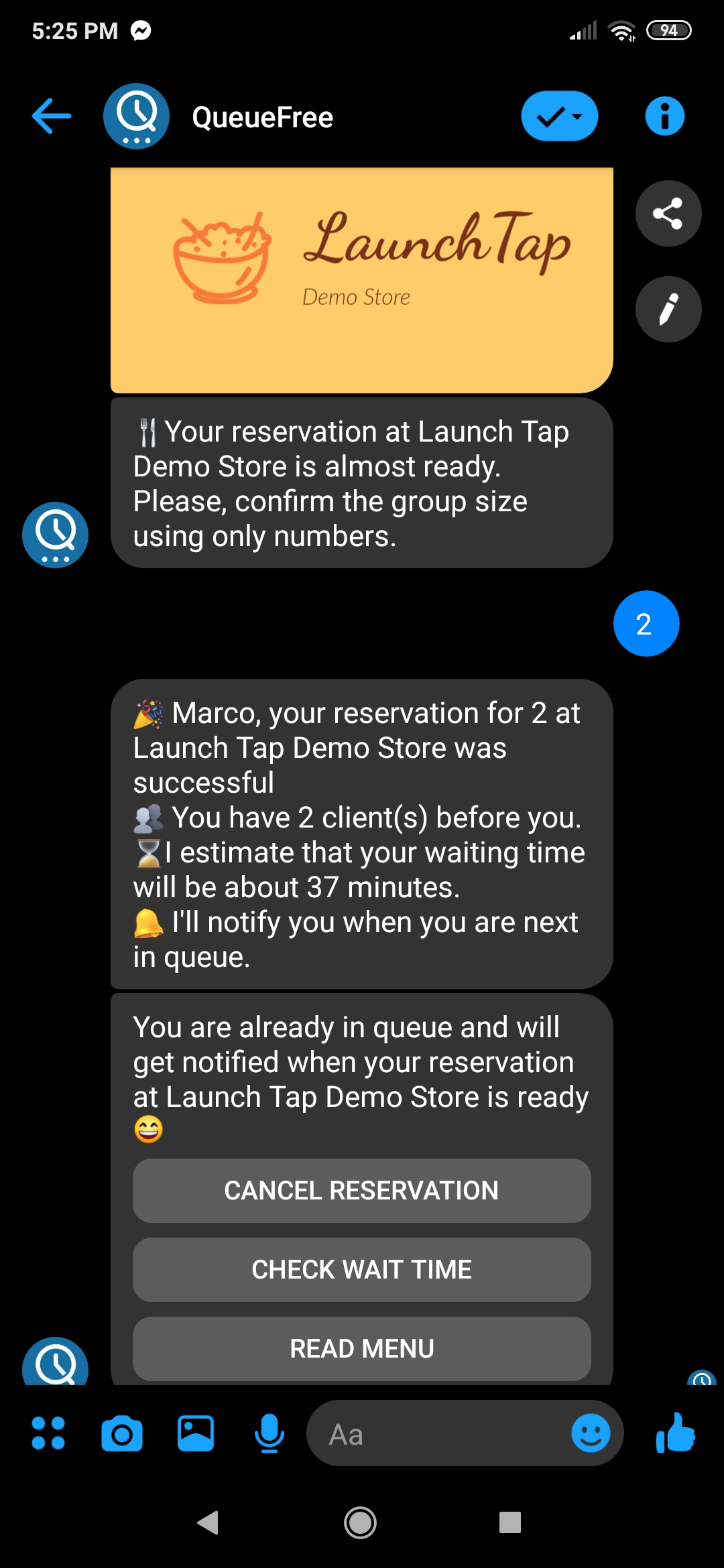
Store's logo and group size confirmation. This information is provided to the admin to handle free tables. And in analytics.
-
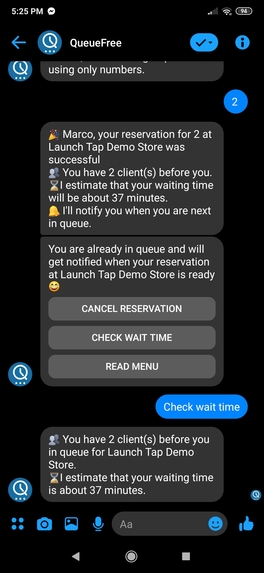
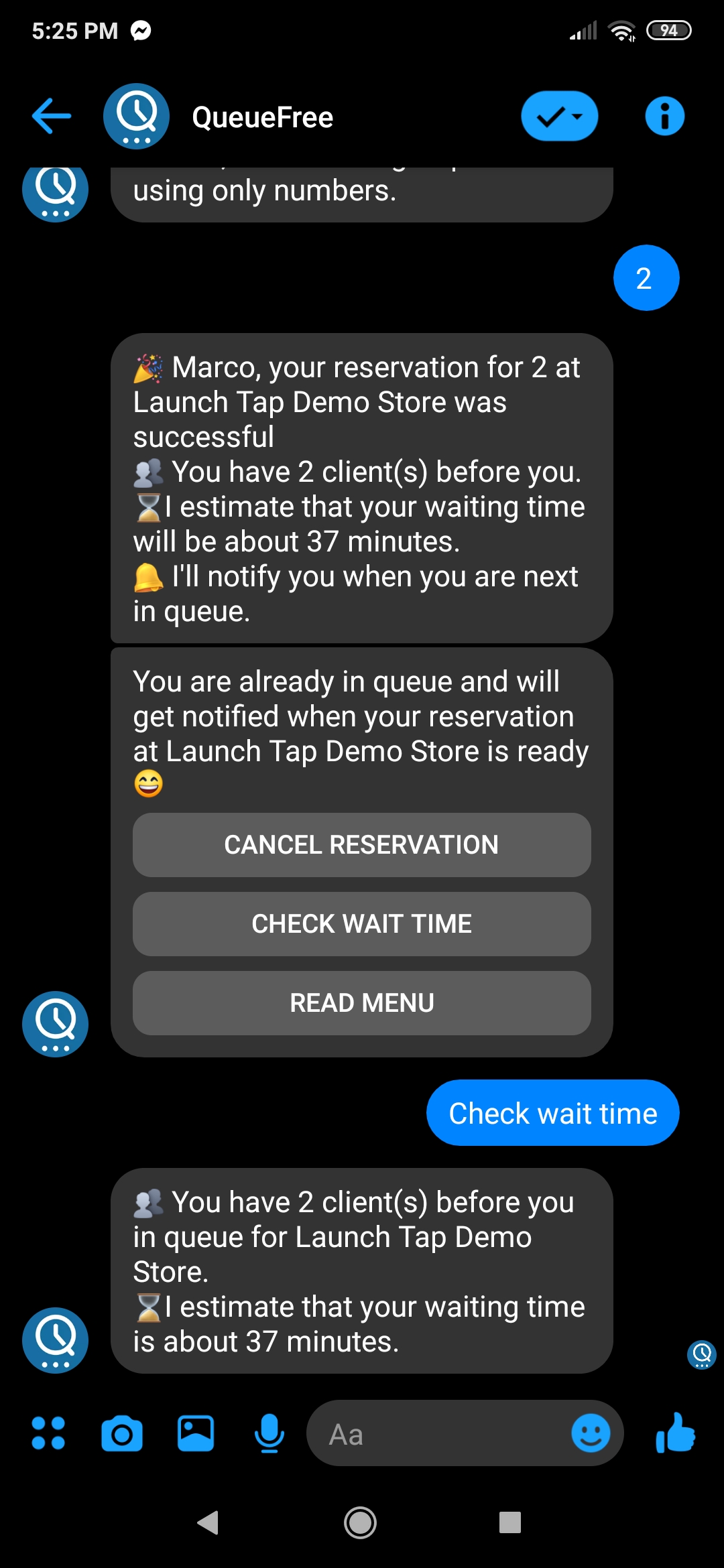
Users can check it's current position in queue and estimated waiting time.
-
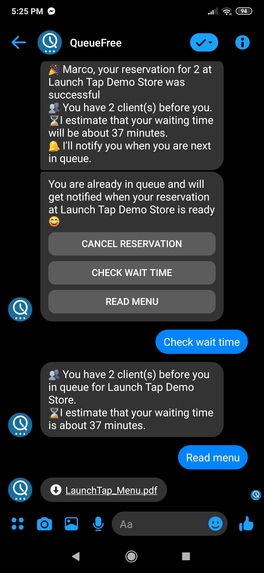
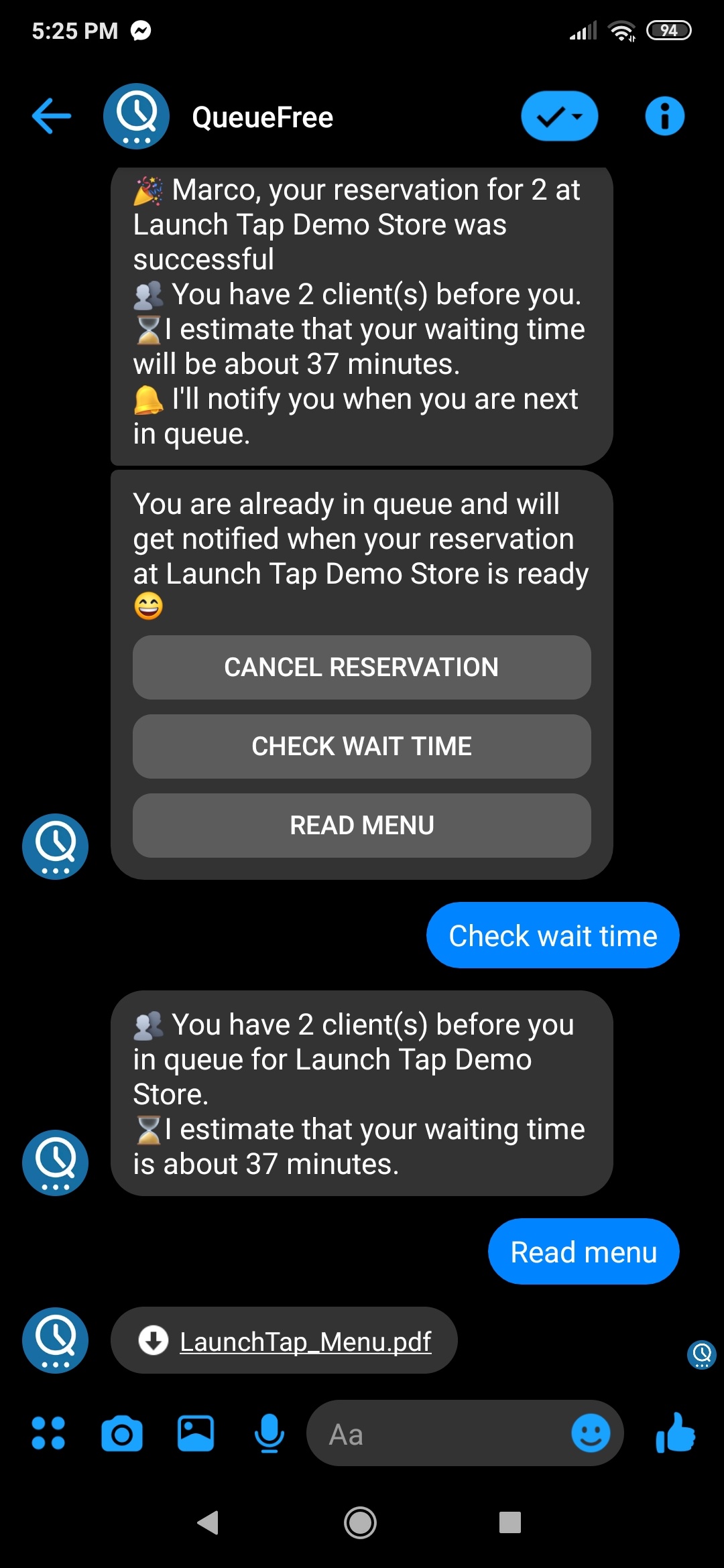
Users waiting at a store can easily download the menu (any format) and use the waiting tome to decide.
-
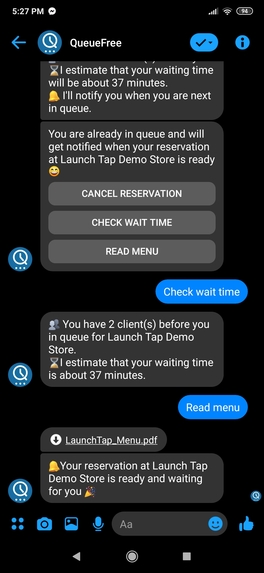
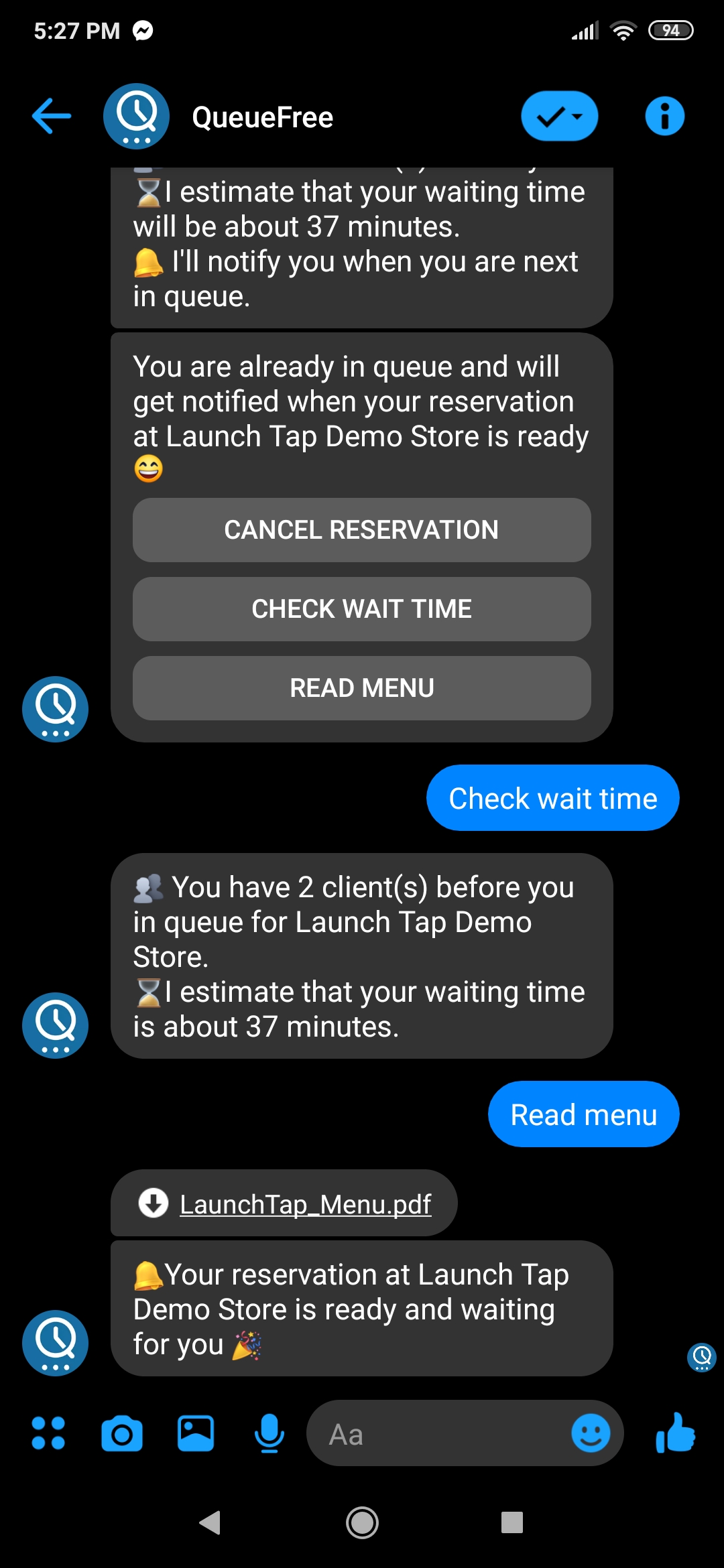
Users are notified when the admin of the store has a table ready for the group.
-
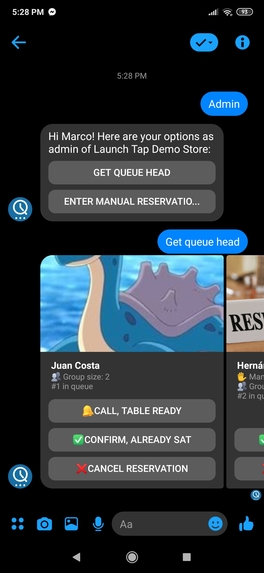
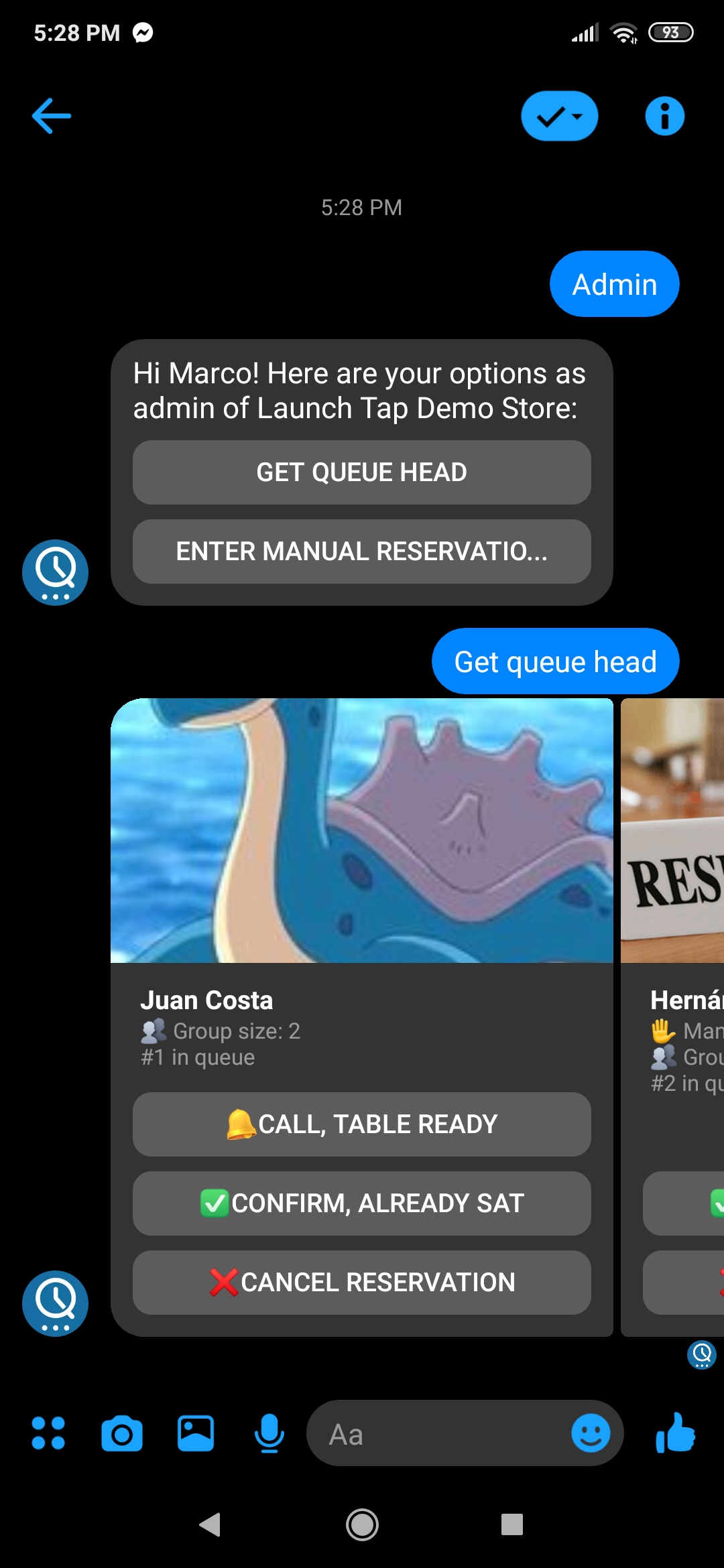
Admins can see the first places of the queue and call, cancel or confirm them. Group size is provided to let them manage free tables.
-
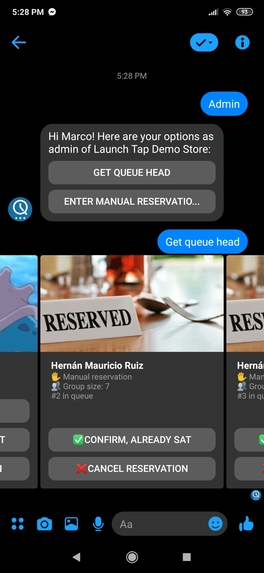
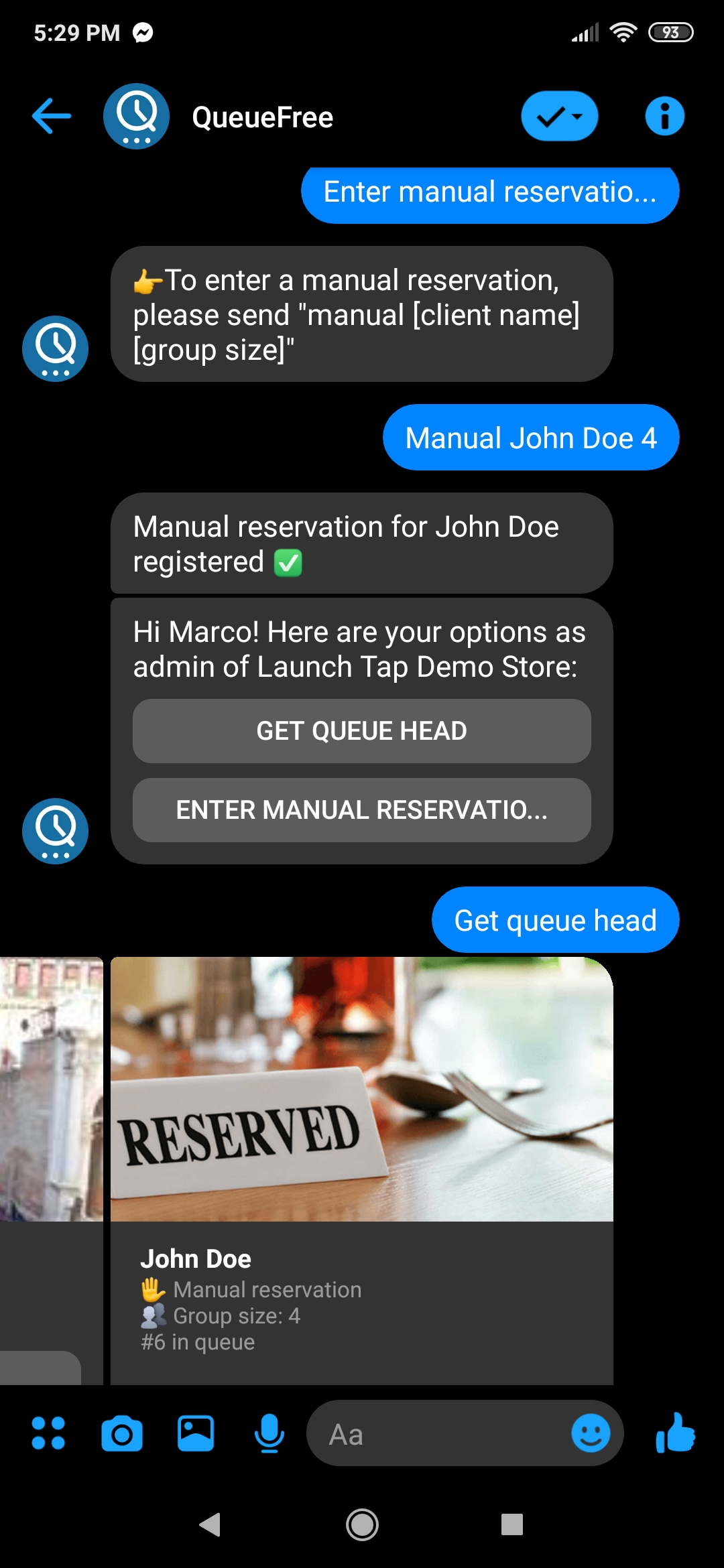
Manual reservations cannot be notified, but are integrated as normal reservations.
-
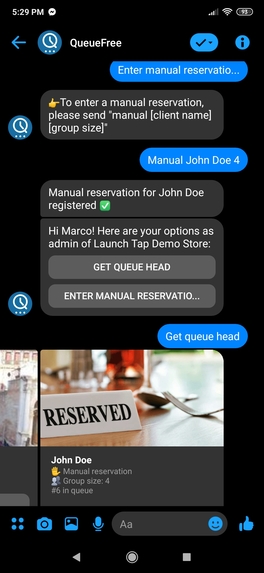
Manual reservations can easily be added by the admin with just the user's name and group size. This make the system backwards compatible.
-
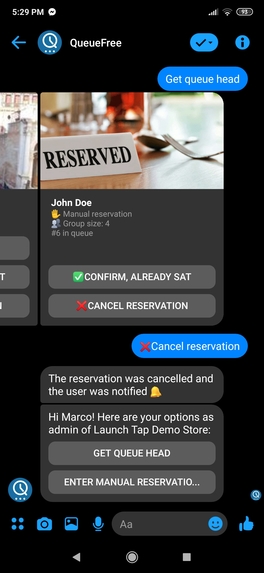
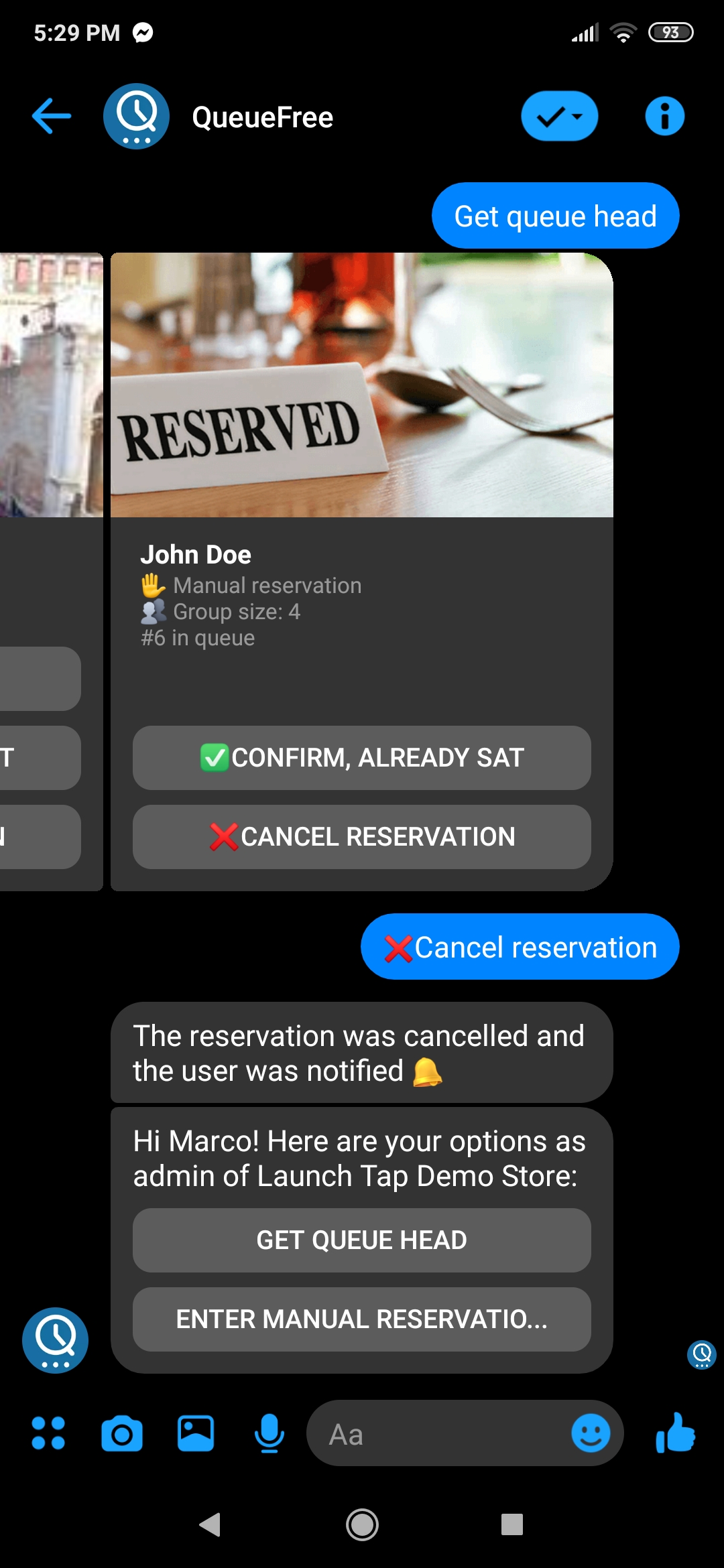
Notifications, confirmations and cancellations are both informed to the client and the admin to keep track of the queue.

Inspiration
In the city where I live, it is very common to have large queues at the doors of restaurants. Some stores don't accept previous reservations, so waiting in the door is the only available option. I took inspiration from pager beepers (small plastic electronic devices that ring and vibrate when the order is ready) available in some food chains and applied the same strategy to queues. QueueFree provides, via Facebook Messenger, a simple, fast and comfortable way to queue in restaurants, while being free to walk or sit until your table is ready.
What it does
With QueueFree, clients can scan a QR code provided at the door of the store, enter your group size and be queued in the store's waiting line: they will get notified when your turn is ready!. Clients can walk around while they keep track of their position in the queue and estimated waiting time. They can even download the menu beforehand while they wait!
Features
For the Client
- No physical queues, avoiding crowds, as clients can move freely and be updated on their queue position and estimated waiting time.
- Faster client service: users can download the store’s menu as they wait in queue. This can reduce significantly the time per customer. The menu can be updated at any time via the store manager.
- Happier customers and better overall experience, as then won’t be stuck in your store’s door for a long period of time.
For the Store Manager
- Easy client contact and cancellation by the store’s queue manager.
- Support for manual reservation entry: it can be done as it was before QueueFree, with all the perks of using the app. The manual reservations are integrated seamlessly.
- Admin commands to handle the queue: get the next clients in queue and their group size, to decide the optimal table disposition.
- Retrieve analytics about your store’s queue, as the average waiting time and demographics.
Additional Features
- Avoid spam: to be able to enter the queue, your clients just need to scan the physical QR code.
- Queue Max Size: You can easily setup a maximum queue size to automatically inform new clients if the queue is full. This also helps keeping track of how many clients are inside a store at a given time, in case there is a capacity restriction.
- No double queueing: a client can only be part of one QueueFree’s queue at the time.
- Multiple admins: a single store can have as many QueueFree Administrator accounts as it needs. Admins are able to manage the existing queue and enter manual reservations
How I built it
The backend of QueueFree is fully implemented in Golang as a monolithic API able to handle Facebook's API webhook. All the state of the application is stored in a relational Database (PostgreSQL), making the application able to scale horizontally easily. Addionally, QueueFree includes a 3rd party QR Decoder (I'm using a native port of ZXing) to handle the user's first interaction with the store via a QR image. I'd like to mention that, when I started QueueFree, I considered implementing a stand-alone application for the Store Manager (admins) to handle the queue. As I was running out of time (and following the spirit of the hackaton) I decided to implement an admin function in the same bot. I'm very happy with this decision, as the adoption of the stores is smoother and no qualified personal is required to handle QueueFree admin. As a side note, Queuefree was developed using Ngrok (I had an awesome developer experience being able to hit the server locally from Facebook Messenger) and it's currently hosted in Heroku (with both a free tier web application and PostgreSQL database)
Challenges I ran into
The hardest part of building QueueFree was to be able to provide a simple interface for the user to achieve the goal to enter the queue and check it's waiting time. Another challenge, experience-wise, was to consider that all buttons provided by QueueFree in Facebook Messenger are available to the user despite the bot's current state. That means that custom responses are required in some cases to keep the user informed about the current status and options.
Accomplishments that I'm proud of
Im really happy with the overall result. It took me about 3 nights to get QueueFree working in an MVP, and a couple more hours to show it to friends and implement small improvements. I love the final user experience, I consider it's simple, everyone can use it and the impact is considerable. I'm proud of how I solved the admin's experience. As I mentioned, QueueFree was going to include a separate webpage for administrators. Being able to include all the admin functions for the MVP inside Facebook Messenger was a great personal achievement.
What I learned
I entered the Devpost hackaton thinking that QueueFree might be a technical challenge. This is my first Facebook Messenger bot, and I'm confident I can leverage most of Facebook Messenger API's features after this project. I was surprised to find that there was a huge challenge in the UX: a lot of the feedback to the user is being provided by a couple of buttons with short wordings or text with few lines. I really enjoyed that interface limitation to focus on the basic concepts and make the experience simple.
What's next for Queue Free
Now that I have time, I will add:
- Stand Alone admin website with additional features, such as:
- -- Customer Analytics based on demographics and daytime. I'd love to get enough real data to be able to train a model that predicts the flow of customers given date, time, weather, etc.
- -- Admin administrators to easily add new administrators to a store, and limit their working time.
- Stores recommendations, when a queue is full.
- A Pager Beeper service, so QueueFree can also work like most beepers today: clients request their order, and they can sit on a table and get notified when it's ready.
- Train a model to estimate waiting time based on previous data generated by the store.
Built With
- facebook-graph
- facebook-messenger
- gingonic
- godep
- golang
- gopg
- heroku
- ngrok
- postgresql

Log in or sign up for Devpost to join the conversation.