Inspiration
As high school students currently taking AP courses ourselves, we were inspired by our own study experience. We found that simply knowing the correct answer isn't enough. We wanted a tool that could act as a personal tutor, helping us identify the specific misconception that led to an error. We built Question Analyzer to solve our own problem, focusing on Socratic guidance for self-correction rather than just giving away the answer, to foster a deeper conceptual understanding.
What it does
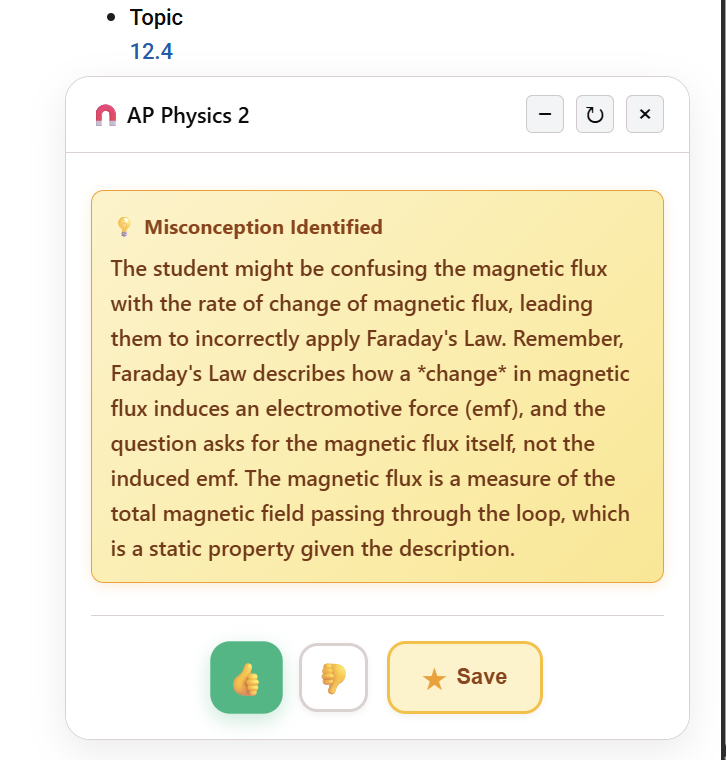
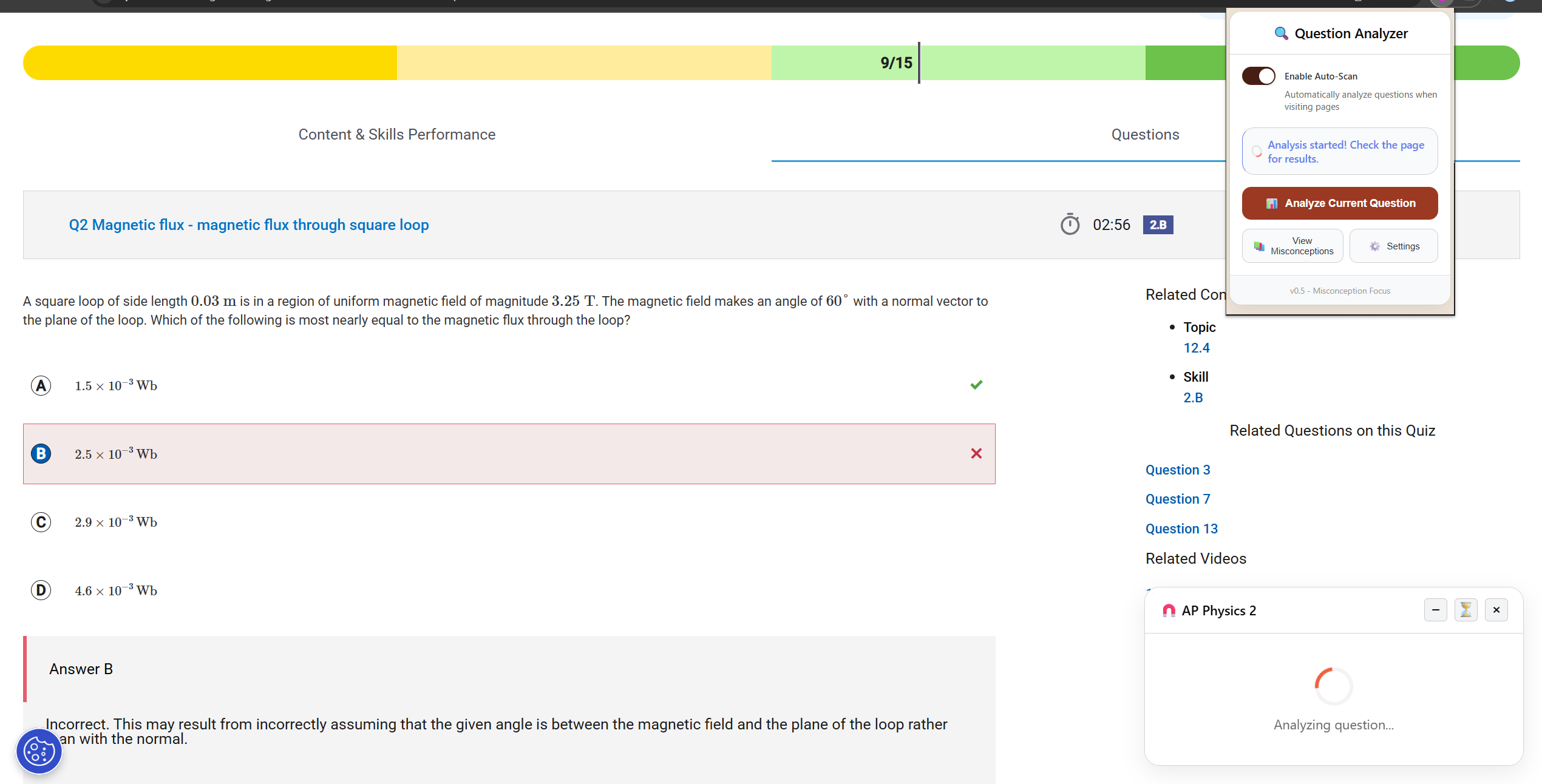
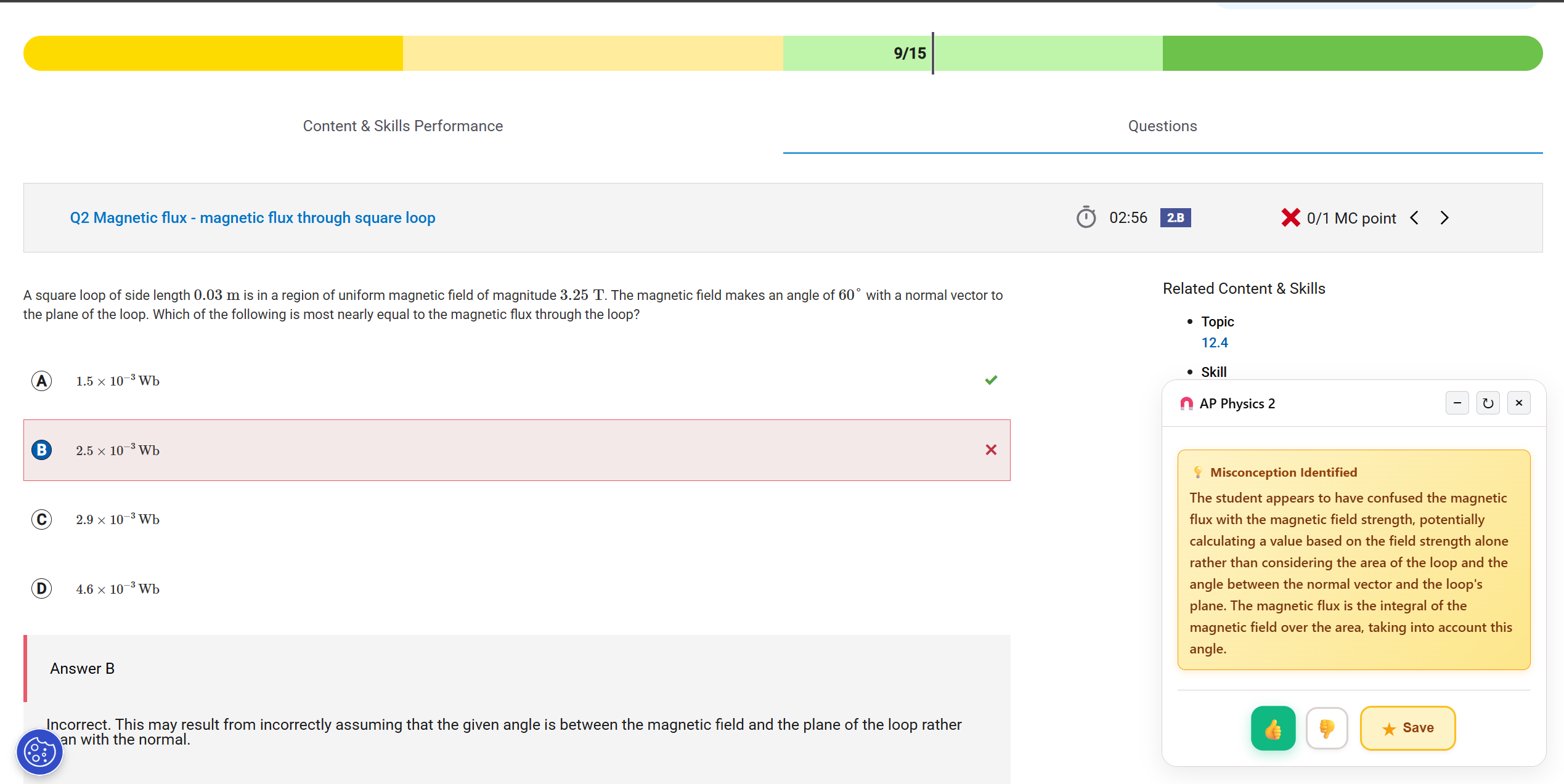
ReviewWIse is a Chrome extension that automatically analyzes a student's multiple-choice answers on the AP Classroom website.
- AI Analysis: It uses the built-in Gemini Nano AI to analyze the question, the student's answer, and the correct answer.
- Subject-Specific Context: It automatically detects which of the 13 supported AP subjects the student is working on (e.g., 'AP Physics 2' or 'AP Calculus BC') and injects this context directly into the AI prompt.
Deep Misconception Analysis: It doesn't just look at the question; it automatically extracts the official College Board explanations for all A-D options and feeds them to the AI. This allows it to pinpoint the exact conceptual misunderstanding with high precision.
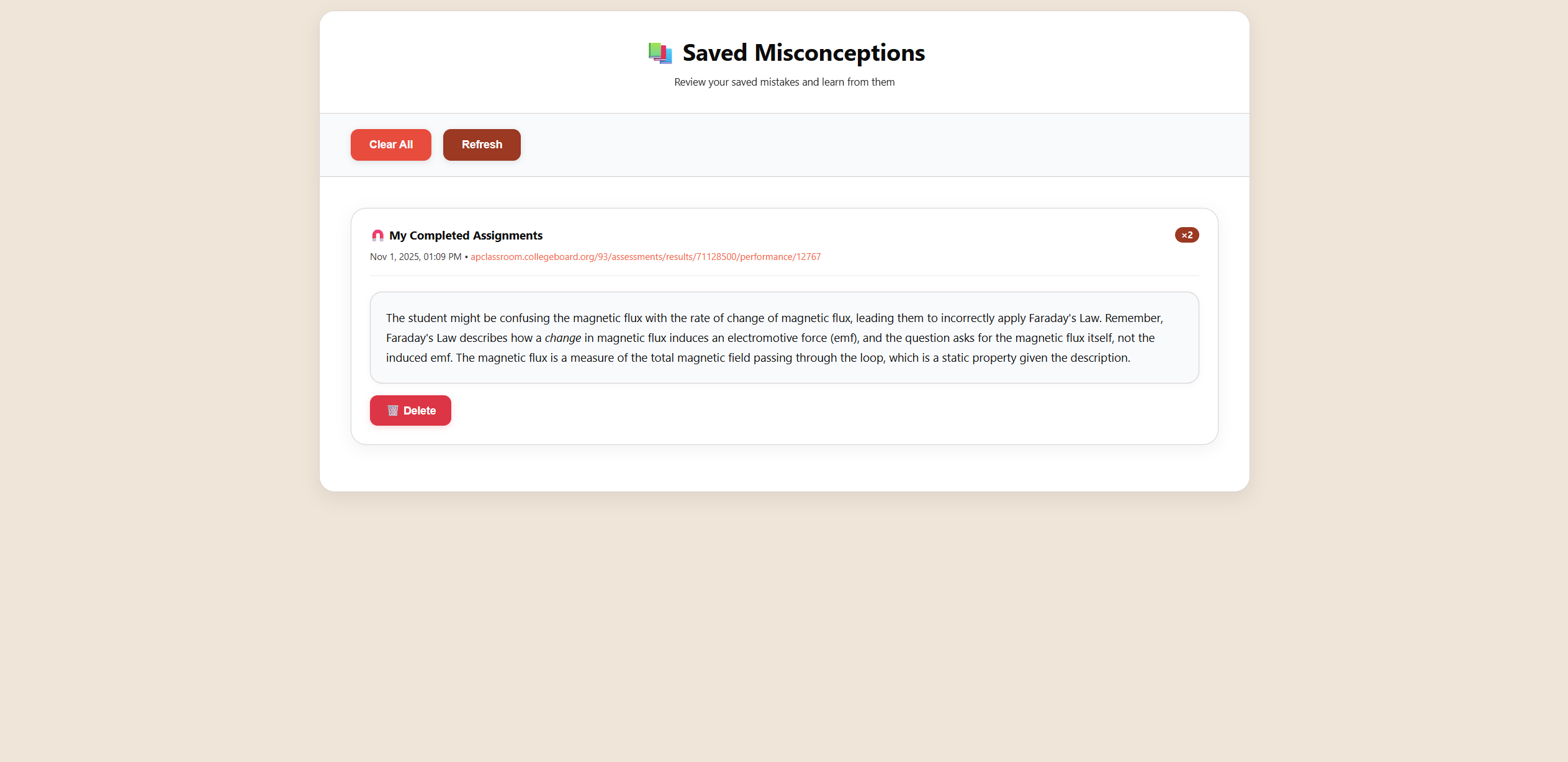
Misconception Bank: Students can save identified misconceptions to a local "Misconception Bank". This bank features smart deduplication, filtering by subject, and one-click export, all while keeping student data private on their device.
How we built it
The project is a Manifest V3 Chrome Extension built with a "local-first" AI architecture.
AI Core (Offscreen Document): The core of the project is Chrome's built-in
LanguageModelAPI (Gemini Nano). Because this API requires a DOM context, which Service Workers (likebackground.js) lack, we implemented achrome.offscreendocument to host and manage the AI session singleton. The background script handles all coordination and message routing.Content Extraction: We use
chrome.scriptingto inject an extraction script (extract-content.js) onto the AP Classroom page. This script uses Defuddle to intelligently grab the question content and Turndown to convert it to Markdown. Crucially, it also parses the DOM to find the student's answer, the correct answer, and the official A-D rationales.Prompt Engineering: The
offscreen.jsfile dynamically injects all this data—the subject, the A-D explanations, and the question—into a detailed prompt template before sending it to Gemini Nano.
Challenges we ran into
Running AI in a Service Worker: Our biggest challenge was discovering that the
LanguageModelAPI cannot be called from abackground.jsservice worker. The solution was to architect the extension around the Offscreen Document API, creating a singleton AI engine that lives in a hidden document and communicates with the background script via messaging.Robust Content Extraction: The AP Classroom DOM is complex. We had to develop a robust extraction script that could not only find the visible question (ignoring others on the page) but also correctly parse and preserve LaTeX formulas, which are often rendered as images (
<img alt="...">) or special math elements.AI Session Management: We built an error recovery system for the AI session. If an analysis fails or the session is corrupted, it is automatically destroyed and a new session is lazily re-initialized on the next analysis request, ensuring stability.
Accomplishments that we're proud of
The Dynamic Prompt Engineering: We are incredibly proud of our prompt. Instead of just asking the AI "what's wrong?", we feed it the entire context: the specific AP subject, the question, the student's answer, the correct answer, and all four official A-D explanations(if available). This allows Gemini Nano to perform a deep, pedagogical analysis that is grounded in the official source material.
A True Local-First AI App: This extension runs analysis entirely on-device using Gemini Nano. There are no server costs, no API keys, and no network latency for the core AI feature. This makes the tool 100% .
Advanced LaTeX Handling: We successfully built a pipeline that extracts LaTeX from the page, passes it through the AI, and renders it perfectly using KaTeX in the final UI, which is critical for STEM subjects.
What we learned
The Power of On-Device AI: We learned how to integrate and use the Prompt ai API. It's incredibly powerful to have a capable model available locally, eliminating privacy concerns and server costs.
Prompting is Context Engineering: We learned that the quality of the AI's output is a direct result of the quality of the input. Dynamically "grounding" the prompt with extracted subject context and official rationales made the difference between a generic response and a truly helpful, Socratic one.
What's next for ReviewWise
Broader Platform Support: Our immediate goal is to expand beyond just the AP Classroom website. We want to adapt the content extraction engine to work on other major educational platforms.
Support for More Subjects & Question Types: We plan to expand our subject-mapping logic to include more AP courses and other subjects. We also want to adapt the AI prompt to handle Free-Response Questions (FRQs), not just multiple-choice.
Built With
- css
- defuddle
- html
- javascript
- katex
- marked
- promptapi
- supabase
- turndown


Log in or sign up for Devpost to join the conversation.